April 21, 2026
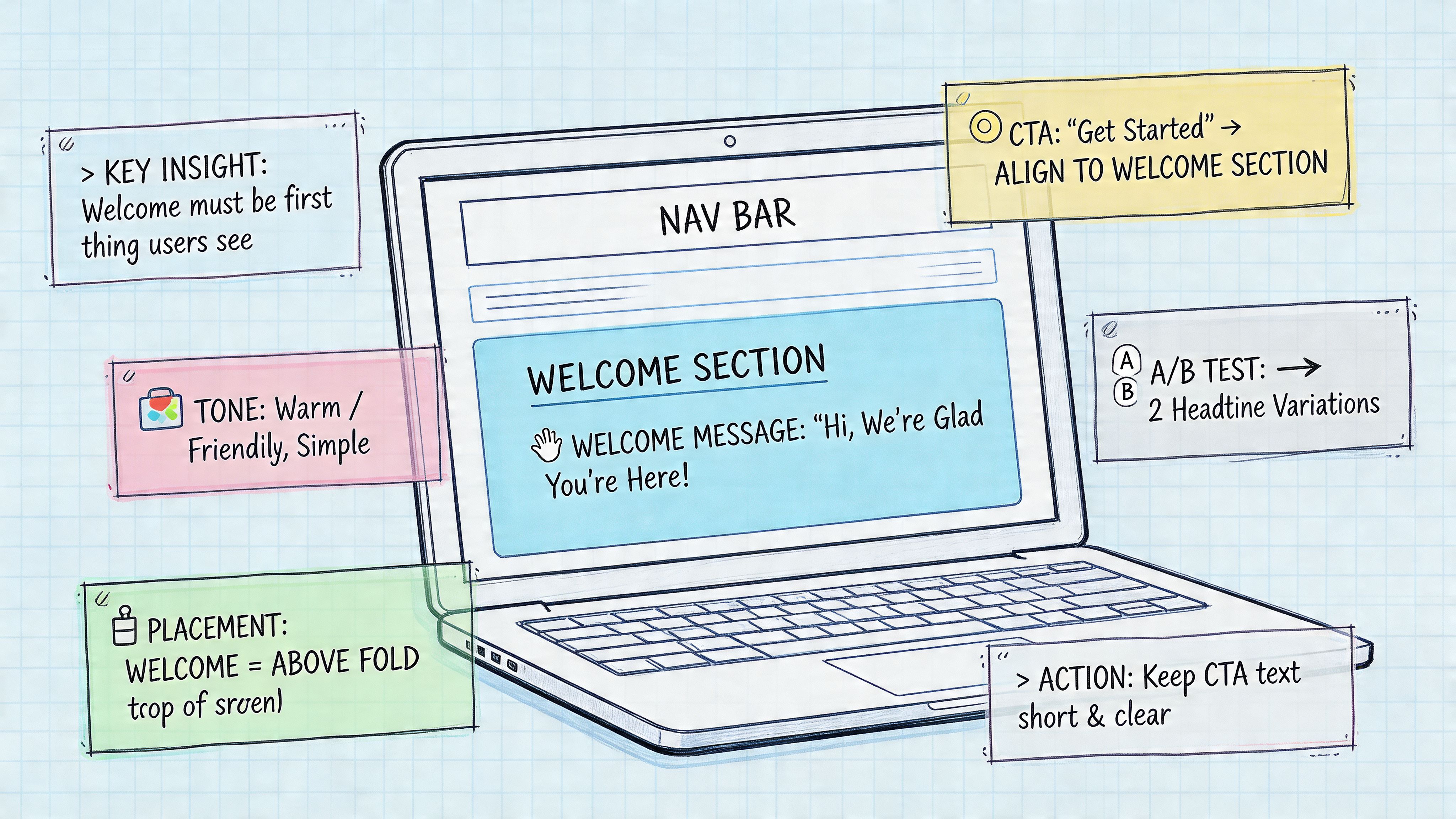
A new visitor lands on your homepage, member portal, event microsite, or app dashboard. The system is live, the registration flow works, and the content is there. Then they get a generic “Welcome!” banner that gives them no next step.
That first screen sets the tone for everything that follows.
A strong welcome message for a website is not decoration. It is direction. It tells a specific user what to do next, why that action matters, and what they get for taking it. On association, event, and membership platforms, that job gets more complex because different audiences arrive with different goals. An attendee wants sessions and logistics. A new member wants benefits and connections. A sponsor wants lead access and deadlines. An administrator wants setup guidance.
Advice written for simple e-commerce sites often breaks down on platforms with multiple roles, permissions, and pathways. A single welcome message cannot do all the work well. The better approach is role-specific and action-led.
That is also where platforms like GroupOS have a practical advantage. You can show different welcome messages based on role, registration source, and behavior, then connect each message to the next useful action inside the platform. For event teams, that might mean sending attendees straight into agenda planning while your staff supports arrival with the right event check-in software workflows. For member communities, it might mean prompting profile completion, directory use, or benefits activation.
You do not need more clever greetings. You need welcome messages built for the job each user came to do.
If you want to improve the broader flow around these messages, Formbricks has a useful guide to best practices for user onboarding.
The eight examples below are built for real platform roles, not generic pop-ups. Each one includes the message, the goal behind it, and the reason it works so you can adapt it inside GroupOS without guessing.
A strong attendee welcome starts before event day. The best version appears immediately after registration, then follows the attendee into their first login with the same promise and next step.
Use copy like this:
Welcome to the Annual Leadership Summit. Your seat is confirmed. Start by saving your top sessions, completing your attendee profile, and checking who else is already joining your track.
That works because it answers three questions at once. Am I in, what should I do now, and why should I care before the event starts?
Attendees don’t need every detail at once. They need orientation. Eventbrite gets this right by previewing logistics and agenda relevance. LinkedIn Events often leans into networking value early, which is smart for professional audiences.
For a GroupOS event site, the welcome message should push people toward:
The message should feel operational, not ceremonial.
If someone just bought a ticket, don’t waste the welcome area on “Thanks for registering.” They know they registered. Show what becomes available next.
A practical version looks like this:
Southbank Centre’s automated three-email welcome sequence is a useful model. After implementing a simple triggered series, it saw a 78% increase in open rates and a 112% uplift in click-through rates within the first 30 days, according to Smart Insights’ welcome email case study. The important lesson isn’t just the lift. It’s the structure: immediate send, clear CTA, then follow-ups tied to behavior and timing.
Practical rule: The first attendee message should help someone take one action in under a minute.
If you’re running check-in through GroupOS, tie the welcome message to arrival behavior too. A pre-event prompt that says “Download your QR code and review mobile check-in steps” can reduce confusion at the door. That’s easier to support when your event flow already includes event check-in software connected to registration and attendee profiles.
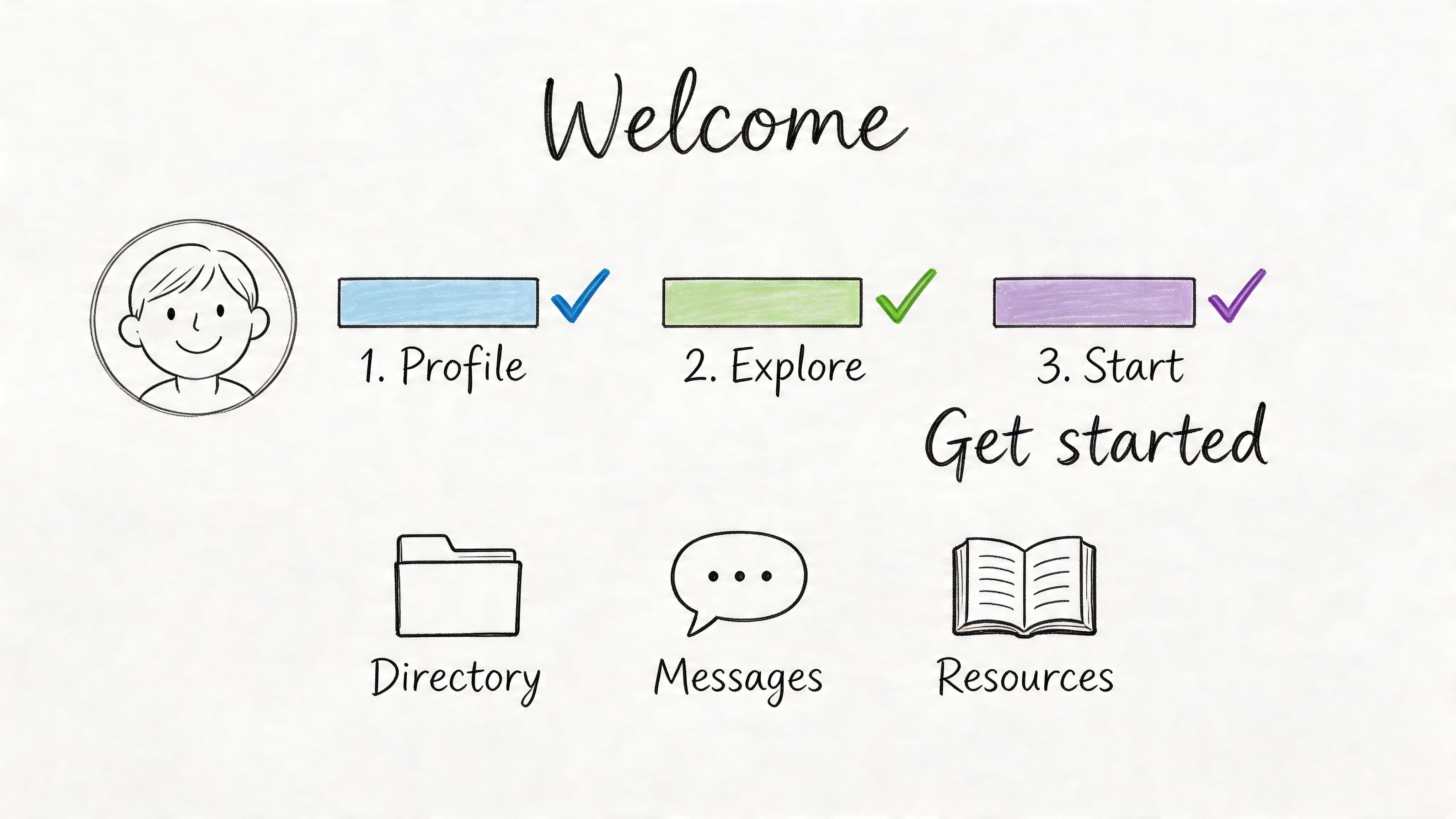
A new member joins your association, lands on the site, and sees ten links, six benefits, and no clear first step. That is how early momentum gets wasted.
Member onboarding works best when the first message answers one practical question: what should this person do first to get value from the community?
A strong website welcome message for associations, chambers, and professional networks can be as direct as this:
Welcome to the community. Complete your profile, review your recommended groups, and save one resource that matches your role.
That wording works because it gives the member a short path instead of a feature tour. It also reflects how people join. A student member, board volunteer, and corporate contact do not need the same next step, so the message should change based on role, goals, or membership type.
For new members, the job of the welcome message is not to explain every benefit. The job is to create one early success that makes the membership feel useful in the first few minutes.
In practice, that usually means guiding people to a small set of actions:
That is where GroupOS helps. Because profiles, community spaces, events, and communications live in the same platform, teams can trigger different welcome paths based on membership type and engagement behavior. It is much easier to stage that experience when your directory, dues logic, and onboarding content are managed in one place through software for managing memberships.
Generic greetings underperform on complex member sites because they ignore intent. A better approach is to write the welcome around the reason the person joined.
Here are three examples you can adapt:
Each one points to a different first outcome. Connection, career support, or account setup. That is the strategic shift that raises onboarding quality.
If your team is formalizing the flow across messages, prompts, and follow-ups, Spur’s guide to customer onboarding automation is a useful operational reference. If sponsorship is part of the member journey for organization-level accounts, it also helps to align onboarding with your broader event sponsorship package structure.
Lead with the next useful action. Members can discover the rest after they have a reason to come back.

Sponsors and exhibitors don’t want a warm community greeting. They want clarity, deadlines, visibility, and proof that the platform will help them generate business.
So the welcome message should say that plainly.
Welcome aboard. Your sponsor dashboard is ready. Upload your logo, complete your company profile, and activate lead capture before attendee traffic starts building.
That message works because it frames the website as an operating environment, not just an event listing.
This audience is buying access and attention. If the first message talks only about “being part of our event family,” it misses the reason they signed the contract.
A stronger sponsor welcome should guide users to:
Tech and media events often handle this well because they know exhibitors are measuring outcomes closely. Your website should do the same.
Try language like:
This message should also show them where analytics live. Even if you aren’t quoting benchmark numbers, sponsors want confidence that impressions, clicks, inquiries, and profile visits will be visible.
That’s where a platform like GroupOS helps. When sponsor profiles, event listings, banner placements, and attendee engagement all sit in the same environment, your welcome message can route people directly into setup instead of sending them to a PDF and a support inbox. If you’re packaging those benefits for sales and onboarding, it helps to align the message with your broader event sponsorship packages.
A sponsor welcome should sound more like a launch checklist than a thank-you note. That’s what makes it useful.
Some users join a platform for people. Others join for answers.
If your website includes resource libraries, courses, certification prep, webinars, or documents, the welcome message should guide users into learning paths immediately. Don’t assume they’ll browse their way to the right content.
A useful opening line is:
Welcome. Based on your role, here are the best places to start: foundational resources, your next recommended course, and the most-used library filters.
Content-heavy platforms often over-design the greeting and under-design discovery. The result is a polished dashboard with no obvious entry point.
A better approach is to organize the welcome around intent:
LinkedIn Learning is effective here because it pushes role- or skill-based paths instead of forcing users into a giant catalog. Association learning centers should borrow that structure.
For content consumers, a strong welcome message for a website should highlight three things:
If your audience includes certification seekers or continuing education users, estimated completion time matters too. So does progress tracking. People are more likely to return when the platform shows momentum clearly.
You can also use recent content to create urgency, but keep it relevant. “New this month” works better than “Browse all resources” when the library is large.
Hustler Marketing’s case study across 12 e-commerce brands points to the broader principle. After optimizing popups and a four-email welcome flow with dynamic personalization, the brands saw a 41% average increase in first-purchase conversions and a 27% revenue uplift per new subscriber, according to Hustler Marketing’s welcome flow case study. Different sector, same lesson: a welcome sequence performs better when it reflects what the user already signaled.
A content welcome should reduce search time. If it doesn’t help someone find the next useful resource quickly, it’s decorative.
For GroupOS users, this gets easier because the same system can map role tags, content access, event participation, and profile data into one personalized entry point. That’s especially useful for associations that need to serve both learners and community participants without confusing either group.
Admins need a different tone entirely. They’re not looking for community vibes. They’re trying to get the platform configured without creating downstream mess for members, staff, or event teams.
So the welcome message should be blunt and organized:
Welcome to your admin workspace. Start with branding, user roles, payment settings, and your first live workflow. Then invite your team.
That’s the right energy for a corporate community manager, association operations lead, or event director.
Admin onboarding succeeds when it removes ambiguity. Slack, HubSpot, and Microsoft Teams all do this well in different ways. They break setup into a handful of high-impact tasks, show progress, and avoid overloading first-time administrators with edge-case options.
For a GroupOS implementation, I’d structure the opening message around an implementation checklist with estimated effort. Admins need to know what must be configured now and what can wait.
Use a welcome structure like this:
The biggest mistake in admin welcomes is leading with feature sprawl. Don’t open with everything the platform can do. Open with what must be done before launch.
This embedded walkthrough is a good fit at this stage:
After the initial message, send role-based follow-ups. A membership manager needs different prompts than an event planner or a marketing coordinator. If your system supports templates, preload common configurations such as annual conference setup, sponsor pages, renewals, or gated content access.
Field note: Admin welcomes work best when they answer “What should I configure today?” before “What else can this platform do?”
If you can assign a success manager or implementation specialist, mention that right in the welcome area. It changes the feel of setup from self-service burden to guided launch. For B2B teams, that reassurance often matters as much as the checklist itself.
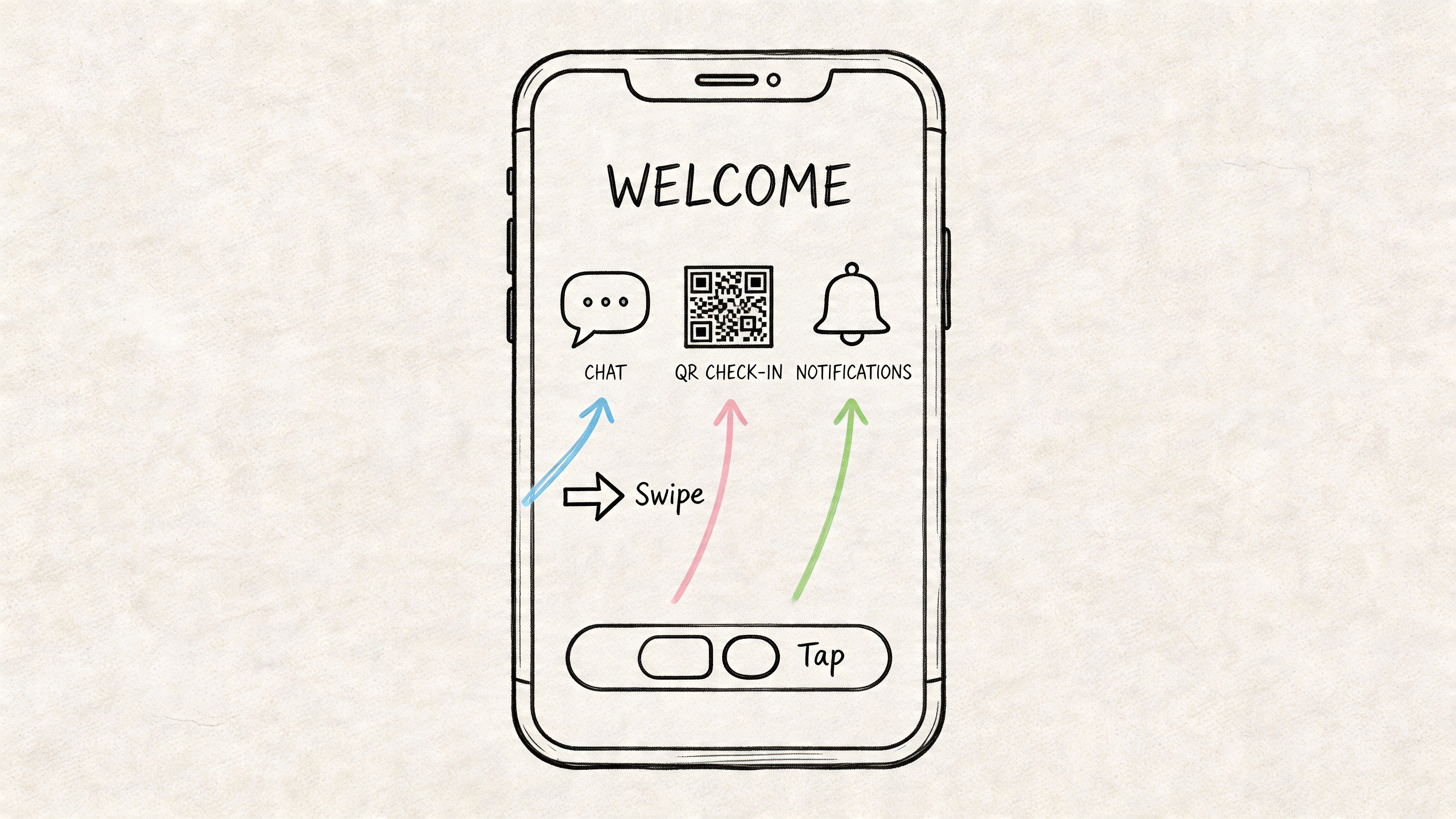
An attendee is standing outside a session room, phone in hand, trying to find a QR code, a schedule update, or a message from another registrant. That is the job of a mobile welcome. It should point to the one or two actions that matter in that moment.
A strong first-run message sounds like this:
Welcome. Use your QR code for check-in, turn on alerts for schedule changes, and open your agenda anytime during the event.
The copy is short because mobile attention is short. It is specific because mobile usage is task-driven.
Users do not need another brand introduction after installing your app. They need proof that the mobile experience is faster than the website for live event and member activity.
Good mobile welcomes usually highlight:
That mix works because it matches mobile behavior. People open an app to do something quickly, often while walking into a session, finding a sponsor booth, or checking whether a room changed.
This section is where generic app welcomes usually fall apart. An attendee needs agenda, check-in, and alerts. A sponsor may need lead capture, booth staff schedules, and attendee messaging. A member using the app between events may care more about discussions, directories, and saved content.
Use the welcome to route each person into their highest-value path. In GroupOS, that can mean sending event attendees to their personalized schedule, sponsors to exhibitor tools, and members to networking or content feeds inside a dedicated app for your community.
Permission timing matters on mobile. Asking for notifications, camera, location, and contacts on the first screen creates friction before the user has seen any value.
Ask later, at the point of need:
That sequence gets better opt-in rates because the request is tied to a visible benefit.
If you add a tour, keep it tight. Two or three screens is enough. Always include a skip option. Experienced users want to reach the schedule, messages, or badge in seconds, not sit through a product lesson.
GroupOS is well suited to this approach because organizations can shape the mobile welcome around actual roles and event workflows instead of showing every feature to every user on day one.
A member lands on your site, ignores the homepage welcome, then clicks into the directory because they need to find someone now. That click is effectively the start of onboarding.
First-time activity messages work because they meet intent that already exists. The user is not asking, "What does this platform do?" They are asking, "How do I complete this task without getting stuck?" The best welcome message answers that question in one screen.
A simple example:
Add a short bio and your areas of interest so other members can find and contact you more easily.
That copy works because it gives a clear action, a clear benefit, and a reason to do it now.
Generic feature tours usually miss the moment that matters. A first-time engagement message should be attached to a specific action and remove one point of hesitation. For associations and event platforms, that often means writing different micro-welcomes for different workflows, not one site-wide message for everyone.
Common trigger points include:
Each one needs different guidance. Someone sending a first message may need reassurance about etiquette or visibility. Someone registering for an event may need a quick note about saving sessions or confirming their profile details. Someone editing a sponsor listing may need a prompt about what buyers notice first.
The strongest version does three things fast. It explains what to do, why it matters, and what happens next. If any of those pieces are missing, the message starts to feel like decoration.
Use copy like this:
A lot of teams get the trade-off wrong. They try to explain every option upfront, which makes the message longer and weaker. In practice, shorter guidance wins if it helps the next click succeed.
A few rules consistently hold up:
For complex platforms, this approach is more useful than a broad “welcome to our website” message because the user’s role changes what help they need. An attendee registering for a workshop, a member updating a directory profile, and a sponsor editing a listing are all in different decision moments.
GroupOS supports this well because these prompts can be tied to actual user behavior inside the platform. That gives teams a practical way to build role-specific guidance around real actions, then refine it based on where users complete the task or drop off.
A member logs in after six weeks and sees the same generic greeting they saw on day one. That message wastes the moment.
Returning users already know the platform exists. They need a fast reason to care again. The job of a welcome-back message is to reconnect their last known goal to something current inside the site.
A stronger example looks like this:
Welcome back. New discussions are active in your industry group, two events now match your saved interests, and your recommended resources are ready.
This works because it does three things at once. It confirms the platform changed while they were away. It ties those changes to the user’s past behavior. It gives them a clear path back into activity without making them hunt.
The strongest returning-user messages answer one practical question: why should this person act now?
That answer depends on role and prior activity. A past event attendee should see schedule updates, new speakers, or registration deadlines. A member who used the directory should see fresh conversations, profile views, or new peer activity. A sponsor who went quiet may need a reminder tied to lead visibility, booth/profile completeness, or an upcoming deliverable.
Time away matters, but behavior matters more. Someone gone for 10 days after browsing certification content needs a different message than someone absent for 90 days after managing sponsor assets.
Re-engagement messages lose force when they try to recover every possible use case in one block of copy. Pick the next action with the highest chance of restarting momentum.
Examples:
The trade-off is simple. Broader messages cover more possibilities, but they convert less cleanly. Narrower messages require better segmentation, yet they give returning users a much easier decision.
GroupOS is well suited to this approach because teams can base the message on actual platform signals, such as event activity, saved interests, profile status, content progress, or community participation. That makes the welcome-back experience feel timely and specific instead of recycled from the homepage.
| Welcome Type | 🔄 Implementation Complexity | ⚡ Resource Requirements | 📊 Expected Outcomes · ⭐ Quality | 💡 Ideal Use Cases | ⭐ Key Advantages |
|---|---|---|---|---|---|
| Event Attendee Welcome Message | Medium, integration with event systems and timing rules | Moderate, content, agenda data, QR/check‑in setup | 📊 ↑ engagement & attendance · ⭐ fewer support queries | Conferences, ticketed events, professional summits | Drives attendance and pre‑event engagement |
| New Member Onboarding Welcome Message | Medium‑High, multi‑step sequences and personalization | High, drip emails, progressive profiling, support resources | 📊 ↑ 30‑day retention · ⭐ reduces onboarding friction | Membership orgs, subscription models, associations | Boosts retention and member activation |
| Sponsor and Exhibitor Welcome Message | High, dashboards, lead capture and tiered messaging | High, analytics, integrations, sponsor success staff | 📊 ↑ sponsor ROI perception · ⭐ more active sponsor participation | Trade shows, B2B events, sponsor‑driven conferences | Demonstrates ROI and accelerates sponsor setup |
| Content Consumer Welcome Message | Medium, content curation and progress tracking | Moderate, curated library, recommendation tools | 📊 ↑ content consumption & completion · ⭐ improved learning outcomes | Professional development, certification programs, L&D portals | Guides learning paths and increases platform stickiness |
| Corporate Administrator/Manager Setup Welcome Message | High, complex config, role & permission management | High, training, implementation specialists, integrations | 📊 Faster time‑to‑launch · ⭐ fewer configuration errors | Enterprise SaaS, association admin setups, org deployments | Ensures correct configuration and adoption at scale |
| Mobile App User Welcome Message | Medium, device/OS testing and permission flows | Moderate, interactive tutorials, QA, push infrastructure | 📊 ↑ app adoption & DAU · ⭐ real‑time event engagement | Mobile‑first platforms, event apps, on‑the‑go users | Improves mobile retention and real‑time interaction |
| First‑Time Engagement Activity Welcome Message | High, precise event tracking and trigger logic | Moderate, behavioral analytics and in‑app messaging | 📊 ↑ feature adoption · ⭐ reduced discovery friction | Feature‑rich SaaS, productivity tools, in‑app onboarding | Contextual timing increases relevance and immediate utility |
| Returning User Re‑engagement Welcome Message | Medium, segmentation and personalized content | Moderate, CRM data, content highlights, incentives | 📊 ↓ churn · ⭐ renewed engagement and LTV uplift | Subscription services, membership platforms, lapsed users | Cost‑effective reactivation with targeted value reminders |
Most websites don’t have a welcome-message problem. They have a relevance problem.
The copy isn’t failing because it lacks warmth. It’s failing because it treats every visitor the same. A first-time attendee, a new member, a sponsor, an admin, a mobile user, and a returning member do not need the same greeting, the same CTA, or the same onboarding path. When teams stop thinking about a welcome message for a website as a design ornament and start treating it like a routing tool, engagement improves fast.
That shift matters because the first interaction still gets the most attention. One of the strongest data points in the welcome-email research is how much higher these messages perform than ordinary sends when they’re timely and relevant. Another is how many brands still delay or mishandle that moment. The opportunity is obvious. Most organizations already have the traffic, registrations, and member actions they need. They just aren’t translating that intent into a better first step.
The practical move is to pick one audience first.
If your organization runs events, start with the attendee welcome. If membership retention is the bigger challenge, fix new-member onboarding before you polish anything else. If sponsor revenue matters, build a role-specific sponsor welcome that behaves more like an activation checklist than a thank-you note. Don’t roll out eight new flows at once unless you have the team to maintain them.
The second move is to define one primary action per welcome message. Not three. Not six. One. Save sessions. Complete your profile. Activate lead capture. Finish setup. Turn on notifications. Resume your learning path. When a welcome tries to do everything, it usually does nothing.
Then build the message around timing. Some welcomes belong at sign-up. Others belong at first login, first feature use, or first return after inactivity. Many sound strategies falter in execution. Teams write decent copy, then fire it at the wrong moment. A contextual nudge inside the directory or event schedule often outperforms a polished but poorly timed homepage announcement.
A/B testing matters too, but test the right variables. Start with the CTA, the order of information, and whether the message is role-based or generic. Don’t obsess over tiny wording tweaks before you fix the structure. In practice, segmentation and timing usually beat clever phrasing. If you’re running a community or event platform, you’ll get far more value from testing “member vs sponsor welcome” than from testing two adjectives in the headline.
Also, don’t confuse friendliness with usefulness. A good welcome can still sound human, but its real job is guidance. The best ones reduce uncertainty, shorten time to value, and make the next step obvious. That’s what users remember.
GroupOS is especially useful here because these messages don’t have to live in isolation. You can connect welcomes to registrations, membership status, sponsor roles, content access, event activity, and mobile behavior inside one platform. That means your welcome message for a website can become part of a broader onboarding system instead of another disconnected pop-up. You can automate delivery, personalize by role, and keep refining the message as you learn what moves members, attendees, and sponsors into action.
Start with the audience that matters most to your next business goal. Write one message that points them to one meaningful next step. Then build from there.
If you want to turn generic greetings into role-based onboarding that drives member activation, event participation, sponsor visibility, and repeat engagement, GroupOS gives you the tools to do it in one place. You can launch branded web and mobile experiences, automate targeted welcome flows, connect registrations and memberships, manage sponsors and content, and guide each user to the right next action without stitching together multiple platforms.







