April 15, 2026
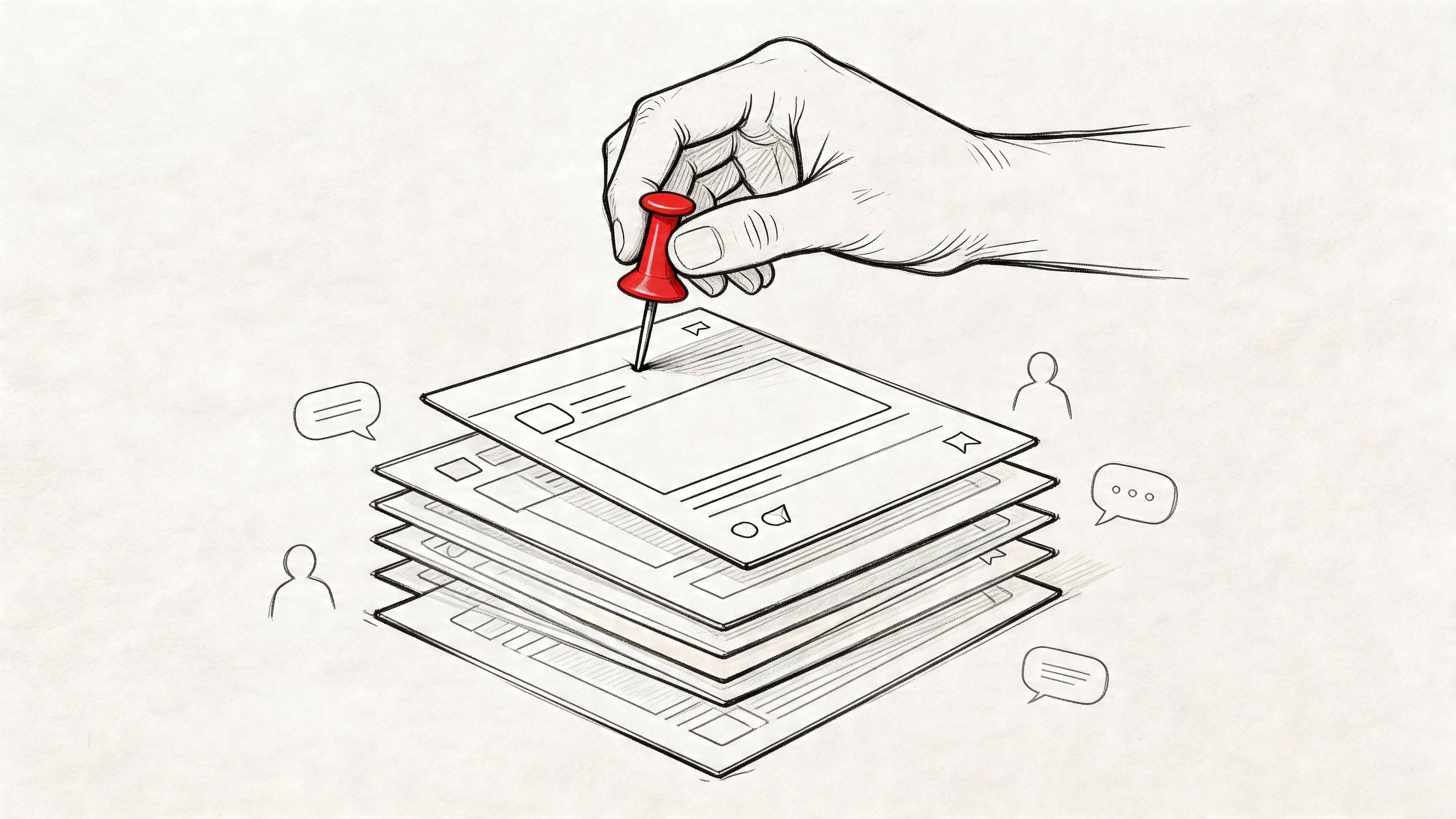
You post conference registration on Monday morning. By Monday afternoon, member introductions, job posts, chapter questions, and speaker chatter have pushed it halfway down the feed. By Tuesday, people start emailing your team asking for the registration link you already shared.
That isn’t a content problem. It’s a visibility problem.
For professional associations, “pin a post” sounds like a small platform action. In practice, it’s one of the few tools that lets you control attention inside a busy member community. Used well, it keeps critical information visible across your website, mobile app, and connected channels. Used badly, it turns into a cluttered ribbon of “important” posts that members learn to ignore.
Most pinning advice online stops at mechanics. Click menu. Select Pin. Done. That’s not enough for associations, credentialing bodies, trade groups, and event teams managing sponsors, committees, deadlines, and members across several touchpoints. You need a policy for what gets pinned, who can pin it, how long it stays up, and what business outcome it should drive.
A common pattern shows up in nearly every association community. The team publishes something important, often at the right time and with the right message. Then the community behaves like a healthy community should. People talk.
New member welcome threads appear. A board member comments on an industry issue. Someone asks about certification requirements. Another member shares a photo from a local meetup. All of that is good. It also means your most important announcement is no longer easy to find.
Associations deal with a specific type of feed pressure. You’re not just promoting one campaign. You’re often juggling:
That mix creates a feed where every team thinks its update matters most. Members see a steady stream of relevant content, but they don’t always see the one thing you need them to act on now.
Pinning solves that, but only if you treat it as attention management, not as decoration.
Pinned content should answer the question, “What does a member need to see first if they open the community right now?”
The bigger challenge isn’t just one crowded feed. It’s fragmentation. Many associations run a branded web community, an iOS app, an Android app, a Facebook Group for lighter discussion, and Slack for staff, volunteers, or ambassadors.
For organizations managing communities across disparate tools, the challenge is maintaining consistent pinning hierarchies across web, iOS, and Android apps simultaneously. The absence of best-practice frameworks for multi-platform pinning leaves managers without guidance on ensuring critical information reaches members regardless of the interface they use, as noted in this discussion of cross-platform pinning gaps: https://www.youtube.com/watch?v=28khxTF_rIU
When that hierarchy is missing, members get mixed signals. The web app highlights the annual meeting deadline. Facebook still features last month’s webinar. Slack has a different top message entirely. Staff assume they’ve “announced it everywhere,” but members experience a patchwork.
The strongest teams don’t pin more posts. They pin fewer posts with more intent.
A pinned post says, without saying it outright, “Start here.” That’s why weak pinning habits fail so quickly. If every announcement is pinned, nothing feels urgent. If old pins linger after they’re useful, members stop trusting the pinned area. If separate channels pin different priorities, users miss the one action you care about most.
That’s why pinning belongs in your communication strategy, not just your moderation workflow.
A member opens your annual conference community on their phone while walking into the venue. The registration cutoff is pinned on the web portal, the sponsor welcome post is featured in the app, and the Facebook Group still highlights last week’s volunteer reminder. Pinning failed before the member read a word.
Execution matters because associations rarely publish in one place. They publish across a branded community, mobile apps, social spaces, and internal coordination channels. The job is not just pinning a post. The job is making sure the same priority shows up clearly wherever that audience checks.
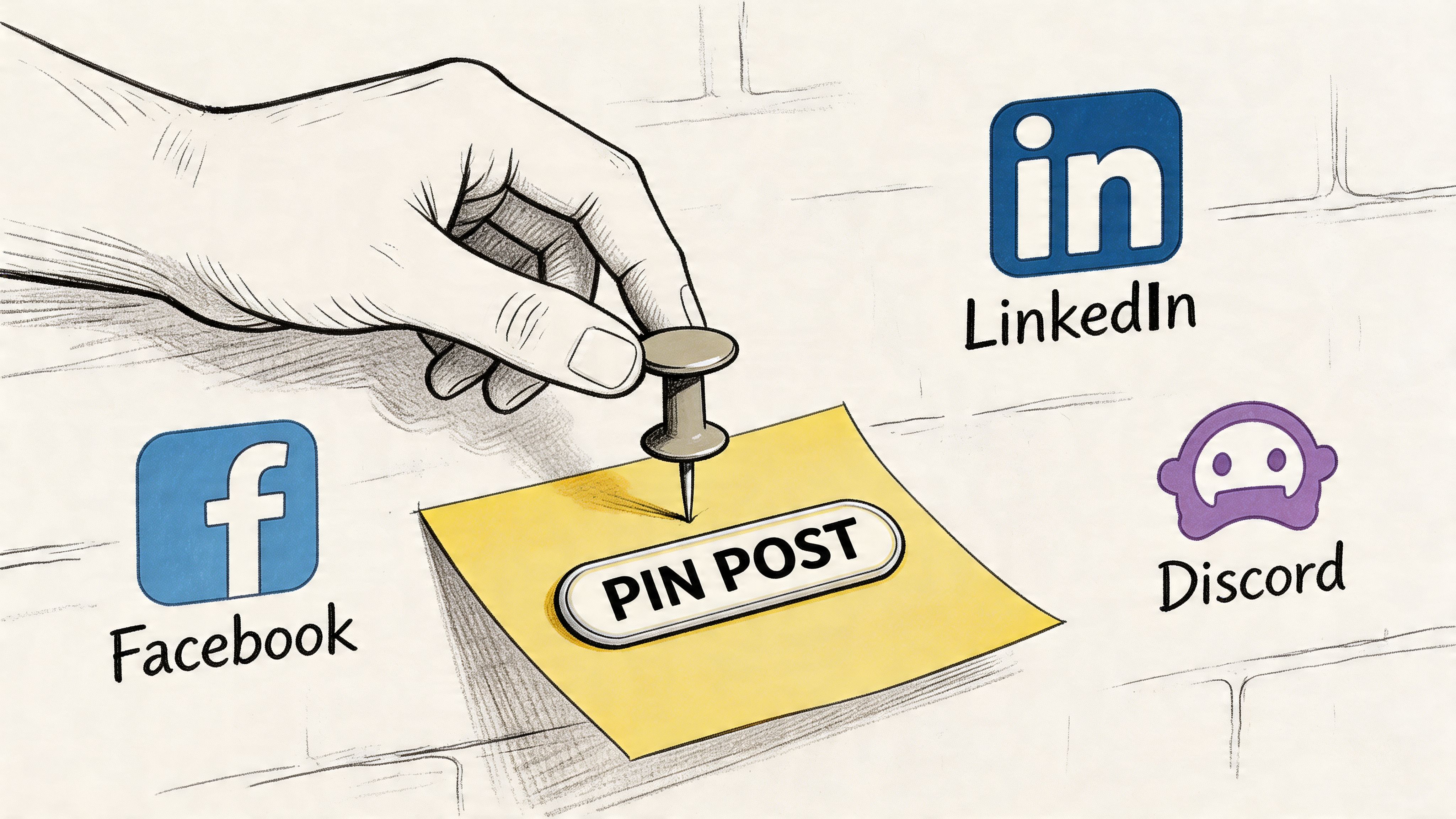
Pin from the post itself so your team can verify the actual member-facing result.
Open the announcement, discussion, or update you want to highlight. Use the post actions menu, usually the three-dot menu or a moderation control, and select the option to pin or feature it. Then check where it appears on web and mobile. In platforms with both pinned and featured states, those are different editorial tools, not interchangeable ones. As noted earlier in the same documentation, a pinned area can hold ongoing reference content, while the single featured position should carry the one action members should see first.
That distinction matters for associations. A certification deadline belongs in the featured slot. A code of conduct, FAQ, or sponsor resource hub usually belongs in the pinned collection.
Use the setup this way:
If your platform connects web, iOS, and Android under one system, confirm the post placement in each surface. GroupOS clients usually find that the pin itself takes seconds. The harder part is checking that the hierarchy survives across every member touchpoint.
Open the target post, use the post menu, and choose the pin or featured option available in that group. Then review the group as a member would, especially on mobile.
Facebook is useful for reach, but it is a weak source of durable structure. Associations often use it for chapter promotion, event reminders, and lighter discussion, not for housing the full priority stack. Keep the pinned post short, direct, and linked to the authoritative destination in your main community platform.
Good fits for Facebook pins include:
If you pin in Facebook and your branded community at the same time, keep the call to action identical. Different wording creates unnecessary friction, especially during event launches.
Open the message, use the more actions menu, and pin it to the channel. Then check the pinned items area so you know members can find it later.
Slack works well for committee coordination, speaker communication, and ambassador programs. It is less reliable as the primary place for high-value member announcements because chat moves quickly and pinned items are easy to ignore. Associations that use Slack well treat pins as support for active conversations, not as the main archive of important information.
Add one line in the channel after pinning: what the message is, who it is for, and what action people should take.
If your team is deciding whether chat should play a larger role in the member experience, review this practical guide to using Slack for communities. If you also manage staff or volunteer communication in Google’s ecosystem, A Guide to Mastering Google Chat is useful for comparing how another fast-moving chat environment handles visibility and coordination.
A short walkthrough helps if your team is documenting workflows internally:
After pinning, run three checks.
Pinning transforms into a content-highlighting system instead of a one-click moderation task. For professional associations, that difference affects registration volume, member trust, and sponsor value. If a sponsor paid for top visibility during annual meeting week, the pinned experience has to be consistent everywhere the campaign appears.
Pinning rights should be narrow. The moment too many people can pin, the pinned area becomes a battleground between departments.
Associations feel this acutely because they often have layered leadership. Headquarters staff, chapter admins, event marketers, volunteer moderators, sponsor managers, and board liaisons may all have legitimate reasons to promote content. If all of them can pin freely, your community feed becomes a reflection of internal politics instead of member priorities.
A practical model is to limit pinning to people with direct responsibility for the member experience in that specific space.
| Role | Typical pinning authority | Best use |
|---|---|---|
| Global admin | Broad access across communities | Platform-wide announcements, governance content |
| Community manager | Full access in owned spaces | Engagement, onboarding, timely campaigns |
| Event lead | Limited access in event spaces | Registration, agenda updates, attendee logistics |
| Moderator | Selective access or none | Escalation support, not routine prioritization |
| Sponsor manager | Usually no direct access | Submit requests for approved promotional pins |
This isn’t about hierarchy. It’s about editorial control.
Members learn quickly whether pinned content is curated or chaotic. If they open a community and see expired notices, duplicate reminders, and competing promotional posts, they stop checking the pinned area altogether.
A simple governance rule helps. One owner approves the top featured post in each community. Everyone else submits requests through a lightweight internal process.
Practical rule: If a team can’t explain the action they want a member to take after reading the post, that post probably shouldn’t be pinned.
This is also where job scope matters. Many associations underestimate how much judgment pinning requires. It sits at the intersection of moderation, communications, and operations. This breakdown of https://groupos.com/blog/what-a-community-manager-does is useful because it shows why community leadership isn’t just posting content. It’s setting visibility rules and protecting attention.
What works:
What doesn’t work:
Pinning is a publishing decision. Treat it with the same discipline you’d apply to your homepage.
A professional association launches annual conference registration, opens board nominations, rolls out a sponsor webinar, and updates certification deadlines in the same two-week window. If every team pins its own priority, the community feed turns into a stack of competing directives. Members stop scanning the top of the page because nothing signals what matters now.
A better model starts with one question: what business outcome does this pinned placement need to produce?
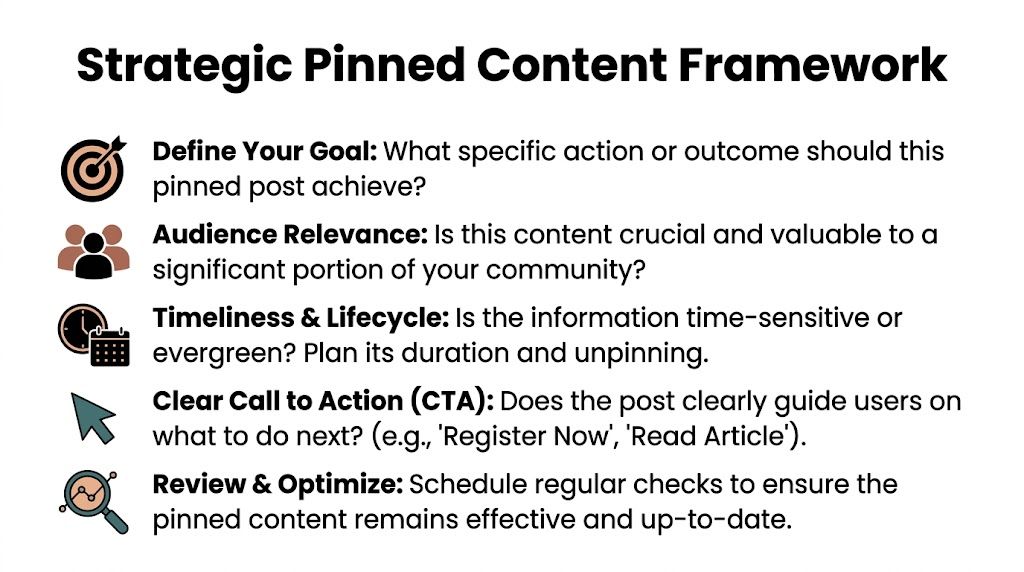
Pinned content should earn its position. In practice, association teams usually get better results when they sort pins into four roles, not one generic “important post” bucket.
Operational utility
Use pinned space for resources members need repeatedly, such as renewal instructions, volunteer guidelines, chapter contacts, or event logistics. In GroupOS environments, this often belongs in the channel where the task happens, not in the top announcement slot across the whole community.
Time-bound conversion
These are deadline-driven actions. Register, vote, submit, confirm, book, renew. If a missed post creates friction for members or lost revenue for the organization, this is a candidate for top placement.
Conversation direction
Some pins should shape participation. An introductions thread for new members, a conference meet-up post, or a board Q&A can focus discussion and improve response quality across the channel.
Commercial visibility with member relevance
This is the category many single-platform guides skip. Associations need pinned placements that support sponsor commitments without making the community feel sold to. A sponsor post can work if it highlights a useful tool, educational session, benchmark report, or on-site benefit. It fails when it reads like an ad dropped into a member space.
That distinction matters.
Many platforms let teams keep multiple pinned items available while reserving one high-visibility position at the top of the feed. Use that top slot with discipline.
For associations, I recommend a simple hierarchy. Put immediate member action first. Put broad operational clarity second. Put sponsor visibility in the top slot only when the promotion is tied to a current event, a member benefit, or a contractual campaign window that has already been planned into your calendar.
This avoids a common mistake. Teams often give the top slot to whoever asks first or shouts loudest internally. That creates internal fairness, but poor member experience.
A better filter is:
If the answer is unclear, the post probably belongs lower in the stack or in another channel.
Pinning gets more complicated once your association runs multiple spaces. There may be a member community, chapter groups, committee workspaces, event channels, and sponsor or exhibitor areas. The same campaign should not be pinned everywhere in the same way.
A conference example makes the point. The main community might feature registration or hotel deadline information. The volunteer leader workspace might pin staffing instructions. The exhibitor area might pin booth setup details. The sponsor lounge might pin activation schedules and asset deadlines. Same event. Different pinned jobs.
This is where an actual community engagement strategy for associations and events matters. Pinning works best when it follows channel purpose, audience intent, and campaign timing instead of acting as a last-minute visibility fix.
Teams that need a stronger editorial model can also borrow useful planning principles from this guide to content strategy for social media, then adapt them to community spaces where visibility is shared, contextual, and often role-based.
Pinned content decays fast. A stale top post teaches members that the first thing they see is no longer the first thing they should read.
Set the review date at the same time you approve the pin. For event campaigns, that may be every milestone change. For evergreen resources, it may be monthly or quarterly. For sponsor placements, it should follow the benefit period you sold, not an open-ended promise that lingers after the campaign has lost relevance.
This is also where trade-offs become real. Frequent rotation keeps the space active, but too much churn can hide important instructions before members act on them. Slow rotation protects visibility, but it reduces trust when members keep seeing outdated prompts. The right cadence depends on channel traffic, campaign urgency, and how often your audience returns.
Pinned posts need tighter copy than standard updates. Members scan them as directional signs.
Use a straightforward structure:
Association teams often overload pinned posts because several departments want their detail included. Resist that. A pinned post is not a mini newsletter. It is a decision prompt.
The practical standard is simple. Every pinned post should have an owner, an audience, a deadline or review date, and a measurable purpose. Once teams work from that framework, pinning stops being a feed setting and starts functioning like governed inventory across your member, event, and sponsor channels.
Pinned posts aren’t just for housekeeping. For associations and events, they’re premium placement.
That matters because you already have competing demands on limited attention. Members need clear actions. Sponsors want visibility. Exhibitors want qualified interest. Your board wants strategic communications to land. A pinned post can support all of those, but only if you stop using it as a generic announcement tool.
There’s a real market gap here. Guidance is thin on how to use pinned content inside community platforms for exhibitors and sponsors, and event organizers still need data on optimal promotional pinning frequency and its effect on lead generation and attendee conversion, as noted by the pin content gap analysis at https://rankmypin.com/pin-content-gap-finder/
That gap is exactly why associations need a framework instead of improvisation.
Three use cases work well.
Sponsor spotlight posts
Pin one sponsor feature tied to member value. Don’t make it a logo drop. Frame it around a resource, tool, demo, research session, or attendee benefit.
Exhibitor navigation threads
For conferences, pin a thread that helps attendees discover exhibitors by category, problem area, or event activity. This works better than asking people to hunt through scattered updates.
Partner resource hubs
If sponsors contribute content, pin the access point, not a pile of individual promotions. Members get one clean entry point. Sponsors still get visibility.
Associations often overlook how well pinned posts can support operational conversions.
Good examples include:
The key is relevance. Members tolerate promotional content when it solves a real need in the moment. They ignore it when it feels like inventory stuffing.
Permanent sponsor pins underperform strategically even when they satisfy a contract. Members stop seeing them. Internal teams stop evaluating them. Sponsors can’t tell whether the placement created meaningful interaction.
A rotation model works better because it creates freshness and gives each message a clear window. It also forces your team to articulate the value proposition of each sponsor placement.
If a sponsor pin doesn’t help a member do something useful, it reads like an ad. If it helps a member solve a problem, it reads like programming.
During live, virtual, or hybrid events, pinned posts become a coordination layer.
Use them for:
| Event moment | Best pinned use |
|---|---|
| Pre-event | registration, hotel, agenda, app download |
| During event | where to start, networking thread, sponsor activation |
| Post-event | session recordings, survey, renewal or next-event interest |
That’s where the business value becomes obvious. A pinned post isn’t only surfacing information. It’s helping attendees move through your event experience in the order you want.
A pinned post that gets seen but doesn’t drive action is only half successful. You need to know whether the visibility translated into the outcome you wanted.
The cleanest measurement model is simple. Compare pinned content against non-pinned content, then track what happened after the click.
According to the measurement guidance from ContentStudio, you should track click-through rates from pinned posts to destination pages, monitor conversion actions directly attributable to pinned content such as membership signups, registrations, or downloads, and avoid a major failure point: a pinned post without a clear CTA wastes the attention advantage pinning gives you in the original guidance.
Start with a small scorecard for every important pin.
This doesn’t need to be complicated. Add tracking parameters to links. Note the publish date, pin date, and unpin date. Review performance after the campaign window closes.
For teams building better reporting discipline around community performance, this guide to https://groupos.com/blog/community-engagement-metrics is a useful companion to your pinning scorecard.
Some pinning issues are strategic. Others are operational.
The wrong post is pinned
Usually this happens because teams choose based on internal pressure. Fix it by asking one question: what single action matters most to members right now?
The pin is visible but underperforming
Most of the time the problem is weak copy or a muddy CTA. Tighten the first line. Remove extra asks. Point to one destination.
The pinned area feels cluttered
You’re mixing archival resources with current priorities. Move evergreen material into a pinned library or resource area, and protect the single top position for current action.
Members still say they missed it
Check mobile presentation and channel alignment. A post may be pinned on desktop but poorly surfaced in app navigation or missing from adjacent channels where your audience is active.
Nobody knows when to unpin
Set an expiry rule before publishing. If a post has a deadline, tie the review date to it. If it’s evergreen, assign it to a recurring operations review.
Use this quick sequence:
Check the placement
Make sure it’s pinned where members look, not just where admins can confirm it exists.
Check the message
The first sentence should tell the reader what to do.
Check the destination
If the link lands on a confusing page, the pin won’t convert.
Check the timing
A good pinned post can still miss if it goes live when your audience isn’t active.
Check channel fit
A post written for a website community may need shorter copy for Facebook or more direct context for Slack.
The bigger lesson is that pinning isn’t self-justifying. It’s valuable when it improves member navigation, campaign performance, or sponsor visibility. If it doesn’t, change the post, not just the placement.
If your association needs a branded home for memberships, events, sponsor visibility, and community communication across web, iOS, and Android, GroupOS gives you one place to organize it all without relying on disconnected tools.







