April 16, 2026
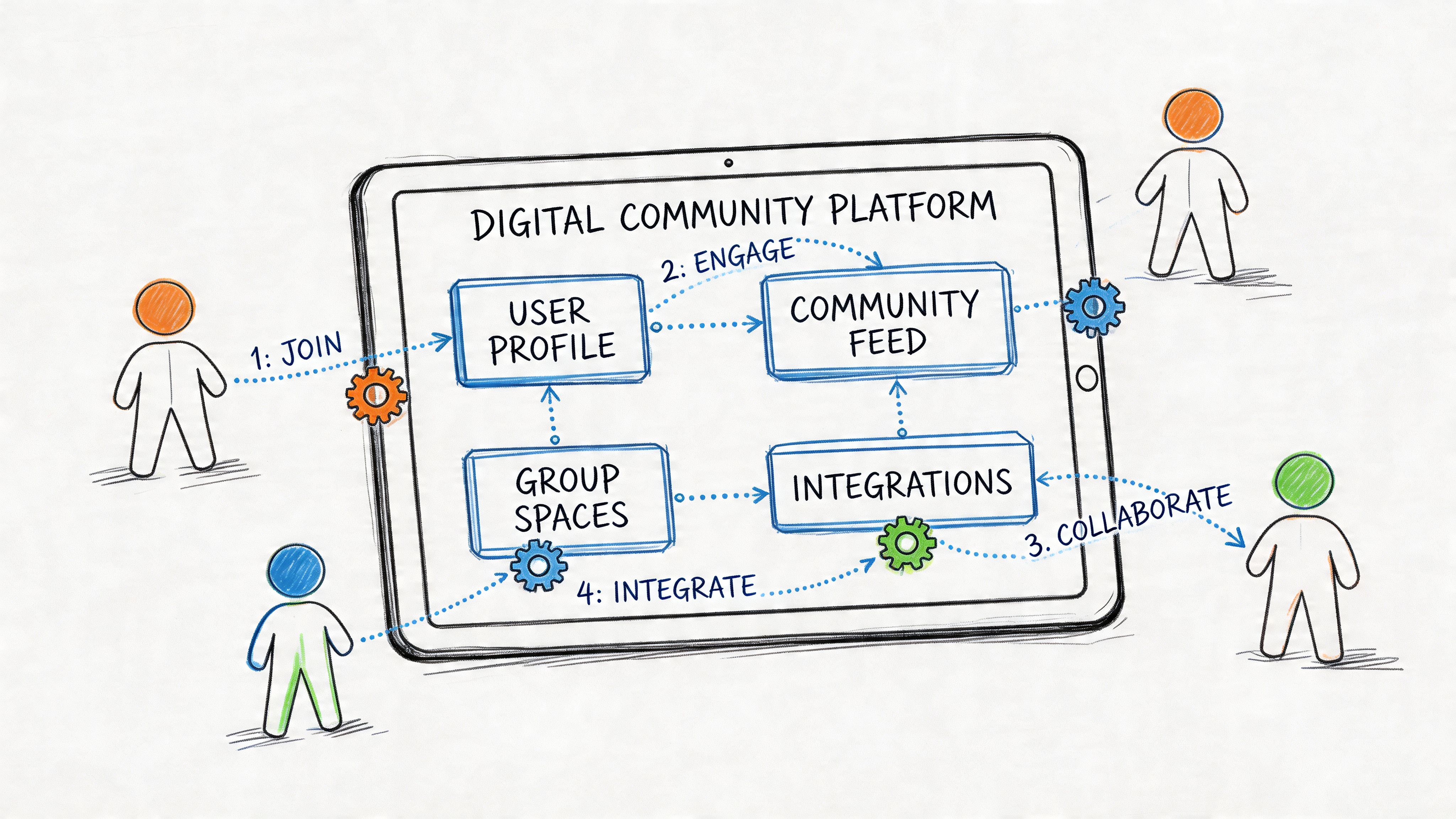
Your community probably looks organized from the outside. Members join through one tool, event tickets live in another, conversations happen in Slack, recordings sit in a video library nobody can fully search, and your CRM only captures part of the story.
Inside the team, it feels different. Staff exports CSVs to reconcile memberships. Sponsors ask for lead data that has to be stitched together by hand. New members can’t tell whether the primary community lives in email, a Facebook Group, Slack, or your website. That’s usually the moment organizations start looking at custom community management seriously.
Most guides stop at broad advice like “know your audience” or “post engaging content.” That’s not enough when you’re moving a professional network off fragmented tools and into one branded system. The hard part isn’t only choosing features. It’s deciding what belongs in the new platform, what still needs to sync with legacy tools, and how to migrate members without breaking trust.
When teams rush into platform demos, they usually carry the mess into a shinier interface. A custom build won’t fix unclear ownership, weak positioning, or fuzzy member value.
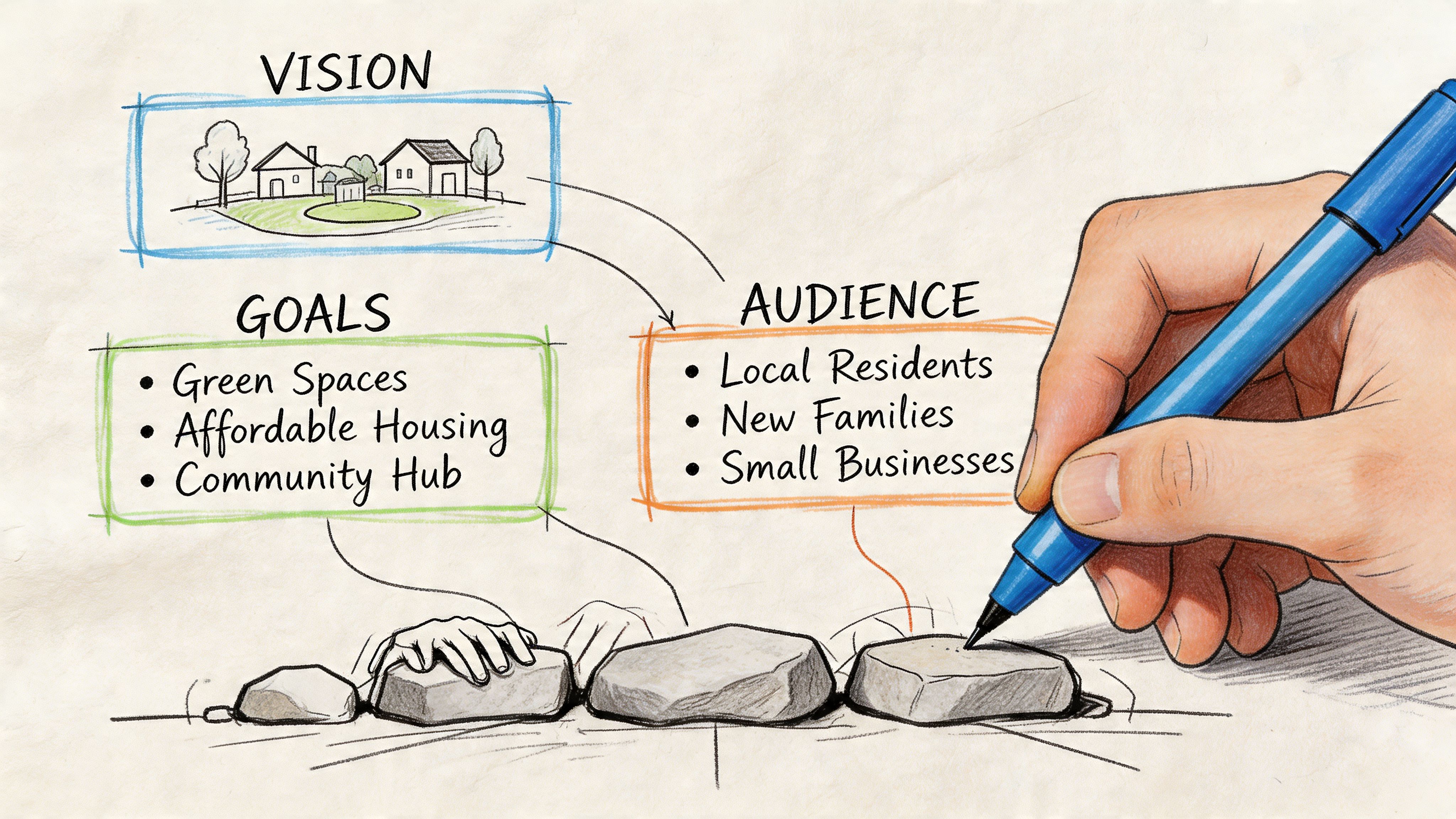
A stronger starting point is operational honesty. List every place your community currently lives. That often includes a website, email platform, Slack workspace, spreadsheet-based membership tracker, webinar tool, payment system, and some informal admin process sitting in one person’s head.
The first strategic question isn’t “what features do we need?” It’s “what job should this community do for the organization and for the member?”
Those aren’t always the same thing. Your board may want renewals, sponsor inventory, and event attendance. Members may want peer access, vetted expertise, job visibility, or easier introductions. A healthy platform serves both.
A useful way to frame it is:
This is also where broader planning helps. If you need a sharper framework for positioning and activation, Toki’s guide on community marketing strategy is a useful companion because it forces you to connect audience value with business outcomes.
Most professional networks don’t have one audience. They have clusters with different needs.
A practical starter set often looks like this:
| Member type | What they want | What frustrates them |
|---|---|---|
| New joiner | Fast orientation and relevant people | Too many channels and no clear next step |
| Power member | Visibility, influence, direct access | Slow moderation and shallow discussion |
| Speaker or subject expert | Thought leadership and qualified reach | Poor content organization |
| Sponsor or exhibitor | Relevant leads and measurable activity | Weak reporting and low discoverability |
| Staff admin | Fewer manual tasks | Duplicate records and disconnected tools |
If you skip this step, you’ll overbuild for the loudest internal stakeholder and underdeliver for actual members.
Community strategy gets approved when leaders can see what it’s for. According to Khoros, 86% of businesses recognize community management as essential for their success, and 72% plan to invest even more in it. The same source notes that a strong system can support 400% net growth in new members over churn when growth materially outpaces member loss.
That only matters if you define your own version of success before launch. Good strategic objectives usually fit into a short list:
Practical rule: If a feature doesn’t support a member job or a business objective, it doesn’t belong in phase one.
A community platform is also a governance decision. Someone has to own approvals, content standards, onboarding, and reporting.
Before any build starts, document:
If you’re still shaping the organization around the community itself, this guide on https://groupos.com/blog/forming-a-community can help clarify the foundational decisions before you move into implementation.
Once strategy is clear, platform design becomes a sequence of trade-offs instead of a guessing game. The biggest one is structural. Do you want one system that handles most of the experience, or a stack of specialist tools connected together?
Neither model is universally better. Each creates a different management burden.
| Approach | Works well when | Trade-off |
|---|---|---|
| All in one platform | You want one login, cleaner reporting, and fewer handoffs | You may accept less depth in a few niche functions |
| Best of breed stack | You already have strong tools in place and technical support to maintain them | Sync failures, duplicate fields, and fragmented member journeys become ongoing work |
Teams often underestimate the hidden cost of the second option. Every extra tool introduces identity problems, reporting gaps, and more support tickets from members who don’t know where to go.
A blueprint should prioritize surfaces the member sees first, not back-office nice-to-haves. For professional networks, the core usually includes:
What doesn’t belong in phase one? Usually anything speculative. If nobody can explain who will use a feature weekly, delay it.
A lot of failed community builds start with a wishlist. Better builds start with use cases.
For example:
That’s the difference between software customization and custom community management. You’re not buying features. You’re designing workflows.
Complexity is inevitable. Confusion is optional.
I recommend defining your platform in four layers:
Identity layer
Who the member is, how they log in, what access they have.
Engagement layer
Discussions, messaging, events, content, and notifications.
Commercial layer
Memberships, subscriptions, ticketing, sponsor packages, and payments.
Data layer
Analytics, CRM sync, exports, and reporting.
This structure helps teams make better implementation decisions. If a request sits in multiple layers, it needs closer scrutiny. “Member can RSVP from an email and appear in sponsor lead reports” sounds simple until you realize it touches identity, engagement, commercial rules, and data mapping.
If you can’t draw the member journey from discovery to renewal on one page, the architecture is still too muddy.
Many teams want AI baked in from the start. That can be useful for support, search, summarization, and moderator assistance. But AI should sit on top of a clean content and permissions model.
If you’re exploring automated support or guided search experiences, DocsBot’s walkthrough on Build Custom GPT Chatbots Without Code is helpful because it shows how to create a contained assistant around your own documentation instead of turning the platform into an experiment.
Your blueprint should answer these questions in plain language:
That last item matters more than teams think. If executives can’t see the outcome of the new platform quickly, confidence drops.
For organizations evaluating branded environments, https://groupos.com/blog/white-label-community-platform is a useful reference point for thinking through what white-label ownership really means in practice.
Polished plans usually hit friction. Migration sounds straightforward until you discover that your “member database” is really six inconsistent datasets plus an inactive Slack workspace and event history locked in another vendor.
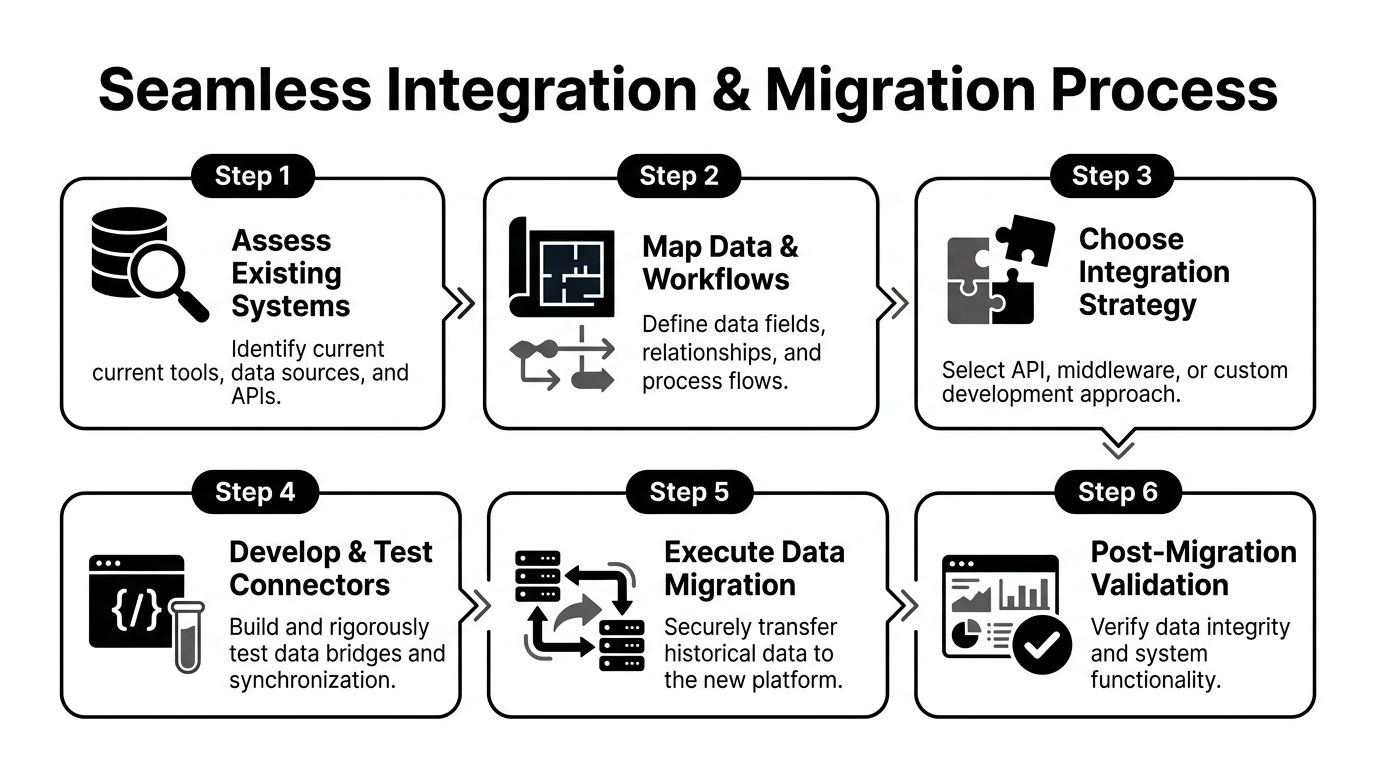
The integration problem is bigger than many teams expect. According to FS Residential, 70% of community managers report a fragmented tech stack as a top pain point, and professional associations can lose 25% of potential engagement when legacy tools and the new platform don’t integrate well.
Before anyone talks launch timing, inventory every system that affects the member experience.
That usually includes:
What matters isn’t only what data exists. It’s which system currently acts as the source of truth.
Most migration issues come from bad mapping, not failed imports. If “company” in one tool means employer, and in another it means sponsor account, you’ll create bad records at scale.
Use a data mapping sheet with these columns:
| Current field | Source system | New field | Required | Cleanup rule |
|---|---|---|---|---|
| Member status | CRM | Membership status | Yes | Standardize values |
| Job title | Registration form | Title | No | Trim formatting |
| Industry tags | Spreadsheet | Interests | No | Merge duplicates |
| Renewal date | Billing tool | Renewal date | Yes | Validate date format |
This isn’t glamorous work. It’s the work that prevents a public-facing mess.
A clean migration usually follows a sequence like this:
A Facebook Group to branded platform migration adds a special challenge. Conversation history may not transfer in a usable way, and member identity often won’t map neatly to paid status or professional role. In that case, focus less on moving every past post and more on rebuilding continuity through curated resources, key discussion archives, and a guided onboarding sequence.
Migration rule: Don’t promise “nothing will change.” Promise that the new system will be clearer, and show members exactly how to make the switch.
Teams often ask whether two systems “integrate.” The better question is what should happen when a real member takes an action.
For example:
Those are workflow decisions. An API alone won’t answer them.
A successful migration protects the member experience as much as the data.
Use a simple transition plan:
One practical resource for structuring the technical side is https://groupos.com/blog/database-migration-best-practices, especially when you need a checklist for validation and rollback planning.
The hardest problems are rarely technical in the abstract. They’re operational.
A few common ones:
These issues aren’t signs your migration is failing. They’re signs you’re doing real organizational cleanup. Handle them visibly, assign owners, and resolve them before launch week turns into support triage.
A custom platform earns its value after launch, when members decide whether it’s worth returning to. That decision is shaped less by design polish and more by whether the space feels active, useful, and obviously relevant.
I’ve seen teams make the same mistake repeatedly. They launch with a long list of features and almost no operating rhythm. Members arrive once, browse, and leave because nothing signals momentum.
Good community content has a job. It should spark discussion, help members solve something, or create a reason to return.
A simple operating rhythm often works better than a big editorial calendar nobody follows:
A content scoring system proves useful. According to Bettermode, communities that analyze high-scoring content such as polls with 15% to 20% participation can see a 35% engagement uplift and reach 75% active member rates versus the 40% industry average.
That doesn’t mean every post should be a poll. It means your team should score what you publish and learn what drives response.
Use a lightweight review after each content cycle:
| Criterion | What to ask |
|---|---|
| Relevance | Did this match an active member need? |
| Response quality | Did members add substance, or just react? |
| Shareability | Would a member send this to a colleague? |
| Longevity | Is this still useful next month? |
| Conversion value | Did it lead to signup, attendance, or deeper participation? |
If one webinar produces a lively Q&A, don’t stop at the replay. Turn it into a summary post, a short clip set, a downloadable resource, and discussion prompts for different member segments.
The strongest communities don’t create more content. They get more mileage from the content they already paid to produce.
Members notice when events live outside the platform experience. Registration happens elsewhere, reminders come from another tool, and post-event material disappears into email.
A better workflow ties the event to ongoing participation:
That last step matters. Post-event silence kills momentum.
Later in the cycle, video becomes part of the retention loop, not just a recording archive.
Sponsors don’t need more logo placements. They need contexts where members can discover them without feeling trapped in a lead funnel.
Useful sponsor activation usually includes:
If your team can’t explain how a sponsor gets from visibility to qualified follow-up, the package is still too vague.
A professional network doesn’t need constant noise. It needs repeatable, relevant touchpoints.
A strong monthly cycle often includes:
What doesn’t work is flooding the platform with updates that don’t change anyone’s behavior. Members won’t come back because you posted more. They return because the platform helps them do something they care about.
A community dashboard should help people act. If it only proves that activity exists, it’s decoration.
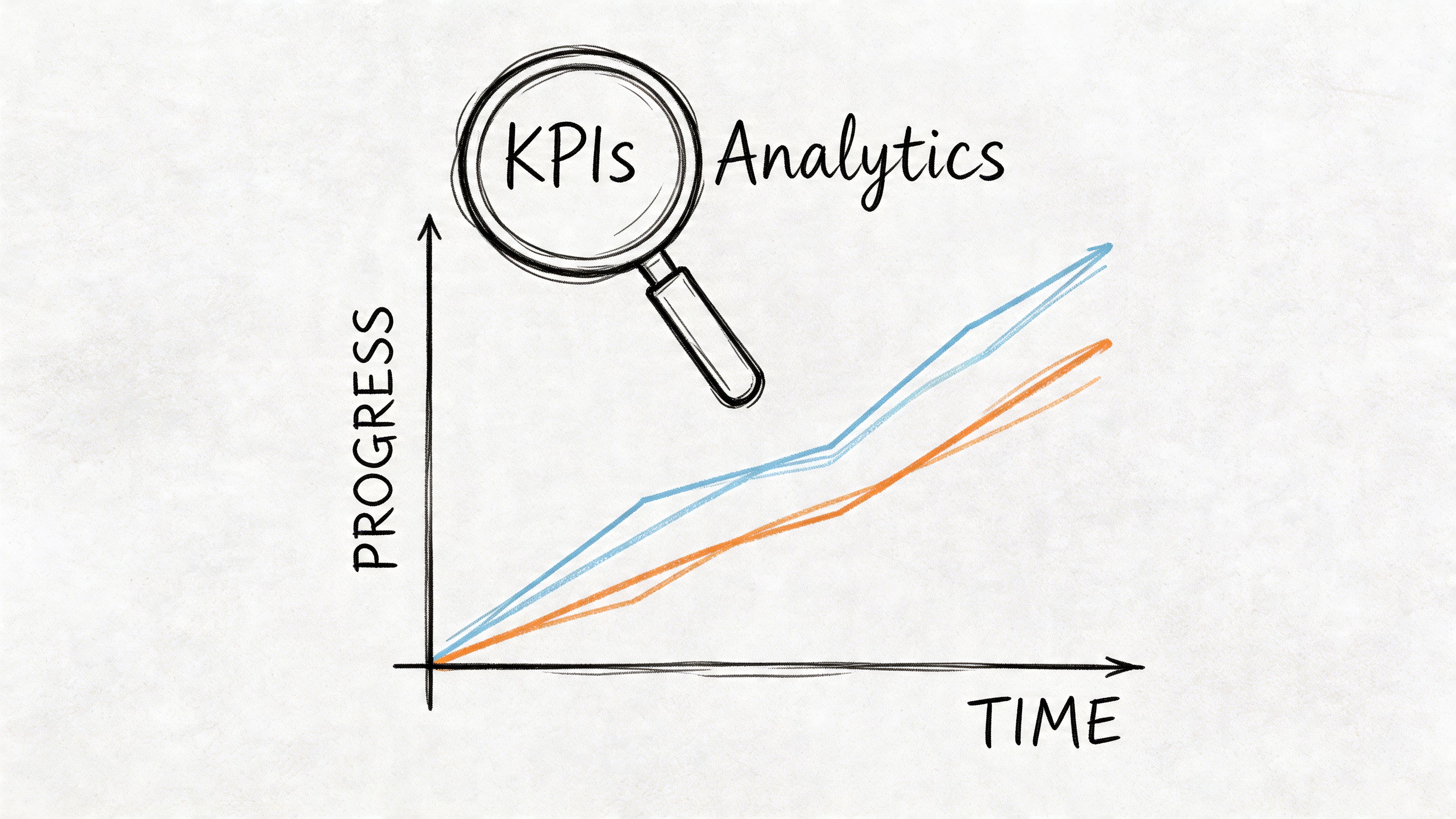
The cleanest analytics setups separate vanity metrics from decision metrics. Total members might impress a board slide. It won’t tell a community manager what to fix next week.
Not everyone needs the same dashboard. According to Vantaca, top-performing communities customize KPIs by role. Community managers should track service request completion above 95%, while sales teams monitor lead conversion in the 20% to 30% benchmark range. The same source notes that integrated analytics can boost efficiency by 30% to 50%.
That’s a useful reminder that analytics isn’t one report. It’s a role-based operating system.
A simple split looks like this:
| Role | Most useful KPI view |
|---|---|
| Community manager | activity, response quality, service completion, unresolved issues |
| Membership lead | renewals, profile completion, onboarding progress, inactive segments |
| Event lead | registrations, attendance, post-event engagement, content views |
| Sales or sponsor team | qualified leads, sponsor interactions, follow-up status |
| Executive team | retention, revenue contribution, operational efficiency |
Good community KPIs do one of three things:
That means your dashboard should answer questions like:
For a practical model, the analytics thinking in https://groupos.com/blog/analytics-and-insights is aligned with how experienced teams build actionable reporting instead of static summaries.
Teams often track too much too early. Start with a compact operating set and add depth later.
A strong first dashboard might include:
A KPI is only useful if someone owns the response when it moves in the wrong direction.
Weekly reviews are good for operational signals. Monthly reviews are better for strategic patterns. Quarterly reviews are where teams usually decide whether to refine structure, pricing, onboarding, or content strategy.
The mistake is waiting for a board report to learn that members were confused for months. Analytics should shorten the time between signal and intervention.
Launches fail subtly more often than they fail dramatically. The platform technically goes live, but members don’t change behavior because the switch didn’t feel important, useful, or guided.
A better launch creates direction from day one.
Use the final stretch before launch to reduce uncertainty.
Treat launch day like an event, not an announcement.
A good sequence includes:
The strongest launch days feel staffed. Members can tell when someone is present.
This period shapes habit formation. According to Bettermode, 55% of professionals struggle with engagement, which is why launch discipline matters. The same source recommends setting clear growth goals and gives the example of a 25% increase in members, from 1,200 to 1,500, as a way to build momentum and demonstrate early ROI.
That doesn’t mean every community should chase the same target. It means you should define a visible adoption goal before launch and review it often.
Use the first month to focus on:
A weak launch asks members to “check it out.” A strong launch gives them a reason to return this week.
Start with a written policy that covers behavior, promotion, conflicts, and escalation. Then translate it into workflows.
Use a tiered model:
Don’t rely on automation alone. It catches patterns, not nuance. In professional communities, tone and context matter as much as rule enforcement.
Keep monetization aligned with member value. If revenue layers feel extractive, participation drops.
Common options include:
| Monetization path | Best use |
|---|---|
| Premium content access | Specialized training, archives, or certification prep |
| Paid workshops | Smaller, hands-on learning experiences |
| Tiered sponsorships | Different levels of visibility and engagement access |
| Event upsells | VIP sessions, add-ons, or bundled access |
| Featured listings | Job boards, directories, or partner showcases |
The key is packaging access clearly. Members should understand why a premium tier exists and what problem it solves.
When removing a feature, communicate the reason, the replacement, and the timeline.
A basic sunset sequence works well:
If you’re retiring a Facebook Group, Slack channel, or separate event portal, keep the message simple: one primary space, one login, one support path.
Members tolerate change much better than ambiguity.
That’s normal. People resist losing familiar habits more than they resist new software.
The fix isn’t arguing that the new platform is better. It’s making the new platform obviously more useful. Put the most valuable assets there first. Host the important event there. Publish the official directory there. Give members one reason that matters to them personally.
For a short transition period, you can keep legacy channels open as signposts rather than primary destinations. Use them to redirect, not to maintain two parallel communities forever.
Too much customization shows up when every workflow becomes an exception. If your team needs special handling for every cohort, sponsor, region, or event type, your operating model will get brittle.
Keep customization where it produces member value:
Avoid customizing excessively around one temporary internal preference. The platform should support repeatable operations, not encode every historical quirk of the organization.
Audit friction first. Don’t assume the answer is more marketing.
Check:
When adoption stalls, the problem is usually clarity, cadence, or relevance. Fix those before you add more features.
If your organization is ready to replace scattered tools with one branded home for memberships, events, content, messaging, and analytics, GroupOS is built for that kind of transition. It’s designed for professional networks that need custom community management without the operational drag of a fragmented stack.







