April 18, 2026
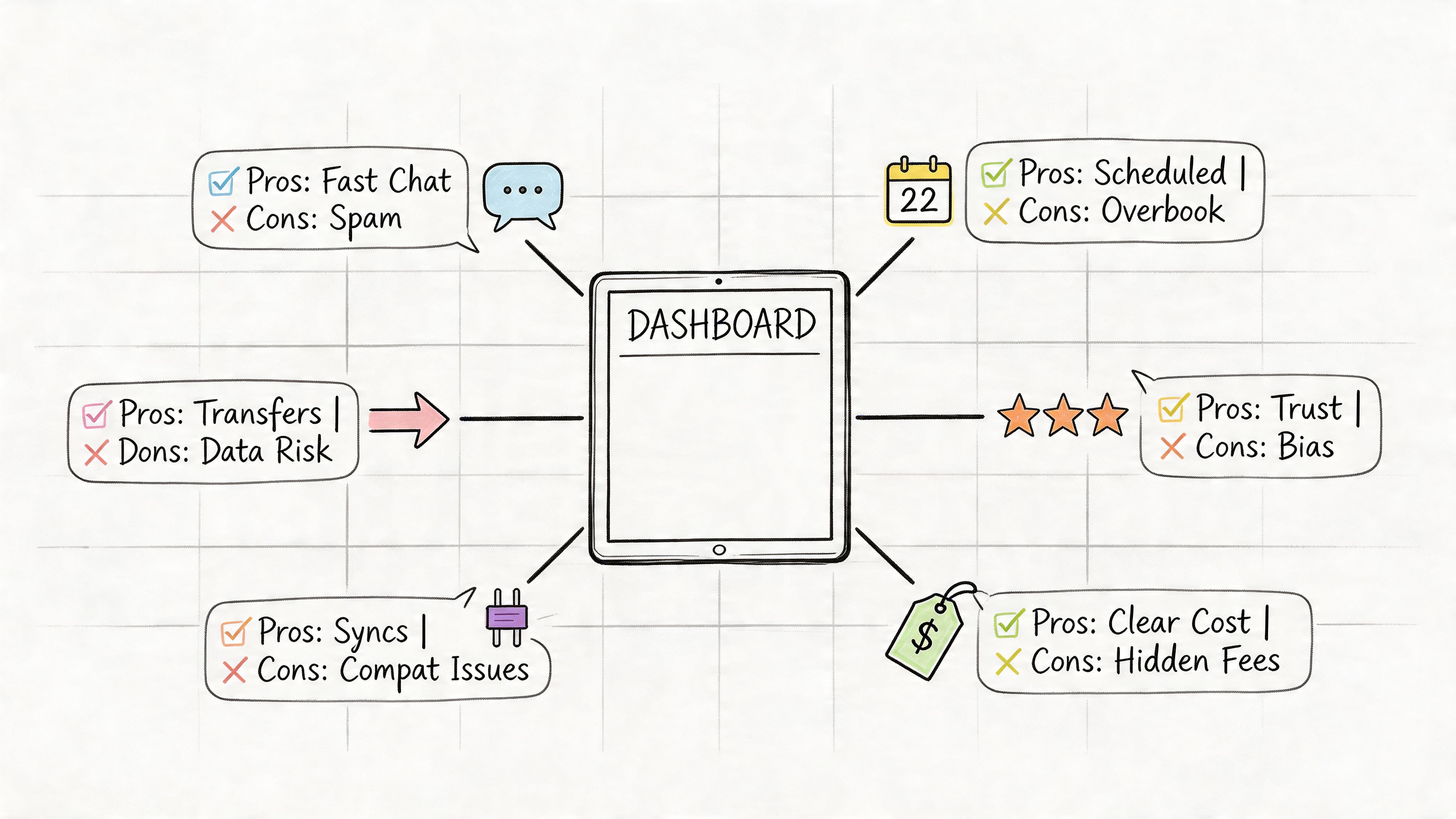
A member needs the hotel block link for next week’s conference. The answer is in a Facebook post. Another member wants the reimbursement policy, but your team shared it in Slack and updated it in a PDF after that. A sponsor asks for last year’s deliverables, and the latest version is somewhere in Drive under a filename no one remembers.
That is the day-to-day reality for associations, member communities, and event teams. The problem usually is not missing information. It is fragmented information. Answers live across chat threads, inboxes, shared folders, help desks, and pages that stopped getting updates three months ago.
A knowledge base gives that information a home people can use. For these organizations, that means more than a public FAQ. It often means a mix of member-only content, public event details, staff SOPs, volunteer guides, sponsor documents, and evergreen resources that still need to work during a live event week. Many teams also treat the knowledge base as part of a broader customer self-service strategy, especially when they want fewer repetitive questions hitting staff inboxes.
The hard part is choosing software built for your operating model. A support-first tool may do well with tickets and public help articles, but fall short on member permissions or community integrations. An internal wiki may handle documentation well, but create extra work when you need polished public content, search that non-staff can use, or a clean way to organize event-specific information without burying your evergreen library.
This list looks at top rated knowledge base software from that practical angle. The focus is not just which platform publishes articles. It is which one can handle member access, connect to channels like Slack or Facebook-adjacent community workflows, support both short-lived event content and long-term institutional knowledge, and stay maintainable after launch. That last part is where a lot of teams get stuck. Buying software is easy. Keeping the content accurate, searchable, and governed across departments is the true job.
Zendesk is the strongest fit for organizations that want the knowledge base to sit inside a full service operation, not as a standalone content library. If your association handles a high volume of member questions across email, chat, forms, and maybe phone, Zendesk gives you the broadest operational frame.
Its help center is tightly connected to ticketing, messaging, voice, automation, and community forums. That connection matters when members search an article, fail to find what they need, and escalate into a support request. Your team stays in one system instead of stitching together a wiki and a separate inbox.
For membership teams, Zendesk shines when the knowledge base is part of a formal support model. Think certification programs, event operations, credentialing questions, billing issues, and a steady stream of repetitive policy requests. It’s especially useful if you want both public answers and agent workflows in the same stack.
The practical upside is governance. Permissions, multilingual content, theming, roles, APIs, and a mature app marketplace make Zendesk easier to standardize across a larger team than lighter tools.
Practical rule: Choose Zendesk when your knowledge base needs to feed a service desk. Don’t choose it just because you want a nicer FAQ page.
A lot of organizations also use a knowledge base as the front end of customer self-service strategy, which is exactly where Zendesk is strongest.
Zendesk is not the lightest tool to administer. You’ll spend more time on setup decisions, permissions, content structure, and workflow design than you would in simpler tools. Pricing can also get messy because the actual cost often includes seats, add-ons, and AI features rather than a single obvious package.
If your team is small and your main problem is “our docs are everywhere,” Zendesk may feel heavier than necessary.
Still, for complex member support environments, it’s one of the safest enterprise choices. You can review current packages on Zendesk pricing.
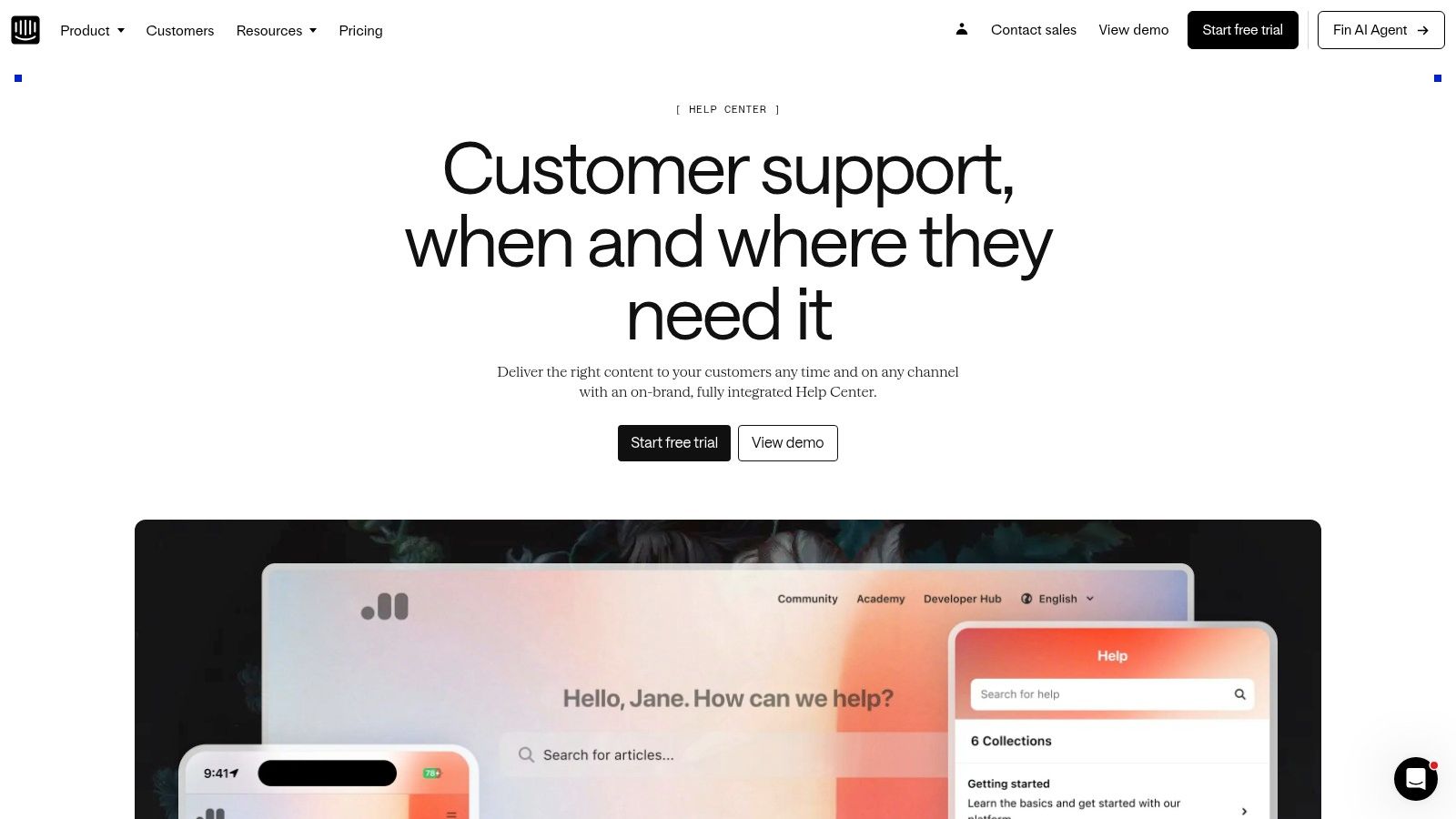
Intercom feels modern in a way many help centers still don’t. If your community team already uses Intercom for chat, outbound messages, or in-app messaging, its Help Center is one of the easiest ways to surface articles exactly where people ask questions.
That’s the main reason to buy it. Distribution.
Intercom lets you push articles into Messenger, product tours, outbound communication, and in-app experiences without much friction. For event platforms or member portals, that can be useful when people need fast answers during registration windows, onboarding, or event week.
Intercom is strong when your audience lives inside a digital experience and you want context-sensitive knowledge. For example, if members are actively using your portal and asking the same “where do I find” or “how do I submit” questions, Intercom makes article surfacing feel natural instead of bolted on.
Its no-code setup is another advantage. Teams can get something live relatively quickly, and nontechnical staff usually don’t struggle to publish and organize content.
What I like in practice is that Intercom supports multi-brand and multilingual help centers, which helps when associations operate multiple programs, chapters, or service lines.
Intercom is less appealing if your content strategy depends on a tightly embedded, independently branded documentation center on your own site. The platform is excellent at surfacing help through Intercom’s own channels, but it’s not the most flexible when you want complete control over how and where articles live.
Intercom is a channel-led knowledge base. If your team thinks in journeys, nudges, and in-app guidance, that’s a strength. If you think in libraries, archives, and governed repositories, it may feel limiting.
Also watch your cost model if you plan to lean heavily on AI features at scale. Intercom can be elegant to launch, but elegance and affordability don’t always stay aligned as usage expands.
If your organization already runs support and messaging through Intercom, though, this is an easy tool to shortlist. Current details are on Intercom Help Center.
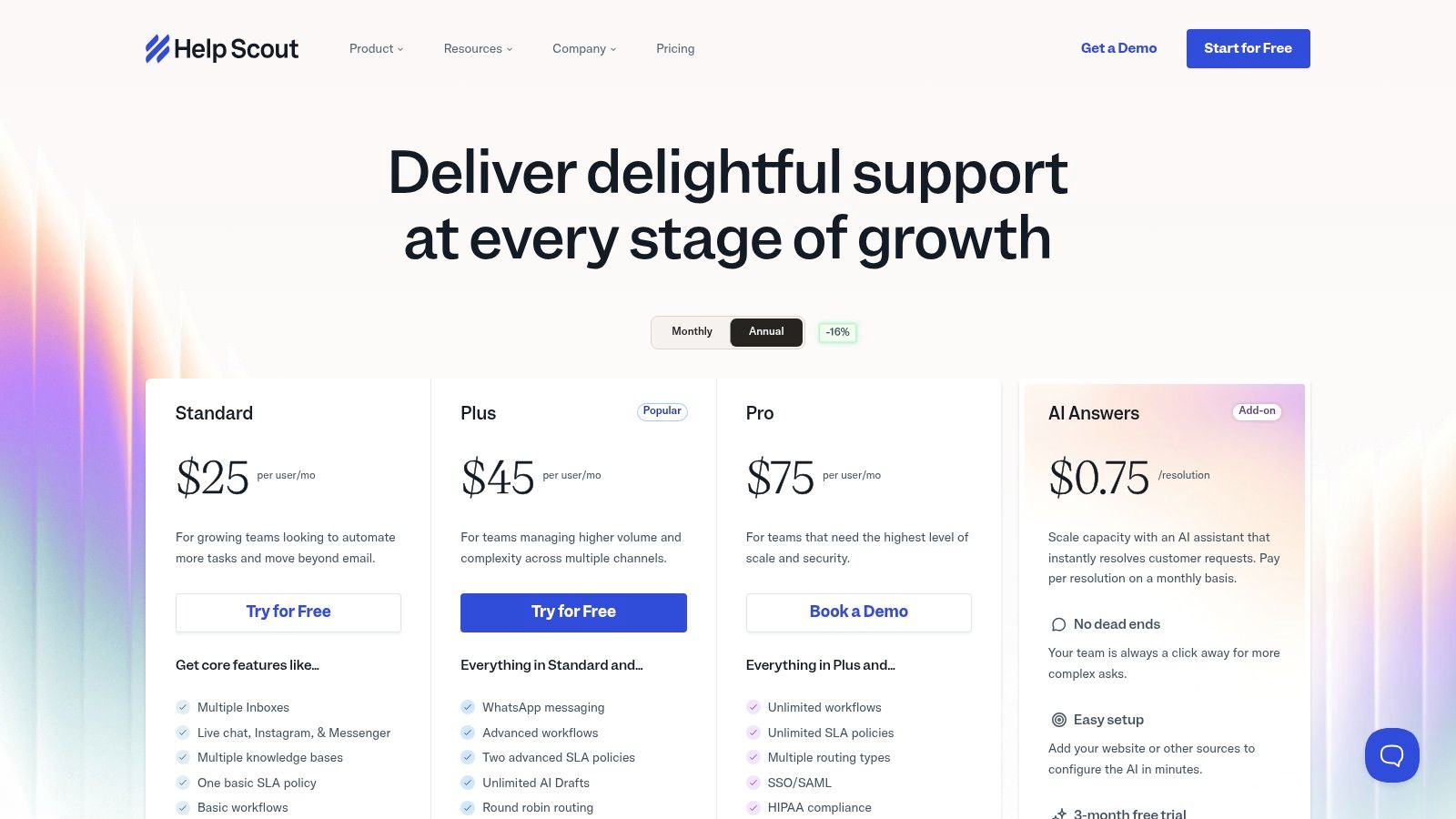
Help Scout Docs is one of the easiest knowledge bases to live with over time. That’s different from being the most powerful. Plenty of tools look impressive in demos and become annoying once actual work starts. Help Scout usually does the opposite.
It’s clean, fast, and low-friction. For associations with a lean staff, that matters more than having every enterprise feature imaginable.
Help Scout works well when your team needs a credible knowledge base plus a shared inbox and chat widget, but doesn’t want a full enterprise service stack. The Docs product integrates neatly with Beacon, so you can surface articles on your site or inside your member experience without much setup drama.
That makes it a practical fit for event FAQs, membership policies, volunteer instructions, committee onboarding, and standard “how do I” content. You can get useful self-service in place without committing to a giant implementation.
If your team is still sorting out what a ticketing system is and how support should flow, Help Scout gives you enough structure without overwhelming everyone.
Help Scout is not the deepest reporting or governance tool on this list. If you need highly granular permissions, broad channel orchestration, or advanced analytics tied to a large support organization, you’ll start to see the ceiling.
Its customization is also more restrained than some enterprise products. For many teams, that’s a feature because it keeps content simple. For highly branded associations or organizations with unusual workflows, it can feel limiting.
Practically speaking:
Help Scout is one of the more realistic choices for mid-sized organizations that want good process without enterprise bloat. Pricing is on Help Scout plans.
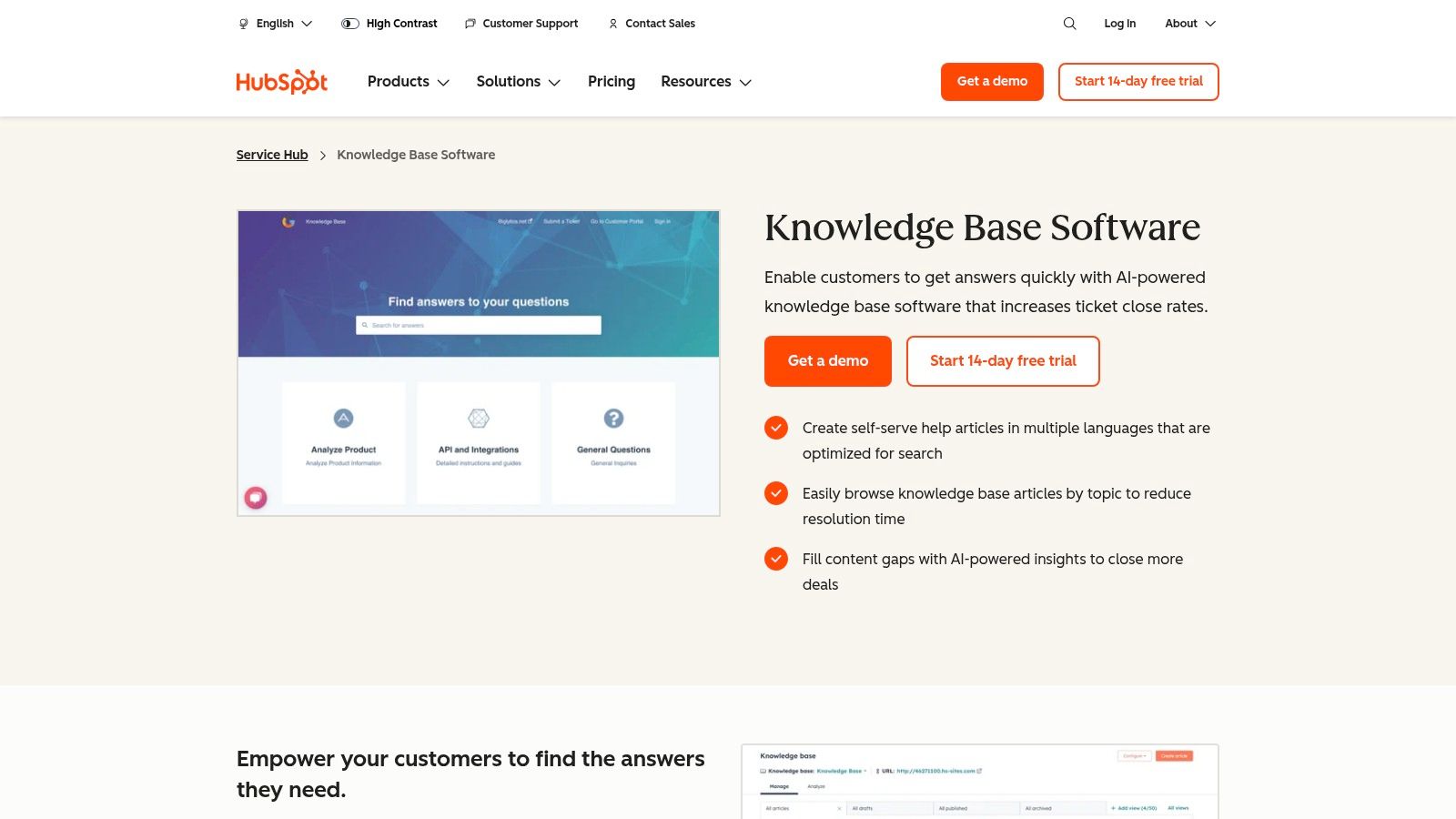
HubSpot’s knowledge base makes the most sense when support content is only one part of a broader member lifecycle. If your organization already runs marketing, sales, CRM, and service in HubSpot, keeping the knowledge base in the same system can simplify a lot of handoffs.
That’s the core value. Shared context.
A member reads an article, fills out a form, joins an email workflow, chats with support, or opens a ticket, and the data stays attached to the same CRM record. For associations juggling membership recruitment, renewals, sponsor pipelines, and support requests, that unified view can be more useful than a slightly better standalone knowledge editor.
HubSpot is especially practical for groups that treat support content as part of member engagement. If someone searches event travel policies, then later contacts staff about registration, your service team can often work with better context than they’d get from a disconnected help center.
That same logic applies if you’re already thinking about your stack as a customer engagement platform, not just a place to host articles.
HubSpot also gives you multiple knowledge bases, branding options, access controls, and automation paths that connect naturally to chat and ticket workflows.
HubSpot can get expensive in ways that aren’t obvious at first. The issue isn’t only the knowledge base itself. It’s the way seats, tiers, and added hubs can stack up as more teams want access.
Buy HubSpot’s knowledge base because you want CRM-connected service operations. Don’t buy it because you simply need a repository for FAQs and SOPs.
The other caveat is complexity. HubSpot is polished, but it rewards teams that already understand its architecture. If you aren’t already committed to the ecosystem, a standalone knowledge tool may be simpler and cheaper.
Still, for organizations already building member journeys in HubSpot, the knowledge base is a logical extension. You can explore it on HubSpot Service Hub Knowledge Base.
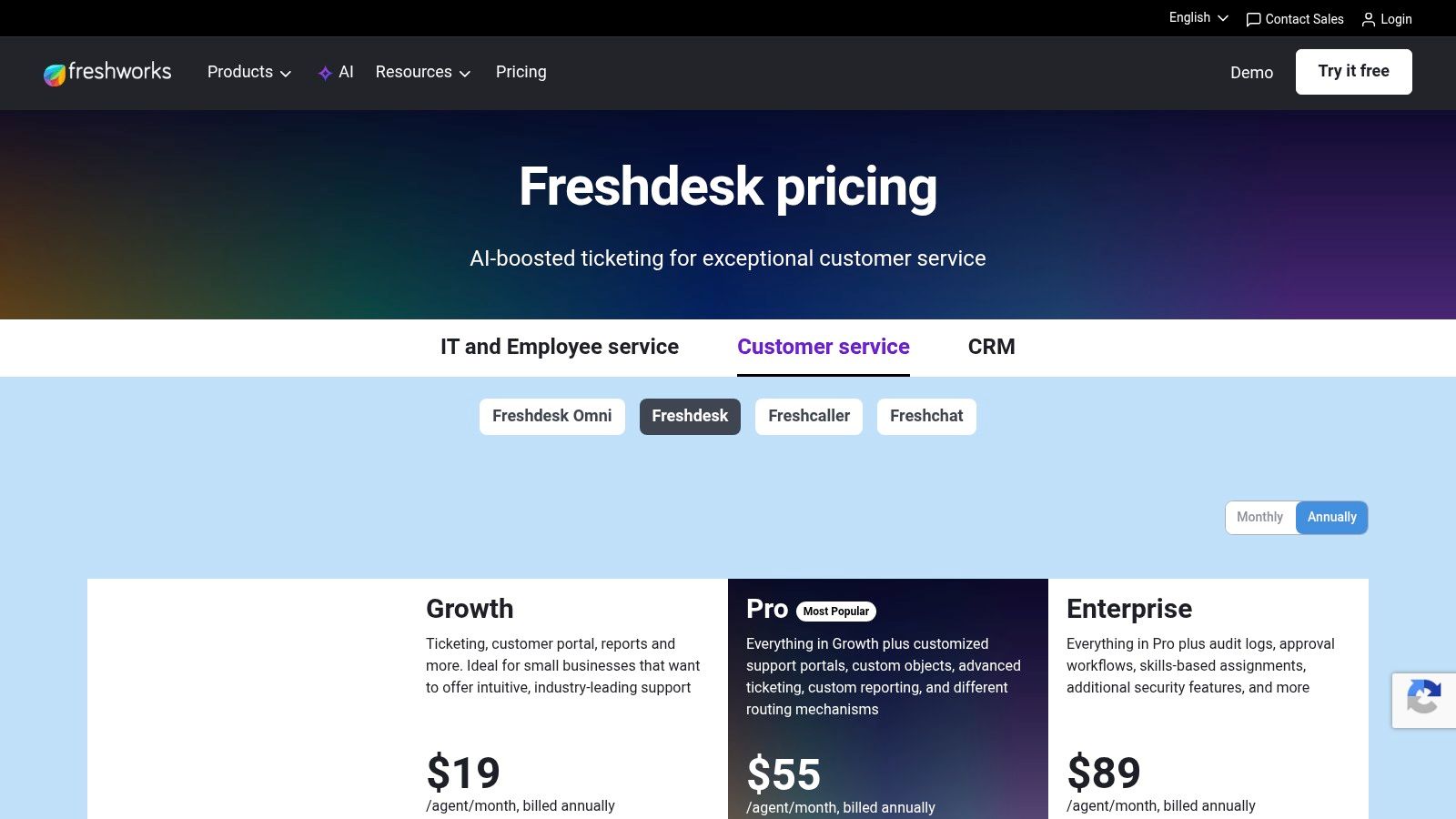
A common association problem looks like this. Members ask event questions by email, volunteers answer policy questions in Slack, staff keep process notes in Google Docs, and nobody is fully sure which answer is current. Freshdesk works well for organizations that need to pull that sprawl into one service system without taking on an enterprise platform that needs heavy administration.
That makes it a practical choice for professional associations, community teams, and event organizers with a mix of short-life and long-life content. Registration deadlines, venue logistics, and speaker instructions change fast. Bylaws, certification rules, chapter guidance, and member benefits need to stay available year-round. Freshdesk can support both, especially if your team wants the knowledge base tied closely to ticketing.
Freshdesk is usually strongest for teams that are formalizing support operations for the first time. Staff can publish a public help center for members, keep internal guidance for operations teams, and use article suggestions to reduce repeat tickets before the inbox backs up.
For community-led organizations, the useful question is not just whether it can store articles. It is whether staff can turn recurring questions from email, web forms, or social channels into maintained documentation without adding a lot of process overhead. Freshdesk is good at that middle ground.
A few capabilities matter more here than they do in a standard SaaS support setup:
Freshdesk is more operational than editorial. That distinction matters.
If your main goal is to build a highly structured documentation program with strict taxonomy, version control discipline, and polished publishing workflows, dedicated documentation tools usually feel better. Freshdesk does its best work when the knowledge base exists to support service delivery, not when documentation itself is the product.
There is also a channel question. Freshdesk can sit alongside community spaces like Slack or Facebook Groups in your broader workflow, but it does not replace them as a relationship layer. Community managers still need a process for deciding which answers belong in informal conversation and which ones should be converted into official member guidance.
Budget deserves a hard look too. The base platform can be reasonable for growing teams, but AI features, added seats, and more advanced service needs can change the total cost faster than buyers expect.
For organizations that need a capable member help center with real ticketing behind it, Freshdesk is often a sensible pick. For organizations primarily trying to build a polished, governed content library, it may feel service-first in ways that become limiting later. You can review current plans on Freshdesk pricing.
A familiar association problem looks like this. Event playbooks live in Google Drive, certification policies sit in old PDFs, chapter leaders ask the same questions in Slack, and staff keep answering from memory. Document360 is a strong option when the goal is to turn that sprawl into an organized, managed knowledge base.
It is one of the more documentation-focused products in this roundup, and that shows in daily use. The platform is built for teams that care about structure, approval flow, version history, and long-term maintenance, not just posting quick help articles.
That matters for professional associations and event-driven organizations. Member resources often have a longer shelf life than support content, but they still need updates around conferences, renewals, board transitions, and policy changes. Document360 handles that mix well if you need both evergreen guidance and recurring event documentation in one system.
Document360 makes sense for teams managing a large body of official content, especially when accuracy matters more than speed of publishing. Certification handbooks, standards documentation, volunteer training, sponsor fulfillment guides, committee procedures, and staff operations docs are good examples.
The practical upside is governance. You get clearer ownership, more control over what gets published, and a better way to keep outdated articles from lingering for months. Community teams that rely on informal channels like Slack or Facebook Groups still benefit here, because those spaces generate questions, while the knowledge base becomes the approved answer library staff can point back to.
It is also a reasonable choice when access control and auditability matter. For member-only content, that can be the difference between a useful resource hub and a public site that creates more confusion than it solves.
Document360 works best when someone owns the system. Taxonomy decisions, review schedules, and article standards need active management. Without that, teams end up with a cleaner-looking version of the same content chaos they had before.
It also requires a realistic integration plan. Document360 is not your member CRM, not your event platform, and not your community space. If members ask questions in Slack, Facebook, or email, your team still needs a process for capturing those answers and turning them into maintained articles.
That is the implementation test I use. If the organization is ready to treat knowledge as an operational asset, Document360 can be a very good fit. If the team wants a lighter tool that blends more directly into a support inbox or customer service stack, it may feel too documentation-centric. Current plans are available on Document360 pricing.
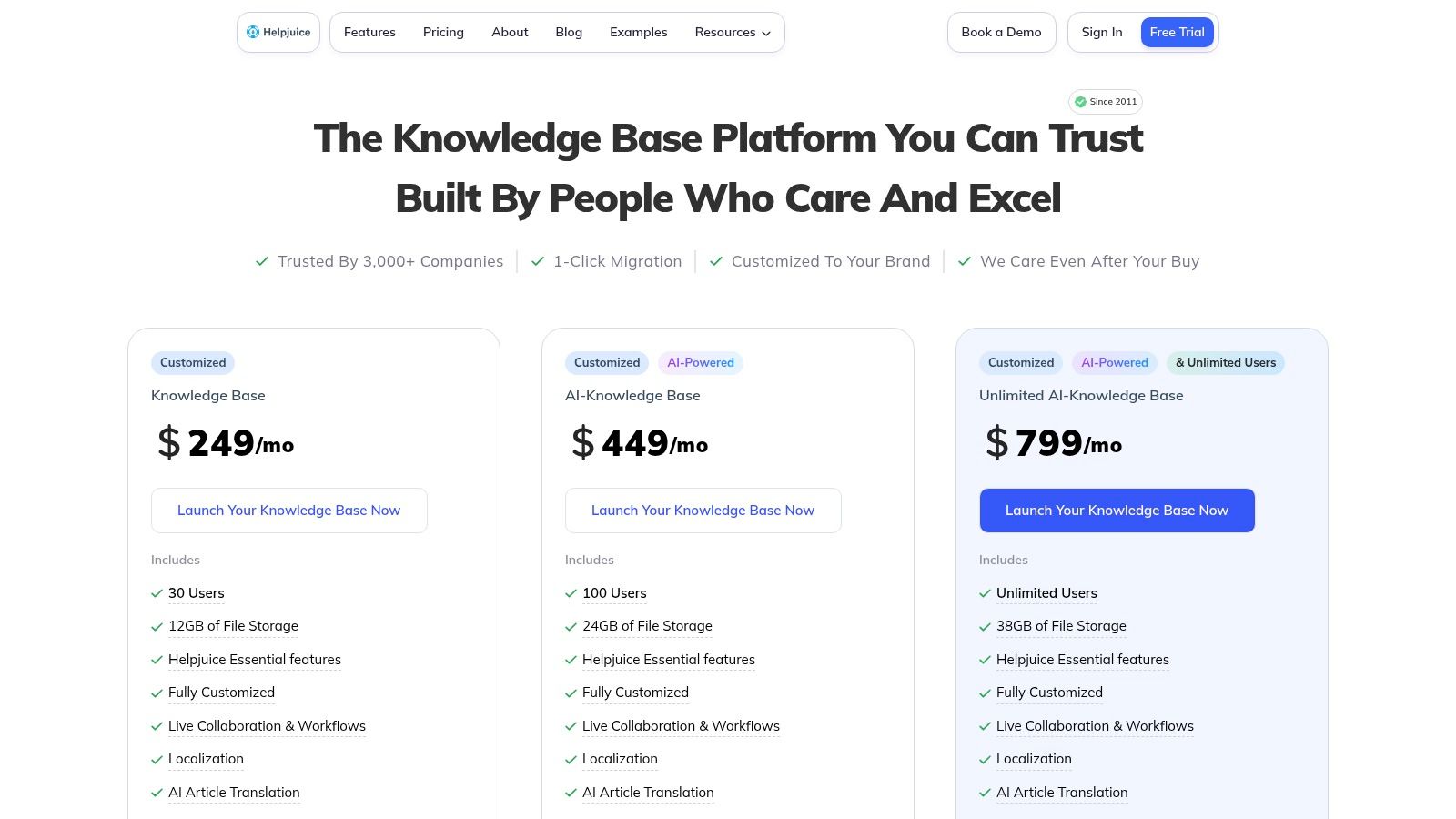
Helpjuice is one of the few tools in this category that feels intentionally concierge-driven. That matters for organizations that want a polished, branded external knowledge base but don’t want to fight with design settings on their own.
A lot of community-led organizations care about presentation more than typical support teams do. Your member resource hub may need to look like part of the brand, not like a generic software help center. Helpjuice leans into that need.
Helpjuice is a strong fit for associations that want a white-labeled knowledge hub with vendor-assisted customization. The platform offers collaboration, workflows, versioning, localization, and SSO, but the practical differentiator is how much launch support you can get.
If your internal team is stretched thin, that support can shorten the path from “we should centralize our content” to “members are actively using this.” That’s valuable when the alternative is a stalled project that lives in draft mode for months.
I’d particularly look at Helpjuice if you have a sizable external resource center and want high-touch implementation help.
The flat monthly pricing structure can be less appealing for smaller teams. If your operation is still modest, Help Scout or Freshdesk may feel more economical and easier to justify.
There’s also a subtle trade-off in the white-glove model. Some organizations love vendor-assisted design because it reduces effort. Others eventually get frustrated if they want rapid, independent layout changes and feel too reliant on support.
The broader category has a blind spot here. Industry coverage still underexplores the hidden cost of implementation, integrations, migration effort, and ongoing governance, as noted in Text’s review of top knowledge base software. Helpjuice can reduce some launch friction, but you still need an owner for content quality after go-live.
If design polish and vendor support matter more to you than deep service-desk functionality, Helpjuice is worth a look at Helpjuice pricing.
A common association problem looks like this: the registration team is answering one policy question in Slack, the sponsorship team has a different version in email, and the member services team is searching old docs five minutes before a call. Guru is built for that kind of environment.
It works best as an internal knowledge layer for staff who already spend their day in Slack, Teams, Chrome, and other operational tools. For community managers, event teams, sponsor managers, and member support staff, that matters. The goal is not just storing information. The goal is getting the right answer into the workflow before someone gives a member, exhibitor, or speaker the wrong guidance.
Guru organizes knowledge into cards and adds verification workflows on top. That structure pushes teams toward short, reusable answers instead of bloated documents that no one updates.
In practice, that fits association and event operations well. Staff usually need fast answers to narrow questions:
Those are the questions that clog Slack channels and get answered differently by different people. Guru helps standardize them without forcing every answer into a long-form article.
The verification feature is what I would focus on during evaluation. If your organization has a habit of leaving temporary event guidance, partner policies, or member exceptions sitting untouched long after they changed, Guru gives content owners a clear review process. That is useful for teams trying to improve internal communication best practices across departments that all touch the same member experience.
Guru is a stronger fit for internal enablement than for a polished external knowledge center. If your main requirement is a member-facing help site with strong public navigation, branded design control, and a traditional article library, other tools in this list will usually fit better.
Guru makes more sense when the bigger operational problem is repeated internal questions, inconsistent answers, and staff relying on memory. It is especially strong for organizations that run frequent events and need current answers available during busy launch periods, onsite operations, and post-event follow-up.
If your staff keeps interrupting each other for the same answers, Guru can reduce that noise quickly.
If that matches your use case, review Guru pricing.
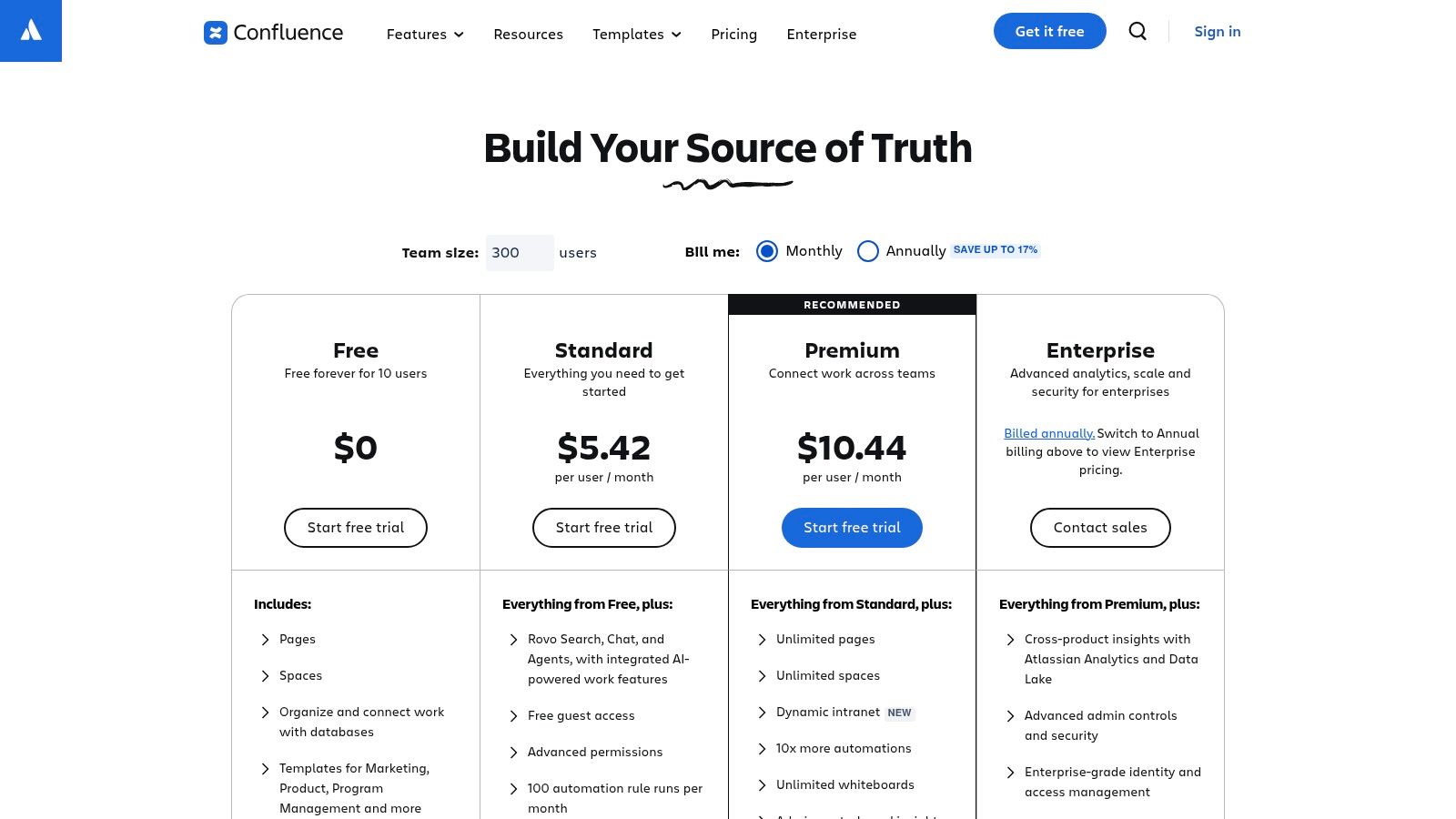
A familiar association scenario: the conference playbook lives in one folder, chapter procedures live in shared drives, board decisions sit in email, and staff keep asking Slack which version is current. Confluence is often the tool that pulls that operational mess into one place.
For professional associations, community teams, and event organizers, Confluence fits best as an internal knowledge hub. It handles staff SOPs, committee and board documentation, event runbooks, sponsor fulfillment steps, venue notes, chapter leader guidance, and policy libraries well. It is less convincing as a polished member-facing help center, especially if you need branded self-service, clean public navigation, or a lightweight FAQ experience.
Confluence is strongest when multiple teams need to maintain shared documentation over time. Page history, granular permissions, templates, comments, and space-level organization all help when operations span membership, events, partnerships, education, and finance. If your organization already uses Jira, the handoff between project work and documentation is especially useful.
It also fits organizations that live in chat but need decisions documented somewhere stable. The Slack and Teams connections help staff move from “someone answered this in a thread last month” to a page that can be reviewed and updated. That supports stronger internal communication practices across departments, which matters when member support, event delivery, and sponsor operations overlap.
Member-only content is possible through permissions, but setup takes planning. Teams usually need a clear model for what stays internal, what is shared with volunteers or chapter leaders, and what belongs in a public resource center instead. Confluence can cover private operational knowledge and evergreen documentation well. It is less natural for community-facing content that needs marketing-level design control or fast access for nontechnical members.
Confluence usually succeeds or fails on governance. Without naming rules, page templates, content owners, and archive policies, it turns into a large attic. Search still finds pages, but staff stop trusting what they find.
That matters even more for event organizations. Temporary pages for this year’s registration exceptions, exhibitor logistics, or onsite procedures can stick around long after the event ends. The result is familiar: a staff member follows last year’s checklist, a volunteer gets the wrong instructions, or a sponsor receives an outdated deliverable timeline.
There is also a longer-term platform question. Teams that start in Confluence for internal documentation sometimes later want tighter Microsoft alignment, which is why projects like a Confluence to SharePoint migration come up in larger organizations.
If your main need is internal coordination across departments, committees, and event teams, Confluence remains a proven choice. If your main need is a polished external knowledge base for members, look elsewhere first. Current plan details are on Atlassian Confluence pricing.
GitBook is the cleanest publishing experience on this list for technical or structured documentation. If your audience includes developers, implementation partners, technical members, or product teams, GitBook often feels better to read and maintain than traditional help center software.
It’s also useful for organizations that need both public and private documentation without turning the experience into a maze.
GitBook handles versioned docs, GitHub and GitLab sync, multi-site setups, custom domains, redirects, analytics, and authenticated access. That makes it a serious option for technical enablement, partner documentation, API-adjacent material, or private operations manuals shared with specific audiences.
For some associations, that matters more than a classic FAQ interface. If you host training, standards, technical guidance, or implementation frameworks, GitBook’s structure can fit better than a support-centric help center.
Its writing and publishing flow also tends to appeal to teams that already manage content with engineering or product discipline.
GitBook is not a service desk. You won’t get built-in ticketing or support channels, so you need other systems for inbound operations. That’s fine if your knowledge base is primarily a publishing layer. It’s less fine if you want one platform to manage articles, conversations, and issue routing.
Cost can also rise if you create many sites or involve many contributors. The model makes sense for structured documentation teams, but it can become less attractive for broad, multi-program community operations.
If your organization is moving away from older internal wiki setups, it’s also worth understanding the Confluence to SharePoint migration cost trade-offs, because GitBook often enters the conversation at the same moment teams reassess knowledge architecture more broadly.
For modern, well-structured docs, GitBook is a strong candidate. Pricing is on GitBook plans.
| Key features (core) | UX & Quality ★ | Value / Pricing 💰 | Who it's for 👥 | Standout ✨ / 🏆 |
|---|---|---|---|---|
| Zendesk | KB + ticketing, chat, voice, AI add‑ons, apps | ★★★★★ Robust analytics & governance | Complex (seats + AI), higher TCO 💰 | Large enterprise / high‑volume support 👥 |
| Intercom Help Center (Articles) | No‑code help center, native messenger surfacing, mobile SDKs | ★★★★ Modern in‑product article surfacing | Usage‑based AI costs, fast ROI if on Intercom 💰 | Product teams using Intercom messenger 👥 |
| Help Scout Docs | Clean KB + shared inbox, Beacon widget, unlimited articles | ★★★★ Easy to launch & maintain | Transparent pricing, lower admin cost 💰 | SMB & mid‑market support teams 👥 |
| HubSpot Service Hub KB | KB + tickets, chat/bots, CRM‑linked reporting | ★★★★ Unified customer records & workflows | Bundled with HubSpot, tier complexity 💰 | Teams already on HubSpot (sales+service) 👥 |
| Freshdesk (Freshworks) KB | KB + ticketing, auto‑suggest, multilingual, Freddy AI | ★★★★ Feature‑rich for growing teams | Competitive SMB pricing, tiered AI costs 💰 | Growing SMB / mid‑market teams 👥 |
| Document360 | Authoring portal, taxonomy, versioning, advanced search | ★★★★ Purpose‑built docs at scale | Tiered enterprise pricing for docs focus 💰 | Docs teams needing structured, localized KBs 👥 |
| Helpjuice | Fully customized design, vendor theming, migration help | ★★★★ Branded external KB with concierge support | Flat plans can be pricier for small teams 💰 | Orgs wanting white‑glove branded KB launches 👥 |
| Guru | Card‑based wiki, verification workflows, browser extension | ★★★★ Reliable just‑in‑time internal answers | Enterprise pricing, sales contact often required 💰 | Sales, support, ops needing verified internal KBs 👥 |
| Atlassian Confluence (Cloud) | Spaces/pages, templates, Jira & marketplace integration | ★★★★ Flexible internal wiki across teams | Cloud tiers; admin discipline required; enterprise fit 💰 | Cross‑functional teams & Atlassian shops 👥 |
| GitBook | Block editor, GitHub/GitLab sync, custom domains, AI assistant | ★★★★ Modern publishing UX for product docs | Per‑site + per‑user pricing can add up 💰 | Product‑led & developer audiences; docs teams 👥 |
It usually happens the week before a major event. A volunteer asks for the sponsor deck in Slack. A member emails for last year’s CE credits policy. Someone on staff shares an outdated Google Drive link in a private Facebook group. Now three versions of the same answer are circulating, and your team is stuck cleaning up confusion instead of serving members.
A good knowledge base fixes that operational mess. It gives staff, chapter leaders, speakers, sponsors, and members one place to find the current answer. For professional associations and event teams, that matters just as much as ticket deflection. The primary benefit is consistency across recurring programs, seasonal events, and day-to-day member support.
The selection mistake I see most often is buying for a generic support use case. Community-led organizations rarely operate like SaaS support teams. They need public and member-only content, event pages that go stale on a schedule, evergreen resources that need regular review, and answers that can still be shared into Slack, email, or Facebook without losing version control.
That changes how these tools should be judged.
Zendesk, Freshdesk, Intercom, and HubSpot make sense when the knowledge base is closely tied to inbound support, chat, and case resolution. Confluence and Guru fit better when the bigger problem is internal sprawl across staff and volunteers. Document360, GitBook, and Helpjuice are stronger when publishing quality, information architecture, and content governance matter more than ticket workflow.
In practice, many associations need two layers. One system serves as the internal operating manual for staff, contractors, and event teams. Another serves members with cleaner navigation, permission controls, and search that surfaces policies, event FAQs, certification materials, and onboarding resources. Trying to force both jobs into one tool can work, but it often creates awkward permissions, messy navigation, or publishing bottlenecks.
Cloud-based tools now dominate buyer shortlists, as noted earlier, and that tracks with how these organizations run. Distributed staff, volunteer committees, chapter leaders, and temporary event teams need access from anywhere without local infrastructure or heavy IT support. Analysts also continue to project strong growth in the knowledge base category overall, which matches what buyers are doing: investing in self-service content, internal documentation, and searchable institutional memory.
The software still does not fully account for association and event realities. Bloomfire’s discussion of knowledge base software coverage gaps points to a familiar problem. Many comparisons focus on support centers, not member experience. That leaves out requirements like member-only access, event-resource expiration, chapter-specific documentation, sponsor materials, and sharing knowledge into existing community channels without creating duplicate content.
Software choice matters. Governance matters more.
Set ownership before launch. Decide who can publish, who can approve updates, which content is public, which content is restricted to members, and how often event-specific articles are archived or replaced. If nobody owns taxonomy and review cycles, even a strong platform turns into a storage closet full of outdated answers.
A short pilot usually reveals more than any vendor demo. Import real content. Test search with common member questions. Post links into the channels your community already uses. Check whether staff can maintain the system without a specialist babysitting it every week.
If your organization already uses GroupOS for memberships, events, content delivery, and communication, its centralized content hub can sit alongside a more specialized knowledge workflow.
And if your team needs a planning framework before choosing software, this guide on how to build an internal knowledge base is a useful starting point.
If you want one branded place to manage memberships, events, communication, and a centralized content hub for member resources, GroupOS is worth a look. It’s built for professional networks and organizations that need to deliver documents, courses, and on-demand content without scattering knowledge across separate tools.







