April 17, 2026
Your member directory lives in one system. Event registration lives in another. Sponsors want lead reports, but those details are trapped in spreadsheets. Staff answer the same questions in email, Slack, and direct messages. After every conference, someone spends days stitching together attendance lists, content access, invoices, and follow-up notes.
That’s the point where many associations and event teams start looking into customer portal services.
Not because they want another tool. Because they’re tired of managing five partial tools that don’t talk to each other.
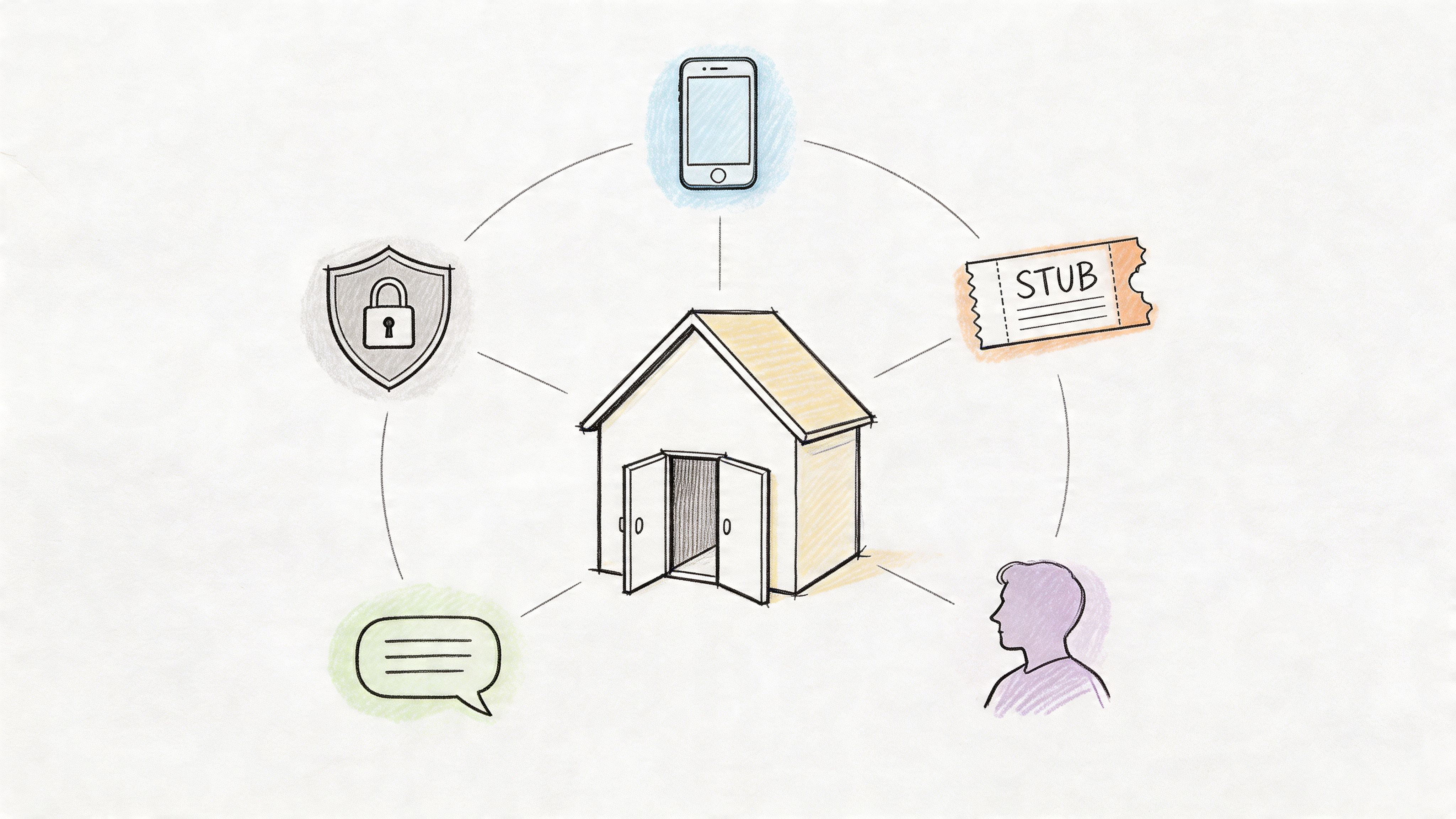
For associations, chambers, councils, certification groups, and event organizers, a portal works best when it acts like a private digital clubhouse. Members sign in once and find what they need. Event attendees register, update profiles, access content, join discussions, and message the right people without bouncing between platforms. Sponsors and exhibitors get branded visibility and clearer reporting. Staff stop playing traffic cop.
A well-designed portal doesn’t just tidy operations. It changes how your community experiences your organization. Instead of “email us and wait,” the experience becomes “log in and do it now.”
A lot of people hear “customer portal” and picture a support desk for a software company. That’s too narrow.
For an association or event organizer, customer portal services are the tools and setup that create a secure, branded online space where members, attendees, sponsors, exhibitors, and staff can interact with your organization in one place. Think of it as your organization’s digital clubhouse.
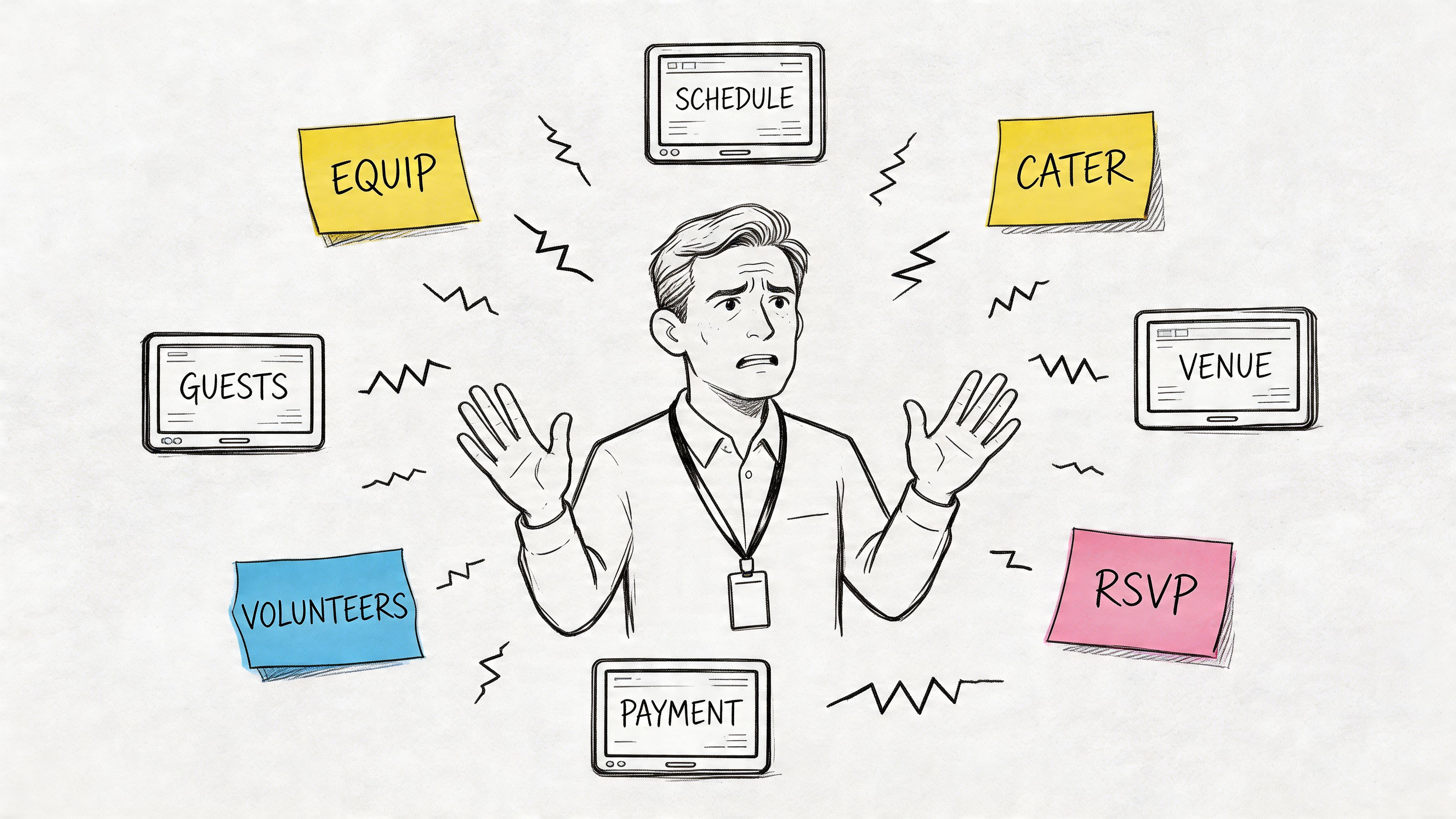
One association manager I often imagine in this situation has a familiar setup. Membership renewals run through one payment tool. Event ticketing sits on a separate website. Community discussions happen in Facebook Groups or Slack. Handouts and recordings are buried in Dropbox folders. None of this feels broken enough to replace on a busy Tuesday. But together, it creates friction everywhere.
Members feel it first. They can’t remember where to find session slides. Sponsors ask where their profile page went. Staff spend time answering logistical questions that members should be able to handle themselves. What looks like a software problem is really an experience problem.
A portal gives your organization a single front door. After login, a member might see:
That’s why a portal is better understood as infrastructure, not a feature.
A scattered experience teaches members to depend on staff. A portal teaches members how to help themselves.
Self-service has become a major marker of strong service operations. 80% of high-performing service organizations offer self-service solutions, compared with 56% of low performers, according to customer support statistics collected by Pylon.
Associations don’t just support customers. They manage relationships, events, learning, committees, content, sponsors, and recurring dues. That’s a different job. A useful portal needs to reflect that complexity without making the experience feel complicated.
If you’ve been comparing separate apps for engagement, events, and content delivery, it helps to first understand the broader role of a customer engagement platform for member communities. The portal sits at the center of that experience.
A portal is only useful if it solves real day-to-day work. For associations and event teams, the strongest platforms combine several jobs that usually get split across too many vendors.
Start with the basics. People need a place to manage their identity in your organization.
That includes profile details, membership status, renewal history, interest tags, chapter affiliations, committee roles, and communication preferences. If someone changes employers, upgrades their membership, or updates billing information, they should be able to do it inside the portal without emailing your team.
This sounds small until you’ve handled those updates manually for years. Then it becomes a major time saver.
For event organizers, the portal often becomes the operational center of the event lifecycle.
A solid setup supports registration, custom forms, ticket selection, upgrades, confirmations, and post-event content access. It should also handle practical wrinkles that generic ticketing systems often miss, like member pricing, sponsor passes, speaker access, exhibitor staff lists, and private sessions.
Here’s a simple way to judge this feature: if your annual conference requires your team to maintain a “master spreadsheet” after registration opens, your current system probably isn’t integrated enough.
Associations produce a lot of material. Policy documents, session recordings, certification resources, board packets, training modules, member directories, research files, and templates all need a proper home.
A portal turns those scattered files into a browsable library. Members don’t have to search old emails for attachments. Staff don’t have to resend the same PDF every week.
If your team is still deciding how to structure internal and member-facing knowledge, it helps to build a comprehensive knowledge base system, much like a wiki before you migrate everything into a portal. That planning step reduces clutter later.
Many buyers underestimate search. They shouldn’t.
Dynamic search-driven incident prevention uses AI-powered suggestion engines to surface matching articles, videos, or FAQs while the user is typing. According to TSIA’s customer portal design guidance, this approach can drive 30% to 50% higher self-service adoption rates and intercept around 25% of potential tickets before they’re submitted.
For an association, that can look like this:
That’s not flashy. It’s just efficient.
Modern portals increasingly include chat, direct messaging, discussion spaces, and announcements. That matters because community conversations lose value when they happen in disconnected tools your staff can’t govern well.
A built-in communication layer keeps context attached to profiles, events, and content. If someone asks a question about a workshop, the answer can live next to the workshop instead of vanishing into a Slack thread.
Your members don’t only engage from desktops. They register while commuting, check event updates from hotel lobbies, and message peers during sessions.
That’s why many teams also look at how a portal experience translates into a community app for ongoing member engagement. Even if mobile isn’t your first buying criterion, poor mobile usability diminishes adoption.
Practical rule: If a member can register for an event on mobile but can’t easily find their ticket, content, or messages afterward, you don’t have a complete portal experience.
A good customer portal works like a digital clubhouse for your organization. Members know where to go, exhibitors know how to show up, and staff no longer spend their day acting as the human glue between disconnected systems.
Associations lose momentum when members have to remember five different places for five different tasks. One tool for registration. Another for recordings. Another for community. Another for invoices. People stop checking in unless an email pushes them there.
A portal fixes that by giving members one front door.
That sounds simple, but it changes behavior. When discussions, event access, member profiles, resources, and updates live in one branded space, participation becomes easier to repeat. Members start treating the portal as an ongoing destination instead of a one-time transaction.
For association teams comparing platforms, this is one reason many buyers start by reviewing membership software for associations that combines community, events, and member management. The fewer handoffs your members experience, the more likely they are to return.
GroupOS is a strong example here because it does not stop at a basic account page. It gives associations a single environment for member engagement, content delivery, event participation, and sponsor visibility. That matters far more than a generic customer support portal built for software companies.
The operational benefit is often easiest to see in the inbox.
Members ask fewer routine questions when they can handle common tasks on their own, such as updating a profile, finding a receipt, checking registration details, or accessing event materials. Research from the Harvard Business Review on customer self-service points to a familiar pattern across service organizations. People often prefer solving straightforward issues themselves if the path is clear.
Association staff feel that difference quickly. Fewer manual receipt requests. Fewer "Can you resend my link?" emails. Fewer last-minute calls from attendees who cannot find what they already paid for.
That time goes back into member retention, programming, sponsorship sales, and speaker support. Those are the activities that grow an association.
Events put every weak process under pressure. Registration, confirmations, agenda changes, attendee questions, sponsor exposure, on-site communication, and post-event content all hit at once.
A portal gives those moving parts one home.
Before the event, attendees complete registration, choose sessions, and confirm details. During the event, they check schedules, receive updates, message other participants, and find exhibitor information. After the event, the same login can lead them back to recordings, slides, certificates, and community discussion.
That continuity is especially important for associations and event organizers because success is not measured only by attendance. It is measured by what happens next. Did members keep engaging? Did sponsors get visibility? Did attendees return to the content? Did exhibitors collect usable leads?
A fragmented event stack makes those answers harder to track and harder to improve. An all-in-one system like GroupOS keeps the full journey connected, which makes the event feel more organized for attendees and more measurable for staff.
A quick visual example helps:
Portal value is not limited to convenience. It also affects dues, registrations, upgrades, and sponsor revenue.
If a member can join, renew, register, access premium content, and manage their account in one place, there are fewer drop-off points. If an exhibitor can maintain a profile, share resources, and connect with attendees inside the same system, sponsorship packages become easier to sell because the value is visible.
Analysts at PwC found in its customer experience research that customers place real value on speed, convenience, consistency, and friendly service. Associations are not retail businesses, but the lesson still applies. If the path to join, register, or renew feels confusing, people delay action or leave it unfinished.
A portal supports revenue in practical ways:
Sponsors rarely judge success by logo placement alone. They want traffic, engagement, lead opportunities, and post-event visibility they can explain to their own team.
A portal helps because sponsor presence can be structured instead of scattered. Exhibitor profiles, downloadable resources, session sponsorships, attendee messages, and branded content can all live inside the same environment where members are already active.
That gives event managers a better story to tell. Instead of saying, "Your logo appeared in several places," you can show how sponsors were discovered, where attendees engaged, and which activities continued after the event ended.
For associations, that is one of the biggest advantages of an all-in-one platform over a patchwork of separate tools. The member experience improves. Staff work gets simpler. Event follow-through gets stronger. Sponsor value becomes easier to prove.
A polished demo can hide a bad fit.
For an association manager, the question is simpler. Will this portal feel like one digital clubhouse for members, speakers, exhibitors, and staff, or will it send people bouncing between separate tools that all look and behave differently? That choice affects renewals, event registration, sponsor visibility, and how much staff time disappears into manual fixes.
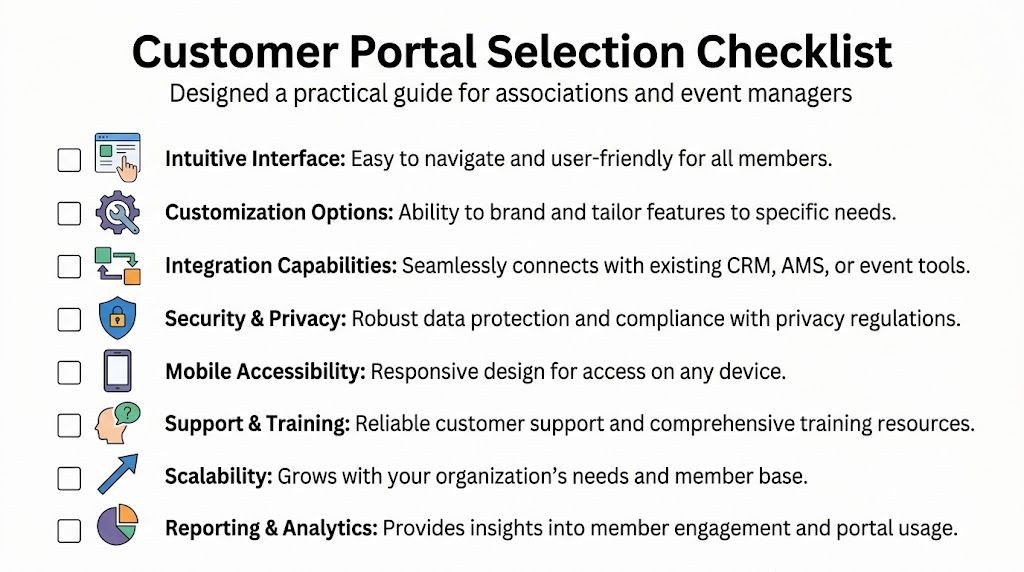
Before you compare vendors, decide what job the portal needs to do in your organization.
Some portals act like a front desk. They let members log in, update a profile, and submit a request. Associations and event teams usually need more than that. You may need one place for joining, renewing, registering for events, accessing session recordings, visiting exhibitor pages, reading community updates, and finding member-only resources. If those activities live in different systems, the portal becomes a signpost instead of a destination.
That is why the first buying question should be practical. Are you choosing a portal that runs the member experience, or one that sits on top of disconnected systems and asks your staff to keep everything aligned behind the scenes?
| Checklist item | What to look for | Why it matters |
|---|---|---|
| Member self-service | Profile updates, renewals, invoices, registrations, and content access in one login | Staff spend less time answering routine requests, and members finish tasks faster |
| Brand control | Your logo, colors, domain, navigation, and page layouts | Trust is stronger when the portal feels like your organization from start to finish |
| Event support | Registration paths, agenda views, ticket types, attendee access, speaker pages, and post-event content | Events reveal weak systems quickly because they combine content, payments, communication, and deadlines |
| Exhibitor and sponsor tools | Company profiles, resource downloads, lead capture options, branded placements, and activity reporting | Sponsors want measurable visibility, not just logo placement |
| Content management | Resource libraries, permission rules, search, tagging, and update controls | Member content only helps when people can find the right item at the right time |
| Community features | Discussions, announcements, direct messages, group spaces, or chapter-level engagement | Member relationships weaken when conversations are pushed into unrelated tools |
| Reporting | Member activity, event engagement, sponsor views, and adoption trends | Staff need usable reports to judge what is working and where follow-up is needed |
| Onboarding and migration | Data import help, training, launch planning, and support after go-live | A strong portal can still disappoint if setup is rushed or poorly guided |
Associations often inherit a patchwork. One tool handles dues. Another runs event registration. A third stores webinars. A fourth hosts the member directory. A fifth manages exhibitor pages. On paper, each product may be good at its own job. In daily operations, that setup creates extra clicks, duplicate records, inconsistent branding, and more support questions.
Members do not judge your systems one by one. They judge the whole experience.
An all-in-one platform such as GroupOS gives associations and event organizers a better starting point because membership, events, content, communication, and sponsor visibility live in the same environment. Staff are not forced to act as system translators. Exhibitors get clearer exposure. Members get one familiar place to return to before, during, and after an event.
Portal software should solve current problems without creating new ones a year from now. That includes how the platform handles automation and AI-supported service.
Analysts at Gartner have reported rising AI adoption across customer service and CRM functions, which matters here because portal expectations are changing. Members increasingly expect better search, faster answers, and content that feels relevant to their role or interests. You do not need every AI feature on day one. You do need a platform that can support smarter search, guided help, and useful recommendations as your organization grows.
Use simple questions during the demo:
A portal rarely works alone. It has to exchange information with your membership database, billing tools, email platform, and CRM. If those handoffs are clumsy, staff end up fixing records manually and members see conflicting information.
That is why CRM integration should be part of your evaluation, even if the portal itself looks strong in a demo. For associations, clean data flow matters because one member record may affect renewals, event access, communication preferences, sponsorship outreach, and reporting.
If your team is also comparing broader platform options, this guide to membership software for associations and long-term growth helps place the portal decision inside the full member operations picture.
Use these questions like a buyer's checklist, not a conversation starter. A capable vendor should answer them clearly and show the workflow inside the product.
Good answers are concrete. If a vendor keeps returning to generic feature lists, treat that as a warning sign.
Most portal disappointments come from two hidden problems. The system doesn’t connect cleanly to the tools you already use, or it handles sensitive data too casually.
Both problems usually stay invisible during the demo.
When people say “API integration,” non-technical buyers often tune out. A simpler way to think about it is this: your systems need reliable digital handshakes.
Your portal should be able to exchange the right information with your CRM, billing system, email platform, event tools, and content library. If a member updates their profile, that change should flow where it needs to go. If someone buys a ticket, staff shouldn’t have to re-enter that purchase elsewhere.
That’s why integration quality matters so much. According to Knack’s guide to customer portals, API-driven system integration can boost order fulfillment accuracy by 35% and cut related support queries by 28%. The same source notes that portals with API response times under 100ms achieve 85% customer satisfaction.
Those figures come from broader portal use cases, but the lesson carries over well to associations. Better integration reduces confusion, duplicate work, and service delays.
Here are common integration points that deserve careful review:
If your team needs a plain-language primer on pipeline planning, this overview of CRM integration for cleaner operational flow is a useful companion read.
Security isn’t just encryption on a sales slide. For associations, it touches member profiles, payment details, event rosters, sponsor data, board access, and sometimes certification records.
Ask vendors how they manage:
A portal can look elegant and still create risk if access rules are sloppy.
Bottom line: The safest portal is usually the one with the fewest manual workarounds. Every spreadsheet export and off-platform upload creates another place for member data to leak.
Teams working through legacy-system concerns often find that the hard part isn’t buying software. It’s untangling the old stack first. This piece on data integration challenges in modern platforms is helpful for framing those conversations internally.
A portal launch goes well when you treat it as an operational change, not just a software setup. The work starts before the first login screen is branded.
Messy data doesn’t become clean just because it moved into a better platform. Duplicate records, outdated tags, old sponsor fields, and broken permission logic should be addressed first.
This is also the stage where privacy risks show up. A 2025 Gartner report noted that 68% of community platforms face GDPR and CCPA violations during data migrations due to poor API mapping, as cited in this implementation-focused discussion. That’s a strong reason to define fields, consent status, and ownership rules before migration begins.
Many organizations try to switch on everything together. That usually creates confusion.
A phased rollout works better:
Start with core identity and access
Get profiles, login, and permissions right first.
Add one high-value workflow
Membership renewal, event registration, or content access usually makes the best first use case.
Bring in communication features
Announcements, direct messaging, or community spaces work better after users trust the basics.
Layer on sponsor and exhibitor experiences
Once your core member journey is stable, you can add monetizable visibility and lead features more confidently.
People don’t resist new systems because they dislike technology. They resist surprise and ambiguity.
Give members a short path:
That first interaction matters. If members log in once, get confused, and leave, adoption slows fast.
A portal shouldn’t mirror your internal org chart. It should reflect what users are there to do.
For example, if your main goals are renewals, event attendance, and sponsor visibility, prioritize those journeys on the dashboard. Don’t bury them under administrative categories that make sense only to staff.
Launch the smallest version that feels complete. Members need clarity more than they need every feature on day one.
The best early indicators are usually simple:
If the answer is yes, your portal is already creating return.
Associations absolutely need them. The label “customer portal” can sound B2B and support-heavy, but the underlying need is broader. If your organization manages members, events, content, payments, and communication, a portal gives people one secure place to interact with all of it.
For associations, the issue usually isn’t whether a portal is relevant. It’s whether the portal is designed for recurring engagement, not just one-time support tickets.
Often, yes in practical terms. “Customer portal services” is the broader category. “Member portal” is usually the association-specific version of that idea.
The difference matters mostly when evaluating vendors. Some platforms were built for support teams first and later adapted for communities. Others are built around membership, events, and engagement from the start.
Not always. A strong mobile web experience may be enough if your community mainly logs in occasionally to register, renew, or download resources.
A mobile app becomes more valuable when your audience needs regular access to event updates, messaging, directories, schedules, or content on the go. Conferences, networking groups, and chapter-based communities often benefit most because engagement doesn’t happen only at a desk.
Less technical than most buyers fear, if the platform is designed well.
Your team still needs operational discipline. Someone has to manage content, permissions, onboarding, and user questions. But you shouldn’t need developers for everyday tasks like editing pages, updating event details, changing access rules, or publishing resources.
A good portal should reduce dependency on technical specialists, not create more of it.
That depends on your complexity, budget tolerance, and appetite for ongoing maintenance.
A custom build gives maximum control, but it also creates responsibility. Your team owns roadmap decisions, vendor coordination, updates, and future fixes. For many associations, a SaaS platform is the more practical route because it delivers faster setup, easier support, and a clearer operating model.
The key is making sure the SaaS platform isn’t too generic for association needs.
They buy for the demo instead of the workflow.
A demo can make almost any system look polished. The key questions are more ordinary. Can a member register, pay, get confirmation, access event materials later, and update their profile without staff help? Can sponsors manage visibility cleanly? Can your staff run the system without inventing extra steps?
If those answers are unclear, the software fit probably is too.
It varies, but adoption gets faster when the portal solves a real recurring task. Renewals, registration, content access, and communication tend to create the best early traction because users already need them.
The strongest signal isn’t how excited users sound in week one. It’s whether they come back in week three without being chased.
Ask a simple question. When a member attends an event, how many systems are involved from sign-up to follow-up?
If the answer includes separate tools for registration, payment, messaging, content, reporting, and profile management, your staff is probably absorbing the complexity instead of your technology solving it. That’s when an all-in-one approach often becomes the better long-term choice.
If you're ready to replace fragmented tools with one branded hub for memberships, events, content, sponsor visibility, and community communication, take a look at GroupOS. It’s built for organizations that need a practical all-in-one platform instead of another disconnected app.







