June 25, 2026

You send a conference welcome email on Monday morning. It looks polished, the branding is right, and the call to action is clear. By noon, sponsors are replying to ask where their exhibitor setup instructions are, speakers still don't know their green room schedule, and first-time attendees are confused about which sessions are worth bookmarking.
That's the problem with broad outreach in communities and events. The message isn't bad. It's just wrong for half the people receiving it.
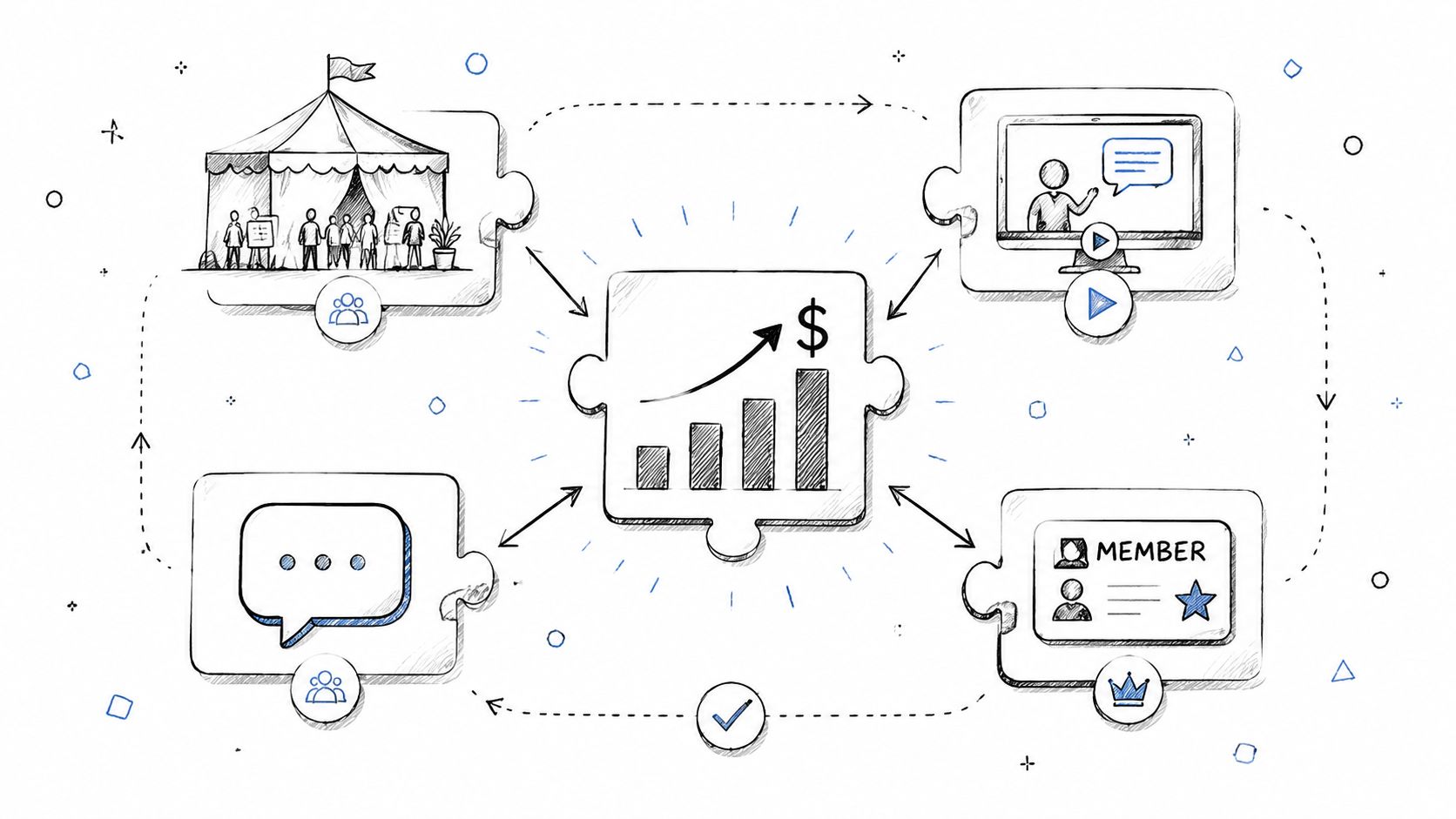
In membership organizations, trade associations, user communities, and annual events, targeted messaging isn't a nice extra. It's basic operational discipline. You're rarely speaking to one audience. You're speaking to attendees, board members, exhibitors, sponsors, chapter leaders, speakers, volunteers, lapsed members, and new members, often inside the same platform and during the same campaign window.
The quickest way to lose trust is to make people do translation work. If a sponsor has to dig through attendee hype to find setup details, or a new member gets an email written for long-time volunteers, they stop assuming your communications will help them.
That's why targeted messaging matters so much in community-led organizations. It makes communication useful. It also makes people feel recognized, which is what members and event participants remember.
When messages are designed for a specific segment or buyer persona, conversion rates can increase by up to 200%, and 77% of consumers prefer brands that recognize them and provide relevant recommendations based on past interactions according to the verified research summary for targeted personalization.
For events, targeted messaging means:
For communities, it means:
Practical rule: If one email requires three different audience types to mentally edit it for themselves, it should have been three messages.
Many teams often reach a standstill. They think targeted messaging means complicated automation or enterprise-scale ad tech. In practice, it starts with one simpler question: who needs what, right now?
That same discipline matters beyond email. If you're working with speaker advocates, sponsors, or ambassadors, you'll also benefit from studying data-driven influencer marketing strategies that focus on matching message, audience, and timing instead of chasing generic reach.
A healthier community usually reflects healthier communication habits. If you need a broader operational lens on that, this breakdown of the benefits of community engagement connects messaging choices to participation, loyalty, and retention.
Most messaging problems start before anyone writes copy. They start when teams treat the audience as one blob.
For a professional association, “members” is not a segment. For a conference, “registrants” is not a segment. Those are databases. Segments become useful only when they reflect different goals, barriers, and next actions.
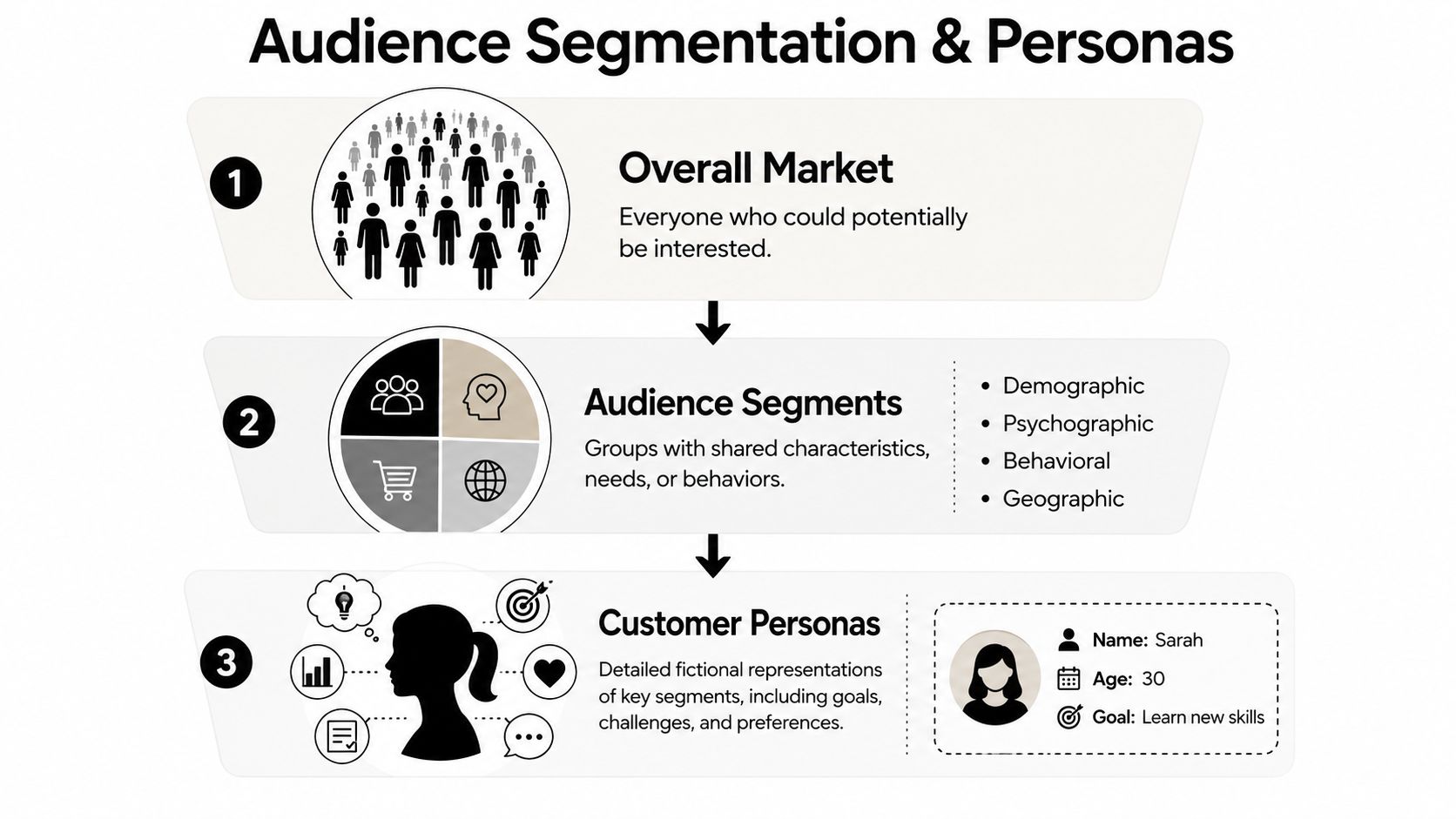
Segmented campaigns generate 25% higher open rates and click-through rates compared to untargeted messaging, based on the verified segmentation benchmark. In community and event work, that lift usually comes from clearer relevance, not clever copy.
The most useful segmentation model is usually built from real workflows. Start with categories your team already manages:
A lot of teams overbuild this part. They create dozens of micro-audiences and never use them. Start with the segments that change messaging decisions.
A persona should help your staff write better messages faster. If it reads like a branding exercise, it's too vague.
Here are three examples that work in events and associations:
| Persona | What they want | What blocks them | Best message angle |
|---|---|---|---|
| First-Time Attendee Fiona | A smooth event and useful connections | Overwhelm, fear of missing key sessions | Simple next steps, orientation, reassurance |
| Lead-Gen Sponsor Sam | Qualified conversations and visibility | Unclear logistics, weak booth traffic | ROI-focused details, promotional opportunities |
| Renewal-Risk Member Maya | Proof that membership still matters | Low recent engagement, unclear benefits | Relevant wins, easy actions, personal value |
The point isn't to be cute with names. The point is to force specificity. “Fiona” needs a different email than “Sam,” even if both are attending the same annual meeting.
Teams usually don't fail because they lack data. They fail because they don't reduce that data into usable audience decisions.
Registration forms, join forms, content preferences, and ticket selections should collect information your messaging team will use. If your event asks for industry, goals, seniority, and interests, those fields should shape follow-up campaigns.
That's also why list hygiene matters. Bad segments often come from stale records, duplicated contacts, and vague tagging. If your team needs a practical companion on cleanup and maintenance, these strategies for email list optimization are worth reviewing before you scale outreach.
For a deeper framework, this guide to customer segmentation models is useful when you're deciding whether to segment by role, lifecycle, behavior, or value.
Once the audience is clear, the writing gets easier. Not easy, but easier.
The strongest targeted messages in communities and events don't try to say everything. They do one job well. They help one segment take one next step in one moment.
A new member's first week needs one kind of communication. An attendee standing in the venue lobby needs another. A sponsor reviewing lead performance after the event needs something else again.
Here's a simple matrix I've seen teams use effectively.
| Persona / Segment | Channel | Timing / Trigger | Message Goal | Example Copy |
|---|---|---|---|---|
| First-time attendee | Immediately after registration | Reduce anxiety and orient | “You're in. Start with the newcomer guide, save your top sessions, and join the welcome meetup before arrival.” | |
| Speaker | One week before event | Confirm readiness | “Your session is confirmed. Please review room setup, arrival time, and presentation upload instructions.” | |
| On-site attendee | Push notification | Session change or room update | Redirect quickly | “Your 2:00 PM session has moved to Ballroom B. Tap for updated map directions.” |
| Sponsor | After booth assignment | Drive preparation | “Your booth location is live. Here's how to update your profile, promote your giveaway, and prepare lead capture.” | |
| New member | In-app message | First login | Prompt activation | “Start with three member actions: complete your profile, join one discussion, and bookmark one upcoming event.” |
| Member who viewed but didn't join a discussion | Behavior trigger | Re-engage | “You checked out the policy roundtable. Join the thread now and meet members already sharing resources.” |
Community teams often write from the organization's point of view. Members don't care that your “engagement hub” now houses “cross-functional knowledge pathways.” They care whether they can find a mentor, register for a chapter event, or meet peers in their niche.
A better pattern is simple:
So instead of:
“Explore our integrated event ecosystem for enhanced networking value.”
Write:
“You've already registered. Next, book the roundtables that match your role so you don't miss the smaller conversations.”
Write the message so the reader can answer this instantly: “Why am I getting this, and what should I do next?”
If you use AI to draft copy, use it for volume and variation, not final judgment. It's helpful for producing first-pass subject lines, sponsor reminders, LinkedIn event promos, or alternate CTAs. For social promotion workflows, this guide on how to write LinkedIn content with AI is a solid reference, especially if your team is repackaging event or community content into professional posts.
Still, every audience-facing message needs a human pass. Community messaging has too much context to leave entirely to automation. A chapter leader in a volunteer role, for example, needs a different tone than a paid conference sponsor, even if both are technically in a “partner” segment.
When you get stuck, use the agitate-and-solve framework carefully. It works well for event reminders and renewal nudges because it names a real friction point, then offers a practical next step. Just don't overdo the drama. Associations and professional communities respond better to clarity than hype.
A strong message can still fail if you send it through the wrong channel. This happens constantly in event operations.
Teams put urgent room changes in email. They bury detailed exhibitor instructions in SMS. They send onboarding prompts through a feed post that new members will never notice. The issue isn't effort. It's channel fit.
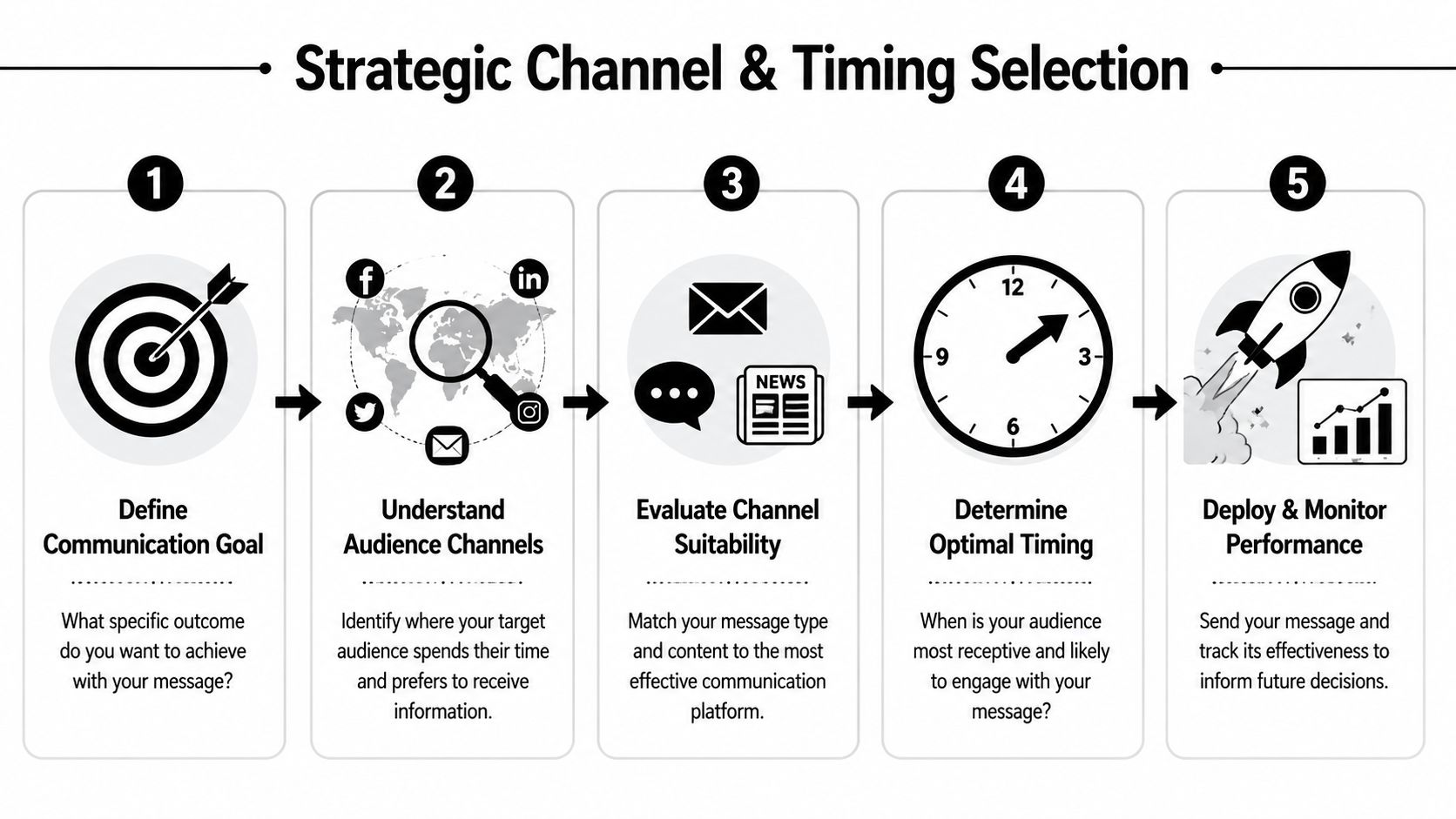
Research on structured outreach shows that multi-channel cadences with at least 3 touchpoints across 2 or more channels improve engagement consistency, and 80% of conversion variance is directly attributable to messaging quality and relevance, according to the verified benchmark on cadence and messaging quality.
Different channels carry different expectations. Use them accordingly.
| Channel | Best use in communities and events | Weak use case |
|---|---|---|
| Detailed instructions, recaps, onboarding, sponsor updates, weekly digests | Last-minute on-site changes | |
| Push notification | Session reminders, room changes, deadline alerts, live prompts | Long explanations or policy updates |
| SMS | Critical alerts, urgent changes, safety notices, time-sensitive reminders | Routine promotional content |
| In-app message or feed post | Ongoing engagement, discussion prompts, featured resources | Mission-critical operational updates |
| Direct message | High-value follow-up for speakers, sponsors, chapter leads, VIP members | Scaled general announcements |
The same person may need multiple messages across a short window, but not all at once.
For example, a pre-event cadence for first-time attendees often works best when it unfolds in sequence:
Sponsors usually need a different cadence:
A common mistake is sending one all-encompassing message because it feels efficient internally. Recipients experience that as clutter. Split the communication by decision point instead.
If the action is urgent, use the channel people check fastest. If the information is detailed, use the channel that handles detail well.
You don't need a giant orchestration engine to do this well. Start with a few dependable automations tied to moments that always occur:
The useful test is simple. If your staff sends the same message manually every week, it probably belongs in an automated cadence. If the message needs judgment or relationship nuance, keep it manual.
A sponsor sales email underperforms on Monday. By Tuesday, the team rewrites the subject line, changes the CTA, swaps the send time, and shortens the body copy. By Friday, nobody knows what caused the result.
That happens all the time in event and association teams because messaging lives inside a busy operating environment. Registration is moving, sponsor deadlines are shifting, and member questions keep coming in. The fix is simple. Test like an operator, not like a committee. Change one thing. Keep the audience the same. Measure the action that mattered.
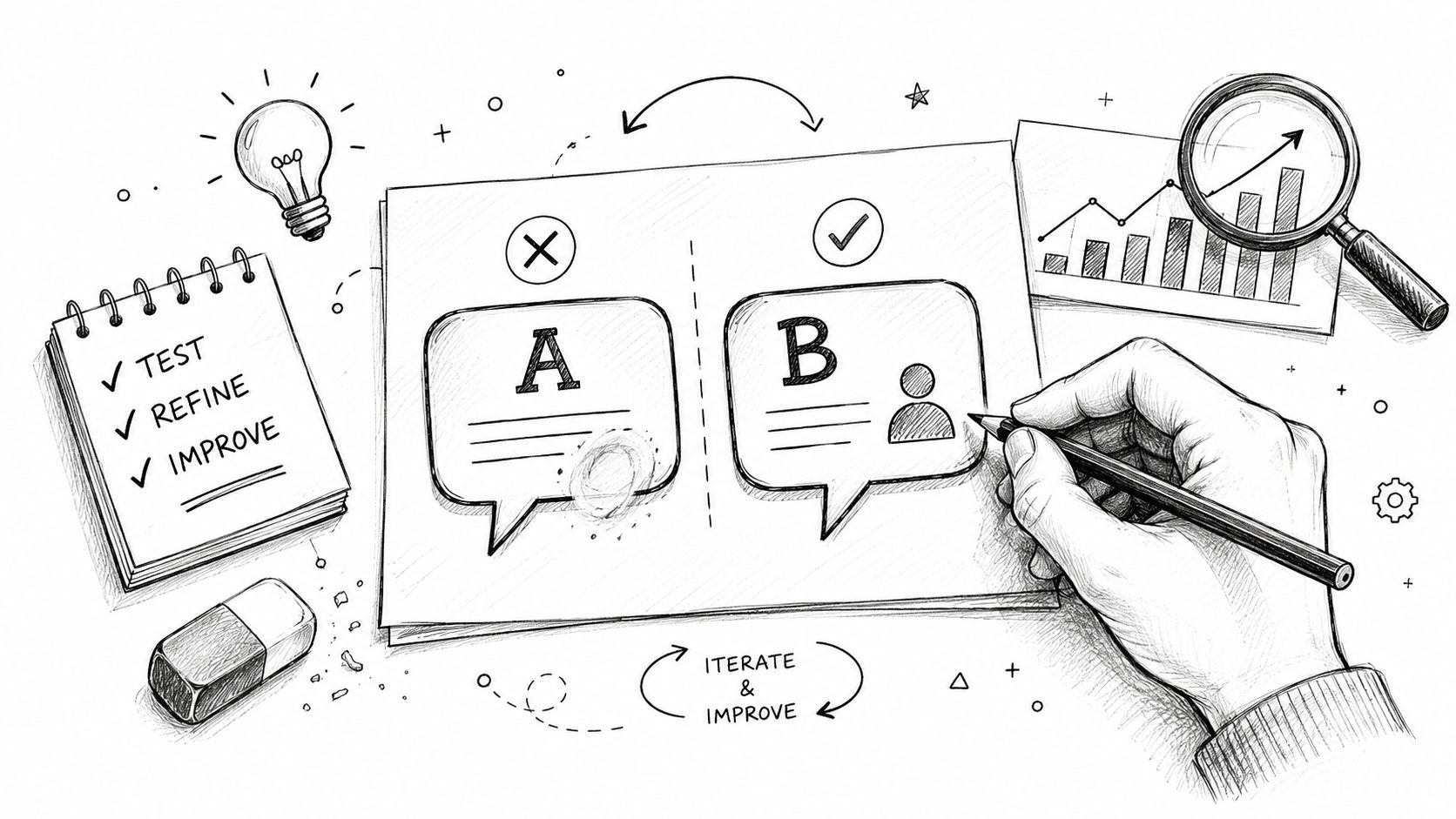
The best tests in communities and events are usually modest, but they answer real questions:
Keep the segment fixed. If one message goes to chapter leaders and the other goes to first-time attendees, the result reflects audience differences, not message quality.
A useful testing routine is straightforward:
For example, if an annual conference session is underbooked, test whether attendees respond better to social proof or practical value. One version might highlight the speaker's reputation. The other might focus on the specific takeaway and who should attend. If registrations move, that is the signal. Open rate is only context.
Basic merge fields still help, but only when they point to something the recipient cares about. A first name alone is not personalization. Context is.
Good example:
“You bookmarked the healthcare policy session. The workshop materials are now available.”
Weak example:
“Hi Sarah, valued member, don't miss our exciting event experience.”
The first message reflects behavior. The second reads like software output.
This matters even more inside a unified community platform, where organizers, sponsors, speakers, exhibitors, attendees, and members all leave different signals behind. Use those signals carefully. If a sponsor downloaded the exhibitor prospectus but never selected a package, follow up with inventory, deadlines, and likely fit. If a member joined a specialty interest group and registered for a chapter event, send the next invitation around that topic instead of a generic monthly roundup.
Teams that want a clearer read on what is working should pair message tests with visible reporting. A simple dashboard for segment performance, conversion by message type, and post-send behavior makes iteration faster. In this context, analytics and messaging performance reports earn their keep.
The common failures are usually judgment calls, not tool limitations.
Small feedback loops beat big rewrite projects.
Keep a running test log. Record the segment, hypothesis, variable, result, and next adjustment. After a few event cycles or member campaigns, patterns show up fast. New attendees may respond to reassurance and clear logistics. Sponsors may respond to deadlines and concrete visibility. Longtime members often need proof that a message is worth their time before they act.
A lot of messaging reports are full of activity and short on accountability. Opens, clicks, impressions, sends. Useful diagnostics, but weak business answers.
For communities and events, the better question is: did the message change behavior that matters?
For event teams, relevant KPIs often include:
For community managers, stronger KPIs include:
A lot of teams need discipline. If the message goal was “get chapter leaders to upload event details,” then the KPI is uploaded event details. Not email open rate.
Use campaign tags, segment labels, and trigger naming conventions your staff can understand later. If you can't tell the difference between a first-time attendee welcome email and a speaker logistics reminder in your reporting, optimization will stall.
You also need one dashboard that connects outreach to outcomes. That's how you learn whether sponsor reminders increased profile completion, whether onboarding messages improved activation, or whether reminder cadences lifted attendance in smaller sessions. This guide to analytics and insights is useful if your team is trying to move from scattered metrics to decision-ready reporting.
There's a financial reason to care about this rigor. Companies that excel in personalization generate 40% more revenue from those activities than average players, according to the verified research summary on personalization outcomes. Even if you're running a nonprofit association or member community rather than a commercial ecommerce program, the operational lesson still applies. Relevant communication produces measurable value.
When the message is aligned with the audience, channel, and timing, performance gets easier to explain to stakeholders. You're no longer defending sends. You're showing outcomes.
If you're managing memberships, events, sponsors, and community communication in too many disconnected tools, GroupOS gives you one place to organize the audience data, journeys, and analytics that make targeted messaging workable at scale. It's built for associations, event teams, and member organizations that need communication to be timely, relevant, and tied to real engagement.