June 29, 2026

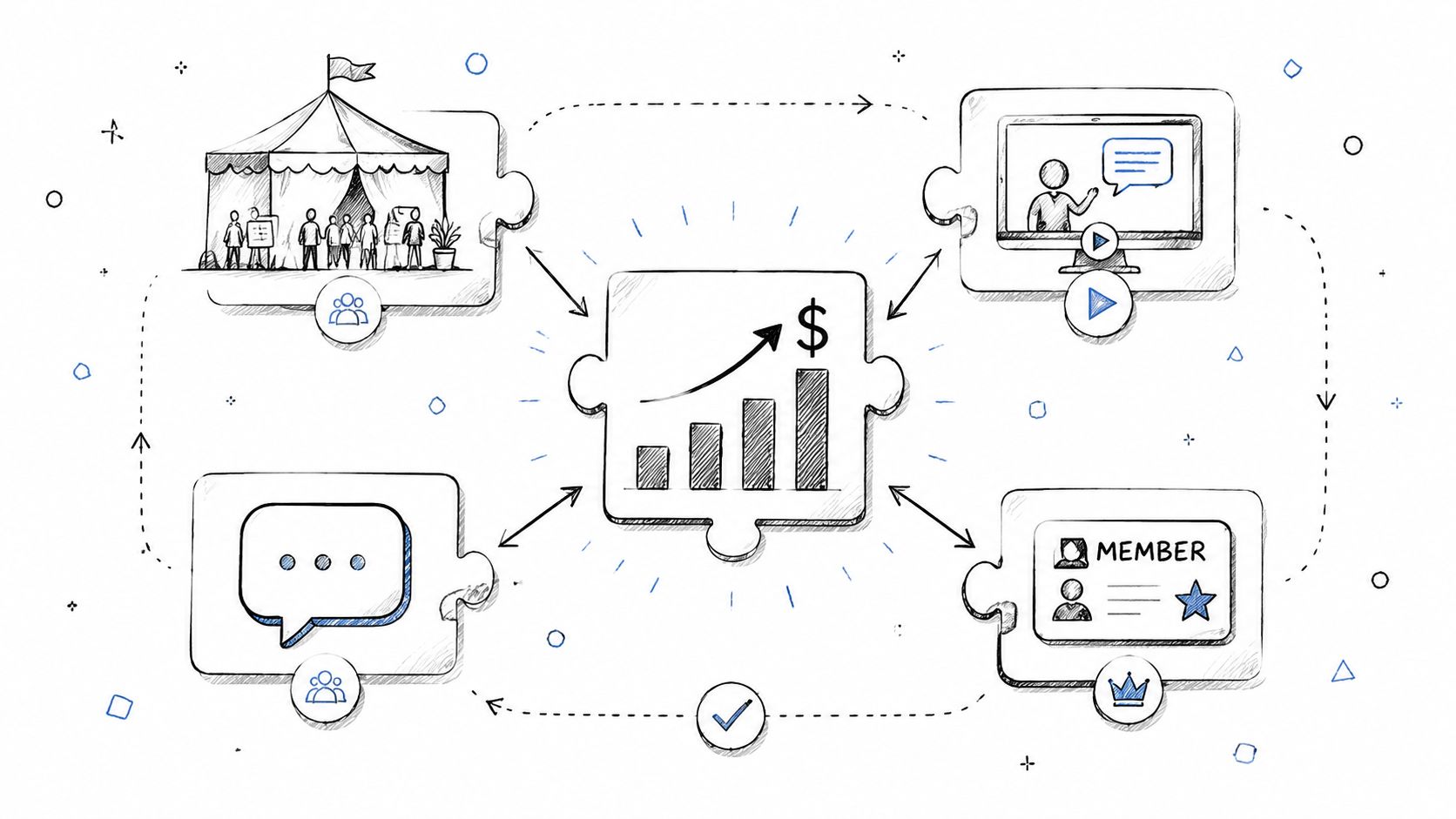
Your event starts long before day one. For many organizations, registration and ticket sales generate anywhere from 50% to 100% of total event revenue, which makes the sign-up flow a financial system, not an admin task, according to Planning Pod's event registration best practices infographic. When that flow feels slow, cluttered, or risky, people leave before they ever see your agenda, sponsors, or community experience.
That matters even more for associations and member-based teams. You're not just selling a seat. You're reinforcing member value, segmenting future communications, identifying sponsor interest, and setting up post-event engagement. If registration is disconnected from pricing, messaging, and automation, every downstream team pays for it later.
The best event registration best practices work together. A short form supports mobile conversion. Clear pricing supports faster decisions. Good confirmation sequences reduce no-shows. Strong analytics help you fix friction before launch week becomes damage control.
Below are 10 practices that reliably hold up in the field. Each one is useful on its own. The full payoff comes when you treat them as parts of one registration ecosystem.
A registration form starts losing people the moment it asks for information your team does not need yet. For associations and corporate event teams, the answer is not collecting less data across the board. The answer is collecting data in the right sequence.
Multi-step forms work because they reduce cognitive load. Progressive profiling works because it protects conversion without giving up the member and attendee data your downstream teams still need. Used together, they turn registration from a single high-friction transaction into part of a larger registration ecosystem that supports pricing, segmentation, automation, and post-event engagement.
For member-based organizations, that distinction matters. Registration is often the first place a member sees pricing logic, benefit validation, and personalization. If the form asks every attendee for chapter details, committee interest, accessibility needs, dietary preferences, certification goals, and sponsor opt-ins before they have even selected a pass, completion rates drop and data quality usually drops with them.
A better structure is simple. Step one covers identity and eligibility. Step two handles pass selection and any pricing logic tied to membership status, guest type, or company role. Payment comes next. Profile enrichment comes later through confirmation flows, account centers, or targeted follow-up. That approach also makes it easier to support ticket pricing strategies for events and member organizations without crowding the first screen.
Use these rules in the build:
If you are rebuilding the form, these event registration form templates from GroupOS give a useful starting structure.
Practical rule: If a field is required, someone on your team should be able to explain exactly how that data will be used before the event.
There is a trade-off. Shorter forms usually improve completion, but delayed data collection only works if your email automation, CRM sync, and member records are set up properly. If those systems are disconnected, you get more registrations and weaker records. If they are connected, you get both conversion and better long-term member intelligence.
Eventbrite's event trends reporting has long shown the same pattern. People register earlier when the deadline is clear and the savings are easy to understand. That matters for more than cash flow. Earlier registrations give associations and corporate event teams better attendance forecasts, cleaner staffing decisions, and more time to trigger the right member and prospect follow-up.
Pricing works best when it supports the full registration ecosystem, not just the checkout moment. For member-based organizations, that means using price to reinforce member value, segment audiences correctly, and feed automation downstream. A member rate should connect to your AMS or CRM. A group package should route into the right approval or invoice workflow. An add-on should trigger the right confirmation content and capacity tracking.
Start with a small number of decisions and make each one distinct:
If you are refining your offer structure, these ticket pricing strategy examples for events are a useful reference point.
The common mistake is overbuilding the matrix. Standard, member, nonmember, student, sponsor guest, exhibitor add-on, workshop bundle, gala ticket, and donation checkbox on one screen slows decisions and creates avoidable support questions. Clear pricing usually converts better than highly customized pricing because buyers can identify their path in seconds.
Keep visible choices disciplined. Every extra pricing branch should earn its place by serving a real audience segment or operational need.
There is a trade-off. More tiers can raise average order value and support better audience targeting, but they also create more exceptions to manage. Refund requests, upgrade scenarios, invoice corrections, and fairness complaints increase when eligibility rules and cutoff dates are vague. Write the policy on the page, connect each tier to the right back-end workflow, and treat pricing as part of the attendee experience, not a separate finance decision.
Repeat attendance usually depends on reducing effort, and login is one of the first places that effort shows up. If a member, past attendee, or corporate employee has already identified themselves elsewhere in your organization, registration should recognize that history and use it.
GroupOS and similar integrated platforms help connect event registration to the broader account experience instead of treating each event like a fresh transaction. For associations, that matters because registration is often tied to member pricing, chapter affiliation, certification status, committee access, or profile data that already exists. For corporate teams, SSO can pull registration into the same identity system employees use every day, which cuts password resets and reduces abandoned starts.
The benefit is not convenience alone. It is continuity across the registration ecosystem.
When identity data flows cleanly into the form, teams can prefill known fields, apply the right pricing logic, route attendees into the correct communications, and keep the CRM or AMS record clean. That creates a better attendee experience and a better operating model for staff. A disconnected social login button that does not map back to membership or employee records solves less than organizers expect.
SSO earns its place when it supports a larger registration strategy:
There are trade-offs, and they are operational, not theoretical.
Some attendees will not want to use a social identity for a professional event, particularly in regulated fields, government-adjacent associations, or industries where personal and business identities need to stay separate. Offer SSO as a fast path, not the only path. Keep a standard email registration route available, and make the privacy language easy to find before people click.
Technical ownership also matters. Every external identity provider adds another dependency to your registration flow. If LinkedIn, Google, or a corporate identity service fails, your team needs fallback rules, manual verification steps, and support scripts that front-line staff can readily use. Without that preparation, a feature meant to reduce friction becomes a launch-day support problem.
The strongest setups treat SSO as part of a connected system. Identity should feed pricing, profile completion, segmentation, and follow-up automation. That is how member organizations turn registration from a one-time conversion point into an ongoing engagement engine.
More than half of web traffic now happens on mobile devices, according to Statista's mobile internet traffic data. Event registration teams should treat that as an operating constraint, not a design preference.
For associations and corporate event teams, mobile registration affects more than convenience. It shapes who finishes, who abandons, and which audience segments stay engaged across the year. Members often register between meetings, on transit, or while switching between work and personal devices. If the flow breaks on a phone, the problem is not only lost ticket revenue. It is lost participation in the broader member journey.
A simple visual reference helps here:
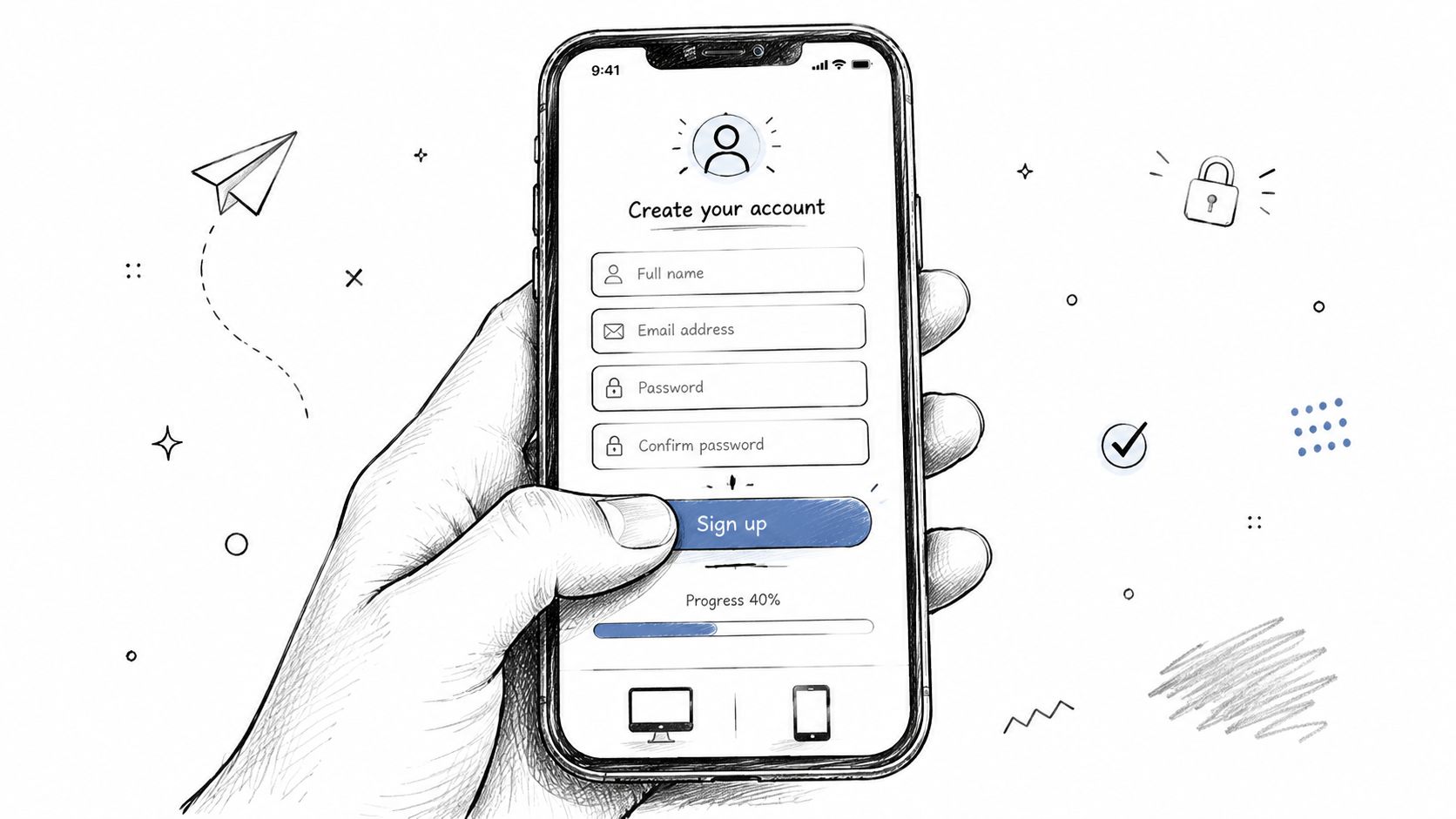
Mobile-first design starts with restraint. Every field, click, and content block has to justify its place on a small screen.
The trade-off is real. Shorter mobile flows can hide useful context, especially for programs with eligibility rules, member tiers, or optional add-ons. The fix is not to put everything back on one page. The better approach is to reveal information at the decision point. Pricing guidance belongs beside ticket selection. Chapter-specific instructions belong beside the chapter field. If your audiences vary, targeted messaging for different attendee segments helps keep the mobile experience concise without making it vague.
Responsive layout alone is not enough. A desktop form squeezed into smaller dimensions still carries the same decision burden, the same clutter, and the same abandonment risk.
The strongest setups connect mobile UX to the rest of the registration ecosystem. Member records should prefill known data. Pricing logic should display the right rates without extra clicks. Confirmation and follow-up automation should trigger cleanly after a mobile signup. That is how mobile design improves registration completion and strengthens year-round engagement for member-based organizations.
A weak registration page usually has a messaging problem before it has a UX problem. If the audience can't tell who the event is for, what they'll get, and why it matters now, even a perfectly designed form won't rescue conversion.
For member organizations, many teams often undersell themselves. They talk about agenda blocks and logistics but skip the outcome. Members don't register for “sessions from 9 to 4.” They register for certification progress, peer access, policy insight, deal flow, continuing education, or career visibility.
Good registration messaging does a few jobs before the form even appears:
If you're refining copy by audience segment, GroupOS guidance on targeted messaging is worth reviewing.
The strongest registration pages answer one quiet question fast: “Why this event, for someone like me, right now?”
The common mistake is treating the event page like a brochure. Long speaker lists, generic promises, and vague benefit language force the buyer to do the interpretation work. Associations should be especially careful here. If your event supports member retention, advocacy goals, chapter participation, or sponsor engagement, say that plainly.
The trade-off is production effort. Good value messaging takes coordination across programming, marketing, sponsorship, and membership teams. It's slower to build than a generic page, but it performs better because it reflects how people decide.
Teams that review registration performance only after the event miss the window to improve it. By then, the budget is spent, the campaign is nearly over, and small conversion problems have already limited turnout. Real-time dashboards change registration from a reporting exercise into an operating system for the event.
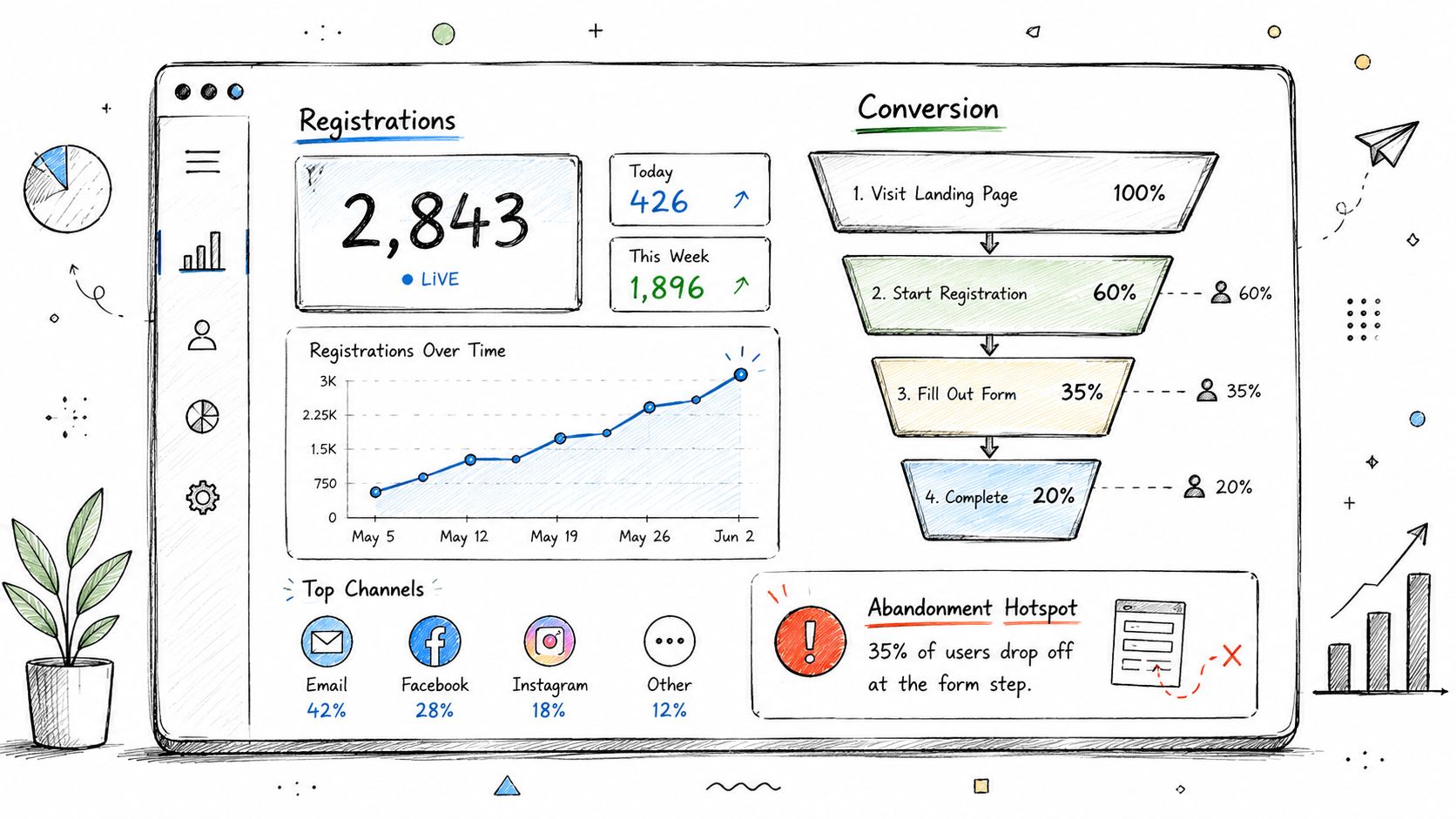
For associations and member-based teams, the goal is bigger than tracking ticket volume. A useful dashboard shows whether the registration ecosystem is producing the audience mix you need. That includes member versus nonmember conversion, chapter participation, certification-driven attendance, sponsor-relevant segments, and pricing tier performance. If those signals sit in separate systems, teams react too slowly.
A good registration dashboard should help the team answer a few operational questions quickly:
The strongest setups also connect intent signals to downstream actions. If someone registers for certification progress, peer networking, advocacy updates, or buyer meetings, that information should shape reminder emails, session recommendations, staffing plans, and follow-up sequences. That is how analytics start supporting growth and engagement, not just reporting volume.
There is a trade-off. Teams can track too much and still miss the obvious fix. I have seen dashboards with twenty charts and no owner assigned to act on abandonment spikes, broken discount codes, or a channel that is producing low-value registrants. Keep the dashboard tied to decisions. If a metric will not change pricing, messaging, automation, or outreach, it probably does not belong on the main view.
Sponsors don't judge your event by attendance alone. They judge it by whether they can identify, reach, and follow up with the right people. If registration data never connects to sponsor workflows, you're leaving sponsor value on the table.
This matters more in associations than in many pure ticketing environments. Sponsors often care about member category, chapter affiliation, job function, purchasing role, certification stage, or topical interest. Registration is where that structure begins, but only if you collect it intentionally and govern how it's shared.
Strong sponsor and exhibitor integration usually includes:
The upside is straightforward. Sponsors can see clearer value, sales teams get better-qualified conversations, and organizers have a stronger case for renewals and premium placements.
The downside is also straightforward. If lead sharing is vague or overreaching, trust drops fast. Registration forms shouldn't become a sponsor land grab. Member-based organizations have to protect the relationship first. That means clear permission language, disciplined field design, and sponsor packages built around relevance instead of volume.
A good rule is simple: only collect sponsor-related data if someone on your team can explain how it improves the attendee experience, the sponsor outcome, or both.
Registration teams lose people after checkout more often than they expect. The record exists in the system, but the attendee is still unclear on logistics, unsure what happens next, or disconnected from the event's value. For associations and corporate event teams, that gap affects attendance, member experience, and staff workload.
Confirmation emails do more than acknowledge payment. They set expectations, reduce support questions, and start the post-registration journey while interest is still high. In a member-based organization, they also help connect the event to the broader relationship. A member chapter leader may need different next steps than a first-time nonmember guest. A certification candidate needs preparation guidance. A sponsor contact needs operational details. One receipt cannot do all of that well.
The strongest programs treat confirmation as the first step in an automated sequence tied to attendee type, ticket selection, and event format.
That usually includes:
The trade-off is simple. More automation can improve consistency, but it can also create noise if the logic is weak. If a virtual attendee gets parking instructions, or a confirmed registrant keeps receiving promotional signup messages, confidence drops fast.
Confirmation emails should answer operational questions first and reinforce value second.
This is where the registration ecosystem matters. The email sequence should reflect the data collected in the form, the pricing path the attendee chose, and the operational workflow that follows. If someone joined with a member ticket, the follow-up should recognize that status. If a corporate team bought multiple passes, the organizer may need a different sequence for the buyer and the actual attendees. If a registrant abandoned workshop selection, automation should prompt completion before capacity gets tight.
Good sequences also protect staff time. Every unclear confirmation creates avoidable inbox traffic. Every missing deadline reminder turns into a manual rescue job. Well-structured follow-up reduces both, while giving attendees a steadier experience from registration through check-in.
Registration friction often shows up at the moment buyers ask one question: what happens if plans change?
For associations and corporate teams, that question is tied to real operational constraints. Travel approvals stall. Members hand off attendance to a colleague. Internal calendars shift after someone has already registered. If the cancellation policy is hard to find or written in defensive legal language, buyers hesitate, postpone the decision, or contact staff before they complete the form.
Strong policy design protects conversion and forecasting at the same time. It is part of the registration ecosystem, not a legal footnote. The rules should match your pricing model, your membership structure, and your automation setup so attendees know what they can change, when they can change it, and how that change affects confirmations, badges, workshops, and reporting.
A practical policy usually includes a few clear decisions:
The trade-off is real. A tighter refund window can protect revenue, but it can also suppress earlier registrations if buyers perceive too much risk. A generous transfer policy can preserve attendance and member goodwill, but only if the system updates workshops, access permissions, dietary details, and attendee records cleanly. If those updates are manual, support volume climbs fast.
This is why policy communication and platform setup need to work together. Transfer rules should trigger the right record changes. Cancellation rules should update capacity and follow-up logic. Teams using badge-based arrival workflows should also confirm how last-minute substitutions will affect check-in data and codes. If you are mapping those operational dependencies, this guide to using QR codes for event registration and check-in is a useful reference.
Clarity also matters outside traditional conferences. Social events, member celebrations, and weddings face many of the same attendance-change issues, which is one reason tools like Wedding QR codes are gaining attention for managing guest information and updates.
The best test is simple. An attendee should be able to read the policy once and understand the deadline, the cost, the transfer option, and the next step without contacting your team. If they cannot, the policy is adding hidden registration friction.
Registration should feed event-day operations directly. If the handoff from sign-up to check-in is clumsy, attendees feel the disconnect immediately. QR code tickets and digital badges close that gap well because they tie identity, access, attendance data, and sponsor scanning into one operational layer.
GroupOS supports this kind of connected workflow, which is why platforms with built-in check-in tools usually outperform patchwork stacks on event day. A registrant gets the confirmation, stores the code, arrives on site, and checks in without a printed PDF scavenger hunt.
A simple check-in experience looks like this:
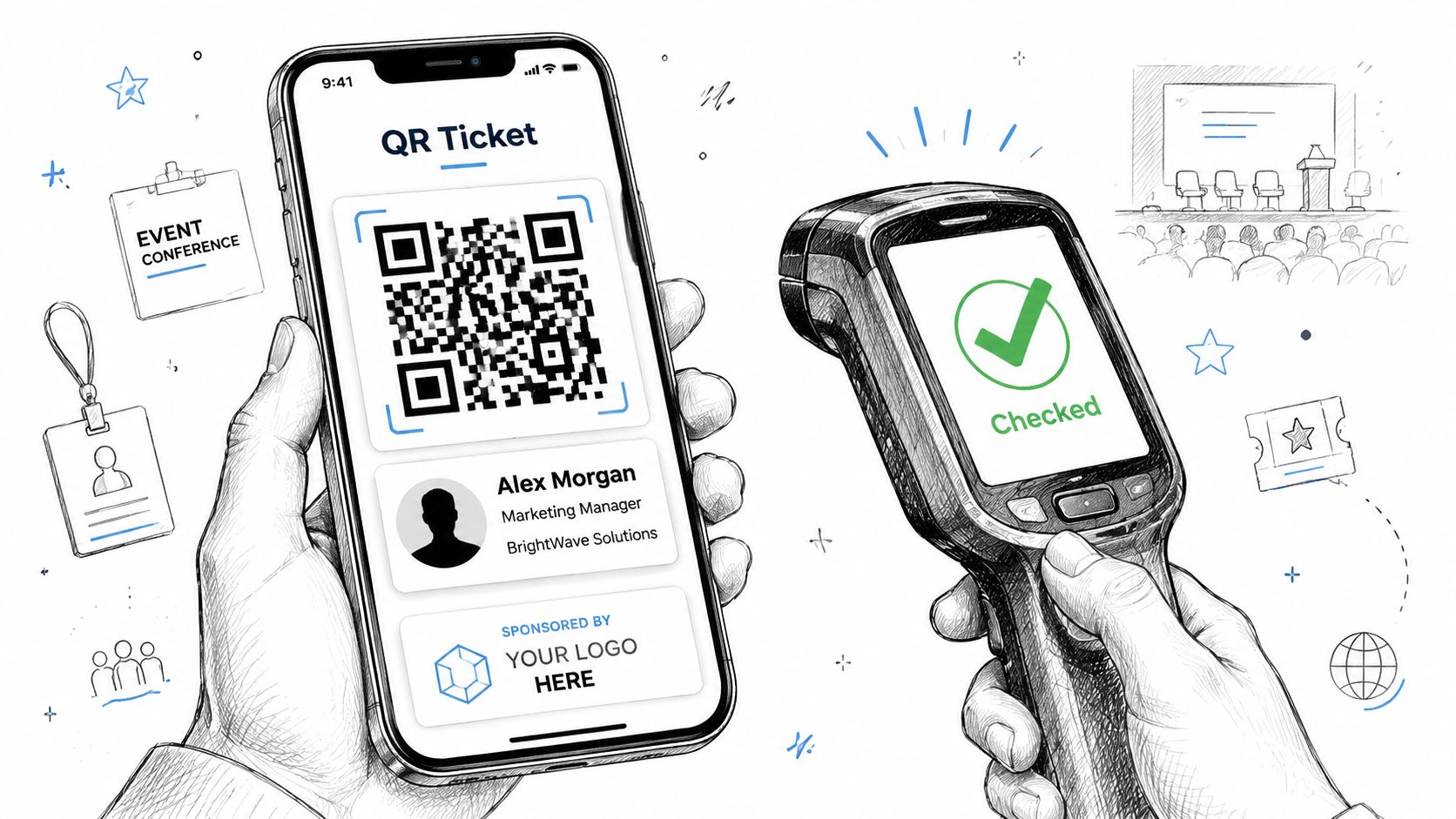
QR-based check-in works well because it supports several needs at once:
If you're planning the setup, GroupOS guidance on using QR codes for events covers the practical side. For teams exploring guest experience ideas beyond conferences, Wedding QR codes also show how flexible QR workflows can be across event formats.
The downside is reliability. Venue connectivity, battery issues, scanner training, and backup procedures all matter. Digital-first check-in is strong, but only if you still have a manual lane for attendees with dead phones, broken links, or accessibility needs.
| Item | 🔄 Implementation complexity | ⚡ Resource requirements | ⭐📊 Expected outcomes | 💡 Ideal use cases | ⭐ Key advantages |
|---|---|---|---|---|---|
| Streamlined Multi-Step Registration Forms with Progressive Profiling | Medium → High: needs conditional logic, partial-save & backend support | Moderate dev + CRM/email integration and testing | ↓30–40% abandonment; richer attendee profiles over time | Membership orgs, large conferences collecting progressive data | Higher completion rates; enables personalized follow-up |
| Early Bird Pricing and Tiered Ticket Options | Medium: pricing rules, inventory and tier management | Moderate marketing, finance analysis, ticketing engine support | Faster early conversions; predictable revenue and segmentation | Revenue-driven conferences, multi-tier events, sponsor packages | Drives urgency; optimizes revenue by segment |
| Integrated Social Media Registration and Single Sign-On (SSO) | Medium → High: OAuth/SAML integrations and security considerations | Dev effort, privacy/legal review, testing across providers | Rapid sign-ups (≈30s); conversion uplift up to ~50% | Professional networks, repeat attendees, enterprise events | Fast onboarding; auto-populates profiles; reduces friction |
| Mobile-First and Responsive Registration Design | High: design, dev and extensive device testing | Significant design/dev/time for mobile UX and payment flows | Capture 60–70% mobile traffic; lower bounce and faster conversions | Mobile-heavy audiences, last-minute registrations | Improved accessibility, speed and on-the-go conversions |
| Clear Value Proposition and Pre-Event Communication | Medium: content creation and coordinated campaign setup | Marketing/content resources, speaker/exhibitor coordination | +20–40% conversion; better-qualified leads and lower no-shows | Speaker-driven events, training sessions, complex agendas | Educates prospects; increases qualified registrations |
| Real-Time Registration Analytics and Dashboards | High: analytics infra, integrations and alerting | Analytics tools, data engineering, trained analysts | Immediate visibility into funnels; faster optimization & forecasting | Large events, intensive marketing campaigns | Actionable insights; detects bottlenecks in real time |
| Sponsor and Exhibitor Lead Capture Integration | Medium → High: lead forms, routing, permissions & CRM sync | Dev integrations, sponsor onboarding and legal/privacy setup | Higher sponsor ROI; increased sponsorship revenue | Trade shows, B2B conferences, exhibitor-focused events | Delivers pre-qualified leads; justifies premium sponsorships |
| Confirmation Emails and Automated Follow-Up Sequences | Low → Medium: automation workflows and content sequencing | Email platform, copy/design resources, segmentation rules | −10–20% no-shows; sustained engagement and app adoption | Nearly all events, especially multi-day or virtual events | Maintains engagement; primes attendees and sponsors |
| Flexible Cancellation and Transfer Policies with Clear Communication | Low → Medium: policy design and portal support | Customer service, refund processing, clear policy templates | Increases registrations/trust; risk of higher cancellations if unmanaged | Corporate registrations, uncertain travel contexts | Reduces friction; builds attendee trust and retention |
| QR Code Check-In and Digital Attendee Badges | Medium: scanning infra, mobile tickets and backup flows | Hardware (scanners), mobile app/dev, staff training | Much faster check-in; real-time attendance and sponsor lead capture | High-volume in-person events, contactless-focused venues | Speeds operations; paperless badges; detailed attendance analytics |
Registration decisions are often won or lost in minutes, but the systems behind them affect member engagement for months. Teams that treat registration as a connected operating layer, not a stand-alone form, get better data, clearer segmentation, stronger sponsor delivery, and fewer manual fixes once the event is live.
That matters most for associations and corporate teams managing repeat audiences. Registration is usually the first place someone identifies themselves as a member, prospective member, speaker, sponsor contact, exhibitor staffer, or buyer with specific access needs. If that data sits in a basic form builder and never reaches your CRM, AMS, email platform, or onsite tools, the team ends up rekeying records, sending generic messages, and missing obvious follow-up opportunities.
A better setup connects each registration choice to something operational. Ticket type should trigger the right pricing logic and confirmation path. Member status should shape what fields appear and what offers are shown. Sponsor selections should feed lead capture rules and reporting. Check-in data should flow back into attendance records that sales, membership, and event teams can use after the event.
For member-based organizations, growth starts to compound in a practical way through the registration process. A nonmember who registers for a conference can be routed into a membership offer that reflects their role and chapter. A current member can skip redundant fields through profile recognition or single sign-on. A returning exhibitor can move through registration faster because billing, booth preferences, and staff records are already on file. Each step reduces friction for the attendee and workload for the team.
The trade-off is real. Connected systems take more planning upfront. Field mapping, permissions, pricing logic, automation rules, and reporting structure all need to be set correctly. But that work pays for itself when staff are not exporting CSV files the night before launch or patching data after check-in.
Strong registration systems also support the full event lifecycle. The same record used to capture an attendee should support pre-event reminders, onsite access, post-event follow-up, sponsor reporting, and renewal or re-registration campaigns. That continuity is what turns registration from a transaction into part of your engagement strategy.
Platforms like GroupOS are useful because they bring membership management, ticketing, branded registration flows, sponsor visibility, communications, analytics, mobile app support, and QR check-in into one system. That reduces the operational gaps that appear when teams rely on separate tools with inconsistent data and weak handoffs.
If you are evaluating your current setup, start with the handoff that breaks most often. It might be member verification, sponsor lead routing, confirmation automation, or attendance sync after the event. Fix that workflow first, then connect the adjacent steps so the process holds up under real registration volume. Teams that do this well build cleaner data, stronger member journeys, and events that are easier to scale.
If you want to turn these event registration best practices into one connected system, explore GroupOS. It brings together membership management, ticketing, custom registration flows, sponsor visibility, analytics, mobile apps, and QR check-in so your team can spend less time patching tools together and more time growing your community.