June 26, 2026

Your annual conference is two weeks out. Registrations are flowing in, sponsors have their lead forms live, volunteers are getting admin access, and your member directory is about to sync with a new event app. Then someone notices a suspicious login, or a payment page behaves oddly, or attendee records appear where they shouldn't.
That's the moment platform security stops being an IT checkbox and becomes an operations problem, a reputation problem, and a leadership problem. Associations and event teams don't just store names and emails. They handle attendee PII, ticket transactions, certification records, sponsor data, staff permissions, and private community conversations. If the platform underneath that work is weak, every growth initiative sits on unstable ground.
The risk is no longer abstract. The global average cost of a data breach in 2024 reached $4.88 million, and financial and professional services were among the most impacted sectors. In those organizations, 78% of incidents involved credential theft (SentinelOne cybersecurity statistics). For an association director, that translates into a simple question. What happens if a stolen password opens the door to member records, payment details, or event admin controls?
The immediate damage is bad enough. Ticketing can stall. Staff lose confidence in the system. Members start asking whether their data is safe. Sponsors wonder whether lead data was exposed. If your team runs credentialing, continuing education, or member-only resources, the fallout spreads past the event and into year-round operations.
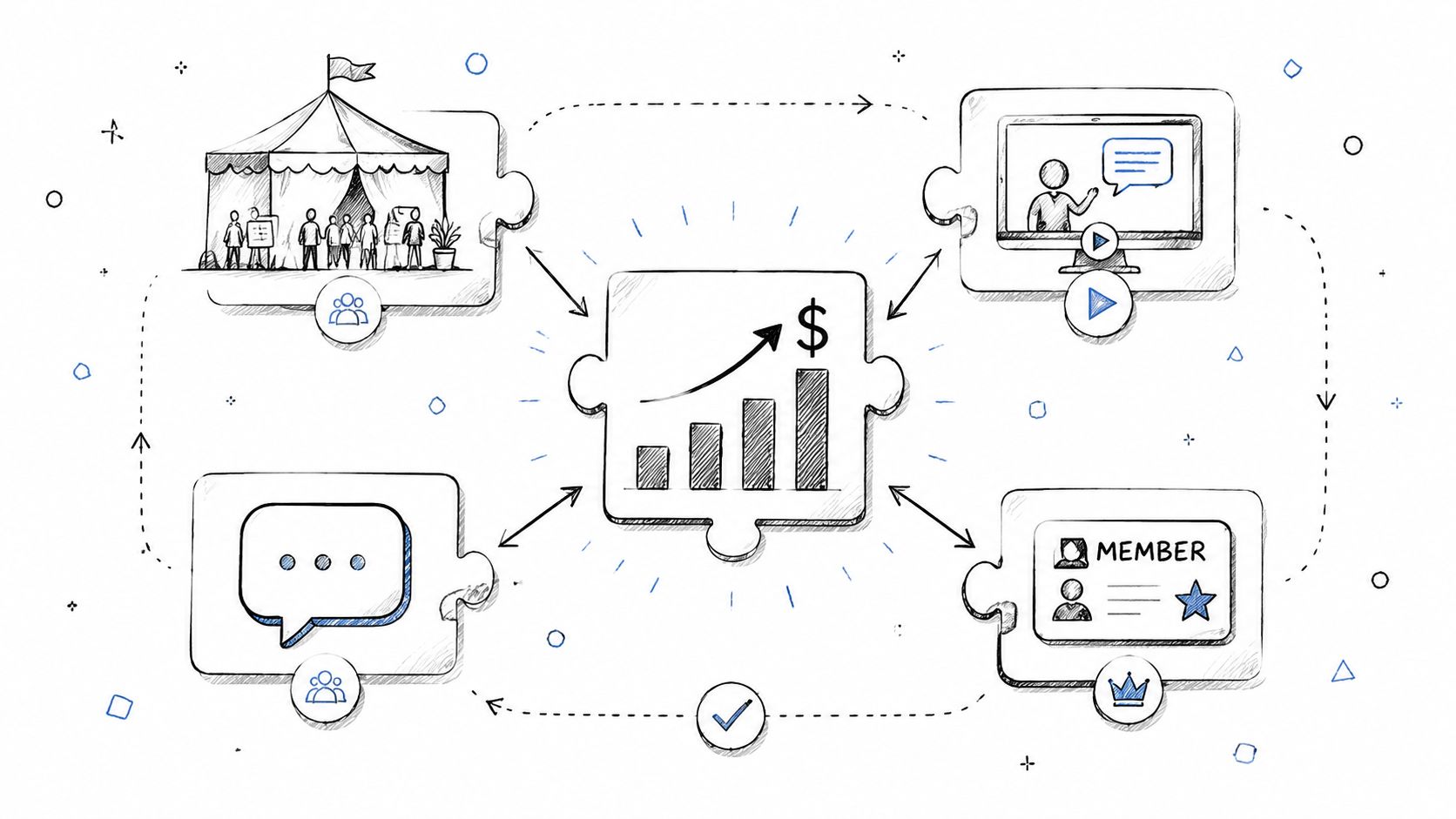
A breach on a community or event platform rarely affects just one thing. It can hit several business functions at once:
Practical rule: If a platform touches registration, payments, messaging, or member records, security features belong in the buying decision, not the post-launch backlog.
Unfortunately, many teams still evaluate platforms based on workflows first and protections second. That's backwards. A sleek registration flow doesn't help much if login controls are weak or if the vendor can't explain how attendee data is protected behind the scenes.
If you're comparing vendors for membership and event operations, it helps to pair feature reviews with broader platform selection criteria like those in this membership platform evaluation guide. Security doesn't sit outside product quality. It defines product quality.
Most security conversations get too technical too quickly. A better way to judge security features is to think like a venue operator protecting a live conference.
At a physical event, you care about who gets in, whether the program materials are accurate, and whether the doors stay open when attendees arrive. Digital platforms work the same way. The three pillars are confidentiality, integrity, and availability.
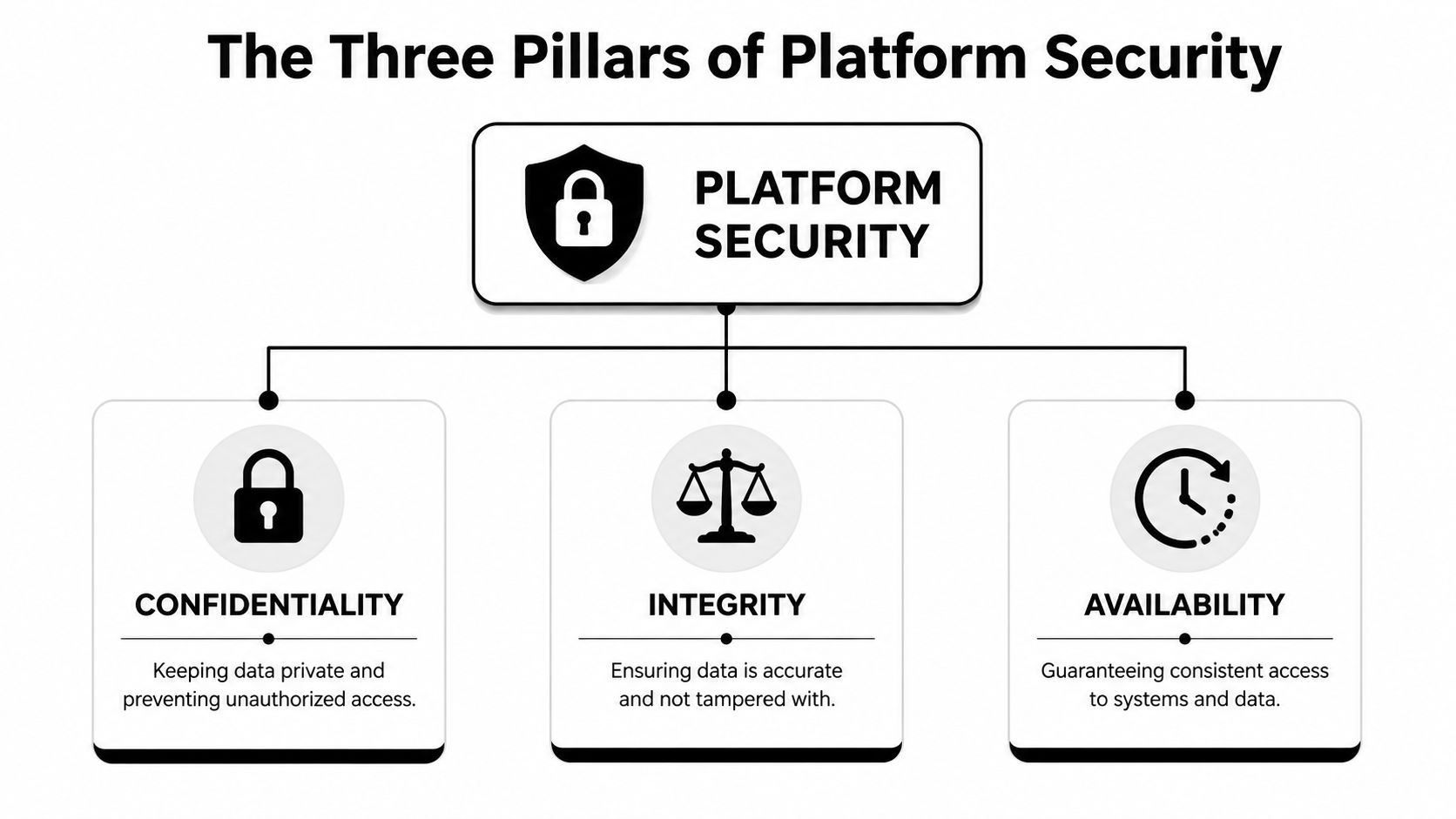
Confidentiality means only the right people can see the right information. At an event venue, that's the check-in desk verifying badges and the back office staying locked to attendees. In a platform, it means member profiles, payment records, speaker contracts, and admin tools aren't exposed to anyone who shouldn't see them.
For association teams, this matters most in everyday places where data accumulates. Registration forms collect personal details. Community profiles reveal career history or contact information. Sponsor portals may include business leads. Good security features keep that data private by default, not by staff improvisation.
Integrity is about trust in the information itself. Your speaker list shouldn't change because someone tampered with it. Your ticket inventory shouldn't be altered by an unauthorized user. Your certification completions shouldn't disappear because of a bad permission setup.
Think about the physical version. If someone could walk into the venue office and rewrite the room schedule, chaos would follow. Digital systems face the same problem. Integrity controls help ensure that attendee records, invoices, event pages, and member histories remain accurate and untampered with.
A secure platform should make changes traceable and access limited. If too many people can edit critical settings, mistakes and misuse become hard to separate.
Availability is the part many teams notice only when it fails. It means your registration page loads, your staff can check in attendees, your members can log in, and your on-demand session library is reachable when promised.
A secure platform that people can't access during registration week is still a failed platform.
Availability isn't only about uptime language in a contract. It's about practical resilience. Can the platform continue serving your community during peak registration traffic? Can staff still perform core tasks if something goes wrong? Are there recovery processes that keep an isolated incident from becoming a full operational stop?
Use these three pillars as your filter. Every security feature you evaluate should improve privacy, preserve accuracy, or keep services usable under pressure. The best platforms do all three without forcing your team into constant manual work.
A registration launch can go sideways fast. One stolen staff password can expose attendee lists, trigger fraudulent refunds, or let the wrong person alter event pages the night before check-in. For associations, user-facing security features matter because they protect real relationships, not just accounts.
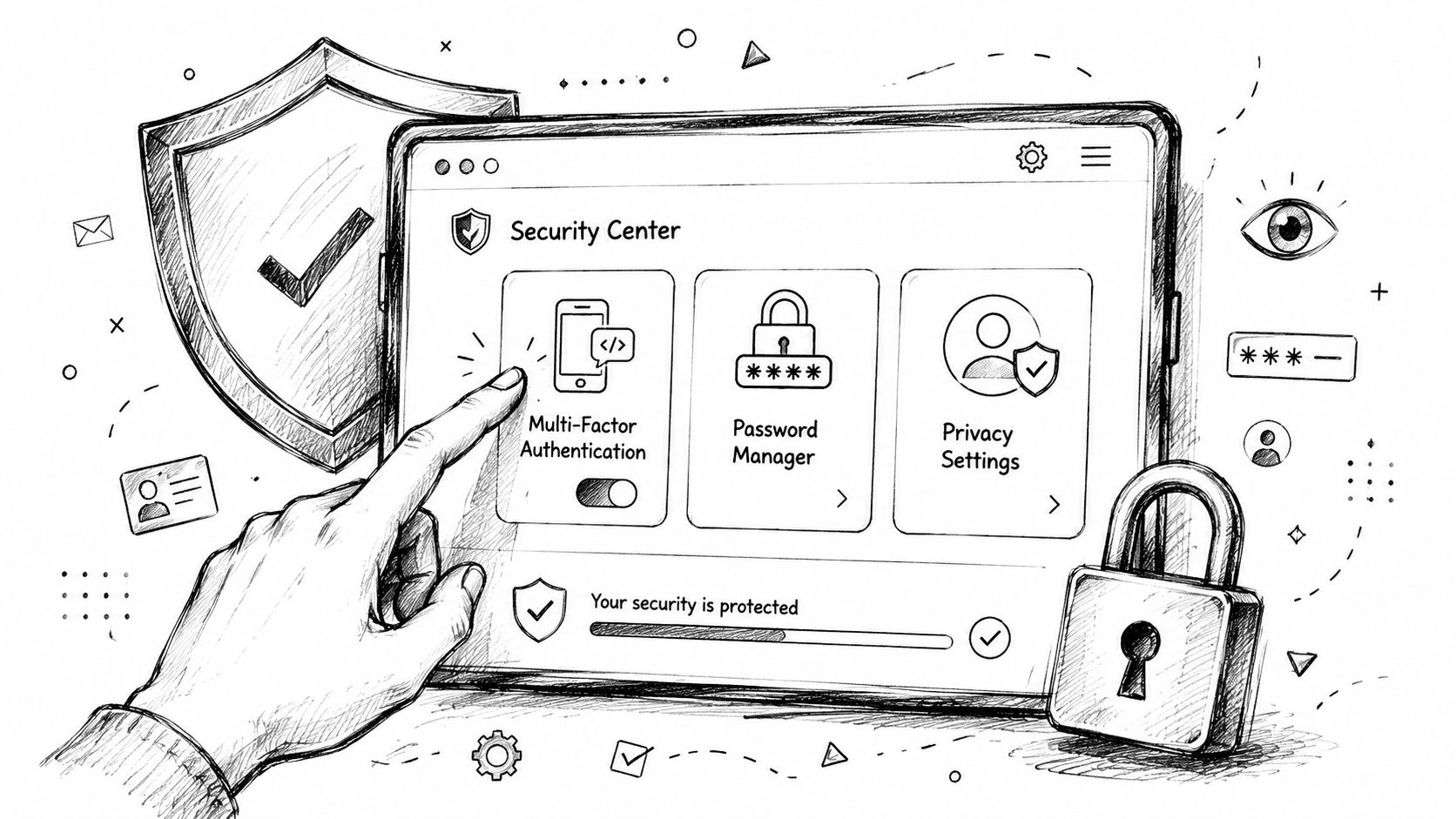
If a platform handles member records, payments, or event administration, password-only access is a risk decision. Attackers regularly get passwords through reuse, phishing, and weak reset flows. Multi-factor authentication adds a second barrier, which sharply reduces the chance that one compromised password turns into a larger incident. Microsoft explains that benefit clearly in its guidance on how MFA helps protect accounts.
For association and event teams, MFA matters most in places where a bad login has operational consequences:
The practical test is simple. Can the platform require MFA for staff and high-risk roles without turning rollout into a support burden? Optional MFA with low adoption does little for member trust.
Many platform problems come from ordinary over-access. A volunteer downloads the full attendee list. A sponsor coordinator sees financial records. A speaker gets access to organizer settings because the default role was too broad.
Good role-based access controls limit those mistakes before they become incidents. The events team should be able to manage schedules and speaker pages without touching billing. Finance should see transactions without gaining moderation rights in member communities. Community managers should handle discussions without exporting sensitive registration data.
Customer-facing architecture also matters here. If you are comparing member and stakeholder portals, this guide to customer portal services is useful because portal convenience without clear role boundaries creates avoidable risk.
Login is only the first checkpoint. Users also need clear ways to spot suspicious activity and control what others can see.
If your organization relies on Microsoft identity tools, AITS insights on securing Entra ID is a practical reference for handling sign-in risk, privilege exposure, and account security across staff systems.
The strongest user-facing platforms usually include:
These features influence adoption as much as security. If members feel exposed in the directory, uncertain about who can message them, or worried that payment activity is hard to monitor, they participate less.
Here's a useful visual explainer on how these everyday controls fit together.
Members notice visible security cues. They use them to judge whether your organization can be trusted with their data and their event activity.
That is the core value of user-facing security features. They reduce account takeover risk, limit accidental exposure, and help members feel safe registering, paying, and participating.
A member registers for your annual conference at 11 p.m., enters payment details, updates dietary preferences, and sends a private message to another attendee. None of that trust is earned by a visible login screen alone. It depends on what the platform does behind the scenes with personal data, payment records, and every request moving between systems.
For an association director, the practical question is simple. If something goes wrong in the backend, what gets exposed, what gets altered, and how fast can the vendor contain it?
Attendee data needs protection while it travels and while it sits in storage. Registration forms, badge data, member directories, and payment-related records all move through multiple systems before an event even starts. If encryption only covers one stage, the gap is still your problem.
The Cloudflare explanation of encryption in transit is a useful reference for understanding how TLS protects data moving between users and platforms. Data at rest needs the same seriousness. If a database backup, storage volume, or exported file is exposed, encryption limits what an attacker can read and what your team has to disclose.
Vendors should be able to answer this plainly. Is encryption applied by default across member data, payment workflows, uploaded documents, and backups, or only in a few high-visibility areas?
Community and event platforms run on integrations. Mobile apps sync schedules. Payment processors confirm transactions. Badge scanners update attendance. Sponsors may pull lead data. Those connections save staff time, but they also create quiet failure points.
The platform should verify every request on the server side, even if it came from a familiar app or partner tool. That matters because event abuse rarely looks dramatic at first. It may start as a manipulated registration status, unauthorized access to attendee lists, or an integration pulling more member data than it should.
Ask vendors these questions:
Those answers affect more than technical risk. They affect event integrity, dispute resolution, and your ability to explain an incident to members with confidence.
Software controls are only part of the picture. Strong vendors can explain how they protect encryption keys, isolate sensitive workloads, and recover safely from failure. That discipline matters if your platform stores certification records, private community conversations, or high-value registration data that would damage trust if exposed.
I look for clear answers on backup protection, key rotation, administrative access, and recovery procedures. Vague phrases such as "enterprise-grade security" do not help an association evaluate risk.
This becomes even more important during migrations and system changes, when data is copied, transformed, exported, and temporarily stored in more places than usual. If your team is preparing for a transition, these database migration best practices can help you pressure-test the security requirements around data handling and cutover planning.
For associations with international members or events, data handling obligations may also shift by region. If your platform serves users in China or stores event data connected to that market, this guide to China's digital laws is a helpful starting point for evaluating vendor readiness and cross-border data considerations.
Many association leaders treat compliance as a legal review item that appears late in procurement. That approach misses its full value. Compliance is one of the clearest ways to show members that your organization respects their privacy and takes stewardship seriously.
When a platform handles registration data, community conversations, payment records, and certification information, members aren't judging only the feature set. They're judging whether your organization deserves access to their information in the first place.
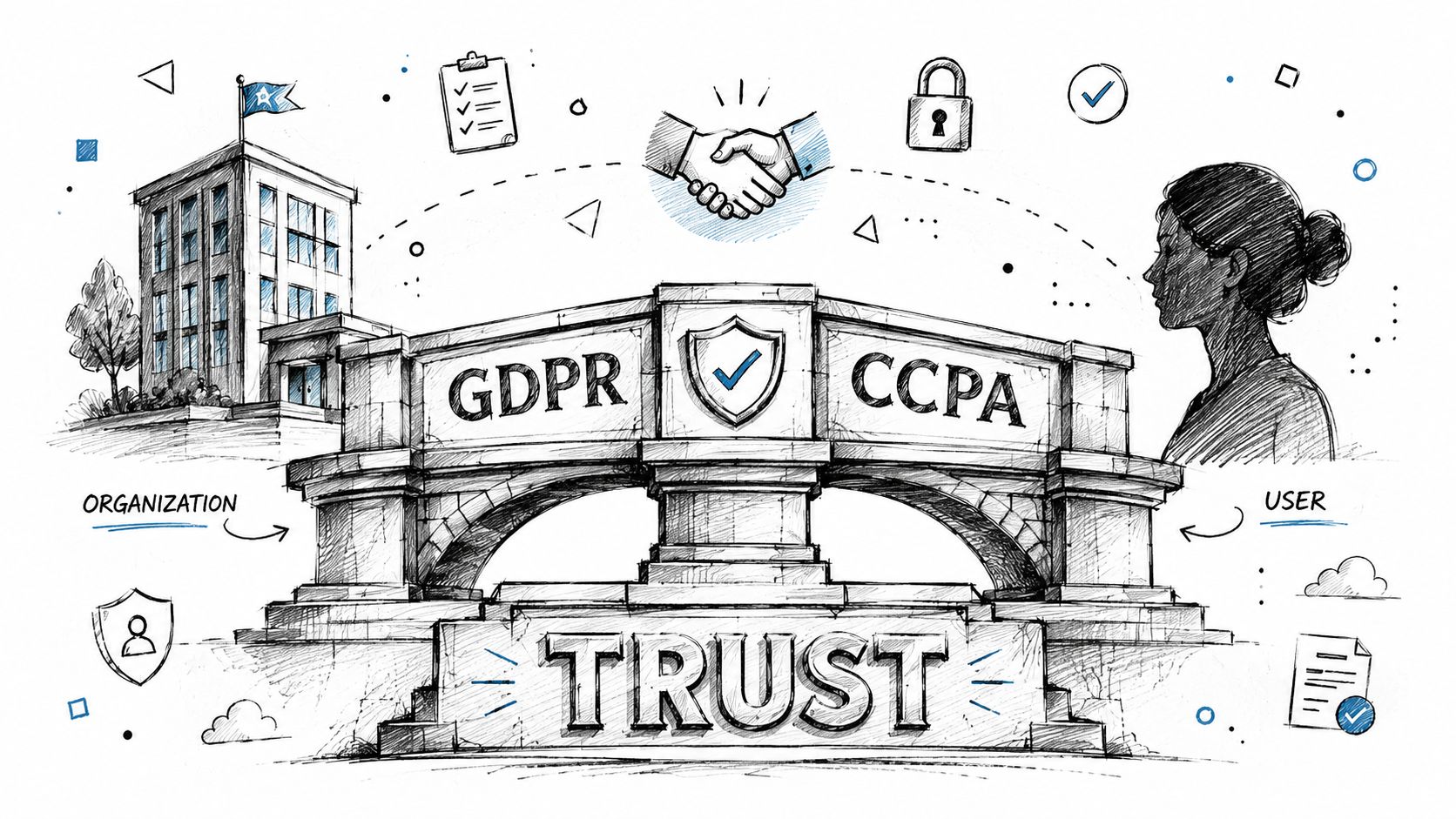
A vendor that takes privacy obligations seriously usually has better internal discipline overall. You see it in permission models, audit practices, data handling policies, and incident response readiness. Even if your team isn't parsing legal text line by line, you can still evaluate whether the vendor's behavior reflects maturity.
The practical test is simple. Can the vendor explain how its security features support privacy obligations in plain language? If they can't, the problem usually isn't your understanding. It's their preparedness.
For organizations that operate internationally or serve members across jurisdictions, legal context also gets more complicated. If your audience or partners touch China-based digital environments, this guide to China's digital laws helps frame how regional internet regulation can affect platform choices and governance planning.
Trust isn't built by publishing a policy no one reads. It's built by how the platform behaves.
Members notice when profile visibility is clear. They notice when login feels secure. They notice when registration forms ask only for relevant information, and when communications feel targeted rather than invasive. They also notice the opposite. Confusing consent flows, broad data collection, and unclear sharing rules create doubt quickly.
A few trust-building signals matter a lot:
Compliance done well feels like respect, not bureaucracy.
That matters for more than member retention. It affects program participation, sponsor confidence, and willingness to use new digital services. If your association offers learning, credentials, or specialized communities, trust becomes part of the product.
This is especially important when launching member-facing programs tied to achievement or status. If you're building structured learning or credentialing experiences, this guide on creating a certification program is a good reminder that program credibility depends on secure records as much as curriculum design.
Most buyers ask vendors whether they're secure. Almost every vendor says yes. That question is too broad to be useful.
A better approach is to ask operational questions tied to real community and event workflows. Can your volunteers be restricted to check-in only? How is sponsor lead data protected? What happens if an admin account is compromised during registration week? How does the vendor secure AI features that summarize discussions or assist users inside the platform?
That last question matters more now than it did even a year ago. According to HP Wolf Security's cybersecurity trends outlook, by 2026, a vendor's ability to secure its own AI applications against prompt injection and data leakage will be a critical differentiator, and customers are expected to pay more for strong AI governance assurances. If a platform uses AI for search, moderation, recommendations, support, or content generation, you should evaluate those controls separately from the rest of the stack.
Use the checklist below in demos, RFPs, and security reviews. Don't ask every question in technical language. Ask them in the language of operations and accountability.
| Security Area | Key Feature | Question to Ask Vendor |
|---|---|---|
| Access control | Multi-Factor Authentication | Do you support MFA for staff, admins, and other high-risk user roles, and can we enforce it? |
| Access control | Role-based permissions | Can we define different access levels for staff, volunteers, exhibitors, and speakers? |
| Access control | Session management | How do users and admins detect suspicious logins or manage active sessions? |
| Identity | Single sign-on support | If we use a central identity provider, how do you handle authentication and privilege mapping? |
| Data protection | Encryption in transit | How do you protect registration, payment, and profile data while it moves across the network? |
| Data protection | Encryption at rest | Which categories of stored data are encrypted, and how is sensitive information protected in storage? |
| Data handling | Secure exports | Can exports be limited by role, and do you log who exported attendee or member data? |
| Integrations | Secure API validation | How do you verify and authorize API requests from mobile apps, sponsor tools, and integrations? |
| Infrastructure | Hardware-backed protections | What infrastructure controls protect cryptographic keys and other high-value secrets? |
| Resilience | Backup and recovery | If data is lost, altered, or locked by an incident, how do you restore service and records? |
| Governance | Audit logging | What actions are logged for admins and staff, and how can we review those logs? |
| Privacy | Data access boundaries | How do members control profile visibility, messaging exposure, and personal data sharing? |
| Compliance | Regulatory readiness | How do your platform controls support privacy and security obligations relevant to our organization? |
| Incident response | Breach process | How do you notify customers, investigate incidents, and support containment if something happens? |
| AI security | AI application protections | If your platform uses AI, how do you prevent prompt injection, data leakage, and unsafe outputs? |
You're not looking for the flashiest presentation. You're looking for clarity.
Strong vendors usually do three things well:
Weak vendors tend to rely on generic phrases, avoid specifics around permissions and recovery, or treat AI as a feature layer that doesn't need separate governance.
The best security features are the ones your team will use consistently. That means the platform should make safe behavior easier, not harder. MFA enrollment should be manageable. Permission models should match real staffing patterns. Audit history should be accessible when you need it. Recovery processes should exist before launch day.
Security procurement gets easier when you map every question to a real workflow: registration, ticketing, sponsor access, staff admin, member messaging, and reporting.
That shift changes the conversation. You stop buying abstract assurances and start buying operational resilience.
For associations and event teams, security features aren't just technical controls. They protect member trust, preserve revenue flow, and keep events running when attention is highest.
The right platform should help you do three things well. Keep private data private. Keep records and transactions accurate. Keep your community and events accessible when members need them. That's the baseline.
The stronger opportunity is strategic. Organizations that choose secure platforms make it easier for members to trust digital services, for sponsors to share data confidently, and for staff to move faster without creating avoidable risk. Security becomes part of the member experience, even when members never think about it directly.
Treat your next platform decision like a long-term governance decision, not just a software purchase. The vendors worth shortlisting are the ones that can explain their security features clearly, support your real workflows, and show that protection is built into the product from the ground up.
If you're evaluating a community and event platform that can support memberships, ticketing, content delivery, and engagement without treating security as an afterthought, take a look at GroupOS. It's built for organizations that need one branded system for member operations and event experiences, with the structure to scale responsibly.