May 25, 2026

The usual breaking point looks mundane.
A membership manager exports a spreadsheet on the first of the month, checks who renewed, sends a few reminder emails by hand, notices three cards failed, flags two members for follow-up, and then gets pulled into an event deadline before any of it is finished. By the time they return, one member has upgraded, another has asked for an invoice copy, and a sponsor wants to know whether their recurring package still includes event visibility. Nothing is technically broken. But nothing is running cleanly either.
That's where many small associations, chambers, networks, and event-led organizations live for longer than they should. Recurring revenue sounds stable from the outside. Inside the operation, it can feel like a pile of repeating exceptions.
If you're building a dues, membership, content, or sponsor program, starting a subscription service the right way matters less than the sales page and more than many anticipate. The true measure is what happens after the first payment: renewals, failed cards, plan changes, invoices, cancellations, reactivations, and reporting. That's where subscription management software for small business stops being a nice add-on and starts acting like infrastructure.
Monday starts with a renewal list. By Wednesday, that list has turned into three failed cards, two invoice questions, one access mistake, and a sponsor asking why their benefits do not match what they paid for. Small teams rarely struggle because recurring billing is complex on paper. They struggle because every exception has to be caught, checked, and fixed by hand.
A spreadsheet can store names, dates, and payment notes. It cannot keep member status, billing, access, invoices, and renewals aligned across the week. Once an association or event-based organization reaches even modest volume, manual subscription work starts creating operational drag.
The cost is usually not one dramatic failure. It is a steady stream of small tasks that interrupt work and make revenue harder to rely on.
That friction matters more after launch than many teams expect. Starting a subscription service with the right operational setup has less to do with the first checkout page and more to do with what happens every month after it.
Manual renewals do not just consume time. They make member records less reliable and recurring revenue less predictable.
The practical issue is workload. Staff members spend hours remembering who needs an invoice copy, which member changed plans, whether a failed payment was retried, and whether access rules were updated in the right place. Each task is small. Together they fill the week.
For membership organizations, that often shows up as awkward payment emails, delayed renewals, and support requests that should have been self-service. For event-led businesses, it shows up in sponsor packages, access passes, and bundled benefits being managed from memory instead of system rules.
Growth gets harder under those conditions. More members should mean more stable revenue. In a manual setup, more members often mean more exceptions, more reconciliation, and more admin hours. That is the point where subscription management software stops being a billing tool and starts becoming the system that automates the full member lifecycle.
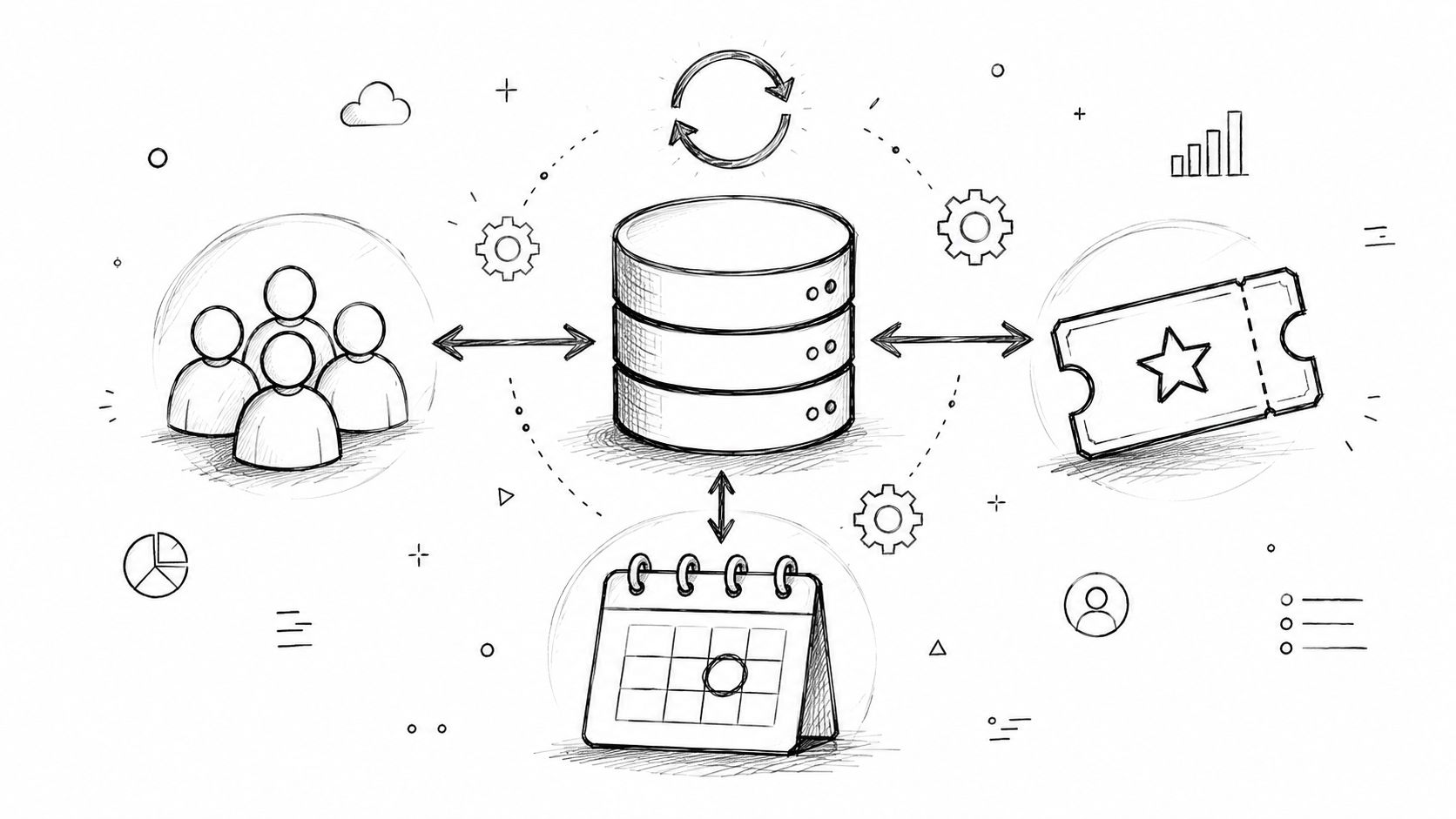
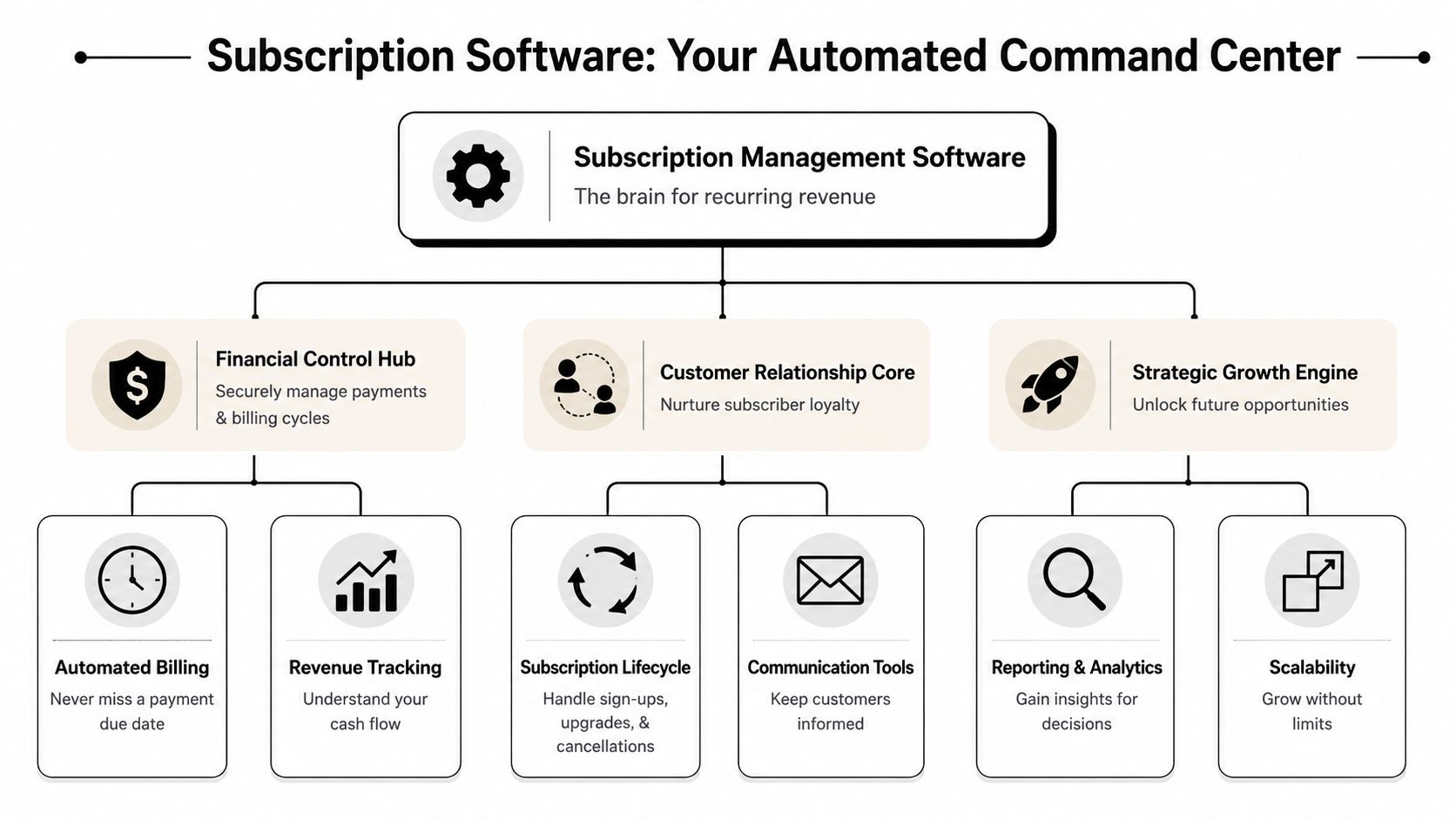
Subscription management software is best understood as an automated command center for recurring revenue. A payment processor moves money. A subscription platform manages the full relationship around that money.
That distinction matters. If your organization only needs to send the same invoice every month, a basic setup may be enough. But if members join on different dates, change plans, renew annually, expect self-service, and need accurate status reflected across systems, recurring billing alone won't carry the load.
A proper subscription system usually sits in the middle of several operational flows:
Imagine air traffic control for subscriptions. The payment is only one plane. Its primary function is coordinating arrivals, departures, delays, reroutes, and status updates so the whole system stays orderly.
The need for these systems grew as recurring business models moved into the mainstream. A benchmark from Zuora's Subscription Economy Index showed the subscription economy outpaced the broader S&P 500 by 437% from January 2012 to January 2020, which helps explain why small businesses needed software to automate recurring billing, renewals, and churn management as subscriptions scaled (G2 on small business subscription management software).
Large companies can bury bad subscription processes under headcount for a while. Small organizations can't. When one coordinator handles billing questions, event access, and member updates, disconnected systems show up immediately.
That's why many membership-led teams eventually move toward tools closer to a membership platform built for recurring operations rather than treating subscriptions as a side function inside accounting software.
Practical rule: If your team is managing exceptions every week, you no longer have a billing task. You have a lifecycle management problem.
The strongest tools don't just automate payments. They give your organization a structured way to manage the entire member lifecycle from first signup to renewal, lapse, reactivation, or plan change.
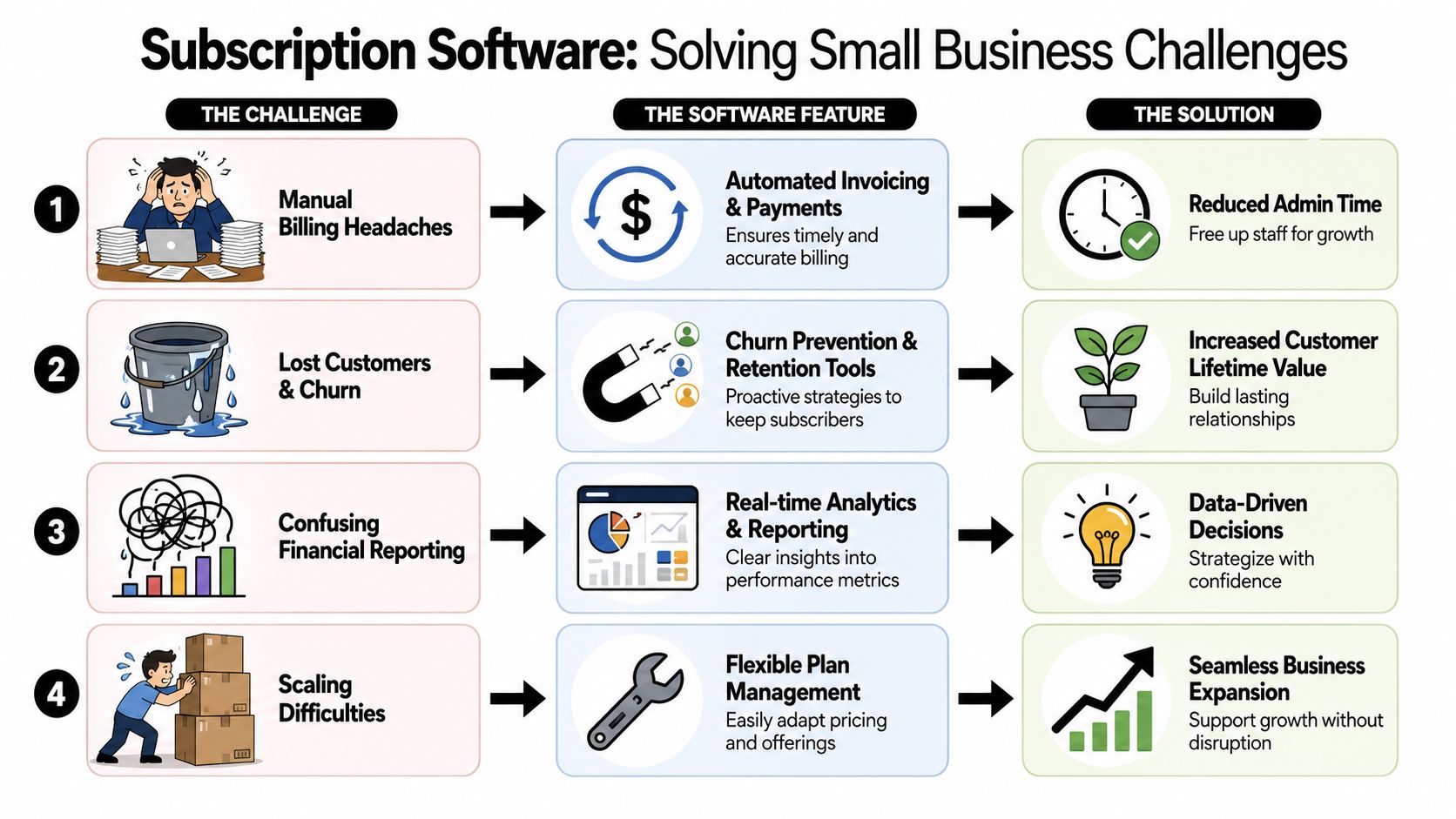
The easiest way to evaluate subscription management software for small business is to stop asking, “What features does it have?” and start asking, “What recurring headaches does it remove?”
A useful platform earns its keep by reducing manual touchpoints. Every feature should map to an operational problem your team already feels.
This is the baseline. The software charges on schedule, generates invoices or receipts, and keeps billing dates consistent.
For a small association, that means annual dues don't depend on someone remembering to run a process. For a workshop series or training business, it means installment plans continue without monthly intervention.
What doesn't work is a system that automates the charge but leaves invoice delivery, account updates, and reconciliation scattered across other tools.
This feature matters more than most buyers realize. Cards expire. Banks decline transactions. Members replace payment methods and forget to update them.
Good dunning workflows retry failed payments, send reminders, prompt the customer to update payment details, and keep staff out of repetitive follow-up. That's often the difference between “we lost a member” and “their card failed and the system fixed it.”
A self-service billing experience is a big part of that. If subscribers can log in and handle updates themselves, your support queue stays smaller. Teams evaluating portal workflows should look closely at what a modern customer portal service lets users do without staff involvement.
At this stage, basic billing tools start to struggle.
If a member upgrades halfway through the month, joins a higher sponsorship tier before an event, or switches from monthly to annual billing, the system needs to handle the change without creating accounting confusion. Proration is the software's way of calculating a fair partial charge or credit when a plan changes mid-cycle.
Without it, staff often resort to workarounds:
Strong reporting should answer practical questions fast:
| Operational question | Useful reporting signal |
|---|---|
| Are renewals stable? | recurring revenue trend and renewal visibility |
| Are we losing members because of card failures or true churn? | failed-payment and cancellation patterns |
| Which plans are easiest to retain? | plan-level retention behavior |
| Which acquisition efforts are worth repeating? | source and subscriber value comparisons |
A lot of organizations also overlook the connection between retention and communication. Billing software won't replace your engagement strategy, but it should connect cleanly to it. If you're refining subscriber messaging, this practical guide to email marketing for UK SMEs is a useful companion because retention often improves when billing events and lifecycle emails are coordinated instead of handled in silos.
Here's a useful product walkthrough to pair with your evaluation:
The best feature list on paper can still produce a bad workflow if the software doesn't connect with the rest of your stack.
Look for practical integration paths with:
If your team still exports CSV files every week to keep systems synchronized, the software isn't solving the full problem.
The value of subscription systems changes by business model. The software should fit the operational shape of the organization, not just the billing frequency.

Associations, chambers, and professional communities often think they need a payment tool. What they need is a way to manage dues, access, plan changes, and member status in one flow.
The strongest outcome isn't just “members get billed.” It's that staff can trust the member record. If someone is active, lapsed, upgraded, or pending renewal, that status should drive what they can access and what communications they receive.
Subscription software also becomes the source of key business metrics. Maxio highlights monthly recurring revenue, churn, customer lifetime value, and customer acquisition cost as core measures, and explains that subscription systems turn recurring activity into data that can be tracked continuously for planning and forecasting (Maxio's guide to subscription business health).
A membership team doesn't need to become obsessed with finance jargon. But it does need visibility into whether renewals are compounding or eroding.
Conference organizers and event businesses often have recurring revenue hidden in plain sight. Sponsor packages renew. Attendees buy series access. Communities sell annual memberships tied to programming.
What hurts these teams is fragmentation. One tool handles ticketing, another stores sponsor details, and another manages email. Subscription software helps when recurring relationships continue after a single event.
That can support:
If you're building these offers, it helps to think in terms of recurring revenue business models rather than isolated event sales.
Event businesses become easier to scale when each new season doesn't require rebuilding the same billing logic from scratch.
Newsletters, learning libraries, gated resource centers, and paid communities usually start with simpler billing needs. But they hit complexity quickly once they introduce annual plans, discounts, trials, or team access.
For these businesses, the right software creates order around common moments:
What works here is flexibility with guardrails. What doesn't work is custom manual handling every time a subscriber wants something slightly different.
Most software evaluations get stuck on feature volume. That's the wrong filter. The question isn't which platform has the longest comparison page. It's which one reduces operational strain in your actual environment.
A serious benchmark is whether the platform handles the end-to-end subscription lifecycle, not just recurring invoices. Stronger systems connect quotes, order management, usage or service tracking, billing, collections, and reporting. They also support localization such as currency, language, and taxes, which matters when a small business serves members or customers across regions (Circuly's guide to subscription management for small businesses).
That sounds enterprise-heavy, but the lesson for small teams is simple: disconnected steps create manual work.
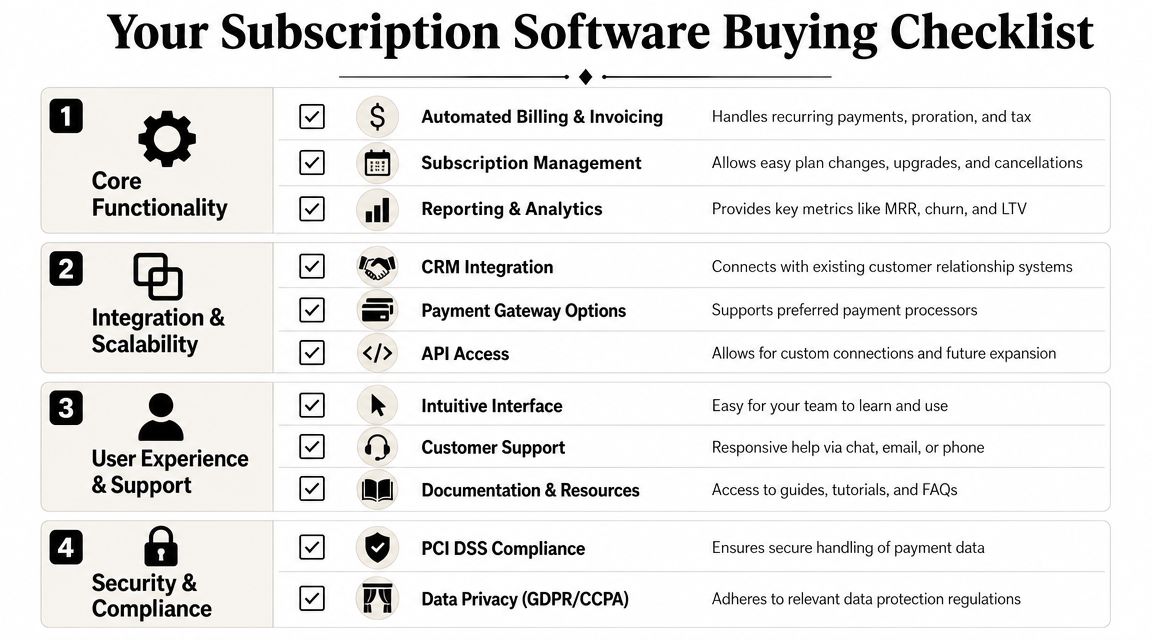
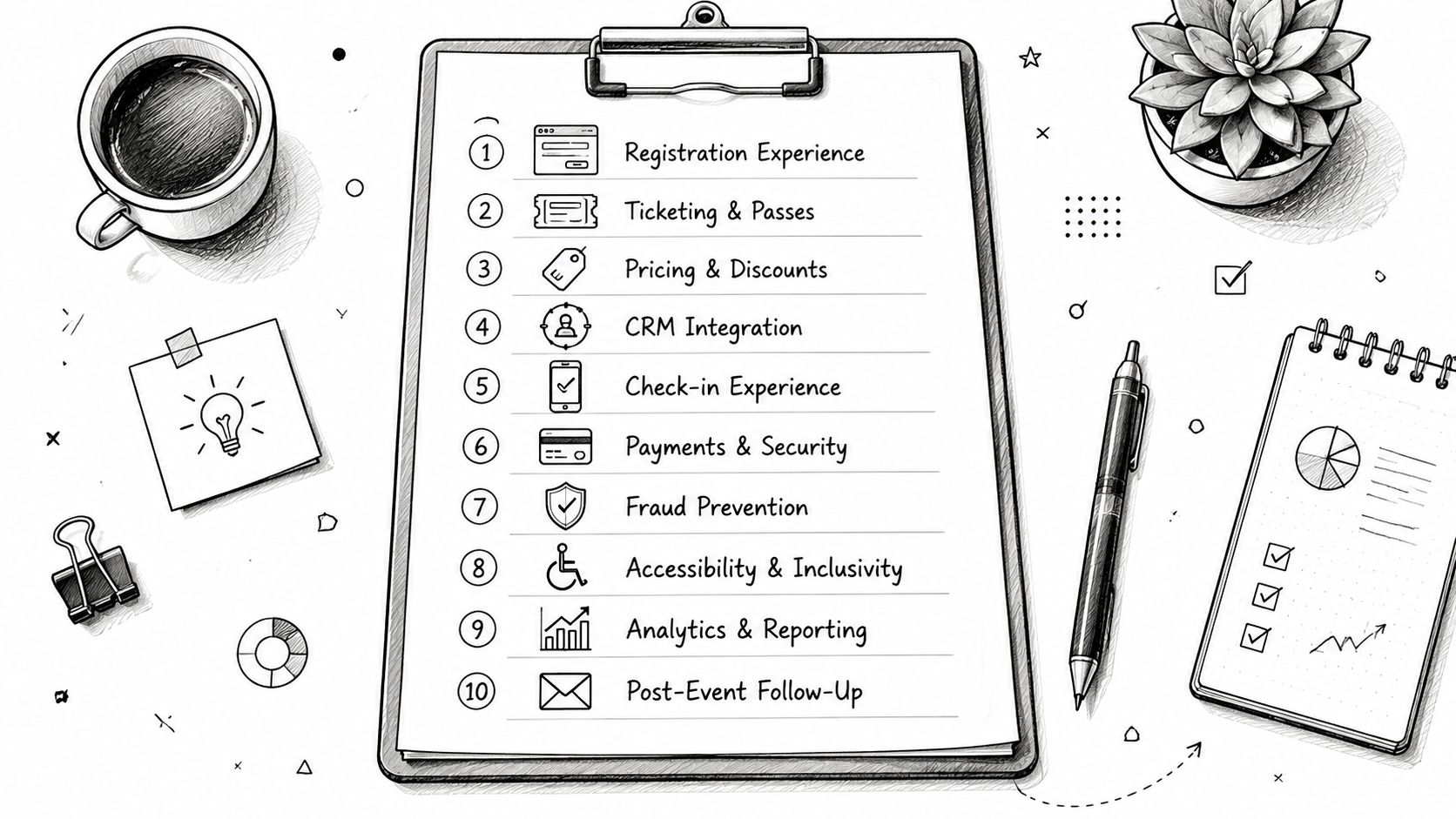
Use this when comparing vendors:
This is one of the most under-checked buying areas. International billing isn't just about accepting cards. It also touches authentication rules, tax workflows, invoicing expectations, and cancellation handling.
If you operate across markets, ask vendors very direct questions:
Buy for the exceptions, not the demo. Most platforms look fine when everything goes right.
A polished sales demo usually shows ideal sign-up flows. Your staff will live with the edge cases.
A rough implementation usually shows up on Monday morning.
Renewals that should have processed overnight are sitting in review. A member who paid last week still cannot access the portal. Finance sees one status, membership support sees another, and staff start checking three systems to answer one email. That is not a software problem first. It is an implementation problem.
Small associations and event-led organizations get better results when they treat setup as an operations project, not a billing project. The goal is not just to move recurring charges into a new tool. The goal is to automate the full member lifecycle so payment status, access, renewals, communication, and reporting follow the same rules.
Start by deciding what work the new system should remove in the first 90 days. For one team, that may be failed-payment follow-up. For another, it may be annual renewals, invoice tracking, or syncing event eligibility with membership status. That choice should shape the rollout. Replacing every process at once often slows teams down before it helps them.
A fuller platform usually makes sense when these conditions are already creating weekly admin work:
A lighter setup can still work if billing is standardized and your team mainly needs recurring invoices, card updates, and basic renewal reminders. The mistake is buying for the ideal future state when today's problem is a backlog of preventable admin.
Data migration is where good plans either hold up or fall apart. In practice, bad migrations usually come from old naming conventions, duplicate plans, unclear status labels, and renewal dates no one fully trusts.
Clean that up before anything is imported.
Review these areas first:
| Area | What to confirm before migration |
|---|---|
| Plan catalog | Remove legacy plans, merge duplicates, and define the current pricing structure |
| Renewal logic | Confirm monthly, annual, fixed-term, and custom billing cycles |
| Member statuses | Standardize active, lapsed, canceled, pending, complimentary, and suspended records |
| Access rules | Decide what each status should trigger across member benefits and systems |
| Exception handling | Assign who owns refunds, failed payments, cancellations, and account corrections |
Then test the actual situations your staff deals with every week. Run a failed payment. Process a mid-cycle upgrade. Cancel at renewal. Reinstate a lapsed member. If you run events, test what happens when membership status changes before a member-only registration opens. A good test script should look more like your support inbox than a vendor demo.
One internal owner should run the process. That person does not need to be technical, but they do need authority to make decisions across finance, membership, and support. Without one owner, teams end up debating edge cases after launch, which is when members feel the confusion.
If payment setup is part of the migration, Wise Web's payment processing guide is a useful companion because card handling, retries, and billing flows often create the biggest operational issues during rollout.
The shift is bigger than software.
When a small organization treats subscriptions as a monthly finance task, it stays reactive. Staff chase renewals, fix billing mistakes, answer repetitive questions, and rebuild reporting by hand. When the organization treats subscriptions as a managed lifecycle, the work changes. Renewals become more predictable. Member records become more reliable. Access, billing, and communication stop drifting apart.
That's the core value of subscription management software for small business. It reduces admin strain, supports cleaner member experiences, and gives decision-makers data they can effectively use.
If you're also reviewing the payment side of the stack, Wise Web's payment processing guide is a helpful companion because software choice and payment flow design usually need to be evaluated together.
The best system won't eliminate every exception. It will eliminate most of the repetitive ones. That's what gives a small team room to grow.
If you run a membership organization, association, or event-led community, GroupOS gives you one place to manage subscriptions, memberships, events, content, and communication without stitching together disconnected tools. It's built for organizations that need recurring revenue operations to support engagement, not compete with it.