March 24, 2026
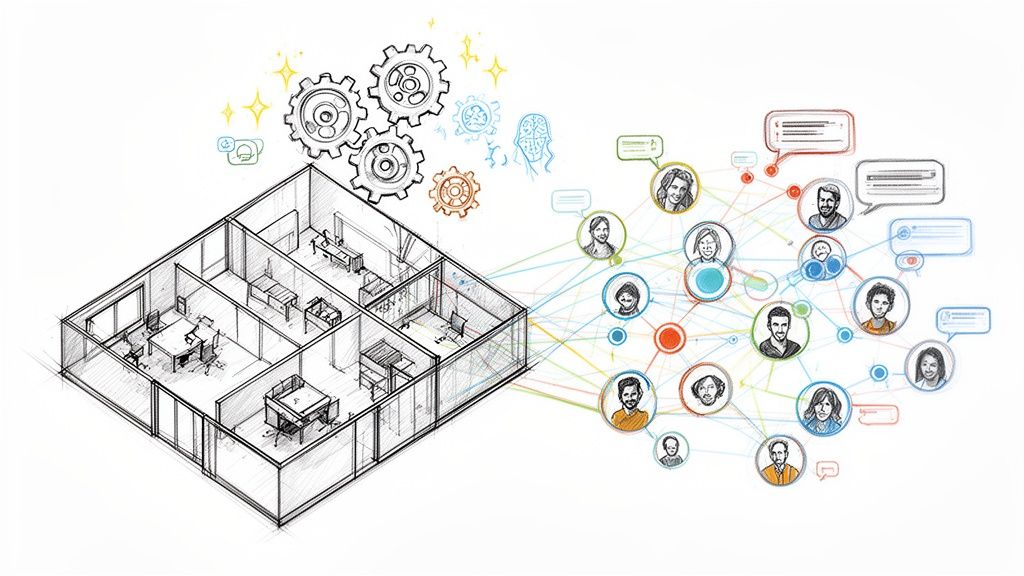
Using Slack for communities isn't about using a tool for its intended purpose. It's more like a clever workaround—taking a platform designed for internal company chatter and adapting it to host an external group, like a professional network or a customer-led forum. Think of it as turning a sleek corporate office into a lively public community center. It’s got a lot of energy, but it also comes with some interesting trade-offs.
When community managers talk about running a community on Slack, they're really talking about stretching a workplace communication tool beyond its original design. They're trying to connect people who don't work for the same company, using an app most of them already know how to use. This is a huge draw, as it lowers the barrier to entry for new members.
The goal is to tap into Slack's real-time chat, topic-specific channels, and app integrations to get people talking. But right away, you can feel the friction. A tool built for quick project updates isn't naturally set up for things like long-term knowledge management, handling a growing member base, or organizing events at a community-wide scale. Understanding how to make this work requires knowing some proven strategies for building online communities.
Picture a modern office building. It has dedicated conference rooms (channels), direct phone lines for private calls (DMs), and a central bulletin board for company-wide news (announcements). It's a perfect setup for employees who need to collaborate every day.
Now, imagine throwing open the doors of that same office to host a city-wide book club. The space is suddenly buzzing with activity, which is great! But the layout just isn't ideal. It’s hard to host large public gatherings, there's no library for archiving past discussions, and managing a diverse group of members becomes a real headache.
This analogy perfectly captures what it feels like to use Slack for communities. You get instant engagement and an interface everyone is comfortable with, but you sacrifice the purpose-built structure that dedicated community platforms offer. You can learn more about these foundational concepts in our detailed guide on how to build an online community from the ground up.
Slack’s incredible growth speaks to its widespread appeal. By 2026, the platform had cemented its place in the market with over 20 million daily active users sending roughly 750 million messages every single day. This explosion in activity shows just how far it has come from a simple team tool to a major hub for professional networks and industry groups.
The central trade-off is clear: you are choosing the convenience of a familiar, real-time chat application over the robust, long-term features of a dedicated community management system. This decision has significant implications for knowledge retention, scalability, and member experience.
So, is Slack the right choice for your community? The answer really depends on your goals, your community's size, and what you’re willing to compromise on.
The table below offers a quick look at how well Slack’s features align with the needs of various community types, from small, tight-knit groups to large-scale professional networks.
| Community Type | Best Fit Use Case | Potential Challenge | Overall Suitability Score (1-5) |
|---|---|---|---|
| Small Project Teams (<50) | Real-time collaboration, quick decisions, file sharing. | Can feel disorganized without strict channel discipline. | 5/5 |
| Bootcamps/Courses (50-200) | Student Q&A, peer support, instructor announcements. | Important info gets lost in the chat scroll. | 4/5 |
| Mastermind Groups (20-100) | Private, focused discussions and accountability check-ins. | Lacks native tools for goal tracking or resource libraries. | 4/5 |
| Professional Networks (200+) | Networking, industry news, quick questions. | Becomes noisy and hard to navigate as it scales. | 3/5 |
| Customer Communities (500+) | Quick support, user feedback, bug reports. | Poor for creating a searchable knowledge base. | 2/5 |
| Large-Scale Communities (1000+) | General announcements and high-level engagement. | Unmanageable without heavy moderation and add-ons. | 1/5 |
Ultimately, while Slack can be an excellent starting point, its limitations become more apparent as a community grows in size and complexity. For many, it's a great "starter home" but not a "forever home."
Let's be honest: Slack was never built to be a community platform. It was designed for internal teams. So, why do so many professional communities end up there anyway? The answer is simple: familiarity. For many, it's the path of least resistance, and that’s a powerful advantage.
Most of your potential members are probably already using Slack at their day jobs. This means you don't have to sell them on a new app, walk them through a confusing onboarding process, or fight for space on their phone. They can join your community and immediately know exactly what to do. That built-in comfort is huge for getting a new community off the ground and sparking those crucial first conversations.
At its core, Slack is all about instant chat. This live, conversational feel is where it truly shines for communities. Instead of the slow, asynchronous pace of a forum or email list, members get immediate feedback. It feels less like posting into a void and more like walking into a room full of peers.
This creates a vibrant, active environment right from the start.
#introductions channel and gets a flood of welcomes within minutes. They instantly feel like they belong.#random or #water-cooler are what turn a group of strangers into a tight-knit network.This constant buzz of activity makes a community feel alive. It becomes the digital equivalent of a bustling coffee shop—a place you want to hang out in because there's always an interesting conversation happening.
Another big draw is Slack's massive app directory. It lets you plug in features that Slack doesn't offer out of the box, giving you the power to create a more customized and engaging space. You can easily find a whole suite of tools for community engagement that slot right into your workspace.
Need to run a quick poll, send out a survey, or set up some simple welcome automations? There's an app for that. This adaptability means you can tailor the experience for your members without needing to write a single line of code.
Slack's ecosystem is incredibly robust. We're talking about over 215,000 organizations on the platform. The growth of Slack Connect, which saw a 35% surge in 2025, now powers over 100 million messages between different companies every week. This shows just how ingrained it is for professional collaboration. If you're interested in the numbers, you can discover detailed Slack statistics that paint a clear picture of its dominance.
This dual identity—serving as both a private team chat tool and a public community hub—is what makes Slack such a common starting point.
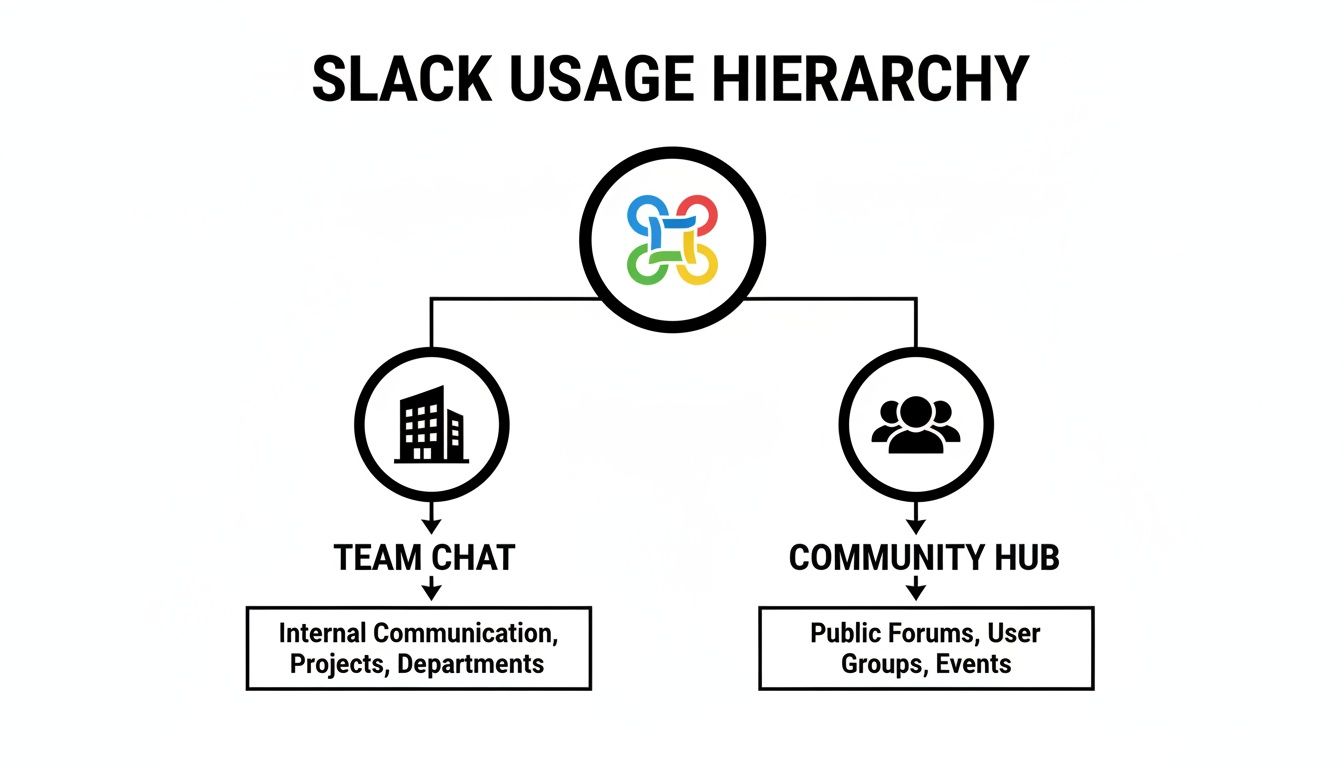
As you can see, it was born for internal communication, but it’s been successfully adapted to manage external groups. This very duality is why it's such a popular—and often complicated—choice for community builders.
While Slack’s familiar interface makes it a tempting choice for a community, treating it as your long-term home can bring on some serious headaches. It’s a bit like being offered a free house. At first, it sounds incredible. But then you discover the roof leaks, the plumbing is a mess, and you can’t really secure the front door. That "free" house suddenly becomes a money pit of constant, expensive fixes just to make it livable.
The free version of Slack for communities creates a very similar trap. Its single biggest flaw is the 90-day message history limit. Every 91 days, your community’s collective wisdom—all the valuable discussions, expert answers, and shared links—vanishes into thin air. This effectively gives your community a short-term memory, forcing new members to ask the same questions over and over because the original answers are gone forever.
This constant cycle of lost information is more than just a minor frustration; it actively eats away at the value of your community. Instead of building a rich, searchable library of expertise that grows over time, you’re stuck on a hamster wheel. Important conversations and key decisions become digital ghosts, impossible to find or reference later.
As one community expert put it, "The issue is that we’re using chat for things that need to be permanent... Knowledge that was carefully built up and shared gets lost because it was shared in the wrong medium." This leaves you with a tough choice: either pay Slack's steep price for a premium plan or watch your community’s hard-earned knowledge decay.
The screenshot below shows just how quickly the costs add up, with essential features locked away in the paid tiers.
As you can see, core community-building features like unlimited message history and custom user groups are behind a per-user monthly fee. That model might work for a small company, but it becomes completely unsustainable as a community grows into the hundreds or thousands.
Beyond the vanishing messages, Slack simply wasn't built with professional community management in mind. It lacks native tools for the most common community needs. There's no built-in system for:
This forces you to stitch together a messy patchwork of third-party apps, creating a clunky and confusing experience for everyone. Pretty soon, you’re spending more time managing a tangle of tools than actually fostering connection.
This is exactly why many community builders eventually start looking for a robust Slack alternative. The conversation inevitably shifts from "How can we make Slack work for us?" to "What platform was actually built to solve these problems from the start?"
Turning an empty Slack workspace into a buzzing community isn’t something you can just set and forget. Think of it less like flipping a switch and more like tending a garden—you have to design the layout, plant the right seeds, and consistently nurture it to see real growth.
First things first: you need to establish the ground rules. These aren't just for legal protection; they set the tone for your entire community's culture. Create a dedicated, read-only channel like #rules or #code-of-conduct and pin it. Make sure new members see it right when they join, so everyone knows from day one what respectful and productive behavior looks like.
Next, you need to build a clean and logical channel map. A messy, endless list of channels is the fastest way to confuse new members and send them running. Your channels should feel like clearly labeled rooms at a conference, each with a distinct purpose.
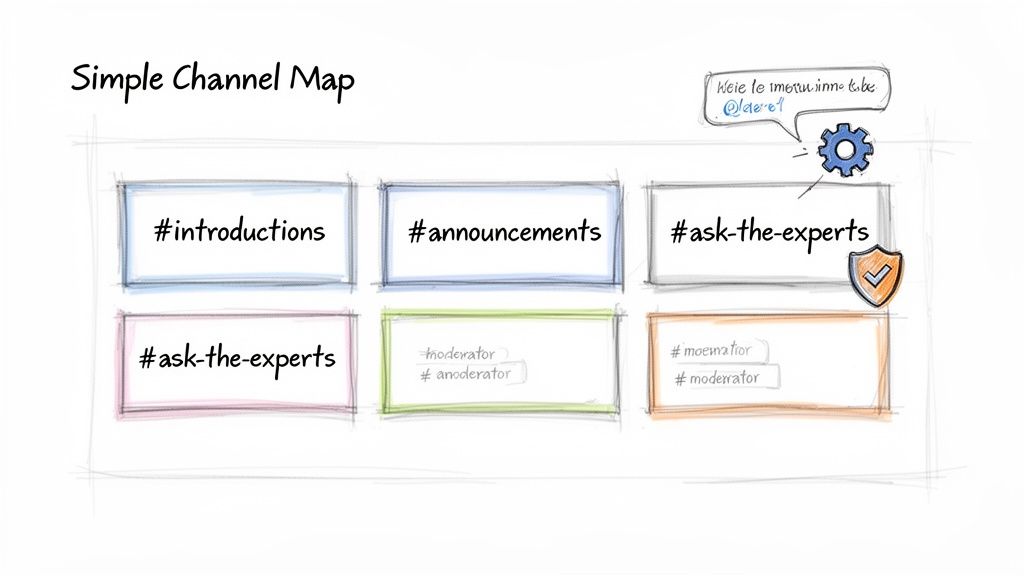
I always recommend starting with a core set of foundational channels:
#announcements: Keep this channel restricted so only moderators can post. It's for your most important, can't-miss updates.#introductions: The perfect spot for new folks to say hello, share what they do, and get welcomed into the fold.#general: A catch-all for broader discussions that don't quite fit anywhere else.#ask-the-experts: A dedicated Q&A hub where members can tap into the community's collective knowledge.#random: Don't underestimate this one! It’s crucial for building personal connections through off-topic chats and water-cooler moments.A simple, organized structure like this keeps important conversations from getting buried and helps people find what they need. As your community grows, you can easily add more niche channels based on emerging topics and member interests.
Once your framework is built, it's all about bringing it to life through active moderation and engagement. You can’t do it all yourself, so find a few trusted, active members and empower them as channel moderators. This helps you manage spam and keep conversations on track, spreading the workload as you scale.
Automation is your best friend here. Slack's own Workflow Builder is a fantastic tool for creating simple, automated welcome messages. You can use it to greet new members, point them toward the guidelines, and suggest a few key channels to join. In fact, active use of Workflow Builder has shot up 60% since 2023, largely because it lets you build no-code automations for things like event sign-ups and basic member check-ins. If you're curious about the numbers, you can learn more about Slack’s growth statistics.
The biggest mistake you can make is waiting for conversations to happen on their own. You have to be the one to start the fire. Proactively giving people something to talk about is what transforms a quiet workspace into a vibrant hub.
Here are a few battle-tested tactics to get people talking:
#wins or #shoutouts channel is a fantastic way to let members share their professional achievements and cheer each other on.Strategies like these don't just fill channels with text—they create real value. This is what makes your Slack for communities a place that members genuinely want to visit every single day.
Let's be honest: a brand-new Slack workspace feels more like an empty room than a bustling community hub. The real magic happens when you start tapping into its powerful ecosystem of integrations and, more recently, its built-in AI. These are the tools that let you bolt on the features Slack is missing, turning a simple chat app into a genuine community platform.
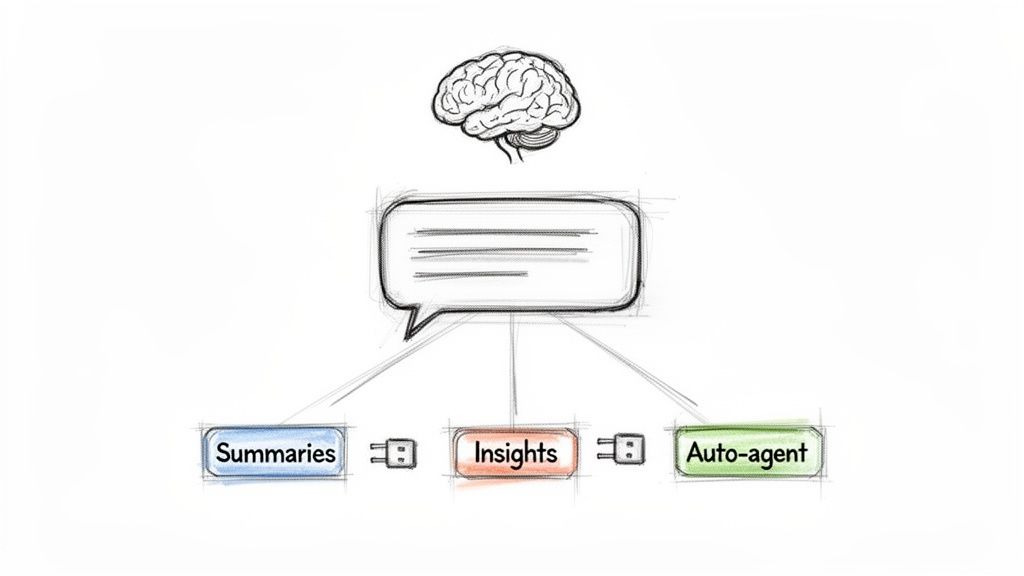
Think of integrations as specialized plugins. You can connect an app like Luma or Eventbrite to manage your events right inside Slack. Or, you can use a tool like Zapier to build automated workflows that welcome new members or flag important conversations. This is how you start to overcome Slack’s native weaknesses and create a much more organized experience for your members.
But where things get really interesting is with the arrival of AI features directly within Slack. These aren't just flashy novelties; they're becoming essential tools for managing a community effectively by tackling the biggest problem of all: information overload.
For example, AI can digest a long, fast-moving conversation and spit out a quick summary of the key points. This is a lifesaver for members who can't be online 24/7 but still want to feel connected and informed.
The impact of AI on day-to-day work is staggering. As of 2026, daily AI use among desk workers has jumped 233% in just six months. People using it report being 64% more productive and having 81% higher job satisfaction—numbers that should catch the eye of any overloaded community manager. You can explore the full findings on AI's workplace advantage for a deeper dive.
This same technology helps community managers see the forest for the trees. You can analyze discussion trends to see which topics are resonating, spot recurring pain points, and even identify your most influential members. These insights are gold, helping you make smarter decisions about content and programming. For those who find they need even more robust analytics, a dedicated community management software can often provide a more complete solution.
Finally, you can even use AI as an intelligent assistant. By training it on your community's knowledge base, it can automatically answer common questions, acting as a first line of support. This frees up your moderation team to focus on what really matters: building relationships and fostering meaningful conversations. This blend of smart integrations and AI makes running a community on Slack far more manageable and insightful.
Using Slack for communities feels like a clever life hack in the beginning. But as your community grows, what started as a simple workaround starts to feel like it's held together with duct tape. The key is knowing when the daily frustrations are no longer just minor annoyances, but real obstacles holding you back.
Deciding to move on from Slack isn't a failure. It’s a huge sign of success. It means your community has outgrown the simple chat tool you started with and is ready for its own dedicated home.
The tipping point usually comes when you realize you're managing a chaotic mess of third-party tools just to handle the basics. Maybe you're using one app for event tickets, another for subscription payments, and desperately trying to track member data in a Frankenstein-esque spreadsheet. This fragmented system creates a clunky experience for your members and a massive headache for you.
So, how do you know it’s time to graduate? The signs are usually staring you right in the face. You probably need a dedicated platform if you’re constantly bumping up against Slack’s limitations and find yourself saying things like, "I just wish we had a real member directory," or, "I can't find that crucial conversation from six months ago."
These scaling pains are clear signals that your community has matured.
This screenshot from GroupOS shows how a unified dashboard solves these exact problems.
Here, you can see modules for events, members, and content all integrated into one clean interface. An all-in-one platform like GroupOS becomes your single source of truth, ending the chaotic scramble across a dozen different apps and giving you a clear, centralized command center for your entire community.
The alternative to this patchwork system is a unified platform built from the ground up for professional communities. Instead of trying to force a chat tool to do things it was never meant to do, you get a system where every feature—from event management to member directories—works together flawlessly.
To really elevate your community, you can even integrate advanced tools, like those that let you build your own Slack AI assistant using a no-code builder.
The core issue is that we are using chat for things that need to be permanent. Knowledge that was carefully built up gets lost because it was shared in the wrong medium.
Migrating to a purpose-built solution consolidates your member data, streamlines your day-to-day management, and provides a much better, branded experience for everyone. It’s the natural next step for any successful community that's ready to scale professionally and build a lasting home for its members.
If you're thinking about using Slack for communities, you're in good company. But before you dive in, there are a few common "gotchas" that pop up time and time again. Let's tackle some of the big questions community builders always ask.
Technically, yes, Slack has a free plan. But there’s a massive catch for any community that plans to stick around: the 90-day message history limit.
Imagine all the incredible advice, shared resources, and member introductions in your community. Now, imagine it all vanishing forever after just three months. That’s the reality of the free plan. To keep your community's knowledge base intact, you have to upgrade to a paid plan, which charges per active user. As your group grows, that cost can get out of hand, fast.
This is a real pain point. Slack has zero built-in features for managing events, so you're left to piece things together. You end up relying on outside tools like Luma or Eventbrite, constantly pasting links into different channels and hoping people see them.
For your members, it's a clunky experience. They have to leave Slack to see event details, register, or pay, creating a frustrating disconnect from the community hub itself.
A dedicated platform changes the game by bringing event management, ticketing, and member communication under one roof. It creates a smooth, branded journey for your members and takes a ton of manual work off your plate.
You'll know it's time to move when managing your community starts to feel like a frantic juggling act. Are you struggling to keep content organized? Do you wish you had more branding control? Are you manually chasing payments or losing track of who your members are?
These aren't just minor headaches; they're clear signals that your community has outgrown a simple chat app. When the patchwork of tools starts holding you back, it’s time to find a unified system designed to handle the complexities of a growing community.
Ready to leave the chaos of cobbled-together tools behind? GroupOS is an all-in-one platform built to seamlessly manage your events, memberships, content, and communication. Schedule your free demo of GroupOS today and see what it feels like to scale with ease.







