April 12, 2026
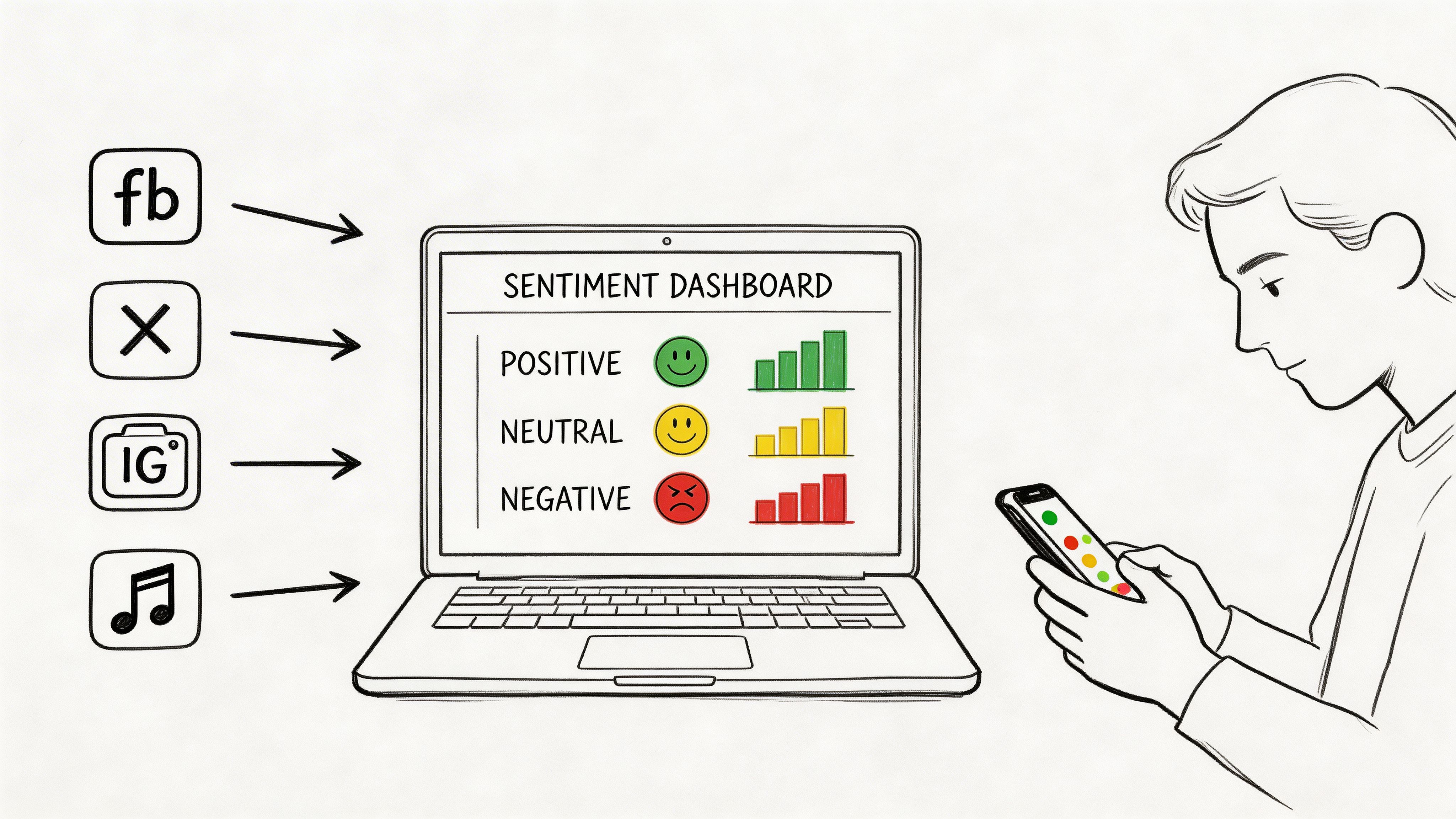
You log into your dashboard on Monday morning and see a spike in mentions. Registration comments are up. Members are talking in the event app. Staff are forwarding screenshots from Instagram and LinkedIn. That sounds good until you start reading.
Some comments are enthusiastic. Some are confused. A few are annoyed about pricing, the schedule, or a support delay. The volume alone doesn't tell you whether you're gaining momentum or walking into a preventable problem.
Sentiment analysis for social media proves useful in such situations. It helps you separate attention from approval. For a professional association, community team, or event organizer, that distinction matters because the comments that look small in aggregate often point to retention risk, sponsor friction, or a bad on-site experience before those problems show up in renewals or post-event surveys.
A community manager often feels the problem before they can name it. Engagement goes up, but the team still feels uneasy. Maybe a conference announcement gets a lot of replies. Maybe a member benefit post draws more comments than usual. Maybe customer service starts seeing the same complaint in DMs, public replies, and private groups.
Without sentiment analysis, all of that gets flattened into one summary. More comments. More reach. More activity. But more activity can mean praise, frustration, confusion, or all three at once.

The scale alone makes this impossible to manage manually. In 2025, 65.7% of the global population, or about 5.24 billion active social media user identities, are active on social platforms, and that total grew by 4.1% over the prior 12 months according to Sprinklr’s social media marketing statistics. For any organization with a public presence, that means your audience is already forming opinions in real time.
A useful way to think about this is simple: metrics tell you that people reacted, sentiment tells you how they felt, and comment analysis often tells you why. Teams that want a tighter workflow should also study practical approaches to Social Media Comments Analysis, especially when the problem isn't reach but interpretation.
Practical rule: A spike in mentions is never a conclusion. It’s a prompt to classify emotion, isolate topics, and decide whether you need amplification, clarification, or intervention.
For professional associations and event-driven communities, this matters even more because members don’t just buy once. They renew, attend, refer, volunteer, sponsor, and advocate. A negative pattern around onboarding, chapter communications, or event logistics can erode trust long before someone fills out a cancellation form. Teams refining their channel strategy often pair sentiment work with broader social media best practice guidance.
Most sentiment programs fail for a boring reason. The team measures sentiment as a reporting output instead of using it as an operating signal.
If your only goal is to say that positive mentions increased or negative mentions decreased, the work stays cosmetic. The better approach is to tie sentiment to a decision someone can make. That might be the decision to change registration messaging, escalate a support issue faster, adjust sponsor placement, or intervene with at-risk members.
The business case is clear. 70% of customer purchase decisions are driven by emotions, according to Upgrow’s social media sentiment analysis guide. For community-led organizations, that same logic applies to joining, renewing, attending, and recommending.
A strong sentiment program begins with a short list of operational questions.
Ask questions like:
Those questions create better KPIs than a generic “overall sentiment score.”
For community teams, the most useful KPIs are tied to touchpoints they can influence. Good examples are directional, contextual, and connected to outcomes.
Use a mix like this:
What doesn’t work is treating every negative mention as equal. A frustrated VIP registrant, a first-time attendee asking a logistical question, and a long-term member raising constructive criticism should not be placed in the same bucket without context.
If a KPI doesn’t change a workflow, it belongs in a dashboard footnote, not in the core program.
Many teams rush into alerts and get burned by false alarms. Sentiment works better when thresholds map to specific actions.
For example:
At this point, sentiment becomes operational. It stops being “marketing analytics” and becomes a coordination layer between community, support, events, and leadership.
For reporting discipline, pair sentiment with your existing social media engagement metrics framework. Engagement tells you where attention is happening. Sentiment tells you whether that attention is helping or hurting trust.
A professional association shouldn’t copy a retail brand’s KPI model. You care about different outcomes.
A sensible scorecard often includes:
| KPI Area | What to Watch | Why It Matters |
|---|---|---|
| Member retention | Sentiment trend around benefits, support, and renewal windows | Emotional decline often appears before churn conversations |
| Event performance | Sentiment during registration, check-in, sessions, and follow-up | Reveals friction while the event is still fixable |
| Sponsor experience | Tone in sponsor communications and event mentions | Helps protect renewal conversations |
| Community health | Tone in discussions, replies, and peer support threads | Shows whether the space feels valuable and trustworthy |
The point isn’t to build more metrics. It’s to create fewer metrics that matter more.
A common collection mistake is easy to spot. Teams pull every public mention they can access, then miss the conversations that explain why members renew, complain, refer peers, or disengage.
For a professional association, that gap is expensive. Public sentiment affects reputation and event promotion. Private sentiment inside a member community often explains retention risk, sponsor friction, and whether an event experience will translate into next year's registrations.
Good collection starts with business context. Track public channels for visibility. Collect from private community spaces for motive, friction, and loyalty signals.
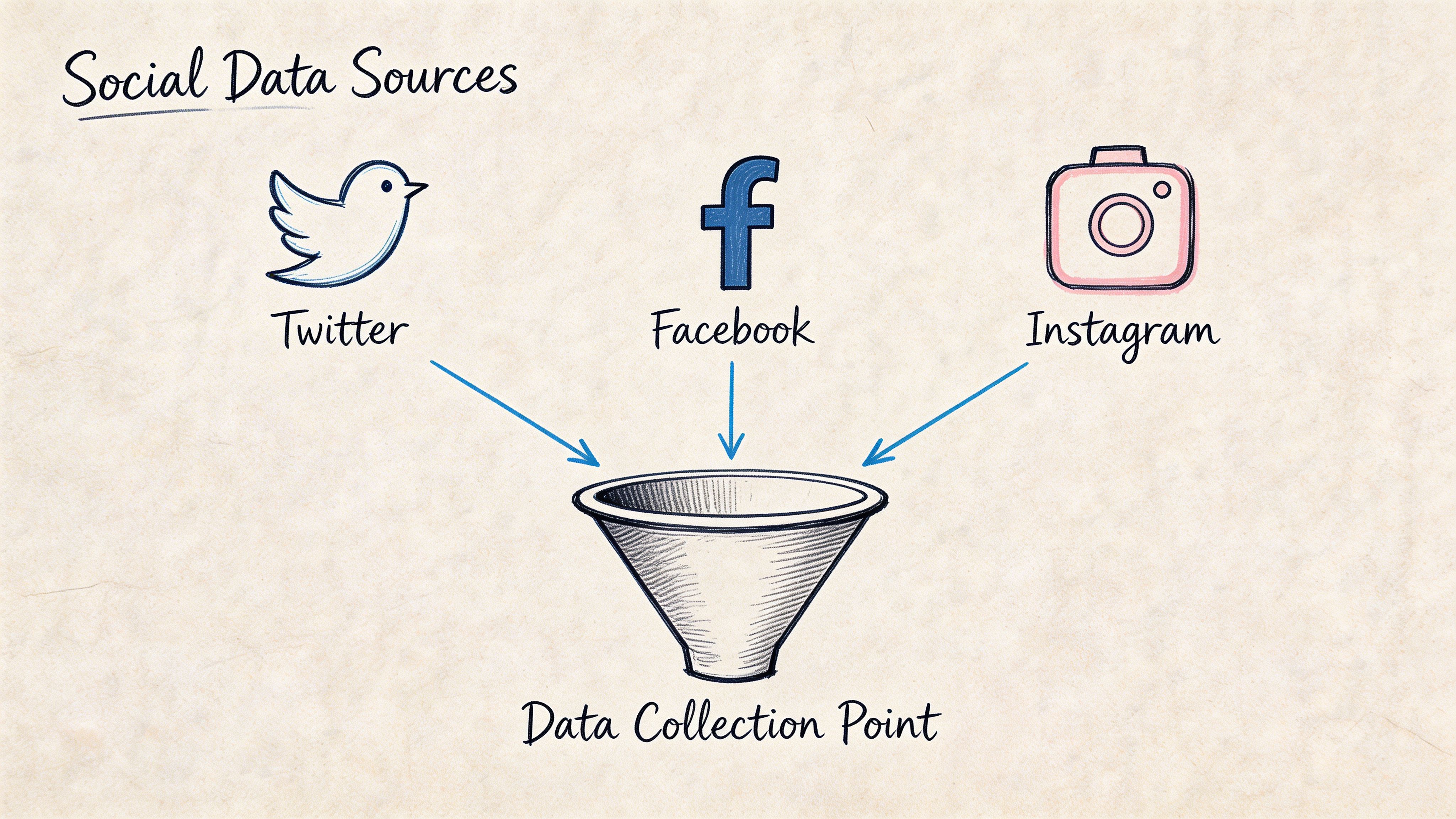
Public collection usually begins with platform APIs or listening tools that monitor:
Public posts show what is visible to prospects, sponsors, speakers, and partners. They help teams spot reputational issues early and understand which topics are spreading beyond the member base.
They also leave out a lot.
Members often perform in public. They phrase criticism carefully, post only part of the story, or avoid posting at all when the issue is sensitive. A frustrated attendee may never complain on LinkedIn about a broken registration flow, but that same person may describe the problem in detail in an event chat, a support message, or a private community thread.
Closed spaces usually contain the operational detail that public channels miss. That includes member-only discussion areas, direct messages, onboarding threads, event chats, support exchanges, and post-session conversations inside platforms such as GroupOS.
This is the gap many sentiment analysis articles ignore. Public social data is easier to access, so teams collect it first and stop there. For associations, the more useful signal often sits in private member environments where trust is higher and people speak more plainly about value, confusion, or disappointment.
Private communities also behave differently from public feeds:
I have seen this pattern during event season. Public posts looked positive because attendees were sharing session photos and speaker quotes. Private chat told a different story. Members were frustrated about check-in delays, app access problems, and unclear sponsor logistics. The public feed supported promotion. The private feed showed what needed fixing before renewal and exhibitor follow-up.
The cleanest way to set scope is to map sources to the decisions your team needs to make.
| Decision Area | Best Data Sources | What to Capture |
|---|---|---|
| Membership onboarding | Welcome emails, private chat, support messages, public comments | Confusion, enthusiasm, early friction |
| Event registration | Social replies, registration support inbox, event chat | Pricing concerns, form issues, urgency |
| Live event operations | Session chat, private attendee channels, public posts | Real-time satisfaction, complaints, praise |
| Sponsor performance | Sponsor mentions, sponsor DMs, exhibitor discussions | Lead quality concerns, visibility feedback |
This approach prevents a common failure mode. Teams collect a large volume of general mentions, then struggle to answer specific questions such as why first-year members are dropping off, why sponsors hesitate to renew, or why a well-attended event still produced weak satisfaction scores.
Raw text brings clutter with it. Bots, spam, duplicated posts, off-topic replies, and meme language can pollute the dataset before sentiment scoring even starts.
A disciplined intake process usually includes:
Collection quality has a direct effect on trust in the program. If a dashboard is full of irrelevant chatter, community managers stop using it. If source labels are clean and topics are mapped to real decisions, the same dashboard can support outreach, staffing changes, sponsor recovery, and event fixes.
A short public comment saying “Looks interesting” should not carry the same weight as a detailed complaint about billing, a direct message about chapter support, or a sponsor note about poor lead quality.
Preserve the metadata that gives each message meaning. Source, timestamp, member segment, campaign, topic, event stage, and relationship stage all matter. Without that context, analysts are left with text fragments that are hard to rank and even harder to act on.
The goal is not to collect more conversation. It is to collect the right conversation, with enough context to connect sentiment to member retention, event performance, and revenue.
The fastest way to disappoint a team is to buy a sentiment tool, turn it on, and assume the default model understands your audience. It typically doesn't.
Community language is messy. Members use shorthand, sarcasm, insider references, event jargon, and polite phrasing that hides real frustration. A sentence like “Thanks, I guess we’ll try again at next year’s conference” can sound neutral or even positive to a weak model. Operationally, it’s a warning.
At a practical level, sentiment analysis engines largely fall into three buckets. The right one depends on how much precision you need and how much setup you can support.
According to DashClicks’ breakdown of social media sentiment analysis methods, sentiment classification typically uses lexicon-based models with an F1-score around 0.75 on Twitter, machine learning models with roughly 82% to 85% accuracy, or hybrid deep learning models such as fine-tuned BERT, which can reach roughly 88% to 92% accuracy on benchmarks. Their summary also notes that preprocessing is a major factor in whether those results hold up.
Here’s the practical comparison.
| Model Type | Typical Accuracy | Setup Complexity | Best For |
|---|---|---|---|
| Lexicon-based | F1-score around 0.75 on Twitter | Low | Fast setup, lightweight monitoring, early-stage programs |
| Machine learning | 82% to 85% accuracy | Medium | Teams with labeled examples and recurring use cases |
| Hybrid deep learning | 88% to 92% accuracy on benchmarks | High | Large-scale programs, nuanced language, complex topic detection |
Lexicon-based tools use predefined word dictionaries. They’re fast to deploy and easy to explain. If your organization wants a basic positive, negative, neutral pass on public posts, they can be enough.
They struggle when language gets subtle.
Common failure points include:
These models are typically fine for broad monitoring. They’re weak for high-stakes workflows like member churn detection or sponsor satisfaction review.
Machine learning models can learn from labeled examples that reflect your organization’s language. If your team sees the same issues repeatedly, such as registration problems, session quality feedback, or membership billing discussions, an ML approach can work well. Many mid-sized teams find this approach offers the best trade-off.
You need:
If your terminology is stable, ML can outperform lexicon methods without the complexity of a deep transformer workflow.
For organizations with heavy volume, multilingual needs, or lots of topic overlap, hybrid or transformer-based systems are typically the stronger choice. Fine-tuned BERT-class models do a better job with sentence context and can separate “great speaker, terrible audio” into something more useful than a flat neutral label.
That matters for event teams and associations because many comments are mixed by nature. Attendees often praise content while criticizing logistics. Sponsors may like attendee quality but dislike visibility. Members may value the mission while feeling frustrated with the platform.
The best engine is not the one with the highest benchmark. It's the one your team can tune, audit, and trust on your own data.
Teams love to compare model accuracy and skip the dirty work that drives real-world performance. Preprocessing isn’t glamorous, but it frequently drives many gains.
A useful pipeline often handles:
For community contexts, I’d add one more layer. Build a phrase list from your own member language. Terms like “board packet,” “chapter dues,” “VIP pass,” “member portal,” or “sponsor scan” frequently carry sentiment implications that generic models won’t understand.
Don’t buy on demo polish alone. Ask practical questions.
Can the system ingest data from your public channels, exported community conversations, support inboxes, and event communication streams without forcing awkward manual work?
Can you define sentiment by topic, not only by mention? You need to know whether negativity is about support, registration, pricing, speakers, or sponsor visibility.
Can humans override labels and feed corrections back into the model or workflow? If not, errors will repeat.
If your audience spans multiple markets or multilingual communities, generic English-centric assumptions won’t hold.
Will the platform help teams act, or does it only produce scores and charts?
If your team is new to sentiment analysis for social media, start with a simpler engine and a tighter scope. Focus on one use case with real business value, such as event registration friction or renewal-risk monitoring. Then improve the model with your own reviewed examples.
If the first version can’t survive human scrutiny, a more advanced model won’t save the program. It will only produce more complex errors.
A sentiment dashboard should answer one question quickly: what changed, why did it change, and who needs to act?
Most dashboards fail because they stop at categorization. They show a donut chart with positive, neutral, and negative slices, and everyone nods without learning anything useful. That’s fine for a slide deck. It’s weak for operations.
The best reporting starts broad and becomes more decision-oriented as the user drills down.
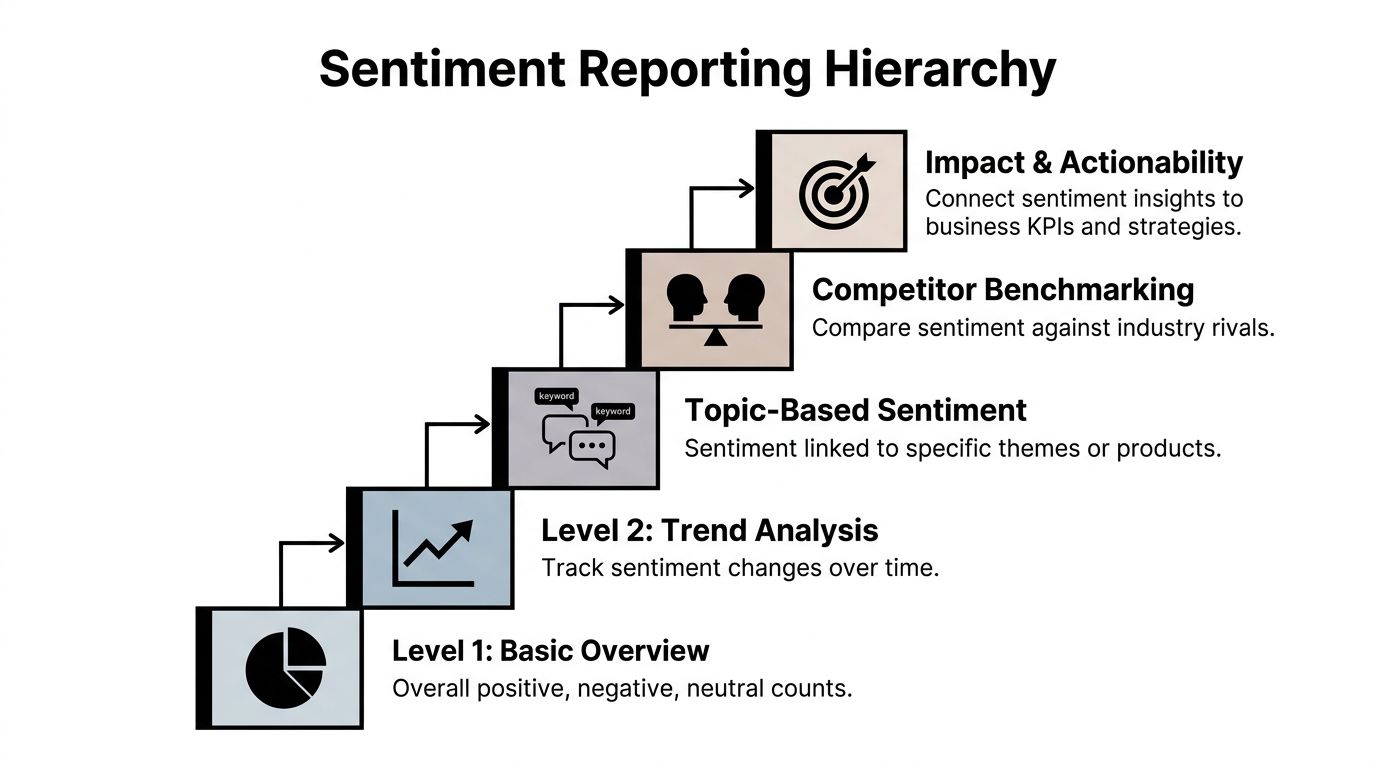
A useful hierarchy looks like this:
That progression matters because different stakeholders need different levels of abstraction. Leadership needs a summary with consequences. Community managers need the underlying comments and topic clusters. Event operators need the urgent issues now, not after the weekly report.
A single sentiment score is seldom meaningful on its own. Teams need to see direction.
Your core dashboard should typically include:
This last element matters more than many analysts admit. Stakeholders trust dashboards more when they can read a handful of real comments behind the pattern.
One dashboard for everyone sounds efficient. It often creates confusion.
Consider separate views:
| Audience | Best View | What They Need |
|---|---|---|
| Executives | Summary trends and business risk | Clear movement, major drivers, required decisions |
| Community managers | Topic-level detail and alert queues | What to respond to and where |
| Event teams | Real-time operational sentiment | Session, registration, venue, app, speaker feedback |
| Partnerships and sponsorship teams | Sponsor and exhibitor sentiment themes | Renewal risks, lead quality concerns, visibility issues |
A dashboard is working when the owner knows what to do next without asking for a second meeting.
A few habits make reporting far more usable.
Mark campaign launches, event dates, outages, speaker announcements, policy changes, and support incidents. A trendline without context invites bad interpretation.
A topic with fewer mentions but stronger negative language may be more urgent than a high-volume neutral topic.
Include a space for analyst notes. A model may classify a wave of polite complaints as neutral. A human reviewer often identifies the core problem.
Don’t just report that sentiment is down. Name the themes behind the decline.
For example:
That level of reporting helps operating teams respond instead of debate whether the dashboard is “right.”
If a sentiment report ends with “overall sentiment remained stable,” but members are repeatedly complaining about one high-friction process, the report failed. Stability at the aggregate level can hide exactly the issues that affect retention and event reputation.
For sentiment analysis for social media to become trusted internally, reporting has to move from descriptive to operational. It has to tell a story that someone can own.
Most organizations stop one step too early. They collect mentions, classify tone, build a dashboard, and call it insight. That’s reporting. Growth happens when the team links emotion to intervention.
The hard truth is that current practice still has a major blind spot. There’s a critical gap in connecting sentiment to membership revenue and lifetime value, particularly when teams try to model how sentiment trajectories relate to churn or upsell within community platforms, as discussed in this Sprout Social article on social media sentiment analysis. This gap presents a significant opportunity for associations, membership communities, and event-led businesses.

One negative comment doesn’t predict churn. A pattern might.
The most useful lens for a membership organization is sentiment trajectory. Instead of asking whether a member is positive or negative today, ask how their tone changes over time across meaningful moments.
Examples:
That pattern is much more actionable than any single score.
Public social listening is only part of the picture. In private spaces, people frequently reveal concerns they would never post publicly. Community teams need a framework built for those environments.
A practical closed-community model uses four layers.
Interpret comments based on whether the person is a new joiner, active member, volunteer leader, sponsor, exhibitor, or lapsed participant returning for an event.
A complaint in a direct message often means something different from the same complaint in a public thread. Direct channels can signal trust. Public threads can signal escalation.
Separate dissatisfaction with one process from dissatisfaction with the organization itself. Someone can be unhappy about check-in and still feel strongly positive about the community.
The same message means different things before registration closes, during an event, or near renewal.
This is also why teams should strengthen their broader measurement discipline. If you need a practical reference on organizing the underlying data, this guide on how to track social media analytics is useful because it reinforces the operational side of tracking, not just the reporting side.
Treat sentiment like a sequence, not a snapshot. Retention risk typically arrives as a trend.
Sentiment becomes valuable when it triggers action by the right team at the right time.
Here’s a workable playbook.
Watch for declining tone around onboarding, support requests, event access, or benefit clarity. When a member’s sentiment shifts downward across multiple interactions, route that account for outreach.
Useful interventions include:
During registration and live events, monitor sentiment by topic. If a thread starts filling with complaints about check-in delays, room changes, or technical issues, the operations team can respond while the event is still in motion.
Sentiment captured here frequently outperforms many post-event surveys. It captures emotion while the stakes are live.
Sponsors typically don't say “we won’t renew” at the first sign of disappointment. More frequently, they express concern indirectly through comments about traffic quality, missed visibility, or low engagement.
Track sponsor sentiment separately from attendee sentiment. Their goals are different, so their language is too.
A clean way to make sentiment useful for leadership is to connect it to business moments the organization already tracks.
Use sentiment alongside:
You don’t need to claim a universal formula. Most organizations don’t have one. But you can build internal evidence by asking disciplined questions:
| Business Outcome | Sentiment Signal to Watch | Likely Action |
|---|---|---|
| Membership renewal | Declining tone before renewal touchpoints | Proactive outreach and benefit clarification |
| Event attendance | Negative comments during registration or agenda release | Fix friction, rewrite messaging, support follow-up |
| Upsell readiness | Positive sentiment around premium features or VIP experiences | Offer targeted upgrade path |
| Sponsor retention | Repeated concern about visibility or lead quality | Mid-cycle check-in and campaign adjustment |
That’s how sentiment analysis for social media starts earning executive attention. It stops looking like brand monitoring and starts acting like a retention and revenue input.
No model understands your members as well as the staff who talk to them every day. The strongest programs combine automated classification with community manager review.
For example, a classifier may tag a post as neutral:
“The session content was strong. I just wish anyone had answered about the venue change before I arrived.”
A human operator sees two signals immediately. The event delivered value. The service experience failed. That member may still attend next year, but they also just described a trust problem.
That’s why escalation queues should include both sentiment labels and comment excerpts, plus topic tags and relationship context.
Many teams overbuild dashboards and underbuild process. A simple weekly review frequently delivers more value than another chart.
A strong review asks:
This operating rhythm is especially useful when paired with practical workflows around social media and community management, because the insights only matter if someone owns the response.
A short explainer can help teams align on the broader idea before they build a process:
In practice, a few approaches consistently work better than others.
What doesn’t work is treating sentiment as a monthly presentation metric. By then, the moment to help a member, rescue an attendee experience, or protect a sponsor relationship has typically passed.
A member posts in your private community the night before registration closes: “I’m sure it will be fine, but the pricing page was confusing.” If your team reads that as neutral chatter, you miss a revenue risk. If your team treats it like a disciplinary issue, you damage trust. Governance exists to keep both mistakes from happening.
That matters more in private member spaces than on public social channels. In an association community, people speak with more context, more history, and more expectation that their participation will be handled responsibly. Public sentiment programs often focus on brand reputation. Private community sentiment work has a different job. It should help protect renewal rates, improve event experience, and surface service issues early without turning member listening into surveillance.
Set policy before you set up alerts.
At minimum, the program needs a few clear rules:
Private community data deserves a higher standard of care than public comment scraping.
I recommend assigning one owner for policy and one owner for execution. In practice, that often sits across community leadership and the person handling the community social media manager role, because the work spans communication judgment, platform knowledge, and reporting discipline.
The first mistake is reacting to volume without checking context. Five negative posts in a member forum can signal a serious registration problem. They can also come from one chapter, one sponsor thread, or one temporary outage. Before escalating, check spread, repetition, and business relevance. A small cluster tied to event check-in may matter more than a larger wave of low-stakes complaints.
The second mistake is flattening tone. Long-time members often write bluntly because they expect the organization to fix problems. New members may stay polite while they drift toward non-renewal. The wording looks mild. The retention risk is not.
The third mistake is treating model output as fact. Sentiment engines still struggle with sarcasm, mixed feedback, and professional understatement. “Not ideal,” “a bit confusing,” and “hopefully smoother next time” often point to a real service failure. Teams need a review process for edge cases, especially around dues, credentialing, event logistics, and sponsor experience.
One more pitfall shows up in reporting. Leaders like a single score because it fits neatly on a dashboard. That score is rarely enough to run a membership organization well. Topic-level sentiment tied to renewals, registration friction, volunteer experience, or support demand gives teams something they can act on.
A strong program respects member trust, keeps humans in the loop, and stays clear about what the model can and cannot infer.







