April 11, 2026

Your team is probably doing what many professional communities do at first. You post on LinkedIn, answer DMs in Instagram, keep a Facebook Group alive out of habit, run event chatter through Slack, and try to make sense of it all with a scheduler.
That setup works for a while. Then it starts to show its limits.
Members can find you, but they can’t reliably find each other. Sponsors get visibility, but not a durable place to engage. Event content spikes for a few days, then disappears into feeds you don’t control. Your best relationships sit inside rented platforms whose rules, algorithms, and interfaces can change without warning.
The phrase all social media in one place app sounds like the answer. Sometimes it is, if your problem is purely scheduling and reporting. But for associations, corporate communities, and event-driven networks, the bigger opportunity is different. The greater win is building one branded home where membership, content, events, conversations, and analytics live together, while social channels feed traffic into it.
Many teams start by looking for efficiency. They want one dashboard for posting, one inbox for replies, and one report for leadership. That’s a reasonable first step.
It’s also not the finish line.
A scheduler helps you manage rented attention. An owned community hub helps you build a business asset. Those are not the same thing.

Tools like Hootsuite, Sprout Social, Buffer, Metricool, and Eclincher exist for a reason. The market is large because the need is real. The global social media management tools sector reached $14.3 billion in 2021 and is projected to hit $51.8 billion by 2028, fueled by 97% of businesses using social media and 4.9 billion global social users in 2023 demanding scalable oversight, according to Dreamgrow’s review of all-in-one social management tools.
These platforms are useful when you need to coordinate publishing across Facebook, Instagram, LinkedIn, TikTok, YouTube, and other networks from one place.
They help with:
If your goal is managing all social media in one place, these tools can absolutely help.
The problem is that a unified dashboard still leaves your audience fragmented.
Your members are still spending their time inside platforms that prioritize the platform’s goals, not yours. Your event attendees are still pushed into short-lived interactions. Your knowledge base is still scattered. Your sponsor inventory is still limited to what someone else’s feed format allows.
Practical rule: If your best community interactions disappear when a post ages out of a feed, you don’t have a community home. You have a distribution system.
That’s the strategic shift. A true “all social media in one place app” for a professional network shouldn’t just centralize posting. It should centralize member experience.
An owned hub becomes the place where your organization defines the journey.
Instead of asking, “How do we publish to every channel?” you start asking better questions:
That’s why branded community apps have become more important than another scheduler tab. They let you use social media as spokes, not the wheel. LinkedIn drives awareness. Instagram supports discovery. Facebook may still help with reach. But the center of gravity moves into a space you control.
A useful starting point is thinking through what a dedicated community app can do for an owned member experience. The point isn’t to abandon social channels. It’s to stop treating them as your primary infrastructure.
A branded hub works when it’s designed around member behavior, not around your org chart. Many migrations go sideways as a result. Teams build a digital filing cabinet. Members wanted a place that made participation easier.
The planning phase has to be concrete.
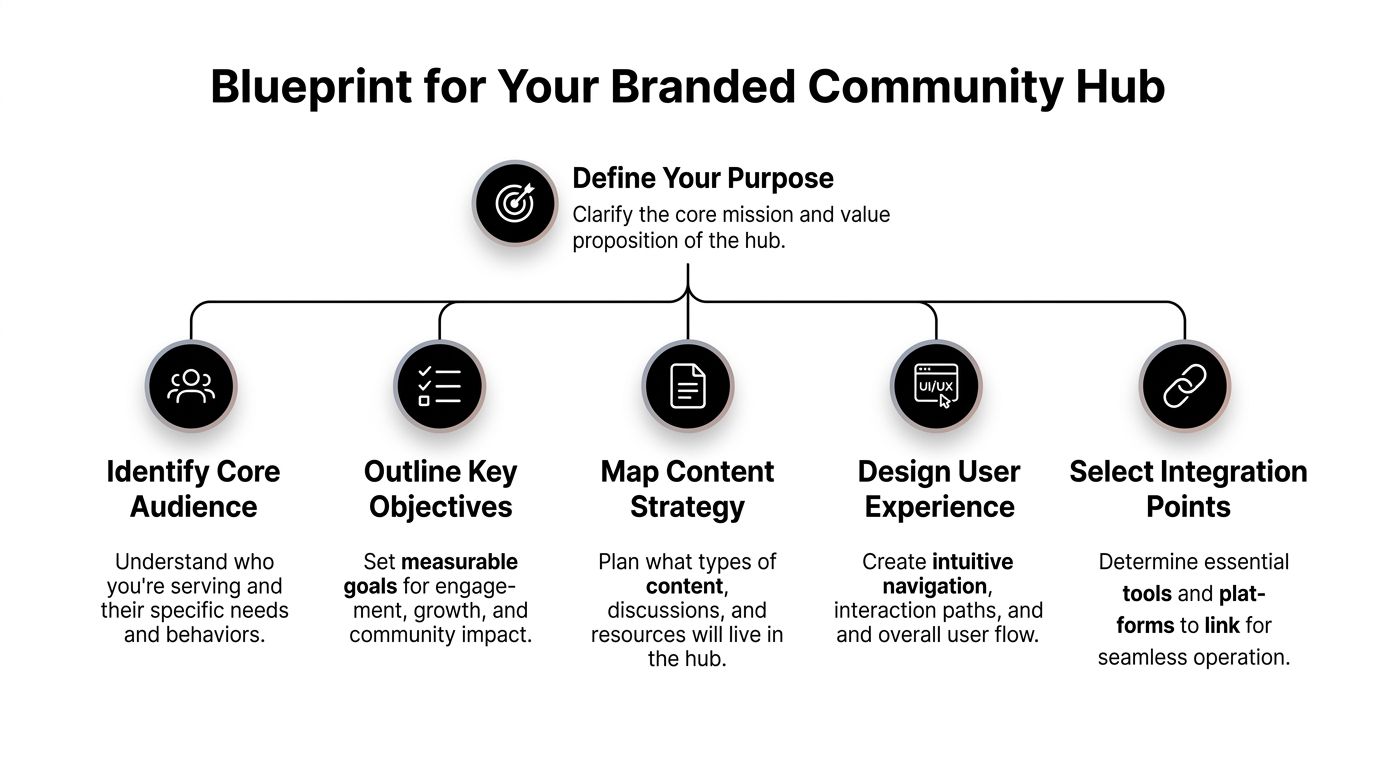
A strong hub doesn’t try to be everything on day one. It makes one promise clearly.
For a professional association, that promise might be member networking plus events. For a corporate community, it may be peer learning and internal knowledge sharing. For an event-led business, it could be year-round access before and after conferences.
Write the promise in one sentence. If your team can’t do that, members won’t understand why they should install or use anything new.
A practical test is this: if someone joins today, what is the first valuable thing they should do within minutes? Register for an event. Join a regional chapter. Watch an on-demand session. Message another member. Pick one.
Demographics help with marketing. Behavior helps with product design.
I usually separate community users into groups such as:
Each group needs a different path through the hub. That path should be shorter than what they deal with today.
A member will adopt a new platform faster when it removes a frustrating step they already hate.
Not every asset should be migrated at once. Prioritize the content and workflows that create repeat visits.
Use this filter:
| Community asset | Move early if it drives | Keep later if it’s mostly |
|---|---|---|
| Events | registrations, reminders, attendance, replay viewing | one-off announcements |
| Content library | ongoing search value, member education, sponsor visibility | duplicate social snippets |
| Member directory | introductions, referrals, chapter discovery | static brochure-style profiles |
| Messaging | peer support, cohort interaction, staff coordination | casual chatter with no business value |
| Subscriptions | renewals, tiered access, gated resources | manual one-off payments |
This is also where many teams discover they don’t need custom code for everything. If you’re comparing build paths, this guide on how to create your social media app without code is useful context for understanding where no-code and low-code approaches fit.
One of the biggest mistakes is launching with a beautiful shell and no recurring reason to return.
Recurring value usually comes from a mix of these:
If your current ecosystem spreads those functions across five tools, your hub should simplify the experience without flattening it.
Professional communities often underestimate event mechanics. Ticket types, VIP upgrades, custom forms, QR check-ins, exhibitor profiles, and post-event follow-up create operational strain quickly.
That matters because disjointed tools don’t just annoy staff. They push users away. Data from 2025-2026 shows professional networks averaging 25% churn from disjointed tools, as consumer-grade aggregators fail to handle 10,000+ member interactions, custom ticketing, or sponsor lead generation during peak events, according to this analysis of scalability limitations in high-engagement communities.
That’s why planning needs to include edge cases, not just happy paths.
Consider this checklist before launch:
For teams evaluating branded environments, it helps to review what a white-label community app should support before you lock in structure.
Once the hub is defined, execution becomes an operations question. Teams either create a clean system or rebuild the same mess inside a new interface.
The fix is simple in concept. Your hub becomes the source of truth. External social channels become distribution and listening layers.
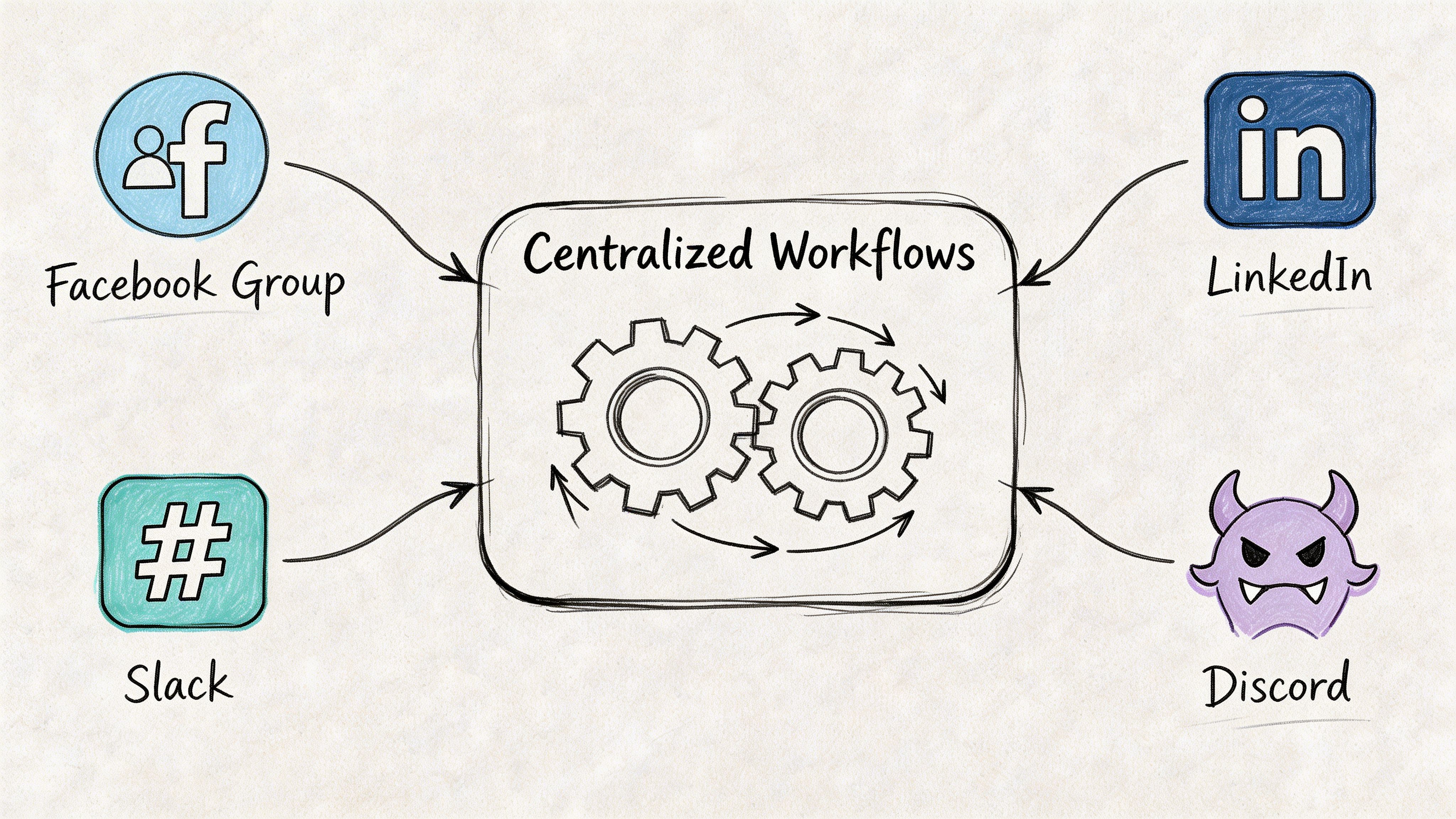
Many organizations still draft content separately for LinkedIn, email, event pages, community updates, and internal chat. That creates inconsistency fast.
A better model is:
Social posts are usually teasers, not destinations. A feed post should spark interest. The hub should hold the full asset.
For example, an event announcement might follow this flow:
That operating model keeps your information current in one place.
Moderation is where scattered systems waste the most human effort.
If staff are checking Slack for private questions, LinkedIn for comments, Facebook for group requests, and another tool for direct messages, response quality drops. Tone drifts too. Accountability disappears.
The practical move is to define a single moderation workflow even if inputs come from several places.
Use roles like these:
That doesn’t mean every tool must disappear immediately. It means your team should know where each interaction ends up and who owns next action.
According to the workflow data summarized in this video overview of unified social operations, all-in-one social media apps have helped agencies curate content 5x faster, and US enterprises using centralized inboxes that handle 100% of interactions have seen engagement lifts of 25%.
The lesson isn’t that every inbox tool is enough. It’s that centralization changes response quality when teams commit to one process.
Not every conversation belongs in the same place.
I’ve found it useful to separate community communication into tiers:
| Tier | Best use | What doesn’t belong there |
|---|---|---|
| Public social channels | awareness, campaign reach, top-of-funnel discovery | member support and nuanced discussion |
| Hub-wide announcements | official updates, launches, deadlines | deep back-and-forth threads |
| Group spaces | cohorts, committees, chapters, event tracks | broad public promotion |
| Direct messaging | introductions, support, private follow-up | policy decisions or searchable knowledge |
| Event chat | live interaction during sessions | evergreen resources |
That structure prevents a common failure. Teams try to keep “engagement high” by forcing every interaction into public feeds. Members often want a quieter, more relevant place to talk.
Operational note: If a member has to guess where to ask a question, your workflow design is still too fragmented.
Migration doesn’t require turning everything off on the same day. In fact, that usually backfires.
A steadier path works better:
When teams hit technical snags, the challenge is rarely “integration” in the abstract. It’s field mapping, identity matching, permissions, and workflow ownership. This breakdown of data integration challenges is worth reviewing before you move member data and communication flows into one system.
Most social teams still report what platforms make easy to report. Likes. shares. impressions. reach. Those metrics are useful, but they don’t tell a community leader much about value.
An owned hub changes the measurement model because you can track behavior across the full member journey.
A scheduler report typically answers, “How did this content perform on platform X?”
A community dashboard should answer tougher questions:
That’s a better analytics conversation because it ties activity to outcomes.
I like to organize analytics into four layers.
These show whether your social channels are doing their job, which is sending qualified people into the hub.
Track:
These measure active use after someone enters.
Examples include:
Here, owned community analytics become more valuable than social analytics.
Look for:
If you run memberships, events, or sponsorships, these matter most.
Measure:
The strongest community dashboards don’t just prove activity. They show what activity predicts revenue, retention, or member satisfaction.
Leadership teams usually don’t need twenty charts. They need one clean signal that shows whether the community is getting stronger.
That signal could be a composite engagement score built from actions that matter in your model, such as attending, posting, messaging, completing a course, or renewing a subscription. The exact formula depends on the organization.
What matters is consistency. If the score rewards empty activity, your team will optimize for noise. If it rewards meaningful actions, your strategy gets sharper.
For organizations building those reporting habits, it helps to think beyond campaign analytics and toward platform-level analytics and insights that connect behavior across content, events, and membership.
A common mistake is celebrating high engagement in a place that doesn’t produce durable value.
A busy comment thread on LinkedIn may be good for visibility. It may do nothing for retention. A smaller discussion inside your hub may lead to event attendance, member introductions, and future renewals. That’s more valuable even if the visible numbers look smaller.
Another mistake is treating every member action as equal. Downloading a document isn’t the same as attending a live event. Opening the app isn’t the same as joining a working group.
Weight your analytics according to actual business value. Otherwise your dashboard becomes another vanity layer on top of a fragmented system.
Security gets ignored in too many conversations about an all social media in one place app. That’s fine for casual creators. It’s reckless for professional associations, member organizations, and enterprise communities.
If your hub will hold member data, private messages, event records, sponsor information, or paid access, governance isn’t an add-on. It’s part of the product decision.

Many consumer-style aggregators are designed to connect fast. That speed can hide serious risk.
Recent 2025 reports indicate 68% of enterprise social tools suffered breaches due to unvetted third-party integrations, yet most guides ignore safeguards like SOC 2 compliance or end-to-end encryption, according to this review of the overlooked security side of aggregator apps on Google Play’s all social media app listing analysis.
That should change how you evaluate platforms.
If a vendor talks only about convenience, posting speed, or “everything in one inbox,” ask what happens when a staff member changes roles, when a sponsor needs limited permissions, or when member messaging includes sensitive information.
You don’t need to be a security engineer to ask better questions.
Use a working checklist like this:
If a platform centralizes your community but decentralizes your security responsibility, it’s not solving the right problem.
The technical move matters. The member communication plan matters more than many teams expect.
People rarely resist a new hub because they love the old tool. They resist because they fear extra friction, forgotten passwords, lost conversations, and another app that won’t be active in a month.
That’s why migration should happen in waves.
Invite moderators, board members, chapter leads, speakers, or highly active members first. They create early activity and help normalize the new environment.
Ask them to do visible actions quickly:
Bring in members tied to a clear benefit. Event attendees. committee members. paid subscribers. course participants.
Lead with the specific action they can now do better, not with a generic “welcome to our new platform” message.
At this stage, make your channel policy clear.
Use temporary bridge language such as:
That gives members a practical reason to switch.
A clean migration is not a full copy of every channel, thread, and asset you’ve ever produced.
Move what still has value:
| Keep and migrate | Archive or leave behind |
|---|---|
| Member records in active use | stale contacts with no role or history |
| Evergreen content | outdated promos and expired campaigns |
| Current event data | old logistics threads nobody needs |
| Active groups and chapters | duplicate or abandoned spaces |
| High-signal conversations | low-context chatter with no reuse value |
Migration is also the right moment to reset governance. Clean up naming, permissions, tags, and ownership before the mess hardens inside a new platform.
They will if it solves a recurring need better than the channels they currently use.
Members won’t move for branding alone. They move for access, relevance, convenience, and continuity. If the new hub gives them event registration, replays, member discovery, private groups, and useful content in one place, adoption becomes much easier. If it just duplicates your public feed, they’ll ignore it.
Yes. Keep them as acquisition and amplification channels.
Social platforms are still good at discovery. They’re just weak as your primary community infrastructure. Use them to distribute highlights, promote events, surface member stories, and direct people back to your owned destination.
Treat them as participants with specific visibility and lead goals, not as banner inventory alone.
That usually means giving them profile space, content placement, event presence, and clear paths for members to engage. The strongest setups make sponsor exposure feel relevant to the member experience instead of interruptive.
That depends on whether you’re building software from scratch or implementing a platform with the right architecture already in place.
For professional networks, the backend has to support both write-heavy content creation and read-heavy feed generation. If that dual-workload design and event-driven pipeline are implemented poorly, you get latency, crashes, and rising costs during traffic spikes from events, as explained in Stream’s architectural overview of building a social media app.
That’s why many organizations shouldn’t start by custom-building core infrastructure unless they have a very unusual requirement and a serious technical team.
Launching a new hub without changing operating habits.
If staff still publish first to social feeds, answer support in scattered DMs, and keep private collaboration in separate tools forever, the new hub becomes another layer instead of the center. The migration works when the team changes process, not just software.
It starts becoming valuable as soon as it holds activities that used to be fragmented.
The durable value builds when members know where to go without thinking. That usually happens after repeated cycles of events, content releases, discussions, and renewals all happen in the same place.
If you’re ready to move from scattered channels to a branded community hub you control, GroupOS is built for that shift. It brings memberships, events, content, messaging, sponsor visibility, and analytics into one branded web and mobile experience, so your social channels can drive attention without being the place where your community lives.







