May 17, 2026

You match with someone on Tinder. Their photos look polished, their bio is normal enough, and nothing is obviously wrong. But something still feels off. Not scammy, exactly. Just polished in a way that makes you wonder whether the person is real, whether the photos were lifted from somewhere else, or whether you're about to spend a week messaging a profile that falls apart the moment you ask for a video call.
That's where reverse image search tinder checks usually start. Not with paranoia. With basic digital due diligence.
Used well, reverse image search can help you spot a stolen photo, a recycled profile picture, or a mismatch between a dating profile and the wider public web. Used badly, it can turn into invasive snooping that tells you less than you think. The useful part isn't just running a photo through Google Lens or TinEye. It's knowing what a result means, what a non-result means, and when to stop searching and use a more respectful way to verify who you're talking to.
A lot of people start checking Tinder photos after the same moment. You're chatting with someone who seems credible, but the profile is thin. Maybe there are only a few photos. Maybe one image looks unusually polished. Maybe the conversation moves fast and your instincts tell you to slow down.
That instinct is reasonable. Dating apps put trust at the front of the interaction and identity proof in the background. People are making decisions from a handful of pictures, a short bio, and a chat window. In that environment, image checking became a practical safety habit.
The habit didn't appear out of nowhere. It grew partly because Tinder's image ecosystem proved easy to copy and circulate. In 2017, TechCrunch reported that a Kaggle user had scraped 40,000 Tinder selfies from Bay Area users through Tinder's API to build a facial dataset, which showed how easily profile photos could be collected and reused in bulk (TechCrunch reporting on the Tinder selfie scrape). By 2020, Sophos reported that more than 70,000 Tinder users' photographs were publicly available through an online dump, which made the reuse problem even harder to dismiss.
That history matters because it explains two things at once. Tinder photos can travel far beyond the app, and they can also remain oddly hard to verify if they were never posted publicly anywhere else.
Practical rule: A reverse image search is not a trust test. It's a reuse test.
Most users aren't trying to build a dossier on a stranger. They're usually trying to answer one narrow question: are these photos being used somewhere they shouldn't be?
That's a sensible question, especially if you've dealt with fake accounts in a professional setting too. The same logic behind checking a Tinder profile overlaps with account protection in other contexts, including this guide on managing online impersonation for executives, where the issue is less romance fraud and more identity misuse.
If you manage member spaces or online communities, this kind of verification mindset also shows up in moderation work, where trust often depends on reading weak signals carefully rather than reacting to one clue in isolation. That's a familiar challenge in social media community management.
The mechanics matter more than most guides admit. If you start with a blurry screenshot and only use one tool, your result quality drops fast.
Best practice is simple. Capture the clearest version of the photo you can get, then run it through multiple search engines, not just one. Guidance on verification workflows also warns that low resolution hurts match quality and that edited photos can hide behind manipulation artifacts like warped backgrounds or uneven lighting (practical reverse image workflow guidance).
On mobile, you'll usually be working from a screenshot. Try to capture the image when it fills as much of the screen as possible. Avoid grabbing extra interface clutter if you can, since buttons and overlays can confuse some search tools.
On desktop, if you're using Tinder on the web, save the visible image at the highest quality available or use a precise screenshot tool. Don't downsize it before searching.
A solid starting routine looks like this:
On a phone, Google Lens is usually the easiest entry point. Open the Google app or Chrome, tap the Lens icon, upload the screenshot from your gallery, and review both exact and visually similar matches.
On desktop, TinEye is useful because it's clean and fast for exact or near-duplicate finds. Drag the image into TinEye, then compare that output with a second tool. If one engine returns nothing, that doesn't mean the image is original. It may only mean that engine didn't index it well.
If you want another practical walkthrough focused on the photo-search angle, this resource on how to find someone's dating profile using photos is useful as a companion read.
Don't stop at the first “no results” screen. On dating profiles, one tool missing a match is common.
A quick explanation can also help if you're doing this for the first time:
The search itself is easy. The discipline is in what you compare.
Check whether the same face appears on:
This is also why shareable content habits matter online more broadly. Images move quickly across platforms, and once something spreads, context gets stripped away. The same dynamic shows up in how to make a post shareable, where distribution is easy and attribution often isn't.
No single tool is enough for reverse image search tinder checks. They look at different indexes and they're good at different jobs. One tool may catch an exact duplicate on a random blog. Another may surface a visually similar face on a social profile you'd never find otherwise.
Google Images or Google Lens is usually the best first move because it's accessible and broad. It works well for public web pages, reposted images, and context around a photo. It's less reliable when you need subtle facial similarity.
TinEye is stronger when you want to trace reuse patterns, especially exact or near-exact copies. It's useful for spotting whether an image has circulated for years, appeared in different crops, or shown up on generic sites.
Yandex is often the most interesting option when a face search needs more flexibility. Investigative guidance commonly cites Yandex as stronger for facial similarity and for surfacing profiles across regions or languages that Google may miss (OSINT guidance on Tinder image intelligence).
Social Catfish is commonly mentioned in this space, but think of it as a broader identity lookup service rather than a pure reverse image engine. It can be useful in some workflows, but I treat it as secondary to the free image-first tools unless I already have a reason to go deeper.
| Tool | Best For | Facial Recognition | Cost |
|---|---|---|---|
| Google Images / Lens | Broad web matches and quick first-pass checks | Moderate | Free |
| TinEye | Exact matches, older copies, duplicate tracking | Limited for facial similarity | Free and paid options |
| Yandex | Visually similar faces and harder facial matches | Strong | Free |
| Social Catfish | Broader identity checking around a profile | Varies by workflow | Paid |
Use the tool that matches the question you're asking.
Many users make the mistake of treating all image search results as equivalent. They're not. Each engine has blind spots.
The search itself doesn't tell you much until you interpret the result in context. At this stage, people either become careful or start jumping to conclusions.
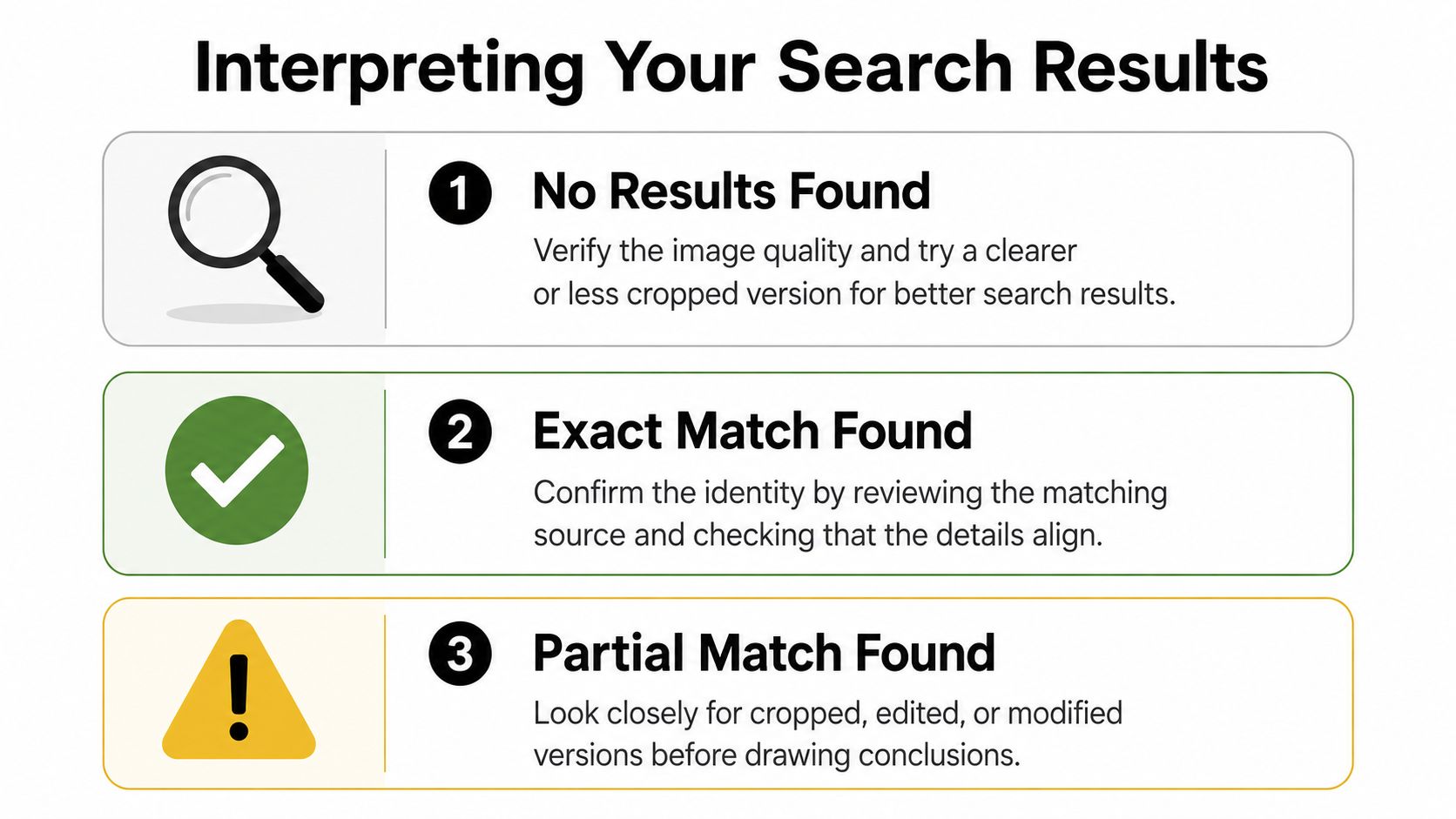
A blank result is not proof of anything. On Tinder, it can mean the photo is unique to the app or not well indexed by public search engines.
That has been true for a long time. In the earlier reporting on Tinder image scraping, reverse image searching many Tinder-specific photos often produced blanks because many of those images had not been posted publicly on the open web. So “nothing found” can be consistent with a real person using app-only photos.
What should you do with a blank result?
An exact match can be reassuring or alarming. The difference is where the image appears.
If the same photo appears on a personal Instagram account with the same first name, same city cues, and similar lifestyle details, that's a positive sign. If it appears on a dental office staff page under another identity, a stock library, or a random Pinterest repost chain, that's more serious.
Check the context, not just the face. A real person can use the same image across platforms. A fake profile often creates contradictions around that image.
Overconfidence can lead to mistakes. Similar-face results are clues, not verdicts. Search engines can connect faces that share features without identifying the same person.
That's why polished photos aren't automatically suspicious. Tinder's internal data reported by Business Insider showed average photo “success rates” of about 52% for heterosexual women and 16% for heterosexual men, and one example showed a selected photo with a 0.58 success rating, which means a strong photo can be the one that gets more right-swipes, not evidence of fakery (Business Insider on Tinder photo success rates).
Use the image result alongside the rest of the profile. If the face search is ambiguous but the profile details stay consistent, caution is enough. If the image result is ambiguous and the profile details keep shifting, that pattern matters more.
The same habit applies in other moderation contexts too. A weak signal only becomes useful when it fits a broader pattern, which is also the logic behind sentiment analysis for social media.
Some Tinder photos are hard on purpose. They're cropped tightly, filtered heavily, compressed, or taken in bad light. A standard upload often won't get much.
If the full image fails, isolate a distinctive element. Investigative guidance for dating apps recommends cropping for jewelry, tattoos, uniforms, logos, or background landmarks, because those details can produce matches that a full-face search misses. The same guidance also notes that the workflow has shifted from exact-match checking to a broader multi-tool image intelligence approach, with Yandex often favored for facial matching alongside Google and TinEye.
That means a partial crop can be more revealing than the whole portrait.
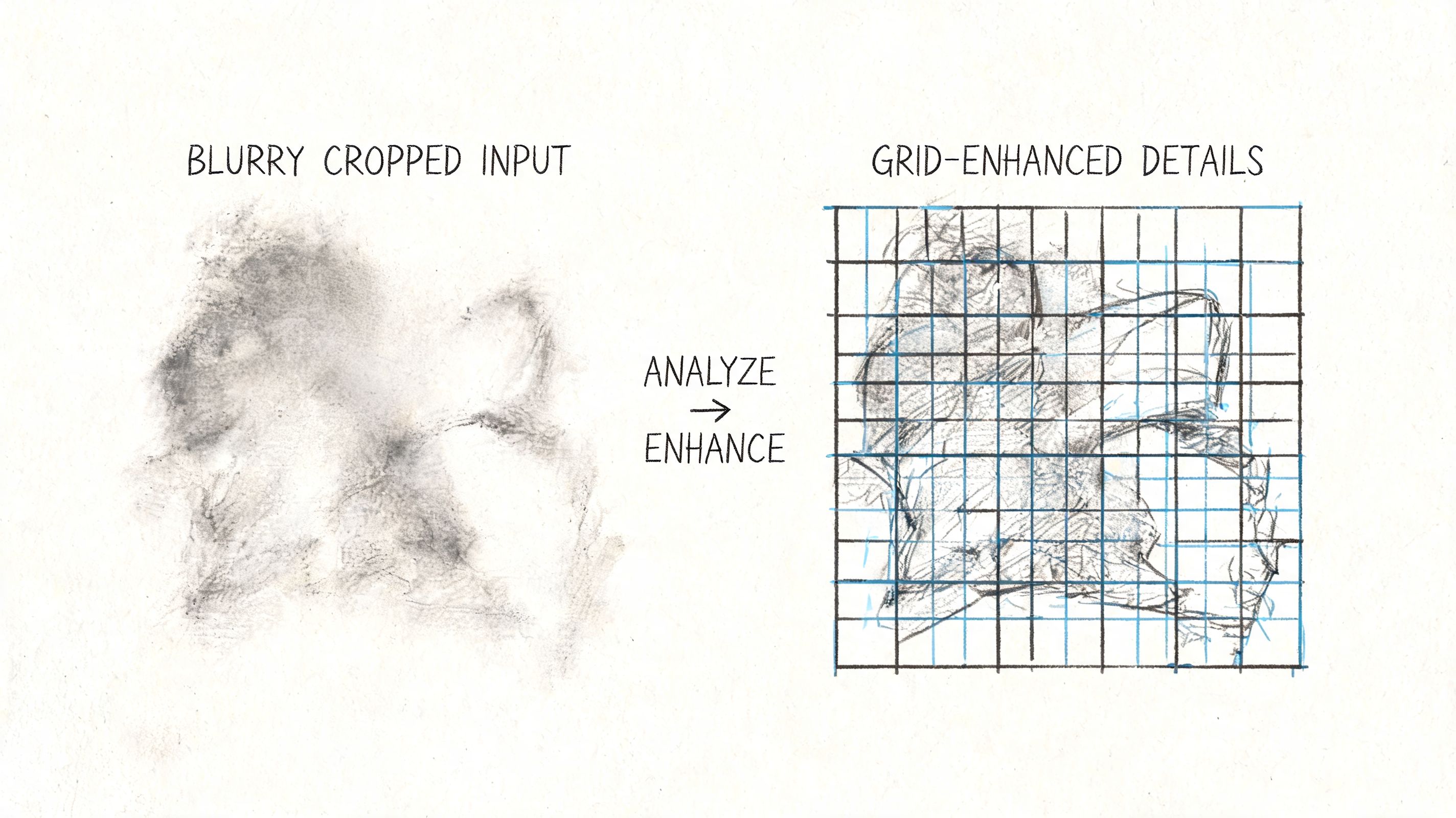
A practical sequence for difficult images:
A failed full-image search doesn't mean the lead is dead. It usually means the wrong part of the image is doing the work.
If the image looks manipulated, pay attention to curved door frames, smeared hairlines, uneven shadows, and odd blur around the shoulders. Those artifacts won't prove fraud on their own, but they can explain why exact-match searches fail.
Reverse image search tinder checks sit in an uncomfortable area. They can be a reasonable self-protection step, and they can also slide into invasive behavior fast.
The line is simple. Checking whether a photo is stolen is different from trying to map someone's entire digital life without their knowledge.
Most advice on this topic focuses on catching fakes and barely addresses the privacy trade-off. That's a mistake. Uploading someone else's dating profile image to third-party tools can drift into unwarranted surveillance, especially if you keep escalating after you've already satisfied the original safety question. Safer alternatives include asking for a live selfie or using in-app video features, which verify identity without pushing someone's image deeper into outside systems (privacy trade-offs and safer alternatives).
Good reasons to use image search:
Less defensible reasons:
If your result is mixed, don't keep escalating by default. Ask for a brief video chat. Ask for a casual live selfie with a simple pose. Check whether the profile's photos, bio, and conversation style all fit together.
Tinder's own verification signals inside the app are often a better first stop than off-platform digging. Respectful verification builds trust better than covert investigation does. That principle also holds in wider digital communities, where social media best practice usually comes down to balancing safety, consent, and proportional response.
A reverse image search is a tool. It's not a substitute for judgment, and it's not a license to ignore someone's privacy.
If your organization is building a member community, event network, or private professional space where trust and verification matter, GroupOS gives you a structured way to manage identity, engagement, communication, and community operations in one place.







