June 8, 2026
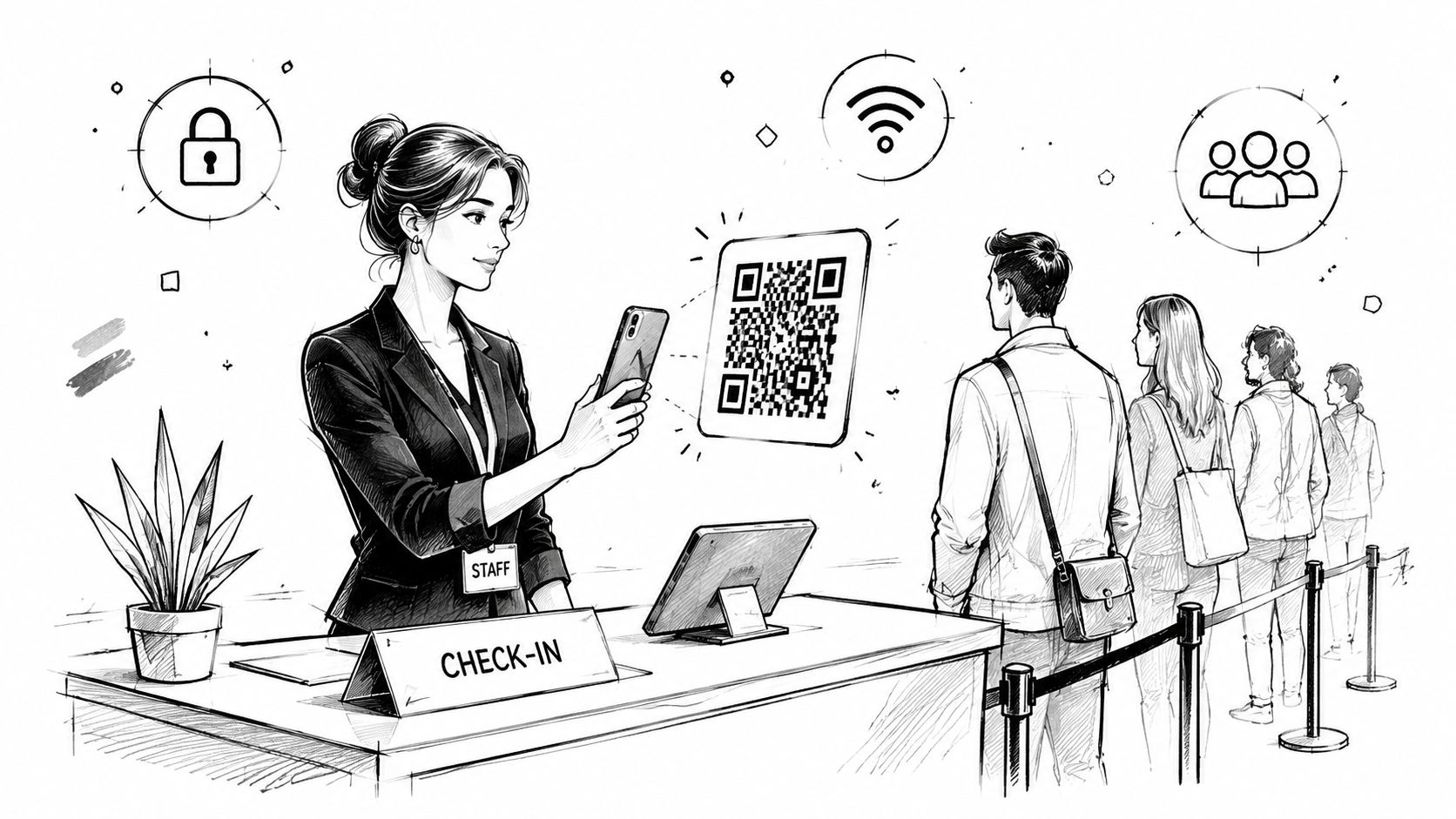
The problem usually starts the same way. Doors open in ten minutes, the registration table already has a line, and two volunteers are leaning over a spreadsheet trying to decide whether “Jon Smith” is the same person as “John Smyth.” Someone's confirmation email is buried in their inbox. Someone else registered under a company name. A sponsor walks in and sees a bottleneck before they see your signage.
That first impression matters more than is often admitted. Check-in sets the tone for the event, for the membership experience, and for how competent the organization feels. If entry is slow, everything downstream feels late. Sessions start with empty seats. Staff get pulled off higher-value work. Guests arrive irritated.
A QR code check-in system fixes that, but only when it's treated as an operational system, not a shiny feature. Used well, it replaces manual lookup with a simple scan, creates a cleaner attendance record, and gives your team live visibility into who arrived. Used badly, it just moves the chaos from clipboards to devices.
Most articles stop at “it's fast and contactless.” That's the easy part. The harder and more important question is whether the system still works when Wi-Fi drops, a scanner freezes, or half your attendees show up with dead phone batteries. That's where professional event teams separate a smooth entrance from a public failure.
A manual check-in table looks manageable until arrivals bunch together. Then every weakness shows up at once. Staff type names incorrectly. Walk-ins get mixed with pre-registered guests. Badge handoff slows down because nobody's sure which record is correct. The line gets longer, and people start stepping out of it to search for emails.
I've seen organizers assume the issue is staffing. Sometimes it is. More often, the core problem is that the process itself asks staff to do too much at the worst possible moment. They're searching, confirming, correcting, answering questions, and trying to keep the line moving.
A QR code check-in system changes the job at the front desk. Instead of asking staff to identify each person manually, it lets the attendee present an identifier and the system handles the lookup. That sounds small. Operationally, it's the difference between interpretation and verification.
A guest walks up with a phone or printed ticket. Staff scan once. The record appears. The system marks attendance. If needed, it triggers the next step, such as alerting a host, updating a dashboard, or moving that person into the correct access workflow.
That flow feels calm because it removes the slowest part of entry: manual matching.
A strong check-in process doesn't just move people faster. It gives staff fewer chances to make mistakes under pressure.
The business value is broader than line management. Associations can connect event attendance to a member profile. Corporate teams can keep a cleaner visitor trail. Conference organizers can stop treating attendance data as a post-event cleanup problem.
The common mistake is thinking the QR code itself is the system. It isn't. The QR is only the front-end trigger. The actual system is the database record, the validation logic, and the fallback process when normal conditions break.
That's why adoption has lasted beyond the novelty phase. QR codes were invented in 1994 by Denso Wave engineer Masahiro Hara, and usage grew 94% between 2018 and 2020 as touchless workflows became mainstream during the pandemic, according to Microsoft's brief history of QR codes. For event and visitor operations, that matters because guests no longer treat scanning as unusual behavior.
The simplest way to understand a QR code check-in system is to think of a coat check ticket. The ticket doesn't contain your coat. It contains the identifier that tells staff which coat is yours. A QR code works the same way. The scan isn't the attendee record. It points the system to the attendee record.
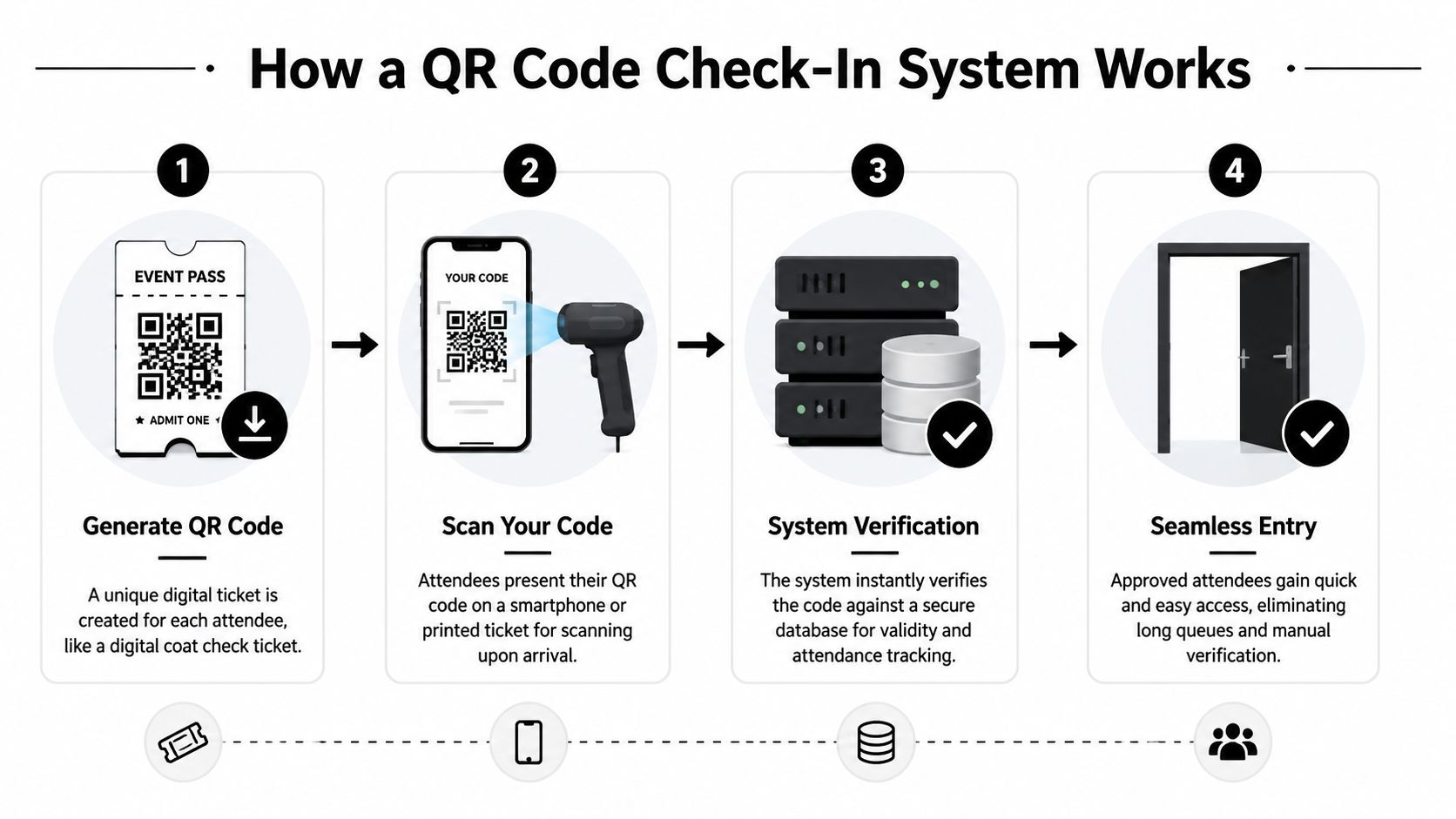
A technically sound setup treats the QR as a unique registration or visitor token. When staff scan it, the platform resolves that token to a backend record, marks the person present, and updates attendance in real time. That design reduces manual entry errors and can trigger next actions such as host notifications or dashboard updates, as described in InEvent's overview of QR code check-in.
Generate the code
The platform creates a unique code for each attendee, visitor, or member. This is usually tied to the registration record rather than storing all visible details inside the QR itself.
Distribute it before arrival
Organizations often send the code by email, app, or digital ticket. Some also provide a printable option for guests who prefer paper or expect poor phone battery life.
Scan at the entry point
Staff use a smartphone, tablet, kiosk, or dedicated scanner. The device reads the code and sends that token to the check-in system.
Validate and update
The software confirms the record, marks the person as checked in, and logs the time. Depending on setup, it can also update room counts, notify hosts, or support access control.
The strongest implementations keep the QR lightweight and let the server do the important work. That approach gives you better auditability and more control. It also makes it easier to support one scanning interface across visitors, employees, members, and event attendees.
For organizations comparing event workflows, this matters just as much at registration as it does at the door. A useful reference is this guide to QR code event registration workflows, which shows how the registration and check-in stages need to connect cleanly.
Practical rule: If your team can't explain what happens after the scan, you don't yet have a reliable check-in system. You have a front-end gesture.
This lookup model is low friction because staff don't need to interpret names or confirmation screens. They only need to confirm that the right record appeared and handle exceptions. In a crowded lobby, that reduction in cognitive load matters.
It also creates a better operational record. You capture who arrived, when they arrived, and which event or service context applied. That's useful for post-event reporting, member engagement history, and any workflow where attendance affects follow-up access or communication.
The strongest argument for a QR code check-in system isn't that it looks modern. It's that it improves the parts of operations that are usually messy: entry flow, record quality, attendance visibility, and post-event follow-up.
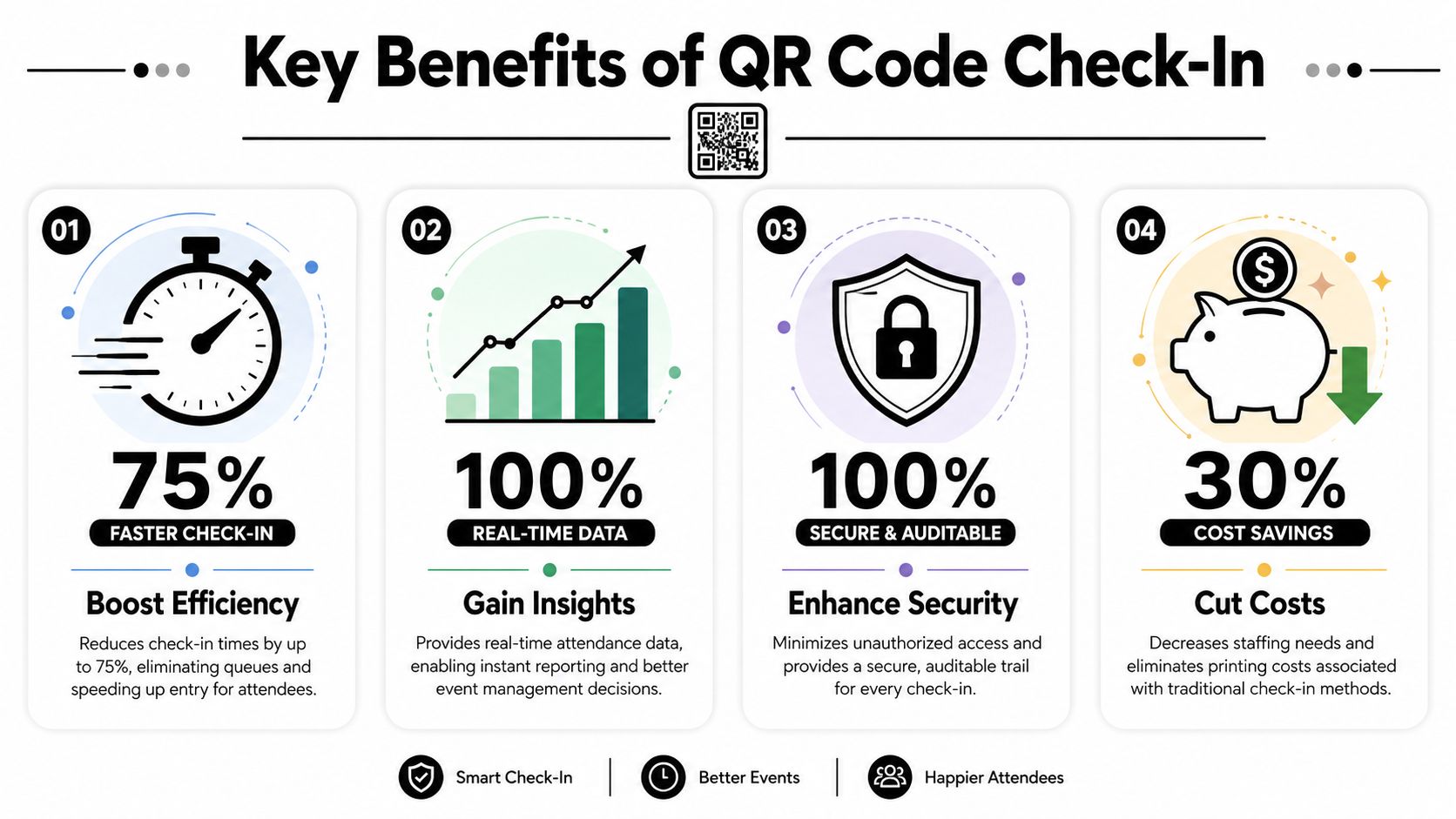
One reason adoption is smoother today is familiarity. By 2023, 89 million Americans scanned a QR code that year, according to Barkoder's review of QR code usage. For event organizers, that removes a major barrier. Most attendees already know what to do when they see a code.
The immediate gain is throughput. Staff spend less time searching and more time resolving actual exceptions. That means fewer visible delays, fewer awkward interactions, and a cleaner arrival experience for sponsors, speakers, members, and guests.
Teams frequently underestimate the significance of perception. A smooth entrance tells attendees the event is under control. A stalled line tells them the opposite.
Here's a quick visual on the operational upside:
Manual check-in creates dirty data. Names get misspelled. Duplicate records appear. Paper sheets need to be re-entered later. If a sponsor asks who attended a session, someone has to reconstruct the answer.
A scan-based process produces a cleaner attendance trail from the start. That's valuable for:
Guests don't need to understand the backend to feel the benefit. They just notice that entry is straightforward. They scan, get confirmed, and move on.
That matters because check-in is one of the few event moments every attendee shares. You can run a brilliant agenda, but if the entrance experience is frustrating, people remember that first.
When attendees already use QR codes in daily life, the best check-in flow is the one that feels unsurprising.
The final benefit isn't visible at the door. It shows up afterward. Reliable attendance data helps teams decide which sessions were worth repeating, which invite lists produced actual arrivals, and which members are consistently engaging.
That's where the return compounds. The check-in workflow stops being an isolated operational tool and becomes part of the organization's broader event and membership intelligence.
Rolling out a QR code check-in system isn't just software setup. It's process design. The technical side is usually the easy part. The harder part is making sure registration, code delivery, onsite scanning, and post-event records all belong to the same workflow.

If you're evaluating platforms, start by asking a basic operational question: does the check-in system live inside the same environment as registration, membership, or visitor management, or does it have to be stitched together later? Integrated systems reduce handoffs. Fragmented stacks create reconciliation work.
A lot of teams shop for scanning features first. That's backward. First map what the attendee journey is.
If those questions aren't clear, the platform decision will be shallow.
At minimum, the deployment should cover these items:
Event and attendee record structure
Make sure the registration data is clean before code generation starts. If duplicate records already exist, the scanner won't fix them.
QR generation and distribution logic
Decide whether each person gets one code per event, one code per day, or one code tied to a broader member identity. The right answer depends on how precise your attendance reporting needs to be.
Device plan
Choose whether staff will scan with phones, tablets, or dedicated hardware. Simpler setups often work fine with mobile devices, but larger or more controlled environments may prefer purpose-built stations.
Permissions and exception handling
Give frontline staff enough authority to solve routine problems, but not enough to create data chaos. There should be a clear path for duplicates, walk-ins, replacements, and invalid codes.
The ultimate win comes when check-in data feeds the rest of your stack. If attendance stays trapped in one event app, the operational gain is limited. If it flows into the membership record, sponsor reporting, content access rules, or post-event communications, the system starts paying off across teams.
For organizations planning a broader deployment, this overview of event check-in software integration considerations is useful because it frames check-in as part of a larger operating model rather than a stand-alone tool.
In visitor-heavy environments, it also helps to look at adjacent workflows. For example, Nimbio Guestview capabilities are a useful reference point for teams thinking about guest visibility, front-desk coordination, and arrival management beyond standard event registration.
A check-in tool adds convenience. An integrated check-in workflow adds operational control.
What works:
What doesn't:
The implementation goal isn't to make check-in look digital. It's to make entry predictable, auditable, and easy to operate under pressure.
A check-in line can look under control right up to the moment one scanner stops syncing, a guest presents a forwarded code, and staff start reading full attendee records over each other's shoulders. Security, privacy, and accessibility are not compliance box checks at that point. They decide whether entry stays orderly or turns into manual triage.
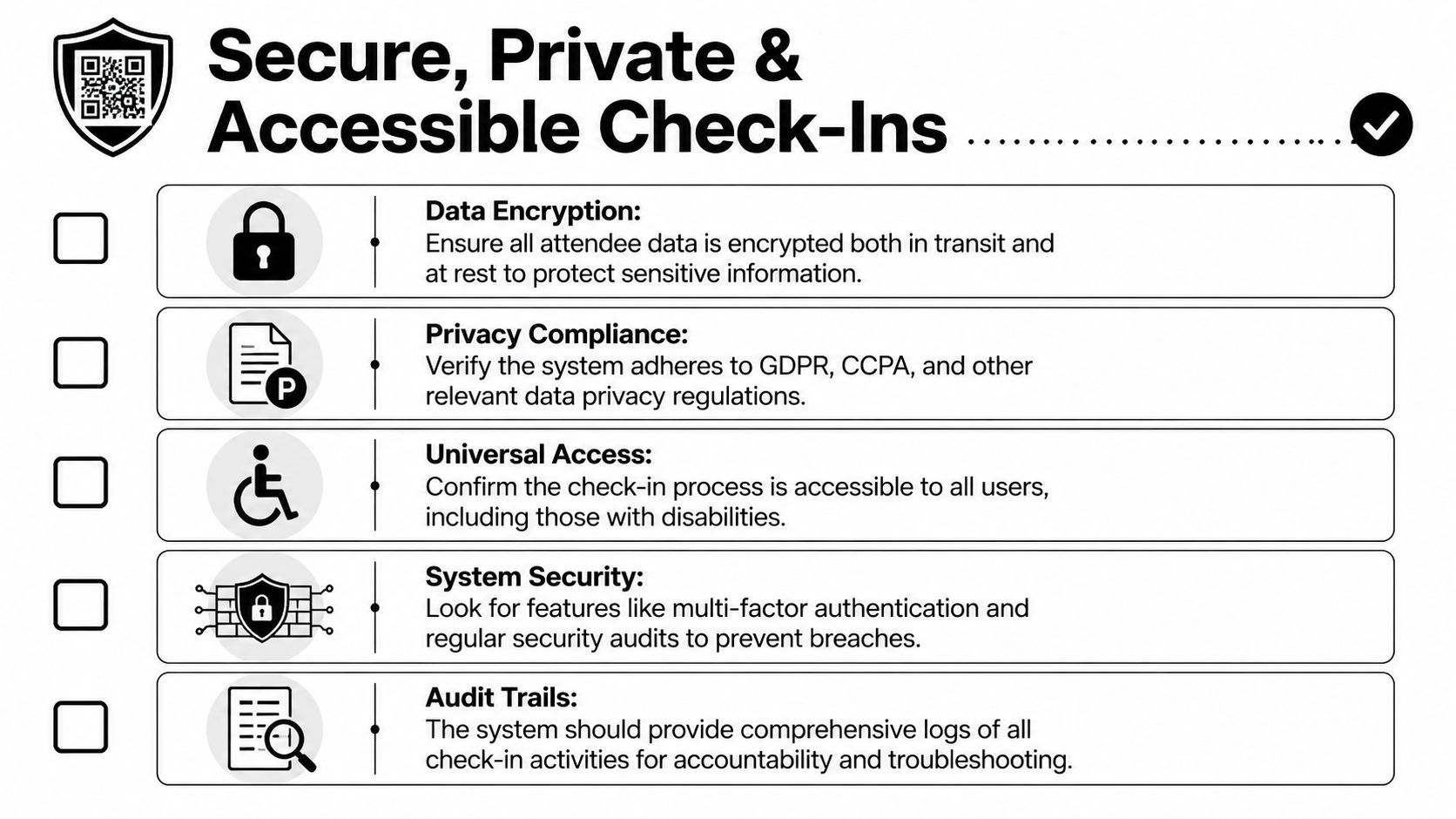
A QR code check-in system is only as trustworthy as the token design, validation rules, and exception handling behind it. If the code is static and tied to a privileged action, people can forward it, screenshot it, or reuse it. The safer pattern is short-lived or event-scoped tokens validated against the live system. The ERPNext implementation discussion on QR-based check-in also highlights a practical point operators care about. QR codes remain readable even when the printout or screen condition is less than ideal, which is one reason they hold up well on badges, kiosks, and phones.
The strongest setups do a few simple things consistently.
These choices affect operations, not just security posture. If staff can override anything without a record, you lose trust in attendance data. If every override requires an admin, the line stalls.
Privacy problems usually show up in plain sight. A tablet at the front desk displays phone numbers, membership status, or internal notes to anyone standing nearby. Volunteers call out sensitive details because the interface exposes more than they need. None of that requires a breach to become a real problem.
A better standard is boring and disciplined:
| Area | Better practice |
|---|---|
| Screen display | Show only the fields staff need for verification |
| Data retention | Keep attendance data only as long as the business need requires |
| Access rights | Limit record editing to trained roles |
| Communications | Tell attendees how check-in data will be used |
Delivery method matters too. Teams that email entry passes should think through image rendering, fallback links, and what happens when the attendee cannot find the original message. This guide to using QR codes in email is a useful reference for pass design and retrieval at the door.
Many deployments break down frequently in practical use. A system that works only for guests with a bright screen, a charged phone, steady connectivity, and no visual or mobility barriers will fail under normal event conditions.
Plan for alternate paths before doors open. Printed confirmations should work if your policy allows them. Manual lookup should be fast and limited to the fields staff need. Scanners should be tested with low-brightness screens, cracked screens, badge stock, and different camera hardware. If the venue has weak connectivity, the team needs a documented offline mode and a clear sync procedure once devices reconnect.
That reliability mindset matters outside conferences too. If you want a broader example of how event operators compare digital tools in specialized settings, this resource on modern golf tournament tools is useful because it reflects the same reality: field conditions and edge cases decide whether software helps or hurts.
Reliability at check-in comes from fallback design, not from a clean product demo.
Every serious event should have a tested response for these cases:
If staff do not know which fallback to use, who can approve an override, and how to record it, the system is not ready for live traffic.
At 8:55 a.m., doors open at 9:00, one scanner is not syncing, two attendees are already in the wrong line, and a sponsor rep wants priority entry for a group that was never tagged correctly in registration. That is a true test of a QR code check-in system. A good setup keeps the line moving anyway.
Onsite execution depends less on the code itself and more on operations design. The teams that get through peak arrival without backups usually make three things clear before event day: how attendees should arrive, how staff should handle exceptions, and how the entrance should split standard traffic from problem cases.
Arrival instructions should reduce decisions at the door. If guests have to search old emails, ask whether screenshots count, or guess which entrance line applies to them, check-in slows before anyone scans a code.
Keep the message short and specific. State where to find the QR code, whether screenshots or printed copies are accepted, and what to do if the attendee cannot access the original confirmation onsite. If ID checks, bag screening, or separate VIP entry points apply, say that in plain language.
The goal is simple: fewer questions in the queue.
Scanning valid codes takes very little training. Fixing edge cases takes judgment, speed, and a clear chain of authority.
Front-of-house staff need a short operating guide that covers duplicate registrations, missing records, name mismatches, VIP overrides, and check-ins that must be approved manually. Keep it practical. Which device do they switch to if one freezes? Who can authorize entry if the attendee is on a sponsor spreadsheet but not in the platform? Where does that decision get logged so reporting stays usable later?
I usually recommend assigning the strongest operator to exception handling, not to the fastest lane. One experienced person resolving problems quickly protects throughput better than adding another scanner to the main line.
Queue design changes results more than software demos suggest. One badly placed help table can block two scanner lanes. One unclear sign can send paid attendees into the walk-in line and create a backup that staff then have to sort by hand.
Set up separate, visible paths for:
That last station matters because it isolates slow transactions. A guest with a missing record, payment question, or badge reprint request should leave the main queue immediately and be handled by someone with the right permissions.
A small event can run well with one or two scanning devices if the attendee list is clean and the arrival window is spread out. A larger event with sponsor guests, onsite upgrades, and multiple ticket types may need fewer scanners than expected but more exception capacity.
| Event Size | Recommended Scanners | Staffing | Key Consideration |
|---|---|---|---|
| Small | 1 to 2 scanning devices | 1 scanner operator, 1 floating support person | Keep manual lookup fast for late edits and no-code arrivals |
| Medium | 2 to 4 scanning devices | Dedicated scanners plus 1 help desk lead | Separate routine check-in from issue resolution |
| Large | Multiple scanning points across lanes or zones | Entry staff, roaming supervisor, dedicated exception desk | Test sync behavior, lane assignment, and fallback procedures before doors open |
As noted earlier, event operators consistently underrate failure-mode planning. Offline capability, backup lookup methods, and a documented override process matter more onsite than a polished product demo.
A desk test in the office is not enough. Teams should verify the live setup in the actual entrance area, with the same lighting, network conditions, and hardware they will use when guests arrive.
A few hours before doors open, confirm these points:
One more practice pays off after the doors close. Tie your onsite review to broader event ROI measurement and attendance performance analysis, so check-in data influences staffing, layout, and registration decisions at the next event.
The target is predictable entry under pressure. If one device fails, one staff member calls out sick, or one attendee segment arrives earlier than expected, the operation should still hold.
At 8:05 a.m., a check-in operation can look fine on paper and still be failing at the door. The app is live, scanners are charged, and badges are ready. But if a VIP list did not sync, one scanner slows under weak connectivity, or staff send exception cases to the wrong table, the line starts building fast. That is why success metrics need to cover reliability under pressure, not just how many people showed up.
Post-event review should answer two questions. Did entry hold up during the busiest arrival window? Did the system produce attendance data your team can trust for billing, follow-up, session planning, and sponsor reporting?
Start with the operational measures that expose friction:
These points matter because check-in failures are often process failures wearing a technology label. If one entrance moved quickly and another stalled, compare staffing, signage, device setup, and who handled edge cases. If sponsor sessions underperformed despite strong registration, review room placement, schedule spacing, and whether attendees could find the session easily.
I also advise clients to separate scan success from operational success. A system can post a high scan rate and still create preventable delays if staff spend too much time resolving unreadable codes, duplicate registrations, or membership records that were not mapped correctly before the event.
The common mistakes are predictable. Teams skip post-event analysis once attendance totals are in. They judge the rollout by whether the software worked most of the time. They fail to measure exception volume, which is usually where labor cost and guest frustration concentrate.
Another mistake is treating QR check-in as a front-desk convenience instead of part of event operations. It affects staffing plans, entrance layout, support desk placement, badge stock, and how quickly revenue-critical attendees get into sponsor areas or paid sessions. If the process breaks during the first 30 minutes, the problem carries into the rest of the day.
For teams that want to connect check-in performance with attendance trends, staffing decisions, and sponsor outcomes, this guide to event ROI measurement and attendance performance analysis is a useful next read.
The best event operators judge a QR code check-in system by three outcomes. Entry stays orderly when conditions are imperfect. Attendance records remain accurate after onsite changes. The next event gets easier to run because the team documented what failed, what held, and what needs to change.







