April 3, 2026
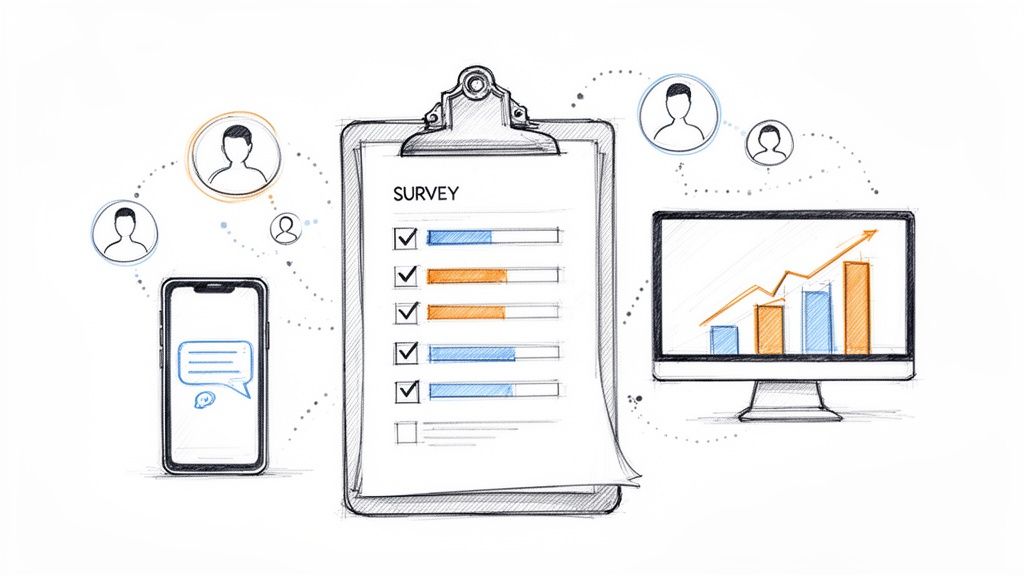
An online community survey is one of the most direct ways to get inside your members' heads. It’s how you stop guessing and start knowing what they need, what they love, and what's making them stick around. Think of it as your secret weapon for gathering feedback that can genuinely shape the health and future of your community.
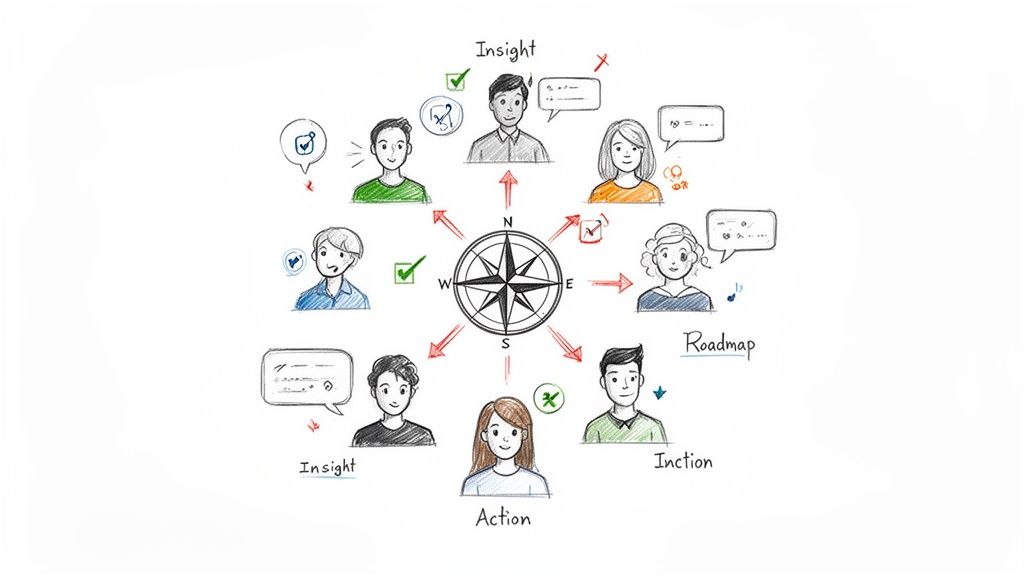
Let's be clear: feedback isn't just a "nice-to-have." In a thriving community, it's a strategic compass. A well-designed survey is your most direct line to understanding what members actually value, which directly impacts everything from member retention to product development.
Instead of throwing spaghetti at the wall to see what content sticks or which event themes might resonate, a survey gives you cold, hard data. This is what shifts community management from a reactive, fire-fighting role into a strategic one. You're no longer just moderating conversations; you're building a space with purpose, guided by real insights from the people who matter most.
Every single survey response is a clue. When you start piecing them together, clear patterns emerge that give you a powerful look into the collective mindset of your community.
This active listening and acting is what separates a vibrant community from a stagnant one. A survey isn't just an annual check-in; it’s an ongoing conversation that fuels growth. By continuously tapping into this feedback loop, you can better deliver on the benefits of online communities and build incredible member loyalty.
Of course, getting members to actually fill out your survey is the hard part. "Survey fatigue" is very real. Even the massive American Community Survey saw its refusal rate dip to a record low of 9.0% in 2022, a huge drop from its historically high engagement. You can discover more about these survey trends on Social Explorer.
This trend highlights a critical truth for community managers: if you make it hard or annoying for members to give feedback, they just won't do it.
This is where your toolset makes all the difference. For professional associations, where member engagement is everything, engaged communities often see 20-30% higher renewal rates. The key is to reduce friction.
Platforms like GroupOS help you do this by weaving surveys right into the daily flow of the community—think quick polls in a chat channel, a feedback form after an event, or a check-in within a member group. When you meet members where they already are, giving feedback feels less like a chore and more like a natural part of the conversation. The result is better data, more responses, and a stronger community.
Before you even think about writing a question for your next online community survey, you have to stop and ask: why? I’ve seen too many well-intentioned surveys fail because they lacked a clear goal. Just wanting to "get member feedback" isn't enough. You’ll end up with a pile of interesting-but-useless data.
A great survey strategy begins with a specific, measurable objective. What, exactly, are you trying to figure out? Think of it less as a feedback form and more as a targeted investigation tied directly to your community's health and your company's bottom line.
The most effective surveys are designed to solve a problem or answer a specific question, not just to collect data for its own sake. Your goal dictates every question you'll ask.
Let's look at the difference. A "see if members are happy" approach is far too vague.
Instead, zero in on something concrete: "I need to identify the top three reasons for churn among members who joined in the last 90 days."
See the difference? The second goal tells you precisely who to talk to (new members), what to ask about (their reasons for leaving), and how you'll know you've succeeded (by identifying those top three factors). This focus is what makes the data you collect truly actionable.
The real magic happens when your survey bridges the gap between how your members feel and how your business performs. The insights you uncover should be the fuel for your next strategic move.
Here are a few real-world examples I've seen play out:
This approach isn't new. Think about how the American Community Survey (ACS) has provided incredibly detailed yearly data since 2005. That same principle of precision helps event and membership businesses achieve 25-40% improved attendance predictions by truly understanding member intent. You can get a sense of how seriously professionals take this by checking out the 2025 ACS Data Users Conference presentations on the NLC website.
Your community isn't a monolith, and your survey strategy shouldn't be either. One of the most critical first steps is getting a handle on audience segmentation. This is non-negotiable for getting quality responses.
Segmentation is just a fancy way of saying you're dividing your community into smaller, more focused groups based on what they have in common. Doing this lets you send hyper-relevant surveys that feel personal, which is a surefire way to boost response rates and get much richer data.
Common Segmentation Methods for Community Surveys:
| Segmentation Type | Example | Why It's Useful |
|---|---|---|
| Demographic | Members by job title or industry | Lets you understand the distinct needs of different professional roles. |
| Behavioral | Members who attended the last three virtual events. | Helps you get specific feedback from your most engaged users. |
| Lifecycle Stage | New members vs. veteran members. | Allows you to tailor onboarding or pinpoint long-term value drivers. |
When you segment, you can ask a group of quiet members why they haven't been participating, while simultaneously asking your super-users what new features they’re dreaming of. This targeted approach is a cornerstone of any good community engagement strategy. It turns a generic blast into a meaningful conversation.
The moment you write your first survey question, you set the quality of the data you’ll get back. I’ve learned this the hard way. A poorly phrased query doesn't just get you a fuzzy answer; it can send you chasing a problem that doesn't exist or missing a massive opportunity right under your nose.
Think about your members. They're scrolling through their day, and your online community survey pops up. If a question is confusing, leading, or just too much work, they’ll either bail or, worse, give you a thoughtless click just to get it over with. Our job isn't just to ask questions—it's to make giving an honest, thoughtful answer the path of least resistance.
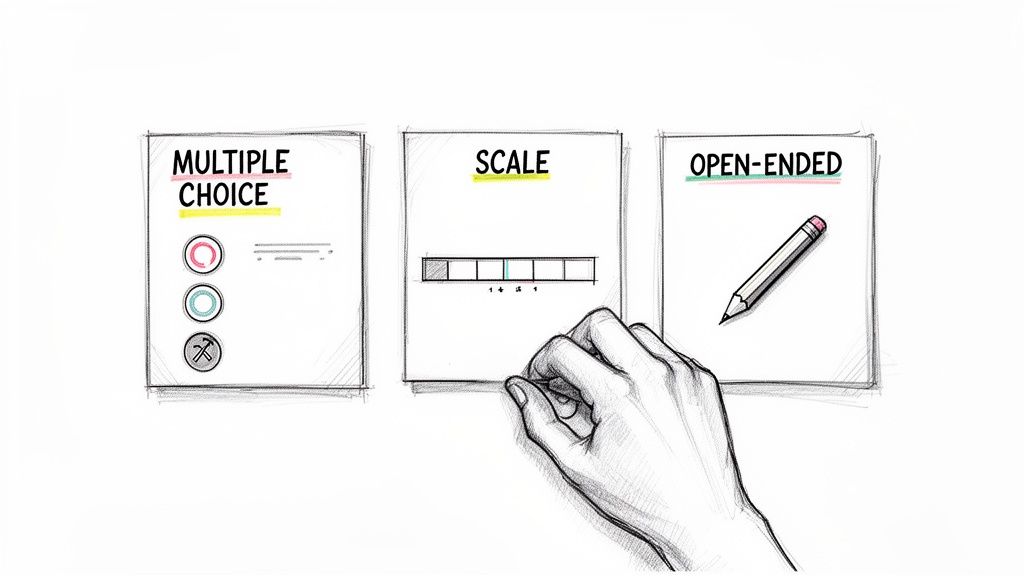
Having a mix of question types in your back pocket is what separates a vague feedback form from a strategic intelligence tool. Different formats are like different lenses; some give you the big picture, while others let you zoom in on the details.
Multiple-Choice Questions
These are your workhorses. They’re fantastic for getting clean, quantitative data that’s easy to analyze. Use them for segmenting members, gauging preferences, or understanding behavior.
Likert Scale Questions
When you need to measure a feeling—satisfaction, agreement, excitement—this is the tool for the job. A scale (typically 1-5 or 1-7) lets you capture the nuance between a simple "yes" or "no."
Open-Ended Questions
This is where the magic happens. The numbers tell you what is happening, but open-ended questions tell you why. The insights here are often the most valuable, revealing brilliant ideas and unexpected pain points straight from your members' mouths.
The way you word a question can completely change the answer you get. It’s incredibly easy to accidentally inject your own hopes and assumptions into a question, a trap known as response bias.
The goal of a question is to collect an honest opinion, not to validate your own. Avoid leading language at all costs. A question like "Don't you agree that our new networking feature is a huge improvement?" is designed for confirmation, not feedback.
A much better, more neutral way to ask is: "How would you rate the new networking feature compared to the previous one?" This opens the door for an honest assessment, good or bad.
Survey fatigue is the other big enemy. If your survey feels like a chore, you’ll get rushed, low-quality answers. Keep it focused. Research has shown that a completion time of 10-15 minutes is the sweet spot. Push past that, and you can expect a sharp drop in both completion rates and the quality of the responses you get.
Let's put this into practice. Here are a few combinations I use regularly for different scenarios. Notice the mix of question types.
For a Member Satisfaction Survey:
This sequence moves from overall loyalty to specific value drivers, then gives members a chance to provide actionable feedback in their own words.
For an Event Feedback Survey:
If you want to go even deeper on post-event feedback, we’ve put together a whole list of powerful event feedback survey questions to make sure you capture every important detail. Getting the questions right is the first, most critical step in turning member feedback into a real engine for your community's growth.
You can pour your heart into crafting the perfect community survey, but it’s all for nothing if your members never see it. Or worse, they see it and scroll right past. Getting a great response rate isn't magic; it comes down to a smart distribution strategy that's just as thoughtful as the questions you're asking.
Thinking about distribution means meeting your members where they already spend their time. The goal is to make taking your survey feel like a natural, easy next step in their day, not an interruption.
Your community isn't confined to a single app or website, so your survey invitation shouldn't be, either. A multi-channel approach creates several low-key touchpoints that catch people when they're most likely to engage.
Think about it this way: a big annual survey feels right coming from a personalized email. But for a quick poll asking about last night's virtual event, you'll get a much better response by posting it directly in the event's follow-up channel while the experience is still fresh. A platform like GroupOS can be a huge help here, letting you manage and send communications across email, app notifications, and internal channels from one central hub.
Just getting the survey in front of your members is only half the battle. Now you have to convince them to actually click and complete it. A few small, tactical choices can make a massive difference.
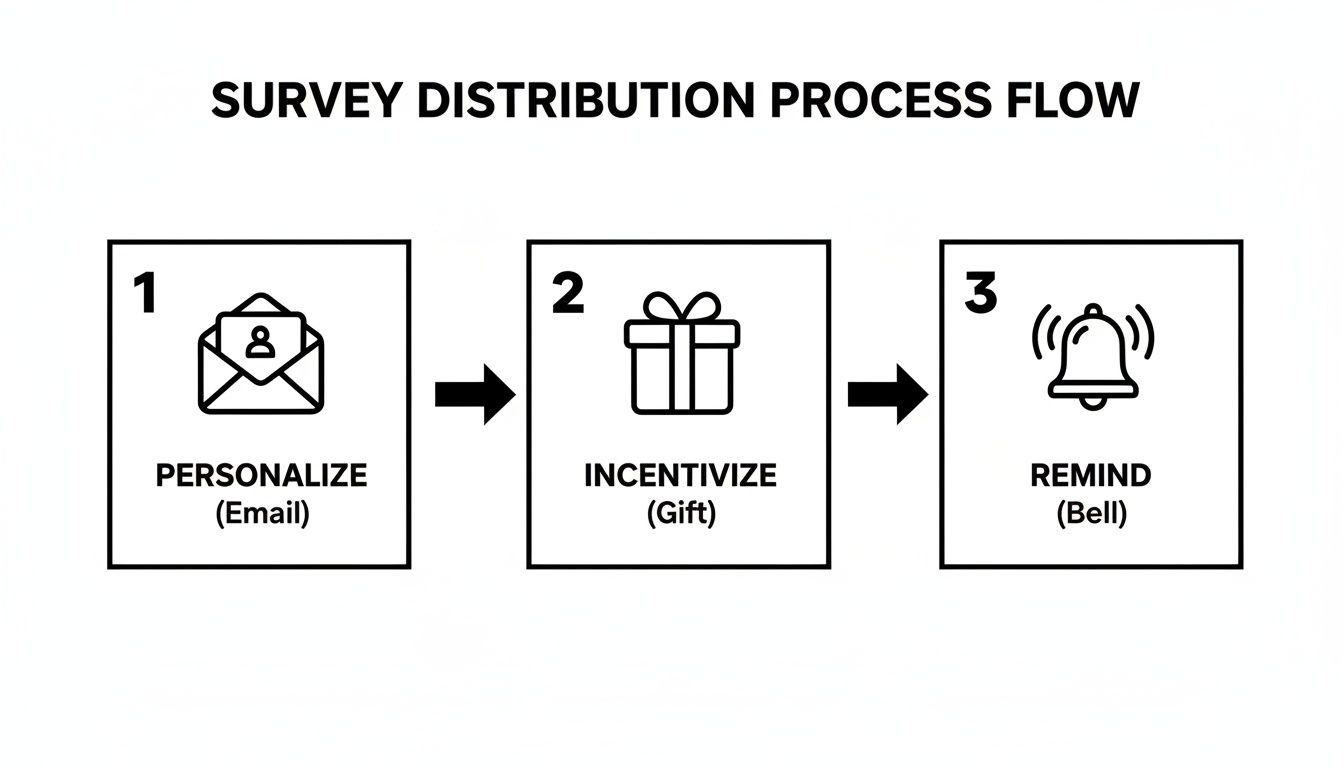
First, personalize your outreach. An email that opens with "Hey Sarah" will always outperform a generic "Dear Member." Take it a step further by referencing their member group or recent activity—it shows you see them as an individual, not just another number.
Next, be crystal clear about the "why." Don't just ask for feedback; tell them exactly what you'll do with it. Frame their participation as an act of co-creation. For example: "Your answers here will directly help us pick the keynote speakers for next year's conference."
Your members' time is their most valuable asset. When you ask for it, show them you respect it. Always state how long the survey will take (e.g., "This 5-minute survey...") and stick to that promise.
Offering a small, relevant incentive can be the final push someone needs. It doesn't have to be a huge cash prize. Consider a raffle entry for a gift card, a discount on their next membership renewal, or early access to a new resource. The key is to match the reward to the effort. For a survey that takes 10-15 minutes, a small incentive can work wonders.
Finally, don't shy away from sending a friendly reminder. A gentle nudge a week after your initial send can capture all the well-intentioned people who were simply too busy the first time around. Just be sure to set up your system to exclude anyone who has already completed it—nobody likes being pestered for something they've already done.
So the survey responses are in. Great. Now what? You’re staring at a spreadsheet filled with data, and this is where the real work—and the real magic—begins. It's one thing to collect feedback; it's another thing entirely to transform it into a concrete plan that actually improves your community.
Let's be honest: data without a purpose is just noise. The whole point of a survey is to move from abstract numbers and comments to tangible, positive changes. To do that, we need to look at both the hard numbers (the what) and the thoughtful opinions (the why) to see the full story.
First up, let's tackle the quantitative data—the numbers. This is your 30,000-foot view of community health, the quickest way to spot trends and measure change over time. But before you dive in, remember that the quality of your insights depends on the quality of your data. Taking a moment to understand the basics of ensuring data integrity is crucial for making sure your conclusions are built on a solid foundation.
You don't need a PhD in statistics to find the gold here. I always start by zeroing in on a few core metrics that are easy to track and directly linked to community strategy.
Here are a few of the most powerful metrics I rely on and what they actually tell you about your community's health.
| Metric | What It Measures | How To Use It |
|---|---|---|
| Net Promoter Score (NPS) | Overall member loyalty and their willingness to advocate for your community. | Segment respondents into Promoters, Passives, and Detractors. Your goal is to learn from Promoters and reach out to Detractors to fix their issues. |
| Customer Satisfaction (CSAT) | A member's immediate satisfaction with a specific experience, like an event or feature. | Use a simple scale (e.g., 1-5) right after an interaction. A low CSAT for a new feature is a clear signal to investigate what went wrong. |
| Community-Led Growth (CLG) | The community's direct impact on business outcomes like sales, retention, or product adoption. | Connect the dots. For example, track how many event attendees upgraded their plan or adopted a new feature within a month. |
These KPIs give you a vital baseline. If your NPS suddenly dropped by 10 points compared to last year's survey, you know something's up and you need to find the root cause. On the flip side, if your virtual event CSAT scores are through the roof, that’s a clear sign to double down on that format. We get into even more detail on this topic in our complete guide to community analytics and insights.
While numbers show you what is happening, your members' written comments tell you why. This is where the true gems are hidden—the brilliant ideas, the frustrating pain points, and the nuanced feedback that a multiple-choice question could never capture.
Don't just skim the negative comments. The most critical feedback is often a gift in disguise. It pinpoints the exact friction you need to remove to make your community better for everyone.
Wading through hundreds of open-ended responses can feel daunting, but a simple theme-and-tag system works wonders. As you read, start grouping comments into recurring topics. It’s a bit like sorting laundry, but for insights.
For instance, you might start seeing patterns like these:
Suddenly, a wall of text becomes an organized list of priorities. You're no longer looking at one-off comments; you're seeing that 25% of your most engaged members are asking for more advanced content. That's not just feedback; it's a clear directive for your content team.
This is it. The final, and arguably most important, step is to close the feedback loop. Your members invested their time to give you their honest opinions. Now, you have to show them it was worth it. This one act builds incredible trust and is the single best way to ensure people participate in your next survey.
When you report back, be transparent. Share a high-level summary of what you learned—the good, the bad, and the surprising. But most critically, tell them exactly what you’re going to do about it.
A great follow-up might sound something like this: "We heard you loud and clear. 60% of you said our onboarding process was a bit confusing. Based on your specific suggestions, we're launching a brand new welcome series next month and creating a dedicated 'New Members' channel for Q&A."
This simple act of communication changes everything. It turns your online community survey from a transactional data grab into a powerful, collaborative conversation. When members see their feedback directly leading to positive change, they feel heard, valued, and more connected to the community's success than ever before.
Even with a solid plan, sending out a community survey can feel a little nerve-wracking. You're about to ask your members for their most valuable assets: their time and their honest thoughts. It’s natural to have some last-minute questions pop up.
Think of this as a conversation with a seasoned community pro. We'll walk through the practical questions that I see trip up managers all the time, from sending schedules to dealing with the sting of tough feedback.
There’s no magic number here, and anyone who tells you there is hasn't managed a dynamic community. The right frequency really depends on the natural rhythm of your group and what you’re trying to achieve. Sending out surveys too often is the quickest way to get ignored, but if you wait too long, you’re essentially running your community with a blindfold on.
For most communities, a two-pronged approach works wonders:
The goal is to be purposeful. Before you hit send, ask yourself: "Why am I asking this, and what will I do with the answers?" If you don't have a clear reason, hold off. Your members will appreciate that you only reach out when you truly need their input.
This one is simple: respect their time. A long, winding survey is practically begging to be abandoned in a sea of other notifications.
For most online community surveys, the sweet spot is anything that can be completed in 5-10 minutes. Once you push past that 10-minute mark, you can actually watch your completion rates fall off a cliff with every extra question.
So, how do you keep it tight? Be ruthless with your edits. Look at every single question and weigh it against your main objective. If a question is just a "nice-to-know" curiosity instead of a "need-to-know" for your strategy, cut it without mercy.
And here’s a pro tip that costs you nothing: be upfront. Simply stating "This survey will only take about 5 minutes" at the very beginning works wonders. It manages expectations, shows you value your members' schedules, and can seriously boost your completion rates.
Okay, first things first: take a breath. Negative feedback feels personal, but it’s actually a gift. It means a member cares enough about the community to point out what’s broken, giving you a chance to fix it. How you respond is what truly matters—it’s a moment that can either build or break trust.
Your first job is to look for patterns. Is this just one person's bad day, or are several members echoing the same frustration? That distinction is everything when it comes to deciding how to act.
When you're faced with criticism, here’s a good way to approach it:
This kind of transparency doesn't just solve a problem; it turns critics into advocates. It shows everyone that their voice genuinely shapes the future of the community.
Managing all this—from crafting questions to analyzing feedback—is so much easier when your tools work together. With a platform like GroupOS, you can build and send surveys, see all the responses, and manage your member communications without juggling a dozen different apps. See how you can start turning member insights into meaningful action by checking out GroupOS today.







