April 30, 2026
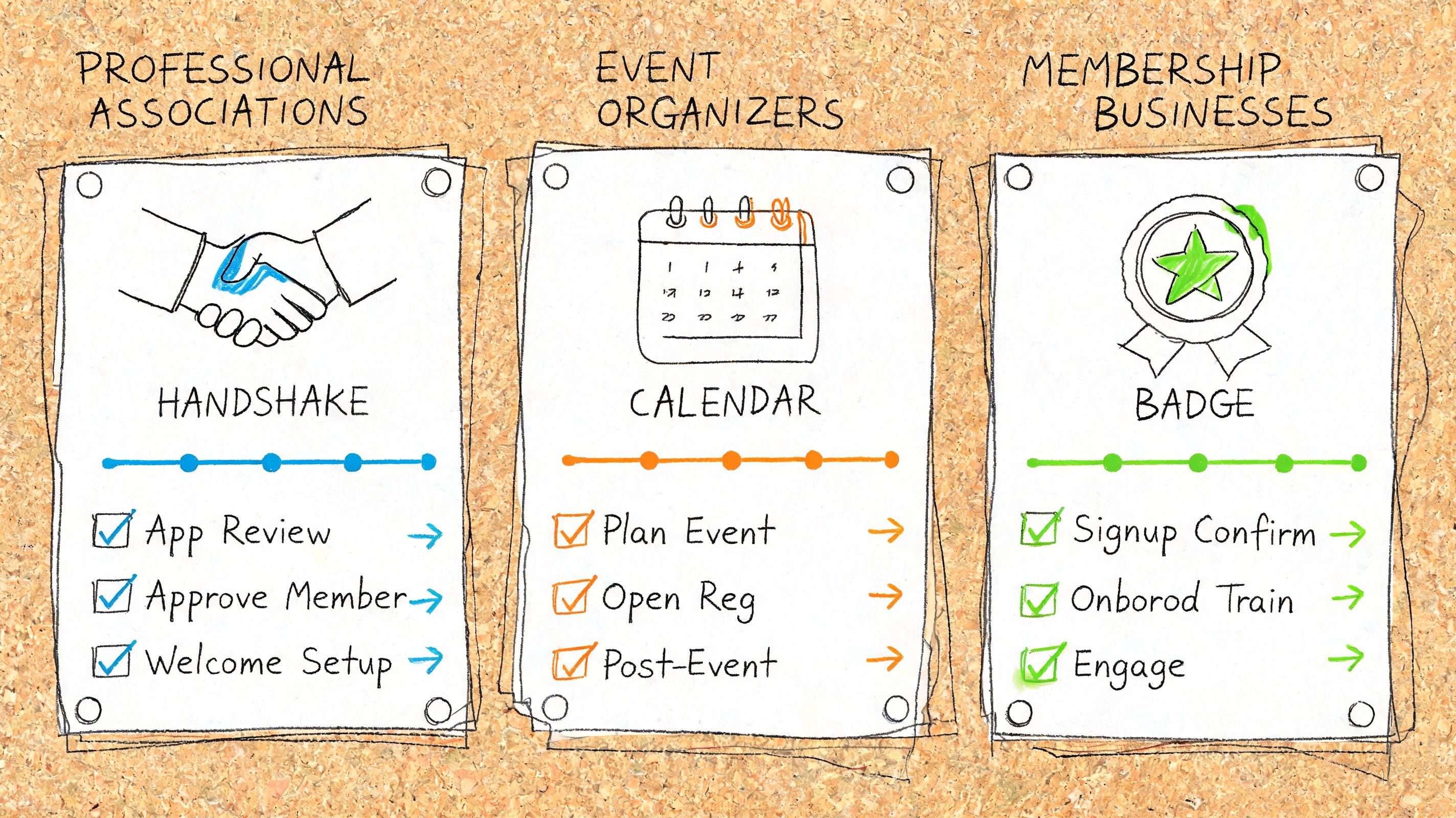
You’re probably in one of two situations right now. Either your team is hiring and everyone agrees onboarding needs to be better, but the current process still lives across docs, inboxes, and someone’s memory. Or you run an association, event business, or membership organization and you already know the internal onboarding problem spills directly into the external member experience.
That connection is easy to underestimate. Only 12% of employees say their company provides a great onboarding experience. In practice, that usually shows up as missed handoffs, vague ownership, late system access, and new staff who need far too long to confidently help members, sponsors, or exhibitors. If your programs team, membership team, or community managers learn the ropes slowly, your members feel it almost immediately.
A solid onboarding plans template fixes the boring but expensive part of the problem. It gives managers a repeatable sequence for preboarding, first-week setup, 30-day learning goals, 60-day contribution milestones, and 90-day ownership. That structure matters because many companies still don’t define clear milestones for new hires, which is exactly why early onboarding feels inconsistent and reactive in so many organizations.
For associations and event organizers, I’d adapt any employee template around service delivery, not just HR compliance. The best versions connect role learning to real operational moments: handling member questions, updating sponsor records, publishing event pages, checking registrations, or managing community communications. If you need a simpler operational starting point before picking software, this guide to simplify new hire onboarding is a useful companion.
Below are ten strong options. Some are task systems. Some are documentation hubs. One category is better for structured member-facing operations than people expect.

A new membership coordinator starts Monday. HR has the paperwork covered, but events still needs badge platform access set up, marketing needs brand training scheduled, and the membership team needs shadow time on renewal calls. Asana’s employee onboarding template handles that kind of cross-team start well because it treats onboarding like a live operating plan, not a static form.
That matters in associations and member-based organizations, where one new hire often touches several service lines before the first week is over. If ownership is fuzzy, member support slows down, sponsor requests sit longer, and event prep starts slipping in small ways that add up fast.
I recommend Asana for teams that already run work through projects, deadlines, and handoffs. It is a good match for organizations with recurring cycles, such as annual conferences, renewals, committee meetings, certification deadlines, or partner deliverables. You can clone one structure, then adjust tasks by role without rebuilding the whole process each time.
Asana is especially useful when onboarding depends on order. A staff member cannot handle community responses until they have system access, policy training, and a clear escalation path. In Asana, those dependencies are visible to the hiring manager, operations lead, and IT at the same time.
For teams that want onboarding tied to longer-term performance, it also pairs well with these professional development plan templates. That combination works well for associations that want first-90-day setup to connect to certification goals, member engagement targets, or event ownership later in the year.
One practical rule has held up for me. If three or more departments are involved in getting a person ready to serve members, sponsors, or exhibitors, use a project tool with owners and due dates.
Asana is not the best place to store every policy, training video, or process note. A wiki or knowledge base will still do that better. But as the operating layer for an onboarding plans template, especially in associations where internal coordination affects the external member experience, it is a reliable starting point.
A common association problem looks like this. A new hire starts on Monday, has partial system access by Tuesday, gets pulled into an event deadline on Wednesday, and still has no clear view of what “fully onboarded” means by the end of week two. monday.com’s new employee onboarding template works well for that kind of environment because it turns onboarding into a visible operating system, not just a checklist.
The template fits teams that already manage work in boards, statuses, and owners. That matters in membership businesses where HR rarely owns the whole process. Department leads, member support, events, finance, and IT usually each control part of the ramp-up. In monday.com, each group can see its tasks, deadlines, and blockers without waiting for a status meeting.
What makes it especially useful for associations is role fluidity. One staff member may handle member emails, renewal support, webinar logistics, and a bit of sponsor coordination in the same month. A rigid onboarding template breaks fast in that setting. monday.com gives you room to adjust columns, automations, and views as the role changes, while still keeping one source of truth for the manager.
I would set the board up around operating readiness, not HR categories alone. That usually means:
That structure keeps the onboarding plan tied to the work members and attendees feel firsthand. It also helps managers spot a common failure point. Someone can complete policy review and still be unprepared to answer a member question or update a live event record correctly.
The trade-off is straightforward. monday.com gets expensive once you want heavier automation, more advanced dashboards, and broader cross-team use. For a small association, that can be hard to justify if the onboarding process is still simple or mostly manual.
monday.com is strongest when the main problem is coordination and accountability. Teams that need a central home for SOPs, policy explanations, and step-by-step training docs will still want a separate knowledge base.
A small association hires a membership coordinator two weeks before its annual conference. The manager needs a plan the team will use by tomorrow, not a system that takes a week to configure. Trello’s onboarding template options fit that kind of situation well.
Trello is the quickest option in this list for teams that need a lightweight onboarding plans template with very little setup. Boards, lists, and cards are easy to understand, which matters when supervisors, department leads, and occasional collaborators all need to participate without formal training.
Its best use case is straightforward operational onboarding. Set up lists for preboarding, first week, first 30 days, and role-specific practice. Then assign cards for the work the new hire must perform in a real association or event environment.
For membership businesses, that usually means adapting the board around member-facing readiness, not generic HR steps alone:
That structure does two useful things. It keeps onboarding tied to the experience members and attendees receive. It also makes weak spots visible early, especially when someone has completed orientation tasks but still cannot handle a live service request without help.
Trello starts to strain once the process branches heavily. If you need different onboarding paths by role, location, or business unit, the board can get messy fast. Checklists, custom fields, and Power-Ups help, but they also add maintenance work that small teams often underestimate.
Reporting is the other limitation. A manager can see whether cards are moving, but leadership usually wants a clearer view of progress across several hires, departments, or onboarding cohorts. Trello can support that with add-ons and careful board design, though at that point some teams outgrow the simplicity that made it attractive in the first place.
I’d use Trello when the main goal is consistency and visible ownership. It works especially well for lean associations, chapter-based organizations, and event teams that need a practical system now, then want to refine the process after a few hires.
ClickUp’s new hire onboarding template fits organizations that already run a lot of work in one place and want onboarding to reflect that reality. For associations and membership businesses, that usually means the new hire is not stepping into a single lane. They may touch member support, event delivery, sponsor coordination, content operations, and internal approvals within the same week.
That is where ClickUp tends to earn its keep. It can show the same onboarding plan as a list for managers, a board for the new hire, a calendar for scheduled training, and a workload view for team leads. If your staff already use ClickUp for live projects, onboarding happens in the same system where they will manage renewal campaigns, conference deadlines, and cross-team requests.
ClickUp is a good fit when one template needs to support several role variants without turning into five separate processes. A professional association might need one path for a membership coordinator, another for an events producer, and a third for a chapter success manager. The shared steps stay consistent, while role-specific tasks, docs, and owners can branch cleanly.
I use ClickUp best when the goal is not just to finish orientation tasks, but to teach how work moves across the organization. For member-based teams, that often includes things like:
That operating context matters. A new staff member who understands the workflow behind a member request usually becomes productive faster than someone who only completed a generic HR checklist.
The trade-off is administrative discipline. ClickUp gives teams a lot of control, and that can create clutter fast. Too many statuses, duplicate custom fields, and overlapping automations make onboarding harder to follow than it should be.
Keep your onboarding statuses plain: New, Scheduled, In Progress, Blocked, Complete. If people need training just to read the workflow, simplify it.
This template is also stronger when someone owns the setup. In smaller associations, that may be an operations lead rather than HR. If nobody maintains naming rules, task ownership, and template updates, the workspace drifts. Teams comparing tools should look closely at the day-to-day admin trade-offs in this Notion vs ClickUp comparison for operations teams.
Software helps, but manager behavior still shapes the result. ClickUp can make check-ins, due dates, dependencies, and blockers visible. It cannot fix weak role definitions or inconsistent coaching. I’d choose it for associations with cross-functional teams, recurring event cycles, and enough operational complexity to justify a more structured system.
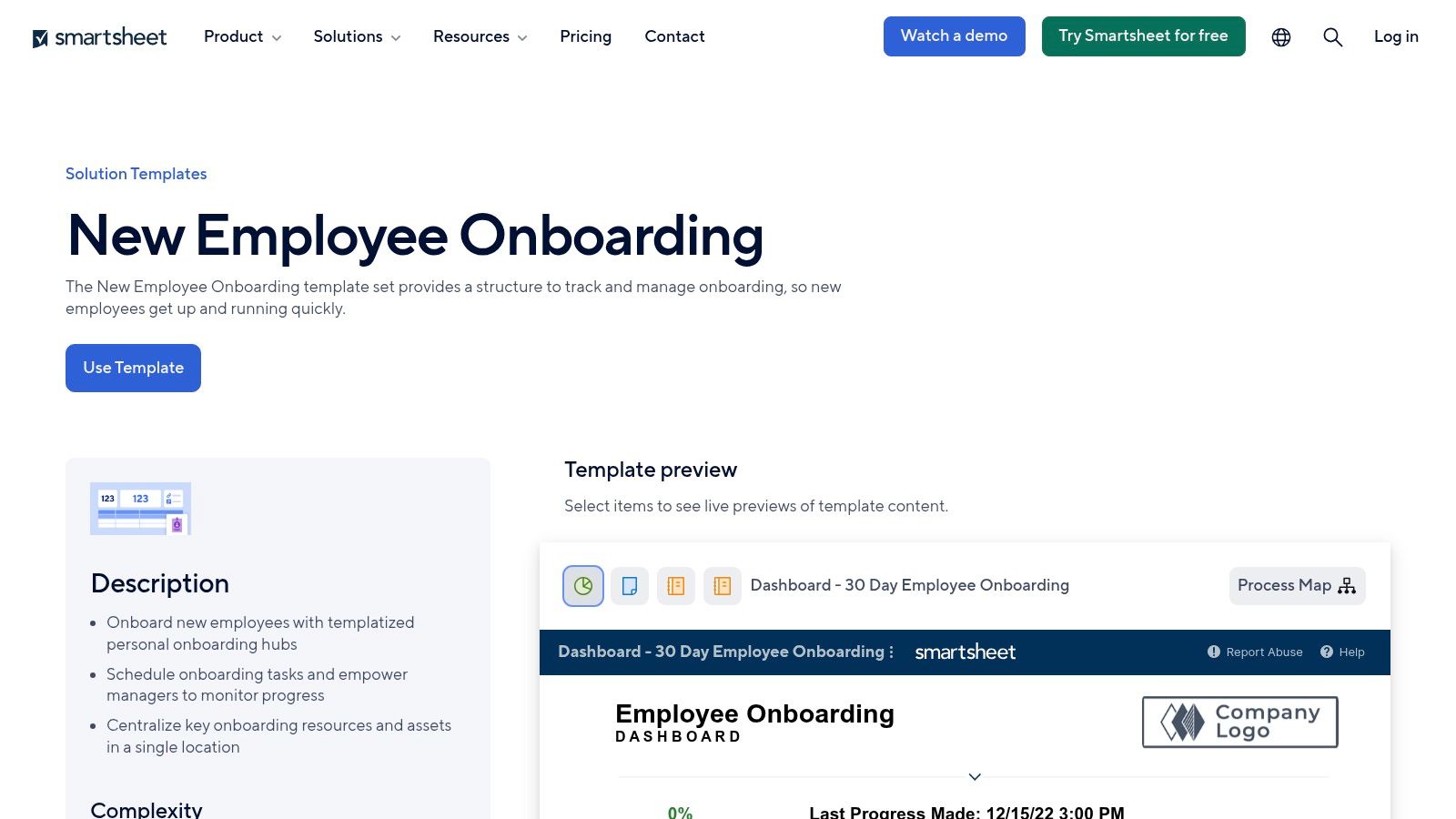
A common association problem looks like this: HR has a checklist, department heads keep their own spreadsheets, and nobody can quickly confirm whether a new staff member has finished compliance forms, learned the AMS, and met the people who handle member escalations. Smartsheet’s onboarding template set fits that environment well because it keeps spreadsheet familiarity while adding owners, deadlines, reports, and approvals.
I usually recommend Smartsheet to organizations that already run core operations in grids, forms, and status reports. That includes professional associations with chapter structures, certification programs, or recurring event teams where onboarding needs to be visible across several managers, not just one direct supervisor.
Smartsheet is strongest when your onboarding process needs to be followed the same way every time. That matters in membership businesses because internal inconsistency shows up externally. A staff member who misses training on dues exceptions, renewal timing, sponsor commitments, or member record policies creates avoidable service problems later.
The template set also gives operations leaders a practical way to turn onboarding into a tracked program instead of a loose set of tasks. You can map stages by role, collect form responses, route approvals, and report on delays without forcing every manager into a completely different tool.
A few use cases stand out:
There is a trade-off. Smartsheet adds structure, and structure requires upkeep. If your team is small, informal, and unlikely to maintain dashboards or update owners, this can feel heavier than necessary.
But for associations where a missed onboarding step can affect members, speakers, exhibitors, or sponsors, that extra control is often justified. Smartsheet is a strong fit for operators who want proof, not guesswork, that onboarding happened the way it should.

Notion’s onboarding for employees template is the strongest knowledge-first option here. If your biggest onboarding problem is scattered process knowledge, not task assignment, Notion often gives the fastest improvement.
That’s common in membership businesses. The work is full of exceptions, institutional memory, recurring annual processes, and “the right way” to respond to members, sponsors, or speakers. Notion lets you put policies, SOPs, role expectations, FAQs, and linked tasks in one place.
I recommend Notion when new hires need context more than workflow automation. It’s especially good for remote teams that need a central source of truth for how the organization operates.
The challenge is discipline. Notion becomes cluttered fast if teams keep creating pages instead of maintaining systems. Before adopting it, decide where onboarding lives, who owns updates, and what belongs in the template versus the knowledge base.
If you’re weighing documentation depth against task-management depth, this comparison of Notion vs ClickUp is a practical place to start.
A useful adaptation for associations is to build the workspace around service outcomes:
Notion is not the best automation engine in this group. But if your hires keep asking the same questions or relying on one veteran team member to explain everything, a well-built Notion onboarding plans template solves a more important problem than fancy triggers ever will.

A new membership coordinator starts two weeks before your annual conference. They need to learn billing rules, member support standards, sponsor handoff steps, and which issues must be escalated to finance or leadership. If that knowledge lives across old docs, Slack messages, and one patient senior teammate, onboarding slows down fast. Trainual’s new employee onboarding process template is built for teams that want those steps documented, assigned, and verified in one system.
Trainual works best when onboarding overlaps with process training. That makes it a practical fit for associations, event organizers, and membership businesses where staff are not just learning company culture. They are also learning exact procedures that affect members, exhibitors, sponsors, speakers, and registrants.
I recommend Trainual for teams that need consistency more than flexibility. If every new hire in a role should learn the same sequence, pass the same knowledge checks, and confirm they reviewed the same policies, Trainual gives you that control.
That matters in organizations where internal mistakes show up quickly in the external experience. A staff member who mishandles renewal timing, event registration edits, chapter requests, or sponsor deliverables creates member frustration almost immediately.
For membership organizations, Trainual is especially useful for:
The trade-off is setup time. Trainual only pays off if you are willing to codify how work gets done, keep content current, and assign an owner for updates. Small teams that hire once in a while may find that effort hard to justify. Teams onboarding several people each year usually get the time back through fewer repeated explanations and fewer preventable errors.
One practical way to adapt Trainual for associations is to organize training by service outcome instead of department. Build modules around tasks such as processing a renewal, preparing an event launch, handling a member complaint, or fulfilling a sponsor benefit. New hires learn the work in the context they will face it.
If your internal onboarding has outgrown ad hoc shadowing, it also helps to formalize the learning path itself. This guide on how to develop training curriculum pairs naturally with a Trainual rollout.
Well-documented training doesn't make onboarding impersonal. It removes avoidable confusion so managers can spend time on coaching instead of repeating instructions.
Miro’s employee onboarding templates work best during process design. For associations, event teams, and membership businesses, that matters because onboarding usually breaks at the handoff points. One team owns hiring paperwork, another owns systems access, and a third expects the new hire to support members, sponsors, or registrants right away.
I use Miro when the underlying problem is not a missing checklist. The problem is that nobody has mapped the full experience from offer letter to independent performance. A visual board makes that easier to fix. You can see where approvals stall, where training arrives too late, and where role expectations are still vague.
That is particularly useful for organizations with chapter staff, event contractors, or cross-functional service teams. Member experience often depends on employees understanding several connected workflows at once, such as renewals, event registration, CRM updates, and support escalation. Miro gives department leads one place to sort out that sequence before you build it into an execution tool.
Miro is strongest as a planning layer for onboarding architecture. Use it to sketch a 30-60-90 structure, compare role variations, and assign ownership for each step. If your team is still debating who should handle account setup, first-week training, or shadowing, a shared board will surface the gaps quickly.
A practical association-focused Miro workshop usually includes:
This approach is useful when teams are choosing between a visual planning tool and a knowledge workspace. If you are weighing those options, this comparison of Airtable vs Notion for operations and process management helps clarify where each fits.
The trade-off is simple. Miro helps teams design a better onboarding system, but it does not replace task assignment, documentation control, or progress tracking. Once the workflow is agreed on, move the approved version into Asana, monday.com, ClickUp, or the system your managers already use day to day.
For membership organizations, that division of labor works well. Build the onboarding journey in Miro first. Then operationalize it in the tool that will carry deadlines, owners, and recurring training.
Guru’s onboarding checklist templates fit teams that already assign tasks reasonably well but still rely on tribal knowledge to get real work done. In associations, that usually shows up the same way. A new staff member completes the checklist, then pings three coworkers to ask how renewals are handled, which sponsor promise takes priority, or where the approved member response lives.
Guru is useful when the onboarding problem is knowledge access and knowledge trust.
That distinction matters for membership organizations. Internal onboarding does not stop at payroll forms and software logins. Staff need the current version of policies, event procedures, member service scripts, escalation paths, and exceptions that only seem obvious to long-tenured employees. If that information lives across Slack threads, old docs, and someone’s memory, new hires take longer to become reliable in member-facing work.
I’d use Guru for a few specific jobs:
The trade-off is clear. Guru handles knowledge better than task sequencing. If your team still needs to assign deadlines, owners, and first-month milestones, pair it with a project tool rather than expecting Guru to do both jobs.
For associations, that pairing often works well. Use Guru as the operating manual and use your task system for execution. If your team is comparing knowledge-heavy setups with database-driven operations systems, this guide to Airtable vs Notion for operations and process management helps clarify which layer should own what.
One more practical note. Guru becomes far more useful when someone owns content hygiene. Without a clear reviewer for member policies, event workflows, and service scripts, even a strong knowledge base gets stale fast.

Softr’s Airtable employee onboarding template stands out because it gives new hires a front-end portal instead of another project board to learn. Tasks, documents, forms, and status updates can sit behind a cleaner interface while Airtable handles the underlying records.
That setup fits associations and membership businesses especially well. Internal onboarding in these organizations often mirrors member onboarding more than standard HR onboarding. Staff need the right sequence of access, training, policies, and milestones so they can support members without guessing.
This part of the list connects more directly to external onboarding. A good staff onboarding flow for an association often uses the same building blocks as a good member journey: role-based visibility, clear next steps, progress tracking, and one place to complete actions.
That matters in practice. Many employee onboarding templates do a decent job with checklists and owner assignments, but they start to break down when onboarding spans a full association tech stack. New staff may need coordinated access to the AMS, event platform, community space, shared inboxes, billing tools, and internal knowledge resources. Softr is one of the few options here that can present that work as a guided portal instead of a scattered handoff between systems.
I’d look at Softr for a few specific use cases:
The trade-off is setup complexity. Softr works best when your team is already comfortable designing fields, records, permissions, and page logic in Airtable. If you only need a checklist with due dates, a project management template is faster to launch and easier to maintain.
If your team wants onboarding to feel like an actual internal product, though, Softr is one of the more adaptable choices on this list. It is also one of the clearest stepping stones toward purpose-built member onboarding, where the same portal logic can later support applicants, members, sponsors, or event participants.
| Template | Core Features ✨ | UX / Quality ★ | Value & Pricing 💰 | Target Audience 👥 | Unique Strengths 🏆 |
|---|---|---|---|---|---|
| Asana – Employee Onboarding Template | ✨ Prebuilt checklists, multi-view (list/board/timeline), integrations, visibility controls | ★★★★ | 💰 Free template; Asana account required; advanced Portfolios/automations on paid tiers | 👥 HR managers & cross-functional teams | 🏆 Strong cross-team visibility; mature documentation |
| monday.com – New Employee Onboarding Template | ✨ Column-driven status board, docs per hire, automations & integrations | ★★★★ | 💰 Template available; automations/integrations need paid plans; per-seat costs | 👥 HR, IT, hiring managers | 🏆 Clear visual progress & flexible workflows |
| Trello – New Hire Onboarding Board | ✨ Kanban lists, advanced checklists, Butler automations, easy duplication | ★★★ | 💰 Free template; Power-Ups/paid plan for advanced paths & reporting | 👥 Small–mid teams wanting lightweight setup | 🏆 Fast setup; very user-friendly |
| ClickUp – New Hire Onboarding Template | ✨ Statuses, custom fields, multiple views, Template Center & automations | ★★★★ | 💰 Free template; advanced automations/features on paid tiers | 👥 Teams already on ClickUp; power users | 🏆 Deep customization & bulk-templating |
| Smartsheet – New Employee Onboarding Template Set | ✨ Sheets + reports + forms + dashboards; form-driven capture & tracking | ★★★★ | 💰 Template set; best value with paid Smartsheet licensing (enterprise) | 👥 Ops, enterprise HR & compliance teams | 🏆 Strong reporting, auditability & stakeholder visibility |
| Notion – Onboarding for Employees | ✨ Centralized docs, linked databases, checklists & SOP pages | ★★★★ | 💰 Free template; lightweight automation; paid tiers for teams | 👥 Knowledge-centric & remote teams | 🏆 Excellent for SOPs and training docs in one hub |
| Trainual – New Employee Onboarding Process Template | ✨ Prebuilt subjects, quizzes, assignments, progress & attestations | ★★★★ | 💰 Template gated to Trainual; paid plans for full LMS features | 👥 Compliance-focused training teams & scaling orgs | 🏆 Built-in learning, version control & accountability |
| Miro – Employee Onboarding Templates (Miroverse) | ✨ Visual timelines, swimlanes, sticky notes & collaborative boards | ★★★ | 💰 Templates free; best with complementary task system; paid tiers for advanced | 👥 Workshop facilitators & cross-team planners | 🏆 Great for mapping complex, multi-stakeholder plans |
| Guru – Onboarding Checklist Templates | ✨ Searchable KB, editable checklists, read receipts & analytics | ★★★ | 💰 Template in Guru; analytics & library access on paid plans | 👥 Teams needing verified SOPs & compliance | 🏆 Single source-of-truth with verification analytics |
| Softr – Airtable Employee Onboarding Template | ✨ No-code portal tied to Airtable base, role access, branding & uploads | ★★★ | 💰 Quick-to-launch; best with Airtable; advanced Softr features on paid plans | 👥 HR teams wanting a branded self-serve portal | 🏆 No-code onboarding microsite without custom dev |
A new membership coordinator starts on Monday. By Thursday, they are fielding renewal questions, updating event pages, and trying to answer sponsor emails without full context. If the internal onboarding plan is thin, members feel it fast. Response times slip, handoffs get messy, and small mistakes show up in places your audience sees.
That is why the right onboarding plans template matters in associations, event businesses, and membership organizations. It sets the operating standard for how staff learn your systems, your service expectations, and the details that shape member experience.
The best choice depends on the problem you need to fix first. Teams with missed handoffs usually do better with task-driven tools such as Asana, monday.com, ClickUp, or Smartsheet. Teams with scattered policies, tribal knowledge, and inconsistent answers often get faster gains from Notion or Guru. Trainual fits organizations that need structured training and accountability. Miro helps teams map a process before they formalize it. Softr is useful when a self-serve portal format makes adoption easier.
Template format matters less than operating discipline.
A 30-60-90 structure still works well because it gives managers a clear cadence. In the first phase, the hire learns the member model, core systems, and service standards. In the second, they complete real work with review and coaching. In the third, they own recurring responsibilities with less intervention. That rhythm translates well to association teams because the work usually blends systems training, member support, event operations, and sponsor coordination.
A few setup decisions tend to have the biggest payoff:
There is also a gap generic employee templates do not solve well. Associations and event organizers rarely serve one audience. They serve members, speakers, sponsors, exhibitors, volunteers, and internal staff at the same time. An employee onboarding template can prepare your team to support that complexity, but it will not cover the external onboarding flows those groups need. Sponsor setup, exhibitor activation, lead retrieval access, branded listings, content submission deadlines, and member app adoption all need their own process design.
That is the broader lesson here. Internal onboarding and external onboarding are connected. If your staff learn in a fragmented system, they usually deliver a fragmented experience. If they learn inside a clear, role-based process, they are much more likely to support members and partners with consistency.
Pick the simplest tool that fits your current complexity, then adapt the template around the experience you want members, attendees, and sponsors to have.
If your organization needs more than an internal employee template, GroupOS gives associations, event teams, and membership businesses a way to turn onboarding into a connected experience across memberships, events, content, communication, sponsor visibility, and branded apps. It’s especially useful when you need staff, members, exhibitors, and sponsors to move through one coordinated ecosystem instead of a patchwork of disconnected tools.







