March 19, 2026
When you get down to it, the difference between Notion and ClickUp is pretty straightforward. Think of Notion as a flexible, digital brain for your association, perfect for building knowledge hubs. ClickUp, on the other hand, is a structured powerhouse built to manage complex projects from start to finish.
For professional associations, your choice really hinges on what you need most: a central place for content and member documentation (Notion) or a task-oriented system for events and operations (ClickUp). Getting this initial distinction right is the most important step in picking a tool that will actually work for your team.
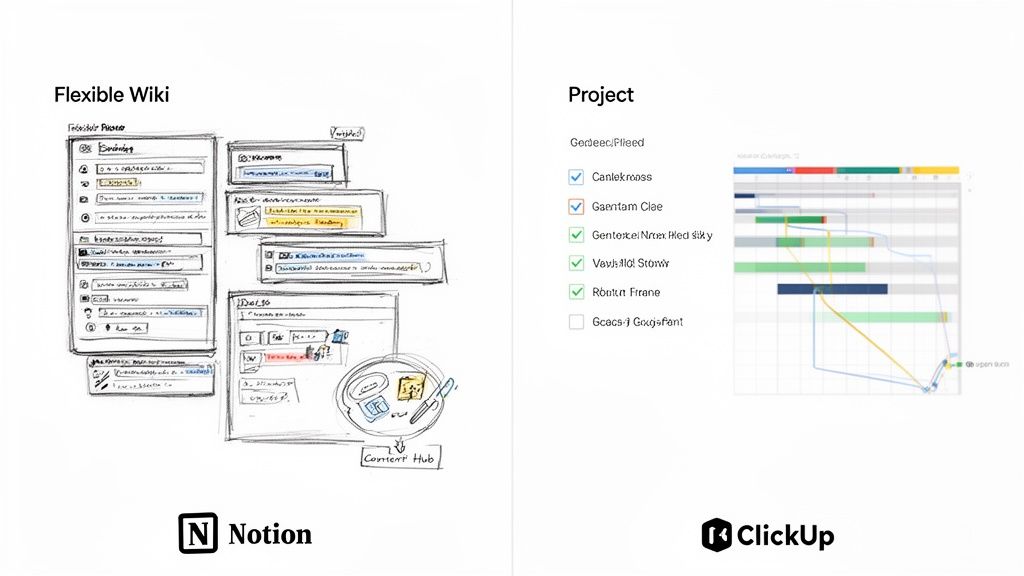
Choosing between the two often feels like deciding between a giant box of LEGOs and a pre-built model car engine. Notion gives you all the blocks to create literally anything you can imagine—a member directory, an event wiki, a content repository—but you’re the one who has to assemble it. Its real power is in that flexibility, making it a fantastic fit for teams needing a central source of truth for documents, notes, and simple databases.
ClickUp shows up ready to get to work. It was designed from the ground up as a project management tool with a very clear hierarchy of spaces, tasks, and subtasks. This rigid structure is exactly what you need for managing multi-stage events with tons of moving parts, tracking detailed committee work, and automating those repetitive operational processes like member onboarding.
This difference in philosophy is critical for community managers. If your daily grind is all about creating and organizing resources for your members—think educational content or a board member portal—Notion’s document-first approach will feel like a breath of fresh air. You can build a completely custom, interconnected workspace that functions like a private website for your association.
On the flip side, if your biggest headache is orchestrating a massive annual conference with multiple vendors, speakers, and tight deadlines, you need ClickUp. Its heavy-duty project management features, like Gantt charts, workload views, and powerful automations, give you the control and visibility that a complex event demands.
The decision in the Notion vs. ClickUp debate often boils down to this: Do you need a tool to help you document the work or one that helps you do the work? Notion is built for the first, ClickUp for the second.
While both platforms have stretched to cover more ground over the years, their core design DNA still points them in different directions. For teams that also need to manage member interactions directly, you might find that neither is a perfect solution. It's worth looking into some of the best tools for community engagement to see how dedicated platforms can fill the gaps.
| Aspect | Notion | ClickUp |
|---|---|---|
| Primary Strength | Flexible Knowledge Base & Wiki | Structured Project Management |
| Core Structure | Interconnected Pages & Databases | Hierarchical Spaces, Folders, & Lists |
| Best For | Content, documentation, member wikis | Complex projects, event timelines, tasks |
| Learning Curve | Lower, feels like a word processor | Steeper, due to feature depth |
When you're trying to choose between Notion and ClickUp, looking at a simple feature checklist won't cut it. For a professional association, everything comes down to context. How will these tools actually support member engagement, event planning, and your day-to-day operations? Let's break down their core features through that specific lens.
Both platforms let you create documents, but they come at it from completely different angles. Notion is fundamentally a system of interconnected pages and databases—think of it as a super-powered internal wiki you build from scratch. ClickUp Docs, on the other hand, are a feature neatly tucked inside its project management hierarchy.
A great example is building a board member portal. In Notion, this feels incredibly natural. You’d start with a main "Board of Directors Hub" page and then nest everything inside: meeting minutes, bylaws, committee workspaces, and contact lists. Each of those items can be its own page, a database, or a combination of both.
To see how these philosophies play out in practice, let's put their key features side-by-side. This table highlights how each platform tackles the core needs of an association or community-based organization.
| Feature Category | Notion Approach | ClickUp Approach | Best For... |
|---|---|---|---|
| Task & Project Management | Flexible databases with custom properties. Tasks are items in a database, great for linking to other info. | Structured hierarchy (Spaces > Folders > Lists > Tasks). Built for dependencies, timelines, and complex workflows. | ClickUp for complex, multi-stage projects like a conference; Notion for organizing information around a project. |
| Internal Wiki & Docs | Core functionality. A blank canvas of interlinked pages, perfect for building a comprehensive knowledge base. | An integrated feature (ClickUp Docs) that lives within projects. Excellent for project-specific documentation. | Notion for building an entire association-wide knowledge base or member resource hub. |
| Database & Information Hub | The foundation of the platform. You build databases for everything (members, sponsors, content) and link them together. | Uses "Lists" and Custom Fields to track data. More focused on task-related data than building a relational info hub. | Notion for creating a central source of truth, like a CRM for members or a directory of sponsors. |
| Event & Member Workflows | Build custom Kanban boards or timelines to track event progress or a membership pipeline. Very visual and flexible. | Use Lists and Automations to create powerful, automated workflows. E.g., automatically assign onboarding tasks. | ClickUp for its robust automation capabilities in a member pipeline; Notion for its visual, all-in-one dashboards. |
Ultimately, the choice depends on what you need to organize: tasks or information. ClickUp is designed to execute tasks with precision, while Notion is built to organize information and create custom systems around it.
This is where the difference between the two tools really crystalizes. ClickUp is a project management tool at its heart, engineered to execute complex work with clear, nested hierarchies. Notion's approach to task management grows out of its incredibly flexible database system.
ClickUp’s Granular Approach
Let's say you're organizing your annual conference. In ClickUp, you’d set up a "Conference 2025" Space. Within that, you could create different Lists for:
Each task gets assignees, due dates, and even dependencies—for example, you can set it so the task to send speaker contracts can't start until they've officially confirmed. This top-down, structured system gives you incredible visibility into who is doing what and when.
Notion’s Database Flexibility
In Notion, you'd tackle this by building a "Conference 2025" database. Every task becomes an entry (which is its own page) in that database. You'd then add properties (columns) for "Due Date," "Owner," and "Status."
While this works perfectly fine for tracking, it doesn't have the sophisticated, built-in dependencies and deep hierarchies that ClickUp offers out of the box. Notion’s real power move is its ability to link that task database to other resources you've built, like a "Vendor" database or a "Speaker Profiles" gallery, creating a rich, interconnected dashboard for the entire event.
ClickUp is about executing a sequence of tasks with precision. Notion is about organizing information around a project, with tasks being just one piece of that puzzle.
This distinction is key. Though both platforms are popular, Notion's flexibility is winning over many. As of January 2026, Notion holds a 1.7% share in the project management software market, slightly ahead of ClickUp's 1.2%. This speaks to its strength in building custom workspaces for things like content calendars or membership management, not just checking off tasks.
For any association, having a central place for standard operating procedures (SOPs), onboarding materials for new committee members, and member-only resources is non-negotiable.
Notion was practically born for this job. Its entire structure is a blank canvas where any block of text, image, or database can be linked to another page. This design makes creating a deep, easy-to-navigate knowledge hub incredibly intuitive. You can spin up a page for "New Member Onboarding," then embed checklists, welcome videos, and links to your policy documents right there. Of course, this is also where purpose-built tools shine; our guide on membership software for associations dives into platforms designed specifically for this.
ClickUp Docs are powerful in their own right but they live inside the project structure. They are fantastic for project-specific documentation—like writing a creative brief for a new marketing campaign or outlining the scope for a committee initiative. But trying to build an entire, sprawling wiki for the whole association can feel a bit clunky, as the documents are always tied to that Space-Folder-List hierarchy.
So, how would you use these tools to track prospective members, from their first inquiry all the way through onboarding?
In Notion: You’d build a "Membership Pipeline" database and set the view to a Kanban board. Each potential member is a card (which is a full, customizable page) that you can drag through stages like "Initial Inquiry," "Application Submitted," "Payment Received," and "Onboarded." Since every card is a page, you can keep all your notes, call logs, and documents related to that prospect neatly filed away inside their card.
In ClickUp: You could use a List with a Board view to create a nearly identical pipeline. The big advantage for ClickUp here is its powerful automation engine. For instance, you could set an automation that automatically assigns an "onboarding checklist" task to a staff member the moment a prospect's status is changed to "Payment Received."
When it comes to Notion vs ClickUp, your decision will always circle back to structure versus flexibility. ClickUp gives you a powerful, ready-made engine for getting complex projects done. Notion hands you a versatile set of building blocks to create the exact system your association needs, from the ground up.
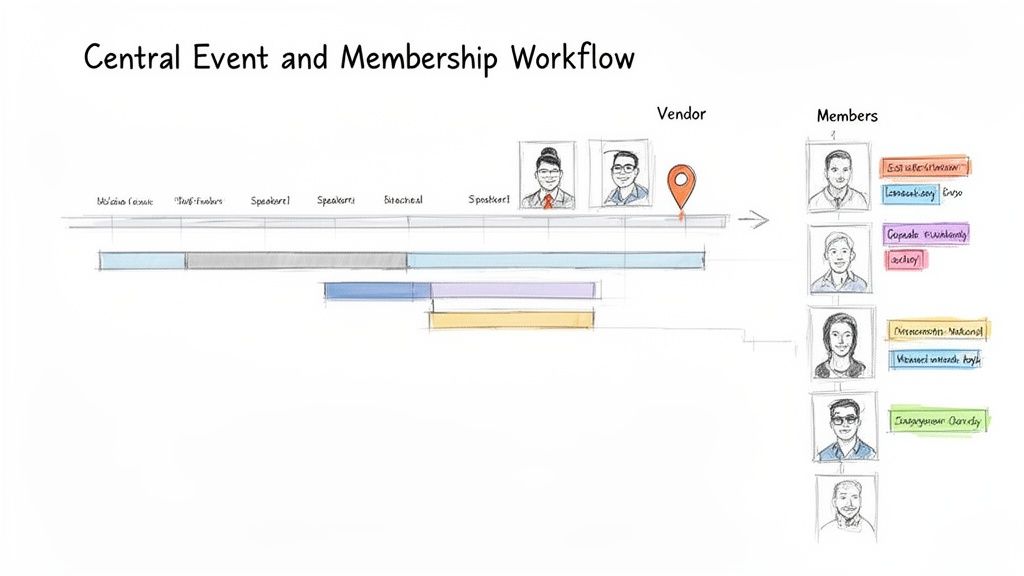
Running a big event or managing a member's journey involves a lot more than a simple to-do list. This is where the core philosophies of Notion and ClickUp really show their colors, and where your choice will make a real difference in your team's day-to-day work.
For event planners especially, the debate boils down to project structure versus information flexibility. These aren't just features—they represent two fundamentally different ways of working. Getting this right is critical when a single missed deadline can throw your entire event into chaos.
ClickUp feels like it was built with complex projects like event management in mind. Its built-in hierarchy is perfect for mapping out a major conference, letting you break down the entire endeavor into distinct parts like speaker outreach, marketing campaigns, and venue logistics.
Think about planning your annual summit in ClickUp. You can build a master Gantt chart to see the whole timeline at a glance, from booking the venue a year in advance to sending out post-event feedback forms. More importantly, you can set task dependencies. This means the marketing team literally can't send an email blast promoting speakers until the speaker confirmation task is marked complete. That kind of process guardrail is ClickUp’s killer feature here.
Notion, on the other hand, comes at event planning from an information-first angle. Instead of a rigid project plan, you’d build a central event dashboard. This single page becomes the hub connecting every piece of information.
For events, ClickUp is the structured, time-sensitive project engine that ensures things get done in the right order. Notion is the flexible, central brain where all your event knowledge lives and connects.
This flexibility is what makes Notion so powerful. You can drop a Loom video walkthrough of the venue right next to a table of potential caterers. What it doesn't have, however, is that native, powerful dependency management that complex events demand. For teams juggling dozens of interconnected deadlines, ClickUp is often the safer, more robust choice. If you're exploring other options, our detailed event management software comparison is a great resource.
When we shift to managing members, the game changes. It becomes less about project timelines and more about tracking data and automating processes. Here, the Notion vs. ClickUp dynamic flips, with each tool offering a distinct advantage for handling onboarding, engagement, and renewals.
Notion is brilliant when you shape it into a lightweight, custom Customer Relationship Management (CRM) tool. You can create a "Members" database where every single member gets their own page—their own personal file.
Inside a member's page, you could track:
This gives your team an incredibly rich, contextual profile of every member, making it easy to personalize outreach and see their entire history with your association. The best part is you build it from the ground up to match your exact needs.
ClickUp, staying true to its nature, handles membership with structured process and automation. You could set up a "New Member Pipeline" using a List view, with stages like "Application Submitted," "Payment Confirmed," and "Onboarding Kit Sent."
The real magic is in ClickUp's automation. For instance, you could create a rule so that when a new member's card is dragged to the "Onboarding Complete" stage, it automatically triggers a sequence of actions:
Automating that kind of administrative busywork is a huge win for any membership manager. While you can track these stages in Notion, it relies on someone manually moving things along. The choice is clear: do you need a completely custom, information-rich member profile (Notion), or do you need a highly efficient, automated operational workflow (ClickUp)?
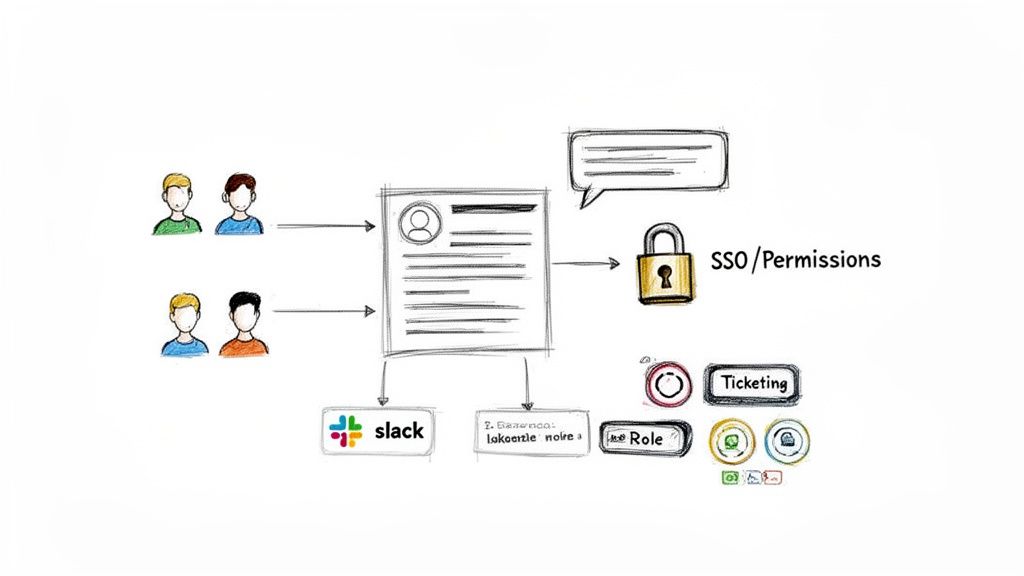
Running a community or association is never a solo act. You’re constantly working with committees, volunteers, and external partners. How you manage their access and connect your tools can make or break your entire operation. This is one area where the difference between ClickUp and Notion isn't just a matter of preference—it's a fundamental split in philosophy.
ClickUp was clearly designed with large, complex teams in mind, and its security features reflect that. It’s built around a powerful role-based permissions system, letting you get incredibly specific about who can see and do what. For an association, this is gold. You can create custom roles like "Committee Chair," "Event Volunteer," or "Board Member" and assign them exact permissions for specific tasks, lists, or documents.
Notion's approach is much simpler and more open. Permissions are mostly handled at the page level. You invite people into your workspace or grant them guest access to specific pages. It’s a great fit for smaller teams or when you want information to be widely available, like a public FAQ for an upcoming conference or a shared resource library for your members.
So, what does this mean in the real world? Imagine you’re an event director using ClickUp. You can grant your sponsorship team access only to the "Sponsor Management" list. They can work on their tasks without ever seeing the sensitive budget discussions happening in a different part of the project. It’s a clean, secure way to operate.
With Notion, you'd probably handle this by moving sensitive info to separate, restricted pages. While you can lock a database to prevent accidental edits, the platform's DNA encourages transparency. This often feels more like creating a workaround than using a dedicated security feature. For any organization juggling different access levels, this is a critical point to consider when looking for the right community manager software.
ClickUp shines when you need to control access to specific project components, making it a natural fit for structured, hierarchical teams. Notion’s strength is in sharing access across broad workspaces, which is perfect for open, highly collaborative groups.
Both platforms plug into the tools you already use, like Slack and Google Drive, but they do it differently. ClickUp’s integrations feel engineered for deep, automated workflows, especially when you get into more technical or enterprise needs.
ClickUp: It offers solid, two-way syncs with developer tools like GitHub and provides enterprise-grade security features like Single Sign-On (SSO) on its higher-tier plans. This makes it the stronger choice if your association needs to mesh with a larger corporate tech stack or manage secure logins for hundreds of users.
Notion: While its API allows it to connect with tons of tools, the integrations often feel more like embedding content than creating a true, automated workflow. You can drop a Figma file or a Google Map right onto a page, which is fantastic for building rich, all-in-one documents. The acquisition of Automate.io also points toward more powerful native automations in the future.
For event planners managing global communities, ClickUp’s guaranteed 99.99% uptime and robust integrations offer peace of mind. That enterprise focus has helped it build a massive user base. However, for teams whose work is heavy on documentation and knowledge sharing, Notion's smoother, cleaner interface is often the winner. As you weigh the Notion vs ClickUp integration question, list your must-have tools and be honest about your security requirements. You can read more about ClickUp's growth and user statistics to understand its market position.
When you’re weighing Notion against ClickUp, it’s all too easy to just compare the monthly subscription fees. But that sticker price is deceptive. The real financial picture—the total cost of ownership—is a much broader story that includes per-seat pricing, sneaky feature paywalls, and the very real cost of your team's time.
Both tools have a free plan, but let’s be honest: for any serious professional association or event team, those are more like extended trials. The true costs show up when you start adding team members and your operational needs get more complex. Both Notion and ClickUp run on a per-user, per-month model, a number that can swell faster than you’d think.
Imagine your association has a core staff of five, but you also need to give access to ten committee chairs. Suddenly, your "team of five" is a team of fifteen, and the costs multiply accordingly. This per-seat reality demands careful planning, especially when you’re working with volunteers or seasonal event staff who only need temporary access.
The subscription cost is just the tip of the iceberg. To get the true TCO, you have to account for both the obvious and the hidden expenses that catch most organizations by surprise.
Direct Costs to Consider:
Indirect Costs to Factor In:
Let's put this into practice. Picture an association with a team of 8 core staff members. They’ve decided to adopt a new platform and want everyone to have the AI features.
In the Notion vs ClickUp debate, the key financial difference isn't the base price—it's how quickly the costs scale. A small per-user fee for an AI tool or a plan upgrade can easily become a thousand-dollar line item on your annual budget.
For this eight-person team, adding an AI feature at $10/user/month is another $960 per year. If they need just one feature from a higher tier—like advanced permissions in ClickUp—the subscription cost for the entire team goes up. It's a common trap that can completely derail a budget.
And don't forget Notion's "flexibility tax." Its DIY nature seems affordable at first, but you might sink dozens of staff hours into building the custom dashboards and databases you need. In fact, some consultants have built entire businesses just doing Notion build-outs because the demand is so high. That time—or the consultant's fee—is a very real cost.
Ultimately, choosing between these two powerful tools means looking past the marketing. You have to calculate the total investment of both money and time to figure out which platform truly delivers the best long-term value for your organization.
At this point, you've seen the nuts and bolts of both Notion and ClickUp. The final choice isn't about which tool is "better" in a vacuum, but which one truly fits the operational rhythm of your association. It really boils down to a core philosophy: do you need a powerful task engine or a flexible information hub?
To help you land on an answer, we've put together a simple rubric. Think of it as a gut check. Score each platform from 1 (poor fit) to 5 (excellent fit) based on what matters most for running your events and managing your community. The higher score points the way.
Structured Project Management: How vital are things like task dependencies, strict permissions, and Gantt charts for your big events or committee projects? If you need a rock-solid system where nothing can possibly fall through the cracks, ClickUp is built for that.
Knowledge Base and Documentation: Is your top priority building a single source of truth? Think of a central, beautifully organized wiki for all your member resources, SOPs, and board meeting minutes. If that's the dream, Notion shines.
Team Adoption and Simplicity: Let's be honest about your team's (and volunteers') tech-savviness. Notion’s clean, document-like feel is often much easier for non-technical folks to pick up. ClickUp’s sheer power comes with a steeper learning curve.
Custom System Building: Do you have the urge to build your own lightweight CRM to track member engagement or a totally custom content calendar from the ground up? Notion’s database-first approach gives you the Lego bricks to build almost anything you can imagine.
This decision tree helps visualize how factors like cost, setup time, and team training should weigh into your choice.
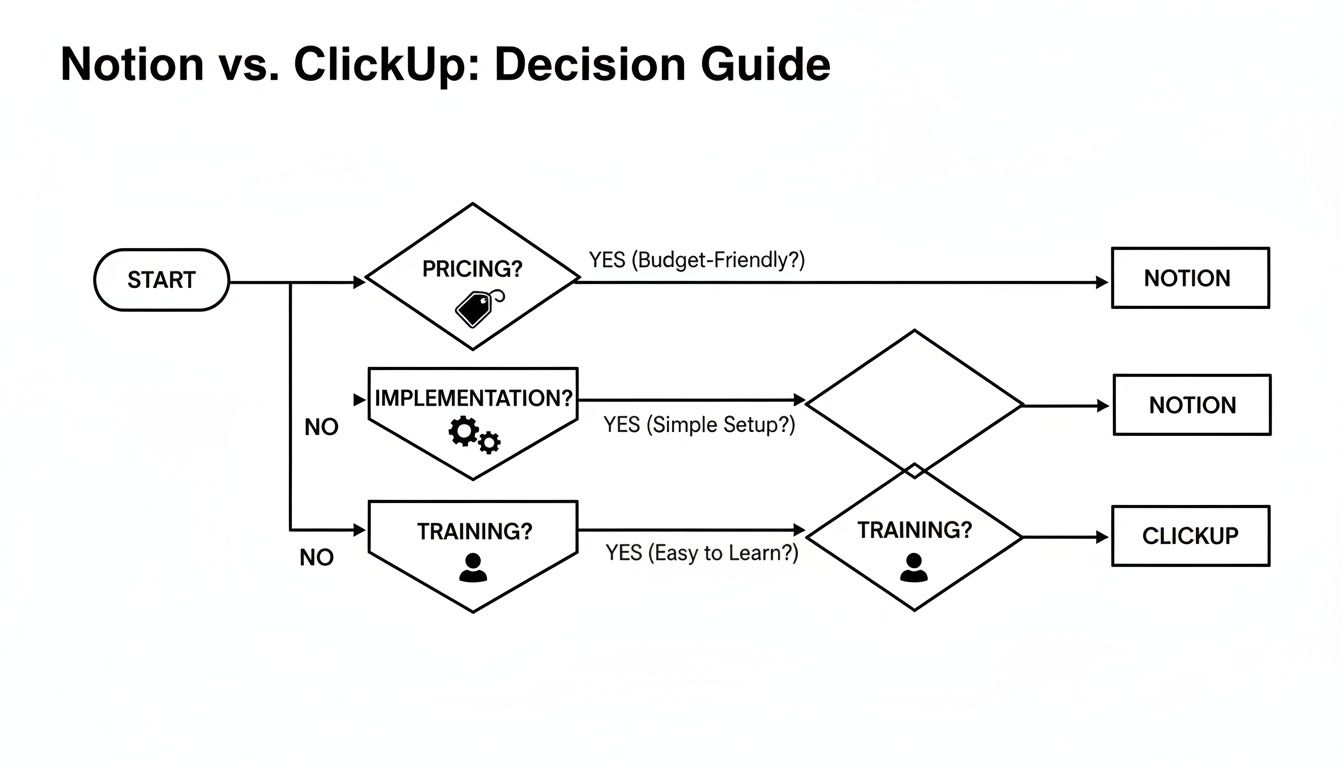
As you can see, while the price tag is often the first thing people look at, the real investment comes from the time and effort spent on implementation and training. These long-term costs often matter more in the Notion vs. ClickUp debate.
Let’s get down to brass tacks. Here’s how the rubric translates into direct, practical advice for your association.
Choose ClickUp if:
Choose Notion if:
Ultimately, the distinction is clear. For structured execution and process control, ClickUp is the project manager. For flexible information architecture and documentation, Notion is the knowledge architect.
There’s a crucial third option to consider. What if your evaluation shows you need both a structured system for events and a central hub for members? What if you also need integrated event ticketing, a branded member portal, and built-in communication tools, all in one place?
If that's the case, you’ve likely hit the ceiling of what a general-purpose tool can do.
This is the exact moment a dedicated platform like GroupOS enters the conversation. It’s designed specifically for associations and communities, combining the structured workflows you need with the member-centric features you want. When your community is your business, compromising with a generic tool just doesn't make sense.
Even with a side-by-side comparison, some common questions always come up. Let's tackle the big ones that association and event managers often ask when weighing Notion against ClickUp.
For some teams, absolutely—but it’s important to understand the trade-offs. Notion’s strength is managing projects where the tasks are deeply intertwined with content. Think of an all-in-one dashboard for a marketing campaign where your task list lives right alongside your strategy docs, copy drafts, and design assets. It’s incredibly powerful for that kind of context-rich work.
Where you'll feel the pinch is with the hard-and-fast mechanics of pure project management. ClickUp was built from the ground up for this, offering native features like true task dependencies, granular time tracking, and workload management views that Notion simply can't replicate without significant workarounds.
If you’re planning a large-scale conference with rigid deadlines and hundreds of interconnected tasks, ClickUp’s structured environment is going to serve you better. For more fluid, content-driven projects, Notion often has the edge.
Hands down, Notion is the winner here. Its interface feels familiar from the moment you open it, working much like a simple document editor. Anyone who has used Google Docs can click on a page and just start typing. This low barrier to entry is a huge plus for getting volunteers or less tech-savvy staff members up and running quickly.
ClickUp, on the other hand, presents a much steeper learning curve. Its power comes from a massive feature set and deep customization, but that can feel overwhelming at first. Getting the most out of it often requires a dedicated person to set up the workspace and provide some team training. One business owner even called it "the hardest to learn" among the major platforms.
Both platforms have solid mobile apps, and unsurprisingly, each app plays to the platform's core strengths.
The ClickUp app is fantastic for managing work from the field. If you’re on-site at an event, you can quickly check off tasks, update a project's status, or send a quick message to your team without missing a beat. It’s built for action.
Notion’s mobile app is more of a pocket brain. It’s perfect for pulling up information in a pinch—like accessing speaker notes, looking up a contact in your member directory, or reviewing a contract. While task management is possible, its real value on mobile is instant access to your entire knowledge base.
If your organization is starting to feel constrained by general-purpose tools, it might be time to consider a platform built just for you. GroupOS combines event management, a dedicated membership portal, and all your communications into a single, branded hub designed specifically for professional communities. Find out how GroupOS can centralize your operations.







