December 15, 2025
If you've ever tried running a nonprofit or an association, you know the struggle. You're juggling spreadsheets for member lists, another tool for payments, and a completely separate system for email newsletters. It's a chaotic mix that drains time and energy away from what truly matters: your mission.
Nonprofit membership management software is designed to fix that exact problem. It's an all-in-one platform that acts as the central command center for your entire organization, bringing all those scattered pieces together into one cohesive, intelligent system.
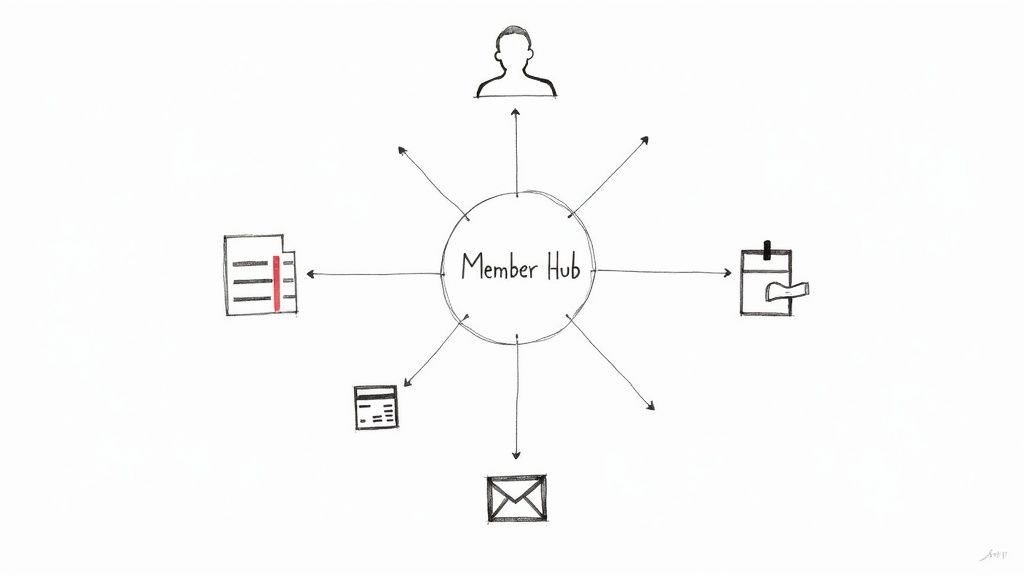
Think about trying to manage a vibrant community with just a rolodex, a cash box, and a corkboard. You could probably make it work, but it would be incredibly clunky and prone to mistakes. That's what it feels like for nonprofits stuck using outdated, manual methods to handle their member operations. The administrative burden becomes overwhelming.
This software is the modern answer. It becomes the digital nervous system for your group, automating the tedious stuff and putting all your essential information in one place. Instead of chasing down members for renewal payments, you can set up automated reminders. Instead of wrestling with clunky email lists, you can talk to specific groups of members right from the platform.
This kind of technology isn't just a "nice-to-have" anymore; it's a fundamental tool for any organization that wants to grow sustainably. It creates a single source of truth for every member interaction—from the day they sign up to the events they attend and the donations they make. This 360-degree view helps you engage with them in a much more meaningful way, building a stronger, more connected community.
To get a better handle on the mechanics, it helps to understand the core concept behind the member-facing side of the platform. You can learn more by checking out our guide on https://groupos.com/blog/what-is-membership-site.
The industry itself is growing rapidly, which shows just how essential these tools have become. The global market for membership management software was valued at around USD 5.4 billion in 2024 and is expected to climb past USD 8 billion in the early 2030s. This isn't just a fleeting trend; it’s a clear signal that organizations are investing in technology to operate more effectively and keep their members happy.
By unifying member data and automating administrative workflows, nonprofits can reclaim countless hours, allowing them to reinvest that time directly into their programs, community building, and mission-driven initiatives. This isn't just about efficiency; it's about amplifying impact.
In today's nonprofit world, technology is a key ingredient for success. The ability to centralize data, automate outreach, and give members a smooth, professional experience is what separates thriving organizations from those that are just getting by. As experts on Harnessing Technology for Charity often point out, having the right tools empowers nonprofits to better serve their communities and make a bigger difference.
To really get what nonprofit membership management software can do, you have to look beyond a simple list of features. These platforms aren't just digital filing cabinets—they're dynamic systems built to give your mission a serious boost. Let's break down the core components that make these tools an absolute must-have for today's nonprofits.
To give you a quick overview, here's a look at the essential features and why they matter so much for any nonprofit organization.
Each of these features works together to create a powerful, unified system. Now, let's dive a little deeper into how each one functions in the real world.
At the very core of any good membership platform is its Constituent Relationship Management (CRM) database. Think of it as your organization's brain. Instead of member details being siloed in spreadsheets, email lists, and random payment receipts, the CRM brings it all together in one clean, accessible profile.
This is about so much more than just storing a name and email. A powerful CRM tracks every single touchpoint a member has with your organization.
This paints a full 360-degree picture of each person. Armed with that knowledge, you can finally move away from generic email blasts and start having truly personal conversations that make your members feel seen and appreciated. It's the difference between a mass email and a targeted thank-you note to everyone who both volunteered and donated last quarter.
Let's be honest: chasing down members for renewal payments is one of the most draining and awkward tasks any nonprofit team faces. This is where automated billing completely changes the game. It turns a clunky, manual process into a smooth, hands-off workflow.
A modern platform can handle the entire renewal cycle for you. Imagine setting up automated reminders that go out 30, 15, and 5 days before a membership expires. If a payment fails, the system automatically lets the member know. Even better, members can opt into recurring payments, ensuring their support continues without a single hiccup. This one feature can dramatically improve your retention rates and build a much more predictable revenue stream.
By automating the renewal process, nonprofits can recover revenue that would otherwise be lost to simple forgetfulness. This automation not only secures funding but also frees up staff time to focus on strategic initiatives rather than administrative follow-up.
That consistent cash flow is what gives you the financial stability to plan your future programs with real confidence.
For many membership organizations, events are the main event—but managing them can be a logistical headache. An integrated event module takes the pain out of everything from promotion to post-event analysis. You can build event pages, sell tickets, and handle registrations, all from one place.
A huge perk is the ability to offer member-specific pricing automatically. The system knows when a logged-in member is buying a ticket and instantly applies their discount. It’s a small thing that removes friction and makes them feel rewarded for their loyalty.
After the event, all the attendance data flows right back into each member's CRM profile. This data is gold. You can start seeing which events resonate most with new members or what topics are driving the most engagement, helping you plan even better events down the road.
A members-only portal acts as your organization’s exclusive digital clubhouse, giving people a tangible reason to join and stick around. It's where you can deliver value that goes way beyond a monthly newsletter.
Think of it as a secure, private space where your members can:
This kind of self-service access not only empowers your members but also cuts down on the administrative busywork for your team. It helps build a genuine sense of community and turns your membership from a simple subscription into an indispensable resource.
Great communication is the glue that holds a community together. Integrated tools let you slice and dice your audience to send highly targeted messages. For example, you could email only the members in a specific city about a local meetup or send a quick update just to your board committee. If you're looking for more ways to connect, you can explore other great tools for community engagement that can work alongside these features.
But it’s not just about sending messages. The analytics engine gives you a clear view of your community's health. You can track vital signs like member growth, retention rates, and engagement levels over time. These reports help you stop guessing and start making data-driven decisions that truly serve your members and push your mission forward.
It’s easy to get lost in a list of software features, but the real magic happens when you look at the bigger picture. This isn't just about swapping spreadsheets for a dashboard; it's about fundamentally changing how your organization operates and connects with the people who matter most.
When all those features—billing, communications, event management—start working together, they create a powerful engine for growth. Let's dig into the tangible, real-world advantages that can truly reshape what’s possible for your nonprofit.
An active, passionate community is the heart of any nonprofit. Membership software gives you the tools to stop shouting into the void with generic emails and start having meaningful, personal conversations. By having all your member data in one place, you can finally understand who your members really are.
Imagine identifying members who've attended your annual gala for the last three years and sending them a personal early-bird invitation. Or what about creating a special online forum just for new members, helping them feel welcome and connected from day one? These aren't just nice gestures; they’re strategic actions that build a loyal community and turn casual members into your biggest champions.
True member engagement isn't about sending more emails; it's about sending the right message to the right person at the right time. This targeted approach makes members feel understood and valued, dramatically increasing their loyalty and lifetime value to your organization.
If you’ve ever felt the stress of an unpredictable budget, you’re not alone. Relying on manual renewal reminders and chasing down lapsed payments is a recipe for financial instability, making it incredibly difficult to plan for the future. This is where automation isn’t just a convenience—it’s a lifeline.
Automated billing and renewal reminders work around the clock to secure dues that might otherwise slip through the cracks. When members can sign up for recurring payments, you create a predictable, consistent stream of income you can count on. This stability is critical. In fact, industry reports consistently show recurring giving is a massive growth area, pushing more and more nonprofits to adopt platforms with built-in automation to boost renewal rates. You can learn more about these nonprofit software market trends.
Let’s be honest: your team’s time is your most precious resource. When talented people are buried under a mountain of data entry, manual reporting, and administrative busywork, their true potential is being wasted. Freeing them from these repetitive tasks isn't just about being more efficient—it’s about unleashing their passion.
By automating the routine stuff, nonprofit membership management software lets your team focus on the high-impact work that actually moves your mission forward.
And it doesn't have to stop there. Exploring comprehensive tools like nonprofit project management software can unlock even more ways to give your team the right tools for the job.
Are you making decisions based on gut feelings or actual evidence? Without a central system, getting a clear picture of what’s working is next to impossible. You end up guessing which events are resonating, which membership levels provide the most value, or why people are letting their memberships lapse.
This kind of software acts as your single source of truth. With clear analytics and reporting dashboards, you get actionable insights at your fingertips. You can instantly track key metrics like member retention rates, engagement scores, and event attendance. This data allows you to stop guessing and start making informed decisions that guide your strategy, optimize your efforts, and secure the long-term health of your nonprofit.
Jumping into the market for nonprofit membership management software can feel like trying to find a needle in a haystack. Dozens of vendors are all saying they have the perfect solution, and it’s easy to get lost in the noise. The secret? A methodical evaluation process that turns all that confusion into clarity, helping you land on a choice that truly serves your mission.
This process doesn’t start with flashy demos or feature lists. It starts by looking in the mirror. Before you talk to a single salesperson, the most important thing you can do is get brutally honest about your organization's day-to-day reality.
Forget the sales pitches for a moment. What does your team actually do every day? Take the time to document your current workflows, even the clunky, frustrating ones. How do you sign up a new member? How do you chase down dues? How are you handling registrations for your next event?
From that exercise, build a simple checklist of your absolute non-negotiables. This will be your compass for the entire search.
This internal audit grounds your search in what you actually need, not just what a platform happens to offer. You’ll be choosing a tool to solve real problems.
This flowchart shows the thought process many nonprofits go through, highlighting how a heavy administrative workload and the need to grow revenue often point directly to adopting new software.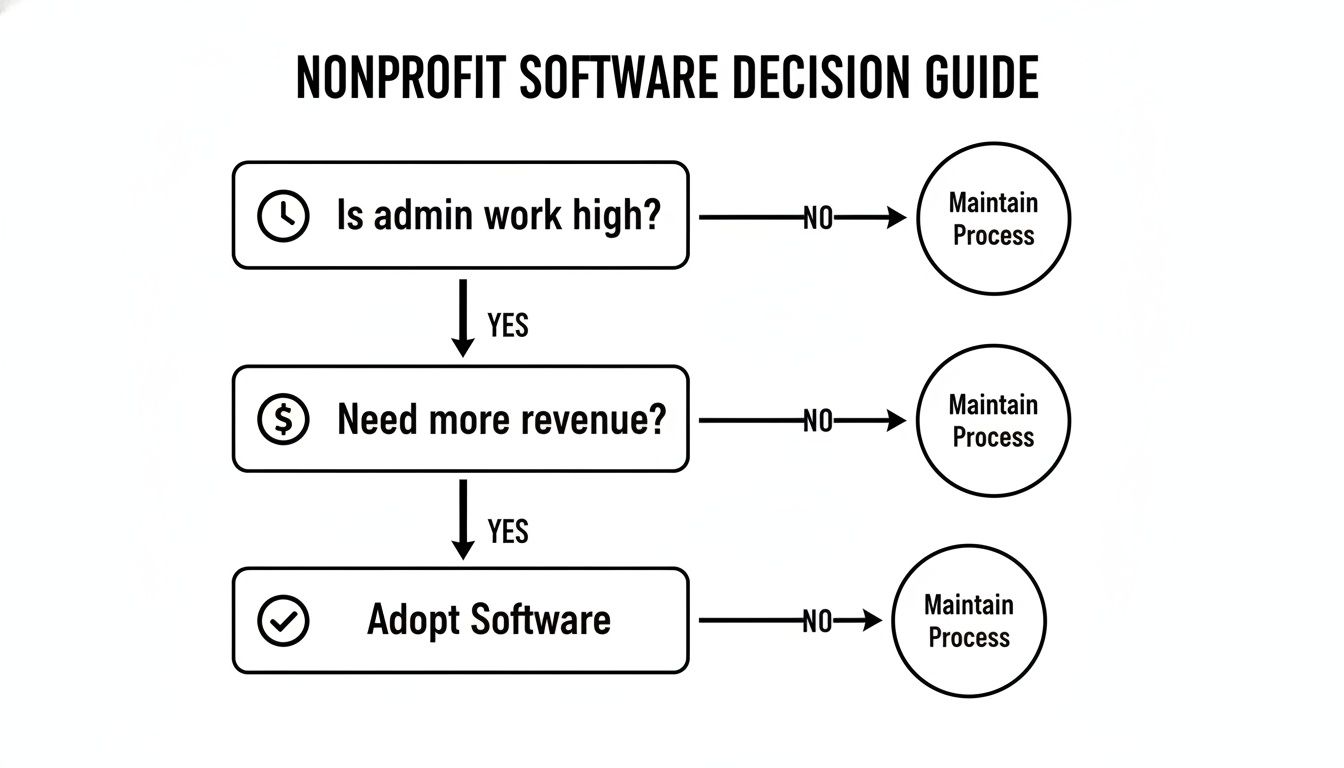
The takeaway here is that software isn't a luxury item; it's a strategic move to fix the operational bottlenecks that hold back your mission's growth and efficiency.
Your new software won't operate in a bubble. It has to play nicely with the other tools your organization already depends on every day. A platform that traps your data in a silo just trades one set of headaches for another.
Look at your current tech stack. Does the software you're considering integrate with your accounting system, like QuickBooks, to keep the books clean? Can it connect to your favorite email marketing platform? If it doesn't, you're signing your team up for more manual data entry—the very thing you’re trying to escape.
A truly effective membership platform should be a central hub, not an isolated island. Prioritizing solid integration means data flows smoothly across your entire organization, which prevents errors and saves countless hours of busywork.
You are the steward of your members' personal information. Protecting that data isn't just a technical detail; it’s a fundamental matter of trust. A data breach can cause serious, sometimes irreparable, damage to your nonprofit's reputation.
When you're talking to vendors, ask some very direct questions about their security.
Any vendor who takes security seriously will have clear, confident answers. If they get defensive or vague, that’s a massive red flag.
Software pricing can be notoriously tricky, and the number you see on the website rarely tells the whole story. To figure out the true cost of ownership, you have to dig a little deeper than the monthly fee.
Common pricing structures you'll run into include:
Always ask for a complete breakdown of every potential cost so there are no ugly surprises later on. Having a clear picture of how a membership platform is priced will help you make a much smarter financial decision for your organization.
The software that’s a perfect fit for your nonprofit today might feel cramped in three or five years. It’s crucial to pick a platform that can grow alongside you, otherwise you’ll be facing another painful and expensive migration project down the road.
Ask potential vendors how they handle scalability. What happens to the pricing as your member numbers increase? How easy is it to upgrade your plan to unlock more advanced features when the time is right? A genuine technology partner will be invested in supporting your mission not just for where you are now, but for where you're headed.
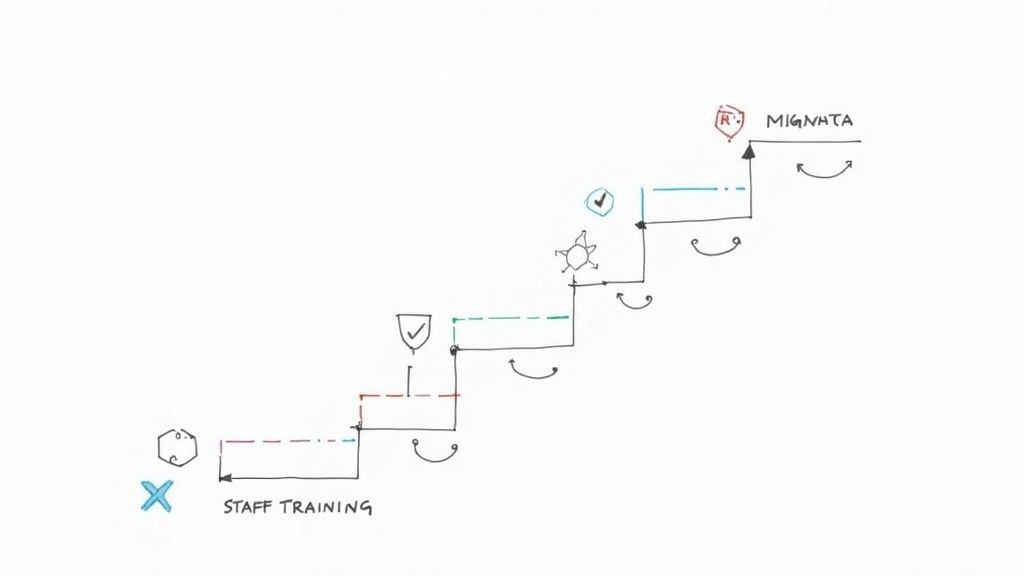
Switching to a new nonprofit membership management software is a huge step forward, but let's be honest—the transition can feel intimidating. The good news is that a well-thought-out plan turns a potentially chaotic project into a smooth, predictable journey. When you break the process down into manageable stages, you set your team up for a successful launch from day one.
The entire project really boils down to three key pillars: getting your data moved over, setting up the system, and getting your team on board. Each step builds on the last, creating a solid foundation for your new operational hub.
Let's walk through the roadmap for getting your new platform online without the headaches.
Your member data is one of your nonprofit’s most valuable assets. So, the first real task is getting that data ready for its new home. Think of it like packing for a move—you wouldn’t just throw everything in boxes, right? You’d sort through it, toss the junk, and organize what you want to keep. This is the perfect opportunity for a data "spring cleaning."
Before you move a single byte, take the time to:
A clean dataset is the secret to a seamless transfer. For a deeper dive, check out these database migration best practices—they can save you a world of trouble.
Once your data is sparkling clean, it’s time to mold the software to fit your unique workflows. This is not a one-size-fits-all situation. The whole point is to make the platform feel like it was built just for your organization.
System configuration is where you transform a generic tool into your nonprofit's central command center. This is your chance to automate tedious tasks and design member experiences that align perfectly with your mission.
This is the stage where you’ll dial in the details and set up core functions like:
At the end of the day, new technology is only as good as the people using it. The final—and arguably most crucial—step is making sure your team feels confident and even excited to use the new system. Real adoption comes from great training and clearly communicating why this change is a good thing for everyone.
Schedule training sessions tailored to different roles. Your event coordinator needs to know different features than your finance manager. Offer ongoing support and create an environment where people feel comfortable asking questions. When your team sees firsthand how the new software makes their jobs easier, they’ll become its biggest champions, ensuring you get the most out of your investment.
It's one thing to talk about the theory behind nonprofit membership management software, but it’s another to see it in action. That’s where the rubber meets the road. We built GroupOS from the ground up to tackle the very real, often messy challenges that modern nonprofits juggle every day.
Think of it as the central nervous system for your organization. It takes all those scattered spreadsheets, siloed data, and manual processes and pulls them into one cohesive hub. This gives you the clarity and confidence to actually manage—and grow—your community.
At its core, the platform is built around a powerful, unified CRM. This gives you that elusive 360-degree view of every single member. It’s not just a fancy contact list; it’s a living, breathing record of every interaction. Donations, event attendance, volunteer hours, communications—it's all there, tied to one person. This is how you turn raw data into meaningful relationships.
With a system like GroupOS, you can finally stop guessing what your members want and start knowing. The platform makes it simple to segment your audience for targeted outreach that actually connects. Imagine sending a personalized thank-you note to every member who both volunteered and renewed in the last quarter. That level of personal touch makes members feel seen and valued, which is the secret sauce for long-term loyalty.
A unified CRM does more than just organize data; it humanizes it. By connecting every touchpoint to a single member profile, GroupOS gives you the insights to engage your community with genuine understanding and impact.
This is a look at the GroupOS platform, showcasing its clean interface for managing community and events.
The dashboard provides an at-a-glance view of essential functions, from member engagement to event ticketing, demonstrating how a centralized system simplifies complex operations.
Events are often the lifeblood of a nonprofit, but let's be honest—they can also be a massive administrative headache. GroupOS has intuitive event tools baked right in, handling the entire process from the first promotional email to the post-event follow-up. You can easily create beautiful registration pages, offer special ticket prices just for members, and track attendance without breaking a sweat.
By automating these logistics, the platform frees up your team to focus on what really matters: creating an unforgettable experience for your attendees.
For example, a professional association can use GroupOS to:
These kinds of automated workflows can easily save dozens of staff hours each month. That's time your team can reinvest into high-impact work like program development and strategic planning. GroupOS isn't just a collection of features; it’s a technology partner designed to help your mission—and your community—thrive.
Alright, you've got the concepts down. Now, let's get into the practical, real-world questions that come up when you're actually ready to make a decision. These are the kinds of things we hear all the time from organizations trying to find the right fit.
The price tag on nonprofit membership software can be all over the map, but it usually comes down to your organization's size and what you need the software to do.
For smaller, volunteer-led groups, you can often find solid plans in the $50 to $150 per month range. If you're a larger association with more moving parts—think complex event ticketing or deep automation features—you're likely looking at a few hundred dollars a month. Just make sure you get a clear picture of any transaction fees or setup costs upfront. No one likes surprises on their bill.
The smartest way to budget is to find a platform that grows with you. Try to steer clear of plans that punish you for success by charging per user or contact, because those costs can balloon unexpectedly.
It absolutely should, and this is a deal-breaker you need to check. The right platform becomes your command center, not another siloed piece of tech. Most modern systems are built to connect with the tools you're already relying on every day.
Look for key integrations like:
Before you commit, double-check that your must-have tools are on the integration list. It’ll save you a world of headaches.
Plan for about four to eight weeks to get everything up and running smoothly. The exact timeline really depends on how messy your current data is and how much custom setup you need.
The whole process breaks down into a few key stages: moving your data over (which means cleaning it up first!), configuring the system (like setting up your membership levels and welcome emails), and training your team. Having one person on your staff lead the charge is a great way to keep everything moving and make sure everyone feels confident with the new system.
Ready to see how an all-in-one platform can simplify your operations and boost engagement? GroupOS provides the tools modern nonprofits need to thrive. Start your free trial today and discover a better way to manage your community.







