February 27, 2026
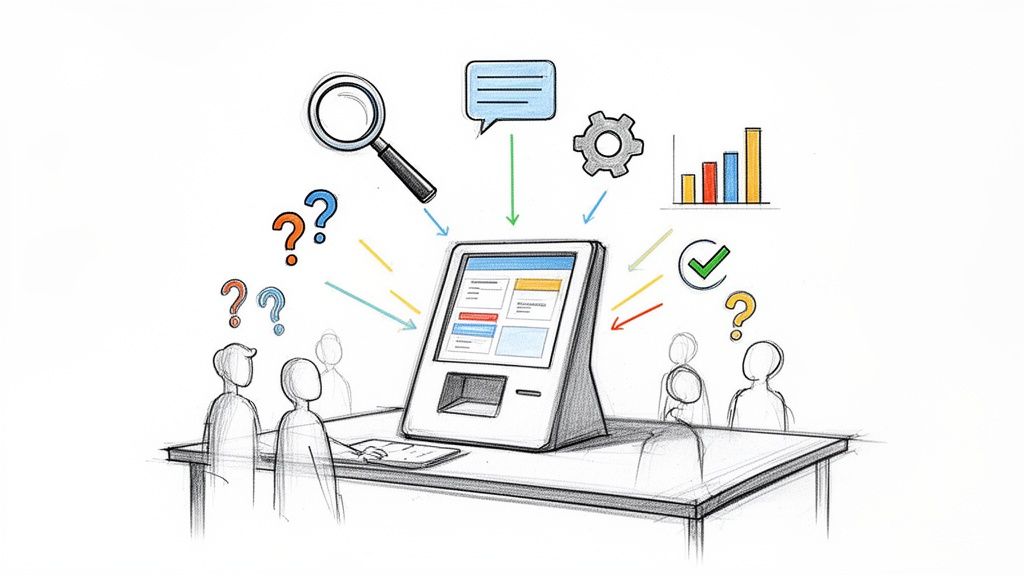
Let's talk about customer self-service. At its core, it’s about giving your members the tools and resources they need to find answers and fix problems on their own, without having to wait for a support agent.
Think of it as a digital concierge for your community—one that’s always on, ready to help 24/7. It's become a non-negotiable part of any modern, efficient member experience.
The days of members patiently waiting on hold or for an email response are long gone. We've all been trained by the instant, on-demand world around us. We can track a package, manage our bank accounts, and order food with just a few clicks. Your members bring those exact same expectations to your community.

This isn't just a fleeting trend; it's a fundamental shift in how people behave. Offering a solid customer self-service platform is no longer just a nice-to-have or a simple cost-cutting trick. It’s a powerful signal that you respect your members' time and trust them to navigate their own journey.
When a member can quickly update their own profile, find event details, or download a resource without waiting for help, it does more than just solve their immediate problem. It gives them a sense of ownership and deepens their connection to the community.
The data backs this up. A staggering 70% of customers try to solve issues on their own before they even think about contacting a support team. For most, it's about speed—52% of people say saving time is the single biggest benefit of self-service. You can read more about the latest customer service trends to see how other organizations are keeping up.
By providing the right tools, you transform members from passive recipients of information into active, engaged participants who feel more invested in the community's success.
A reliable self-service portal is a powerful trust-builder. It shows your organization is transparent and committed to making information available whenever and wherever your members need it.
This 24/7 accessibility is especially crucial for communities with members scattered across different time zones or for those who work outside the traditional 9-to-5.
An effective customer self-service strategy delivers a trifecta of benefits:
In the end, this isn't something you can afford to ignore. For any association or event-driven community that wants to grow, embracing self-service is how you meet modern expectations head-on and build a more resilient, engaged, and loyal member base.
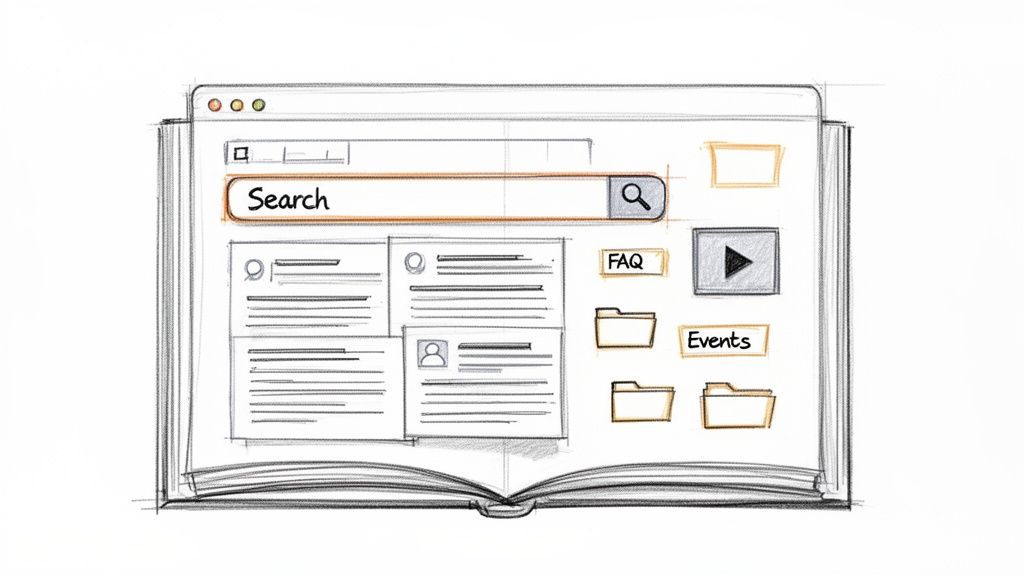
The cornerstone of any great self-service strategy is a solid knowledge base. Don't think of it as a stale, forgotten FAQ page. Instead, picture a dynamic, living library that holds your organization's collective wisdom. It's the go-to spot where your members can get instant answers to their most pressing questions.
This single resource acts as your first line of defense, intercepting all those common, repetitive questions that eat up your team's day. When members can solve problems on their own, their confidence and satisfaction skyrocket. It’s no surprise that a staggering 92% of consumers would gladly use a knowledge base if it was available and actually helpful.
A truly effective knowledge base doesn't just answer questions; it anticipates them. This requires a smart approach to organization, which is where a good knowledge management system comes into play. For associations and communities built around events, this means creating content that supports every stage of the member journey.
The whole point is to make finding information effortless. You need an intuitive structure that guides people right to the solution they need, without any frustrating dead ends.
Think about organizing your content into a few logical buckets that make sense to your members:
By creating clear pathways like these, you make the search for answers a smooth and painless part of the member experience.
Even the most comprehensive knowledge base is useless if the content is a chore to read. Your mission is to provide clear, concise answers that people can scan and absorb in seconds. Ditch the long-winded paragraphs and overly formal language.
The most effective self-service content feels less like a manual and more like a helpful conversation. It’s direct, scannable, and focused on solving one specific problem at a time.
Embrace a "less is more" mindset. Use formatting to your advantage. Short sentences, bullet points, and bold headings are your best friends for breaking up text and making information easy to digest. For example, a simple numbered list is infinitely better for explaining an event registration process than a dense block of text.
Visuals are also a game-changer. Why write a 500-word article on resetting a password when a quick, two-minute screen recording can show someone exactly what to do? The right images and videos can turn a good knowledge base into a fantastic one. For more tips on this, check out our guide on https://groupos.com/blog/how-to-create-engaging-content.
Ultimately, your knowledge base is a direct investment in your members' success. It gives them the autonomy they want while creating a more efficient and scalable support system for your entire organization.
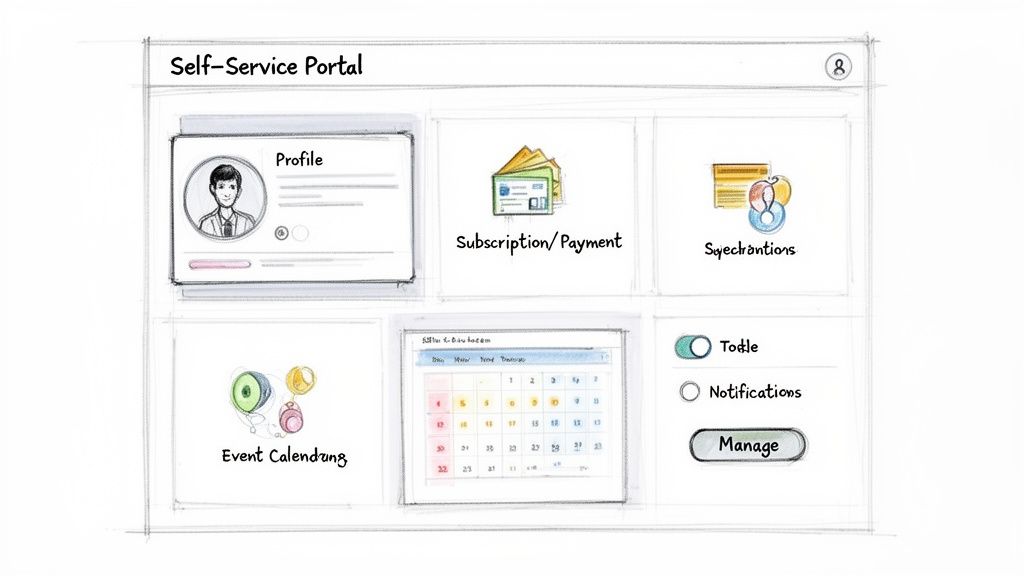
If your knowledge base is the library, then your self-service portal is the interactive workshop. It’s the central hub where your members don't just find information—they take direct control of their experience with your organization. This is their personal dashboard for everything.
A knowledge base gives answers, but a portal empowers action. It’s a subtle but crucial difference.
Let's be clear: your members want this. In fact, a staggering 81% of customers prefer to handle things themselves before reaching out to a live person. When you build a portal, you're not just adding a feature; you're meeting a powerful, established demand. You're giving members a clear view of their entire relationship with your community and a real sense of ownership.
The whole point is to shift them from passively consuming information to actively managing their own journey. It’s a win-win that dramatically cuts down your team's administrative busywork while making your members feel more connected and satisfied.
A great portal brings all the most common member interactions together in one place. Instead of a member having to email your staff to update their job title or ask for an old invoice, you give them the tools to do it themselves in seconds.
Your portal needs to become the go-to, one-stop shop for these critical activities. When it works well, you train members to check there first, building a habit of self-reliance that saves everyone time.
Here are the absolute must-have features for any community or association portal:
By weaving these features together, you create a command center that becomes indispensable to the member experience.
A self-service portal transforms the member relationship from a one-way street of communication into a two-way, interactive partnership. It says, "We trust you to manage your experience," which is a powerful message for building loyalty.
The payoff here is huge, and it flows in both directions. For your members, a portal offers unmatched convenience and a feeling of being in the driver's seat. For your team, it unlocks massive operational efficiencies, freeing them from repetitive tasks to focus on work that actually moves the needle.
Think about the ripple effect of just one small feature, like letting a member change their event session preference online. That simple action saves the member a few minutes and completely eliminates a support ticket for your staff. Now multiply that by hundreds or even thousands of members. The impact is enormous.
Here’s a closer look at how a well-designed portal serves both your members and your internal team.
The table below breaks down the essential components of a self-service portal, showing how each piece delivers value to the individual member and the organization as a whole.
These features are foundational to most of the best online community platforms on the market today for a reason.
Ultimately, an effective self-service portal isn't just a random collection of tools. It's a strategic asset that helps you build a more empowered, engaged, and self-sufficient community.
Having a great knowledge base and self-service portal is a fantastic start, but the real magic happens when you make your support system proactive. This is all about shifting your mindset from just having resources available to actively guiding your members to the right answers using automation.
The goal here is ticket deflection—solving a problem before a member even has to formally ask for help.
Think about it this way: a member lands on your contact page, ready to ask about event registration deadlines. As they begin typing, your system instantly suggests three highly relevant articles from your knowledge base. More often than not, that simple, automated nudge solves their issue on the spot. They get an instant answer, and your support team has one less ticket to manage.
This turns your self-service portal from a passive library into an active, helpful guide that anticipates what your members need.
Beyond smart contact forms, automated workflows are your secret weapon for handling all those common, predictable interactions. These are simple, trigger-based actions that deliver crucial information at just the right moment, all without anyone on your team lifting a finger.
Think of these workflows as your digital event staff or member concierge, working around the clock. By setting up these automated touchpoints, you ensure no member falls through the cracks and everyone gets a consistent, high-quality experience.
Here are a few powerful examples for any association or event-driven community:
These small, automated actions dramatically cut down on the repetitive questions your team fields every day, freeing them up to focus on more complex member needs.
Chatbots are the next step in this evolution, offering instant, conversational help 24/7. Today's chatbots do much more than just point people to an FAQ page; they can answer direct questions, walk users through complex processes, and even gather information for your team.
Automation isn't about replacing human interaction; it's about handling the routine and the repetitive so your team can dedicate their time to the meaningful and the complex.
The demand for this kind of immediate help is huge. Research shows that 41% of consumers actually prefer live chat over any other support channel. For more advanced needs, you might even consider an AI Chatbot that can understand and respond to more nuanced questions.
A well-placed chatbot on your website can:
By putting these automated tools to work, you build a smarter, more efficient support system. You can see how all these pieces fit together within a modern customer engagement platform that creates a truly seamless experience. This proactive approach doesn't just meet modern expectations—it empowers your team to focus on what they do best: building a strong, vibrant community.
Let's be honest: a generic, one-size-fits-all portal just doesn't cut it anymore. If you want to keep your members truly engaged, you have to move beyond just providing answers and start anticipating their needs. This is where personalization comes in—it’s about creating an experience that feels like it was designed just for them.
Think of it this way: a public library has all the information you could ever want, but you have to go find it. A personal shopper, on the other hand, gets to know your style and brings you exactly what you’re looking for—sometimes before you even realize you need it.
That’s the goal of a personalized self-service journey. It uses what you know about your members to turn your portal from a passive FAQ page into an active, intelligent resource that proves you understand what each person cares about.
Personalization starts with data. When you look at a member's history—the topics they care about, the events they've attended, the content they've downloaded, and their membership level—you can start to build a dynamic and relevant self-service experience. This is the moment your community platform stops being just a database and starts becoming an engine for real connection.
The bar for this is already set incredibly high. People are used to personalized recommendations everywhere else in their digital lives. In fact, a whopping 76% of customers now expect personalization from the businesses they interact with. As detailed in research from Zendesk on personalization trends, six out of ten people actually believe organizations should be using their data to create these better experiences.
So, how can you put this into practice? Here are a few concrete examples:
This kind of proactive approach makes members feel seen and valued. When their portal experience reflects their unique journey with your association, it deepens their sense of belonging and makes their membership feel that much more worthwhile. You’re showing them you’re paying attention.
Personalization transforms your self-service portal from a place where members go to solve problems into a place where they go to discover new opportunities. It shifts the entire dynamic from reactive support to proactive engagement.
An AI-powered knowledge base can amplify this even further. By observing search patterns across your entire community, it gets smarter over time. If a ton of members start searching for "speaker submission guidelines" a few months before your big conference, the system can learn to feature that article more prominently for everyone.
Ultimately, a personalized customer self-service journey creates a powerful feedback loop. The more a member uses the portal, the more data you collect to refine their experience. This cycle of continuous improvement keeps your self-service offerings relevant, valuable, and genuinely engaging, building the kind of loyalty that makes a community thrive.
Alright, let's move from theory to action. Getting a successful customer self-service strategy off the ground isn't about flipping a single switch. It's more like building a solid foundation, brick by brick, until you have an ecosystem where your members naturally go for answers first.
This is about more than just posting a few FAQs. It's a thoughtful process of setting up your platform correctly, moving your existing content where it needs to be, and figuring out how you’ll measure success right from the start. If you break it down into manageable steps, you can build a seriously powerful self-service engine for your community.
This simple flow shows how member data can create a much more personal and effective self-service journey.
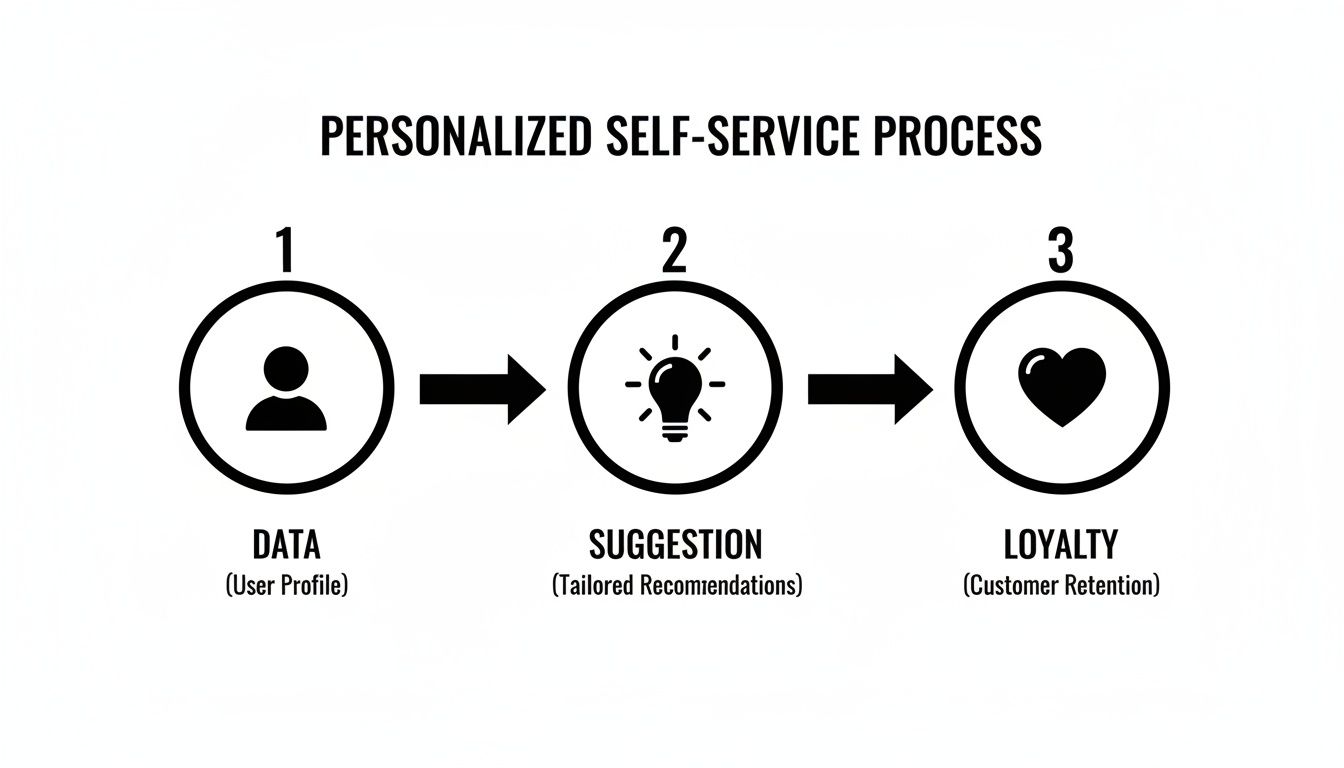
It all starts with understanding your user's data. That knowledge lets you provide intelligent, helpful suggestions that, in the end, build real member loyalty.
Jumping in can feel like a lot, but a clear plan makes all the difference. This checklist walks you through the essential steps for building your self-service foundation, especially for a platform like GroupOS where community and content work hand-in-hand.
Configure Dedicated Knowledge Pages: First things first, create separate, clearly-labeled sections in your knowledge base. Think from your members' perspective with categories like "Event Registration Help," "Membership Renewal Guide," and "Using Your Member Benefits."
Enable Member Profile Editing: This is an easy and immediate win. When you empower members to update their own contact info, job titles, and communication settings, you instantly cut down on your own administrative busywork.
Organize Content with Tags: Set up a global tagging system to categorize every article and resource. Using consistent tags like "annual-conference," "billing," or "new-member" makes your content super searchable and helps the system surface related materials automatically.
Migrate Existing Documents: Don't let your old help docs gather digital dust in forgotten folders. Take stock of what you already have—FAQs, Word docs, PDFs—and import the most valuable pieces into your shiny new, centralized knowledge base.
Automation is your secret weapon for scaling support without having to scale your team. Inside GroupOS, you can create simple workflows that take care of common questions, making sure members get the right information right away.
For example, you could set up an automated email that triggers whenever a member registers for your annual conference. That email can link directly to a "Know Before You Go" article in your knowledge base, proactively answering questions about the venue, parking, and schedules. Just one workflow like this can head off dozens of potential support tickets.
The true test of a self-service strategy isn't just the resources you have, but how well you guide members to them. Automation acts as the signposts, pointing people to the right answer at exactly the right time.
To prove the value of your efforts and make smart improvements, you have to track the right Key Performance Indicators (KPIs). These numbers give you the hard evidence of how self-service is benefiting your organization.
Monitoring these KPIs gives you the data you need to tweak your content, improve your workflows, and show real, tangible value. Plus, strong self-service is a cornerstone of any good customer retention program, because it has a direct impact on member satisfaction.
Even with the best plan, jumping into a member self-service model for the first time can bring up a lot of questions. Let's tackle some of the most common ones that we hear from community managers and association leaders.
This is a big one, and the answer is probably less than you think. You don't need to build a massive, all-encompassing library right out of the gate. The best approach is to start small and focused.
Begin by pinpointing the top 5-10 questions that constantly pop up in your email inbox or support tickets. By creating solid articles for these recurring issues first, you'll see the biggest and most immediate impact. This is your low-hanging fruit—the stuff that frees up your team from answering the same questions over and over again.
Think quality over quantity. A few crystal-clear articles that genuinely solve a member's problem are worth far more than a hundred vague ones. Good topics to start with usually cover the basics:
Building it is only half the battle; getting people to use it is the real challenge. Adoption won't happen on its own. You have to be intentional and make your self-service portal the easiest, most obvious place for members to find answers.
Start by promoting it everywhere you can. Tuck a link into your team's email signatures. Feature it prominently in your newsletters and on your website's homepage. When a member inevitably emails a question that you've already answered in an article, send a friendly reply with a direct link to the solution. This simple act starts to retrain their habits, teaching them to check the knowledge base first next time.
A successful launch is about more than just flipping a switch on the technology. You have to actively guide your members and consistently redirect them to the helpful resources you've worked hard to create.
You can track a lot of things, but if you have to pick just one, focus on your ticket deflection rate. This is the clearest measure of your return on investment.
This metric tells you what percentage of member issues are being solved entirely through your self-service tools, without a staff member ever having to touch a ticket. It's a direct reflection of the time and administrative overhead you're saving.
A high ticket deflection rate is your proof that the system is working. It means your content is hitting the mark and your members are successfully finding their own solutions. Tracking this shows that your investment in customer self-service isn't just a "nice-to-have" for member experience—it's creating real operational efficiency for your whole organization.
Ready to empower your members with a best-in-class self-service portal? GroupOS provides an all-in-one platform with a built-in knowledge base, member management tools, and automation to streamline your community. Start your free trial today.







