December 18, 2025
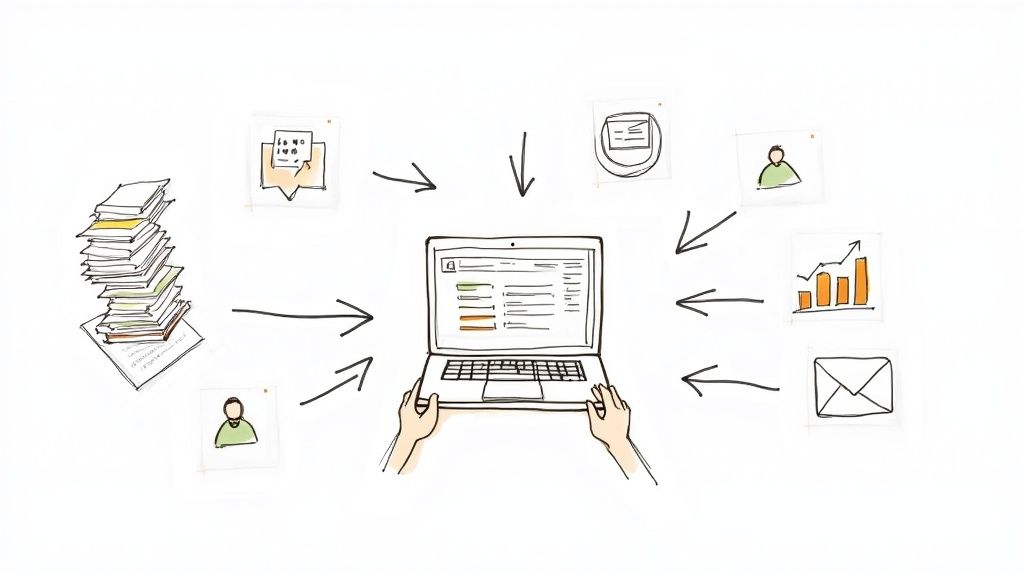
Membership management software for non-profits brings all your files into one place. It centralizes member records, automates renewals, and simplifies event sign-ups.

Imagine a stack of folders collapsing like dominos, scattering bits of information across your desk. That’s the chaos of manual membership tasks. Non-profit membership management software is like a single, sturdy cabinet that never overflows.
Later in this guide, we’ll bring these ideas to life with an easy comparison table and vivid analogies.
Associations often juggle data across spreadsheets, email threads, and event tools. When renewal notices slip through the cracks, revenue takes a hit.
A messy event signup process frustrates members and eats up your team’s time. In this section, we’ll show how a unified system tackles each of these pain points head-on.
"A central database saves hours each week and boosts engagement."
This upgrade feels like swapping a paper atlas for a precise GPS—your next turn is always clear.
"Expect practical guidelines, real examples, and checklists designed for busy community managers."
Now, let’s dive in and see how membership management software can bring order to your day-to-day operations.
The push toward digital-first operations and fresh revenue strategies is rewriting how nonprofits handle membership. Associations of every size are swapping spreadsheets and paper forms for cloud-based portals.
Meanwhile, online events have exploded. Now, organizations need seamless registration and QR check-ins to keep attendance data accurate. Subscription billing has also surged, turning one-off invoices into predictable renewal cycles.
This appetite for integrated tools has driven the membership-management software market to roughly USD 5.4 billion to USD 8.6 billion in the mid-2020s. Experts forecast growth in the mid-single to low-double digit range over the next 4–8 years. Learn more about membership management market forecasts
“The membership management market is expected to expand by 12% annually as organizations seek integrated tools.”
Below is a snapshot of projected market size and compound annual growth rates from 2024 through 2028. Associations can use these figures to plan technology budgets and growth strategies.
These projections highlight steady annual increases driven by automated registrations, billing workflows, and deeper analytics.
Real-time dashboards and hybrid event support are no longer optional. As chapters grow, they need solutions that unify event check-ins, billing reminders, and engagement metrics under one roof.
Understanding these trends empowers associations to choose membership management tools that align with both current operations and long-term community goals. By matching market signals to specific features, organizations can budget strategically and sustain member engagement.
Modern nonprofit membership management software gathers every tool into a single, mobile-friendly interface. Think of it like a coach’s playbook, where each module outlines the next move. From database management to real-time dashboards, these features keep your team in sync and errors at bay.
We’ll walk through six key capabilities that save hours and cut down on mistakes. You’ll see how each piece—from Member Database to Analytics Insights—ties into a cohesive process.
At the heart of the system is a centralized Member Database. Every profile, activity log, and chapter link lives here. A quick keyword search brings up histories in seconds, and the mobile-first design means volunteers stay informed even on the road.
This setup mirrors checking player stats before tip-off. Coaches use quick insights to call plays, and community managers rely on detailed records to reach out with the right message.
Automatic billing and renewals remove the guesswork around dues. Reminder emails go out weeks ahead of expiry, and receipts land directly in inboxes. The result? A healthier cash flow.
Associations often see 25% fewer lapsed memberships when renewals run themselves. Behind the scenes, a single line of code like scheduleEmail(member.email, 'Your membership renews soon', sendDate) handles the reminder process, freeing your staff for higher-value tasks.
Modern event registration tools handle signups and on-site check-in without the paperwork. QR codes scan in seconds via a mobile app, and attendance logs update instantly. Volunteers ditch clipboards and long lines.
Key benefits include:
This approach cuts check-in errors by 90% and gets participants through the door faster.
“Halving check-in time boosts satisfaction and keeps events running smoothly.”
Built-in email campaigns let you segment audiences by interests, roles, or chapters. Triggers can launch welcome series or event reminders based on member actions. Open rates often top 45%, keeping people engaged.
Volunteer coordination tools work the same way. Assign shifts, track hours, and share schedules in a few clicks. Volunteers check their assignments on their phones, cutting down on back-and-forth emails.
This integrated flow slashes planning time by 30% and gives you a clear view of every volunteer’s activity.
Interactive dashboards bring data from every module into one view. Real-time charts track registrations, renewals, and engagement at a glance. Custom filters let you dig into the details—by date, chapter, or membership tier.
Alerts notify your team when key numbers cross thresholds, like a scoreboard guiding strategic decisions. Everything funnels back into a central hub, so nothing falls through the cracks.
Check out our guide on Advanced Member Retention Strategies to see how automated workflows fuel long-term engagement.
Every coach needs a clear playbook. These workflows become yours, helping your team move confidently from one drive to the next.
Choosing the right membership management system is akin to picking the perfect toolkit for a complex build. You want reliability, flexibility, and crystal-clear guidance at every step. Get it wrong, and you risk hidden fees and unhappy members.
Every organization has its own demands. Large federations often require multi-chapter deployments and robust fund accounting features. By contrast, smaller groups or new ventures usually look for zero-cost entry points and rapid onboarding.
Later in this section, you’ll find criteria for comparison, examples of trade-offs, spending trends by organization size, and a concise case study. This roadmap clarifies which features matter most. Teams that are further along tend to focus on detailed compliance logs and audit trails.
When you evaluate platforms, keep these core factors front and center:
This framework helps decision-makers compare options on an even playing field.
GroupOS strikes that balance. Its Enterprise plan delivers advanced fund accounting and chapter hierarchies. Meanwhile, the Starter Plan offers a free tier for basic renewals, events, and email campaigns.
Imagine a system with powerful reporting dashboards but a weeks-long setup that demands expert training. If speed is your priority, you might opt for a leaner solution with basic analytics. Overlooking this balance can lead to days—or even weeks—of unexpected work.
In one scenario, a regional art collective compared Platform Alpha at $500/month (with deep dashboards) against Platform Beta’s free tier that covered core features. They chose Beta to keep costs low and onboard within a week, relying on renewal reminders and QR-code check-ins for gallery events.
On the flip side, a mid-sized chamber of commerce weighed GroupOS’s reporting tools and multi-chapter support against a simpler freemium option. They accepted a two-week training window in exchange for built-in fund reconciliation and compliance dashboards. Integrated email campaigns then helped them boost chapter-level engagement by 20%.
When you break down budgets, large associations command the biggest slice. They accounted for about 52.7% of nonprofit software spending in 2024. Meanwhile, SMEs are the fastest-growing segment, posting low-teens CAGRs thanks to affordable cloud and freemium models.
Mordor Intelligence offers a deeper dive into these nonprofit spending trends.
Vendors now juggle enterprise-grade modules alongside entry-level tiers to serve every buyer. As member expectations evolve, choosing software that can grow with your budget and feature needs becomes essential.
Before you sign on the dotted line, run through this final checklist:
Check these off to move into the decision-tree phase with confidence.
This decision tree begins with renewals and then branches into event management or email workflows based on your priorities.
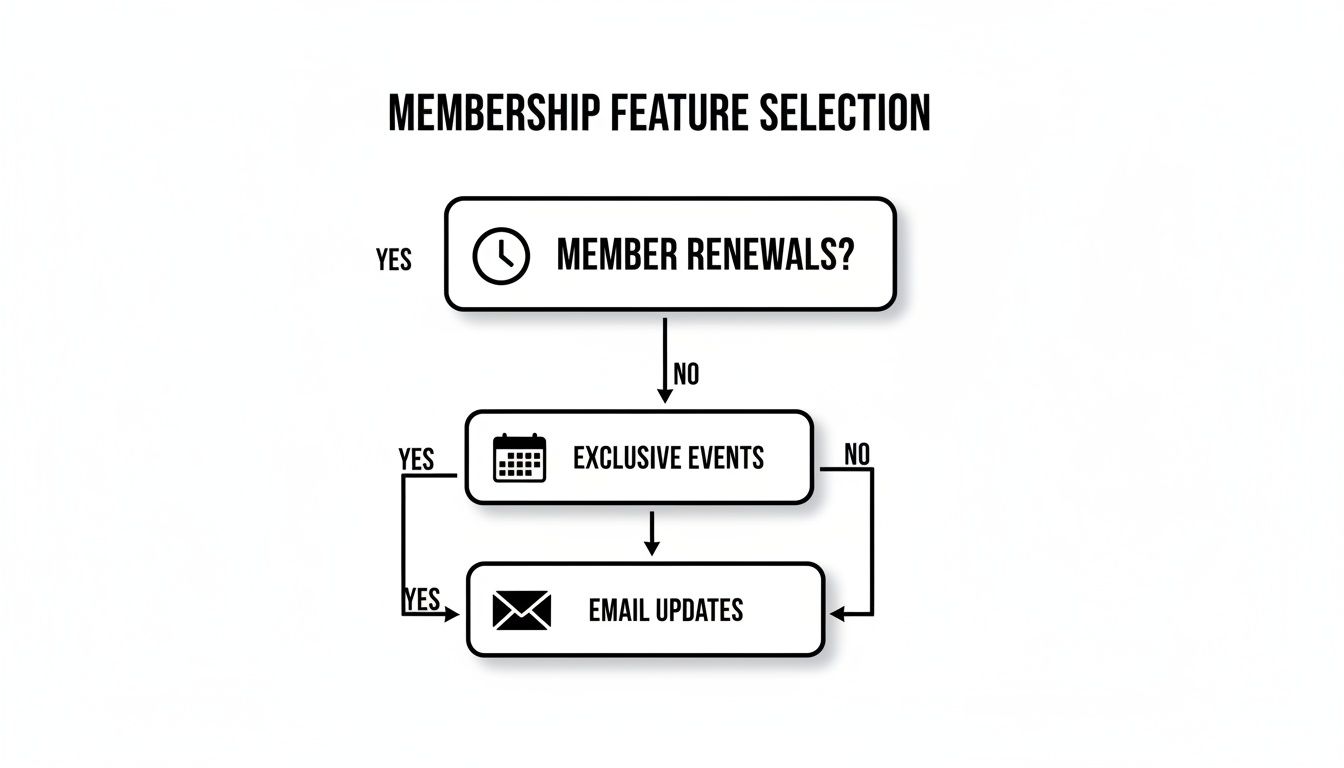
Check out our guide on membership software for associations to explore detailed comparisons and real user reviews: https://groupos.com/blog/membership-software-for-associations
After this process, you’ll make a confident selection and start saving resources right away.
Choosing where your membership management software lives—and how you pay for it—is your first big decision. Think of cloud SaaS like renting a furnished apartment: minimal moves and low up-front costs. On-premises feels more like buying a house—you handle the initial build but enjoy total ownership.
Visualize SaaS as a gym membership: subscribe, walk in anytime, and use whatever equipment you need.
Installing on-premises is like setting up a home gym—you invest heavily at the start but eliminate monthly dues. According to Straits Research report, by mid-2020s 60–70% of the market favored cloud platforms, while 70–80% of vendor revenue came from subscription billing.
Subscription plans tame surprise invoices and smooth out budgeting. Free or donationware tiers let smaller teams explore features without risk. Enterprise agreements layer in custom integrations, dedicated support, and negotiated volume discounts.
“Knowing your total yearly cost upfront keeps the board happy,” says an association finance lead.
Steps to visualize the trade-offs:
Below is a quick overview of each approach’s strengths and weaknesses.
This table should serve as a starting point for your comparisons.
Check out our guide on membership site platforms for deeper analysis and real user reviews: https://groupos.com/blog/membership-site-platforms
Planning ahead means projecting license fees, support budgets, and upgrade timelines. For instance, a midsize nonprofit might see a $100 monthly SaaS plan total $6,000 over five years versus a $10,000 perpetual license plus $2,000 annual maintenance.
Use a spreadsheet or built-in calculator to map each line item against your membership growth. Confirm whether extras—advanced analytics or mobile check-ins—carry additional charges. Ask for multi-year rate locks to shield against price hikes, and align renewals with your fiscal cycle to avoid cash strain. Clear SLAs spell out uptime commitments, making your software costs as predictable as a well-planned gym schedule.

Rolling out nonprofit membership management software is a lot like warming up a sports team before game day. You introduce new plays one at a time so no one gets overwhelmed.
In one scenario, a small chapter kicks the tires on core features before the wider organization jumps in. This phased approach builds confidence and spots integration or training gaps early.
Data migration often trips teams up when fields don’t match or history gets lost. Break records into batches, map each field carefully, and validate as you go. For a deeper dive into smoothing out these hurdles, check out our full guide on overcoming data integration challenges in nonprofit membership software implementations (Overcome data integration challenges).
Splitting your launch into three clear phases keeps everyone on track and excited.
Continuous training ensures users master new features and stay adaptable.
Think of champions as team captains running practice drills. Their enthusiasm keeps everyone engaged long after kickoff.
Once you’ve gone live, momentum is everything. Keep support channels open and watch engagement metrics for drop-offs.
A strong helpdesk is like a coach’s bench—ready with timely substitutions. Regular pulses keep your team aligned and primed for new feature releases.
Think of this as your final huddle before kickoff. A smooth run-through keeps surprises off the field.
Tracking these indicators helps you fine-tune your approach. GroupOS analytics dashboards display these numbers in real time.
By following these checklists, you turn an implementation into a winning season rather than a last-minute scramble. Align your playbook with stakeholder goals, lean on pilot feedback, and empower your champions. In the end, software adoption becomes a team victory that delivers lasting value.
Ready to see it in action? Get started with GroupOS to unite your organization on one platform, rack up wins in engagement, and make daily management a breeze.
At its core, a centralized member database combined with automated billing and renewals, easy event registration, built-in analytics, and streamlined communication puts an end to scattered spreadsheets and human errors. Your team spends less time fixing mistakes and more time engaging members—and payments arrive on schedule. For a step-by-step walkthrough, check out Exploring Core Features And Member Workflows.
“A unified system cuts errors by 90%,” notes one expert.
When you’re comparing platforms, line them up against:
Keep a running log of must-have tweaks and support channels, then:
Migrating your existing member data doesn’t have to feel like a leap of faith. Start with a thorough audit of legacy records, map each field carefully, and import in controlled batches. Always validate a test import and back up everything before going live. Templates and field-matching tools in Implementation And Adoption Best Practices streamline this process.
Connecting dues, donations, and contact info in real time keeps every system singing from the same hymn sheet. A typical integration follows these steps:
Reliable APIs and prebuilt connectors cut down on custom code and ongoing maintenance. For a deeper dive, see Integrations And Analytics.
Ready to streamline your membership operations?
Try GroupOS Today and see how easy it can be.







