March 11, 2026
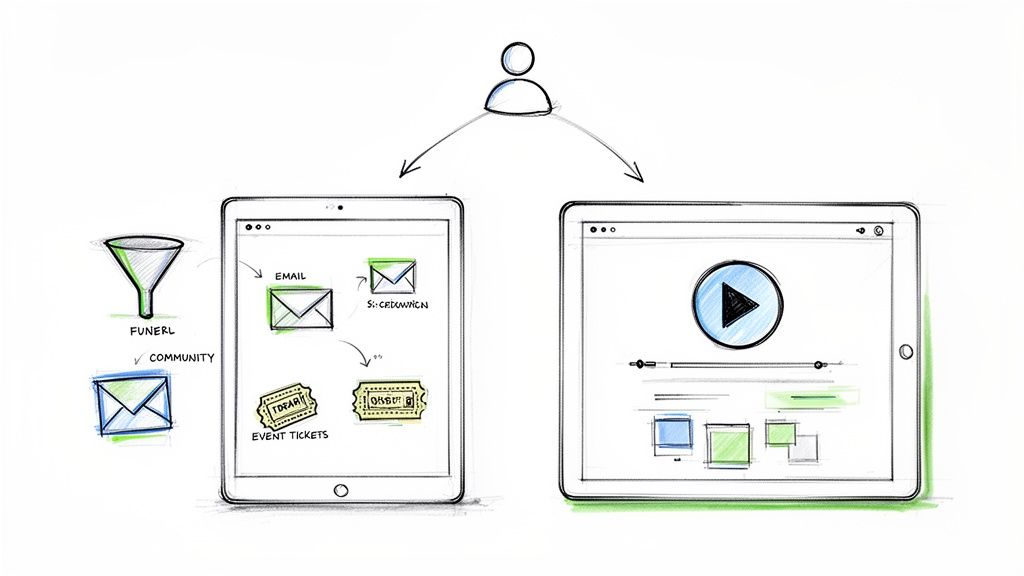
The fundamental difference between these two platforms boils down to a simple trade-off. Kajabi is an all-in-one business platform, designed to run your entire operation. Teachable, on the other hand, is a streamlined course creation tool that prioritizes getting your content to market quickly.
Your final decision will hinge on whether you need a fully integrated ecosystem with powerful marketing tools or a more accessible, user-friendly starting point for selling courses.
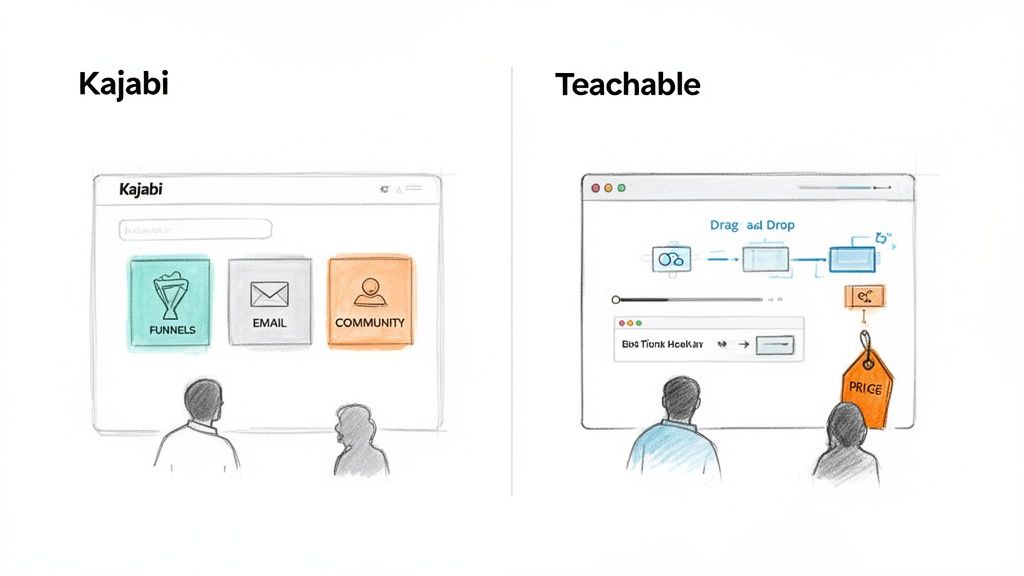
Choosing between Kajabi and Teachable is a critical move for any creator, association, or business looking to monetize their expertise. While both are giants in the online course space, they serve very different strategic needs. One functions as a complete business operating system, while the other is laser-focused on making course creation as simple as possible.
To make the right choice, you have to look past a simple feature checklist and really get a feel for the core philosophy driving each platform.
Kajabi is clearly built for established businesses, professional organizations, and creators who are ready to scale. Its entire design is centered on keeping your business—from marketing funnels and email campaigns to community management and checkout—all under one roof. This integrated approach is incredibly powerful, but it comes with a higher price tag and a definite learning curve.
Teachable, in contrast, is all about lowering the barrier to entry. It’s perfect for first-time course creators, solopreneurs, and anyone who values ease of use above all else. Its real strength is its intuitive course builder and straightforward interface, which lets you get a product up and selling in no time.
Think of it this way: Kajabi is your business's central nervous system, managing everything from lead capture to student engagement. Teachable is the highly efficient assembly line for creating and selling your digital course.
The market data really highlights this split. In early 2026, Kajabi was powering 30,035 live stores, a number that proves its standing as a comprehensive business platform, not just a course host. Meanwhile, Teachable held strong with 29,987 active stores, showing its consistent appeal to a wide base of new and growing creators. You can dig into more platform market share data in these detailed reports from Store Leads.
For a broader look at how various platforms stack up against each other, this detailed online course platform comparison is a really useful resource.
To help you see the core differences quickly, here is a summary of how the two platforms approach their mission.
This table lays out the strategic divide: Kajabi offers a complete, self-contained business engine, while Teachable provides a focused, accessible tool that integrates with other services to build out your marketing stack.
Let's get to the core of it: how well do these platforms actually help you build and deliver a course? When we look at Kajabi vs. Teachable, we're digging deeper than a simple feature list. We’re really examining the entire journey—from how you, the administrator, set everything up to what your students ultimately experience. This choice will shape your workflow and, more importantly, your students' results.

Kajabi’s philosophy is all about structure, built around what it calls "Product Blueprints." Think of these as ready-made templates for different kinds of digital products—mini-courses, full online programs, drip content, and even coaching sessions. If your goal is to build out an entire educational ecosystem, this is a huge head start.
A blueprint lays out a logical framework of categories and posts (your lessons), guiding you as you upload your content. This approach not only keeps your offerings consistent but also makes it much easier to build interconnected products. For example, you can use a blueprint to quickly set up a short, introductory course that naturally funnels students into your main program.
Teachable, on the other hand, prioritizes flexibility and speed. Its drag-and-drop course builder is known for being incredibly straightforward. Instead of starting with a fixed template, you build your curriculum lesson by lesson, with the freedom to combine different types of content however you see fit.
Building a course in Kajabi feels like you're creating a complete package. The platform encourages you to think about the marketing funnels, automations, and what happens after a purchase right from the start. This all-in-one approach is powerful, but it can also feel a bit overwhelming if you're new to this and just want to get your videos online.
Teachable’s builder is much more direct. You create a curriculum, add your lectures, and upload content. It's a simple, linear process that many find intuitive. This makes it a fantastic option for anyone launching their first course or for teams that just need to get content live quickly without getting sidetracked by marketing configurations.
For a deep dive into structuring your content effectively on any platform, our guide on how to outline your course can give you a solid foundation.
This is where the rubber meets the road. Both platforms provide clean, professional course players, but they have different strengths. Kajabi's player is tightly woven into its other features, like the community and assessments, which creates a consistent brand experience, particularly on its mobile app.
Teachable’s course player is frequently cited as one of its standout features. It's exceptionally clean, responsive, and easy for students to navigate. A key distinction is Teachable's ability to let you include multiple content types—like a video, a PDF download, and a quiz—all within a single lecture. This can really help with keeping lessons engaging.
That focus on engagement is more important than you might think.
Industry-wide, online course completion rates hover at an alarmingly low 5-15%. This statistic highlights just how critical it is for a platform to help you keep students motivated from the first lesson to the last.
Both platforms give you tools like quizzes, completion certificates, and content dripping to fight student drop-off. However, Teachable’s flexibility in mixing content formats within a lesson, combined with its super-clean player, gives it a slight edge in crafting a more dynamic experience on a lecture-by-lecture basis.
Ultimately, the right tool comes down to what you're trying to build.
While both platforms offer a professional experience for students, the Kajabi vs Teachable debate on course creation really boils down to structure versus simplicity. Kajabi gives you the framework for an entire educational empire, while Teachable offers one of the most direct paths from an idea to a finished course.
When it comes to marketing and sales, the comparison between Kajabi and Teachable gets really interesting. This is easily the biggest fork in the road between the two platforms. One is built as a complete marketing machine from the ground up, while the other gives you the essential sales tools and expects you to bring your own marketing automation.
How you decide here will ripple through your entire business, affecting not just your monthly software costs but your day-to-day workflow and how easily you can scale. Getting this right is about understanding the true, long-term cost of your choice.
Kajabi hangs its hat on being an all-in-one solution, and its marketing features are the best proof of that promise. The entire system is engineered to manage the customer journey from the moment someone first hears about you to the final sale and follow-up, all from a single dashboard. For anyone looking to build a seamless marketing operation, this is where Kajabi really pulls ahead of Teachable.
The star of the show here is Kajabi Pipelines. Think of these as pre-built, customizable marketing funnels designed for very specific goals. If you want to run a webinar, for instance, a pipeline automatically generates everything you need:
Having this built-in means you aren't trying to duct-tape together different tools for landing pages, email campaigns, and event management. It's all connected right out of the box, which dramatically cuts down on technical headaches. If you're brainstorming ideas, these sales funnels templates offer a great starting point you can adapt for any platform.
On top of that, Kajabi packs a powerful email marketing system with sophisticated automation. You can tag people based on what they do—like finishing a lesson or clicking a link—and then trigger automated email sequences designed to guide them toward their next step.
Teachable has a much more direct philosophy. It’s built to do one thing exceptionally well: help you create and deliver courses. It gives you the necessary tools to sell those courses but doesn't try to be a full-blown marketing suite like Kajabi. The beauty of Teachable is its simplicity for getting a product to market.
You can create clean sales pages, offer coupons, and set up payment plans with no fuss. It also includes a surprisingly good native affiliate management system. You can get partners up and running to promote your courses quickly and easily—it just works.
But for anything more advanced, you’ll be reaching for third-party tools. You can connect your Mailchimp or ConvertKit account, but the integration won't be as deep or as smooth as Kajabi's native email. You’ll find yourself managing complex funnels and automation outside of Teachable, using something like Zapier to bridge the gap.
The core difference is this: With Kajabi, you build and automate your marketing funnels inside the platform. With Teachable, you build your course inside the platform and then connect outside tools to handle your marketing.
This isn't about which platform is "better," but about which philosophy fits your business and your technical comfort zone.
Choose Kajabi if: You want a single login and a single bill for your entire operation. If your goal is to build complex marketing funnels that react to user behavior and you'd rather not juggle multiple software subscriptions, Kajabi is built for you.
Choose Teachable if: You already have a marketing stack you love or you prefer to pick and choose the "best" tool for each job. If you’re comfortable connecting your favorite email provider and landing page builder to your course platform, Teachable provides a solid, budget-friendly foundation.
Ultimately, it’s a classic trade-off. Kajabi’s higher price tag gets you a powerful, integrated marketing engine. Teachable's lower entry price gives you an excellent course platform, but you have to account for the extra cost and effort of adding external tools to match Kajabi's automation power.
A course might be the initial draw, but a vibrant community is what makes people stay for the long haul. This is where you move beyond one-off sales and start building real, lasting value. When looking at Kajabi vs Teachable, how each platform handles community reveals their fundamental differences in philosophy.
For any association or professional network, an active community isn't just a nice-to-have feature; it’s the core of the business. It’s the space where members connect, swap ideas, and find value that extends far beyond a static library of content.
Kajabi doesn’t treat community as an add-on; it's a central part of its ecosystem. The platform gives you a fully integrated, private social network that lives right on your site, which means your members never have to leave your branded space to connect. You can set up standalone communities or tie them to specific products, creating different access levels for different membership tiers.
The experience is incredibly seamless. Key features include:
Best of all, it’s all connected. You can set up automations based on community activity. For instance, if a member becomes highly engaged, you could automatically trigger an email offering them an upgrade to a premium coaching package.
Teachable's community feature is built to do one thing really well: support course delivery. It functions as a dedicated discussion area attached to a specific course, giving students a place to ask the instructor questions about lessons and chat with their classmates.
It’s perfectly effective for course-related Q&A. If all you need is a simple way for students to get help with the curriculum, Teachable has you covered. But it's not a standalone social hub. It's more like an enhanced comment section than a thriving, independent community. For organizations trying to build a multi-faceted membership that exists beyond a single course, it feels pretty limited.
Kajabi's community is a destination in itself—a place for members to gather, network, and engage. Teachable's community is a feature designed to support the learning experience within a course.
For organizations where community is everything, even Kajabi can feel restrictive. This is where platforms built specifically for community and events really shine.
If your organization’s lifeblood is events, networking, and deep member-to-member interaction, forcing everything into a course-first platform is like trying to fit a square peg in a round hole. Platforms like GroupOS are engineered from the ground up to serve professional networks and event-driven organizations.
The screenshot below from the GroupOS homepage immediately signals its focus on integrated community and event tools.
This image highlights a platform built not just for content delivery, but for connection and live experiences. Where Kajabi and Teachable are course-centric, GroupOS is community-centric. To dig deeper, you can see what it takes to build a powerful membership-based website using tools designed specifically for this purpose.
GroupOS excels precisely where the others fall short:
When it comes to the Kajabi vs Teachable debate on community, the choice is pretty clear. Kajabi offers a strong, integrated solution that's perfect for creators adding a community layer to their course business. Teachable provides the bare essentials for course-specific discussions. But if your main goal is to build and manage a powerful professional network driven by events and genuine engagement, a dedicated platform like GroupOS will serve you much better.
When you're weighing Kajabi against Teachable, it's tempting to just look at the monthly price tag. But that's a rookie mistake. The number you really need to care about is the total cost of ownership, which goes far beyond that subscription fee.
This true cost is a mix of the monthly plan, transaction fees, and any feature limits that might push you into a more expensive tier sooner than you think. Getting this calculation right is the difference between a profitable business and one that’s constantly leaking revenue.
Here’s the single biggest financial difference: Kajabi charges zero transaction fees on every single one of its plans. You still have the standard payment processor fees from Stripe or PayPal, of course, but Kajabi doesn’t take an extra cut. This makes your monthly costs incredibly predictable, which is a huge plus when you’re trying to scale.
Teachable, on the other hand, builds transaction fees into its lower-cost plans. For instance, their Basic plan charges a 5% fee on every sale you make. While you can get rid of that fee by upgrading to their Pro plan, it’s a critical factor for anyone just starting out or for organizations that sell lower-priced courses or memberships.
That 5% might not sound like much, but it adds up surprisingly fast. If you pull in just $2,000 in a month, you’re already handing $100 over to Teachable before you even pay your monthly subscription. It’s a cost that grows right alongside your revenue.
This visual below helps put things into perspective, showing where each platform focuses its efforts. The features they prioritize directly influence their pricing models and the value you get for your money.
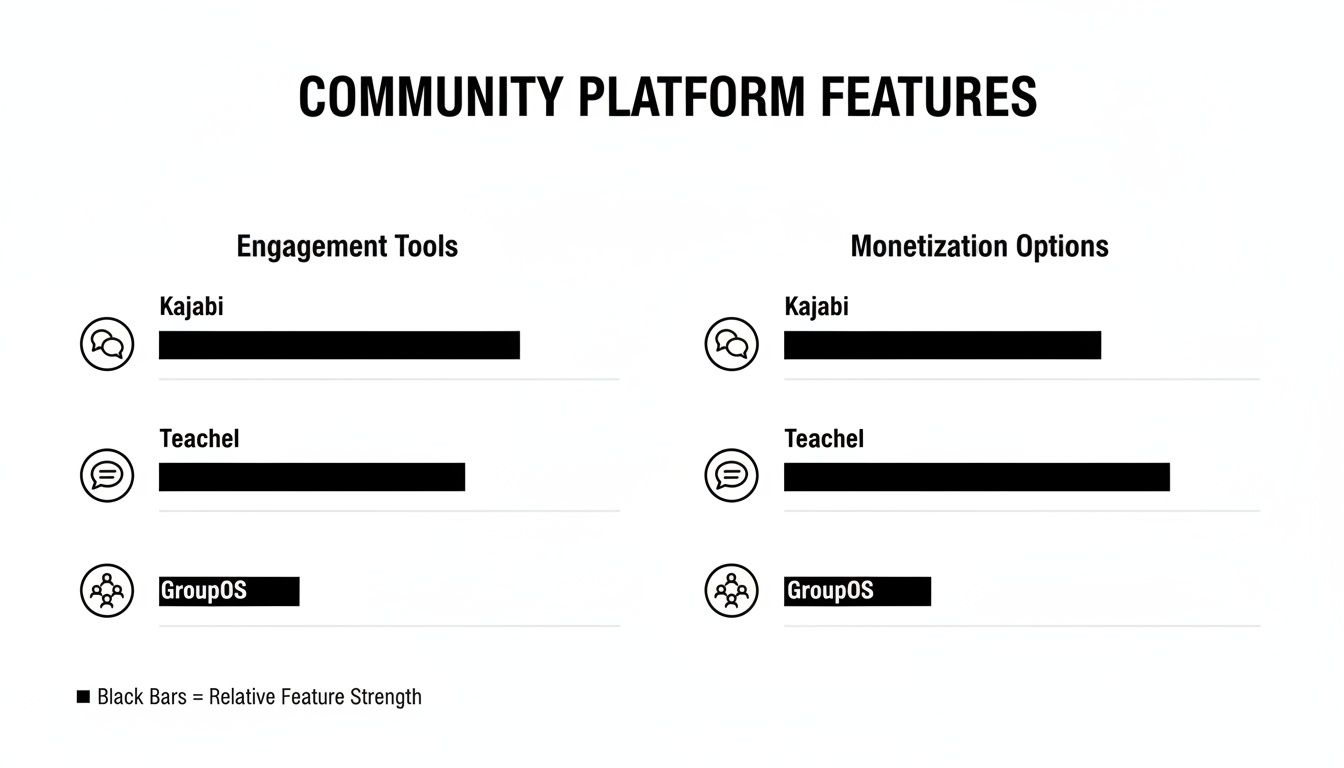
As you can see, the core philosophy of each platform is different. This isn't just about features; it's about what they believe is most important for creators, which ultimately shapes how they charge for their service.
Let's run the numbers to see what this looks like in the real world. The table below breaks down the actual monthly cost on the basic plans for both platforms at different revenue points. This is where you find the financial tipping point.
The results are pretty clear. Once you cross that break-even point, the savings with Kajabi become significant and only increase as your revenue grows.
The math shows that the tipping point happens sooner than most people expect. As soon as your business is consistently making over $1,800 per month, Kajabi's all-inclusive price becomes the smarter financial choice. You stop penalizing your own growth.
This is a key strategic insight for any creator or organization planning for the future. While Teachable’s low entry price is appealing, its fee structure can quickly become a financial anchor holding you back. For more strategies on maximizing what you earn, you can find great tips in our guide on how to manage subscriptions.
Ultimately, the right choice isn't just about your monthly bill. It’s a strategic decision. If you plan to keep your operation small or are just testing an idea, Teachable’s entry-level plan is a perfectly fine, cost-effective starting point. But if you're building for growth, Kajabi’s zero-fee model gives you a more stable and, in the long run, more profitable foundation.
So, after laying it all out, which platform is the right one for you? The truth is, there’s no single “best” choice—only the best choice for your specific situation. Picking between Kajabi and Teachable comes down to answering one fundamental question: Are you building a standalone course, or are you building an entire business around your content?
Your answer to that question will tell you everything you need to know.
Choose Teachable if you're a creator or expert focused on one thing: getting your course online and selling it, fast. It’s built for speed and simplicity, and it excels at that mission.
Teachable is your best bet if you want to:
Teachable is the go-to for launching your first course. It’s a straightforward, powerful tool for monetizing your expertise without getting bogged down in the complexities of an all-in-one system. It's about getting your content out there and making sales, period.
Choose Kajabi when you're ready to build more than just a course. Think of it as the central operating system for your entire digital brand. This is for established businesses, associations, and serious creators looking to scale.
Kajabi is the right platform when your vision includes:
Of course, these two are heavy hitters, but it’s always smart to understand the full landscape and what makes for the overall best platform to sell online courses before making a final call.
But what if courses aren't the main event? What if your real focus is on fostering connections, managing members, and running events?
This is where a dedicated platform like GroupOS comes into play. If your primary business is running a professional network, selling complex event tickets, and building a deeply engaged member community, you'll need tools that course-centric platforms just don't prioritize. GroupOS is designed from the ground up for organizations where the community is the product, not just an add-on feature.
When you're looking to switch platforms or start fresh, a few key questions always come up. Let's dig into the practical side of choosing between Kajabi and Teachable to help you get a clearer picture before you make a move.
Yes, you can, but get ready for some manual work. Neither platform offers a simple, one-click migration tool. You’ll have to personally download your course content—videos, PDFs, text files—from your old platform and then upload everything into the new one.
With Kajabi, you're essentially rebuilding your courses from scratch. While they don't have a dedicated migration service, their customer support is solid, and the "Kajabi University" offers a ton of guidance. Honestly, a lot of creators just hire a Kajabi Virtual Assistant to manage the whole transfer; it’s a common and very efficient way to handle it.
Teachable is also a manual process. The silver lining is that its course builder is very straightforward, which can make rebuilding your curriculum feel a bit faster if your course structure is simple.
This one is a clear win for Kajabi. It gives you far more control over your brand's look and feel. You get a full-blown website builder, a powerful theme editor, and on the higher-tier plans, you can even dig into the page code. This means you can create a completely white-labeled experience where every single element, from your sales pages to the course player, feels like your brand.
Teachable offers decent customization on its sales pages and lets you use a custom domain, which is great. However, the backend where your students take their courses will always have that distinct "Teachable" aesthetic. You can add your logo and change the colors, but you just don't get the same level of control over the layout and user journey that you do with Kajabi.
Key Takeaway: If you want a seamless brand experience where your members feel like they never leave your ecosystem, Kajabi is hands-down the better option. If basic branding is good enough for now, Teachable gets the job done without overcomplicating things.
Managing a professional network is about more than just courses. GroupOS is an all-in-one platform designed specifically for deep community engagement, complex event ticketing, and powerful member management. See how you can build a thriving community at GroupOS.







