March 30, 2026
So, you’ve decided it’s time to shut down your Facebook group. The fastest way to do this is a bit of a manual chore: you have to remove every single member one by one. Once you're the last person standing, leaving the group yourself will trigger its permanent deletion.
Be warned: this is a one-way street. Once you hit that final button, there's absolutely no way to recover your group or its content.
Making the call to delete a Facebook group is a big deal. You're not just closing a digital space; you're ending a chapter for a community you likely poured a lot of heart and soul into. Before you pull the trigger, you need to be 100% sure, because deletion is final. Every post, photo, file, and memory will be erased forever. This is the critical difference between deleting and archiving, which simply puts the group on pause.
This guide is for admins who know it's time for a clean break. Perhaps a project has run its course, a brand is being retired, or the group's original purpose is now obsolete. Deletion is often the best move to prevent your once-vibrant community from turning into a ghost town full of spam—which can tarnish the reputation you worked hard to build.
Sometimes, letting go is the best way to focus your energy on what's next. If you're thinking about starting a new community from scratch, it's worth learning the principles of building thriving online communities to set your next project up for success.
Not sure whether to delete or just hit pause? This quick comparison should help you decide on the right move for your group.
| Action | What Happens to Your Group | Can You Reverse It? |
|---|---|---|
| Deleting | All content is permanently erased. The group is no longer searchable or accessible. | No. This action is final and cannot be undone. |
| Archiving | New posts and comments are disabled. The group becomes read-only and hidden from non-members in search. | Yes. You can unarchive the group at any time to restore full functionality. |
Ultimately, archiving is a great "soft close" if you think you might want to revive the group later. Deletion is for when you know, without a doubt, that it’s time to say goodbye for good.
Before you pull the trigger, I can't stress this enough: deleting a Facebook group is a permanent, irreversible action. This isn't like deleting a post you can later find in the trash. Once it's gone, it's gone for good. There’s no undo button and no support team that can bring it back.
When you confirm the deletion, you are essentially erasing every trace of your community's existence on the platform. Everything disappears in an instant.
Think of it as bulldozing a library instead of just closing its doors. If your group was for a graduating class, all those shared memories and inside jokes vanish. For a work project, years of collaboration and brainstorming are wiped out completely.
While you might be ready to close this chapter, your members will likely feel blindsided. They get a notification that they've been removed, but nothing that explains the group itself has been deleted. From their perspective, a community they valued just vanished into thin air.
Deleting a group severs every connection. All the relationships, discussions, and shared knowledge you built together are lost in a single click, leaving a void where your community used to be.
Think about the trust you’ve earned. An abrupt deletion can feel like a real letdown for the loyal members who invested their time and energy. If your main goal is to simply step back, consider archiving the group or transferring ownership. These are far less jarring options and show respect for the people who made the group what it was.
That said, sometimes a clean break is the best move. Deletion makes sense if a brand has been retired, a project is officially over, or the group has become overwhelmed by spam you can no longer manage. In these cases, a final closure prevents the group from turning into a digital ghost town.
If you have valuable content you want to save, it's smart to look into doing a Facebook group export before taking this final, irreversible step.
When you’re ready to permanently close down your Facebook group, doing it from a desktop is the most reliable way. It's not a single-click affair, though. Facebook makes you dismantle the group piece by piece before you can actually delete it. It’s a bit of a process, but it’s the only way to make sure it's gone for good.
First things first, head over to your group’s main page and find the “Members” tab. Clicking this will pull up a list of every single person in your community.
Here’s the part that requires some patience. You have to manually remove every member from the group until you’re the only one left. Unfortunately, Facebook still doesn't offer a bulk-remove option, so this is a one-by-one task.
For each person on your member list, you'll need to:
You'll repeat this for every single member. If you have a large group, this can be incredibly time-consuming, so maybe put on a podcast and get comfortable. This step is non-negotiable—if other members are left behind when you leave, the group simply gets a new admin instead of being deleted.
Once you’ve cleared the member list and you’re the last person standing, the final step is to remove yourself. This is what triggers the group's permanent deletion.
Go back to the main group page. You should see your own name in what's left of the member list. Click the three dots next to your name, and you'll find a new set of options available only to the last remaining admin.
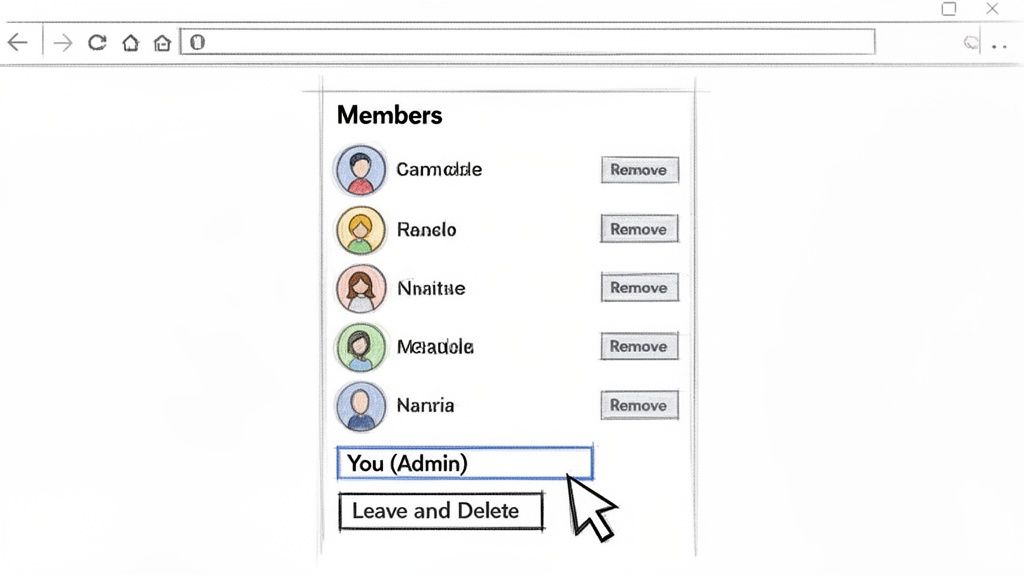
This final admin menu is where the magic happens.
Since you're the sole admin and member, Facebook gives you the nuclear option: "Leave and Delete." Select this, give it one final confirmation, and your group will be instantly and permanently wiped from existence. There's no going back from this.
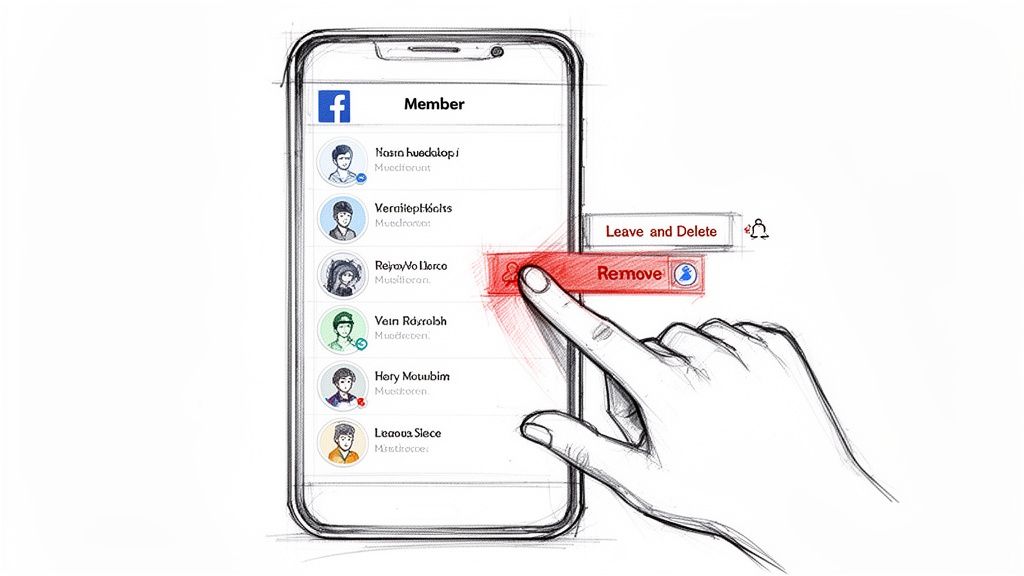
Prefer to manage your group from your phone? You can absolutely delete it from the mobile app, but the process feels a little different than it does on a desktop. The key rule is the same, though: you have to remove every single member before you can delete the group for good.
First, open the Facebook app and head to your group. Tap the shield icon in the top-right corner to get into your Admin tools. This is where all the important management options are located on mobile.
Once you're in the Admin tools, scroll down to find the “Members” list and tap on it. This is where the work begins. Honestly, it's a bit of a grind, but there’s no way around it.
To start removing people from the app:
Now, you have to do this for everyone. If your group is large, I suggest putting on some music, because you'll be here for a few minutes. Every single member has to be removed manually before Facebook gives you the delete option.
After you've cleared the member list and you're the last one standing, it’s time to finish the job. Go back to the group's main page and navigate to the member list one last time.
Find your own name and tap it. Because you’re the sole remaining member, you'll see a special option.
Instead of the usual “Leave Group,” the app will present a “Leave and delete group” button. Tapping this and confirming is the final, irreversible step. Your group and all its history will be permanently gone.
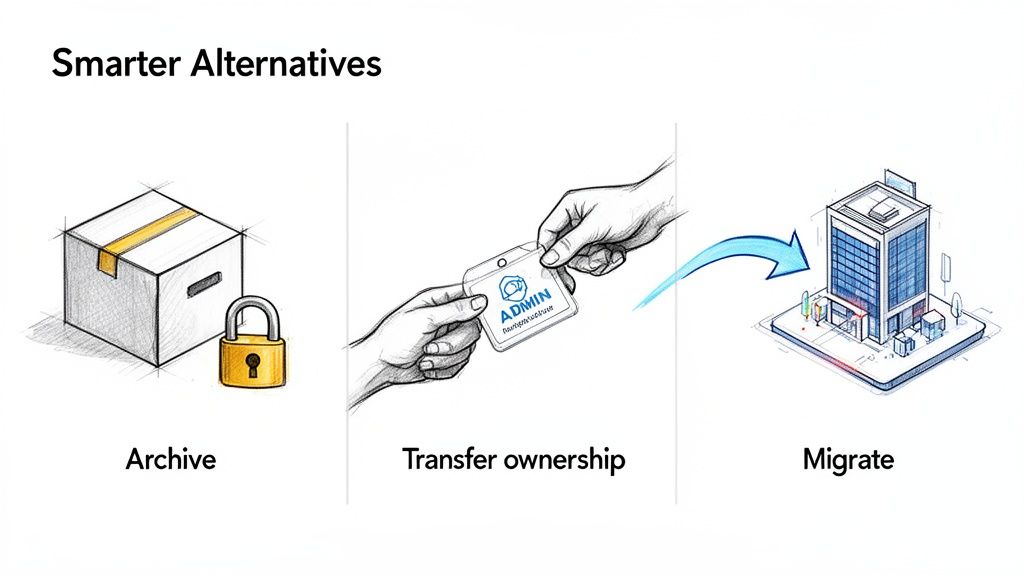
Hold on a second. Before you go through the trouble of removing every single member one by one, let's talk. Deleting a group is final—it erases every post, every connection, and all the work you've poured into it. It’s a drastic step, and honestly, you might not need to take it.
I've seen countless group owners reach this point, and often, a less permanent solution works out much better.
Think of archiving as hitting the pause button. It essentially "freezes" your group in time. All the content is still there for members to see, but no one can post or comment. This is a fantastic option if you just need a break, the group was for a short-term project, or you think you might want to bring it back to life down the road.
But what if the group is still buzzing with activity and you’re just… done? If you're feeling burned out or your priorities have shifted, transferring ownership is the way to go.
Find a member you trust—someone who is active and understands the community’s vibe—and make them an admin. Once they're in place, you can bow out gracefully. This keeps the community going and respects the members who still get value from it. If your group is simply struggling to stay active, it might be worth exploring fresh strategies for building thriving online communities before calling it quits.
Then there’s the final option: migration. If your community has simply outgrown what Facebook can offer, moving to a dedicated platform might be your best move. This is a common path for groups that need serious tools for monetization, event management, or custom branding.
Let's be real, many communities eventually hit a wall on Facebook. You start battling constant spam, algorithmic quirks, and a frustrating lack of control. Even though Facebook's systems are impressive, removing billions of spam posts each quarter, they can't catch the specific headaches that plague a niche community.
Giving your members a new home base can solve these problems for good. Take a look at our guide on finding the right alternative to Facebook for groups and see if a fresh start is what your community truly needs.
Thinking about shutting down a Facebook group you built often brings up some last-minute questions. It's totally normal. When you're learning how to delete a Facebook group you created, you want to be sure you're not missing anything. Let's clear up the most common concerns I hear from other group admins.
This is a critical mistake, and I've seen it happen more than once. If you're the only admin and you just leave the group, it will not disappear. Facebook will simply look for an active member and automatically promote them to the admin role.
Your community will carry on, but it'll either be rudderless or run by someone who wasn't chosen for the job. To make sure the group is actually deleted, you have to be the very last person to leave after removing all other members.
Let me be perfectly clear: no. Deleting a Facebook group is permanent. There's no "undo" button, no 30-day grace period, and no way to ask Facebook support to restore it. It’s gone for good.
All of your content—every post, photo, file, and comment—is wiped from Facebook’s servers forever. If you think there's even a tiny chance you might want that history back, you should archive the group instead.
This finality is exactly why archiving is such a valuable alternative. It preserves everything in a read-only state, giving you a safety net if you're feeling uncertain.
The deletion is instant. The very moment the last member (that's you, the admin) leaves the group, it vanishes.
It won't show up in search anymore, and the old URL will lead nowhere. This is different from deleting a personal profile, where you get a recovery window. With groups, the end is immediate and final. If you've been focused on monetizing your community, you might want to check out our guide on how to monetize your Facebook group before you take such a permanent step.
Members don't get a notification saying, "The group has been deleted." What they do get notified about is being removed from the group, since you have to remove every single person one by one.
From their point of view, the group just disappears from their list without warning. It can be a pretty jarring experience for a loyal community. I always recommend posting a final announcement a few days before you start removing people to give them a heads-up.
Is your community ready to move beyond Facebook? GroupOS gives you a professional, all-in-one platform to manage your members, events, and content under your own brand. Stop building on rented land and create a true home for your network. See how our features can help you level up your community.







