May 3, 2026
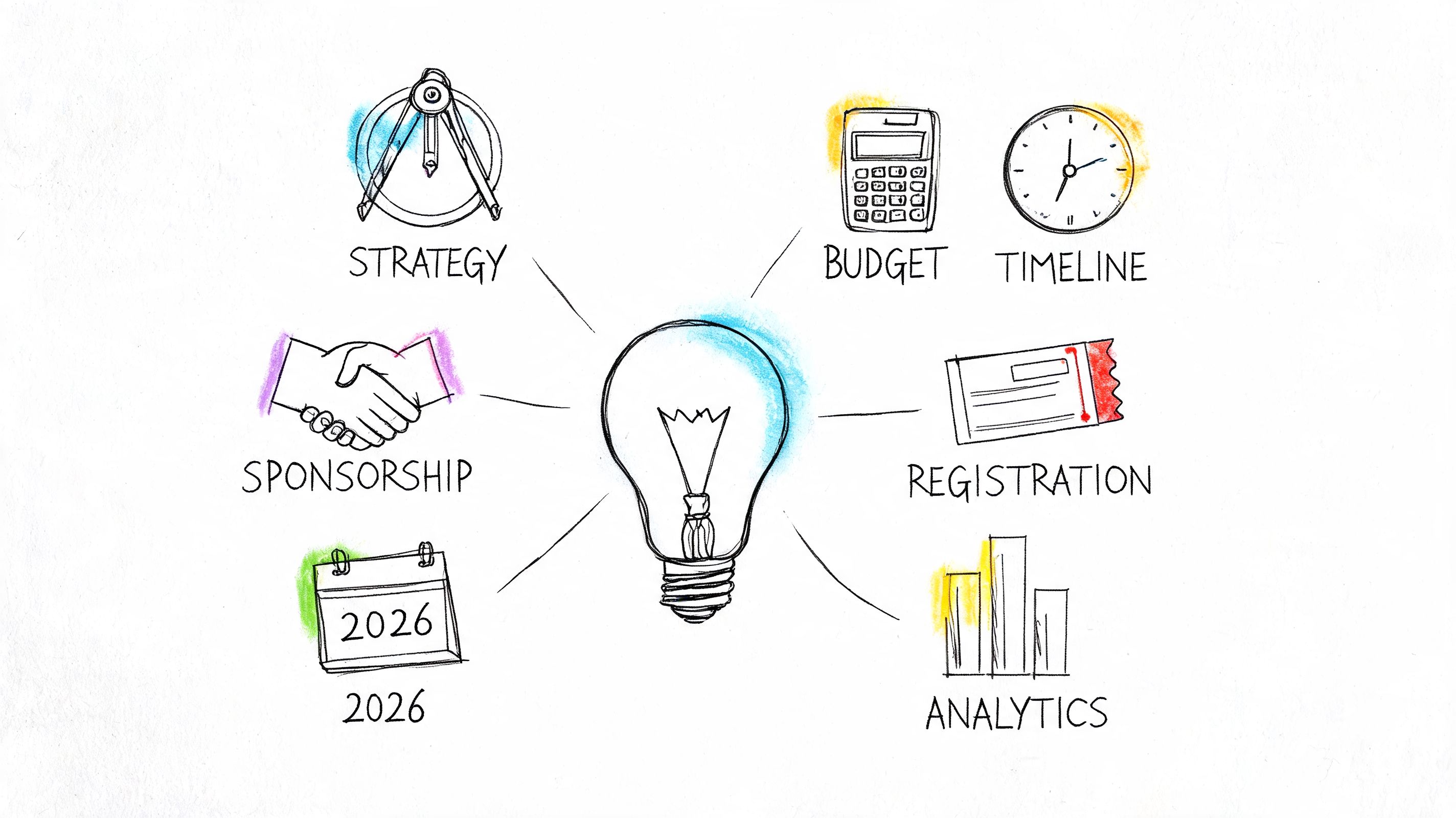
On most event teams, the same scene repeats itself. The website is half-finished, registration questions are still being debated, a sponsor wants different deliverables, a speaker missed a deadline, and someone asks for the latest budget version as if there has only been one. Event planning feels like conducting an orchestra while the stage crew is still building the set.
That pressure isn't imagined. Events now carry real strategic weight, and the stakes keep rising. The global events industry is projected to exceed $2 trillion by 2028, and 89% of marketers say events are critical to business objectives, according to Eventgroove’s event industry statistics roundup. That means a poorly run event isn't just an operational headache. It's a missed business opportunity.
The event planning guidelines that work in 2026 are not a longer checklist. They are a system. Good teams stop treating events like isolated projects and start managing them like a repeatable business function with shared data, clear ownership, and one connected operating model.
If you're in the middle of planning right now, you're probably looking for control more than inspiration. That's the right instinct. A strong framework turns guesswork into sequence, sequence into accountability, and accountability into better outcomes. If you need a practical starting point before building the larger system, this event planning checklist template is a useful companion to the more strategic playbook below.
The first sign that an event is drifting off course rarely looks dramatic. It looks small. A venue contract sits in someone's inbox for two extra days. Marketing waits on the final title. Registration opens before sponsor benefits are configured. A volunteer lead builds a staffing plan based on an outdated agenda.
Those aren't random mistakes. They happen when teams manage an event as a pile of tasks instead of a coordinated operation.
Seasoned planners learn to read events in layers. There is the visible layer, what attendees see. Then there is the structural layer, which includes budgets, ownership, data flow, deadlines, approvals, and handoffs. Flawless events come from the second layer. The attendee experience improves when the operating system behind it is stable.
Practical rule: If your team can't explain the event's purpose, decision owner, timeline logic, and success measures in one working session, you're not planning an event yet. You're collecting activity.
That distinction matters more now because events have become central to growth, member engagement, and revenue strategy. Teams are being asked to produce in-person, virtual, and hybrid experiences while also proving value to leadership, sponsors, and boards. Basic checklists help, but they won't solve fragmentation.
The rest of this guide uses event planning guidelines the way experienced teams use them in practice. Not as generic reminders, but as an operating framework. Strategy comes first. Then the blueprint. Then the attendee and sponsor journey. Then execution. Then analysis. When those parts connect inside one system, events stop feeling improvised and start feeling managed.
Most event problems begin before logistics. They begin when the event exists as a vague ambition. "Drive engagement." "Bring the community together." "Raise visibility." Those sound reasonable, but they don't help a team choose the format, shape the budget, or decide what success looks like.
An event should solve a defined problem for the organization and deliver defined value for the audience. For a professional association, that might mean member retention, credential education, chapter activation, or sponsor visibility. For a corporate team, it might mean pipeline creation, partner enablement, customer expansion, or executive positioning.
Write the outcome in operational language, not inspirational language.
A weak objective sounds like this: host a strong annual conference.
A useful objective sounds like this: increase member participation in a flagship program, create sponsor inventory that sales can package early, and gather attendee interest data that shapes next year's content calendar.
The difference is execution. The second objective tells you what to measure, who needs to be involved, and what decisions matter.
SMART goals are only useful when they force trade-offs. If a goal is specific and measurable but doesn't change behavior, it isn't doing enough work.
Use this sequence:
Define the result
Pick the outcome the event must create. Revenue, engagement, community activation, education completion, sponsor lead generation, or member acquisition.
Set the time boundary
Determine when the result must happen. During registration, onsite, or in the follow-up period.
Attach a real metric
Use metrics your team can track in the event system and reporting workflow.
Assign ownership
Every top-line goal needs a person, not a department.
State what you won't optimize
This is the part often overlooked. If the event is designed for high-value networking, don't overload the agenda with too many sessions. If the event is designed for sponsor activation, don't leave inventory decisions until late in the cycle.
Teams get sharper when they stop asking, "What kind of event should we run?" and start asking, "What result are we willing to organize the event around?"
Many event planning guidelines mention audience targeting, but in practice teams still design from the inside out. They start with speakers they already know, topics internal stakeholders want, and sponsor asks that arrived first.
Reverse that.
Define the attendee groups that matter most. For associations, there is often more than one core audience: first-time members, long-term members, volunteer leaders, chapter officers, certification candidates, and industry partners. Each group arrives with different motivations and tolerances.
A simple working table helps:
| Audience group | Why they attend | What they need quickly | What turns them off |
|---|---|---|---|
| New members | Orientation and belonging | Clear navigation and curated networking | Insider language |
| Senior professionals | Relevant peer exchange | Time efficiency and higher-value sessions | Generic programming |
| Sponsors and exhibitors | Qualified conversations | Visibility and lead capture clarity | Fuzzy deliverables |
That table should influence everything, from agenda design to registration fields to sponsor placement.
For a broad tactical prompt, this checklist for memorable events is a useful reminder that memorable execution starts with choices made early, not decoration added late.
Once the event objective is clear, identify the handful of indicators that will determine whether the event worked. Keep the list short enough to manage and specific enough to report.
Common planning categories include:
Many teams overcomplicate things. They create too many metrics and end up reporting none of them well. A smaller KPI set tied to strategic purpose beats a dashboard full of disconnected numbers.
When the strategic foundation is sound, later decisions become easier. Venue size makes more sense. Pricing becomes less political. Marketing gains focus. Technology choices become functional rather than fashionable. That's what good event planning guidelines are supposed to do. They narrow decisions before they multiply.
Strategy gives direction. The blueprint gives control. This is the point where an event stops being a concept and becomes a managed operation.
Two documents do most of the heavy lifting. The line-item budget and the master timeline. If either one is weak, your team will spend the final stretch chasing preventable problems.
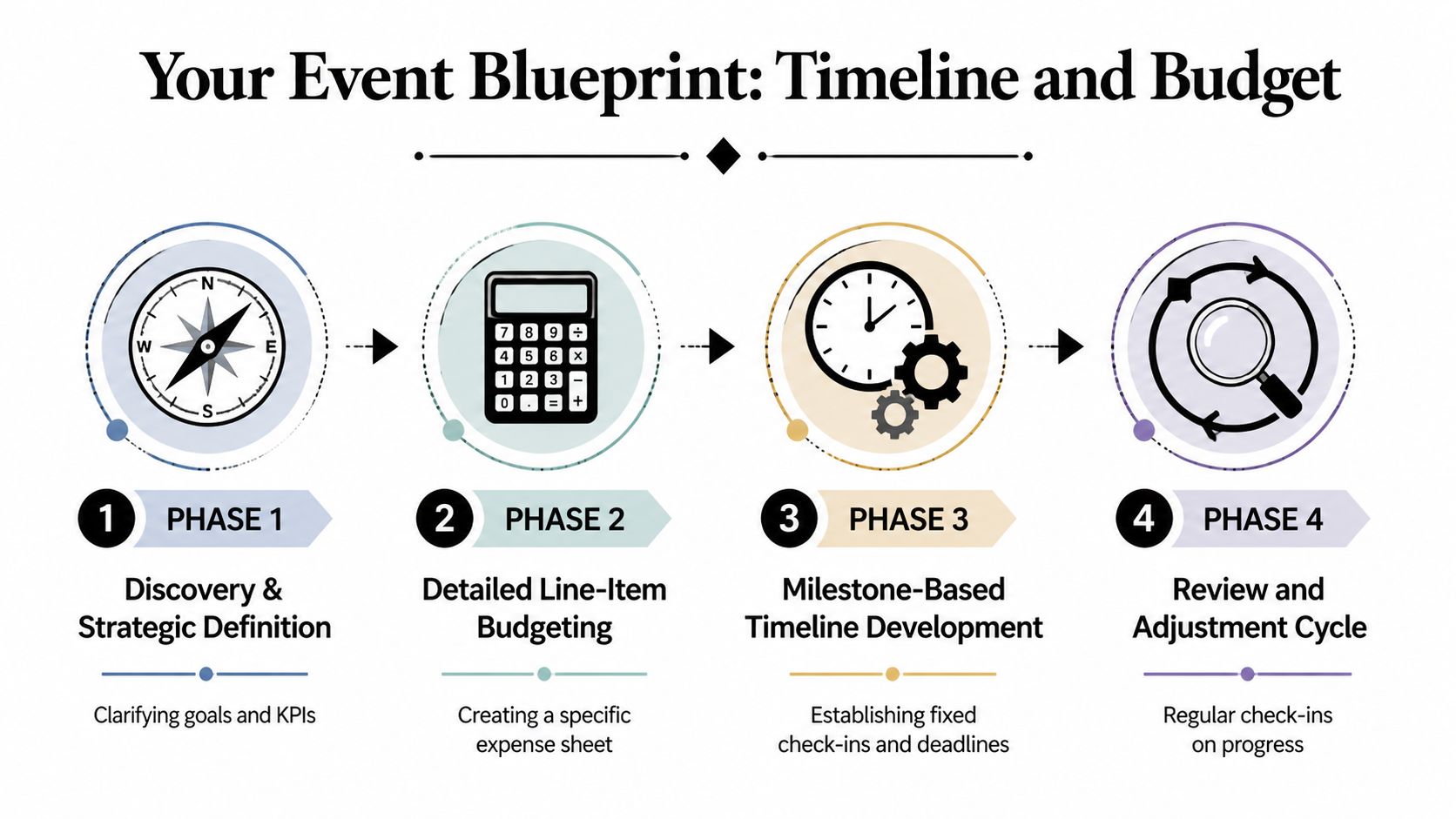
A budget is not an accounting artifact. It is the clearest expression of event priorities. If networking is central, the budget should show that in space allocation, staffing, format design, and food service timing. If sponsor revenue matters, the budget should account for fulfillment labor, digital placements, exhibitor support, and reporting.
Experienced planners separate budget lines into practical categories that can be updated fast:
A useful budget answers three questions immediately. What have we committed? What can still change? What assumptions are driving spend?
The strongest event planning guidelines all converge on one point. You must plan backward from fixed milestones, not forward from today's to-do list.
The master Gantt chart is the operational backbone. According to Naboo’s professional event management checklist, constructing a reverse-engineered master Gantt chart is central to delivery, and events without such timelines experience 40% higher technical incidents, while scope creep can inflate costs by 20% to 30%.
That finding matches what experienced teams already know. Technical failures rarely come from one dramatic mistake. They come from hidden dependencies that weren't surfaced early enough.
A strong work-back schedule includes more than dates. It captures sequencing, dependencies, owner names, approval gates, and no-slip milestones.
Use a framework like this:
| Planning layer | What belongs there | Why it matters |
|---|---|---|
| Hard deadlines | registration close, venue deadlines, final assets, production cutoffs | These dates drive everything else |
| Dependency tasks | website launch before campaigns, speaker assets before agenda pages, sponsor logos before signage | These reveal bottlenecks |
| Review checkpoints | weekly owner review, budget review, risk review, run-of-show review | These prevent drift |
| Day-of operations | load-in, rehearsal, staff briefing, check-in activation, escalation contacts | These reduce onsite confusion |
One practical habit helps more than any software feature. Name the owner on every timeline row. Teams don't miss deadlines because tasks are invisible. They miss them because ownership is shared in theory and absent in practice.
The blueprint should update as decisions change. A frozen spreadsheet creates false confidence. A living plan shows whether one delayed approval now affects registration copy, sponsor fulfillment, and onsite print production.
Integrated systems outperform disconnected files. A platform with timeline support, event data, ticketing, and communications in one place reduces handoff errors because each team is working from the same source of truth. For example, this event brief format guide is useful because it turns strategic intent into a shared operating document before execution gets busy.
A timeline is not there to make the team feel organized. It's there to expose consequences while there's still time to act on them.
Large events often involve movement beyond people. Booth materials, signage, registration kits, product samples, and sponsor shipments can become their own mini-operation. For teams that need a model for sequencing physical movement and dependencies, a tool like Emmanuel Transport relocation help is a useful example of how move planning logic can sharpen event logistics thinking, especially when multiple locations, timing windows, and delivery ownership are involved.
The best blueprint isn't the one with the most detail. It's the one the team reviews. Build recurring checkpoints into the process:
If the event depends on one highly organized person holding the whole picture in their head, the system is still fragile. A durable blueprint distributes visibility. That's what allows an event program to scale across multiple events, teams, and reporting cycles without becoming dependent on heroics.
An attendee clicks your event email during a gap between meetings. They like the topic, skim the agenda, and decide to register later. By the end of the day, that intention is gone. A sponsor has a parallel moment. They review your prospectus, like the audience fit, but cannot tell what they are buying or how results will be reported. They move on.
That is where event revenue slips. Not in one dramatic failure, but in small breaks across the journey.
Attendees never see your internal handoffs. They see one connected experience, from first impression to registration, agenda planning, check-in, session participation, exhibitor discovery, and follow-up. Sponsors judge you the same way. If marketing, registration, content, and fulfillment run on separate tracks, the audience feels every gap and the commercial value gets harder to prove.
The teams that scale events well stop treating promotion, registration, and sponsorship as separate workstreams. They build one journey with clear next actions, shared data, and visible ownership.
For attendees, that usually means a sequence like this:
Sponsors move through a similar sequence, but their decision is commercial. They need audience fit, package clarity, confidence that deliverables will be fulfilled, and reporting that ties spend to actual engagement.
When those two journeys are designed together, sponsor touchpoints feel relevant to attendees instead of inserted for inventory reasons.
Registration is your first operational test in public. A smooth form tells people the event will be organized. A cluttered one suggests the opposite.
The strongest registration flows usually include:
I see the same mistake across many programs. Teams ask for information because it might be useful someday, then wonder why conversion drops and operations staff spend weeks cleaning incomplete or inconsistent records. Every field needs a job.
The primary obstacle is not rejection. It is postponement. An attendee who intends to register later often forgets once your message is out of sight. That makes promotion cadence, reminder timing, and message variation part of experience design, not just campaign execution.
Early promotion matters, but volume alone does not solve the problem. The better approach is a launch sequence built around decision stages: initial awareness, proof of relevance, urgency, and practical reasons to commit now.
Video, speaker clips, testimonials, agenda highlights, and social proof can all help if they answer a real question the buyer has. A flashy asset with no scheduling details or audience context rarely moves serious registrants. For hybrid and remote audiences, access expectations should be explicit early. A short note about viewing options, speaker interaction, or tools such as Nimbio remote guest access features can remove uncertainty for people who are deciding whether remote participation will still feel worthwhile.
Sponsors do not need more vague exposure. They need participation points that connect to how attendees move through the event.
That shifts package design in a useful direction:
This is also where many event teams underprice or overpromise. A logo on a slide has limited commercial value by itself. A sponsored meeting program for qualified buyers can be worth far more, but only if your platform, staffing model, and attendee communications support it. For teams refining package structure, this guide to sponsorship in events is a useful reference for aligning sponsor offers with actual event mechanics.
Experience design breaks down fast when the tech stack is fragmented. If registration data lives in one tool, sponsor entitlements in another, content access in a third, and reporting in spreadsheets, staff spend their time handling exceptions instead of improving the event.
An integrated platform helps because attendee records, ticket types, communications, sponsor profiles, and engagement data affect one another. GroupOS is a practical example. It combines ticketing, custom forms, sponsor and exhibitor profile support, content delivery, communication tools, and analytics in one branded environment. That does not remove the need for planning. It reduces manual reconciliation and gives the team a cleaner path from campaign launch to post-event reporting.
That matters for scale. A single event can survive with workarounds. A program with multiple events, recurring sponsors, and year-over-year revenue goals usually cannot.
| Works | Creates drag |
|---|---|
| Ticket tiers tied to real access differences | Ticket labels that sound distinct but offer the same experience |
| Registration fields built for later segmentation and operations | Long forms filled with nice-to-have questions |
| Sponsor packages linked to specific engagement points | Generic logo placement with broad promises |
| Confirmation flows that guide the next action | Receipt emails that trigger support questions |
| Shared data across marketing, registration, sponsorship, and analytics | Manual handoffs between disconnected tools |
Well-designed attendee and sponsor journeys do more than feel organized. They improve conversion, protect sponsor renewals, reduce support load, and make post-event analysis far more credible. That is the shift from running events as a set of tasks to running them as a business function.
Execution is where planning gets exposed. Every unresolved assumption shows up onsite. Every fuzzy ownership line turns into a radio call. Every technology shortcut becomes visible at check-in, in the session room, or inside the virtual experience.
Strong onsite operations depend on one thing above all. Staff need to know what to do when something goes wrong. Not just the ideal flow. The fallback flow.
That requires a run-of-show document that goes beyond timing. It should include escalation owners, vendor contact chains, decision thresholds, backup equipment locations, session transition notes, check-in exception handling, and communication channels.
A practical pre-event readiness check usually covers:
The deeper point is this. Event day should not rely on memory. It should rely on documented decisions.
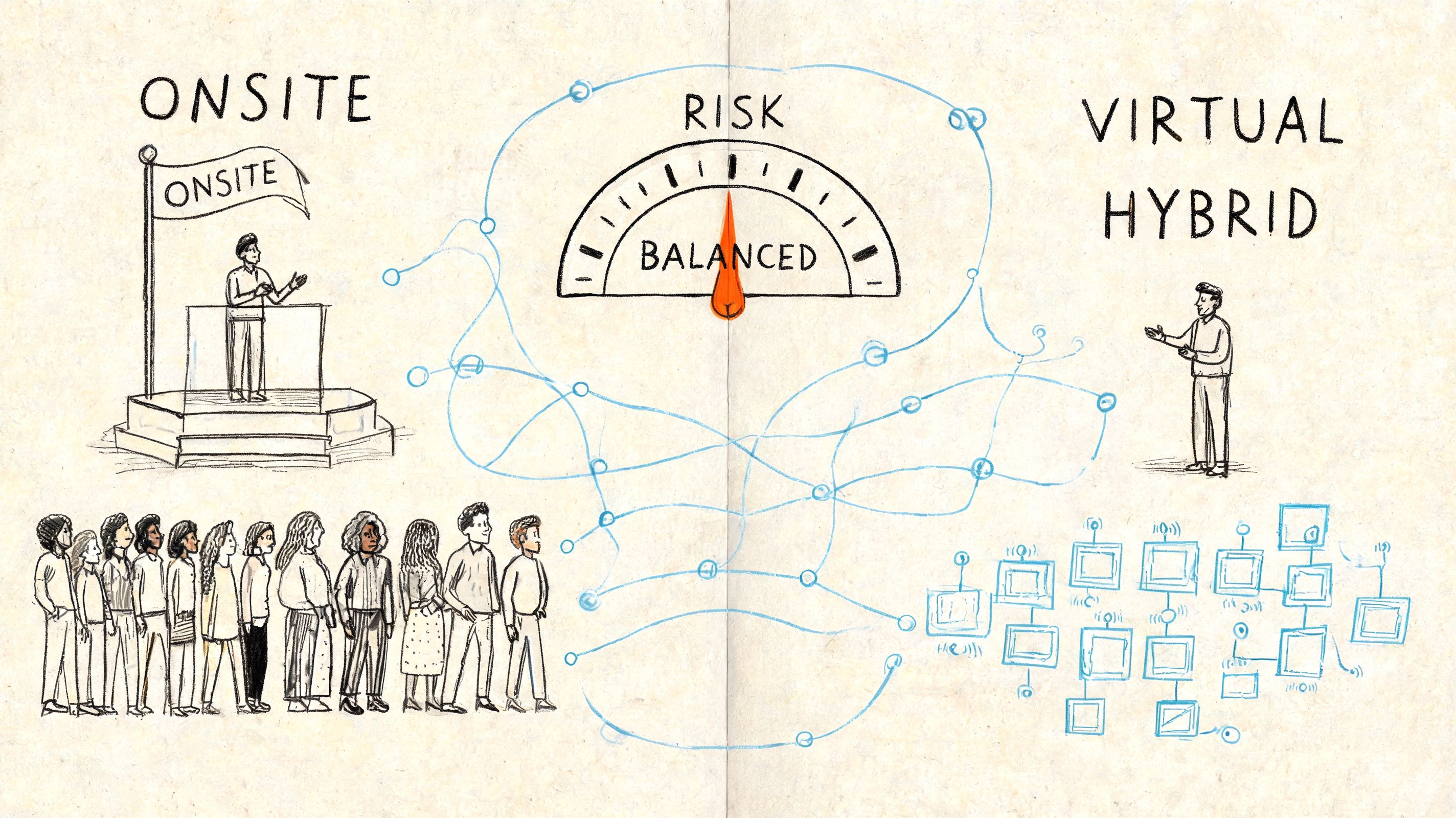
Hybrid events fail when teams think they can just "add streaming." In reality, hybrid creates two parallel attendee experiences that need deliberate design. In-person guests need movement, timing discipline, and visible support. Virtual guests need usable access, clear interfaces, moderator presence, and participation options that don't feel secondary.
That's why hybrid planning needs its own operating logic. Teams working through that format often benefit from grounding their assumptions in a practical definition of what a hybrid event is, especially when deciding whether the event is one integrated experience or two related ones.
One of the largest blind spots in modern event planning guidelines is accessibility for hybrid and virtual formats. Physical access is now more commonly considered, but planners still lack clear standards for platform compatibility, captioning quality, and equivalent participation paths for attendees with disabilities. This gap matters because 16% of the global population has disabilities, as noted in this accessibility-focused event planning guide.
That figure should change planning behavior.
Accessibility in hybrid events isn't a side checklist. It affects platform selection, content formatting, moderator prep, support staffing, replay design, and communication before the event starts.
Use practical safeguards such as:
Accessibility becomes operationally real when someone owns it from registration through follow-up, not just on the day requests arrive.
A related lesson comes from adjacent digital access tools. Products that focus on controlled remote entry, such as Nimbio remote guest access features, are useful examples of how remote participation must be designed intentionally rather than treated as a basic add-on.
You can tell whether a team rehearsed. Session starts are tighter. Speaker transitions are smoother. Virtual moderators know where to look. Staff don't cluster around one problem because they already know the escalation path.
A dry run should test the actual attendee path, not just the production path. Register a test guest. Check in with real devices. Launch the livestream. Trigger a caption view. Move a sponsor asset into place. Validate how a late speaker update appears in the attendee-facing agenda.
Later in the planning cycle, it helps to give stakeholders a visual walkthrough of the moving parts. This short reference is useful for team alignment:
Onsite and hybrid operations are where credibility is won. Not through perfection, but through controlled response. Attendees don't expect magic. They expect competence, clarity, and inclusion when conditions change.
At 9:00 a.m. the morning after an event, the pressure changes. The room is quiet, the production rush is over, and leadership wants answers. Did the event produce revenue, member value, sponsor results, and repeatable insight, or did it happen?
That distinction matters. Post-event analysis is where an event program either matures into a business function or stays stuck as a series of one-off productions.
The industry has understood the business value of events for years, yet reporting discipline still falls short. 89% of event professionals affirm events are indispensable for business objectives, but 23% measure no success at all, and 26% struggle to track progress toward goals, according to Sweap’s event planning statistics roundup.
In practice, that gap usually comes from three operational failures. The goals were too broad to measure. Data lived across disconnected systems. Reporting ownership was never assigned before launch.
None of those problems start after the event. They show up after the event because the planning model was weak from the start.
Start with the question that matters. Did the event achieve the outcome it was built to achieve?
That means measuring against the event strategy, not against a generic dashboard. A leadership summit built to strengthen peer relationships should be judged differently than a sponsor-driven expo, a certification program, or an annual member conference. If every event gets the same scorecard, the analysis will be shallow and the next round of decisions will be worse.
Use a post-event review structure that ties data to action:
| Review area | What to examine | What decision it supports |
|---|---|---|
| Attendance performance | registration versus actual participation, no-show patterns, ticket mix | pricing, promotion timing, capacity planning |
| Engagement quality | session interest, content interaction, community activity, sponsor touchpoints | agenda design, content investment, platform choices |
| Commercial return | sponsor fulfillment, package performance, paid upgrade behavior | future inventory design, sales narratives |
| Operational friction | registration drop-off points, support issues, check-in bottlenecks | process redesign, staffing, interface changes |
Connected event systems make this work faster and more accurate. When registration, messaging, sponsor activation, check-in, session engagement, and follow-up all sit in separate tools, reporting turns into a manual reconciliation project. When those stages run through an integrated platform, the team can trace the full attendee and sponsor journey from campaign response to post-event behavior.
That is the shift from reporting activity to managing an event portfolio with usable data.
One report is rarely enough.
Executives need strategic and financial clarity. Sponsors need proof of exposure and qualified interaction. Membership and marketing leaders need audience behavior, conversion patterns, and retention signals. The event team needs a plain record of what failed, what held up under pressure, and what should be standardized.
I usually structure reporting in two layers. The first is an executive summary with decisions at the top. The second is the operating appendix with the detail behind those decisions. That format respects how different stakeholders read. It also reduces the common problem of a 40-page report that nobody uses.
A useful report answers four questions:
If the report does not affect budget allocation, agenda design, sponsor packaging, staffing, or technology choices, it was only a recap.
Accessibility review is often weaker than it should be. Teams document accommodations before the event, then fail to assess how those supports performed in real use.
That misses one of the most practical sources of improvement in a recurring event program.
Review accessibility with the same discipline used for revenue or attendance. Examine which accommodations were requested, how reliably they were fulfilled, where digital or physical barriers appeared, and whether attendees who requested support were able to participate fully. Then decide what should move from special request to standard operating practice.
This is a planning quality issue. Teams cannot improve inclusion year over year without measuring the attendee experience in concrete terms.
Strong post-event analysis ends in operational change. Update the planning template. Adjust sponsor inventory based on actual performance. Remove registration fields that created drop-off. Rebalance content formats if engagement data shows fatigue. Replace vendors that created avoidable friction. Preserve the workflows that performed well under real conditions.
That is how event programs scale. Teams stop relying on memory, preference, and anecdote. They use evidence collected across the full event lifecycle, then feed it back into strategy, planning, delivery, and sales.
The true return on analytics is not the report itself. It is a better system for the next event.
The event planning guidelines that matter now are not the ones that produce the longest checklist. They are the ones that connect strategy, budgeting, timelines, attendee experience, sponsor delivery, execution, and analytics into one working model.
That shift changes the role of the planner. The planner is no longer just the person coordinating vendors and deadlines. The planner becomes the operator of a business function that affects revenue, membership value, brand perception, sponsor retention, and organizational learning.
Teams that do this well don't remove complexity. They structure it. They define the purpose before they price the ticket. They build the work-back plan before they start chasing details. They design attendee and sponsor journeys as one ecosystem. They rehearse operations with accessibility and hybrid participation in mind. Then they use post-event data to improve the next cycle instead of starting from scratch.
This is what modern event planning guidelines should produce. Not busier teams. Better systems.
Organizations that want more from events have to build for repeatability. That means shared visibility, clean ownership, reliable workflows, and technology that connects stages instead of isolating them. When those pieces are in place, events stop behaving like one-off productions and start functioning as scalable engines for community, engagement, and measurable growth.
If you're ready to run events with one connected system instead of scattered tools, GroupOS gives professional networks and organizations a way to manage registrations, memberships, content, communication, sponsors, and analytics in one branded platform.







