December 10, 2025
Think about the last event you attended. What was the very first thing you did? You checked in. That single moment—whether it was a frustrating hunt for your name on a crumpled spreadsheet or a seamless scan of a QR code—set the stage for your entire experience.
Event check-in software is the technology that makes that first impression a great one. It replaces the old-school clipboards and long lines with a smooth, digital process. Using tools like QR code scanners, self-service kiosks, or just a simple app on a tablet, this software gets your attendees through the door and into the action, fast.
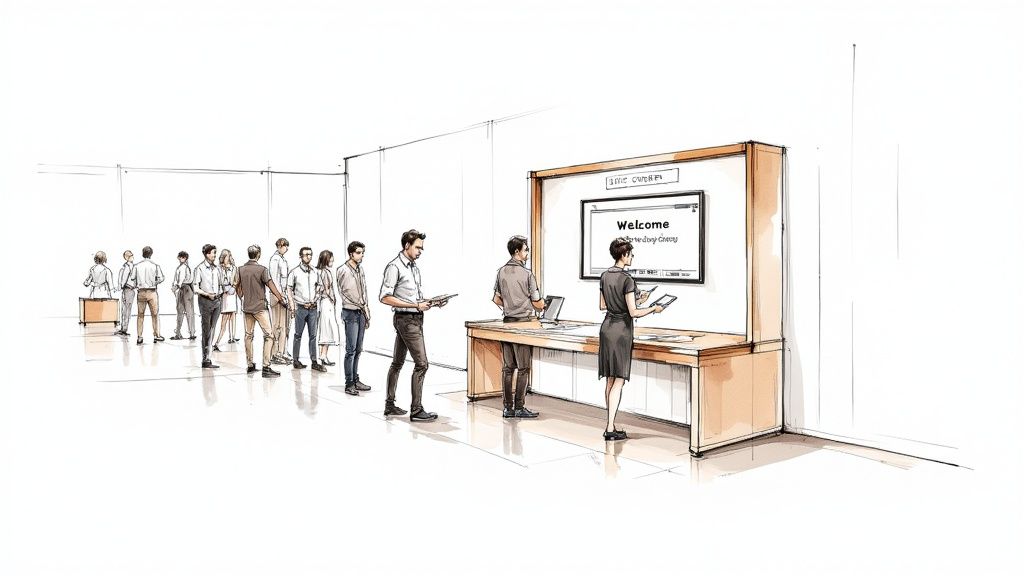
The moment an attendee arrives is your first—and arguably best—chance to show them what your event is all about. A long, confusing line immediately signals chaos and frustration. But a quick, modern check-in? That tells them you’re professional, organized, and you value their time.
Think of it like this: a manual check-in process is like a turbulent flight landing. It’s stressful, inefficient, and leaves a bad taste in everyone’s mouth. On the flip side, modern event check-in software is a smooth touchdown that leaves attendees feeling confident and ready to dive into the experience you’ve planned.
This guide will cut through the tech talk and give you a practical look at how to pick the right software, get it up and running, and use it to its full potential. We'll dig into the features that matter, how to integrate it with your other systems, and how the data you collect can prove the event’s success to your stakeholders.
Your check-in isn't just a gatekeeper; it's the opening act. It's the first tangible piece of your event brand that attendees interact with. A messy entry can instantly sour all the hard work you put into marketing and planning. A slick, tech-savvy arrival, however, immediately backs up the promise of a high-quality event.
A great first impression is so important for a few key reasons:
This welcome experience is a vital part of your event’s story. If you want to learn more about weaving a consistent narrative from start to finish, you can explore detailed strategies for branding for events to ensure every touchpoint feels intentional.
"Your event doesn't start with the opening keynote. It starts the second an attendee walks through the door. A streamlined check-in is the silent ambassador of your event's quality."
Switching from paper lists to dedicated software is about so much more than just speed. It's a strategic decision to wipe out human error, gather accurate data in real-time, and let your team focus on what truly matters: your guests.
Instead of frantically flipping through pages to find a name, imagine your staff personally greeting a VIP or helping someone with a last-minute session change. That's the power of a dedicated system. It transforms a logistical headache into a golden opportunity for meaningful engagement.
Think of event check in software as the mission control for your event's front door. It’s the digital brain that finally replaces those scattered spreadsheets, alphabetized printed lists, and the inevitable chaos that comes with manual entry. It brings everything into one, synchronized system.
At its heart, this software is designed to answer one crucial question instantly and accurately: "Who is here, and are they supposed to be?"
The whole system is built on a simple but incredibly powerful idea. It starts by pulling your guest list into a single, master database. This becomes your single source of truth, getting rid of any version control nightmares and making sure every staff member—whether at the main entrance or a VIP lounge—is working from the same live information.
From there, it automates the entire verification process. Instead of a staffer squinting at a list and fumbling to find a name, the software does all the heavy lifting. This simple shift from manual to automated is the first critical step in turning a potential bottleneck into a smooth, welcoming experience for your guests.
Good check-in software is a bit like a set of LEGOs. You start with a few fundamental pieces to create a stable base, and then you add specialized blocks to build something truly impressive. The core functions are those essential bricks that make everything else work.
Digital Guest Lists: This is the absolute foundation. It moves your attendee data from a static, clunky spreadsheet into a dynamic, searchable database that your team can access on tablets or laptops. It’s the clipboard, but supercharged with instant search and real-time updates.
QR Code and Barcode Scanning: This feature is a game-changer for speed. Attendees get a unique code in their confirmation email, and a quick scan at the door instantly finds their record and marks them as arrived. To see just how much this can speed things up, it's worth exploring how to start leveraging a QR code check-in system.
On-Demand Badge Printing: This is where things get really slick. This feature connects your check-in station directly to a printer. The moment an attendee is verified, their name badge—customized with their company, title, or access level—prints out in seconds. It completely eliminates that tedious, pre-event task of printing and sorting hundreds of badges.
These foundational pieces work together to create a system that isn't just faster but also far more accurate than any manual method could ever be. This isn't a niche trend, either. In 2024, the global market for event management software was valued at approximately USD 15.5 billion and is projected to hit around USD 34.7 billion by 2029. That kind of growth shows just how much the industry is leaning into tools that make events run better. You can find more event industry statistics on remo.co that back this up.
A seamless check-in is more than a convenience; it's a strategic tool. It reduces friction for attendees, captures clean data for organizers, and sets a professional tone from the very first interaction.
The practical difference between sticking with old manual processes and adopting a software-powered approach is night and day. It’s not just a minor upgrade; it's a complete operational overhaul that delivers real, measurable benefits.
To really see the difference, let’s look at how the same tasks get done in both scenarios.
When it comes down to it, event check in software transforms a purely logistical chore into a source of powerful data and a much better guest experience. It's the technology that makes sure your event starts on a high note—for your attendees and your sanity.

Choosing the right event check in software is a bit like picking tools for a big project. You could probably get by with a basic wrench, but a high-quality socket set gives you the speed, precision, and flexibility to handle whatever comes your way. Not all platforms are built the same, and the real difference between a simple tool and a strategic asset is found in its features.
These aren't just flashy add-ons; they're designed to solve the real, on-the-ground problems every event organizer faces. Once you understand what they do, you can see past the marketing hype and pinpoint the capabilities that will actually make a difference for your team and your attendees.
Let's break down the most impactful features into three key areas.
The first thing you'll notice with modern check-in software is how it demolishes queues. Long lines are a universal sign of poor planning and can sour an attendee’s mood before the event even starts. Features in this category are all about getting people through the door quickly and without any friction.
Picture a conference with a thousand attendees all showing up in the same 30-minute window. With a manual process, that’s a guaranteed nightmare. But with the right tools, you can turn that potential disaster into a smooth, welcoming experience.
QR Code and Barcode Scanning: This is the heart of a fast check-in. Attendees get a unique code in their confirmation email, and your staff can scan it in seconds with a tablet or smartphone. This one feature turns a five-minute name lookup into a five-second scan.
Self-Service Kiosks: Why not let attendees check themselves in? A bank of tablets can handle hundreds of arrivals, letting guests confirm their details, print their badges, and get on their way. This frees up your staff to handle more complex questions or VIPs.
On-Demand Badge Printing: This is the ultimate efficiency booster. Instead of spending hours pre-printing, sorting, and alphabetizing badges, this feature prints a professional, custom badge the moment an attendee checks in. It also flawlessly handles last-minute registrations and spelling corrections.
These tools work together to create an arrival that’s not just fast, but also incredibly accurate, setting a professional tone from the get-go.
Beyond the front door, your check-in software is a powerful data-gathering machine. The insights you collect at this first touchpoint can shape decisions for the rest of the event and give you undeniable proof of its success. This is where the software becomes more than just a logistical tool—it becomes a strategic one.
Imagine a sponsor asks how many people attended the keynote they paid for. With a manual headcount, you’re left with a rough guess. With data-driven software, you can give them a precise, time-stamped report.
"Real-time data from your event check-in process isn't just a nice-to-have; it's the foundation of your event's ROI story. It turns assumptions into facts and provides the concrete metrics that stakeholders and sponsors demand."
Here are the features that give you that power:
Live Attendance Dashboards: See exactly who has arrived and when, all in real-time. This is critical for managing room capacity, understanding peak arrival times for future planning, and getting a final, accurate attendance count.
Session Tracking and Access Control: By scanning attendees into individual sessions, workshops, or VIP areas, you can gather detailed data on what content is resonating most. This information is gold for planning future agendas and proving value to speakers.
Walk-in Registration Management: The best platforms make handling on-site sign-ups a breeze. Staff can quickly enter a new attendee's info, process their payment, and print a badge, with all that data syncing instantly across the entire system.
These data-focused capabilities are part of a much larger ecosystem of event technology. To see how they fit into the bigger picture, check out our complete guide to essential event management software features.
At the end of the day, the best events are the ones that make every attendee feel seen and valued. Your check-in software plays a surprisingly big role in creating that personalized, welcoming atmosphere. It’s your first—and best—chance to show guests you’ve thought about their experience from start to finish.
Think about a VIP arriving at your gala. A personalized welcome screen that greets them by name and directs them to an exclusive lounge makes a far better impression than asking them to spell their last name for a staffer holding a clipboard.
Personalized Welcome Screens: When an attendee scans their QR code at a kiosk, the screen can display a custom message, their personal agenda, or helpful directions.
Customizable Badge Designs: Go beyond just a name. You can print badges that include an attendee’s chosen pronouns, their company logo, or color-coded strips for different access levels.
Offline Mode Capability: A truly reliable system has to work even when the venue’s Wi-Fi doesn’t. An offline mode ensures check-ins continue without a hitch, syncing all the data once a connection is restored. It’s the kind of feature that prevents a small tech issue from becoming a massive headache.
By focusing on these three core areas—speed, data, and experience—you can confidently evaluate any event check in software and choose a solution that delivers real, measurable results.
Rolling out a new event check-in system is a bit like choreographing a live performance. If you put in the time to plan and rehearse, your event day will run like a dream. A smart, step-by-step approach turns what could be a stressful tech switch into a smooth launch that leaves your team feeling confident and your attendees genuinely impressed.
This whole process kicks off way before your first guest walks through the door. It starts with your data. Your attendee list is the bedrock of the entire check-in experience. If that list is a mess—full of duplicate names or old email addresses—even the most powerful software is going to trip up.
That's why cleaning and standardizing your data is the single most important thing you can do first. This means hunting down and merging duplicates, fixing typos in names and company fields, and making sure every record has the info it needs. A clean list means a guest can walk up to the desk and be found in seconds.
With your data in good shape, it's time to connect your new system to the other tools you already use. Your check-in software can't be an island; it needs to talk to your other platforms, especially your Customer Relationship Management (CRM) system.
This integration is what makes the magic happen, letting data flow automatically from one place to another. When someone registers, their details should move seamlessly from your registration form to your CRM and then sync up perfectly with the check-in app on-site.
Getting this connection right eliminates the need for manual data entry, which is where most errors creep in. It also automates tasks like creating QR codes for tickets. If you want to dive deeper into that, our guide on implementing QR code event registration is a great resource.
Once the tech is sorted, you have to shift focus to the people. Your on-site staff are the face of your event, and they need to feel completely comfortable with the new software. A well-trained team can handle anything that comes their way, while a team that's unsure of itself can create long lines and frustration.
Start by setting up the physical gear: the tablets for staff, the self-service kiosks for guests, and the badge printers. Double-check that your internet connection is solid, but also make sure your software has an offline mode. That little feature is a lifesaver if the Wi-Fi suddenly goes down.
A successful launch is a partnership between your team and your software provider. Lean on their expertise. Strong customer support isn't a bonus feature; it’s a non-negotiable part of a smooth implementation.
Finally, you absolutely have to run a full dress rehearsal. Don't just show your team a demo video. Get them to do a mock check-in with a test list of attendees and throw a few curveballs at them.
Practicing these real-world scenarios builds muscle memory and takes away the fear of the unknown. Your team will walk into event day prepared, calm, and ready to give every single guest a warm and professional welcome.
When an attendee registers for your event, they aren't just giving you their name and email; they're giving you their trust. Protecting that personal information is one of your most critical responsibilities as an organizer. Think of your event check-in software as a digital vault for that trust—it has to be rock-solid.
This isn't just a minor detail; it's a huge factor driving the industry. The market for event booking software, a close cousin to check-in tools, is expected to explode from USD 3.42 billion in 2025 to a massive USD 19.13 billion by 2032. Why? Because planners are demanding secure, compliant platforms that can handle sensitive data with the seriousness it deserves.
The entire process, from getting your data ready to training your team and testing the system, needs security baked in from the very start.

As you can see, security isn't a final step. It’s woven into how you prepare your data and how your team is trained to handle it.
You’ve probably heard of regulations like Europe's GDPR or California's CCPA. While the legal text can feel overwhelming, their core message is straightforward: be transparent with attendees and give them control over their own information.
Your software provider should act as your partner in this, not a roadblock. They need to be able to show you exactly how their platform helps you stay compliant.
Here’s what to look for:
Choosing a compliant software isn't just about dodging hefty fines. It's about protecting your reputation. A single data breach can destroy the trust you've spent years building with your community.
When you're vetting potential software partners, it's time to put on your investigator hat. Don't be shy about drilling down into their security protocols. You need to know they take this as seriously as you do.
Before you even think about signing a contract, get direct answers to some tough questions. A good starting point is ensuring your own team follows secure password storage practices, which is a fundamental piece of the security puzzle.
Here’s a checklist to bring to your next demo call:
A vendor that welcomes these questions and provides clear, confident answers is a partner you can rely on. This due diligence is what separates a tool that just smooths out arrivals from a true guardian of your attendees' data.
When you invest in event check-in software, you’re doing more than just making arrivals smoother. You're making a smart business decision that should deliver a real, measurable return on investment (ROI). But to prove that value to your boss or board, you need to build a solid financial case that goes beyond "it's more efficient."
It all boils down to showing the clear cost savings and the powerful, long-term strategic gains.
Calculating your ROI begins with what we call the "hard" savings. These are the tangible, direct costs you completely eliminate or seriously cut back on. Think of it as money you’re no longer burning on old-school, manual tasks.
These hard savings are usually the simplest to track and explain to stakeholders, giving you an immediate and clear financial win.
Let's start with the most obvious wins from automating your check-in. These numbers are easy to find and form the bedrock of your ROI calculation.
The corporate world is leaning heavily into this kind of tech for a reason. In 2024, North America alone represented the largest market share at USD 10.73 billion, a figure expected to balloon to USD 42.57 billion by 2034. It's a clear sign that businesses are seeing real value in using software to manage everything from registration to on-site logistics. You can learn more about the global event management software market on futuremarketinsights.com.
While hard savings get the initial nod of approval, the real game-changer is often in the "soft" benefits. These are the strategic advantages that are trickier to put a price tag on but have a massive long-term impact on your event's success and, ultimately, your bottom line.
These are the benefits that boost attendee loyalty, keep sponsors happy, and make your next event even better.
When you put both the hard savings and soft benefits together, you create a complete picture of the software's true value. For a deeper dive, our guide on measuring event ROI offers more frameworks to help you build your case. This gives you everything you need to justify the investment and prove your event was a resounding success.
When you're thinking about switching to a dedicated event check-in software, a bunch of practical questions are bound to pop up. It's only natural. Getting a handle on the real-world logistics is the key to feeling good about your decision and making sure the transition is painless for both your team and your attendees.
Let's dive into some of the most common things we hear from event organizers.
One of the first questions is almost always about hardware. "Do I need to buy a bunch of expensive, special scanners?" The short answer? Nope. Most modern platforms are built to run on the devices you and your team already have, like tablets and smartphones. This flexibility saves you from a big upfront cost.
Of course, if you want a more professional, hands-off setup, you can easily create self-service kiosks using tablets on stands. This lets attendees check themselves in, which can seriously cut down on how many staff members you need at the front desk.
This is the big one. Every event planner's nightmare is the venue's Wi-Fi flaking out at the worst possible moment. So, what happens then? This is where a make-or-break feature comes in: offline mode.
A solid event check-in app doesn't just crash when it loses internet. It's smarter than that. It securely saves all the check-in data right on the device itself. As soon as you're back online, the app automatically pushes all that captured information to the central system. No data is lost, and the check-in process never skips a beat.
You absolutely have to confirm that any software you're looking at has a reliable offline mode. It’s the one feature that can stop a small technical hiccup from turning into a full-blown event-day disaster.
Let's be honest, events are rarely simple. You’ve got different ticket tiers, VIPs who need special treatment, last-minute walk-ins, and people who need to update their details on the spot. Can the software actually keep up?
Yes, a good platform is designed for exactly this kind of real-world chaos.
Having this kind of flexibility means your front-desk crew can handle whatever comes their way, keeping the lines short and your attendees happy.
Ready to see how an all-in-one platform can not only nail your check-in but also manage your entire community? GroupOS brings seamless check-ins, ticketing, and member engagement together in one powerful spot. Learn how you can create flawless event experiences by exploring GroupOS.







