January 26, 2026
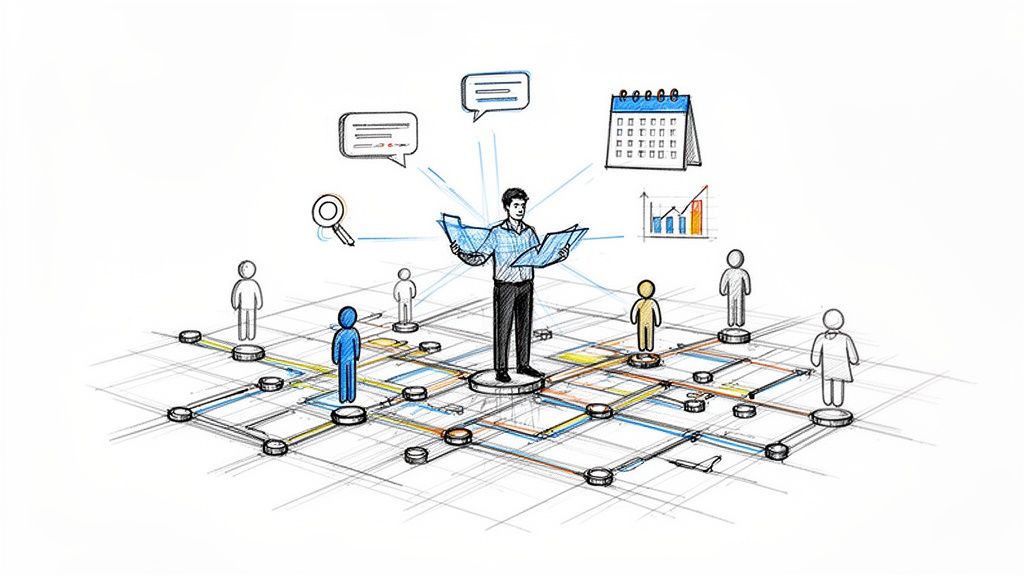
So, what exactly is a community manager? Think of them as the heart and soul of an organization's community—the person responsible for building a space where people genuinely want to connect. They're much more than just a moderator; they're the architect, the host, and the advocate all rolled into one.
A great way to picture a community manager is to think of them as the planner of a digital city. Their job isn't just to keep the streets clean (that's moderation). It’s about designing the town square, planning the block parties, and actually listening to the residents to build a neighborhood people are proud to call home. This role is all about fostering real relationships, not just chasing likes and comments.
These professionals are crucial partners in any business, and their work has a direct line to member engagement, customer loyalty, and overall growth. To really get it, you have to see past the idea of simple social media management. While related, community management is a distinct discipline. Digging into guides like What is Social Media Community Management can help clarify the key differences.
The day-to-day life of a community manager is a fascinating mix of big-picture planning and on-the-ground support. They have to switch hats constantly, moving from one task to the next to keep the community vibrant and healthy.
Here’s a quick look at what that often involves:
A great community manager doesn't just manage a group of people; they cultivate an environment where members feel a true sense of belonging and ownership. This transformation from a passive audience to an active, invested community is where the real value lies.
More and more, companies are realizing just how critical this role is for long-term success. A thriving community doesn't just create happy customers; it builds loyal fans who stick around.
The data backs this up. The U.S. Bureau of Labor Statistics projects that employment for social and community service managers will grow by 6% between 2024 and 2034—faster than the average for all occupations. And as of May 2024, the median annual wage in major markets was $78,240, showing just how much this expertise is valued.
For a deeper dive into the foundational concepts of this field, check out our complete guide on what is community management.
To make it even clearer, let's break down the primary functions of a community manager into a simple table.
This table provides a snapshot of the key areas a community manager owns, their main goals in each area, and some of the activities they perform.
As you can see, the role is incredibly dynamic, requiring a unique blend of empathy, strategic thinking, and practical execution.
To really get what a community manager does, you have to look past a simple to-do list. Their role is best understood as balancing on four foundational pillars. Each one represents a core focus, and together, they support a healthy, growing community that adds real value to the business.
These aren't separate jobs, but interconnected functions a community manager juggles every single day. They are Engagement and Moderation, Content and Programming, Operations and Analytics, and finally, Advocacy and Growth. Let’s break down what each one looks like in practice.
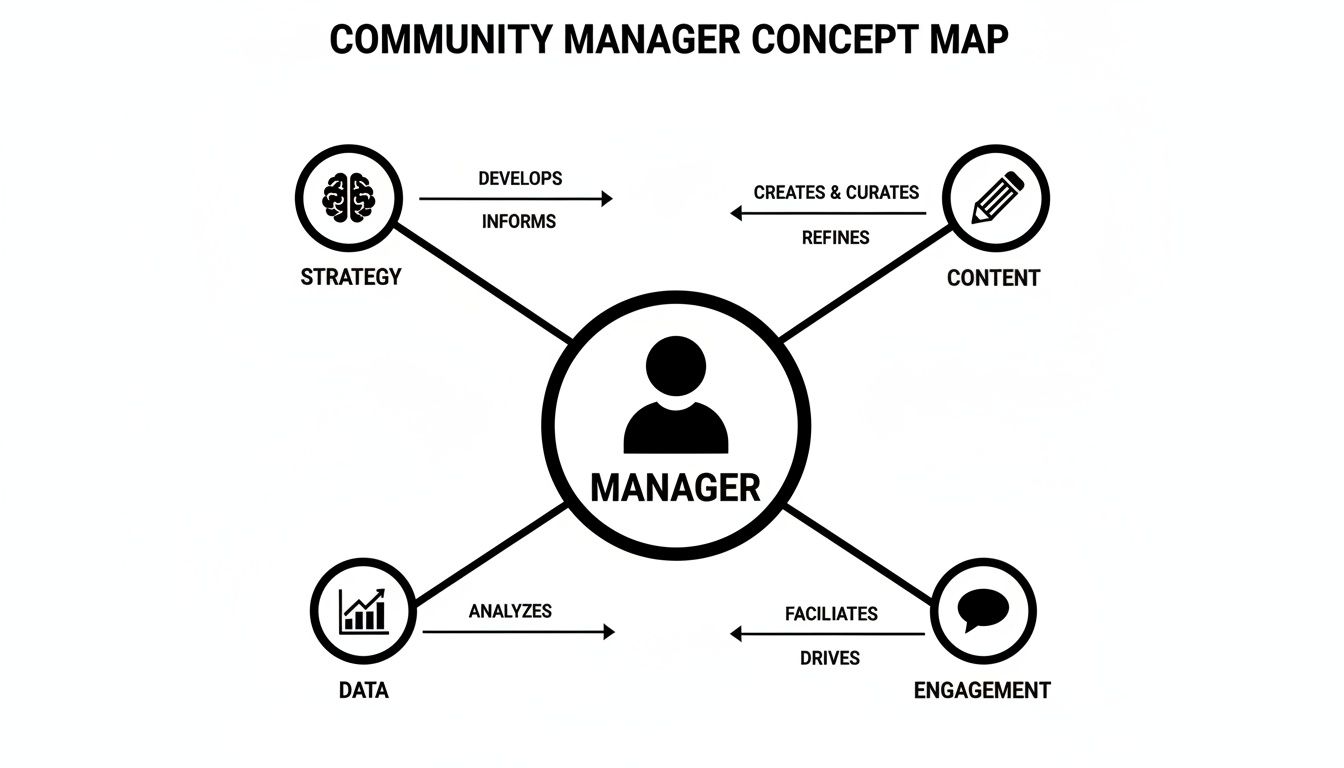
As you can see, the community manager sits at the center of it all, constantly weaving together different strategic threads to build something that lasts.
This is the part of the job everyone sees—the front-line work of starting conversations and keeping things positive. Think of the community manager as the host of a fantastic party. A great host doesn't just open the door; they make introductions, get interesting discussions going, and make sure everyone feels welcome and safe.
Engagement is the proactive part of the equation. A community manager gets the ball rolling by:
Moderation is the protective side. It’s all about maintaining a constructive vibe by gently enforcing the rules. This isn't about shutting people down; it's about making sure the space stays valuable for everyone. A huge part of what a community manager does is moderating these online conversations to build brand loyalty.
This vital work is reflected in compensation, with salaries typically ranging from $52,750 for entry-level roles to $75,250 for seasoned managers who are experts at sparking discussions and handling customer needs on platforms like Facebook and Slack, according to Robert Half.
If engagement is the conversation, then content and programming are the reasons people show up to talk. This pillar is all about creating and organizing events and resources that members actually find useful. It’s about building a calendar of activities that adds structure and predictable value, keeping people coming back for more.
This goes way beyond just posting a few articles. A community manager builds a rich schedule of experiences.
A community without programming is just a chat room. A community with programming becomes a destination—a place where members can learn, grow, and connect in meaningful ways.
Here are a few examples of what that programming might look like:
By planning these activities, a community manager turns a passive group of followers into an active, learning-focused network. This is where the community's promise of value really comes to life.
Behind every bustling community is a rock-solid operational engine. This pillar is all the "behind-the-scenes" work that keeps things running smoothly and proves the community's impact. It’s less about the chatter and more about the systems, tools, and data. Here, the community manager acts as an operator, using numbers to understand what’s working and what’s not.
Key responsibilities include managing the community platform itself, setting up onboarding workflows for new folks, and—most importantly—tracking the data. A community manager digs into the analytics to answer make-or-break questions:
These metrics are how you show the community's return on investment (ROI) to company leadership. By tracking these KPIs, the manager proves that the community isn’t just a "nice-to-have"—it's a powerful engine for growth, customer retention, and satisfaction. A well-defined community engagement strategy is what ties all these operational tasks back to the bigger business goals.
This final pillar is what turns a community from an audience into a strategic asset. The community manager becomes the official voice of the members inside the organization. They are the bridge connecting the people who use a product with the teams that build it.
Advocacy means systematically gathering, organizing, and sharing member feedback with departments like product, marketing, and support. This could happen through surveys, dedicated feedback threads, or one-on-one conversations. This insight is pure gold, helping the company make smarter, more customer-focused decisions.
Growth is a two-part story here. It’s about attracting new members, of course, but it’s also about identifying and empowering the community’s biggest champions. By nurturing these super-users, a community manager can scale their efforts immensely. These passionate members start welcoming newcomers, answering questions, and shaping a positive culture—creating a flywheel effect that strengthens the entire community.
To really get a feel for what a community manager does, it’s best to look past the job description and actually walk through a typical day. This role is a constant juggle between reactive support—putting out fires and answering questions—and proactive strategy, meaning you're always shifting from immediate member needs to long-term community health.
Let's follow a fictional community manager, we'll call her Alex, to see what this looks like in practice.
Alex’s day starts with a "pulse check." This isn't just mindlessly scrolling a feed; it's a systematic review to see what’s happening in her community.
She logs into her community platform, where her dashboard gives her the 24-hour download: new members, active conversations, and any flagged content that needs a look. She jumps into the main discussion channels, personally welcoming newcomers by name and tagging veteran members who could help answer their questions.
Next, she tackles DMs and mentions. A member can't find a resource? Alex sends them the link directly. Another member suggests a great idea for an event? She adds it to the content calendar and gives them a shout-out. This first hour is all about being present and responsive. It’s what makes members feel seen and heard right from the start.
With the immediate needs handled, Alex pivots from reacting to creating. Her focus shifts to content and programming—the fuel that keeps any community running. Today, she’s putting the final touches on the weekly newsletter. It features a member spotlight, a recap of the week’s best discussions, and a call for speakers for next month’s webinar.
Once the newsletter is scheduled, she spends some time participating in the community's busiest channels. She’s not just a fly on the wall; she’s an active participant. She might spark a conversation with an open-ended question like, "What's one tool you can't live without in your workflow?" She also spots a few "quiet experts"—members who drop incredible advice but don't post often—and sends them a quick DM to thank them for their input.
This is also the perfect time to build out valuable resources for the community. For a closer look at this part of the job, our guide on how to create engaging content is packed with practical strategies that community managers use every single day.
The afternoon is often when community managers get to zoom out and focus on the bigger picture. With the day-to-day humming along, there's finally room for strategic thinking. Alex pulls up her analytics to see what discussion topics have been trending over the last month.
She spots a big spike in conversations around a specific subject. That insight is pure gold. She immediately starts brainstorming a new content series and a potential workshop based on that topic, making sure her future plans are exactly what members are asking for.
Here’s a snapshot of a centralized dashboard where a manager can track member activity, event sign-ups, and conversations all in one view.
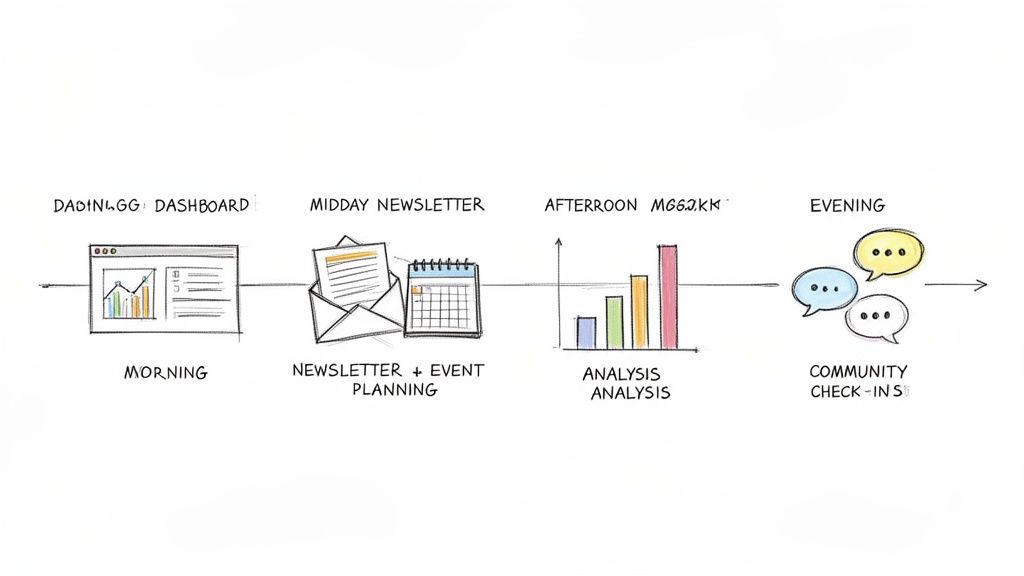
This kind of unified platform helps connect the dots between different community activities, saving a ton of time that would otherwise be spent toggling between separate tools.
A community manager's day is a constant balancing act. They must be present enough to make members feel supported in the moment, yet forward-thinking enough to build the community of tomorrow.
To wrap up her day, Alex puts together a quick report for the leadership team. She doesn't just list vanity metrics; she highlights qualitative insights, like a specific piece of product feedback that came out of a member discussion. This is how she turns the community from a simple chat forum into a vital source of business intelligence, proving her role is a strategic asset.
Before signing off, she does one last sweep of the community to make sure everything is calm and settled for the evening. Then, it's time to log off, rest up, and get ready to do it all again tomorrow.
To really get what a community manager does, you have to look at how their success is measured. Forget the easy, surface-level numbers like page views or the total member count. A truly great community is measured by its energy and its impact on the business, not just its size.
The best managers I know are laser-focused on Key Performance Indicators (KPIs) that tell a clear story. They track numbers that reveal the community's health and prove its contribution to the company's goals. This isn't just about counting "likes"; it's about tracking meaningful actions. A data-driven approach is how a manager proves their ROI, refines their strategy, and turns the community from a perceived cost center into a genuine growth engine.
It's so easy to get distracted by numbers that look impressive on a slide but don't actually mean anything for the business. The real trick is knowing the difference between a simple metric and a true KPI.
Simply shifting your focus from sheer size to consistent activity is the first big step. It reframes success around engagement, which is where a community's true power comes from.
Engagement metrics are the pulse of your community. They show you how deeply members are connecting with your content, the platform, and, most importantly, each other. A community manager is constantly watching these numbers to see what’s landing well and what needs a little more work.
Here are some of the most critical engagement KPIs to keep an eye on:
Tracking these helps a manager understand the rhythm of their community and make decisions based on data, not just gut feelings. For a deeper dive, check out our guide on essential community engagement metrics.
While engagement is crucial, a healthy community also needs to show that it can grow sustainably and, more importantly, keep its members around. These KPIs prove that you’re not just attracting new people but delivering enough value to make them want to stay.
A community's true strength isn't just in its ability to grow, but in its power to retain. High retention is the ultimate proof that you're delivering on your promise to members.
Important KPIs for growth and retention include:
At the end of the day, everything a community manager does has to connect back to tangible business outcomes. This is where the role really demonstrates its strategic value. By tracking the right KPIs, a manager can show exactly how the community drives revenue, cuts costs, and builds unshakeable brand loyalty.
This focus on data-backed results is a core part of the job. In fact, the U.S. Bureau of Labor Statistics highlights that a key responsibility for social and community service managers is gathering statistics to measure community impact. With a projected 14,100 job openings annually from 2024-2034 and a 6% growth rate, this data-driven approach is a big reason the profession is growing so quickly. You can learn more about these career trends on Comparably.com.
Examples of business-focused KPIs look like this:
By focusing on these kinds of KPIs, a community manager can clearly articulate their value and get the buy-in they need to keep building a community that truly thrives.
A community manager is only as good as their tools. Seriously. Imagine trying to build a house when your screwdriver is from one store, your hammer is from another, and your nails are from a third. You’d spend more time driving around town than actually building anything. That’s the reality for too many community managers juggling a dozen different apps.
When you’re using separate platforms for everything—communication, event ticketing, member directories, content—you create a chaotic and inefficient mess. This scattered approach spreads your valuable member data across different systems, making it almost impossible to get a clear picture of your community’s health. It’s more than just an inconvenience; it’s a roadblock to growth and genuine connection.
When your information is stuck in these isolated silos, your job becomes a constant battle to sync data, patch together reports, and manually connect the dots. This operational headache steals time away from what you’re supposed to be doing: engaging with members and building relationships.
A fragmented toolkit creates way more problems than it solves. Simple tasks balloon into complex projects, and any hope of strategic planning gets buried under tedious admin work. You end up spending your day exporting spreadsheets and importing contact lists instead of actually fostering discussions.
This disconnected approach leads to some major headaches:
The real cost of a fragmented toolkit isn't just the subscription fees. It's the missed opportunities, the frustrated members, and the burnout of a community manager who is forced to be an IT administrator instead of a community builder.
This is where an integrated, all-in-one community platform completely changes the game. By bringing every essential function under one roof, these systems eliminate the chaos of a fragmented toolkit. They’re designed to make operations run smoothly so you can get back to focusing on strategy and engagement.
Think of it like moving from a messy garage full of mismatched tools to a perfectly organized, professional workshop. Everything you need is right where you expect it to be, and all the tools are designed to work together. This unified approach is the key to empowering a modern community manager.
For example, a platform like GroupOS connects every piece of the puzzle. A member’s profile is automatically linked to their event tickets, their content downloads, and their discussion posts. This creates a rich, holistic view of each person’s engagement.
Here’s a look at how different components of a community platform can be integrated into one cohesive dashboard.
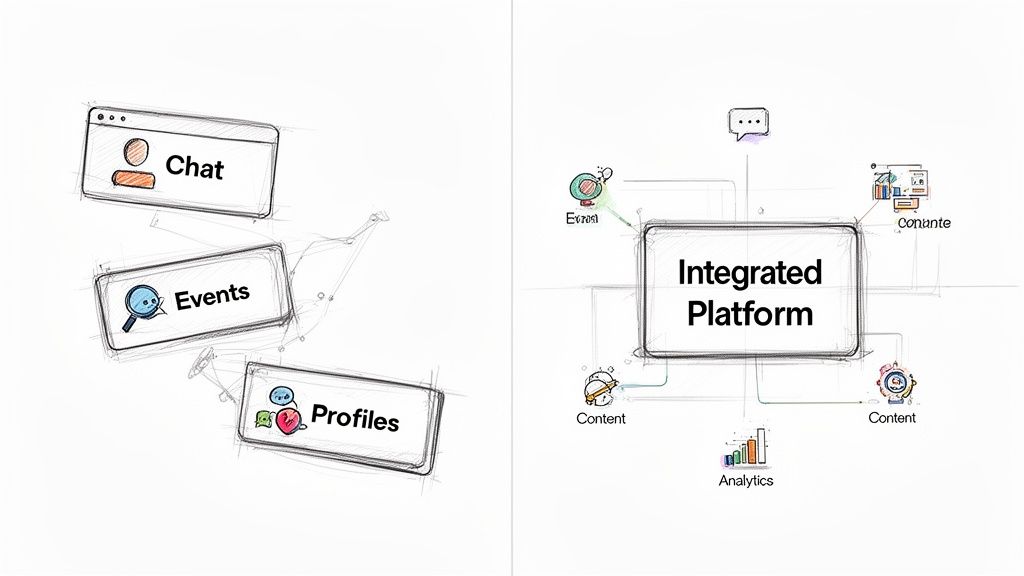
This kind of centralized system gives a community manager instant access to the data they need to make smart, informed decisions without ever leaving the platform.
An integrated solution directly supports a community manager’s key responsibilities by automating workflows and unifying data. It’s not just about making life easier; it’s about unlocking new strategic capabilities.
Here’s how an all-in-one platform makes a tangible difference:
Ultimately, the right toolkit transforms the community manager’s role from a reactive troubleshooter to a proactive strategist. It gives you the space and the data you need to build a truly thriving community.
A community management role isn't just a job—it's the start of a dynamic and rewarding career with serious growth potential. The path often starts with hands-on, in-the-trenches work and can lead all the way up to high-level strategic leadership.
Most people get their start as a Community Coordinator or Moderator. These are the frontline roles where you learn the community's pulse by welcoming new members, answering daily questions, and making sure the space stays positive and productive. It’s all about tactical execution.
Once you've mastered the day-to-day, the next step is typically a Community Manager position. Here, your responsibilities get bigger. You'll move beyond just reacting to conversations and start proactively planning content calendars, organizing events, and digging into engagement data. You're bridging the gap between member happiness and business goals.
From there, the path leads toward senior leadership roles with much broader influence:
At its highest level, community management becomes less about moderating conversations and more about architecting a vital business asset. A Head of Community’s job is to ensure that member loyalty translates directly into sustainable growth and brand strength.
The career ladder isn't always linear, either. Community management is a field ripe with opportunities to specialize in an area you're passionate about. For anyone thinking about professional growth, it's also worth looking into a related social media manager career path to see how skills and responsibilities can overlap and evolve.
Some of the most common specializations include:
This variety means a career in community can truly grow with you, offering a fulfilling professional journey that stays interesting for years to come.
Even after you've got a good handle on the role, a few questions always seem to surface. Let's clear up some of the most common ones to really nail down what a community manager does—and what sets them apart from similar roles.
This is easily the question I hear most often. While there's certainly some skill overlap, their core focus couldn't be more different.
Think of a social media manager as a broadcaster. Their job is to stand on a public stage—platforms like Instagram or X (formerly Twitter)—and get the brand's message out to as many people as possible. It’s all about brand awareness and bringing new customers in the door.
A community manager, on the other hand, is a relationship builder. They work within a specific group of existing customers or members, often in a more private space. Their goal isn't just to talk at people; it's to foster genuine connections, build a sense of belonging, and keep people engaged for the long haul.
Here’s a simple way to picture it: The social media manager is on stage with a megaphone. The community manager is hosting a dinner party, making sure every guest feels welcome and is part of a great conversation.
If you're looking to jump into community management, a few core skills will set you up for success. And while being tech-savvy is great, the most critical skills are the ones that are deeply human.
Absolutely. Many small businesses or nonprofits assume they need a full-time, dedicated hire, but that’s not always the case.
A passionate team member can do an incredible job managing a community part-time, especially if they have the right tools. An efficient, all-in-one platform can automate the tedious administrative work and keep all communications in one place, freeing them up to focus on what really matters: the people.
An integrated platform like GroupOS gives you the power to manage events, content, and memberships all in one spot. This lets you focus on building real connections without getting bogged down by operational headaches. See for yourself how you can build a thriving community at https://groupos.com.







