June 15, 2026
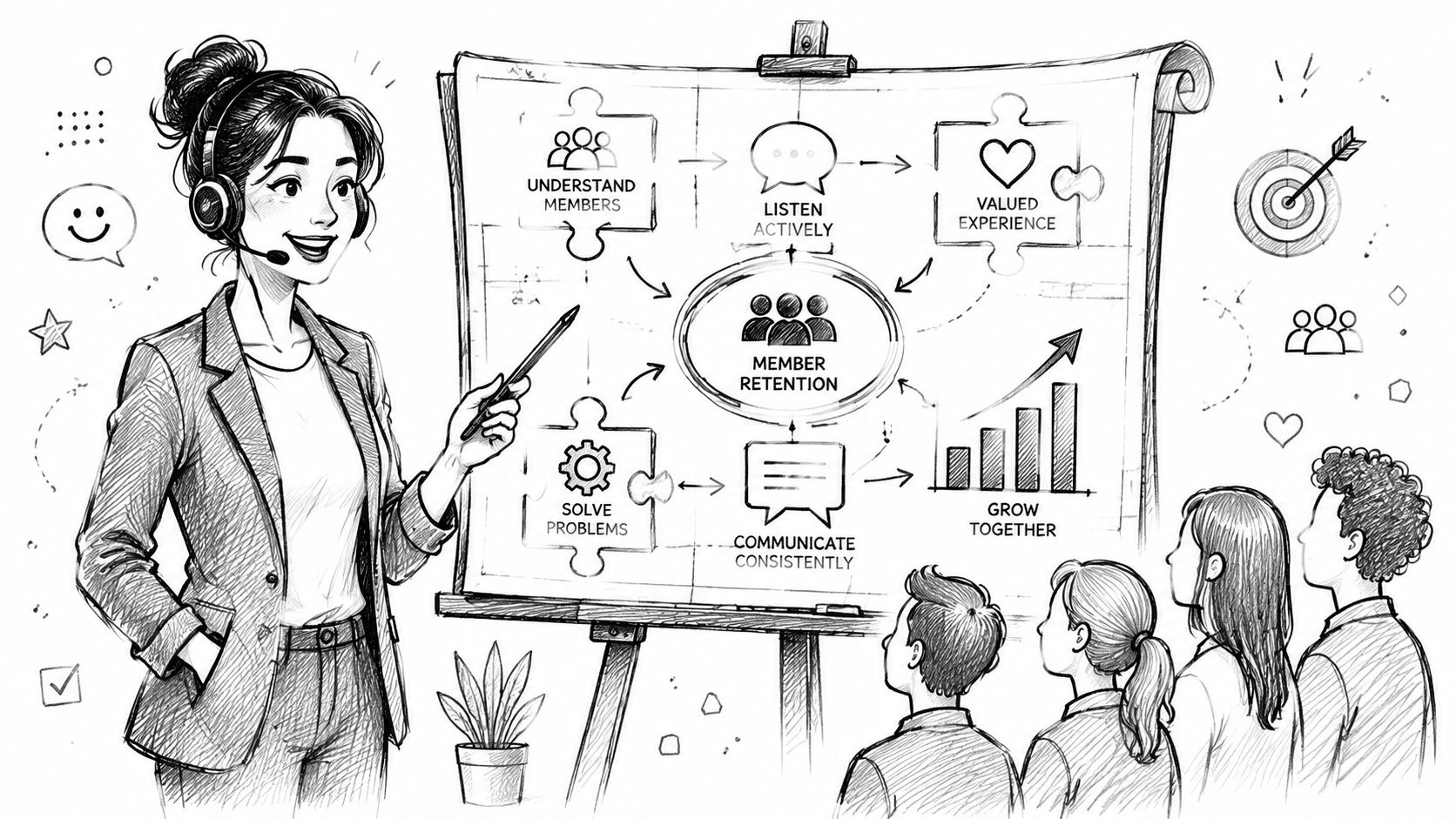
Your inbox is full of renewal questions, event registration errors, login complaints, and billing confusion. Your team answers them all, but the work still feels reactive. Tickets keep coming, members repeat the same questions, and the busiest days are the days when trust is easiest to lose.
That's usually the moment an organization realizes it doesn't need better replies. It needs a real customer service strategy.
In membership and event businesses, service isn't a side function. It shapes whether someone renews, shows up, upgrades, sponsors again, or leaves. The most useful service model isn't the one with the most channels or the most automation. It's the one that handles high-stakes interactions cleanly, gives the team clear rules, and matches effort to member value without making the experience feel cold.
A service blueprint earns its keep on the day renewals open, registration volume spikes, and three different people report they lost access after paying. If the team has to improvise ownership, priority, and response rules in that moment, the problem is not agent effort. It is operating design.
For membership organizations, that design has to start with business risk. A delayed answer on a low-stakes question is inconvenient. A delayed answer on a renewal, invoice, login, or event registration issue puts revenue and trust at risk at the same time. That is why I build service blueprints around the moments that affect retention, attendance, and sponsor confidence first, then layer in lower-risk support work after that.
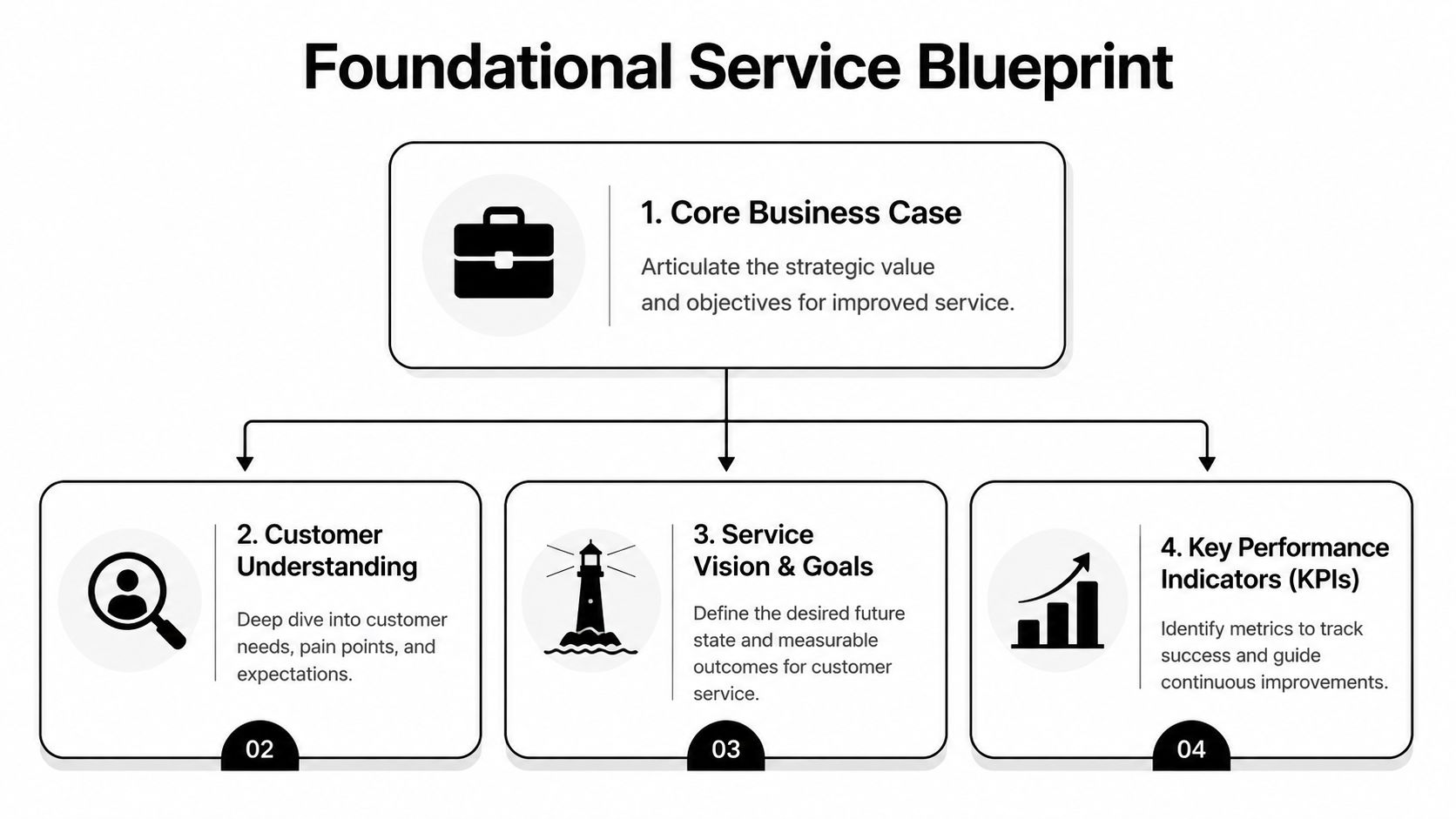
Start with the member journey, but do it as an operational exercise, not a branding exercise. The goal is to identify where people get blocked, where staff time gets wasted, and which interactions need tighter controls because the downside is high.
In most membership and event organizations, the same pressure points show up fast:
These are not equal. A discussion-thread question can wait. A failed renewal or broken event registration usually cannot. The blueprint should reflect that difference with clear priority rules, ownership, and response targets.
A strong customer service strategy for a membership organization rests on three decisions.
First, define what members should expect. Response speed, tone, and level of hand-holding should match the audience and the offer. An executive association, a credentialing body, and a hobbyist event brand should not all sound the same or staff service the same way.
Second, decide where human support adds value and where self-service should carry the load. Automation helps with repeatable, low-risk tasks like password resets, event FAQ routing, and standard billing instructions. It hurts when it blocks someone from resolving a payment issue, correcting registration data, or regaining access before a live event. A practical way to make that call is to review your customer self-service model for member support and mark which requests can be resolved without staff involvement, which need guided triage, and which should go straight to a person.
Third, define success in operating terms. "Improve satisfaction" is too soft to run a team against. Better goals are concrete:
One rule helps here. If team leads cannot name the top five service failures from memory, the blueprint is still too vague.
Before changing software or headcount, pull a sample of recent tickets and classify them by intent. Channel alone is not useful enough. "Email" does not tell you anything operationally meaningful. "Duplicate invoice request." "Member paid but access did not update." "Registrant cannot transfer ticket." Those categories show you what is breaking.
Then look for patterns with financial or retention impact. Which issues cluster around renewal dates? Which ones spike before events? Which questions should never have become tickets because a confirmation email, billing notice, or registration form could have handled them upstream?
The practical aspect of service strategy emerges. The blueprint is not a generic support document. It is a decision framework for high-volume, high-stakes moments, with clear trade-offs about where to spend staff time, where to automate, and where a fast human answer protects the relationship.
A growing organization usually adds channels the same way a garage fills with tools. One new need at a time. Email stays because everyone uses it. Live chat appears because people want speed. A forum launches because leadership wants community. Then nobody can tell which channel should handle what.
That's where service quality starts to drift.
Different channels solve different problems. The mistake is treating them as interchangeable.
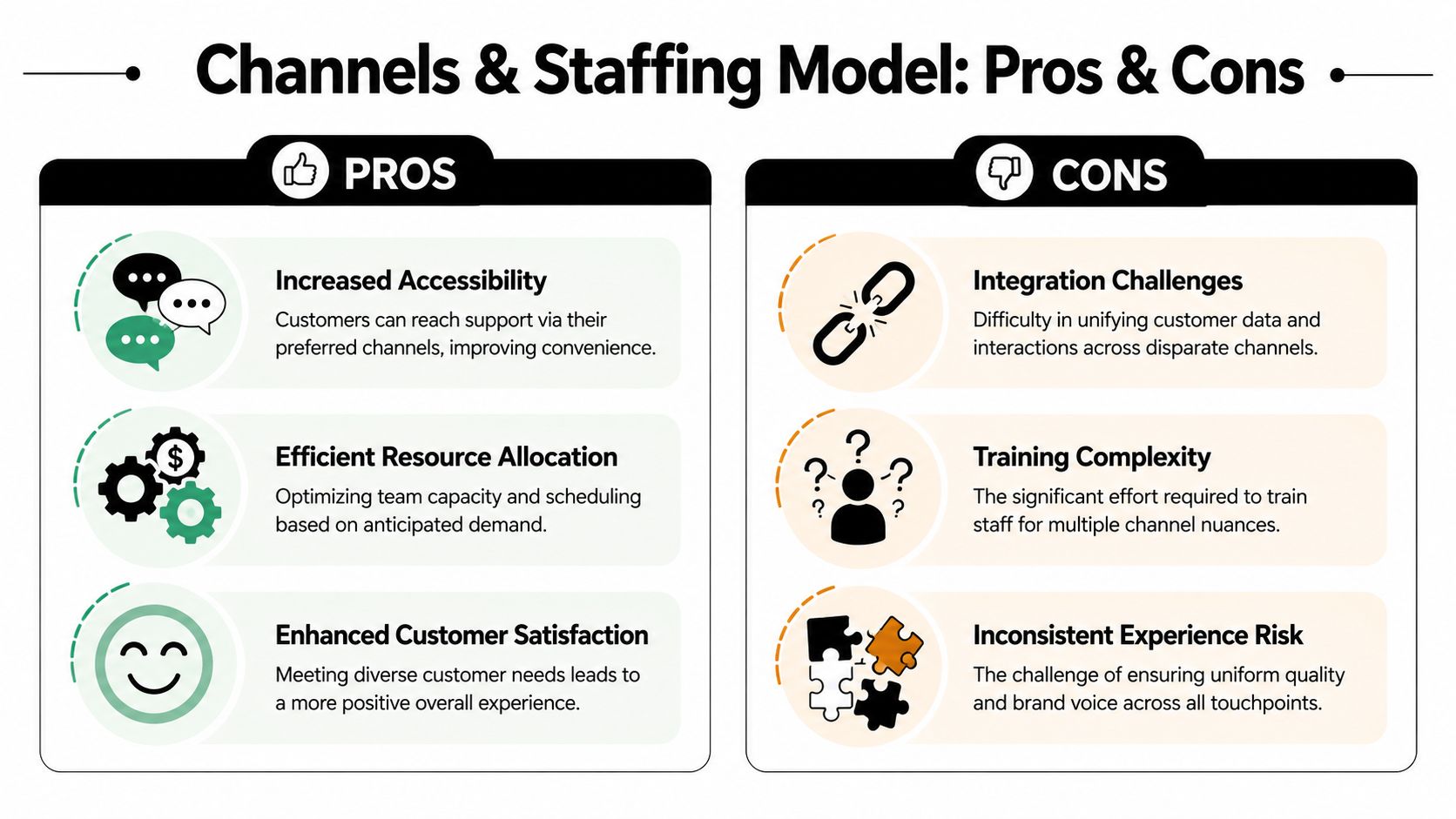
Here's the comparison I use most often:
| Channel | Best fit | Where it breaks down |
|---|---|---|
| Billing, account updates, sponsor questions, anything needing a documented trail | Feels slow during urgent event-day issues | |
| Live chat | Access problems, simple navigation help, time-sensitive questions | Can create shallow answers if agents rush |
| Knowledge base | Repeatable how-to questions, login steps, registration instructions | Fails when content is outdated or too generic |
| Community forum | Peer discussion, shared practices, non-urgent product or program questions | Poor fit for private account issues |
If the issue affects payment, identity, access, or contractual terms, email or a ticketed workflow is usually the safer primary channel because it creates a record. If the issue affects event attendance in the moment, chat can be the fastest path to resolution, but only if the team has authority and a playbook.
Support models often fail because leaders ask, “How many people do we need to answer tickets?” The better question is, “Where does human contact change retention?”
Salesmate's summary of customer service statistics cites research showing monthly churn at 16% for members with no staff interaction, versus 7% for members who had one meaningful interaction, a 56% reduction. That matters because staffing decisions shouldn't focus only on queue management. They should also protect the moments where human contact helps keep members from drifting away.
A simple staffing model can work well:
A platform choice also affects staffing efficiency. If you're evaluating tools, a customer engagement platform matters most when it gives staff shared context, unified histories, and fewer manual handoffs.
The right staffing model doesn't answer every question with a human. It puts humans where interaction changes the outcome.
Automation helps most when the question is repeatable, low-risk, and easy to verify. Password resets, basic policy lookups, event schedule links, and standard confirmation messages are good candidates.
Automation hurts when the issue is emotionally charged or operationally risky. That includes renewal disputes, payment failures, access loss, registration exceptions, and sponsor entitlements. In those cases, a bot that keeps looping is worse than a slower human response because it makes the member feel ignored.
Use a simple decision rule:
The channel mix and staffing model should make those choices visible. If your team has to improvise every handoff, the model isn't finished.
Consistency is what members notice when they contact you twice and get the same clear answer both times. That doesn't happen by accident. It comes from service playbooks.
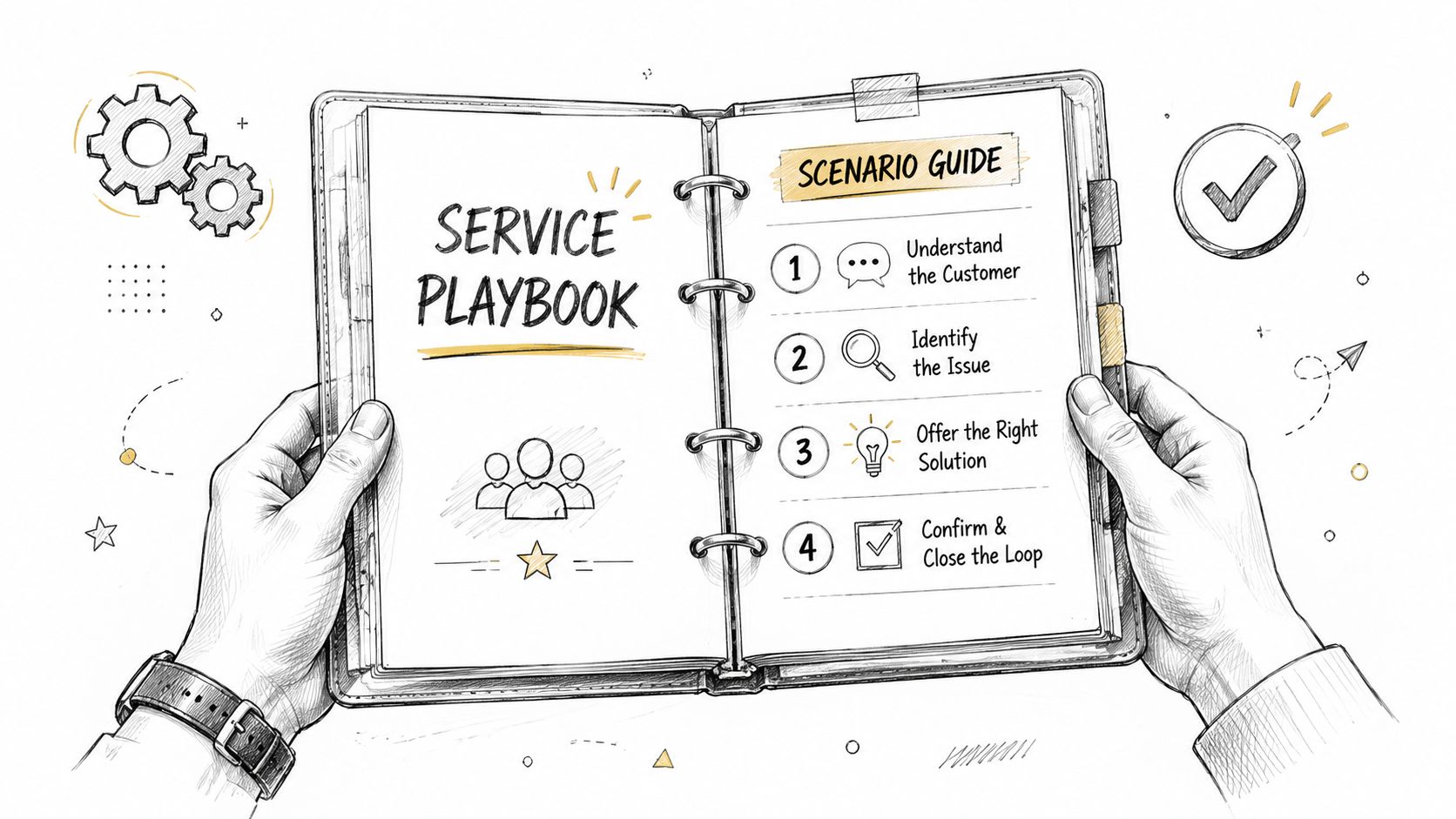
A playbook isn't a script library. It's a decision guide that tells staff what to check, what to say, what to document, and when to escalate.
The biggest service failures in membership operations usually happen in a short list of moments. Registration fails after a card is charged. A member renews but still can't access benefits. A sponsor asks where their deliverables are. An attendee shows up and can't find their ticket.
Seismic's discussion of customer service strategy highlights a key gap in service design: deciding which intents should be automated and which should stay human-led. For membership organizations, high-stakes moments like registration, billing, and access are poor candidates for full automation because failure there can destroy trust immediately.
That's exactly where playbooks earn their keep.
I like a four-part structure because staff can use it under pressure.
Trigger and intake
Diagnostic steps
Resolution path
Closure and follow-up
For teams tightening handoffs, a documented ticketing system process flow helps staff understand where ownership moves and where it shouldn't.
Field note: If a new team member can't resolve a common issue by following the playbook, the playbook is incomplete, not the team member.
Failed event registration payment
An attendee says payment went through, but no confirmation email arrived and no ticket appears in their account. The playbook should tell staff how to verify transaction status, confirm whether a registration record exists, decide whether to reissue, and explain the next step without asking the attendee to start over blindly.
Membership renewal confusion
A member says they were charged but lost access, or they're disputing an auto-renewal. The playbook needs identity checks, billing history review, clear policy language, and an escalation path for exceptions. This is not the place for canned replies that sound defensive.
A short training resource can help teams think through workflow design before they build templates:
The best playbooks reduce variation without making staff robotic. They create confidence, especially on the days when volume spikes and nobody has time to invent a process from scratch.
An attendee writes in ten minutes before a member-only webinar starts. They cannot access the event, they are sure they registered, and they need help now. If the dashboard only shows average response time, the team may look fine while that attendee still misses the session. Good KPI choices prevent that kind of blind spot.
For membership and event-driven organizations, service metrics need to do two jobs at once. They need to keep daily operations under control, and they need to show whether service is protecting renewal revenue, event participation, and trust at the moments that matter most.
CSAT, NPS, and customer effort score are useful because each answers a different operational question.
CSAT measures how the member felt about a specific interaction. Use it after resolved tickets, event support exchanges, access issues, and billing help. It is the fastest way to see whether agents are handling cases clearly and respectfully.
NPS reflects the broader relationship. It helps leadership understand whether members see enough value in the overall experience to recommend the organization. It is less useful for diagnosing one broken workflow, but helpful for spotting whether service problems are starting to affect loyalty.
Customer effort score is often the early warning sign. A member may get the right answer and still report a poor experience because it took two forms, one phone call, and a follow-up email to get there. In membership operations, high effort around renewals, registrations, and account access usually shows up before retention drops.
A useful dashboard should help a service lead answer five practical questions:
That leads to a smaller KPI set with clearer decisions behind it.
| KPI | How to Measure | Why It Matters for Your Community |
|---|---|---|
| CSAT | Short post-case survey after ticket resolution | Shows whether a specific service interaction met expectations |
| NPS | Periodic loyalty survey across the member base | Signals broader confidence in the organization |
| Customer effort score | Ask how easy it was to get help | Exposes friction in support flows, forms, and handoffs |
| First response time by case type | Track time from intake to first human response, segmented by urgency | Keeps event access, billing, and renewal issues from sitting in the general queue |
| Resolution quality | Review reopened tickets, escalations, refunds, and follow-up complaints | Shows whether the answer solved the problem without creating more work |
| Top contact reasons | Tag and review ticket themes by volume and member segment | Identifies repeat failures in membership, events, and account management |
| Retention correlation | Compare service patterns with renewal outcomes | Connects service performance to long-term member value |
Segmentation matters. Average first response time across all tickets can hide a serious problem if sponsor questions get answered in two hours while event access issues sit unresolved during live programming.
Teams often overmanage speed because it is easy to measure. That creates shallow replies, more reopens, and more frustrated members. I have seen service teams hit response targets while increasing effort scores because agents were pushed to reply fast instead of solve the issue.
Automation can help here, but only in the right places. Auto-routing, form logic, status updates, and triage rules improve consistency and save staff time. Automated replies during a disputed renewal, failed registration payment, or lost member access usually make the experience worse unless they immediately route the case to a person with context.
No single KPI should run the operation by itself. If response time improves while customer effort gets worse, the team is probably answering too quickly. If CSAT holds steady but renewal complaints increase, the survey program may be missing the interactions that carry the most retention risk. If NPS looks healthy while billing escalations rise, broad sentiment is masking a specific operational failure.
Review these metrics by member type, not only in aggregate. First-year members, long-tenured members, sponsors, exhibitors, speakers, and volunteer leaders do not experience the same service model in the same way.
Retention should sit next to service reporting for that reason. A simple method for calculating retention ratio gives the team a baseline, but value comes from comparing retention movement against service patterns by segment, issue type, and season.
A dashboard earns its place when someone uses it to change staffing, fix an intake form, rewrite a policy, or remove a recurring point of friction. If it does not drive those decisions, it is reporting, not management.
A customer service strategy usually breaks during rollout, not during planning. The ideas make sense. The team agrees. Then daily work takes over, old habits return, and the new process exists only in a shared document nobody opens.
The fix is phased implementation.
Don't launch every channel rule, playbook, and metric at once. Start with the issues that create the most member frustration and the most internal confusion.
A practical rollout often looks like this:
Stabilize the highest-risk workflows
Train the team on real scenarios
Clean up intake and routing
Launch feedback loops early
Teams don't need longer manuals. They need confidence in the rules. That comes from scenario-based training where staff practice the hard cases: a member disputing a renewal, an attendee missing event access, a sponsor asking for a promised benefit that wasn't delivered clearly.
Use examples from your own environment. Internal credibility matters. Staff will trust the strategy faster when they can see how it applies to the questions they answered yesterday.
A single support model rarely works for every audience. CustomerThink's discussion of underserved segments makes the point clearly: strong service strategies adapt to the needs and economics of each segment instead of applying a one-size-fits-all approach.
That matters in communities where one organization may serve:
Those groups shouldn't always get the same process, and they shouldn't always use the same channel. Segmenting service doesn't mean treating some people poorly. It means designing different paths that fit different needs without wasting effort.
Service improves fastest when support leaders send the same recurring issues back into product, billing, event design, and communications. The ticket is the symptom. The workflow upstream is usually the cause.
Iteration is what keeps the system alive. Review what broke, adjust the playbooks, refine routing, and keep pruning unnecessary work from the member side.
The strongest customer service strategy doesn't look impressive because it has more software, more automation, or more dashboards. It works because members know what to expect, staff know what to do, and the organization learns from every friction point.
That's what turns service into an advantage.
A good model has a few visible traits. High-stakes issues go to humans quickly. Repetitive questions are handled through clean self-service and better content. Staffing matches the moments where interaction affects retention. KPIs stay close to loyalty and effort, not just speed. Segment differences are built into the operating model instead of patched in later.
For membership and event organizations, this matters more than it does in many other businesses. Your product is often inseparable from the experience of joining, registering, participating, and renewing. If service is confusing, the brand feels confusing. If service is steady, the brand feels dependable.
A short working checklist helps keep the strategy grounded:
If you manage fitness memberships or adjacent subscription communities, this set of actionable fitness retention tips is worth reviewing because it reinforces the operational link between engagement, service consistency, and member stickiness.
Service becomes a competitive advantage when it stops being a reactive desk and starts acting like infrastructure. That's when retention gets easier to protect, events run with less friction, and members feel the difference without needing to name it.
If you're building a membership or event operation that needs fewer handoffs, cleaner registrations, stronger engagement tracking, and a more unified member experience, GroupOS gives organizations one place to manage communities, events, content, communication, and ongoing engagement. It's built for teams that want service operations to scale without becoming fragmented.







