June 16, 2026
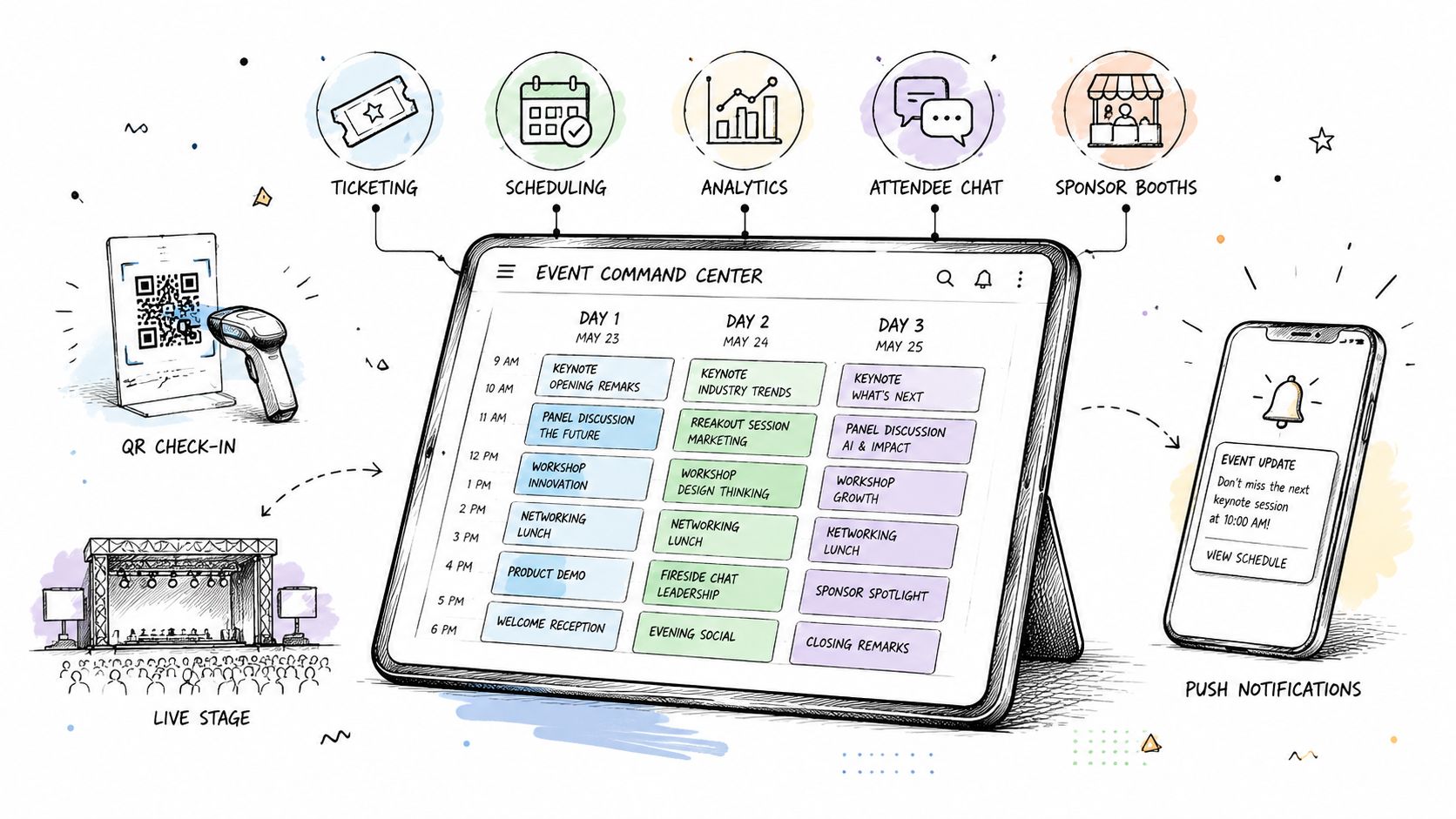
If you're planning a conference, summit, trade show, or festival that runs for more than one day, you already know where the pressure lands. The agenda changes after badges are printed. A sponsor asks for proof of visibility before the closing keynote. One session is packed, another is half empty, and your team is still pulling check-in data from three different systems.
That setup looks normal in a lot of organizations. It isn't sustainable.
A good multi day event software app doesn't just replace clipboards, spreadsheets, and one-off tools. It becomes the operating layer for the event. Registration feeds the agenda. Agenda feeds notifications. Check-ins feed attendance data. Engagement feeds sponsor reporting. That shift matters because a multi-day event creates moving parts that have to stay connected for several days, not just a few hours.
Most buying advice still treats event software like a logistics purchase. The deeper question is whether your platform can unify attendee engagement, exhibitor lead capture, and post-event analytics in one system across in-person and virtual participation, which Eventleaf's discussion of event management apps and practices highlights as a real gap in how teams evaluate tools.
Teams that want less manual work usually start with automation. Teams that want stronger ROI keep going and build around connected workflows, reporting, and shared data. That difference is what turns software from an expense into infrastructure. If your current process still depends on staff copying data from one tool into another, it helps to review how event management automation changes the day-to-day workload before you look at vendors.
The chaos of a multi-day event usually doesn't come from one big failure. It comes from dozens of small disconnects.
Registration lives in one system. Session RSVPs live in another. Your sponsors get a separate spreadsheet. Speakers email revised slide decks to three different people. Operations asks for room counts. Marketing asks for app engagement. Leadership asks whether the event delivered value. Everyone is working hard, but nobody is looking at the same picture.
In practice, three things usually go wrong before lunch on day one:
That fragmentation creates two costs. The obvious one is stress. The more expensive one is missed decisions while the event is still live.
A multi-day event runs better when the team can react during the event, not reconstruct what happened afterward.
A strong multi day event software app acts less like a feature bundle and more like a control system. It should connect registration, agenda management, communication, check-in, sponsor workflows, and analytics so your team can make decisions from one operational view.
That changes how planners work. Instead of asking, "Did people show up?" you start asking, "Which audience segment attended which content, what did they engage with, and what should we change before tomorrow morning?"
When software does that well, event management stops being a series of handoffs. It becomes a measurable operating model.
A multi day event software app is part attendee-facing guide, part organizer dashboard, and part reporting system. The simplest way to think about it is this. It should feel like a digital concierge for attendees and a command center for organizers.
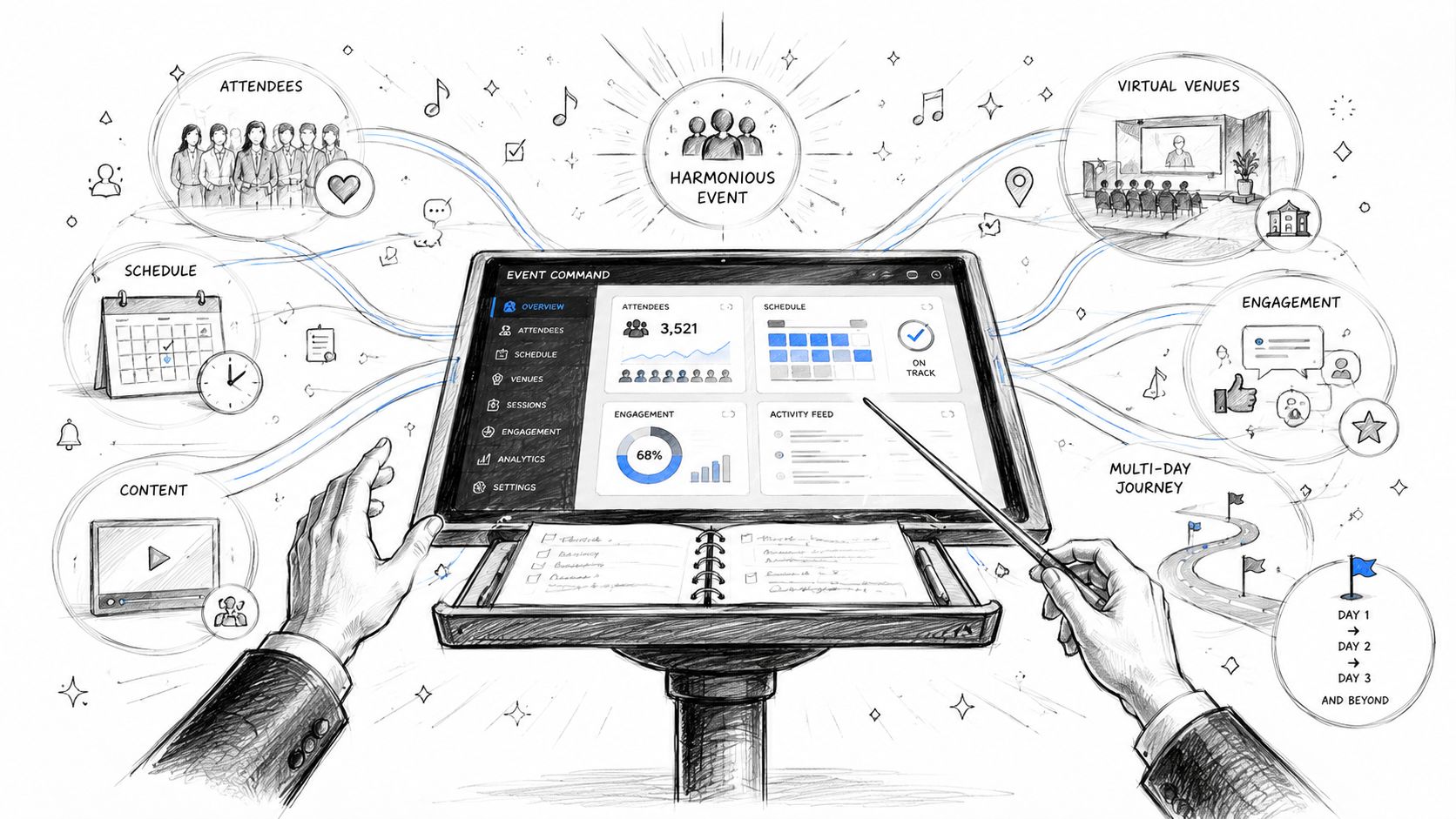
Single-day ticketing tools can handle a basic sale and a basic check-in. A real multi-day platform has to manage continuity. People attend different sessions on different days. Sponsors want exposure across the event lifecycle. Speakers need updated schedules. Organizers need to see patterns as they develop, not after the venue closes.
The weak version of event tech is a mobile schedule with push notifications. That might work for a small meeting. It usually breaks down fast at a conference or trade show.
A real platform should unify functions that often get bought separately:
| Function | What it means in practice |
|---|---|
| Registration | One attendee record, segmented ticket access, payment handling, and profile data |
| Agenda | Multi-track schedules, room updates, speaker pages, personalized calendars |
| Communications | Email, in-app alerts, and targeted messages based on role or behavior |
| Engagement | Polls, Q&A, networking, content access, and post-session feedback |
| Analytics | Attendance, engagement, sponsor visibility, and behavior across multiple days |
The strategic point is the connection between those functions. If someone registers for an executive pass, that should shape what sessions they can access, what messages they receive, what sponsors they see, and how their activity is reported.
Analytics now sit at the center of the category. Events.com reports that organizations leveraging event data have seen attendance rise by up to 20% and productivity increase by 27%, and that matters more in longer programs where engagement shifts from day to day.
That explains why modern platforms are judged less by whether they can publish an agenda and more by whether they can show what happened inside the event.
If a vendor demo spends all its time on how the app looks and almost none on how the data flows, you're probably looking at a presentation layer, not an event system.
The feature list matters less than the way features support the event over time. Multi-day formats create repeated decision points. Who's arriving today. Which sessions are over capacity. Which sponsors are getting interaction. Which attendees need a nudge to come back tomorrow.
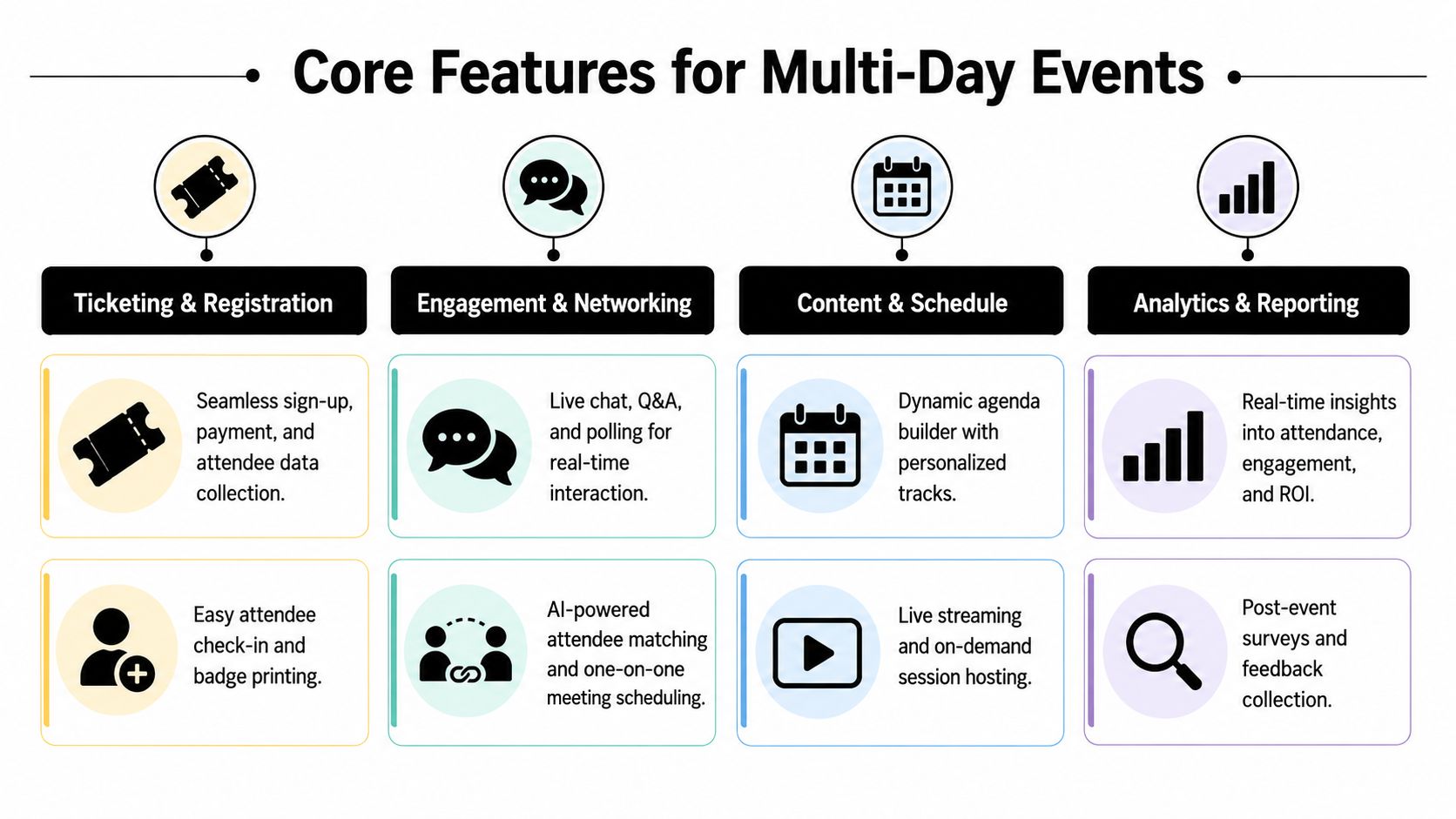
Many teams underbuy in this area.
You need more than a checkout page. Multi-day events often involve day passes, full-event passes, VIP access, member pricing, invite-only sessions, sponsor badges, exhibitor staff registrations, and add-ons. If those rules aren't modeled cleanly at registration, the problems show up later at check-in and access control.
Useful buying questions include:
If you want a practical baseline for how these workflows should connect, this overview of a ticketing system process flow is worth reviewing before vendor demos.
Multi-track agendas aren't just publishing challenges. They're traffic management.
A strong platform should support personalized schedules, speaker profiles, session updates, content libraries, and role-based visibility. That matters because attendees don't experience a multi-day event as one block. They experience it as a series of decisions. Good schedule tools help them follow that path without friction.
A useful test is whether a vendor can show what happens when a room changes, a session fills, or a speaker is replaced. If the answer involves manual work in multiple places, the platform isn't mature enough for a complex program.
To see these workflow pieces in context, this video gives a quick operational view of event platform expectations:
Longer events need energy management. Attendance on day three is not the same as day one.
That is why in-app networking, direct messaging, polls, Q&A, attendee matching, and session feedback matter. These aren't gimmicks when they're tied to event goals. They help attendees build momentum and help organizers spot where interest is fading.
This is also where promotion and participation connect. If you're trying to improve turnout before the event starts, these proven strategies for event attendance are useful because they reinforce a simple point. Better attendance isn't just a marketing issue. It's a registration, reminder, and engagement issue too.
Sponsors don't buy "visibility" in the abstract. They buy access to an audience and proof that access happened.
A serious multi day event software app should support lead capture, sponsor placements, exhibitor profiles, meeting booking, content promotion, and post-event reporting. Without that, your team ends up assembling sponsor ROI manually from scans, screenshots, and anecdotal feedback.
One example in this category is GroupOS, which supports branded event hubs, ticketing, QR code check-ins, content delivery, sponsor profile pages, banner placements, and built-in communication in web and mobile experiences.
The strongest products aren't just feature-rich. They hold together under event pressure.
For the backend, IBM's explanation of event-driven architecture is useful context. In this model, actions like registration, check-in, payment confirmation, and content access are published as asynchronous events, which allows services to process them independently and in near real time. For multi-day conferences, that matters because workflows surge at the same time and tightly coupled systems are more likely to stall when one component slows down.
Practical rule: Ask vendors what happens technically when check-in volume spikes, payments confirm late, or session attendance data lags. Their answer tells you more than the feature list.
A platform proves itself in the way different event teams use the same core system for different goals.
An association runs a three-day conference with education tracks, sponsor booths, member-only sessions, and a closing awards program. The planning team needs one registration flow, but not everyone should see the same agenda. Exhibitors need staff access and lead capture. Members need reserved access to certain sessions. Nonmembers need a different path.
During the event, staff watch room movement and session demand, then shift signage and notifications based on what they see. After the event, the team doesn't just count attendees. They compare session engagement, sponsor activity, and content interest so next year's program reflects actual behavior.
In this model, the app isn't a convenience. It's the record of what happened.
A community arts festival has weekend passes, day passes, volunteer access, vendor check-ins, and a schedule that can change quickly if weather affects outdoor programming. The organizer needs one app that can update attendees fast, route people to the right entrance, and keep vendors informed without separate text chains and email blasts.
A reliable QR code check-in system becomes especially useful here because the team can validate admission quickly across multiple gates or zones without building a manual workaround on-site.
The attendee experience also changes. People build their own schedules, favorite performances, and receive updates based on the day they purchased.
A leadership summit serves in-person guests and virtual viewers at the same time. Organizers need separate engagement views for live sessions and online content, but leadership still wants one post-event story about outcomes.
The right platform helps the team separate formats operationally while keeping reporting connected. That means they can compare what happened in the room, what happened online, and what content kept working after the live event ended.
The more event formats you combine, the more valuable a single data model becomes.
Most event teams buy software under deadline pressure. That's when polished demos become dangerous. A vendor can show a beautiful attendee interface and still leave your staff managing exports, duplicate records, and disconnected sponsor reports.
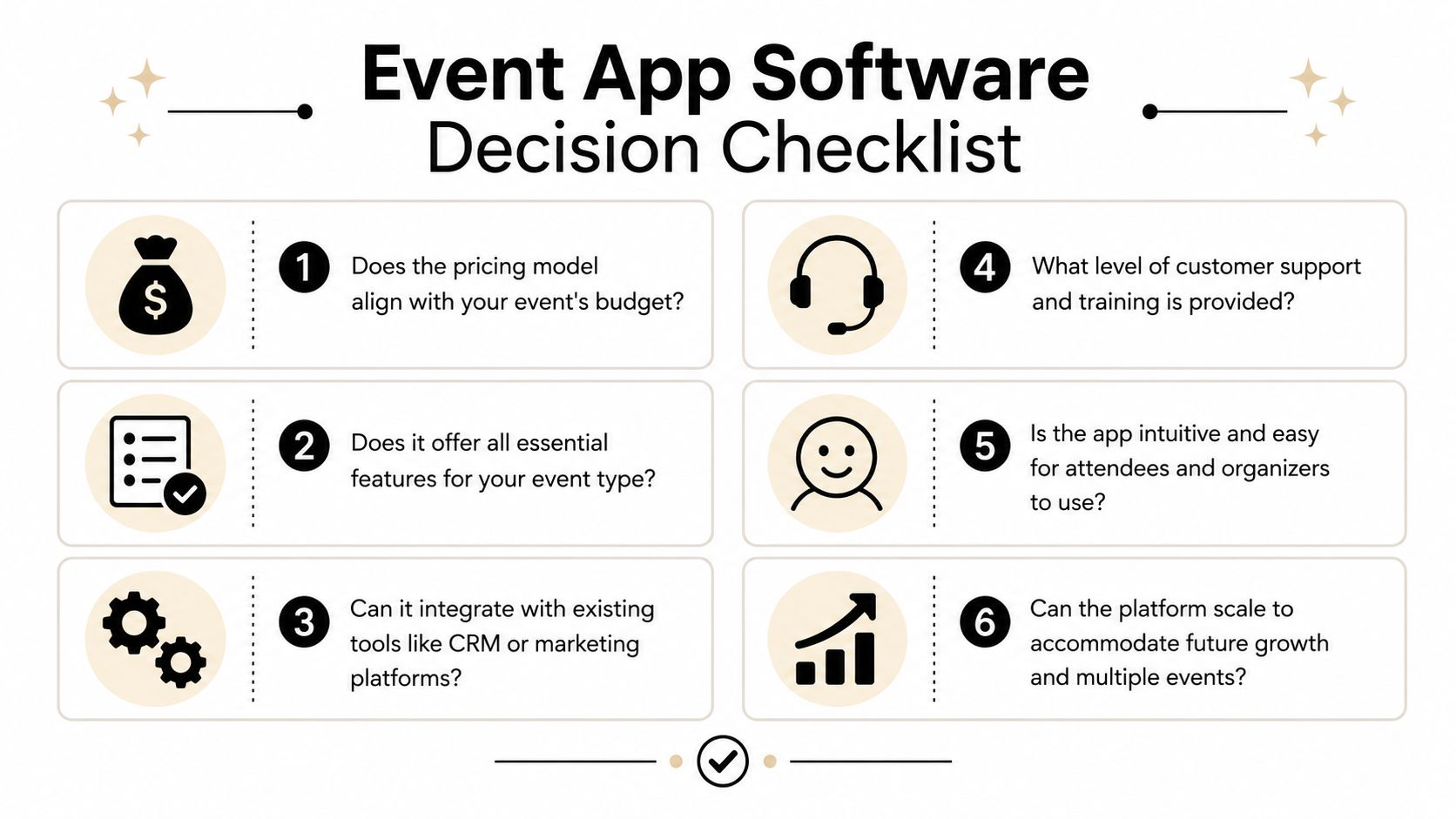
If I were choosing a multi day event software app for a serious conference, this would be my first test. Is it one platform, or a stack of connected tools that happen to share branding?
Whova's overview of all-in-one event platforms points to the value of a single unified control plane for registration, agenda, communications, and analytics, along with secure payment processing and detailed reporting. That distinction matters because multi-day events break apart when attendee data has to sync across modules instead of living in one canonical record.
Ask the vendor to show how one attendee update moves through the system. If someone changes their registration type, does that update session eligibility, messages, and reporting automatically?
Bring a checklist into demos. Don't rely on memory.
Some platforms fail in predictable ways.
| Warning sign | Why it becomes a problem |
|---|---|
| Strong ticketing, weak engagement | The event starts fine but attendee participation drops after check-in |
| Good mobile app, weak admin controls | Staff can't make changes quickly enough during the event |
| Attractive sponsor pages, weak reporting | Sales promises become hard to defend after the event |
| Many integrations, no operational coherence | Your team becomes the system integrator |
Buy for the live operational reality, not the sales demo. Day-two issues expose weak platforms faster than launch-day registration does.
Buying the platform is the easy part. Implementation is where teams either gain confidence or create a fresh layer of confusion.

A practical rollout usually works best in phases.
Configure the foundation
Set branding, ticket types, payment settings, attendee fields, staff permissions, and sponsor categories first. Don't start with cosmetic details. Start with the records and rules that control the event.
Build the event content
Add agenda tracks, rooms, speakers, exhibitor pages, sponsor placements, FAQs, and content assets. This is the point where many teams discover missing fields or naming inconsistencies, which is exactly why it should happen early.
Train by role
Your marketing lead, registration staff, volunteer check-in team, sponsor manager, and moderators do not need the same training. Role-based training works better than one generic platform walkthrough.
Teams often focus on software configuration and forget user adoption. That applies to staff and attendees.
For a helpful parallel, Moonb's advice for customer experience is relevant here because event apps benefit from the same principle. Good onboarding reduces friction, builds confidence early, and gets users to value faster. In event terms, that means clear attendee instructions, early prompts to build a schedule, and staff training that maps to real event-day tasks.
Before launch week, run a live simulation.
A calm event team usually isn't calmer by personality. They're calmer because they tested the system they built.
The easiest mistake is measuring the app itself instead of measuring what the app enabled.
Downloads matter less than behavior. For planners, look at whether the platform improved operational visibility, reduced manual work, and gave the team usable reporting. For attendees, focus on engagement with sessions, networking, polls, Q&A, and content. For sponsors, measure exposure and lead activity in ways your sales team can explain without improvising.
Guidebook's guidance on event apps is useful here because it centers the right categories. A quality platform should include session attendance analytics, sponsor visibility reports, and lead-capture data, and it notes that these platforms can save organizers approximately 200 hours annually while increasing attendee engagement by up to 40% in the right use cases, especially when teams need to adjust programming while the event is still live, as described in Guidebook's event app evaluation framework.
A simple ROI review can include:
If you need a more structured way to frame that conversation internally, this guide to measuring event ROI is a practical place to start.
The ultimate win is not that the app "worked." It's that the event became easier to run, easier to improve, and easier to justify.
If you're evaluating platforms and want one system for memberships, ticketing, branded event experiences, content delivery, sponsor visibility, and attendee communication, take a look at GroupOS. It's built for organizations that need events and community management to work together instead of living in separate tools.







