February 24, 2026
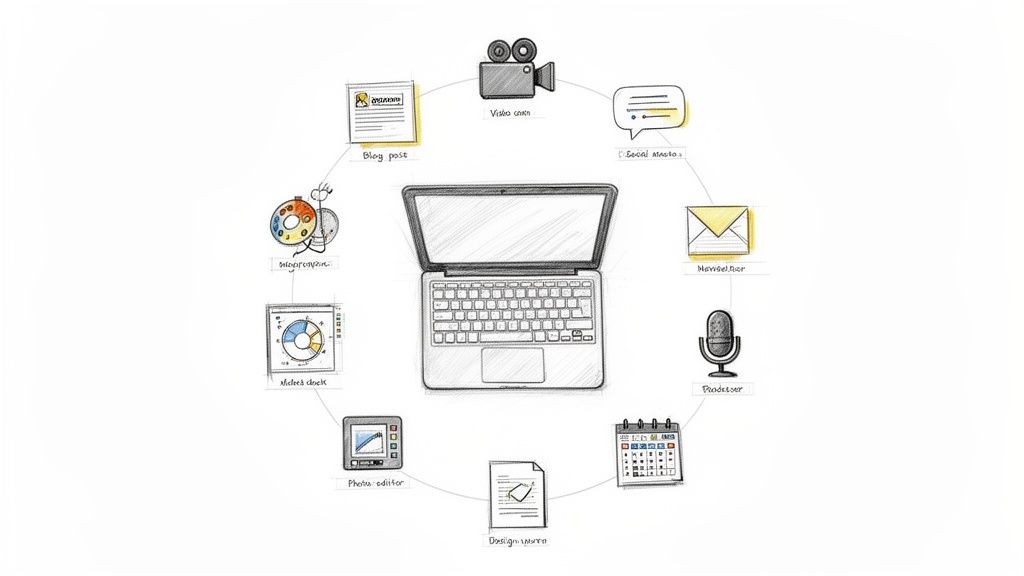
In the world of professional associations and event management, content is currency. You're expected to be a content powerhouse, producing everything from pre-event hype and live coverage to post-event resources and year-round member engagement. Juggling a dozen different tools for your blog, newsletter, social graphics, and video editing can quickly become a logistical and budgetary drain.
This guide cuts through the noise. We've compiled a definitive list of the top 12 content creation websites, breaking them down by category and use case. For each platform, we provide a detailed analysis of its key features, ideal applications, pros, cons, and pricing, complete with screenshots and direct links to help you evaluate your options quickly.
Our goal is to help you find the best platforms to build a smart, effective content stack that works for your organization's specific needs. Beyond selecting individual platforms, adopting a modern content creation workflow is essential for consistency, quality, and achieving your strategic goals. We will also touch on how an all-in-one platform like GroupOS can consolidate many of these functions, saving you time and resources while creating a unified experience for your members. Let's dive into the tools that will help you create better content, more efficiently.
WordPress.com offers a managed version of the world’s most popular Content Management System (CMS), providing a powerful foundation for organizations that want to build a robust digital publication, blog, or a full-featured website. As one of the most established content creation websites, it gives community managers and event organizers a scalable platform to publish articles, event schedules, and resource libraries without needing to manage their own web hosting. The platform handles the technical backend, including security, backups, and performance optimization via a built-in CDN, freeing you to focus on creating and distributing content.
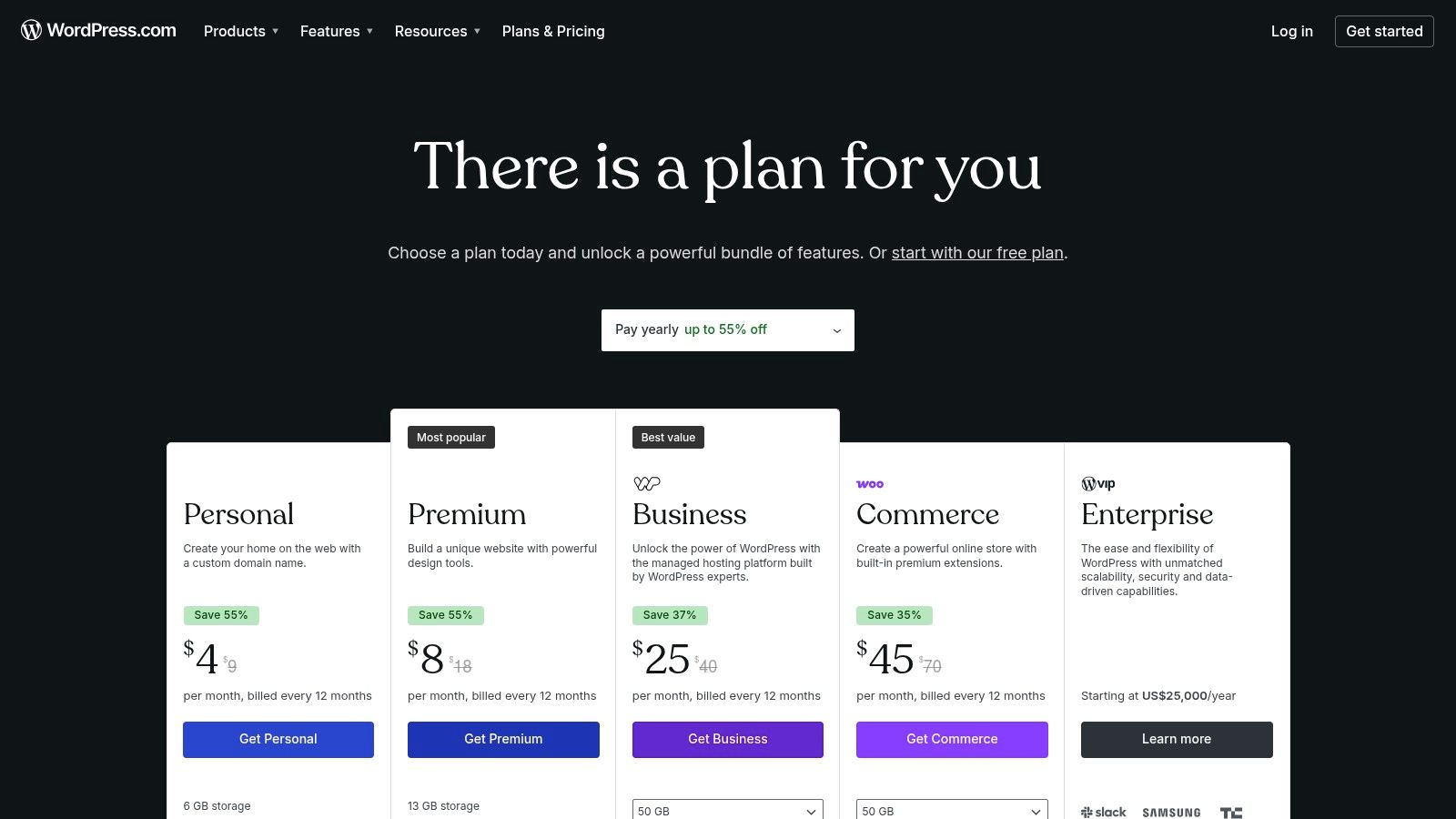
WordPress.com excels at creating a central content hub for professional associations. You can run your primary blog, publish industry reports, and even create a simple member portal. The block editor simplifies page building, while higher-tier plans unlock access to a massive ecosystem of over 50,000 plugins for nearly any function imaginable, from advanced SEO tools to event calendars and e-commerce.
Best For: Associations needing a highly customizable and industry-standard website for publishing long-form content, news, and building a strong SEO presence.
Final Takeaway: Choose WordPress.com when your primary goal is building a versatile, search-engine-optimized content authority site. However, for organizations needing an all-in-one community and events platform, its dependency on third-party plugins for engagement features can become complex. In those cases, a unified platform like GroupOS might be a more direct solution.
Website: https://wordpress.com/pricing/
Webflow offers a unique middle ground between template-driven site builders and custom-coded websites, positioning itself as a visual web design tool that writes clean, production-ready code. For community managers and event organizers, this means the ability to create visually stunning and highly interactive marketing sites, resource hubs, and event microsites without needing a front-end developer. It combines a powerful visual designer with a flexible Content Management System (CMS), making it one of the most powerful content creation websites for design-focused teams.
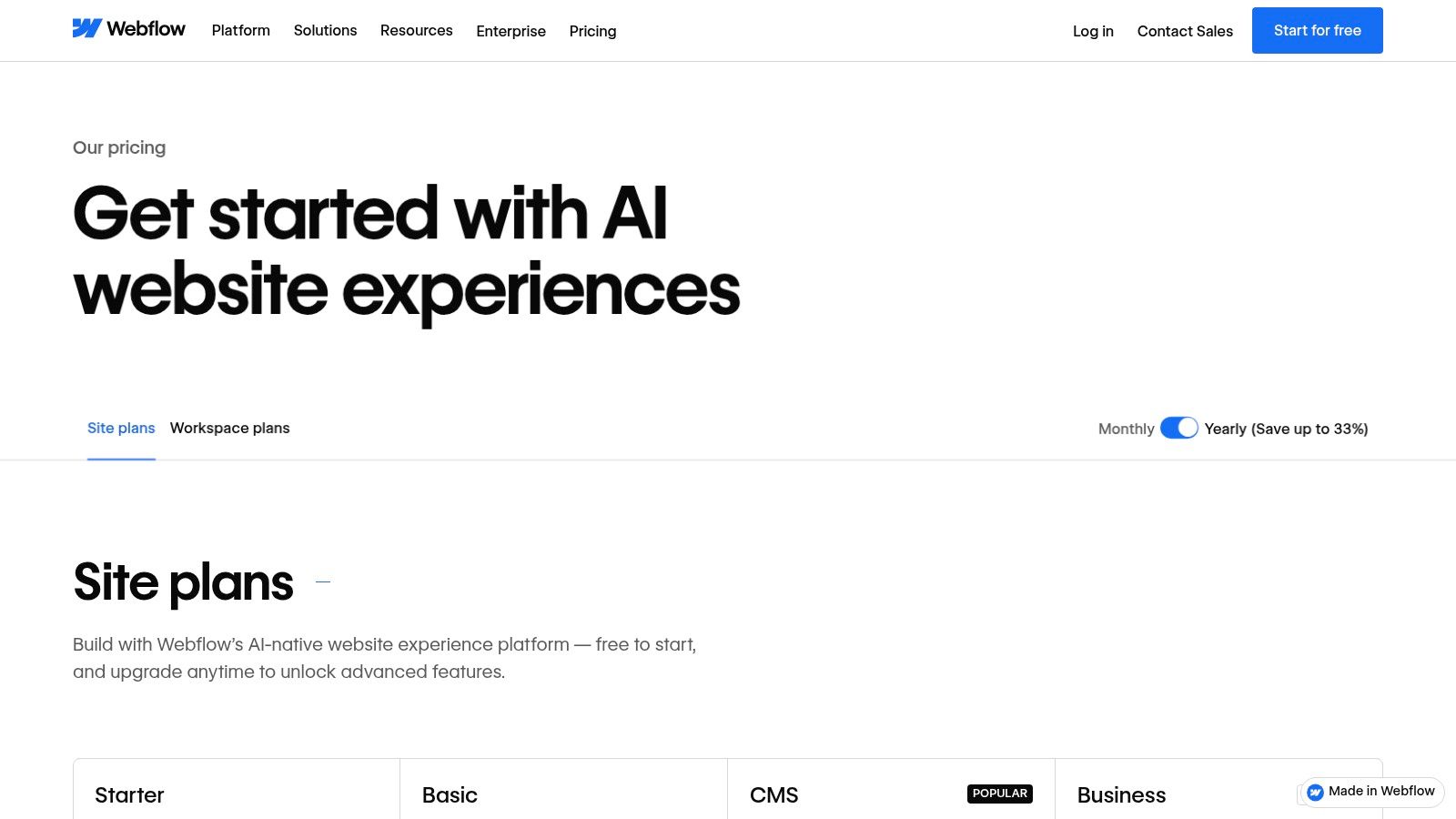
Webflow’s CMS Collections are ideal for managing structured content like speaker profiles, sponsor listings, session schedules, and blog posts. Its visual designer provides granular control over layout, typography, and advanced interactions, allowing for the creation of engaging, animated landing pages that stand out. Organizations can use it to build a beautiful primary website or dedicated microsites for major conferences, complete with dynamic content pulled from the CMS.
Best For: Organizations that prioritize brand identity and custom design for their public-facing content, such as marketing sites, resource centers, and high-impact event pages.
Final Takeaway: Choose Webflow when your organization needs a visually distinct and highly polished website that a traditional template builder can't deliver. However, it lacks native community engagement tools like forums or member directories. For an integrated solution that combines content delivery with a built-in community and event management, a unified platform like GroupOS provides a more direct and cost-effective path.
Website: https://webflow.com/pricing
Squarespace is an all-in-one site builder known for its polished, award-winning templates and integrated features. It allows organizations to quickly launch a professional-looking website with minimal setup. For community managers who need an elegant digital presence without a steep learning curve, Squarespace combines blogging, memberships, scheduling, and e-commerce into a single, cohesive package, making it one of the most efficient content creation websites available.
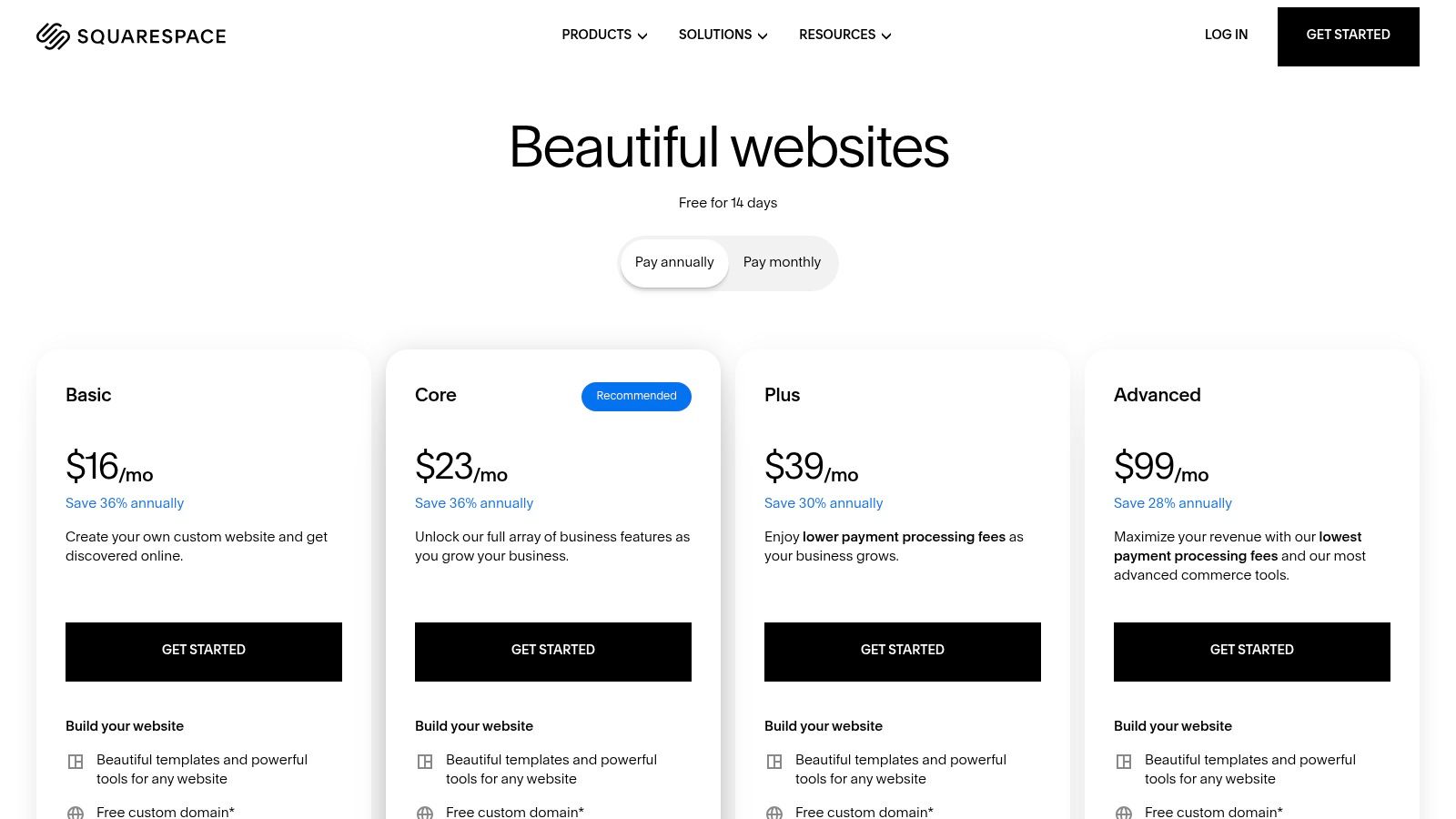
Squarespace’s strength lies in its design-first approach. The intuitive Fluid Engine editor gives you precise control over your layout, while built-in email campaigns, analytics, and commerce tools provide a solid foundation for member engagement and revenue. It is ideal for associations wanting to publish a stylish blog, create a portfolio of work, or sell digital products and member-exclusive content without wrestling with plugins. Learn more about how Squarespace compares to other membership-based website builder options for more context.
Best For: Organizations that prioritize aesthetic appeal and speed-to-launch over deep customization, needing a beautiful and functional site for content, events, and simple memberships.
Final Takeaway: Opt for Squarespace if your association needs a visually striking, low-maintenance website with reliable, integrated tools for content and commerce. It's a fantastic choice for getting online quickly. However, if your long-term strategy involves deep community engagement, forums, and complex event management, a dedicated platform like GroupOS will offer more specialized and robust community-centric features.
Website: https://www.squarespace.com/pricing
Ghost is a powerful open-source publishing platform built for professional creators and organizations focused on generating revenue directly from their audience. Its managed version, Ghost(Pro), provides a fast, secure, and maintenance-free solution for launching a modern publication with native membership and newsletter capabilities. This makes it one of the most direct content creation websites for groups aiming to build a paid content library or a premium member-only newsletter without wrestling with multiple plugins or technical overhead.
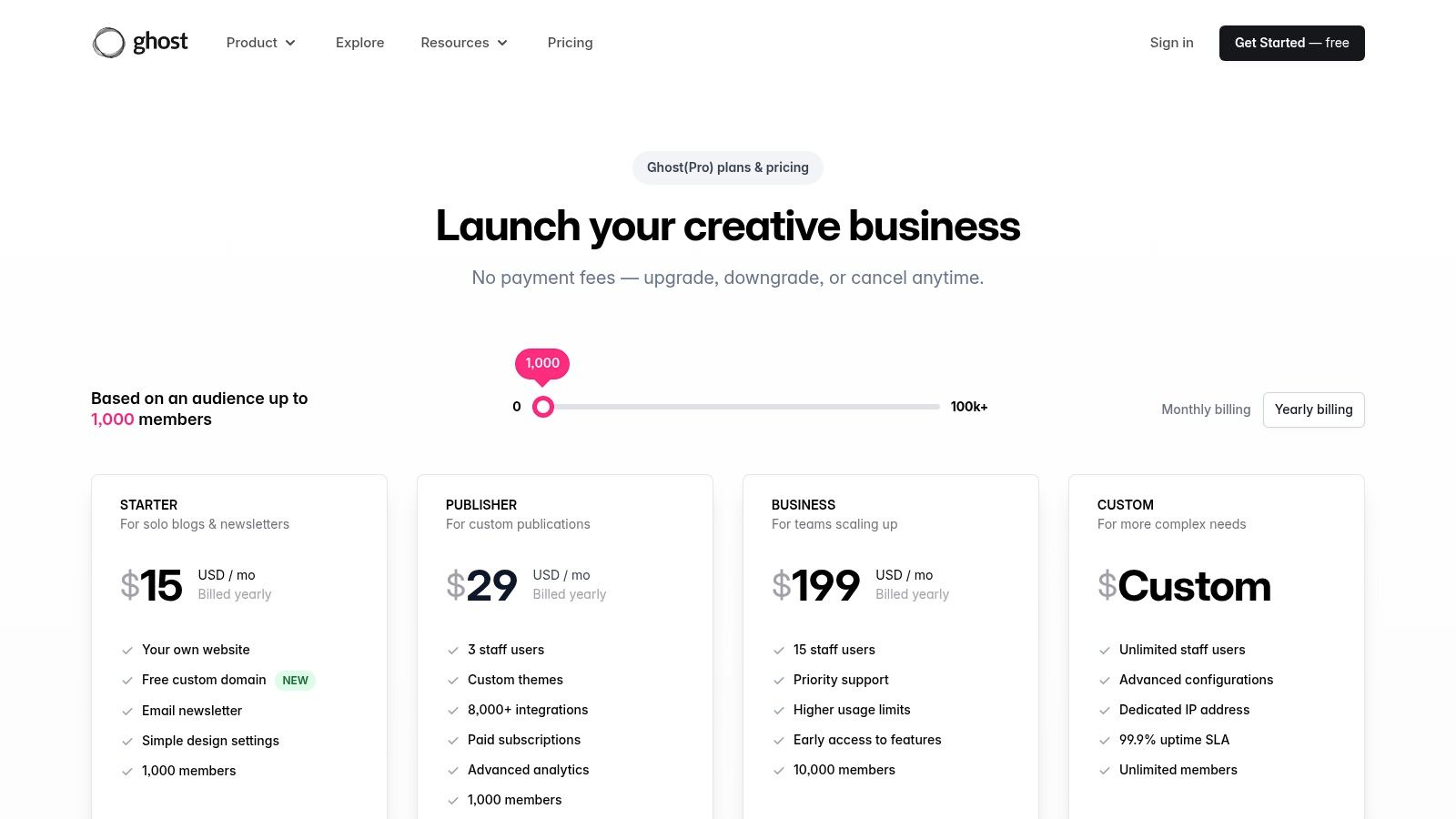
Ghost excels at monetizing content through its built-in subscription tools. An association could use it to run a premium industry journal, offering free articles to the public while locking in-depth reports and analysis behind a paywall. The clean, minimalist editor provides a distraction-free writing experience, and its underlying technology is engineered for speed and SEO, helping your content rank well from the start. Integrations with popular apps are available to extend its core functions.
Best For: Organizations that want a simple, high-performance platform for creating a members-only publication or paid newsletter with zero platform fees on revenue.
Final Takeaway: Choose Ghost when your primary objective is a subscription-focused publication with a premium user experience. Its simplicity is its strength. However, for associations needing a more comprehensive solution that combines content with event management and broader community engagement tools, a unified platform like GroupOS will provide a more integrated member experience.
Website: https://ghost.org/pricing/
Substack provides a newsletter-first publishing platform that is ideal for individual creators, thought leaders, and smaller associations wanting to build a direct relationship with their audience. It stands out among content creation websites for its simplicity, allowing anyone to launch a publication with email, web, and even podcasting capabilities in minutes. The platform's core appeal is its integrated subscription and payment system, making it easy to offer premium content and generate revenue directly from your most engaged readers.
Substack is built for direct-to-audience communication. Community managers can use it to send out weekly insights, industry news roundups, or serialized content to a dedicated subscriber list. The platform’s built-in recommendation network helps new publications get discovered by readers of similar Substacks, aiding organic growth. You can publish articles that live on your Substack site and are simultaneously sent as polished emails to your subscribers, ensuring your content reaches them wherever they are.
Best For: Individual experts or small organizations looking to build a paid newsletter community with minimal technical overhead and a focus on writing.
Final Takeaway: Choose Substack for a straightforward, low-friction way to launch a monetized newsletter and build a personal brand. It excels at content delivery and discovery. However, for organizations that need to build an online community with more robust engagement features, event management, and deep member analytics, its scope is too narrow. A platform like GroupOS provides a more complete solution for true community building.
Website: https://substack.com
beehiiv is a newsletter platform built for growth, providing community managers and organizations with a powerful suite of tools to create, distribute, and monetize their publications. It positions itself as a strong alternative to other newsletter services by focusing on creator-centric growth features and monetization without taking a cut of subscription revenue. For associations, it serves as an excellent tool for delivering high-value, regular content directly to members' inboxes, helping maintain engagement and communicate key updates.
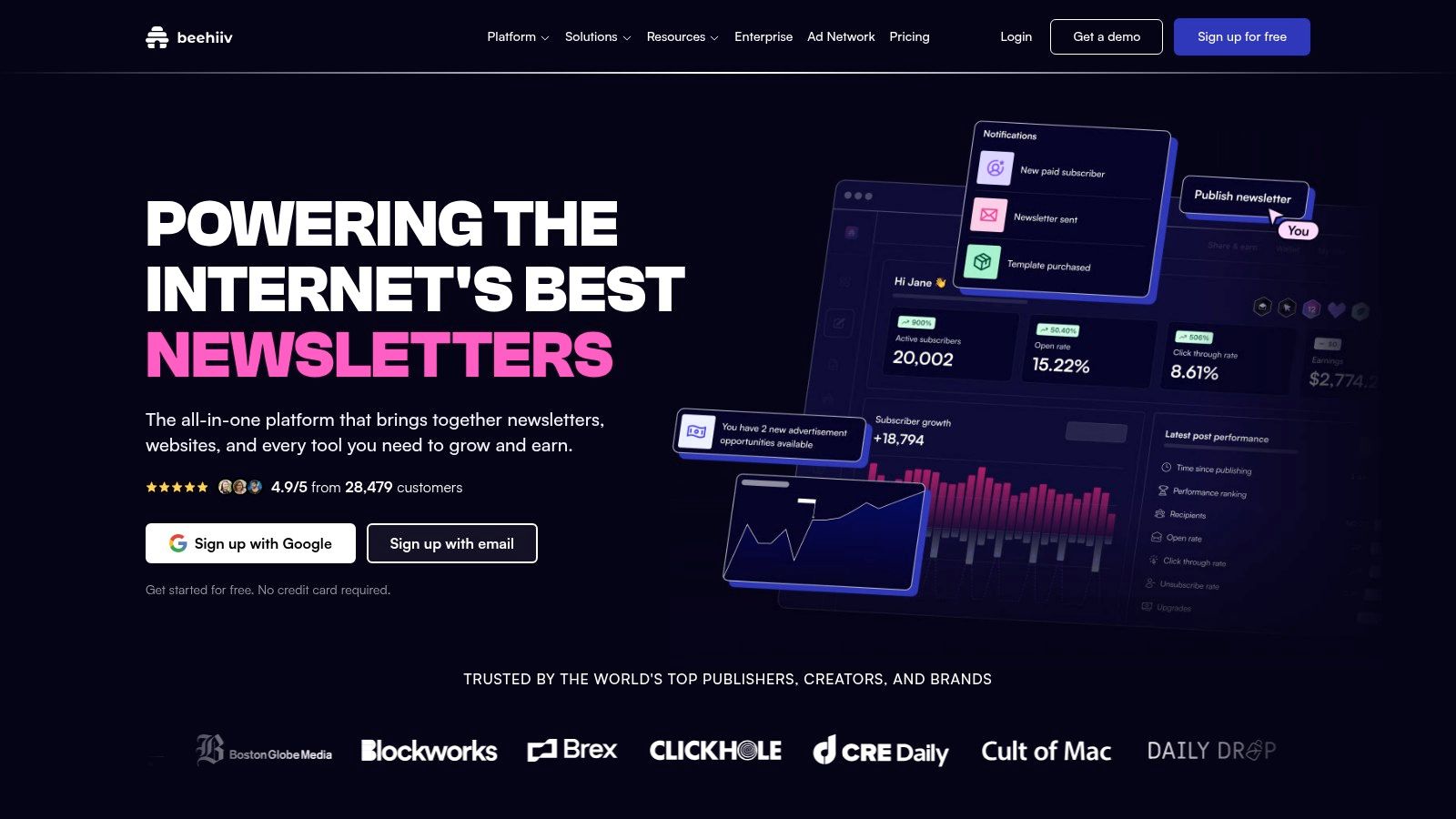
beehiiv’s core strength lies in its built-in growth mechanisms. Organizations can implement referral programs to encourage members to share the newsletter or use the Boosts feature to get recommended by other publications. The platform also includes an ad network, allowing you to generate revenue by placing sponsored content within your emails. These features make it one of the more business-focused content creation websites specifically for email.
Best For: Organizations and community leaders aiming to build and monetize a newsletter with a strong focus on subscriber growth and direct revenue streams.
Final Takeaway: Choose beehiiv if your primary content strategy revolves around a high-growth, potentially monetized newsletter. Its growth-hacking tools are top-class. However, if your newsletter is just one part of a larger community engagement strategy involving events and forums, a unified platform like GroupOS will provide a more integrated member experience without splitting your audience.
Website: https://www.beehiiv.com
Canva is a web-based design suite that empowers organizations to produce a high volume of professional-quality graphics, presentations, and short videos without needing a dedicated design team. For community managers and event organizers, it's one of the most essential content creation websites for quickly generating on-brand social media posts, event flyers, and digital marketing collateral. Its strength lies in an enormous library of templates and an intuitive drag-and-drop interface, making visual content production accessible to everyone.
Canva is perfect for the day-to-day visual marketing needs of an association or event. You can create a Brand Kit with your logos, colors, and fonts to ensure consistency across all materials, from a LinkedIn announcement to a conference agenda. The platform's AI-powered Magic Studio can generate copy, create images from text prompts, and even suggest design layouts, significantly speeding up the creative process. Teams can collaborate in real-time, leave comments, and share a central library of approved assets.
Best For: Teams needing to rapidly produce a wide variety of on-brand marketing and event graphics without specialized design skills.
Final Takeaway: Choose Canva for its speed and accessibility in creating the bulk of your visual content. It handles 90% of the daily design needs for social media, presentations, and simple print materials. For organizations seeking a platform that integrates content delivery with community management, GroupOS provides the destination for the content you create in Canva, bringing your members and your message together in one place.
Website: https://www.canva.com
Adobe Express is Adobe's browser-based design and video tool tailored for creating quick, brand-safe content. It is particularly well-suited for teams already operating within the Adobe ecosystem, offering a simplified yet powerful alternative to more complex professional software. For community managers and event organizers, it provides a fast way to produce social media graphics, promotional videos, and event flyers while maintaining brand consistency. The platform bundles generative AI features and integrates with Adobe Stock on premium plans, making it a strong contender among content creation websites.
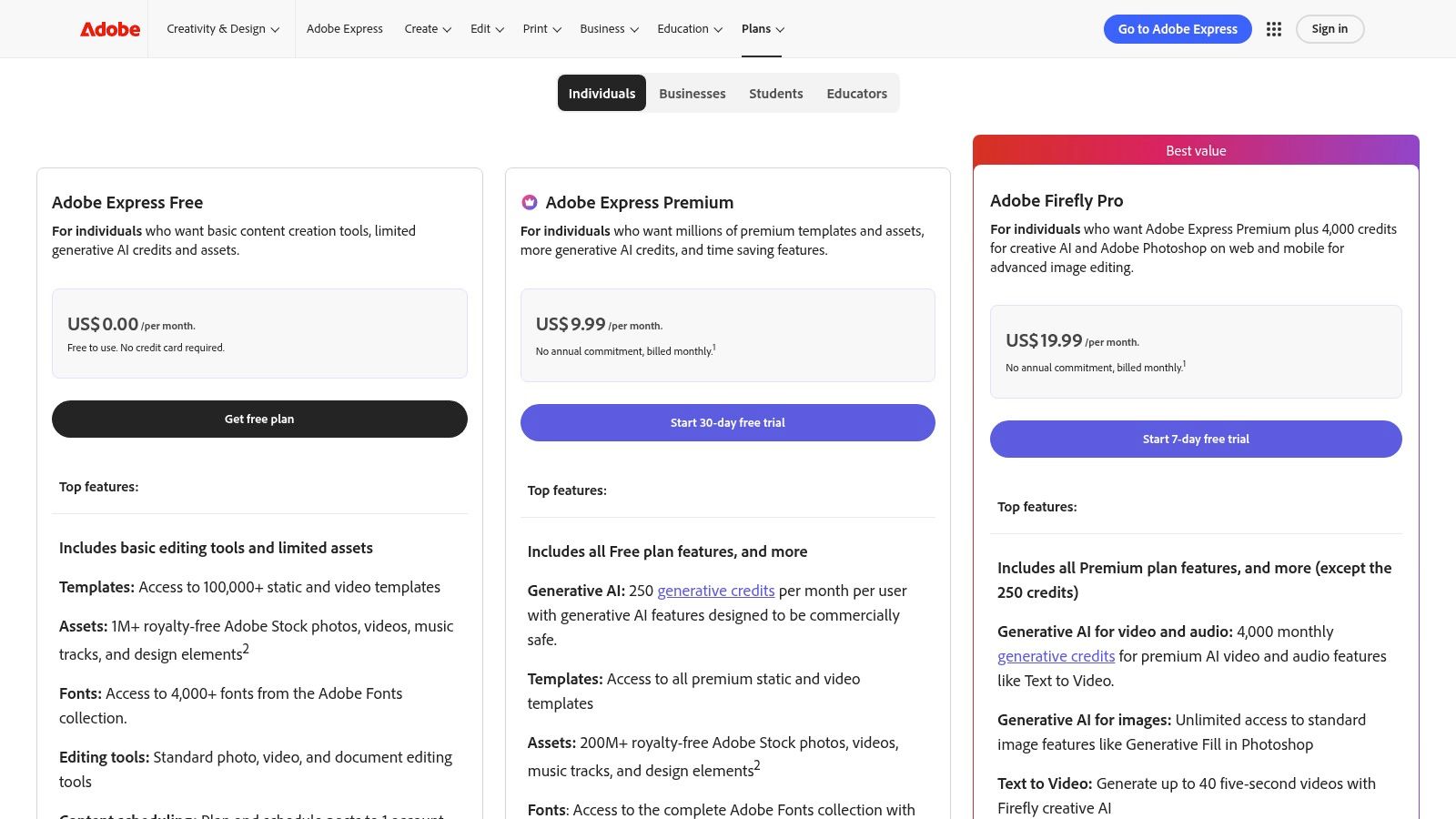
Adobe Express shines with its brand kits, templates, and quick-action tools for social and video content. It features Firefly, Adobe's generative AI, allowing users to create images and text effects using monthly credits. For professional associations, this means the marketing team can quickly generate on-brand visuals for event announcements or member newsletters. Premium plans also offer direct integration with Adobe Stock and Photoshop, allowing for a seamless workflow between different creative assets.
Best For: Organizations already invested in the Adobe Creative Cloud that need a simple tool for non-designers to create on-brand marketing assets quickly.
Final Takeaway: Choose Adobe Express if your team needs to produce a high volume of brand-aligned graphics and short videos and already uses other Adobe products. Its strength lies in brand consistency and its powerful creative engine. For organizations seeking a platform that combines content creation with community management and event logistics, an integrated solution like GroupOS will be more effective by keeping all functions under one roof.
Website: https://www.adobe.com/express/pricing.html
Descript offers a radically different approach to media production, turning video and audio editing into a process as simple as editing a text document. For community managers and event organizers, this is one of the most efficient content creation websites for repurposing webinars, conference sessions, and interviews. By transcribing your media and allowing you to edit by cutting, pasting, and deleting text, it removes the steep learning curve of traditional video editors, enabling your team to produce polished content at speed.
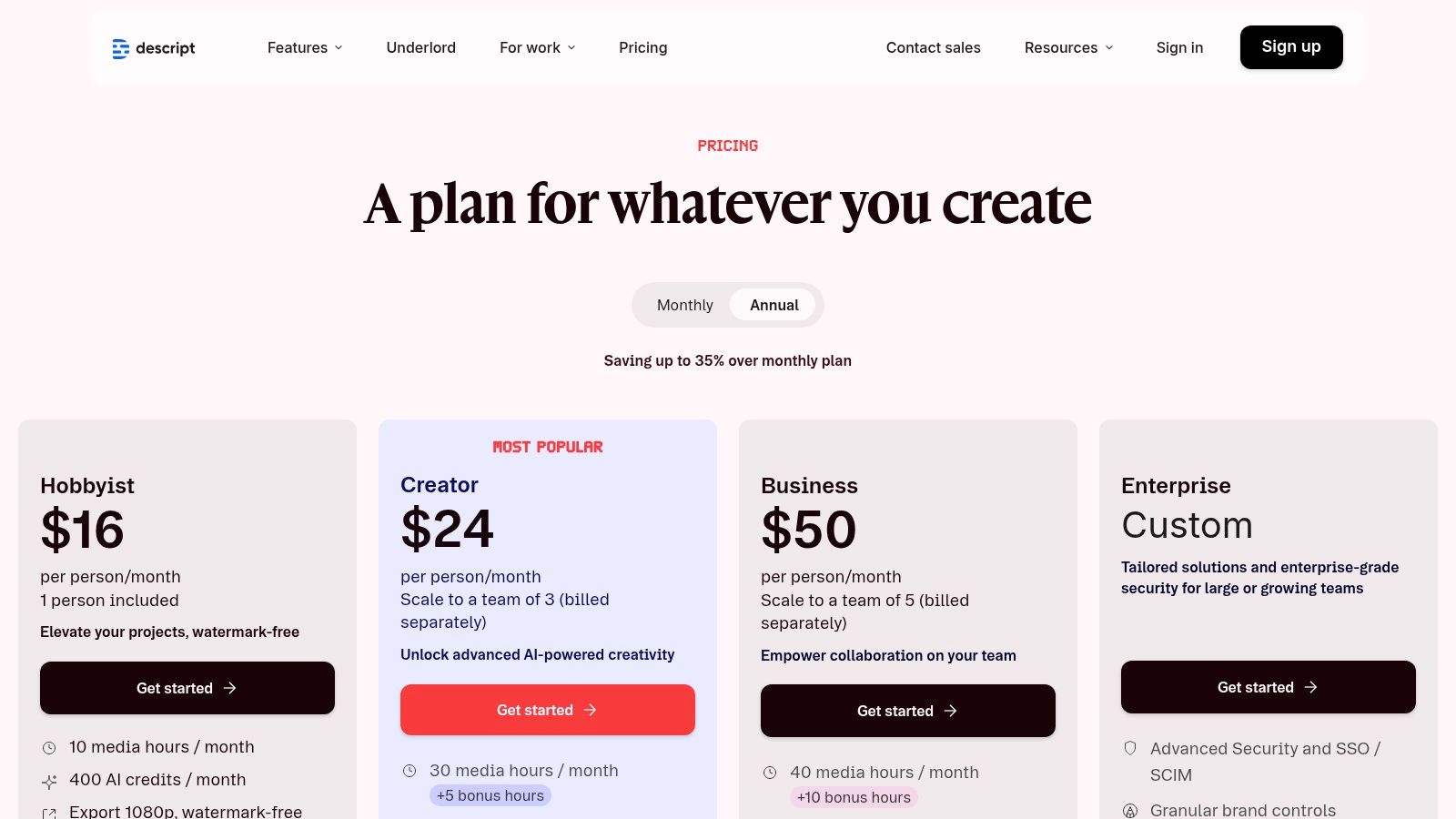
Descript excels at turning long-form event recordings into a library of short-form social media clips. Its AI-powered "Studio Sound" feature can clean up poor audio from virtual presentations with a single click, while its filler word removal tool instantly tightens up speaker delivery. You can easily generate captions, create audiograms for podcasts, and even fix misspoken words using its Overdub AI voice cloning tool, making post-event content production incredibly fast.
Best For: Teams that need to quickly edit and repurpose video and audio from events without hiring a dedicated video editor.
Final Takeaway: Choose Descript when your primary content challenge is turning raw event footage and audio into polished, distributable assets quickly. It democratizes media editing for your whole team. However, it's a production tool, not a distribution or community platform. For a solution that manages the entire member experience from event hosting to content delivery, a unified system like GroupOS provides that end-to-end management.
Website: https://www.descript.com/pricing
Riverside is a remote recording studio designed for creating high-quality video and audio content, such as podcasts, virtual panels, and interviews. It stands out among content creation websites by recording each participant's audio and video locally, which avoids the compression artifacts and dropouts common with internet-based recordings. This ensures that even if a guest has a poor connection, the final output is crystal-clear 4K video and 48kHz WAV audio, making it ideal for professional associations producing thought-leadership content or sponsored podcasts.
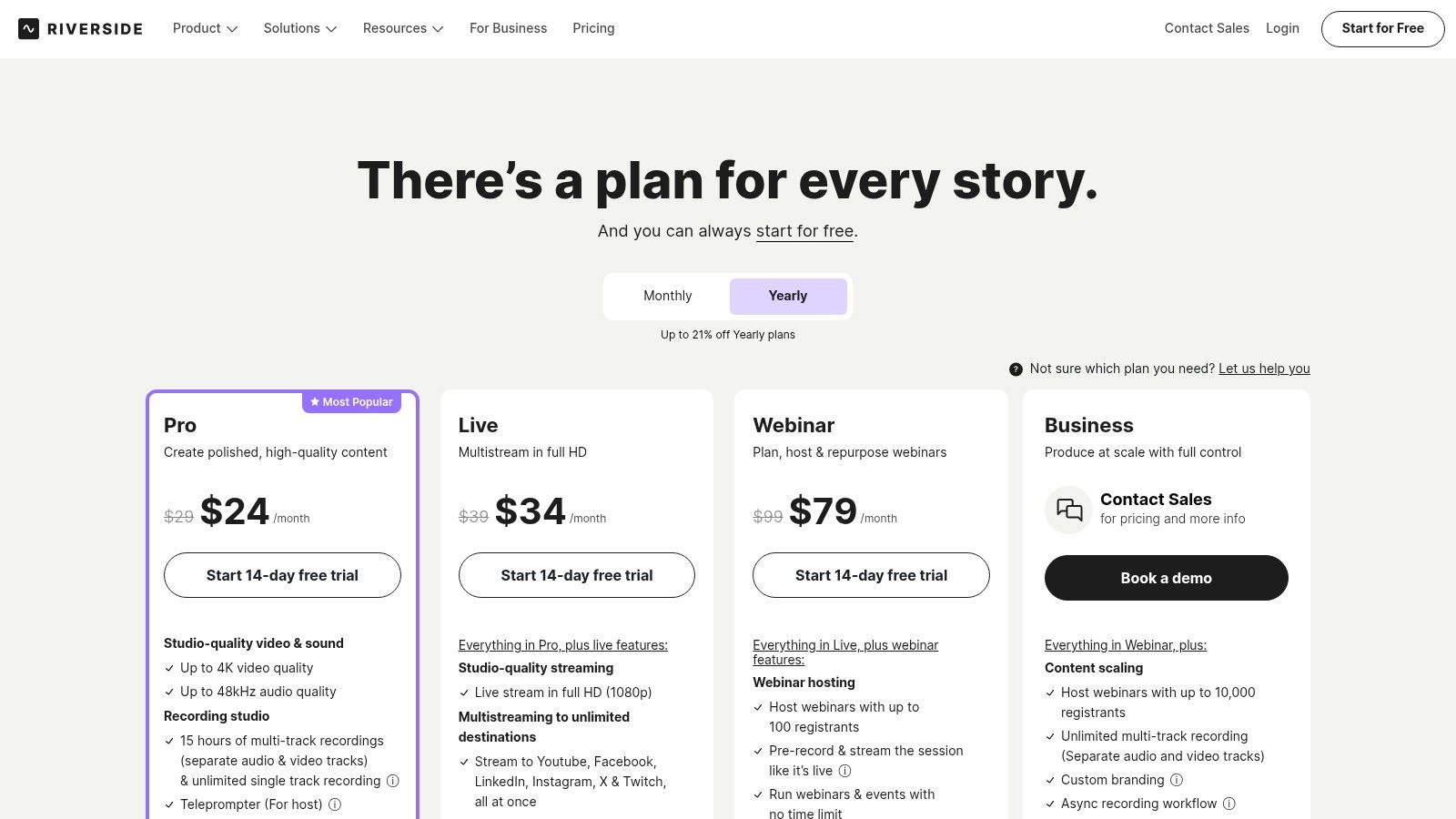
Riverside streamlines the entire production workflow from recording to post-production. Event organizers can record virtual conference sessions with multiple remote speakers and receive separate, high-fidelity tracks for each person. Its AI-powered tools, like "Magic Clips," can automatically find key moments and generate social-media-ready snippets. The platform also includes a text-based editor, allowing you to edit the video by simply editing the transcript, and offers direct publishing to platforms like YouTube.
Best For: Organizations that need to produce broadcast-quality video and audio content with remote guests, without requiring technical expertise from participants.
Final Takeaway: Riverside is an excellent choice for any organization prioritizing pristine audio and video quality for its content. It simplifies a technically complex process, making professional-grade production accessible. While it excels at content creation, it doesn't manage distribution or community engagement; for that, you would need a separate platform like GroupOS to host the final content and foster discussion around it.
Website: https://riverside.fm/pricing
Notion is an all-in-one workspace that combines documents, wikis, and databases, making it an exceptional tool for creating structured content hubs. Event organizers and community managers can use it as a flexible platform to build internal knowledge bases, public-facing resource centers, and detailed speaker or exhibitor handbooks. Its core strength lies in its block-based system, which allows you to mix text, tables, images, and embeds on a single page, all with powerful collaboration and permission controls.
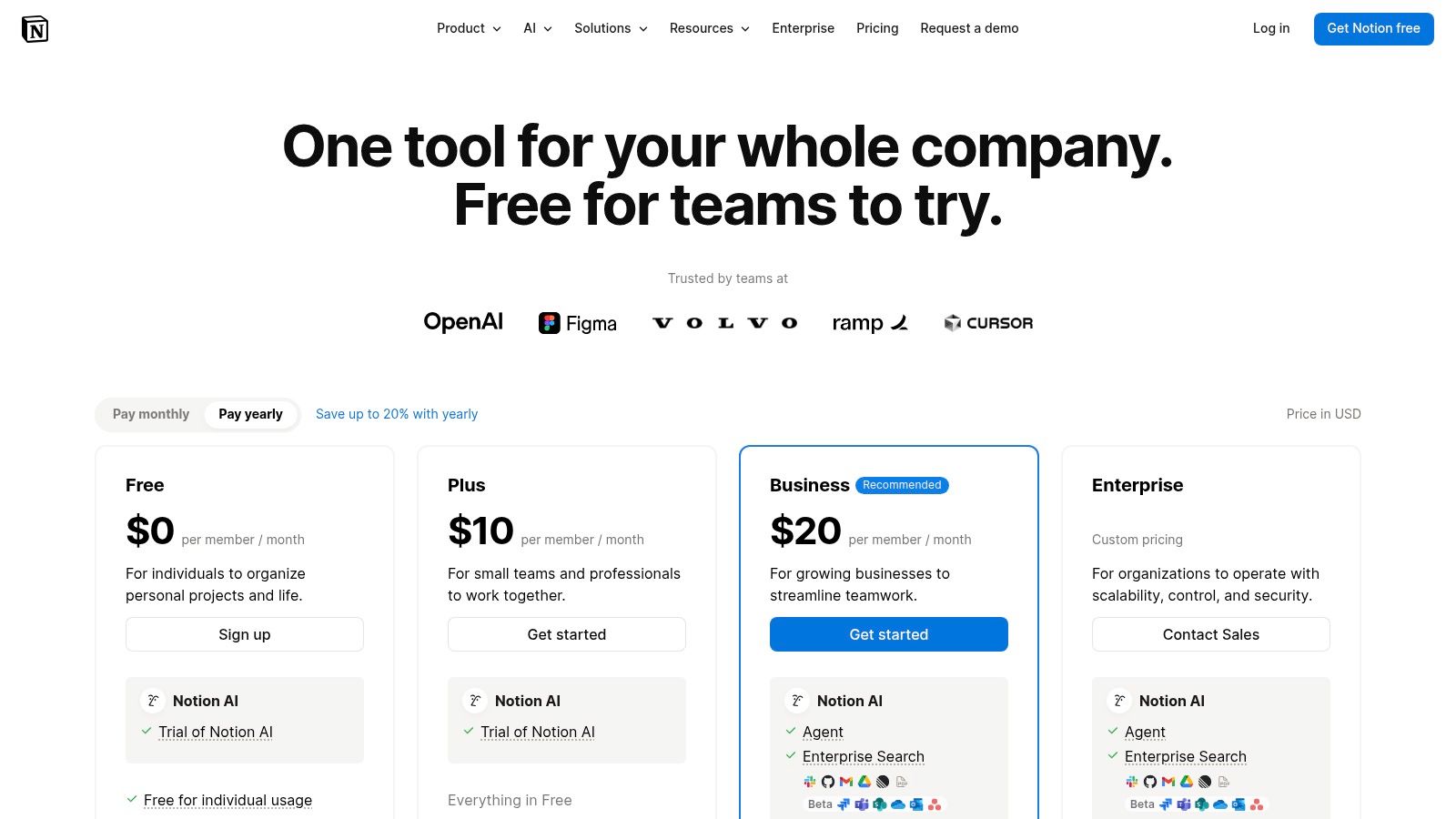
Notion excels at organizing complex information for specific audiences. For an event, you can create a speaker portal with database views for session schedules, deadlines, and presentation guidelines. For a professional association, it’s ideal for building a member-only wiki or a public-facing help center. Public web publishing (with custom domains on paid plans) turns any Notion page into a simple, clean microsite, perfect for event FAQs or resource libraries that need frequent updates. If you want to dive deeper into making your resources stand out, explore some tips for how to create engaging content.
Best For: Organizations needing a highly flexible and collaborative platform for creating internal and external knowledge bases, handbooks, and resource hubs.
Final Takeaway: Choose Notion for its unparalleled ability to structure and organize information collaboratively. It’s perfect for creating internal documentation or simple, public resource pages. However, it lacks the robust site-building and community engagement features of a true all-in-one platform, making GroupOS a better fit for organizations that need to manage members, events, and content in a single, unified system.
Website: https://www.notion.so/pricing
Kajabi is an all-in-one platform for creating and selling online courses, coaching programs, and membership communities. It is built for organizations and creators who want to package their expertise into digital products and generate revenue. For event organizers, Kajabi provides a strong framework for monetizing post-event content, offering session recordings as a course, or building a paid community around a conference theme, all managed within a single system.
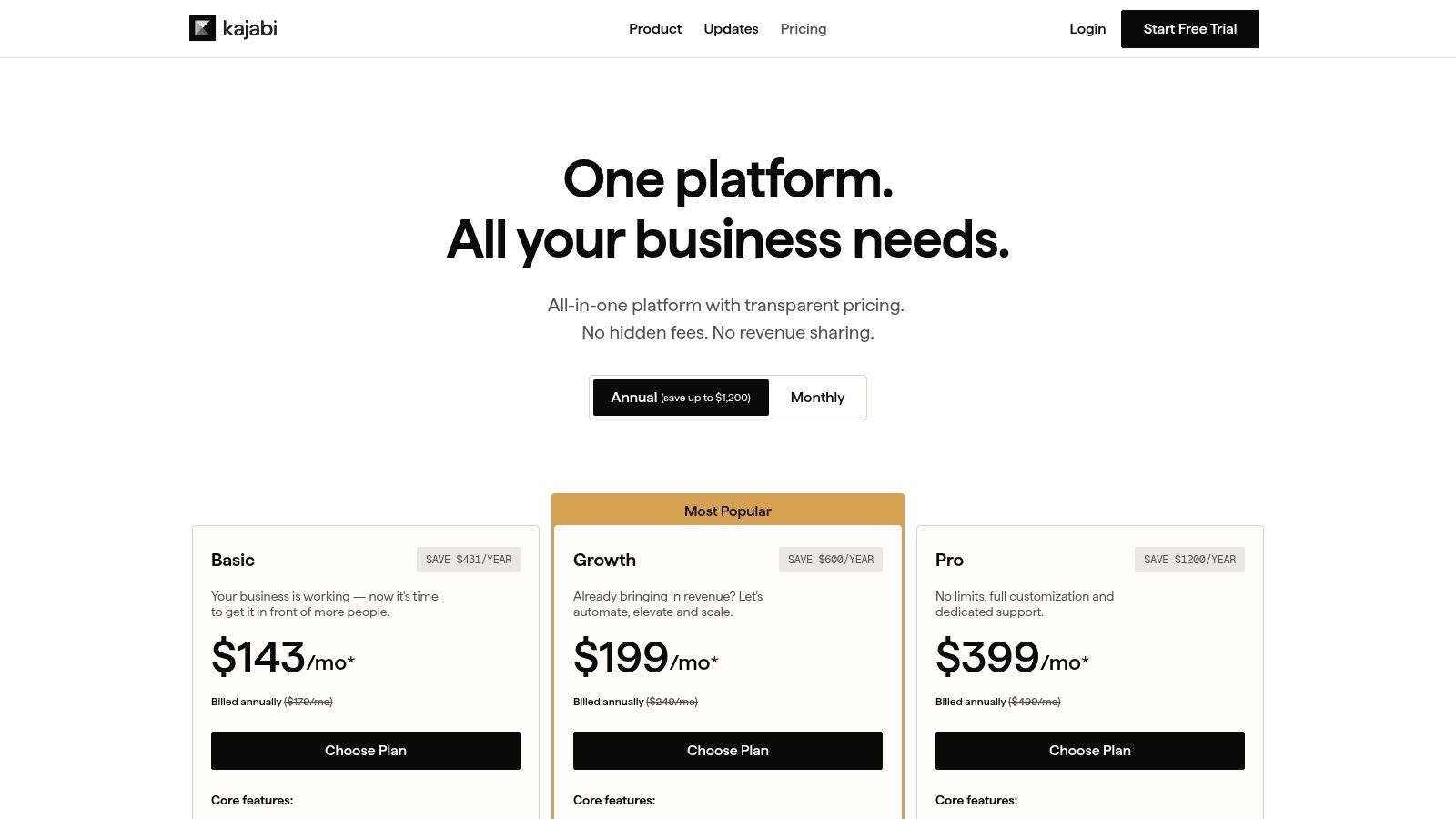
Kajabi’s strength is its integration of content delivery with marketing and sales tools. You can create structured online courses with video, text, and downloadable resources. The platform includes "Pipelines," which are automated marketing funnels that guide potential members from a landing page through an email sequence to a checkout page. It also supports native payments, affiliate programs, and dedicated community spaces for member engagement.
Best For: Associations and event organizers focused on packaging their content into sellable digital products like courses and paid memberships.
Final Takeaway: Kajabi is a powerful choice for organizations ready to build a serious revenue stream from their content. However, its high cost and feature set may be excessive if you only need a simple community or event hub. If your main goal is member engagement rather than content sales, a platform like GroupOS provides a more focused and cost-effective solution for community management.
Website: https://kajabi.com/pricing/
Navigating the extensive list of content creation websites we've explored reveals a clear pattern: specialized tools offer powerful, focused capabilities, while integrated platforms aim to simplify your entire operational workflow. Your journey through platforms like WordPress, Webflow, and Squarespace highlighted the importance of a strong foundational website. Meanwhile, tools such as Substack and beehiiv demonstrated the direct-to-audience power of modern newsletters.
For visual and multimedia content, Canva and Adobe Express provide accessible design solutions, while Descript and Riverside have fundamentally changed audio and video production. Behind the scenes, organizational hubs like Notion can serve as your team's central nervous system for planning and collaboration. Finally, platforms like Kajabi show the potential of bundling content with courses and digital products. Each tool addresses a critical piece of the content puzzle with precision.
The central challenge for professional associations and community managers isn't just producing high-quality content; it's delivering that content in a way that deepens member engagement and drives organizational goals. Relying on a patchwork of disconnected systems creates friction. Your members are forced to log into multiple sites, your data is siloed across different dashboards, and your team wastes valuable time managing separate subscriptions and integrations.
Consider the member journey. A new member might discover your association through a blog post on a Ghost site, sign up for an event via a separate ticketing page, join a discussion on a third-party app, and access course materials on a platform like Kajabi. Each step introduces a potential point of frustration or drop-off. This fragmented approach dilutes your brand identity and makes it nearly impossible to get a single, accurate view of a member's engagement.
This is where the strategic advantage of a unified platform becomes undeniable. An all-in-one solution like GroupOS is not just another tool on the list; it represents a different philosophy. Instead of cobbling together various content creation websites and management tools, it provides a single, branded hub where your content, community, events, and memberships coexist.
Imagine this instead:
This integration is key. When your content and community are in the same place, you create a self-reinforcing loop of engagement. A webinar can spark a week-long discussion thread. An insightful article can become the foundation for a member-led study group. By removing the barriers between your initiatives, you build a more connected, valuable, and sticky experience for your members, which directly translates to higher retention and growth. The goal is to move from simply publishing content to building a thriving ecosystem around it.
Ready to stop managing scattered tools and start building a unified community experience? See how GroupOS brings your content, events, and members together in one powerful, branded platform. Explore GroupOS to discover how a cohesive system can help you create more value and drive deeper engagement.







