March 16, 2026
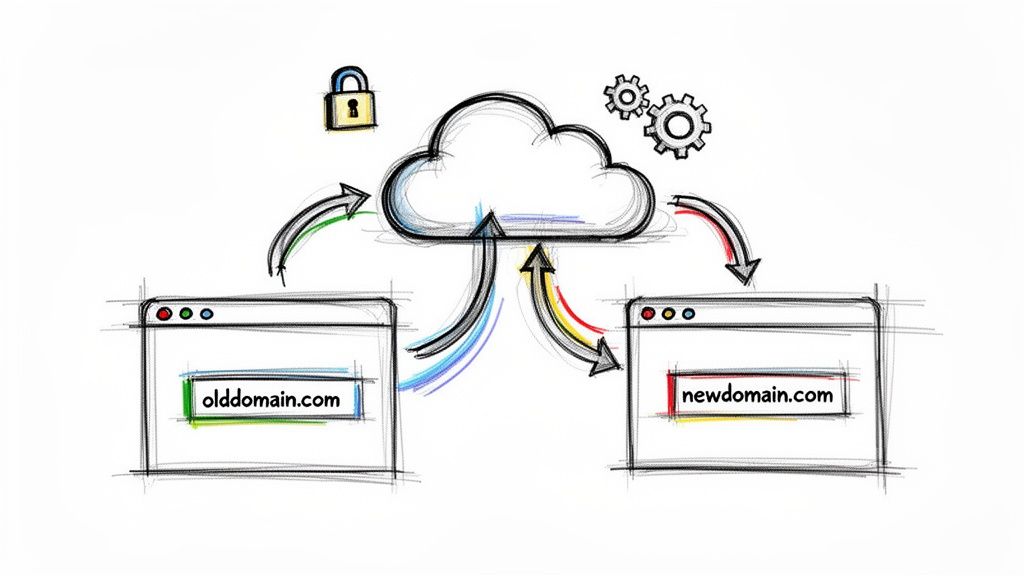
Looking to forward a domain with Cloudflare? The quickest and most common method is by setting up a Page Rule. This lets you create a redirect that sends visitors from one URL to another, and you can choose whether it's permanent (301) or temporary (302). It's a fantastic tool for pointing an old domain to your new one or creating easy-to-remember links for marketing.
Before we jump into the "how-to," let's talk about the "why." Getting your domain forwarding right is more than just a technical chore; it's a strategic part of managing your brand's online presence. For anyone running a community on a platform like GroupOS, a clean forwarding strategy is what separates a confusing user experience from a professional one.
I see this come up all the time in a few key situations:
After a Rebrand: Say your organization just switched from oldname.org to newbrand.com. A simple forward ensures that anyone who types in or clicks a link to the old site is seamlessly sent to the new one. You don't lose that traffic or brand equity you worked so hard to build.
Catchy Marketing URLs: You've got a big event coming up and bought AnnualConference2026.com. Instead of printing a long, clunky URL on your flyers, you can forward this slick domain directly to the registration page on your main community site.
Consolidating Your Domains: Many organizations buy variations of their domain (mybrand.net, mybrand.org) to protect their brand. Forwarding all of them to your primary .com site creates one clear destination for your audience.
Good forwarding makes life easier for your members and boosts engagement. Giving them a simple, branded domain to remember is far more effective than asking them to find a complicated URL. This is the kind of detail that goes into creating the best membership websites.
Domain forwarding isn't just about routing traffic; it's about creating a seamless user journey. A clean redirect strategy builds trust and makes your brand feel more polished and professional, directly impacting your marketing ROI.
This is precisely why so many people rely on Cloudflare. The platform's infrastructure has become fundamental to how the web works. In fact, it acts as the reverse proxy for a staggering 82.5% of all websites that use one, which works out to about 21.9% of all websites globally.
When you forward a domain with Cloudflare, you're using the same robust system trusted by giants like Shopify, Discord, and LinkedIn. Its widespread adoption has made Cloudflare's toolset the industry standard for reliable and scalable domain management.
For most domain forwarding jobs, Cloudflare’s Page Rules are your go-to tool. They're powerful, reliable, and surprisingly easy to set up once you know the process. It's really a two-part dance: you create a placeholder DNS record, then you tell a Page Rule how to handle the traffic hitting it.
First things first, Cloudflare needs to know the traffic exists. You have to create a DNS record for the domain or subdomain you want to forward. My go-to method is to create a "proxied" CNAME record. Just make sure the orange cloud is enabled in your Cloudflare DNS settings—that’s what routes the traffic through Cloudflare so your rule can kick in.
With your DNS record in place, you’re ready to build the redirect. Head over to the Page Rules section in your Cloudflare dashboard. This is where the magic happens.
You’ll see a field that says, "If the URL matches". This is where you tell Cloudflare which traffic to grab. It accepts patterns, and the most useful one by far is the wildcard.
yourdomain.com/*: This simple pattern is a real workhorse. The asterisk (*) is a wildcard that matches anything and everything after the slash. It will catch your homepage, yourdomain.com/about, yourdomain.com/contact, and any other page you can think of.Once you’ve set your pattern, choose "Forwarding URL" from the settings dropdown. This is the moment of truth, where you'll pick a status code and enter the final destination URL.
This kind of strategic forwarding is more than just a technical step; it’s a crucial link between your brand, the user's experience, and your marketing.
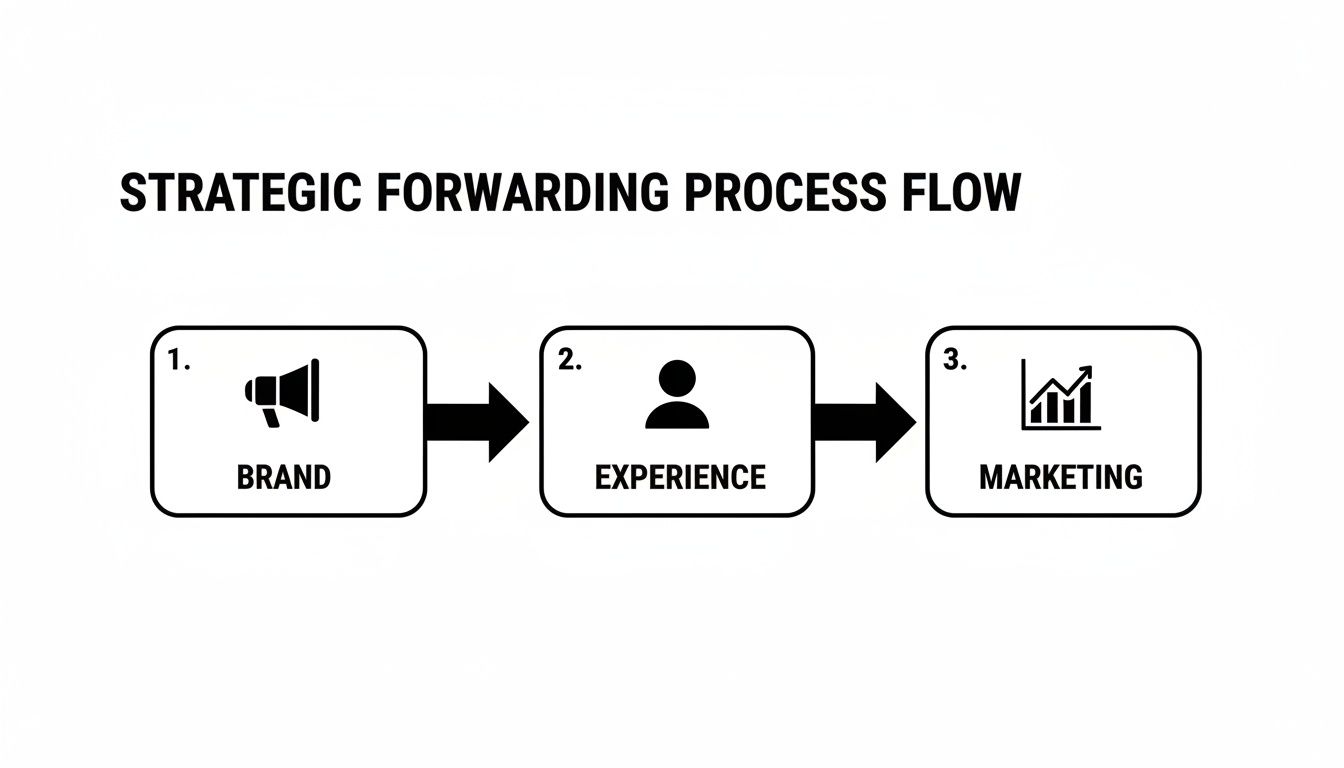
As you can see, a simple redirect is a key touchpoint. It starts with your brand and leads directly to a better user experience, which ultimately fuels stronger marketing results.
Now, about that status code. You have two main choices—301 (Permanent) and 302 (Temporary)—and your decision has a major impact on SEO. You need to tell browsers and search engines how to treat this move.
To make the right call, it helps to see them side-by-side, especially with a platform like GroupOS in mind.
For most situations, like forwarding a branded domain to your main GroupOS community page, a 301 redirect is the right choice. You’re signaling that this new address is the permanent home.
My Two Cents: Don't take this choice lightly. Using a 302 for a permanent move is a classic SEO mistake. It tells Google not to pass on your hard-earned authority, which can seriously hurt your rankings over time.
A simple redirect can create a clunky experience. Imagine someone clicks a saved link for yourevent.com/schedule/day-one. If your redirect just sends them to newcommunity.com, they land on the homepage, lost and confused. That’s a broken user journey.
This is where Cloudflare gets really clever. You can preserve the end of the URL by pairing the wildcard (*) in your match pattern with a $1 variable in your destination URL.
Here's how that looks in your Page Rule setup:
yourevent.com/*https://your-groupos-community.com/$1With this simple tweak, a request for yourevent.com/schedule/day-one automatically goes to https://your-groupos-community.com/schedule/day-one. The user finds exactly what they were looking for, and any old bookmarks or shared links just keep working. It's a small detail that makes a huge difference.
For an even deeper dive into the nuances, the team at NameSnag put together an excellent guide on this topic: Cloudflare Forward Domain Your Ultimate Guide to Smart Redirects. Getting path preservation right is fundamental to good usability, just like knowing how to design landing pages that guide users effectively.
Page Rules are the go-to for most basic forwarding jobs, and they're great at what they do. But what happens when a simple A-to-B redirect just isn't enough? You'll quickly find yourself needing more firepower for complex scenarios.
Think about a global organization using a platform like GroupOS. They might need to direct their European members to a GDPR-compliant landing page, while users from the United States see something entirely different. A standard Page Rule simply can't handle that kind of smart, conditional logic. This is where you graduate to Cloudflare’s more powerful tools.
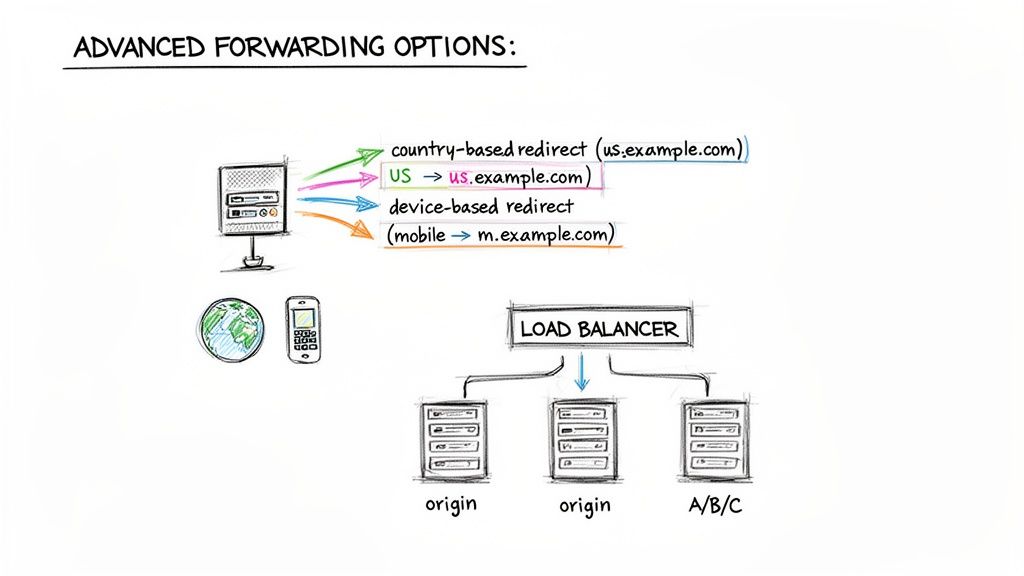
When you need to get surgical with your traffic, you’ll be looking at Cloudflare Workers and Load Balancing to really dial in your cloudflare forward domain setup.
Think of Cloudflare Workers as tiny, intelligent gatekeepers. They are small pieces of JavaScript that run on Cloudflare's massive edge network, intercepting requests before they ever reach your origin server. This is where the magic happens.
Because a Worker can inspect the request, you can write custom logic to redirect users based on almost any criteria. This opens up a world of possibilities that Page Rules just can't touch.
Here are a few real-world examples I've seen implemented:
For a deeper dive into the technical side of setting up these kinds of rules, this guide on Cloudflare URL Redirects is a fantastic resource that covers everything from the basics to more advanced worker scripts.
If you're running a high-traffic site or preparing for a major virtual event, you can't afford downtime. Even a few minutes can be disastrous. This is exactly what Cloudflare Load Balancing is built for—resilience and reliability.
Instead of just forwarding traffic to a single destination, a load balancer intelligently distributes it across a pool of multiple servers.
Here's the key takeaway: Load Balancing isn't just for massive websites. You can use it to build an incredibly resilient forwarding system. If your primary destination goes offline for any reason, the load balancer instantly detects it and reroutes all incoming requests to a healthy backup. Your forward never breaks.
This is a game-changer for large-scale communities or e-commerce sites that experience massive, sudden traffic spikes—think ticket sales or product launches.
No matter which forwarding method you end up using—Page Rules, Workers, or Load Balancing—this part is non-negotiable. Your SSL/TLS encryption mode in Cloudflare absolutely must be set to Full (Strict).
I've seen people get this wrong, and it causes all sorts of problems. Here's why it's so critical:
Understanding your traffic's origin can also inform your security and infrastructure choices. For instance, Cloudflare's own analysis of over 1,900 Top-Level Domains (TLDs) revealed some surprising patterns. For the .su TLD, over 50% of DNS queries actually originated from the US, Germany, and Brazil. This kind of data proves that you can't make assumptions about your audience's location, making geographically-aware forwarding rules even more valuable.
Even with a picture-perfect setup, a domain forward in Cloudflare can occasionally go haywire. When your redirect suddenly breaks, don’t panic. The fix is often just a simple tweak once you find what’s causing the trouble. From my experience, most problems boil down to a handful of common culprits.
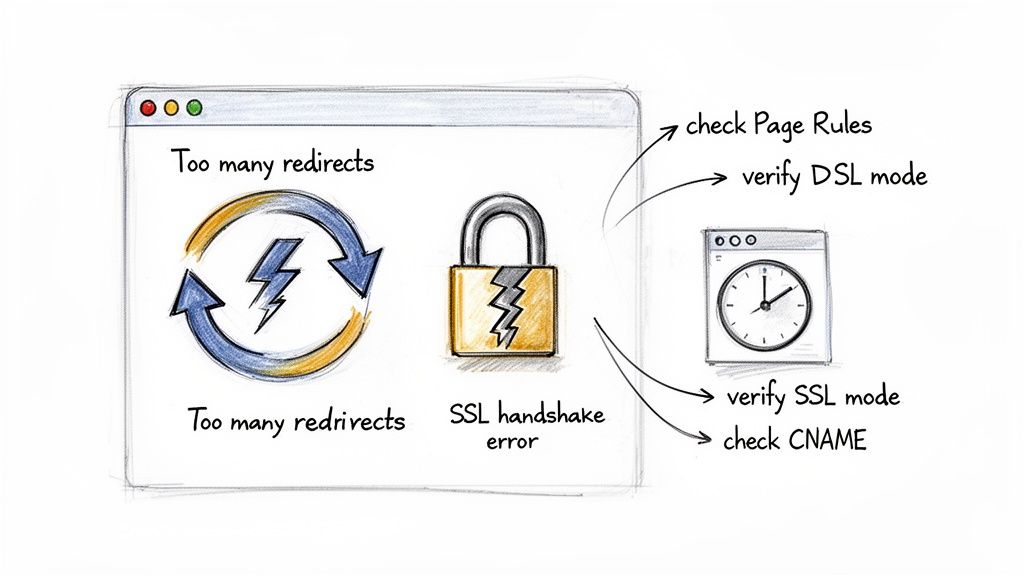
The two issues I see most often are redirect loops and SSL errors. Both can knock your site offline in a hurry, but they're usually caused by conflicting rules or a simple setting that's easy to correct.
Ever been greeted by that frustrating ERR_TOO_MANY_REDIRECTS message in your browser? That’s your browser telling you it's stuck in an endless loop, getting bounced between two or more URLs.
This typically happens for one of two reasons:
domain.com to www.domain.com but another rule—or a setting on your web server—that’s sending traffic from www.domain.com right back to domain.com.The best way to fix this is to trace the redirect path. Open your browser's developer tools, go to the "Network" tab, and reload the page. You’ll see the chain of requests, which will point you directly to where the loop is happening so you can fix the misbehaving Page Rule or server setting.
An SSL handshake failure is a big red flag. It means Cloudflare can’t create a secure, encrypted connection to your server. For platforms like GroupOS, where community data and trust are everything, this is an urgent problem.
A "Full (Strict)" SSL mode is the gold standard for security and reliability. It ensures that traffic is encrypted from the visitor's browser all the way to your origin server, preventing both data interception and common redirect loops.
When this error pops up, it almost always points to an SSL settings mismatch. You need to make sure you have a valid SSL certificate on your origin server and that your Cloudflare SSL/TLS encryption mode is set to Full (Strict). Honestly, this setting is non-negotiable for a secure and stable forwarding setup.
Sometimes the issue isn't a complex loop but a simple configuration oversight, especially when you're setting up a custom domain for a platform. If community.mydomain.com isn't forwarding correctly to your GroupOS space, run through this quick checklist:
Even the biggest and best systems have their off days. The major Cloudflare outage on February 20, 2026, which took down 66% of its network capacity for over six hours, was a humbling reminder. During that incident, essential services like domain forwarding and DNS resolution failed across the board. It showed that even with a provider that serves over 21% of the entire web, infrastructure can fail. You can read more about the outage and its impact on Cloudflare's blog. This is exactly why knowing these troubleshooting steps by heart is so important, especially for mission-critical platforms.
Setting up a single cloudflare forward domain is easy enough. But fast forward a year or two, and what started as a simple redirect for a marketing campaign can become a tangled mess of rules for old events, retired product pages, and forgotten vanity URLs. To avoid future headaches, you need to treat your redirect strategy with the same discipline you apply to your main website.
The absolute most important thing you can do is document everything. Seriously. Keep a central log—a simple spreadsheet works wonders—of every single forward you create. For each one, note its purpose (e.g., "2024 Annual Conference vanity URL"), where it points, and when you set it up. This little bit of housekeeping will feel like a lifesaver when you’re trying to figure out why a link is misbehaving six months down the line.
Your Cloudflare dashboard will inevitably collect dust. Old Page Rules from past projects don't just create clutter; they can cause real problems. I've seen it happen many times: an old, forgotten rule suddenly conflicts with a new one, creating bizarre redirect loops or sending valuable traffic to a dead page.
I recommend setting a recurring reminder on your calendar—maybe once a quarter—to go through all your redirects. This isn't just tidying up. It’s a crucial maintenance task that prevents rule conflicts and keeps your user experience clean. If a forward is no longer needed, note it in your spreadsheet and then delete the rule.
Don't think of this as just cleanup. An audit is a strategic check-in. It ensures that every domain and link pointing to your brand is secure, intentional, and reflects where your business is today, not where it was two years ago.
And when you're facing a massive change, like a company rebrand that affects dozens of domains, don't waste time editing Page Rules one by one. This is exactly what Cloudflare's Bulk Redirects feature is for. It lets you manage thousands of redirects from a single, simple list, which drastically cuts down on manual work and the potential for human error.
When you're setting up a forwarded domain for your community, the details matter. For association managers building out a professional-looking membership website, a solid domain setup is a foundational step.
Run through this quick checklist every time you forward a new domain:
* and $1 placeholders to preserve the URL path and send users to the exact page they were looking for?Let's clear up a few questions that I see pop up all the time when people are setting up a Cloudflare forward domain. We'll dig into the differences between a couple of common methods and look at some specific, real-world situations.
So, should you use the forwarding service from your registrar (like GoDaddy or Namecheap) or handle it in Cloudflare? It’s a great question.
While your registrar’s tool might get the job done, it's usually a pretty bare-bones option. Think of it as basic DNS redirection. Cloudflare, on the other hand, operates at the edge network, which is much closer to your visitors. This means redirects handled by Page Rules, Workers, or Load Balancers are not only faster, but you also get access to a whole suite of powerful tools.
My advice is simple: if your domain is already using Cloudflare's nameservers, always manage your forwarding there. Keeping everything in one dashboard makes troubleshooting a thousand times easier and unlocks advanced features like path preservation and SSL management that registrars rarely, if ever, offer.
When you use Cloudflare, you’re centralizing all your traffic management, from security rules and performance settings right down to your redirects.
This is easily one of the most practical uses for Page Rules. Instead of redirecting your entire website, you can get laser-focused and forward just a specific subdomain, like events.yourdomain.com.
The process is nearly identical to what we did before. The only real difference is that your URL match pattern in the Page Rule will be more specific. For instance, let's say you want to forward events.yourdomain.com and all of its individual pages over to your dedicated GroupOS community.
Here’s what that rule would look like:
events.yourdomain.com/*https://your-community.groupos.com/events/$1This is a really elegant way to send traffic from your branded subdomain directly to the right spot on your community platform. The $1 makes sure the path is preserved, creating a completely seamless experience for your users.
Ah, the classic SEO headache: should your site live at www.yourdomain.com or just yourdomain.com? The key is to pick one as your "canonical" version and permanently redirect all traffic from the other. This prevents search engines from seeing duplicate content and potentially penalizing your rankings.
Here’s my go-to method for consolidating all traffic to the www version in Cloudflare:
www that points to your root domain (@). This tells Cloudflare where the www subdomain "lives."yourdomain.com/*.https://www.yourdomain.com/$1.With this in place, any request that comes in for your root domain—no matter the page or path—gets permanently sent to the correct www equivalent. Problem solved.
Once you have a solid grasp of forwarding and a powerful platform like GroupOS, you have everything you need to build a professional, branded, and easy-to-navigate online presence. Create your all-in-one community and event hub by starting your journey with GroupOS today.







