March 18, 2026
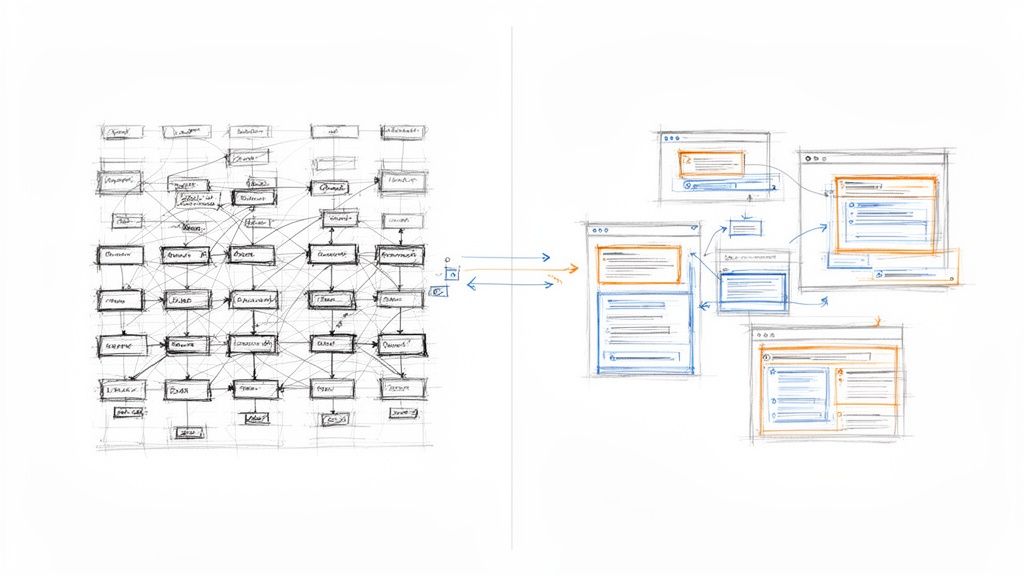
When you break it down, the difference between Airtable and Notion is all about structure. Airtable is a powerful relational database dressed up as a spreadsheet, making it a champion for managing structured data. Think of it as a set of high-tech digital filing cabinets.
On the other hand, Notion is an all-in-one digital workspace that feels more like a flexible notebook, perfect for organizing text, documents, and creative projects. It’s your team’s collaborative whiteboard and library, all rolled into one. Your choice hinges on a simple question: are you primarily managing data or creating knowledge?
For an association or community manager, picking the right tool can genuinely change your day-to-day. The goal isn't just to find the "best" platform, but to find the one that solves your specific headaches, whether that’s wrangling event logistics or centralizing your team’s brainpower.
Airtable truly comes alive when you need to track, connect, and analyze distinct pieces of information. It's the go-to for building a member CRM from scratch, keeping tabs on a complex sponsorship pipeline, or managing every last detail of your annual conference—from speaker submissions to vendor contracts.
Its power lies in its structured nature. Every record, field, and table works together, letting you create robust systems where information is organized, relational, and easy to report on.
Notion shines as a free-form canvas for ideas and collaboration. It's the perfect place to build out an internal wiki for your team, draft and organize marketing content, or keep track of every meeting note and action item.
Its document-first approach gives you the freedom to mix text, tables, and media in a way that just feels natural. This makes it an incredible tool for knowledge management and project planning where flexibility is key.
To help you see where each tool fits best, here's a quick side-by-side look.
This table gives you a snapshot of each platform's core strengths and how they apply directly to the work of managing communities and events.
| Feature | Airtable | Notion |
|---|---|---|
| Primary Function | Relational Database | All-in-One Workspace |
| Best For Associations | Member CRMs, Event Budgets, Speaker Management | Internal Wikis, Content Calendars, Meeting Notes |
| Data Structure | Highly Structured (Tables, Fields, Records) | Flexible & Unstructured (Pages, Blocks, Databases) |
| Learning Curve | Moderate; database concepts can be tricky. | Easy; feels like a modern text editor. |
| Collaboration Style | Best for data-centric tasks and workflows. | Ideal for document editing and project planning. |
As you can see, their strengths are quite different, which is why they often work so well together.
The truth is, many of the most efficient associations don't choose one or the other—they use both. Imagine managing your detailed member and sponsor data in Airtable, then automatically syncing key summaries and reports into a beautiful Notion dashboard for your team to see.
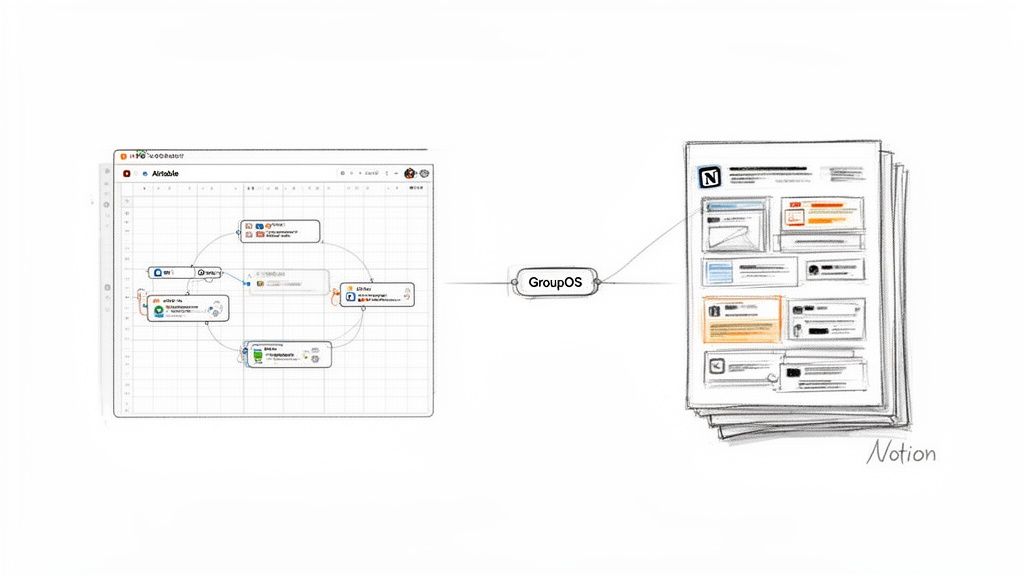
This is where a central hub like GroupOS comes in, connecting your tools to create a truly seamless system. To see how these platforms fit into a bigger picture, check out our guide on the best association management software.
Before you can pick a winner in the Airtable vs. Notion showdown, you have to get to the heart of what they are. This isn't just a list of features; it's about their entire philosophy. The whole decision really boils down to one simple concept: one is a database at its core, and the other is a document.
Everything else flows from that single distinction.
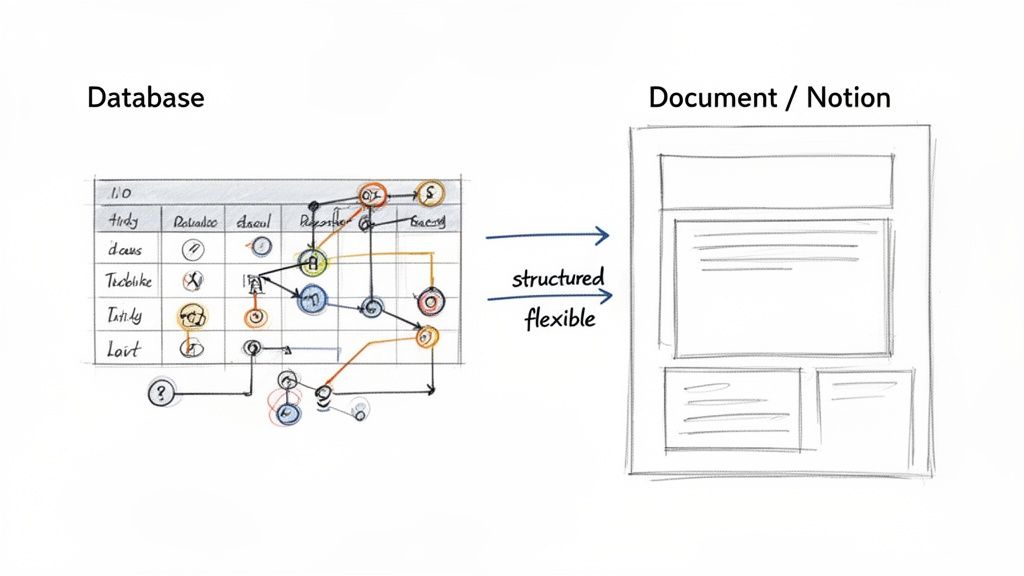
Airtable starts its life as a powerful database that just happens to look like a friendly spreadsheet. Its strength is born from this highly organized, structured foundation. Every bit of information has its designated home—a specific field, inside a record, within a table.
This "database-first" approach is exactly why Airtable shines when you're juggling complex sets of information. It’s designed for building systems where every entry is consistent and can be tied to other entries, creating a clean web of relational data.
For a professional association, Airtable’s database structure is a perfect fit for the data-heavy side of your operations. Think of it as the ultimate digital filing cabinet, where every file has a specific label and a clear connection to everything else.
Here’s how that plays out in the real world:
Airtable's superpower is its ability to enforce data integrity. It transforms messy information into a structured asset that you can filter, sort, and analyze with absolute precision.
This structured environment means that when you need clean, reliable data for reports or automations, Airtable delivers every time.
Notion, on the other hand, starts as a blank page. It's a digital document waiting for your ideas. While it has some impressive database capabilities, its true identity is a flexible, collaborative workspace where text and free-form content are king.
This document-first approach makes Notion the perfect hub for knowledge, brainstorming, and communication. It’s less concerned with enforcing rigid data types and more about giving your team a canvas to think, plan, and create together. For teams that go all-in on Notion, solid knowledge management best practices are key to keeping things organized.
Let's see what this looks like for an association:
This fundamental starting point—database versus document—is the most critical factor in your decision. Airtable builds systems from the ground up with structured data, while Notion builds knowledge from the top down with flexible content.
For any professional association, getting your team to work together smoothly is a top priority. But you can't let that collaboration come at the cost of data security. How Airtable and Notion handle user permissions and team access really shows you the core DNA of each platform—one is built for locking down structured data, the other for openly sharing knowledge.
Understanding the principles of good data security management is non-negotiable here. Your choice in the Airtable vs. Notion debate will have a direct line to how well you protect sensitive member and operational data.
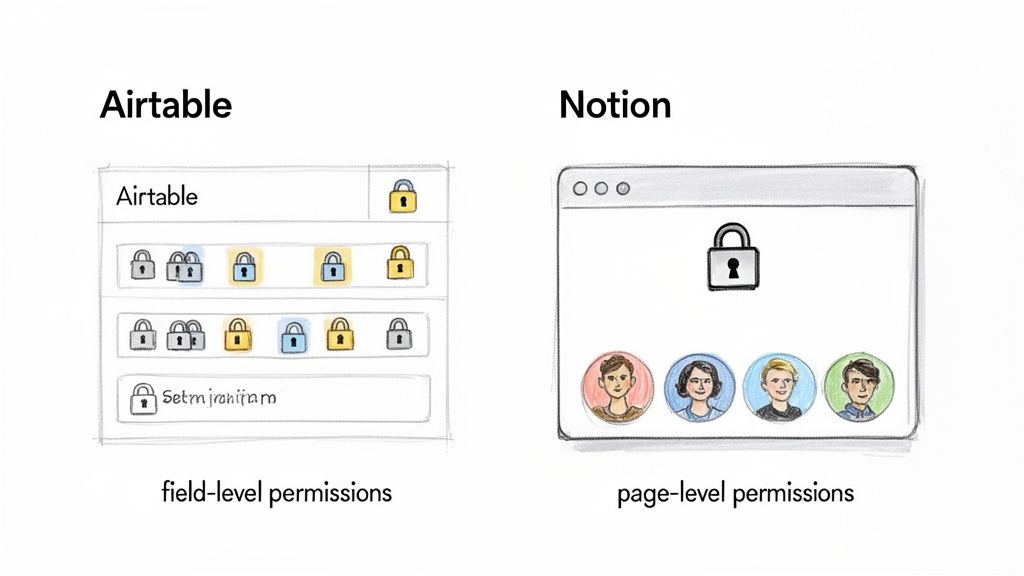
If you need precise, surgical control over who sees what, Airtable is built for you. Its permission system is layered, giving you the power to secure information down to a very specific level. This is absolutely critical when you have different teams or committees all working out of the same central database.
You can get really specific with permissions at several levels:
This granular approach is a lifesaver for complex org structures. Imagine giving your event committee chair "Editor" access to the "Venue Logistics" and "Speaker Schedule" tables in your event database. In the very same database, you can hide the "Sponsorship Contracts" table and the "Budget" fields from their view entirely. This keeps confidential data secure without putting a stop to productivity. It's this kind of secure, role-based access that makes true cross-departmental collaboration possible.
Notion comes at collaboration and security from a completely different angle—it’s all about the content. Its permissions are much simpler and are managed almost entirely at the page level. This design choice makes it incredibly fast and easy to share documents, project plans, or wikis with internal teams, outside partners, or even the public.
In Notion, you're typically assigning permissions one page at a time. You can invite a guest to a single page without giving them the keys to your entire workspace, which is perfect for bringing on a temporary volunteer or an outside contractor for a single project.
Think of Notion's philosophy this way: the default is open collaboration. When you create a page in a team workspace, your team can see it. Security is an active choice you make to lock down or share specific pages, not a system for hiding tiny pieces of data within a larger database.
Let's say you're drafting a new set of association bylaws. You can spin up a Notion page, invite the governance committee as guests, and let them comment and suggest edits right there. They only see that one page and nothing else. This flexible, document-first model is fantastic for getting work done with external folks without a lot of friction.
The trade-off for this simplicity, however, is the lack of field-level security. If you have a database inside a Notion page with sensitive columns (like member emails or phone numbers), you can't hide just those columns. Anyone with access to the page sees the entire database or nothing at all. This is a fundamental difference and a major deciding factor when choosing between the two for managing sensitive information.
For any professional association, smooth operations hinge on how well your tools talk to each other. This is where the differences between Airtable and Notion really come into focus. Their philosophies on building connected workflows are fundamentally distinct—one is a powerful data engine built to drive action, while the other is a central hub designed for communication and content.
Airtable’s magic lies in its native automation engine. It’s built right into its database structure, letting you create some seriously sophisticated, trigger-based workflows without ever leaving the platform. These automations can kick off when something specific happens, like a new record being added, or you can schedule them to run on a timer.
This makes it an absolute beast for handling the kind of data-driven tasks that can save your team hours of mind-numbing manual work.
For associations, Airtable’s automation chops can directly boost member engagement and make your back-office processes a whole lot smarter. Because everything is built on structured data, the potential for reliable, automated processes is massive.
Think about these everyday scenarios:
But it’s not just about the built-in features. Airtable’s true power is unlocked through its huge integration ecosystem. In the 2026 productivity software landscape, Airtable and Notion hold very different ground. Airtable is used by 500,000 organizations globally and has a higher current enterprise valuation, a testament to its strength in structured data. It boasts over 1,000 app integrations through native connections and tools like Zapier, making it the go-to for organizations that need to manage complex workflows. You can find more market insights on ProductiveTemply.com.
Notion comes at automation and integrations from a completely different angle. While its built-in automation features aren't as powerful as Airtable's, its real strength is in connecting your central knowledge base to your team's communication channels. Notion's API has opened up a growing list of integrations that are mostly focused on syncing content and sending out notifications.
This makes it a fantastic tool for automating processes that revolve around content, documentation, and project updates. Getting these disconnected systems to work together is a common struggle, and you can learn more about how to tackle these data integration challenges in our detailed guide.
Notion’s automation sweet spot is keeping teams aligned. It excels at pushing information out from your central workspace to the places where your team already lives, like Slack or email, cutting down on all those "just checking in" meetings.
Here’s what that looks like for an association:
Ultimately, when it comes to automation, the choice between Airtable and Notion depends entirely on what you’re trying to achieve. If you need to automate complex, data-heavy operational workflows, Airtable is your undisputed champion. But if your main goal is to automate communication around content and projects to keep everyone on the same page, Notion offers a simple, elegant solution.
For any association, the budget is always top of mind. When you're looking at tools like Airtable versus Notion, it's easy to get stuck on the monthly subscription fee. But that's just the tip of the iceberg. The real question is about total cost and long-term value. A cheap tool can get expensive fast as you add more people, while a pricier option might actually save you money by making your team more efficient.
This isn't just about the numbers on a pricing page. It's about what you’re trying to accomplish. Do you need a rock-solid data hub for your members and events? Or is your main goal to get everyone on the same page with a shared knowledge base? Your answer points you to the right financial decision.
If your association runs on documents, internal wikis, and team projects, Notion almost always comes out ahead on price, especially as your team grows. Its pricing is built to be used by everyone, from full-time staff to part-time volunteers, without making your finance person sweat.
The math is pretty straightforward. For teams watching their budget, Notion can easily be 2-3 times more cost-effective than Airtable for the same number of users. Let's say you have a 30-person team. On Notion's Plus plan, you’re looking at about $240 a month ($2,880 annually). That same team on Airtable's Team plan would run you $600 a month ($7,200 annually). That’s an annual savings of over $4,300—money that can go a long way for any association. You can dig into even more detailed breakdowns and see how the cost differences between Notion and Airtable apply to your own organization.
This affordable per-seat price encourages you to give access to everyone. There's no financial hesitation to add committee members or event volunteers, which means your central hub of information actually gets used by the whole team.
Airtable costs more because it's fundamentally a different beast—it's a high-powered, relational database that you can build on. You aren't just paying for more user slots; you're investing in a sophisticated engine that can handle your most complex operational work. The per-user cost is higher, sure, but the return comes from powerful automations and custom apps that solve real-world association problems.
Think about what you're getting for the higher price tag:
Airtable is a strategic move to build a strong, structured data foundation for your association. The cost starts to make sense when you realize it can replace several other specialized tools or completely eliminate the manual, error-prone data work that’s bogging down your team.
At the end of the day, the right financial choice comes down to your biggest pain point. If your goal is to give your entire team a collaborative workspace for a predictable, low cost, Notion is the obvious choice. But if your real challenge is taming complex data and automating how your association runs, Airtable’s higher price is an investment that will pay for itself in efficiency and scalability.
So, how do you actually decide between Airtable and Notion? The choice really boils down to a single question: What is your biggest operational headache? Are you drowning in complex data that needs structure, or are you struggling to keep your team's documents and plans organized? Your answer points directly to the right tool for the job.
This decision tree helps visualize that core choice, especially as your association or community grows.
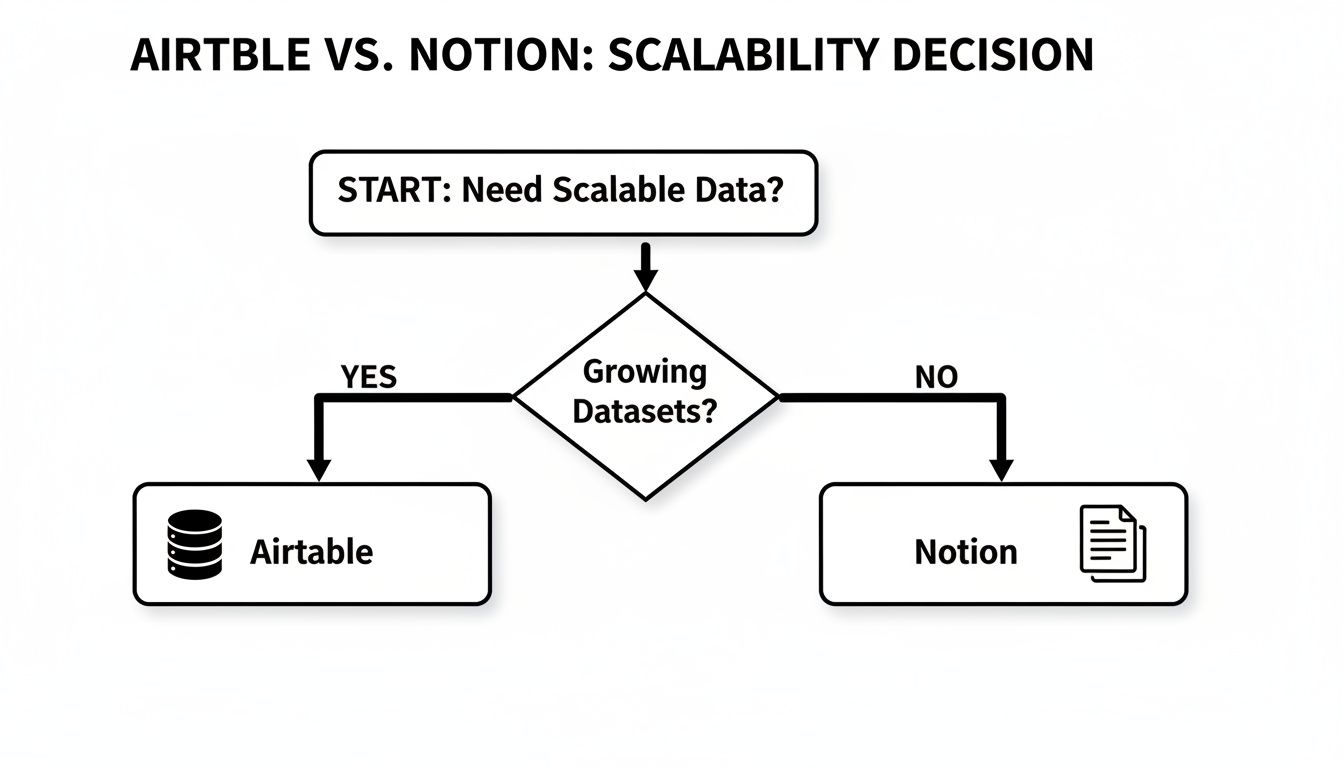
As you can see, if you need a true database that can handle serious complexity and scale, Airtable is the clear winner. But if your main goal is creating a flexible hub for team knowledge and collaboration, Notion is probably a better fit.
Airtable truly shines when you need to manage interconnected data with precision. Think of it as the engine for your most critical internal systems, where structure, relationships, and analysis are non-negotiable.
Go with Airtable when you need to:
On the other hand, Notion excels as a central workspace for your team’s collective brain. It’s perfect when your priority is to create, organize, and share information in a way that feels intuitive and user-friendly.
Go with Notion when you need to:
For many associations and event teams, the most effective approach isn't an either/or choice. The real magic happens when you use Airtable and Notion together, letting each platform do what it does best.
By pairing Airtable's structured data engine with Notion's flexible presentation layer, you can create the ultimate operational dashboard for your association.
Here’s how that works in practice: All your granular data—members, sponsors, event registrations, financials—lives in Airtable. There, it can be meticulously managed, automated, and analyzed. Then, you can automatically sync key reports and high-level summaries to a clean, easy-to-read Notion dashboard. This gives your board, committees, or leadership team the insights they need without overwhelming them with raw data.
This integrated system is a powerful way to build a scalable tech foundation. To see how this fits into a bigger picture, check out our guide on choosing the right membership software for associations.
When you're weighing Airtable against Notion, a few practical questions almost always come up. Let's tackle the ones we hear most often from association leaders and event managers to help you make the right call.
This is a big one. When your team has a mix of tech-savvy folks and those who just want things to work, the learning curve matters. Honestly, Notion usually has the edge here.
Notion’s interface starts as a simple, blank page. Anyone who’s ever used Google Docs or Word will feel right at home. Your team can start typing, formatting text, and dropping in basic tables with almost no training. The block-based system feels intuitive, making it easy to build out pages and get organized from day one.
Airtable is incredibly powerful, but it thinks like a database. It introduces concepts like linked records, field types, and relational data that can feel a bit abstract for staff accustomed to basic spreadsheets. While the grid view looks familiar, getting the most out of Airtable requires a small but significant mental shift.
For pure, get-started-today ease of use, Notion is the clear winner. Its document-first approach feels natural for creating content and taking notes, while Airtable requires a basic grasp of database principles to really shine.
Technically, you can store text in an Airtable cell, but you really shouldn't use it for long-form content. It’s simply not what it was built for. Airtable excels at organizing structured data—short, specific bits of information—not creating rich, readable articles or an internal wiki. Trying to write, edit, and format anything substantial in a long-text field is a clunky and frustrating experience.
This is where Notion truly comes alive. It was designed from the ground up to be a powerful wiki. You can create beautifully formatted, interconnected pages with embedded videos, images, and fantastic collaborative editing tools. If your task involves writing—think internal knowledge bases, member resource libraries, or detailed meeting notes—Notion is without a doubt the right tool for the job.
Moving your member data from a spreadsheet like Excel or Google Sheets into either tool can be painless, but only if you do a little prep work first. The secret is to clean and structure your data before you even think about hitting the import button.
Here are the key steps to take:
Once your spreadsheet is sparkling clean, both platforms offer straightforward CSV import options. That said, Airtable's database-first design makes it far better at handling the kind of complex, interconnected data you find in a typical member directory.
Ready to unify your tools and build a powerful, branded community hub? GroupOS integrates with the platforms you already use, bringing your member data, event management, and communications into one streamlined solution. Discover how GroupOS can transform your association today.







