May 26, 2026
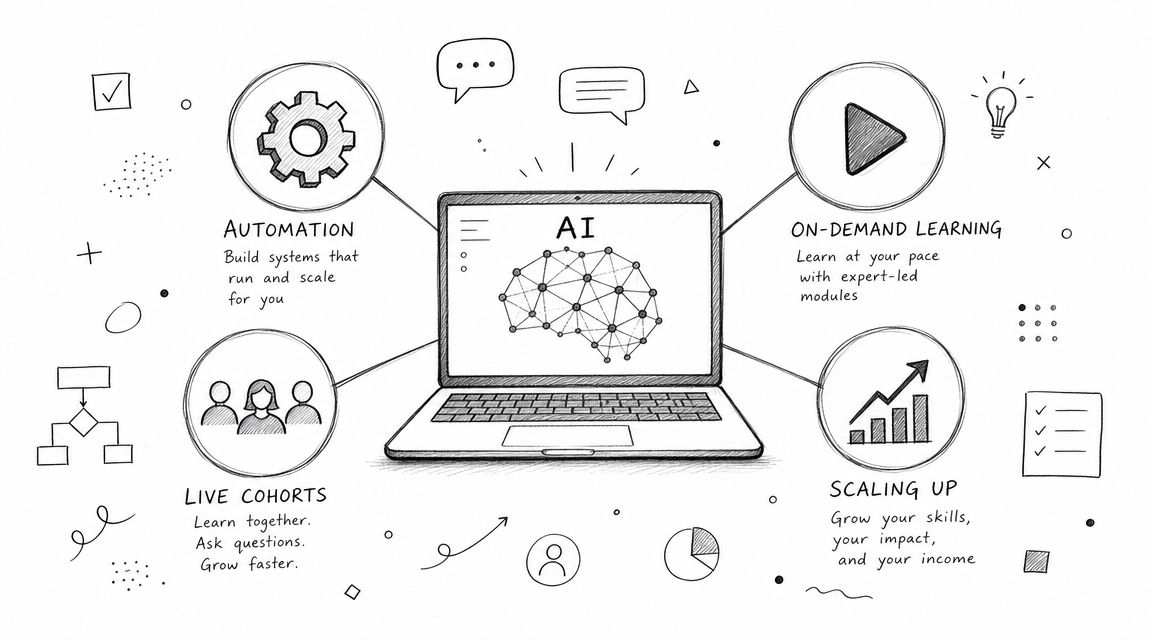
Your board wants new revenue. Your members want practical AI help. Your staff wants to avoid another fragile program held together with Zoom links, spreadsheets, and a pile of manual follow-ups.
That's where many associations are sitting right now.
A strong AI automation course solves more than a content gap. It gives members a reason to stay, gives prospects a reason to join, and gives your organization a product that can scale beyond one annual conference or webinar series. But only if you build it like a serious program. Not a trend-chasing workshop. Not a “prompting basics” class that feels outdated before the replay is posted.
The opportunity is real. The risk is wasting time on a course that looks modern and delivers very little. Associations that win here will do three things well: choose a sharp market position, teach workflows instead of hype, and run the program on infrastructure that doesn't create operational drag.
A member asks your team a simple question: “What are you doing to help us stay employable as AI changes our field?”
If you don't have a good answer, your association has a relevance problem.
This isn't just about innovation branding. In Microsoft and LinkedIn's Work Trend Annual Index, 66% of executives said they would not hire someone without AI skills, and World Economic Forum research found that 44% of workers' skills will be disrupted in the next five years, as summarized by UAB's overview of AI automation skills demand. That changes the role of a professional association. You're not just curating industry knowledge anymore. You're helping members adapt to shifting job requirements.
An AI automation course should sit in the same category as certification prep, continuing education, and leadership training. It belongs in the core value stack.
Here's the strategic logic:
That last point matters. Employers don't need another generic AI talk. They need teams that can identify repetitive work, improve internal workflows, and use AI tools without creating chaos.
Strategic test: If your planned course could be replaced by a free one-hour webinar and nothing important would be lost, don't launch it.
Most associations make the same mistake. They try to build an “AI for everyone” program. That sounds inclusive, but it usually produces weak curriculum, vague messaging, and low urgency.
A better move is to anchor your course in the workflows your members already own. If you serve event professionals, teach automation around registrations, sponsor follow-up, attendee support, and content repurposing. If you serve finance professionals, focus on document handling, reporting workflows, internal knowledge retrieval, and client communication support. If you serve membership teams, center the course on renewals, onboarding, segmentation, and service response.
Your members don't need an overview of the AI domain. They need a way to do their jobs better.
The wrong internal owner for this program is “whoever has room on their plate.” The right owner is someone who can connect education, community, operations, and revenue.
You're building a flagship offer. That means setting standards early:
| Decision area | Weak approach | Strong approach |
|---|---|---|
| Audience | General public | Clear member segment |
| Outcome | “Learn AI” | Improve real workflows |
| Format | Loose webinar series | Structured course with labs |
| Value | Content consumption | Skill application |
| Business model | One-off event | Repeatable education product |
Associations that move now have an advantage. Many industries still have plenty of AI curiosity and very little trustworthy, profession-specific education. That gap won't stay open forever.
Curriculum is where most AI education falls apart. Teams either make it too abstract or too technical. Your members don't need a mini graduate program. They need a course they can use at work next week.
Recent industry data summarized by Master of Code shows organizational AI adoption reached 78% in 2024, with top use cases including process automation (76%), chatbots (71%), and data analytics (68%) in this enterprise AI adoption overview. Your curriculum should mirror those priorities. If enterprise buyers are focusing there, your course should too.
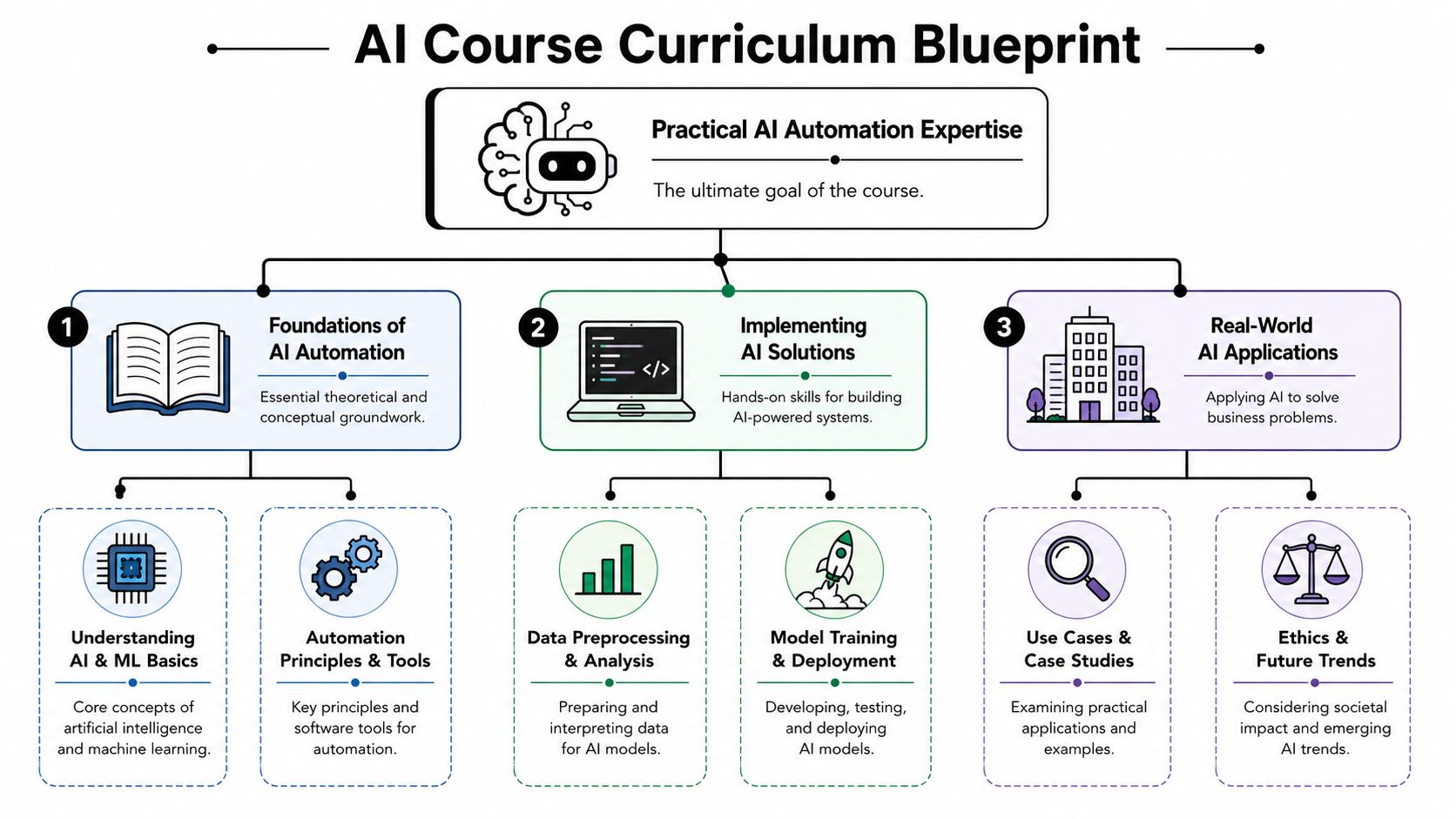
Don't open with model taxonomy, AI history, or a stack of definitions. Open with work.
A practical curriculum for an association usually works best when it is organized around workflow problems such as:
That structure gives non-technical learners something they can recognize immediately.
A high-value AI automation course needs three layers. Skip any one of them and the program weakens fast.
Teach just enough for confidence and decision-making.
Cover:
Keep this layer tight. Members shouldn't spend most of the course sitting in theory.
This is the core of the course. Learners should build.
Good modules include:
For teams shaping chatbot content, Explore AI for business chatbots if you want a practical comparison of approaches without turning your curriculum into a research seminar.
Your course can beat the market at this point.
Most courses stop at “you built the thing.” That's exactly where a serious association should keep going. Teach participants how to decide whether an automation should exist, who owns it, how exceptions are handled, and what success looks like after launch.
The best curriculum doesn't just teach members how to automate. It teaches them when not to.
You do not want your first course depending on advanced model training or giant datasets. That will slow down development, confuse members, and create the wrong expectation about what “practical AI” means.
Instead, design modules around tools and exercises that work with smaller data inputs, clear use cases, and visible outputs. That usually means workflow builders, template-based automations, chatbot design, document pipelines, and structured analysis tasks.
A useful curriculum planning reference is this guide to developing training curriculum, especially if your education team needs a repeatable blueprint rather than a one-off outline.
Here's a structure I'd recommend for a first launch:
AI automation fundamentals
What AI automation is, where it fits, and which business problems it solves well.
Workflow identification
How to spot repetitive, high-friction processes inside a member organization.
Tool selection and design
Choosing between no-code builders, chatbot frameworks, and lightweight integrations.
Hands-on implementation
Building a working automation or support workflow.
Human review and governance
Adding checks, escalation paths, and operational controls.
Measurement and iteration
Defining outcomes, reviewing errors, and improving the workflow after deployment.
That is broad enough to attract buyers and focused enough to produce useful results.
If the course doesn't force members to apply what they learned, it isn't really a course. It's content.
Hands-on labs are where confidence forms. They're also where weak curriculum gets exposed. If your lessons can't support a practical exercise, the material probably isn't sharp enough yet.
Industry guidance summarized by Upskillist recommends a three-stage methodology for AI process automation: identify repetitive rule-based workflows, score candidates with an evaluation matrix, and implement only after validating constraints such as frequency, complexity, and time cost in this guide to AI process automation. That should be the backbone of your labs and capstone.
Don't ask learners to “experiment with a tool.” Give them a job to do.
A better lab prompt looks like this:
A fictional association is overwhelmed with event inquiries, repetitive onboarding questions, and manual follow-up after registration. Design an automation that routes requests, sends structured responses, flags exceptions for staff review, and logs activity for reporting.
That forces learners to think across workflow design, communication, exception handling, and operations. It also feels like real work, which is the point.
The best lab design usually has these parts:
That last part is important. Real automations don't fail only when the tool breaks. They fail when messy human processes hit rigid logic.
Most course assessments are too easy. They reward recall instead of competence.
Use a mix instead:
These work for fundamentals. Use quizzes sparingly to confirm baseline understanding of concepts, workflow types, and tool roles.
Ask learners to submit workflow maps, automation logic, or chatbot flows with a written explanation of why they designed it that way.
Have participants present:
That kind of assessment is much closer to what employers and managers care about.
Gamification helps if you use it with discipline. Bad gamification turns serious learning into badge clutter. Good gamification creates momentum, peer visibility, and completion pressure.
Useful mechanics include milestone achievements, cohort challenges, implementation showcases, and peer review prompts. If your team wants a practical framework, this overview of gamification in eLearning is a useful planning reference.
Practical rule: Grade the process, not just the final output. A flashy demo built on weak logic shouldn't outperform a simpler workflow with sound reasoning and better safeguards.
A first-course capstone doesn't need to be massive. It needs to be defensible.
Use this sequence:
| Capstone phase | What learners do |
|---|---|
| Identify | Select one repetitive workflow inside a realistic organization |
| Score | Evaluate automation fit using a simple matrix |
| Validate | Check frequency, complexity, time cost, and operational constraints |
| Build | Create the automation or prototype |
| Review | Document risks, exceptions, and human oversight points |
That produces practitioners, not spectators.
Delivery model decisions shape margins, staff workload, and learner experience more profoundly than often anticipated. Get this wrong and even a strong curriculum will feel clumsy.
You have three viable models. Each works. Each creates different operational pressure.

Here's the blunt version.
Best for high accountability, peer learning, and premium positioning.
It works well when your members want instructor access and structured deadlines. It also works when your association wants stronger networking effects around the course.
The downside is obvious. Live delivery is harder to scale, harder to schedule globally, and more dependent on instructor quality.
Best for reach, flexibility, and evergreen access.
This model is attractive when your audience spans time zones or busy professional schedules. It also gives your team a reusable asset.
The trade-off is completion. Without community, deadlines, or meaningful interaction, self-paced programs often become content libraries people meant to finish.
This is the strongest option for most associations launching their first AI automation course.
Use self-paced lessons for instruction. Layer in live office hours, Q&A sessions, peer discussion, and a capstone review. That preserves flexibility without sacrificing accountability.
A common course design error is letting the platform and curriculum drift toward advanced technical work your members neither need nor can support operationally. McKinsey notes that supervised deep learning generally needs around 5,000 labeled examples per category to reach acceptable performance in its report on automation and AI impact. That's a useful warning.
Your first course should focus on practical automation, workflow design, chatbot support, and lighter-weight AI applications. That keeps instruction accessible and delivery manageable.
Most associations already know what happens when they bolt together too many systems.
Registration lives in one tool. Video hosting sits somewhere else. Community discussion happens in Slack or Facebook. Documents are scattered. Staff manage reminders manually. Reporting is partial. The learner experience feels stitched together because it is.
A better platform decision comes down to a few questions:
If the answer is no on several of those, the platform will create drag just when you need confidence and momentum.
A practical comparison point is this guide on selecting an online course creator platform. Use it to pressure-test whether your stack supports education as a product, not just content as a file.
Members judge course quality by more than instruction. They also judge:
Those aren't side issues. They are the product experience.
A polished learner journey signals that your association can be trusted with higher-value education. A messy one signals that the course was rushed.
If you want this program to scale, pick a delivery model your staff can sustain and a platform that cuts down the number of moving parts.
Pricing an AI automation course badly is easy. Associations either undercharge because they're nervous, or overbuild a premium offer without a clear reason to buy.
Start from value, not from production cost.
If the course helps members improve real workflows, support employability, and build visible capability, it should not be priced like a webinar replay bundle. It's a professional development product. Treat it that way.
A single flat price leaves money on the table and limits flexibility.
A stronger structure usually includes:
This does two jobs at once. It monetizes the course and strengthens membership logic.
Don't market “videos, worksheets, and templates.” That's inventory language.
Market outcomes such as:
That framing is sharper for both individuals and employer buyers.
Most associations already possess the channels needed for a strong launch. They just don't package the offer well.
A good campaign usually includes:
Segmented invitations
Send different messages to executives, practitioners, consultants, and new members. Each group buys for different reasons.
Instructor credibility content
Share short clips, sample lessons, or practical workflow critiques so buyers can judge quality before purchasing.
Member use-case messaging
Show how the course applies to specific professional scenarios your audience recognizes.
Community conversation
Use existing member spaces to surface questions, objections, and early enthusiasm.
Upgrade logic
Let learners move from standard access to premium support without friction.
A useful planning reference is this guide on how to sell online courses, especially if your team needs to align pricing, packaging, and launch messaging.
The first is charging too little because you think “members won't pay.” Members pay when the offer is specific, relevant, and professionally useful.
The second is trying to justify a premium price with vague prestige language. Premium pricing needs premium mechanics. That means live support, better feedback, stronger outcomes, or tighter cohort experience.
This matters more than teams generally realize.
When your association launches a strong AI automation course, you are not just selling a class. You are signaling that your organization understands where the profession is going and is willing to lead members there. That affects board confidence, sponsor interest, employer engagement, and market perception.
Good pricing supports that signal. Cheap pricing undercuts it.
Launch metrics are seductive because they're easy to read. Registrations, opens, clicks, attendance. Those numbers matter, but they don't tell you whether the course worked.
The bigger question is whether learners can apply what they learned and whether your organization can improve the program over time.
Most AI education misses the hard part. As Coursera's overview of generative AI automation tools notes, many courses emphasize tool building but give far less attention to governance, reliability, and measuring ROI, which are often the primary barriers in deployment, as reflected in this course overview on generative AI automation tools and applications. Your course should not make that mistake.

You need a scorecard that reflects actual program value.
Track signals like:
These metrics tell you whether the course is building usable capability.
Consequently, your course can become a long-term asset instead of a short-lived product.
After each cohort, review questions such as:
That review process should inform your next version. Not just the slides. The structure, the templates, the labs, and the positioning.
If learners leave excited but unable to deploy safely, the course created enthusiasm, not value.
Future growth shouldn't start with “what else can we teach?” It should start with “what did learners try to do next?”
That usually points toward a smart expansion path:
| Growth path | What it supports |
|---|---|
| Advanced cohort | Members ready for more complex workflow orchestration |
| Role-specific tracks | Content tailored to event teams, membership staff, marketers, or operations leaders |
| Employer packages | Team-based learning and internal capability building |
| Implementation clinics | Post-course support for real deployment questions |
| Template library | Reusable workflow assets and policy guides |
That roadmap keeps the education portfolio connected to member demand rather than content inventory.
Associations often collect feedback politely and use it slowly. That's a mistake.
You want fast learning loops:
The goal isn't just to improve satisfaction. It's to understand where learning turns into implementation and where it stalls.
A serious AI automation course should become a repeatable engine for member advancement, employer relevance, and organizational revenue. But it only gets there if you measure what matters. Build quality. Skill transfer. Safe application. Operational trust.
If you're ready to launch an AI automation course without juggling separate tools for memberships, registration, payments, content delivery, community discussion, and analytics, GroupOS is the practical platform to evaluate. It gives professional associations one branded system to run the full program lifecycle, from enrollment and access control to on-demand learning, live sessions, member communication, and post-course engagement.