February 5, 2026
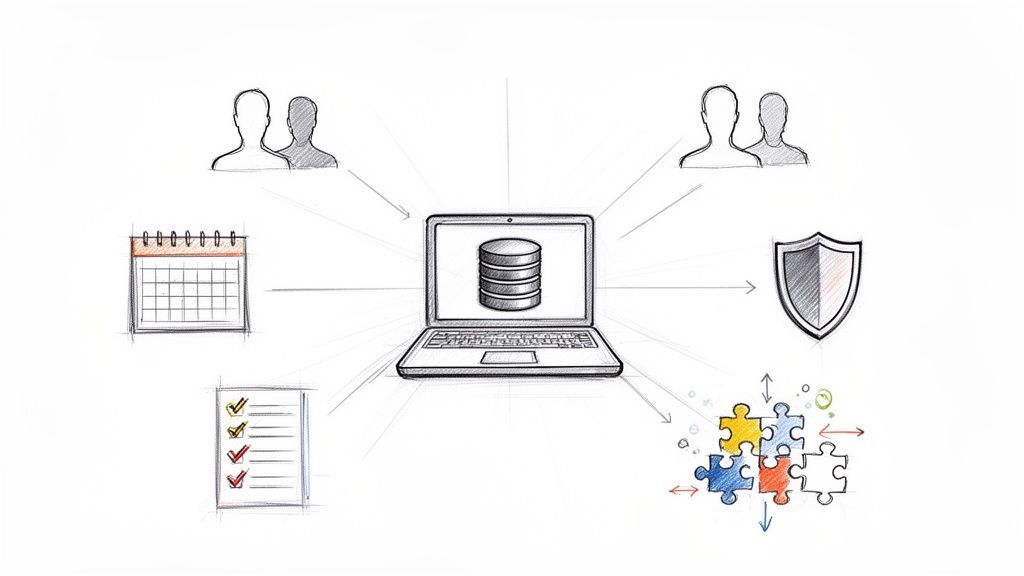
For any nonprofit, managing your community is everything. But when member information is scattered across countless spreadsheets, email lists, and payment records, it's easy to get bogged down in administrative chaos. This is where membership database software comes in, acting as a single, central hub for all your member-related activities.
Think of it as your organization's digital command center. It’s far more than just a fancy address book; it’s a dedicated platform built to manage the entire journey of your members, from the day they join to their annual renewal and beyond.
Without a centralized system, you're stuck juggling. A spreadsheet for contact details, another for event RSVPs, maybe a separate payment log for tracking dues. This kind of fragmented system is not only a headache to manage, but it also makes it impossible to see the big picture of how your members are actually engaging with your cause.
A proper membership database software for nonprofits pulls all of that crucial information into one place. No more updating three different files when a member moves—you have one dynamic, reliable system that tracks everything.
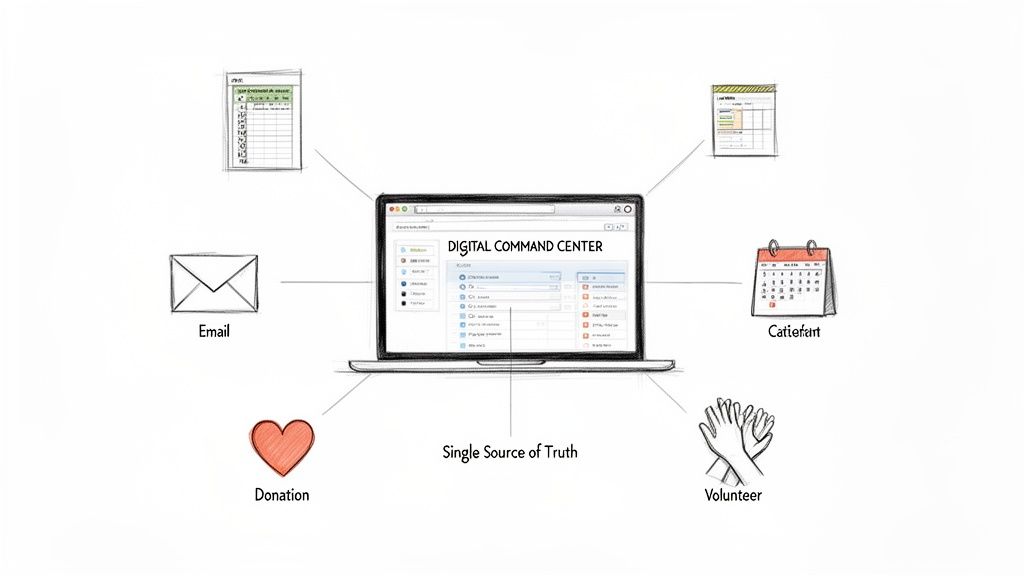
The real magic happens when this software starts to automate and connect the dots. It's not just about storing names and phone numbers; it’s about gaining a much deeper understanding of your community. It helps you finally get clear answers to the questions that truly matter for your mission:
By unifying these functions, the software completely changes your operational rhythm. It liberates your team from the tedious, repetitive tasks that drain their time and energy. Instead, they can focus on what they do best: building authentic relationships with members and driving your mission forward.
The difference is night and day. Moving from a patchwork of manual tools to a dedicated platform brings a new level of efficiency and insight.
This table shows the stark contrast between struggling with manual methods and the streamlined approach a dedicated software solution provides.
Ultimately, the goal is to spend less time wrestling with data and more time connecting with the people who make your work possible.
Picking the right membership database for your nonprofit can feel overwhelming. With so many options out there, it’s easy to get lost in a sea of features. Let's cut through the noise and focus on what truly matters—the core functions that will actually help you run your organization and grow your community. Think of these not as a simple checklist, but as the essential tools in your nonprofit’s workshop.
The absolute bedrock of any good system is a robust member profile. This is so much more than a glorified address book. A great database lets you build out a rich, dynamic profile for every single member, tracking everything from their join date and donation history to event attendance and volunteer hours. You get a complete picture of each person's journey with your organization.
Imagine being able to pull up a list of your most engaged members in seconds. Or what if you could instantly identify everyone who hasn't shown up to an event in the last year? That's the power of having all your data in one central hub.
When everything lives in one place, you can slice and dice your audience with incredible precision. For a professional association, this might mean creating a segment of members whose certifications are about to expire and sending them a targeted reminder. A local community garden could segment by volunteer interests to find people who are eager for weekend planting projects. Trying to do this with a patchwork of spreadsheets is a recipe for headaches.
Your member database should be the single source of truth for your organization. When data is clean, centralized, and easy to access, you can move from reactive administration to proactive relationship-building.
This kind of smart segmentation allows for personal outreach that makes members feel seen and valued, which is the cornerstone of building a strong community. It's a foundational element that powers almost everything else you do. To go deeper, you can learn more about what to look for in comprehensive membership management software.
Let's be honest—managing membership renewals is one of the biggest administrative drains for any nonprofit. Manually tracking expiration dates, sending out individual reminders, and chasing down checks eats up valuable time and energy. This is where automation is a total game-changer.
Your software should handle this entire workflow for you. It needs to send out personalized renewal reminders automatically before a membership is up for renewal. More importantly, it must give members a dead-simple, secure way to renew online. When considering the essential features for your nonprofit database, beyond core membership management, robust reporting, communication tools, and seamless integration with efficient payment processing solutions are paramount.
Look for these key automation features:
This kind of automation doesn't just save you countless hours. It makes the renewal process totally frictionless for your members, which directly boosts your retention rates. It's common for organizations to see a 10-20% increase in on-time renewals after putting a system like this in place.
A powerful membership database doesn't just hold your data; it helps you use it. Built-in communication tools are non-negotiable for keeping your community connected and in the loop. Your software should have its own email marketing system, so you can design and send newsletters, event invites, and fundraising appeals without having to juggle another platform.
Likewise, event management tools are a must-have for most nonprofits. The software should let you:
When these features are all part of the same system, your data works together beautifully. For example, after someone checks into your annual gala, the system can automatically tag their profile with "Attended Annual Gala 2024," making their engagement history even richer for the next time you reach out.
A thriving nonprofit is so much more than a list of names in a spreadsheet; it’s a living, breathing community built on genuine relationships. This is where membership database software for nonprofits really shines, transforming from a simple record-keeper into a strategic partner that helps guide every single member through their journey with your cause. It lets you stop reacting to administrative tasks and start proactively building a loyal, engaged community.
This journey kicks off the very moment someone decides to join. A great system makes this first step feel effortless, replacing clunky, downloadable PDFs with clean, easy-to-use online forms. You capture all the essential information right from the get-go, and the software automatically creates a rich, detailed profile—no more tedious manual data entry for you or your team.
From there, the software helps you roll out the welcome mat. You can set up automated email sequences that instantly greet new members, point them toward helpful resources, and make them feel seen and valued from day one. That kind of intentional onboarding sets the stage for a strong relationship for years to come.
The process flow below shows how software supports these crucial stages, from the initial signup to keeping members active and involved.
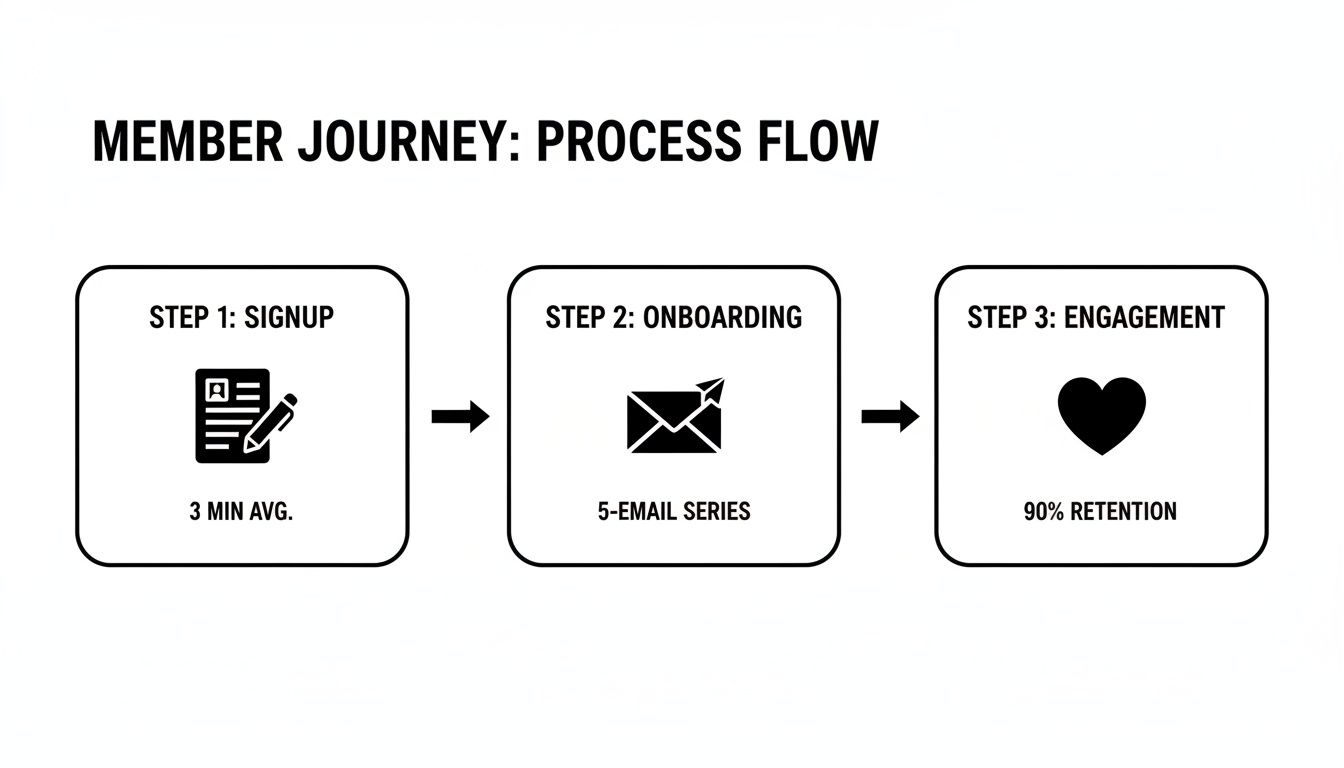
This visual really drives home how technology can create a seamless experience, moving members from one phase to the next with personalized, automated touchpoints that feel natural, not robotic.
Once a member is fully on board, the software becomes your central hub for understanding them better. It tracks their interactions, giving you clues about what they truly care about. Every event they register for, every hour they volunteer, every link they click in your newsletter—it all adds another layer of insight to their profile. This is pure gold for delivering personalized content that strengthens their connection to your mission.
For instance, you can put this data to work to:
By tracking these touchpoints, your membership software helps you move beyond generic, one-size-fits-all communication. It empowers you to have a one-on-one conversation at scale, making each member feel truly understood.
This kind of targeted engagement is what turns passive members into an active, vibrant community. It's no wonder that the global Nonprofit CRM Software Market—which is built around these database functions—was valued at USD 846.59 million in 2025 and is projected to hit USD 1,171.06 million by 2034. That growth shows just how much nonprofits are leaning on technology to build and manage these critical relationships.
Finally, your software is one of your most powerful tools for keeping members around for the long haul. A great database doesn't just manage renewal reminders; it helps you predict and prevent churn before it even happens. You can set up automated alerts to flag members whose engagement has dipped, giving you a chance to reach out with a personal check-in.
At the same time, it helps you spot your biggest fans. The system can highlight your "super-users"—the folks who attend every event, open every email, and are always there to support your cause. These are the perfect people to invite into volunteer leadership roles, ask for a testimonial, or enlist for your next peer-to-peer fundraising push. This strategic approach is absolutely essential for sustainable growth. For more great ideas on keeping your community strong, check out our guide on effective member retention strategies.
Picking the right membership database software is a huge strategic decision for any nonprofit, not just an IT one. This platform will become the very backbone of your operations, touching everything from how you engage with members to how efficiently your team works. Think of it less as buying a tool and more as finding a partner that truly gets your mission and is built to grow with you.
It's so easy to get distracted by a long list of features. But the real key is moving beyond the bells and whistles to find a system that fits your unique needs today and has the flexibility to support your vision for tomorrow. This means taking an honest look at your organization's actual workflows, your team's comfort level with technology, and your long-term goals.
One of the most common traps I see nonprofits fall into is choosing a system that solves today's headaches but can't handle tomorrow's success. Picture this: your nonprofit doubles its membership over the next two years. Will your software keep up, or will you be stuck with a costly and disruptive migration right when you should be celebrating your growth?
Scalability is about more than just how many contacts you can store. It's about performance and future-proofing your investment.
Choosing a scalable platform means you're investing in a long-term solution, not just a temporary patch.
Your membership database can't be an island. It needs to talk to all the other tools you depend on, like your email marketing platform, accounting software, and payment gateways. Without good integrations, your team will be stuck manually exporting and importing data—a process that’s not just slow but also a recipe for errors.
A well-connected system creates a single, unified source of truth. For example, when your database syncs with your email tool, new members can automatically be added to a welcome series. When it connects to your payment processor, donation records are updated in real-time without anyone lifting a finger. This connectivity is what turns a simple database into a powerful automation engine. For a deeper dive, check out our comparison of the best membership management software to see how different platforms handle integrations.
You are the guardian of your members' sensitive personal information. That's a huge responsibility. Robust security isn't just a nice-to-have feature; it’s an absolute must. Make sure any provider you consider has strong data protection protocols, is compliant with regulations like GDPR or CCPA, and has a crystal-clear policy on who owns the data (hint: it should be you). Your members' trust is your most valuable asset—don't compromise it.
At the same time, the software has to be genuinely easy for your team and volunteers to use. A system with a million features is worthless if it’s too complicated for non-technical staff to navigate.
The true test of good software is whether it empowers your team or creates a new bottleneck. Look for an intuitive interface, clear navigation, and accessible training resources to ensure everyone actually uses it.
A great user experience flattens the learning curve, reduces frustration, and encourages your team to use the system to its full potential.
Justifying the cost of new software can be tough, but the return on investment (ROI) goes far beyond the monthly subscription fee. The global non-profit software market, which includes these vital databases, grew to an impressive $5.5 billion and is projected to hit $7.3 billion by 2029. This growth isn't happening in a vacuum; it shows just how much value organizations are getting from these platforms. You can learn more about this expanding market and its key players.
To figure out your own potential ROI, think about these factors:
When you frame the decision in these terms, it’s clear that the right software doesn't just cost money—it actively generates value for your mission.
To help you through this critical process, we've put together a checklist to guide your evaluation.
Use this checklist to create a scorecard for each platform you evaluate. It will help keep your team focused on what truly matters for your organization's success.
You've picked out your new membership database software for nonprofits—that's a huge win! But now comes the really important part: the implementation. Getting your new system up and running isn't just about flipping a switch. It’s about carefully guiding your team and your processes through a major change, and that requires a solid plan to make sure it’s an asset from the get-go.
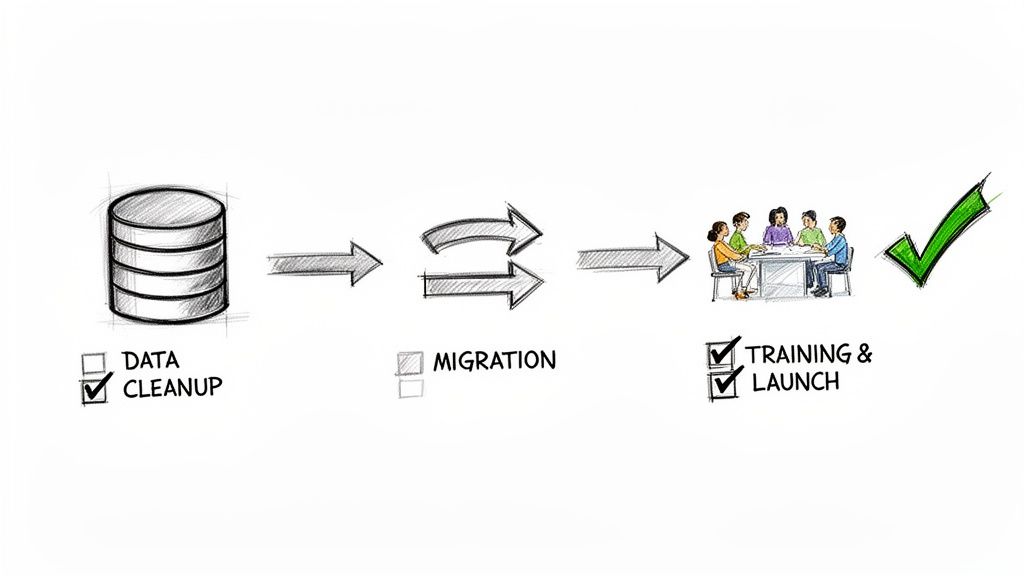
The journey to a successful launch starts well before your "go-live" date. The very first thing to tackle is your existing data. Think of it like moving into a new house—you wouldn’t pack up all your junk and bring it with you, right? Same principle here. You need to meticulously clean up your spreadsheets by fixing typos, merging duplicate contacts, and making sure all your data formats are consistent.
Getting your data clean before you move it is the bedrock of a smooth migration. That upfront effort saves you from countless headaches later and ensures that the information you pull from your new software is actually reliable.
A structured plan can transform a potentially chaotic project into a series of calm, manageable steps. By breaking down the implementation process, you can make sure every detail is handled correctly, from the technical nuts and bolts to getting your team comfortable. The ultimate goal is for everyone to actually use the new system, and that only happens with a bit of foresight.
Here’s a practical, step-by-step roadmap to follow:
A successful software launch is 20% technology and 80% people. Investing in clear communication and comprehensive training is the single best way to guarantee your team embraces the new system and uses it to its full potential.
Following these steps methodically helps minimize disruptions and sets your organization up to reap the rewards for years to come.
Even with the best-laid plans, a few common tripwires can derail your launch. One of the biggest mistakes nonprofits make is underestimating the timeline. Everything, from cleaning up data to training your team, will inevitably take longer than you expect. Be smart and build some buffer time into your project schedule.
Another classic mistake is picking a system that's way too complicated for your team. A feature-packed platform is useless if your staff is too intimidated to use it. Always prioritize a clean, user-friendly interface and make sure the provider offers excellent customer support so no one feels left behind.
The growing demand for this kind of software really underscores its importance. As a specific segment of the Nonprofit CRM market, cloud-based membership tools are projected to grow from USD 807.65 million to USD 1,075.1 million. This software is built to solve the core challenges of nonprofits, from managing volunteers to tracking grants. You can learn more about the rise of cloud-based nonprofit solutions. By steering clear of these common errors, you can ensure your investment pays off.
Jumping into new nonprofit technology always brings up questions. It's only natural. To help you feel confident as you explore your options, we've answered some of the most common things nonprofit leaders ask about membership database software.
This is a great question, and the answer comes down to focus. Think of a general CRM (Customer Relationship Management) as a Swiss Army knife—it’s built to handle a wide range of contacts, usually with a focus on sales or fundraising. It's fantastic for tracking donor conversations and campaigns.
Membership database software for nonprofits, on the other hand, is more like a specialized surgical tool. It's built specifically for the unique job of managing a community of members. It does everything a general CRM does but adds critical features that member-based organizations can't live without.
What kind of specialized features? We’re talking about things like:
So, while all membership software is a type of CRM, not every CRM is cut out to handle the day-to-day realities of a membership organization.
The price tag can really vary, so it’s smart to look at the bigger picture. Costs are usually tied to the number of members or contacts you have, the specific features you need, and the level of support you want.
Most modern platforms run on a subscription basis. You might see plans that are free or very low-cost for tiny nonprofits, while larger, more complex organizations could pay several hundred or even thousands per month. For a general idea, many entry-level plans fall in the $50-$150 per month range, with more powerful systems starting at $300+ per month.
When you're budgeting, think in terms of total cost of ownership. That includes the monthly fee, but also any one-time setup costs, data migration help, or payment processing fees.
The most important thing is to weigh the cost against the return. Think about all the administrative hours you'll get back, the membership revenue you'll secure with better retention, and the new opportunities for fundraising you'll unlock.
This is probably one of the most important questions you can ask. The great news is that today's cloud-based software is designed for people, not programmers. Most good platforms have clean dashboards and straightforward menus that don't require any coding or IT wizardry.
That said, a smooth transition doesn't just happen on its own. Success usually boils down to getting two things right from the start:
Look for a software provider that takes onboarding seriously. A great partner will offer clear guides, video tutorials, and a friendly support team to help you get set up and answer questions along the way.
Absolutely. In fact, it's one of the first things you'll do. Any quality membership software is built to import data from standard files like CSVs, which you can easily save from programs like Microsoft Excel or Google Sheets.
The secret to a stress-free migration is all in the prep work. This part can take some time, but it's worth every minute.
Before you hit "import," you'll want to:
Many software providers will give you a checklist or even hands-on help to get your data ready, ensuring you launch your new system on the right foot.
Ready to stop wrestling with spreadsheets and start building a more connected community? GroupOS brings everything you need to manage your members, events, and communications together in one simple, all-in-one platform. See how our intuitive tools can help you save time, drive engagement, and get back to focusing on your mission. Explore GroupOS today.







